
Choosing a 30-inch class monitor is about balancing screen real estate with pixel density. A 32-inch panel at 1080p looks soft, while 4K at this size demands GPU power for gaming. The ideal spot depends entirely on your primary use—spreadsheets, creative work, or competitive shooters.
I’m Min — the co-founder and writer behind Gadgets Feed. I spend hundreds of hours each quarter analyzing panel technologies, refresh rates, and connectivity standards across dozens of models to separate marketing fluff from genuinely meaningful performance.
This guide compares eleven contenders spanning fast IPS, deep-contrast VA, and blistering OLED panels to help you find the perfect 30 inch monitor for your desk without overpaying for features you will never use.
How To Choose The Best 30 Inch Monitor
Buying a monitor in the 30–34 inch range requires thinking about resolution density, panel chemistry, and refresh rate holistically. A mismatch here—like pairing a 1080p panel with an RTX 4090—wastes money. Here are the three decisions that matter most.
Resolution Density: The 32-Inch Math
At 32 inches, 1080p yields roughly 69 PPI—pixels are visible from normal desk distance. 1440p (2560 x 1440) lands around 91 PPI, delivering sharp text without forcing your GPU to drive 8.3 million pixels. 4K at 32 inches hits 137 PPI, which looks stunning for productivity and creative work but requires a high-end graphics card to maintain 60+ FPS in games. Budget accordingly.
Panel Type: IPS vs VA vs OLED
Fast IPS panels (like the Samsung Odyssey G5) offer wide 178° viewing angles and strong color accuracy, though contrast ratio hovers around 1000:1. VA panels (seen on the LG 32UR550K) push contrast to 3000:1 for deeper blacks, but off-axis gamma shift can be noticeable. QD-OLED panels (MSI MPG 322URX and ASUS ROG Swift) deliver per-pixel lighting, infinite contrast, and 0.03ms response, but carry burn-in risk and higher cost. Choose based on whether you prioritize viewing angles, shadow detail in dark games, or HDR vibrancy.
Refresh Rate and Adaptive Sync
60Hz is fine for office work and casual browsing. For gaming, 120Hz or 180Hz eliminates motion blur noticeably. Ensure your GPU supports the monitor’s adaptive sync technology—AMD FreeSync Premium or NVIDIA G-Sync Compatible. FreeSync works over HDMI and DisplayPort with both brands, but G-Sync Compatibility requires a DisplayPort connection from an NVIDIA card for the smoothest tear-free experience.
Quick Comparison
On smaller screens, swipe sideways to see the full table.
| Model | Category | Best For | Key Spec | Amazon |
|---|---|---|---|---|
| MSI MPG 322URX | QD-OLED | High-end gaming & creative | 240Hz / 0.03ms | Amazon |
| ASUS ROG Swift PG32UCDM | QD-OLED | Competitive 4K gaming | 240Hz / 0.03ms | Amazon |
| Alienware AW3425DW | QD-OLED Ultrawide | Immersive ultrawide gaming | 240Hz / 3440 x 1440 | Amazon |
| BenQ MA320U | 4K IPS | MacBook productivity | 90W USB-C / P3 | Amazon |
| Samsung Odyssey G50D | Fast IPS | QHD gaming value | 180Hz / 1ms | Amazon |
| LG 32UR550K-B | 4K VA | Productivity & media | 4K / 90% DCI-P3 | Amazon |
| Dell S3225QS | 4K VA | Comfort-focused 4K work | 120Hz / 95% DCI-P3 | Amazon |
| Dell S3425DW | VA Ultrawide | Multi-tasking & casual gaming | 3440 x 1440 / 120Hz | Amazon |
| ASUS ROG Strix XG49VQ | VA Super Ultrawide | Massive workspace | 3840 x 1080 / 144Hz | Amazon |
| Samsung Odyssey G6 OLED | QD-OLED | Ultra-high refresh esports | 500Hz / 0.03ms | Amazon |
| LG 32G600A-B | Curved VA | Budget gaming immersion | 180Hz / 1000R curve | Amazon |
In‑Depth Reviews
1. MSI MPG 322URX QD-OLED

This 32-inch UHD QD-OLED panel uses the third-generation quantum dot OLED layer, delivering a native 240Hz refresh rate with a 0.03ms GtG response. The infinite contrast ratio produces inky blacks that make HDR content—whether gaming or streaming—look dramatically more dimensional than any VA or IPS panel can manage.
Connectivity is future-proofed with DisplayPort 2.1a (UHBR20) providing 80Gbps bandwidth, enabling uncompressed 4K at 240Hz without chroma subsampling. The 99% DCI-P3 coverage with Delta E ≤ 2 ensures color-critical work stays accurate right out of the box. MSI includes OLED Care 2.0 with a three-year burn-in warranty, which addresses the main hesitation buyers have about OLED longevity.
Built-in speakers are passable for system sounds but not serious audio. The screen surface is delicate—owners report scratching easily during cleaning. Pair this with a powerful GPU; a 3090 Ti or better is needed to push 4K at high frame rates. For uncompromised image quality, this is the current benchmark.
Why it’s great
- Stunning QD-OLED contrast and color volume
- DP 2.1a for uncompressed 4K at 240Hz
- Three-year burn-in warranty included
Good to know
- Screen scratches easily
- Built-in speakers are mediocre
- Requires high-end GPU for 4K gaming
2. ASUS ROG Swift PG32UCDM

ASUS pairs the same 32-inch 4K QD-OLED panel used in the MSI with a custom heatsink, advanced airflow design, and graphene film for superior heat management. This reduces burn-in risk significantly compared to first-gen OLED monitors. The 240Hz refresh rate with 0.03ms response makes motion clarity exceptional in fast-paced titles.
VESA DisplayHDR 400 True Black compliance alongside 99% DCI-P3 coverage and true 10-bit color depth ensures gradients are smooth and highlights punchy. The DisplayWidget Center software allows OLED Care adjustments and monitor settings via mouse, a convenience that saves digging through on-screen menus. A uniform brightness setting prevents luminance changes during long work sessions.
The main trade-off is cost—this is a premium-tier purchase. The matte screen surface reduces reflections but slightly lowers perceived pop compared to glossy alternatives. Three-year warranty with burn-in coverage provides peace of mind. For a gamer who wants 4K clarity and esports-level responsiveness, this is a strong alternative to the MSI.
Why it’s great
- Custom heatsink minimizes OLED burn-in risk
- Exceptional HDR performance with true 10-bit color
- Software-based OLED Care for easy maintenance
Good to know
- Expensive compared to non-OLED alternatives
- Matte coating slightly reduces perceived contrast
3. Alienware AW3425DW

The AW3425DW stretches the QD-OLED experience to 34.2 inches with a 3440 x 1440 resolution and 1800R curve. The WQHD ultrawide aspect ratio (21:9) provides a significant horizontal field-of-view advantage in racing and flight sims. The 240Hz refresh rate combined with QD-OLED’s per-pixel lighting creates motion clarity that VA ultrawides cannot match.
DCI-P3 99.3% coverage with Delta E < 2 color accuracy guarantees rich, uniform color across the wide screen. VESA DisplayHDR TrueBlack 400 certification ensures deep blacks and 1000 nits peak brightness for HDR highlights. The monitor supports NVIDIA G-Sync Compatible, AMD FreeSync Premium Pro, and VESA AdaptiveSync, making it platform-agnostic for smooth tearing-free gameplay.
The glossy QD-OLED coating can show reflections in bright rooms. Slight text clarity issues exist due to the non-standard subpixel layout, though most users adapt within days. For pure immersion in supported games, this ultrawide OLED delivers an experience that flat 16:9 panels simply cannot match.
Why it’s great
- Immersive 21:9 ultrawide with QD-OLED colors
- Universal adaptive sync support
- Excellent build quality and ergonomic stand
Good to know
- Glossy screen catches reflections
- Text rendering slightly softer than IPS
- Not all games support 21:9 properly
4. BenQ MA320U

BenQ specifically engineered the MA320U for MacBook users. The 32-inch 4K IPS panel is factory-calibrated with BenQ’s color tuning to match the MacBook’s P3 wide color gamut, so colors appear consistent across the laptop and external display without manual adjustment. The dual USB-C ports deliver 90W power delivery to the MacBook and 15W to charge peripherals like an iPad or iPhone.
Integrated MacBook controls let you adjust brightness and volume directly from the MacBook keyboard—a seamless integration that competing monitors often lack with macOS. The 400-nit brightness exceeds typical 300-nit office panels, making it usable near windows. The ergonomic stand supports height, tilt, swivel, and pivot adjustments for finding the perfect viewing position.
The 60Hz refresh rate limits fluidity for gaming, and the built-in speakers lack camera and microphone unlike LG’s UltraFine series. For professional Mac-based creative workflows—photo editing, design, coding—the color accuracy and single-cable convenience make this a top choice.
Why it’s great
- Mac color matching out of the box
- 90W USB-C power delivery with dual ports
- Full ergonomic stand included
Good to know
- 60Hz refresh rate only
- No built-in camera or microphone
5. Samsung Odyssey G50D

The 32-inch Odyssey G50D uses a Fast IPS panel at QHD resolution (2560 x 1440) with a 180Hz refresh rate and 1ms GtG response time. This combination is sweet-spot territory for mid-range gaming—it delivers sharp text for productivity and sufficient motion clarity for competitive shooters without the GPU demands of 4K. The 178° viewing angles mean colors remain consistent even when shifting viewing position.
VESA DisplayHDR 400 certification provides improved brightness over standard HDR10 panels, with 350 cd/m² typical brightness. AMD FreeSync and G-Sync Compatibility keep tearing at bay across a wide frame rate range. The adjustable stand offers height, tilt, swivel, and pivot, allowing precise desk placement. Eye Saver Mode reduces blue light emissions without washing out colors.
Factory calibration is reportedly poor—some users report washed-out whites and gray blacks before manual tuning. Expect to spend 30–60 minutes adjusting settings via the on-screen display. For the price, the combination of Fast IPS speed, QHD sharpness, and full ergonomics is tough to beat.
Why it’s great
- Fast IPS with 180Hz and 1ms response
- QHD resolution balances sharpness and GPU load
- Full adjustable stand with pivot
Good to know
- Poor factory color calibration out of box
- HDR 400 is entry-level HDR
6. LG 32UR550K-B

This LG UltraFine monitor delivers native 4K UHD resolution on a 32-inch VA panel with a 3000:1 contrast ratio. The VA panel’s deep blacks make text pop against dark backgrounds, which is beneficial for coding, writing, and reading. HDR10 support covering 90% of DCI-P3 color space means video and photo editing benefit from vibrant, lifelike colors.
Built-in Waves MaxxAudio speakers provide decent sound for video calls and media consumption, removing the need for external speakers in a minimalist setup. The height, tilt, and pivot adjustable stand offers flexibility for long work sessions. Gaming features like Dynamic Action Sync and Black Stabilizer add value for occasional gaming without dedicated monitor purchases.
The 60Hz refresh rate limits gaming fluidity. Brightness is capped at 250 cd/m², which is below average for HDR—HDR highlights won’t look punchy. For pure productivity and media consumption where 4K resolution matters more than high refresh rates, this is a strong mid-range choice.
Why it’s great
- Sharp 4K resolution for productivity
- 3000:1 VA contrast for deep blacks
- Adjustable stand and built-in speakers
Good to know
- 60Hz only, not for gaming
- Low 250-nit peak brightness
7. Dell S3225QS

Dell’s 32-inch 4K VA monitor stands out with ComfortView Plus technology that reduces harmful blue light emissions to 35% or less without shifting colors yellow. This makes it ideal for all-day document editing, research, or coding where eye strain is a primary concern. The 120Hz refresh rate is a welcome upgrade over standard 60Hz office monitors, providing noticeably smoother cursor movement and scrolling.
The VA panel delivers 1500:1 contrast ratio and 99% sRGB / 95% DCI-P3 coverage, producing accurate colors suitable for light creative work. Built-in speakers have been re-engineered with greater output power and deeper frequency response than previous Dell monitors—users report surprisingly good audio for video calls and YouTube. The ultra-thin bezel and ash white finish give the desk a clean, modern look.
The anti-glare screen reduces reflections effectively, though the 300-nit brightness is adequate rather than impressive for HDR content. Dell includes only one HDMI cable in the box—buy a separate DisplayPort cable if you need higher refresh rates. For a productivity-first monitor with comfort credentials, this is a compelling option.
Why it’s great
- ComfortView Plus reduces blue light without color shift
- 120Hz refresh rate for smooth daily use
- Improved built-in speakers with good bass
Good to know
- 300 nits brightness is average
- Only HDMI cable included
8. Dell S3425DW

The Dell S3425DW provides a 34-inch VA ultrawide (3440 x 1440) with a 120Hz refresh rate and 0.03ms response time. The 3000:1 contrast ratio ensures rich blacks and good shadow detail for media consumption and casual gaming. USB-C connectivity with 65W power delivery simplifies desk setup—a single cable handles video, data, and laptop charging.
Color coverage hits 99% sRGB and 95% DCI-P3, making this suitable for photo editing and design work on a wide canvas. ComfortView Plus blue light reduction is included, keeping eye fatigue low during long sessions. Re-engineered speakers provide improved frequency response compared to previous-generation Dell monitors, useful for conference calls and background music.
Connectivity is limited to HDMI, USB-C, and USB-A—there is no DisplayPort, which may be a dealbreaker for some desktop GPUs. The recessed VESA mount design requires bracket pre-attachment, adding complexity for wall mounting. For mixed productivity and casual gaming on a wide screen, this delivers strong value.
Why it’s great
- 3440 x 1440 ultrawide with 3000:1 contrast
- 65W USB-C power delivery
- ComfortView Plus for reduced eye strain
Good to know
- No DisplayPort connection
- Recessed VESA mount complicates wall setup
9. ASUS ROG Strix XG49VQ

The 49-inch ROG Strix XG49VQ offers a DFHD resolution (3840 x 1080) on a super-ultrawide 32:9 aspect ratio with an 1800R curve. This effectively replaces a dual-monitor setup with a single seamless screen, making window management with Windows Powertools FancyZones or similar tools highly productive. The 144Hz refresh rate and FreeSync 2 HDR support keep gaming smooth.
The VA panel provides 90% DCI-P3 coverage with DisplayHDR 400 certification, delivering acceptable color and contrast for immersive gaming. The height, swivel, and tilt adjustable stand allows ergonomic positioning. Eye Care technology reduces flicker and blue light for extended sessions.
The 1080p vertical resolution is the main limitation—at 49 inches, 1080 pixels (roughly 40 PPI) means noticeable pixelation compared to 1440p or 4K panels. HDR implementation is basic, with users reporting that settings cannot be adjusted when HDR is enabled. This suits users who prioritize horizontal screen real estate over pixel density.
Why it’s great
- Huge 49-inch 32:9 workspace replaces dual monitors
- 144Hz refresh rate for smooth gameplay
- Adjustable stand with VESA mount option
Good to know
- 1080p vertical resolution shows pixelation
- HDR controls locked when HDR is active
- Requires AMD GPU for optimal FreeSync
10. Samsung Odyssey G6 OLED
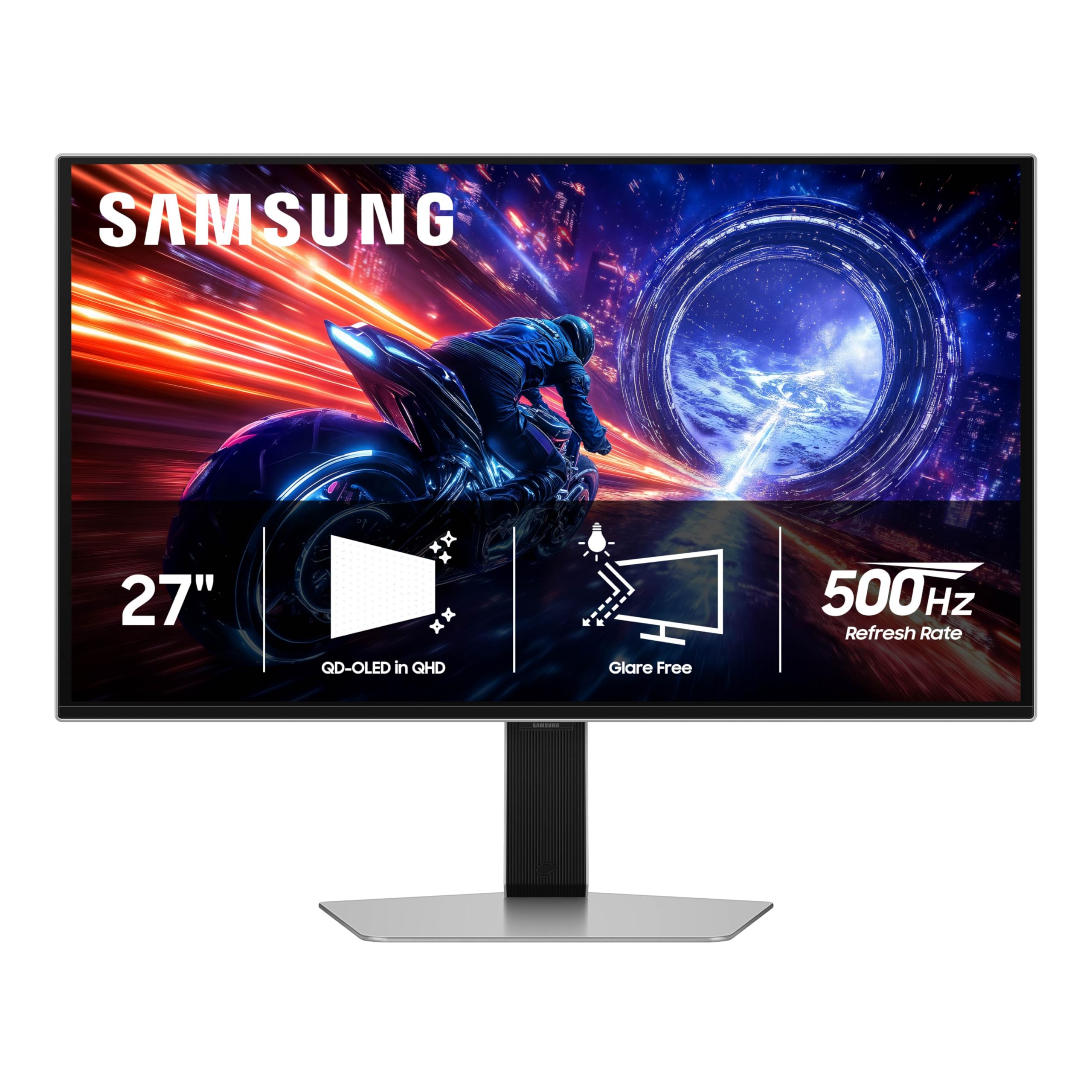
The 27-inch Odyssey G6 OLED is the world’s first OLED monitor to reach a 500Hz refresh rate with a 0.03ms GtG response time. This combination creates motion clarity so sharp that even 360Hz panels show visible blur in comparison—esports players gain every millisecond advantage. The QD-OLED panel delivers QHD (2560 x 1440) resolution, balancing pixel density with frame rate demands.
VESA DisplayHDR TrueBlack 500 ensures deep blacks with 1000 nits peak brightness for HDR highlights. FreeSync Premium Pro and G-Sync Compatibility keep gameplay tear-free across variable frame rates. The Glare Free technology reduces reflections from ambient light, maintaining contrast in bright rooms.
Reaching 500Hz requires a top-tier GPU and lower graphical settings in most modern titles. The smaller 27-inch size may disappoint users expecting a larger canvas. Build quality is excellent, but a minority of users report back button fragility. For competition-focused gamers, this is the fastest OLED monitor available.
Why it’s great
- Unmatched 500Hz refresh rate for esports
- QD-OLED colors and contrast at QHD resolution
- Glare Free screen reduces reflections
Good to know
- Requires extreme GPU performance for 500Hz
- 27-inch size may feel small for desktop use
- Potential build quality concerns with back button
11. LG 32G600A-B
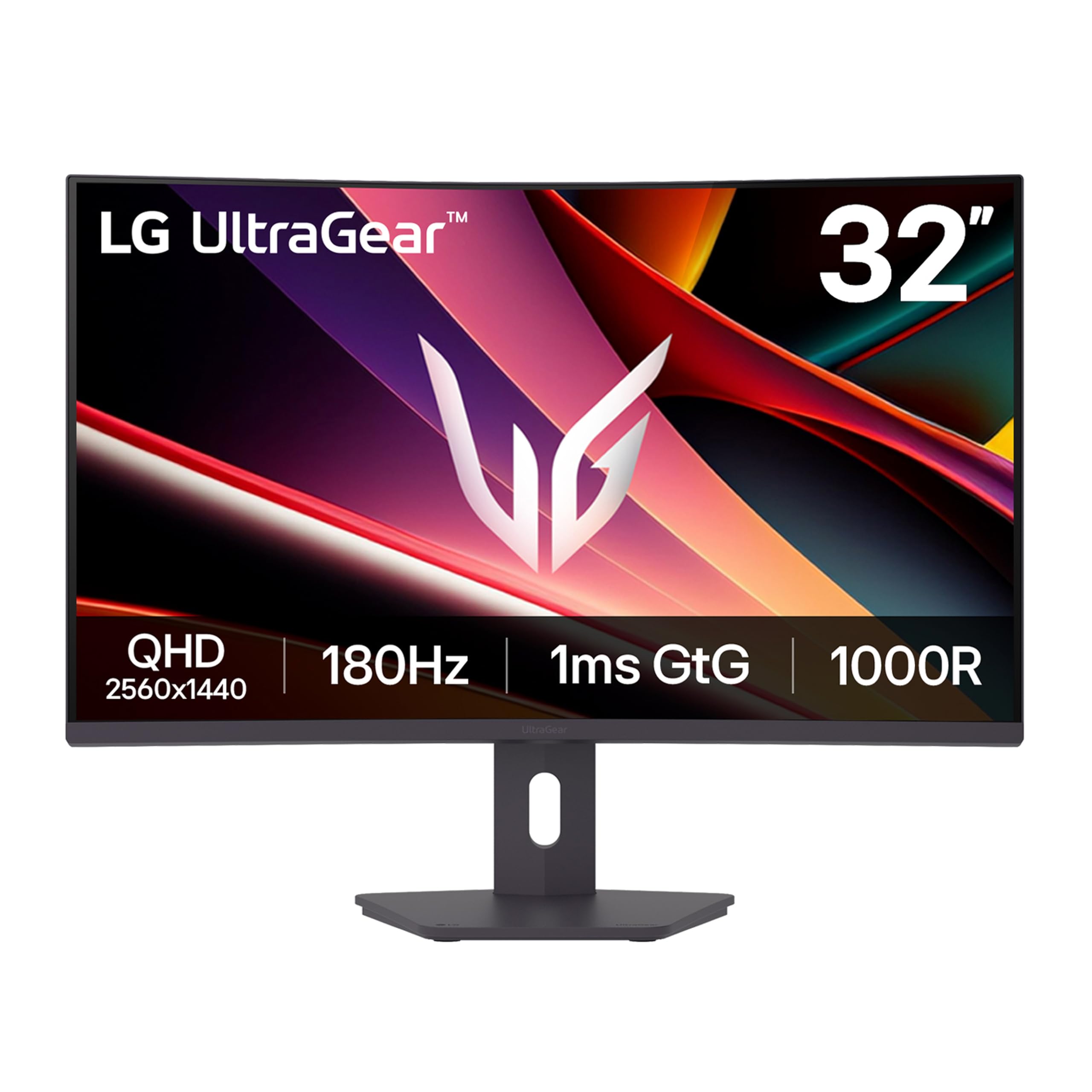
LG’s 32-inch UltraGear delivers QHD resolution (2560 x 1440) on a VA panel with a 1000R curvature that wraps around the viewer’s field of view for deep immersion. The 180Hz refresh rate with 1ms GtG response provides smooth gaming motion without visible ghosting. AMD FreeSync keeps tearing minimal across 48–180Hz range.
The 3000:1 native contrast ratio significantly outperforms IPS panels of similar price, making dark scenes in games and movies look punchy rather than washed out. HDR10 support with 99% sRGB coverage ensures decent color reproduction. The adjustable stand offers height, tilt, and swivel adjustments—rare at this price point.
Built-in speakers are absent, and the 250-nit brightness is average for SDR use and insufficient for impactful HDR. Some users report the curved panel takes a day or two to adjust to for productivity work. For budget-conscious gamers who want immersion and high refresh rates, this is the entry-level standout.
Why it’s great
- 180Hz refresh rate with 1ms response at low cost
- 1000R curve for immersive gaming
- 3000:1 VA contrast for deep blacks
Good to know
- No built-in speakers
- 250 nits too dim for HDR impact
FAQ
Is 1440p or 4K better for a 32-inch monitor?
Does a curved monitor help with productivity?
What GPU do I need for a 240Hz 4K monitor?
Can I use a 30-inch monitor with a MacBook?
Final Thoughts: The Verdict
For most users, the 30 inch monitor winner is the MSI MPG 322URX because it delivers uncompromised 4K gaming with OLED contrast at 240Hz. If you want a Mac-friendly productivity screen with excellent color accuracy, grab the BenQ MA320U. And for budget-conscious gamers seeking immersion, nothing beats the LG 32G600A-B.