
Our readers keep the lights on and my morning glass full of iced black tea. As an Amazon Associate, I earn from qualifying purchases.
Specs are compiled from manufacturer listings and verified buyer reviews and can change over time — please confirm the key details on the product page before buying.
You’ve got a shoebox of old slides, a stack of fading prints, or a portfolio of oversized artwork that needs to live on a screen—and the right machine is the difference between a weekend project and a lifetime of regret. This guide breaks down the art scanner landscape into three clear missions: bulk document digitizing, delicate photo and film preservation, and large-format reproduction, so you can match the tool to the job.
I’m Min — the founder and writer behind Gadgets Feed. This guide is built by comparing the manufacturers’ published specifications and the patterns across verified customer reviews, so you get each pick’s real strengths and trade-offs instead of marketing spin.
Whether you are rescuing old negatives or archiving large drawings, this breakdown of the best art scanner options helps you choose the right tool for the job.
Our Picks at a Glance


How To Choose The Best Art Scanner
Choosing a scanner is less about finding the most expensive one and more about matching the machine’s core strengths to the material you are digitizing. A document feeder is useless for a fragile 100-year-old print, just as a high-resolution flatbed is overkill for filing paperwork.
Know Your Source Material
Start by sorting your collection. If you have stacks of printed documents, receipts, or double-sided pages, a sheet-fed scanner with an auto document feeder (ADF) is your speed demon. If your originals are bound books, thick art paper, or mounted slides, you need a flatbed with a transparency unit—a built-in light in the lid that illuminates film from behind.
Decode The Resolution Race
You’ll see two numbers competing: dpi (dots per inch) and mega-pixels. Dpi is the true measure of optical capture—how many individual dots the sensor grabs per inch of your original. For a 4×6 photo, a 1200 dpi scan is plenty; for a 35mm slide that you want to enlarge, you want a 6400 dpi optical resolution, not a marketing “interpolated” number that stretches the image after capture.
Check The Sensor And Your Setup
Two main sensor types dominate: CCD (charge-coupled device) and CIS (contact image sensor). CCD sensors capture deeper color and better depth of field, essential for film and textured art. CIS sensors are thinner, lighter, and use less power, making them perfect for portable or sheet-fed document work. Look, too, at connections—most modern units offer USB, while premium models add Wi-Fi for scanning straight to your phone or cloud drive.
Quick Comparison
| Model | Best For | Resolution | Sensor | Weight | Amazon |
|---|---|---|---|---|---|
| Fujitsu ScanSnap iX500★ Best Overall | Speed & reliability | 1200 | CMOS | 3 pounds | Amazon |
| ClearClick QuickConvert 2.0Also Great | Slides & negatives | 7200 | CIS | 2.4 pounds | Amazon |
| Epson ES-C220Compact Champ | Compact office batch | 300 | CIS | 3.9 pounds | Amazon |
| CZUR Aura Pro | Books & documents | 1300 | CMOS | 3.24 kg | Amazon |
| Plustek OS1180 | Large-format value | 1200 | — | Bulky | Amazon |
| ScanSnap iX2500 | Wireless speed | 600 dpi | CIS | 7.7 pounds | Amazon |
| Plustek A320E | Wide format art | 3840×2160 | CCD | 7.5 kg | Amazon |
| Epson Perfection V600 | Film & photo quality | 6400 x 9600 | CCD | 4100 g | Amazon |
| Epson Perfection V850 Pro | Professional output | 9600 | CCD | 20.9 pounds | Amazon |
In‑Depth Reviews
1. Fujitsu ScanSnap iX500
Our pick — over 4.5★ from 3,000+ verified ratings; the strongest balance of quality and price.
The reliable workhorse that chews through documents at 25 pages per minute without breaking a sweat
If your “art” is a physical archive of sketches, contracts, and reference prints that all need to become searchable files, this is the machine. It scans both sides of a page in one pass at a blazing 25ppm (pages per minute) color, and it connects to your PC or Mac over USB or Wi-Fi. Its 4.6-star rating from thousands of owners reflects a long-standing reputation for dependable performance.
Owners mention a 5-minute setup from unboxing to first scan. Owners praise its durability, with many units exceeding 250,000 pages without issues. It handles everything from long documents to receipts, and the software lets you scan straight to services like Evernote or Dropbox.
The catch is quirks rather than failures: it does not support TWAIN or ISIS drivers (so some third-party apps won’t see it), and you need a USB 2.0 port—it plays poorly with USB 3.0. Photos scan darker than they should, with no brightness adjustment, so it is better for documents than fine-art prints. At 1200 dpi optical resolution, it beats the Epson ES-C220’s 300 dpi by a 24.0x gap for detail, yet it weighs just 2.4 pounds versus the Epson’s 3.9 pounds.
Owner Consensus: The thing everyone raves about is speed and durability—this is a “set it up once, run it for a decade” machine.
Best Left Unscanned: Color-sensitive art; the darker output and lack of adjustment make it a document specialist.
2. ClearClick QuickConvert 2.0
The standalone slide wizard that needs no computer, just the push of a button
This standalone unit converts 35mm, 110, and 126 film to JPEGs on a 32GB SD card, no computer required. It scans a slide or negative in just 1-2 seconds at 14 mega-pixels (22 mega-pixels interpolated—that is, the camera takes a 14 MP shot and software fills in extra detail to reach 22 MP) and saves each as a JPEG to the included 32GB SD card. You press the size button to tell it what you’re feeding, whether that’s a 4×6 photo or a strip of film, and it handles the rest.
Because it works standalone, you can run it at the kitchen table or while traveling, powered by a built-in rechargeable battery. Buyers report it brightens 75-year-old slides automatically and can turn overexposed negatives into clean black-and-white images. The most-discussed win is functionality, with owners consistently happy that it just works; a 5-inch instant preview LCD screen lets you check each scan before moving on.
Owners note the negative tray can clip frame edges, and the battery lasts only about an hour per charge. Resolution earns mixed reviews, making it best for memory archiving rather than gallery-grade reproductions.
Why It Wins
- No computer or drivers needed—just power on and scan
- Fast 1-2 second conversion keeps big batches moving
- Rechargeable battery enables cord-free use anywhere
Trade-Offs To Know
- Negative tray can clip the edge of a frame
- Battery runtime is short—about an hour per charge
- Fixed sizes only (4×6, 3.5×5, 4×4), so larger prints need trimming
Reach for this if: your priority is rescuing old slides, negatives, and small photos quickly without learning any software.
Look elsewhere if: you need to enlarge scans significantly or handle 5×7 and larger prints—this one tops out at 4×6.
3. Epson Workforce ES-C220
The desk-space saver that turns a 437-page dread into a half-hour job
For the home office that’s running out of room, this unit claims to save 60% of your desk space versus a traditional scanner. It captures both sides of a sheet in one pass at up to 30 ppm/60 ipm (images per minute, meaning each side counts separately), and the 20-page Auto Document Feeder handles stacks of mixed paper sizes. Customers note it knocked out a 437-page document in about half an hour—a project that had been dreaded on a flatbed.
It is remarkably versatile for its footprint, scanning standard paper, cards, and even passports through its flexible scan path. The intelligent software auto-crops, deletes blank pages, and detects dirt, with automatic skew correction and staple protection to keep your originals safe. Owners consistently praise its build quality and straightforward setup with clear instructions.
The genuine friction: the feeder is very sensitive to how many sheets it holds, and an occasional owner found the sleep mode makes the scanner hard for the computer to wake. At 300 dpi resolution and just 4.1″D x 11.7″W x 4.9″H dimensions, this is designed for speed and space, not for fine-art enlargement—think of it as the opposite end of the spectrum from the V850 Pro’s 9600 dpi.
Editor’s Read: The best “paperwork eraser” on this list—feed it a stack, get tidy searchable files back.
The Quirk: Respect the feeder’s sheet limit and you’ll rarely see a jam; push it and you will.
4. CZUR Aura Pro

The overhead-speedster that flattens curved book pages with lasers and a foot pedal
This is the pick for anyone digitizing bound books, yearbooks, or archives without cracking the spine. Instead of laying pages on a glass bed, you place the open book under the camera, and three precise laser lines project onto the page so the software can digitally flatten the curve and replicate a flat page. It scans both single sheets and double-page spreads at only 2 seconds per page, with a foot pedal to trigger each capture hands-free.
For family history researchers and library visitors, this portability is the entire game—buyers use it in archives to capture fragile or rare books, including old piano scores. Reviewers point out scanning a 500-page book in about 20 minutes, versus over an hour on a flatbed. The built-in OCR (optical character recognition, which turns images of text into searchable words) supports 180+ languages, and dual side lights suppress reflection on glossy pages.
The genuine limits: color mode is mediocre—dark or red images and glossy large pages give average results, and the yellow page holders can get captured in frame. The software is powerful but clunky, with an non-standard interface and no folder-per-document export without a restart. This is a document and book specialist, not a fine-art photo scanner.
What It Does Best
- 2-second scans with curve-flattening for curved book pages
- Foot pedal enables continuous hands-free scanning
- 180+ language OCR for searchable archives
Who Should Pass
- Color and image reproduction is just OK, not gallery-grade
- Software has a learning curve and a non-standard layout
- Glossy or very large pages can still show lighting issues
Perfect for: genealogy buffs and students who need to capture hundreds of book pages without harming the binding.
Not for: photographers wanting faithful color—look to the Epson V600 or V850 instead.
5. Plustek OS1180

The budget bridge to A3 scanning that keeps maps, tabloids, and scrapbooks in one piece
If your art comes in sizes bigger than a sheet of paper, this flatbed scans up to 11.7″ x 17″—full tabloid or A3 size—in about 9 seconds per page. It uses an LED light source, which means no warm-up time and lower energy draw, and a pre-set one-touch button gets you scanning immediately. The bundled ABBYY software gives you enhanced OCR accuracy and DocAction handles file sharing.
Buyers praise the scanning area above all, noting it handles magazine spreads quickly and takes 12×12 scrapbook pages with room to spare. The software earns the most positive mentions of any feature, with real human tech support available if you hit a snag. It also offers 48-bit color and 16-bit gray-scale capture for better tonal detail in scans.
The realistic view: the software feels dated, offering only 300/600 dpi in the bundled app even though the hardware supports up to 1200 dpi, and it runs noisy, fax-like. An occasional owner reports a horizontal line on light backgrounds, and the unit is bulky despite being slim. One unit died under two years—consider the warranty a must.
Value Call: The cheapest real A3 flatbed you’ll find, and it earns its keep for scrapbooks and oversized documents.
Reality Check: This is not a fine-art scanner—buyers are clear it’s for documents and clippings, not for reproductions.
6. ScanSnap iX2500
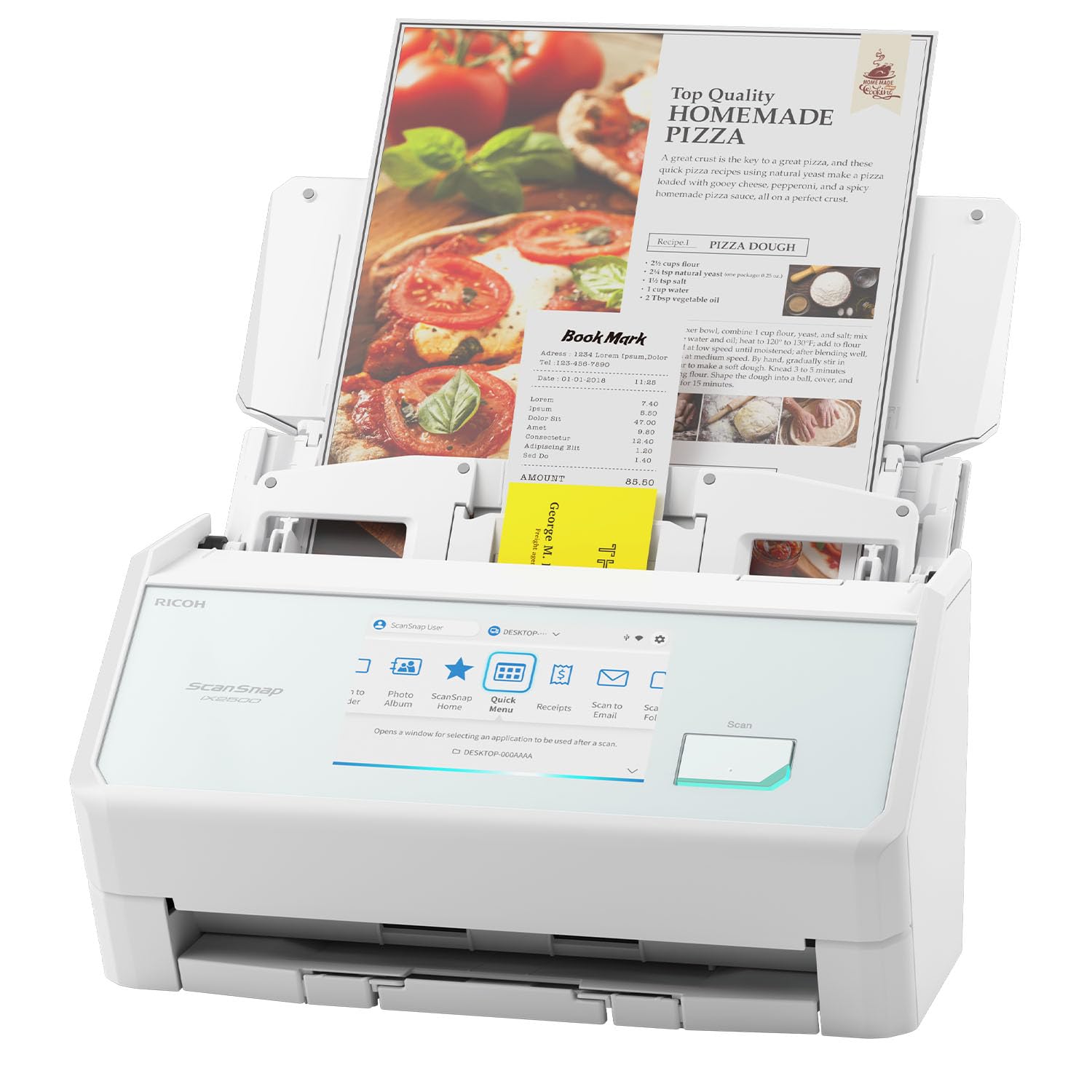
The wireless flagship with Wi-Fi 6 speed and a 100-sheet appetite for the busiest desks
This is the modern upgrade for anyone who wants to abandon cables and scan from anywhere in the room. It delivers fast 45ppm double-sided scanning, a 100-sheet document feeder, and both Wi-Fi 6 and USB-C connections. The large touchscreen lets you pick personalized profiles and send scans to your PC, Mac, mobile devices, or cloud services without touching a computer.
The purpose-built paper path avoids jams with a brake roller system that feeds paper smoothly, plus a multi-feed sensor that detects pages stuck together and skew detection that prevents damage. Owners describe it as lightning fast—scanning a 4×6 photograph at 600 dpi takes about 3 seconds. Quality earns the most praise, and the interface is intuitive enough that a folder can be configured and documents scanned within 15 minutes of opening the box.
Resolution tops out at 600 dpi, so this is explicitly not a photo scanner—several shoppers say poor photo quality and recommend it for documents. Wireless connectivity gets mixed reviews: some connect instantly, others hit snags. It also weighs 7.7 pounds, over twice the ES-C220’s 3.9 pounds, so it is less of a travel companion.
Where It Shines
- Wi-Fi 6 and USB-C give flexible, fast connectivity
- 100-sheet feeder handles big batch jobs
- Touchscreen profiles send files anywhere
Where It Falls Short
- 600 dpi max is too low for fine-art prints
- Heavier and bulkier than compact rivals
- Wireless setup can be finicky for some owners
Best for: small businesses and home offices drowning in paper who want scan-to-cloud convenience.
skip it if: your project is photo or slide preservation—that is the V600’s job.
7. Plustek OpticPro A320E

The pro-grade CCD flatbed that swallows 12×17 art, maps, and graded comics whole
This is the machine when your originals are genuinely large and the detail has to hold up. It scans up to 12″x17″ – full A3 and wide-format paper, maps, drawings, large bound books, and odd-shaped items. The CCD sensor (charge-coupled device, which captures deeper color and better depth of field than compact CIS sensors) gives it a professional edge for art reproduction, and batch scanning lets you capture multiple images at once into multi-page PDFs.
Buyers report exceptional scan quality, with one describing scanning 500 graded comic slabs in a day and a half at 300 dpi, cutting listing time from a full day to about an hour per box. Scan quality is the top praise, and owners love that it handles 12×12 scrapbook pages and oversized documents easily. It supports Windows 7/8/10/11, Mac OS X 10.13 to 13.x, and even Linux via a SANE driver.
The honest friction is in the software experience: setup divides owners, with some calling it easy and others describing a nightmare to configure. The bundled software is functional but basic, and one professional illustrator returned it after claiming 600 dpi scans looked blurry. It is wired only, scans take 10-12 seconds per page, and there is no auto-feed—you place each item by hand.
Best Use: Digitizing large flat art like maps, comics, and scrapbook pages where size matters more than speed.
Heads-Up: Budget for patience with the setup and software; the hardware is excellent, the drivers are the weak link.
8. Epson Perfection V600

The film-saver with a 6400 dpi CCD eye and Digital ICE that banishes dust and scratches
If your art is silver halide—negatives, slides, and film—this is the dedicated specialist. It reaches a maximum optical resolution of 6400 x 9600 dpi, letting you enlarge a 35mm slide up to 17″ x 22″ without losing detail. The built-in Transparency Unit scans four 35mm mounted slides or 12 negatives at once, and it handles medium format film up to 6 x 22cm plus prints and documents up to 8.5 x 11.7″.
The killer feature is DIGITAL ICE technology, which automatically removes dust and scratches during the scan. Owners mention it is highly effective—one owner described Epson’s own dust removal as useless but ICE as a standout, fixing a magenta tint with color restoration too. Scan quality is the top praise, and owners call it easy to use and extremely versatile, taking up little space and running quiet.
The trade-offs are real: scanning is slow, with a single 4800 dpi/48-bit slide taking about 10 minutes with ICE enabled. A 60-slide magazine works out to over two and a half hours. Epson stopped making this model years ago, so stock is limited and a rare unit can arrive with defects. The app also has a bug where it closes completely after each scan in certain modes, requiring a restart.
The Film Advantages
- 6400 x 9600 dpi optical resolution for enlargements
- Digital ICE removes dust and scratches automatically
- Scans 4 slides or 12 negatives at once
Know Before Buying
- Slow scans—about 10 minutes per slide at full quality
- Discontinued model with limited availability
- App can close after each scan in certain modes
The go-to for: anyone with boxes of slides and negatives who wants archive-quality scans without paying a lab.
Think twice if: you need speed—this rewards patience with beautiful output.
9. Epson Perfection V850 Pro
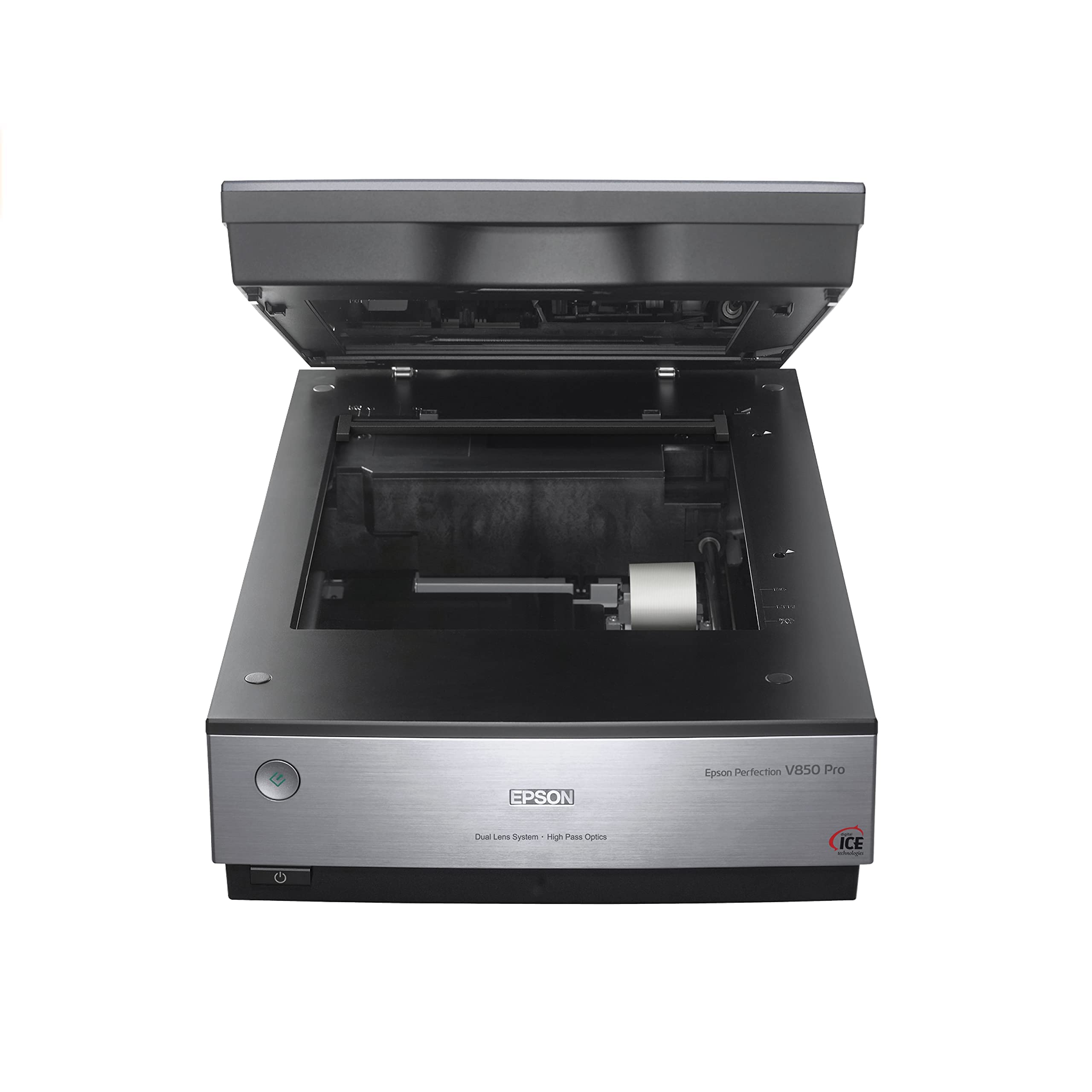
The 20.9-pound studio workhorse with a dual-lens system and a 4.0 Dmax tonal range
This is the serious photographer’s scanner, built to extract every last detail from film with pro-grade color fidelity. It delivers 6400 dpi resolution and a remarkable 4.0 Dmax—the measure of how many tones between pure white and pure black it can capture—for smooth gradations and fine shadow detail. The exclusive dual-lens system automatically picks between two lenses to tune results for each scan.
Owners describe it as durable, with one running flawlessly for over 10 years. It scans up to 12 slides at a time and handles thick books, high-res documents, and large photo prints. The bundled SilverFast software includes film-type templates—like Kodak Plus 200—that ensure accurate colors straight out of the scan. Performance is the most-praised aspect, with owners reporting fast 48-bit 2400dpi scans with effective dust removal.
The reality is that this is a desktop-only specialist: it weighs 20.9 pounds and is large, so plan for permanent desk space. Scan speed is slow—about 3-4 minutes for 12 slides—and the included third-party pro software is complex for average users. An occasional owner hit a learning curve, and Epson’s customer support drew criticism. One buyer notes the 9-pin lid cable needs careful alignment to avoid bending during use.
The Verdict: The gold standard for film reproduction at home-studio level—buyers call it “a very solid machine.”
The Catch: It demands learning and desk space; this is an investment for people serious about their archives.
Understanding the Specs
Optical Resolution (dpi)
The number of individual dots a scanner’s sensor physically captures per inch of your original. This is the true detail ceiling—higher dpi means you can enlarge a small slide or negative without it turning blurry. A 6400 dpi scan of a 35mm slide can produce a crisp 17″ x 22″ print, while a 300 dpi document scan is plenty for reading text on screen.
Mega-Pixels vs. Interpolated
This camera-style measurement describes the sensor’s total capture, but watch for the word “interpolated.” That means the scanner takes a real photo and software stretches it to add fake extra pixels—the ClearClick’s 22 mega-pixels interpolated is really a 14 MP capture. For film, real optical dpi matters far more than a marketing mega-pixel number.
CCD vs. CIS Sensors
CCD (charge-coupled device) sensors capture deeper color and a wider tonal range with better depth of field, making them the pick for film and textured art. CIS (contact image sensor) sensors are thinner, lighter, and more energy-efficient, which is why they dominate compact document and portable scanners—just know you trade some color depth.
Dmax and Color Depth
Dmax measures the tonal range from pure white to pure black; a higher value like 4.0 captures smoother gradations in shadows and highlights. Color depth in bits (48-bit is standard on photo scanners) controls how many distinct colors the sensor can record, which prevents banding in smooth skies or skin tones.
FAQ
What is the difference between a document scanner and a photo scanner?
How many dpi do I need to scan a photo or slide?
Does a scanner at 6400 dpi scan faster than a lower-resolution model?
What is Digital ICE and do I need it?
Can I scan photos without removing them from an album?
Will a scanner work with both Windows and Mac computers?
What is the difference between a flatbed and a sheet-fed scanner?
Does the ClearClick scanner need a computer to work?
How many slides can I scan at once?
Final Thoughts: The Verdict
For the majority of shoppers, the art scanner winner is the ClearClick QuickConvert 2.0 because it rescues slides, negatives, and small photos with zero computer setup and genuinely fast 1-2 second scans. If your project is stacks of documents and reference prints, the Fujitsu ScanSnap iX500 handles bulk speed and reliability at 25ppm. And for film owners who want lab-quality enlargements, the Epson Perfection V600 is the one to reach for—slow, yes, but its 6400 dpi optical capture and Digital ICE cleaning are worth every waiting minute.
How We Picked
We do not accept paid placement. Every pick is matched to a real buyer and a real use-case; we do not hands-on test units.
Sources & Methodology
Specifications: manufacturer listings and product documentation. Review insights: verified customer reviews, as of August 2026. Pricing: not shown on this page (it changes often); check the current price via the retailer link.
As an Amazon Associate, Gadgets Feed earns from qualifying purchases. This does not affect which products we feature.