
Our readers keep the lights on and my morning glass full of iced black tea. As an Amazon Associate, I earn from qualifying purchases.
Specs are compiled from manufacturer listings and verified buyer reviews and can change over time — please confirm the key details on the product page before buying.
The biggest hurdle with recording on an Android phone isn’t the microphone — it’s the tiny headphone jack that was never meant for professional audio. An Android audio interface fixes that by acting as a middleman, converting a professional XLR microphone or guitar signal into a clean digital stream your phone can actually use. This guide breaks down the nine best options, focusing purely on what matters for Android users: reliable OTG connections, clean preamps, and honest latency.
I’m Min — the founder and writer behind Gadgets Feed. This guide is built by comparing the manufacturers’ published specifications and the patterns across verified customer reviews, so you get each pick’s real strengths and trade-offs instead of marketing spin.
You’ll see how much gain you truly need, why sample rate matters more than you think, and which designs handle mobile power demands best. Finding the right android audio interface means matching the interface to your specific workflow, whether that’s podcasting, guitar, or livestreaming.
Our Picks at a Glance


How To Choose The Best Android Audio Interface
Before you compare preamps and bit depths, you have to solve one simple problem: will your specific Android phone even recognize the device? Most interfaces use a standard called USB Audio Class, which modern Android phones support natively through their USB-C port. However, you may need to enable “OTG” (On-The-Go) functionality in your phone’s developer settings or notification shade, as some manufacturers disable it by default.
Inputs and Gain: Match the Mic
The inputs you need depend entirely on what you’re plugging in. A dynamic microphone like the Shure SM7B is notoriously quiet and needs a high-gain preamp (around 60dB or more) to reach a healthy recording level without a separate booster. Condenser microphones, on the other hand, require 48V phantom power to operate at all. If you want to record a guitar directly, look for a switch that toggles the input between mic and instrument level, as it changes the impedance and gain structure.
Latency and Monitoring: The Real-Time Test
Latency is the delay between when you speak into the mic and when you hear it in your headphones. High latency makes recording feel sluggish and unnatural. The solution is “direct monitoring” or “zero-latency monitoring,” which routes your input signal straight to the headphone output, bypassing the phone’s processor entirely. Some interfaces offer a dedicated hardware button for this, while others require software setup. For live streaming, features like “loopback” — which lets you send your microphone and computer audio to your stream simultaneously — are crucial for reacting to chat and playing music.
Quick Comparison
| Model | Best For | Max Sample Rate | Channels | Key Feature | Amazon |
|---|---|---|---|---|---|
| Shure MVX2U Gen 2★ Best Overall | Plug-and-play clarity | 192 KHz | 1 | Auto Level Mode | Amazon |
| Rode AI-MicroTiny Traveler | Ultra-compact dual mic | 20 KHz | 2 | TRRS Auto-sensing | Amazon |
| iCON Panel 2Studio in a Box | All-in-one streaming kit | 192 KHz | 1 | Includes Condenser Mic | Amazon |
| M-AUDIO M-Track Duo HD | Versatile dual-input | 192 KHz | 2 | 55dB Crystal Preamps | Amazon |
| MAONO P1 | High-gain streaming | 192 KHz | 2 | 70dB Gain & -130dB EIN | Amazon |
| Zoom AMS-24 | Music/Streaming switch | 48 KHz | 2 | Dedicated Mode Switch | Amazon |
| TOPPING E2X2 | Audiophile headphone amp | 192 KHz | 2 | 580mW Headphone Out | Amazon |
| TOPPING E2x2 OTG | Dual mobile streaming | 192 KHz | 2 | Optical Output | Amazon |
| Box 5 DJ Interface | Recording DJ sets | 44.1 KHz | 4 | Auto Level Limiting | Amazon |
In‑Depth Reviews
1. Shure MVX2U Gen 2 XLR-to-USB-C Audio Interface
Our pick — 4.5★ from 750+ verified ratings; the strongest balance of quality and price.
This pocket-sized interface makes any XLR mic plug-and-play, so you get broadcast-ready sound without touching a settings menu.
The Shure MVX2U Gen 2 is the one to beat because it removes the technical guesswork entirely. Unlike the Rode AI-Micro’s 20 KHz ceiling, this unit captures up to 192 KHz, giving you massive headroom for high-resolution recording. It provides up to +60 dB clean gain and 48V phantom power, which means a notoriously quiet dynamic mic like the SM7B works without an external booster, and condenser mics get the power they need.
Its defining feature is Auto Level Mode, which uses onboard DSP to adjust gain in real time so your levels stay consistent even if you move closer or further from the mic. It also includes a Real-Time Denoiser and a Digital Popper Stopper, meaning plosives and background hum are handled before they hit your recording. You can choose between Dark, Natural, or Bright tones to shape your voice without touching an EQ.
The MOTIV app ecosystem lets you manage settings on your phone or desktop, offering control over tone, EQ, compression, and limiting. Buyers report that it delivers clean, low-noise audio that rivals much pricier interfaces, though some note the reliance on the app for full EQ control. The MFi certification ensures it plays nicely with a wide range of devices, and at just 100 g, it’s light enough to live in your laptop bag permanently.
Plug-and-Play Perfection: This is the crowd favorite, rated 4.5 stars by 700+ owners. It works from the start with crisp sound, so you can jump into meetings, classes, or serious recordings without any setup hassle.
Honest Trade-off: Gain gets mixed feedback, with some wishing for more headroom on very quiet mics, and the software compatibility on Linux is a noted weak point. This is the pick if you want a reliable, no-drama upgrade for your existing XLR microphone.
Reach for this if: you want a premium, compact, and incredibly easy way to get professional vocal clarity on your phone or PC without learning complex software.
Look elsewhere if: you’re on a tight budget or rely on Linux-based recording tools, where the companion app’s features are limited.
2. Rode AI-Micro USB Audio Interface
A featherweight 13 grams of pure utility, built for recording high-end mics straight to your phone.
The Rode AI-Micro wins on sheer portability and input flexibility. Weighing just 13 g — about 7.7x lighter than the Shure MVX2U — it’s barely noticeable in your pocket. It’s a dual-channel interface, giving it a 2.0x channel advantage over the single-input Shure, allowing you to record two sources like a lavalier and a guitar simultaneously. It accepts virtually any microphone with a 3.5mm output, including RØDE VideoMics and wireless systems.
The auto-sensing inputs detect TRS or TRRS connections (two types of audio jacks), so you never have to fiddle with settings to get the right signal. For mobile creators, the high-power headphone output gives you crisp, zero-latency monitoring (no delay between speaking and hearing yourself), which is essential for recording interviews or voiceovers on the go. Owners mention: “This is THE way to work with high-end microphones and an iPhone,” praising its perfect sound quality and ease of use.
It uses a universal USB output with USB-A, USB-C, and Lightning cables all supplied, which covers nearly any modern device. Keep in mind that the maximum sample rate is 20 KHz, which is far below the 192 KHz you get from the iCON Panel 2, making it less suited for capturing the finest detail in high-end music production. It’s a trade-off for the size and simplicity, and one owner notes you must enable OTG on your phone first before it will work.
Compact & Compatible: Compatibility is what wins people over here. Whether you’re using it with a podcasting app, an EMR system, or for quick mobile recording, it performs flawlessly. Physical the design “just works” with premium mics.
Know the Limits: The 20 KHz sample rate is a clear ceiling for audiophiles, and the sound quality gets mixed feedback, with some reporting unwanted noise depending on the mic. The stereo input also means you can’t plug in two standard mono XLR mics without an adapter.
Perfect for: the journalist, vlogger, or musician who needs to capture excellent audio from small mics on their phone and wants the smallest possible footprint.
Not for: studio-grade music production where a high sample rate and XLR connections are non-negotiable.
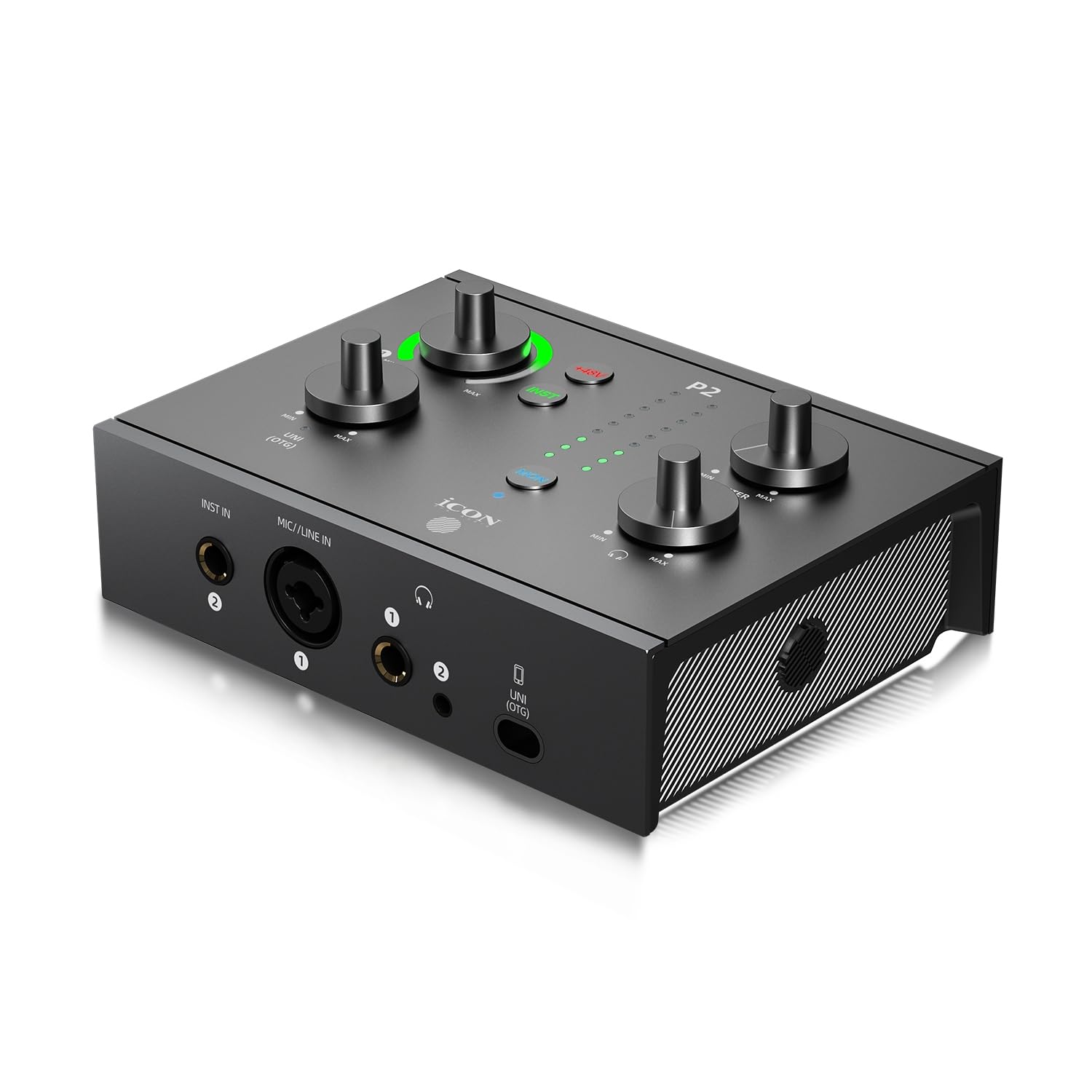
3. iCON Panel 2 24Bit/192kHz USB Audio Interface
An all-in-one command center that bundles a pro-grade condenser mic with tactile, broadcast-ready controls.
The iCON Panel 2 stands out by including everything you need for streaming and podcasting in one box. It comes with the Nova large diaphragm condenser mic, which features a custom-built 34mm capsule designed for warm, radio-ready vocals. The interface itself is a solid metal unit with 24-bit/192kHz conversion — a full 9.6x higher maximum sample rate than the Rode AI-Micro — ensuring you capture every detail.
For Android users, the dedicated USB-C/OTG port (a direct connection standard for phones and tablets) is the standout feature. It lets you record and stream in high fidelity straight to your iPhone, iPad, or Android device without a separate adapter. The on-device controls, including faders and a 9-LED meter, let you adjust levels instantly during a live stream, so you never have to dive into complex software menus.
Reviewers consistently highlight the clean, natural audio and the sturdy build quality of the aluminum alloy chassis. The tactile knobs are stiff at first but precise, and the low noise floor (minimal background hiss) makes it suitable for serious voice tracking. It’s a complete plug-and-play kit, including the XLR cable and heavy-duty shock mount, ready for DAWs (digital audio workstations) like Pro Tools and Ableton.
What Makes It Shine
- Includes the Nova condenser mic and shock mount, saving you a separate purchase.
- Metal chassis and smooth knobs give a premium, pro-studio feel.
- USB-C/OTG port streams directly to phones without extra adapters.
Trade-offs to Note
- Since it bundles a mic, you’re locked into that specific sound signature.
- The 63dB preamp gain is ample but still lower than dedicated high-gain units like the MAONO P1.
Best for: podcasters and streamers who want a complete, turnkey setup with tactile faders and a flattering vocal mic from the start.
Think twice if: you already own a high-end mic and just need a bare-bones interface, or if you need more than one XLR input.
4. M-AUDIO M-Track Duo HD USB-C Audio Interface
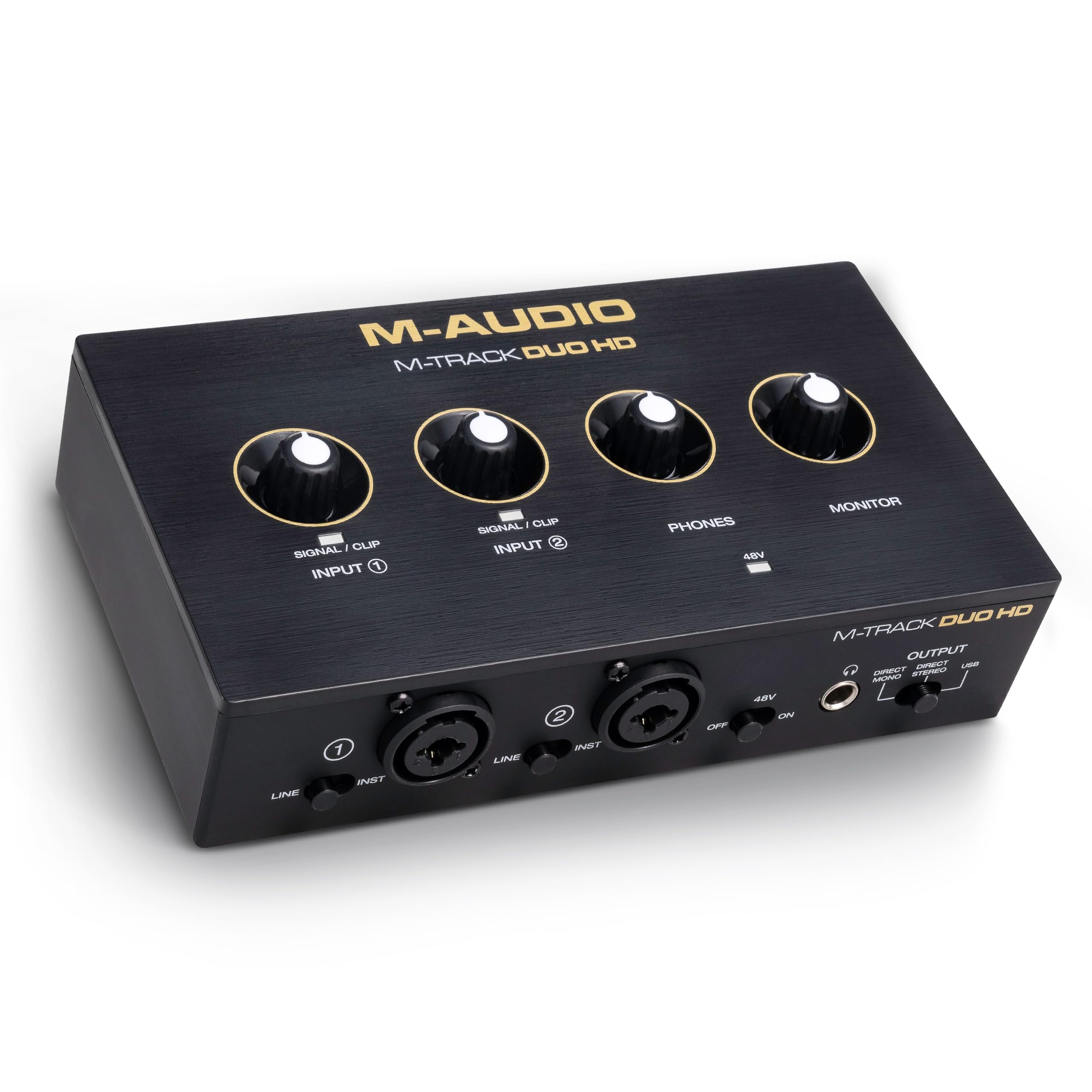
A rugged dual-input workhorse that bundles serious software, making it a phenomenal home-studio starter.
The M-AUDIO M-Track Duo HD is arguably the best value for beginners because it balances professional specs with a comprehensive software bundle. With 2 combo inputs for mic, guitar, bass, or line-level sources, it’s flexible enough for a podcast with two hosts or a solo musician. The Crystal preamps deliver 55dB of gain, which is plenty for most dynamic mics, and a switchable +48V phantom power feeds condenser mics.
It captures audio at 24-bit/192kHz resolution, matching the top-tier sample rate of the Shure and iCON units, ensuring your recordings are detailed and clean. A dedicated Direct/USB monitor switch lets you instantly toggle between hearing your input directly (zero-latency) and hearing the playback from your computer. The package includes Ableton Live Lite and Akai Professional MPC Beats, so you have recording and beat-making software ready to go.
Weighing in at 0.47 kg, it’s a bit heavier than the ultra-portable options, but the rugged enclosure is built to withstand the rigors of a gig bag. One owner notes that its lightweight design makes it a great choice for Zoom calls and instrument recordings. However, compatibility gets mixed feedback, with a few users reporting issues connecting to specific MacBook Pro models, so it’s worth checking your specific hardware if you’re in the Apple ecosystem.
Exceptional Budget Studio: Functionality and ease of use are what owners rave about most. The interface is easy to set up with available drivers and delivers incredible sound quality, with one owner noting the “HD feature makes this unit worth every penny.”
The Catch: While it’s a great value, the mixed compatibility reviews with some MacBook Pros are a risk for Apple users. It’s a no-brainer for Windows and Android users looking to step up their recording game.
Ideal for: the home recordist who wants a rugged, dual-input interface with free software to start producing immediately.
Skip if: you’re strictly an Apple laptop user and can’t risk potential connectivity quirks, or if you need an ultra-light mobile companion.
5. MAONO P1 USB Audio Interface
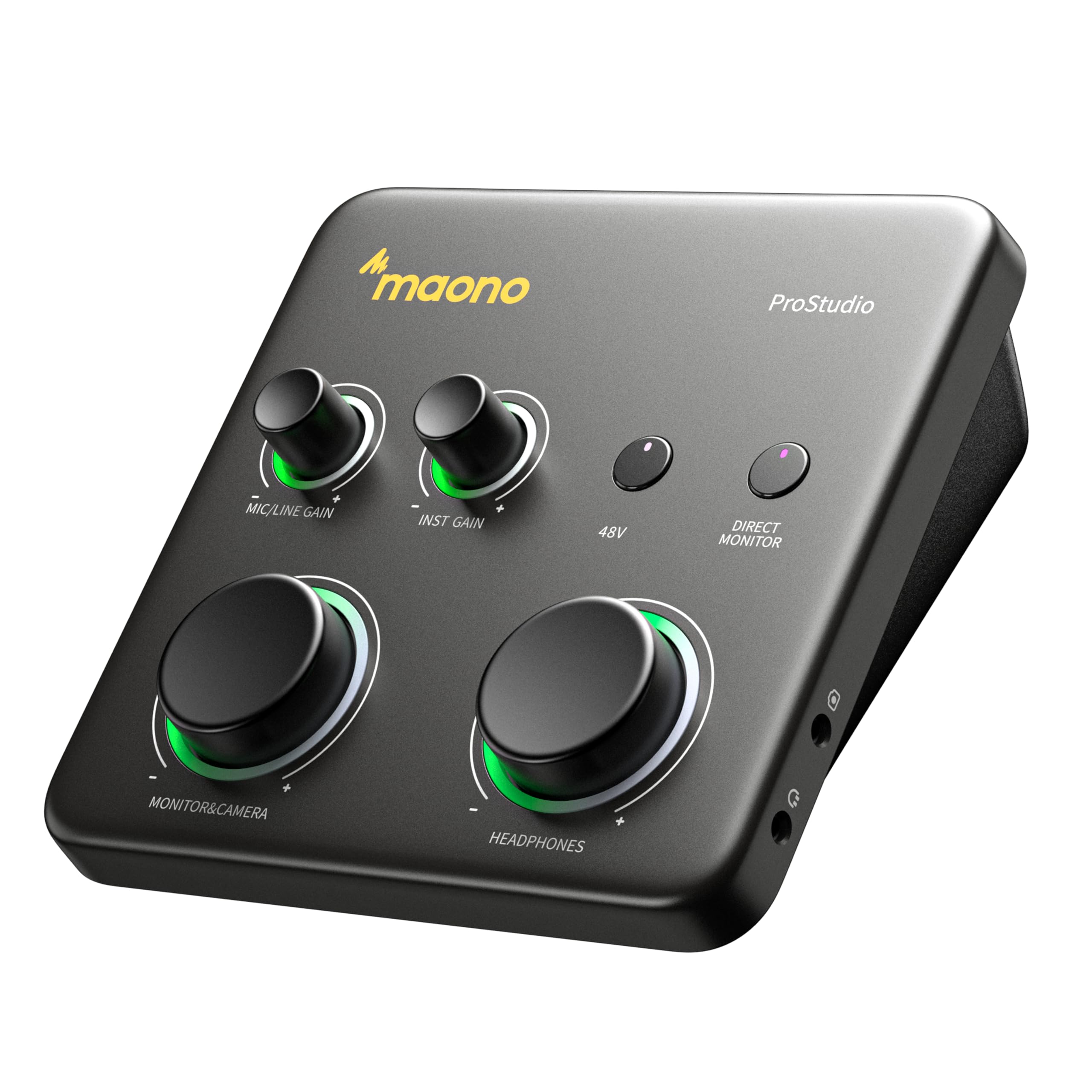
The streamer’s dream, with headroom to spare and smart features that eliminate the guesswork from live audio.
The MAONO P1 is built for creators who live in streaming software like OBS Studio. It also boasts a class-leading -130dB EIN (Equivalent Input Noise), which means an incredibly quiet noise floor so your recordings stay dead-silent in home studios.
Where it truly shines for Android users is its hybrid connectivity. Dual USB ports with MFi-certified connectivity let you connect your computer and phone or iPad simultaneously. This means you can record in GarageBand or Logic Pro and then stream or upload guitar and vocal covers directly from your mobile device without switching cables. The Auto-Gain feature sets the ideal microphone level for clear voice capture in OBS, eliminating manual adjustments during live shows.
The ergonomic 15° tilt angle keeps controls within easy reach, and the zinc-alloy metal housing provides studio-grade durability. The built-in loopback function (which routes your computer’s audio back into the interface) captures your instrument, voice, backing tracks, and desktop audio in one smooth workflow, essential for reacting to chat and playing music on stream. Owners praise the “phenomenal sound quality,” noting mics sound “crisp and clear on a budget,” though some report the build quality feels less sturdy than pricier units.
Quality & Ease of Use: The consensus is that quality and ease of use are the top strengths here, with plug-and-play setup on macOS and almost no latency. The sheer amount of clean gain makes it versatile for any mic you throw at it.
Consider This: Functionality is a mixed bag for some, particularly around the software’s complexity, with one user finding it confusing and switching to a different app. A few units have arrived defective, though replacements work well — a sign of a quality-control lottery.
Grab it for: streamers and musicians who need extreme gain, simultaneous PC/phone recording, and intelligent features like Auto-Gain and loopback.
Pass if: you prefer a minimalist interface without software dependencies, or if you’re concerned about long-term durability versus a metal-chassis alternative.
6. Zoom AMS-24 USB Audio Interface

A clever dual-mode interface that flips between streaming and studio recording with a single switch.
The Zoom AMS-24 solves a problem most budget interfaces ignore: the difference between a streaming setup and a studio recording setup. Its innovative Music/Streaming Switch lets you smoothly toggle between the two. In Music mode, individual tracks are sent to your DAW and you get 2 independent headphone mixes for you and a guest. In Streaming mode, all inputs are combined into a single feed, making it easy to route your voice and soundboard to streaming software.
It offers 2 XLR/TRS inputs (one compatible with a guitar), plus 2 headphone outputs and 2 main TRS outputs for connecting studio monitors. Hardware switches for Loopback and Direct Monitoring keep essential controls within reach. It’s compatible with PC, Mac, iOS, and Android devices, and it supports a maximum sample rate of 48 KHz, which is lower than the 192 KHz found on the M-AUDIO M-Track Duo HD, but perfectly adequate for spoken word and most streaming.
Portability is a strong suit. One owner notes that their Samsung Z Fold 5 phone powers the interface without any extra adapters, making it a great tool for phone videos. Another appreciates the AA battery option, which prevents iPad battery drain during mobile recording sessions. It’s slightly pricier than the Zoom AMS 22 but considered worth it for the added features.
Versatile and Simple: Owners praise its compact size, simple controls, and excellent sound quality for the price. The ability to use a USB power bank makes it incredibly flexible for on-the-go use.
A Quirk to Know: It can be picky with USB-C cables; only a few cables worked consistently for one owner. Mark the included cable and stick with it to avoid random dropouts that interrupt recording.
Choose this if: you split your time between live streaming on your phone and recording tracks in a DAW, and you want hardware switches for instant reconfiguration.
skip it if: you need high-resolution 192kHz recording for professional music production, where the 48 KHz limit will feel restrictive.
7. TOPPING E2X2 USB Audio Interface

A benchmark for clean signal, offering some of the lowest noise and best headphone amplification in its class.
The TOPPING E2X2 is for those who obsess over the technical purity of their audio. It features a self-developed ultra-linear microphone preamp module with an EIN as low as -130.5dBu. This ensures minimal background noise even at maximum volume, delivering clear, transparent sound. The 48V phantom power switch makes it compatible with both condenser and dynamic microphones.
Headphone monitoring is where this unit truly excels. Equipped with the NFCA-LE headphone amp module, it drives even power-hungry, high-sensitivity headphones with ease. It offers a powerful output of 580mW x 2 into 32 Ohms, which can easily drive professional headphones with impedances up to 600 ohms. One owner calls it the “best ADC and headphone preamp in its class by a long shot,” praising its rock-solid, noise-free performance.
The E2X2 includes zero-latency hardware monitoring and four 8-channel input mixers, giving you precise control over your monitoring setup. It’s a versatile interface for guitar, vocals, or full band setups. While it lists Android compatibility, keep in mind that it’s primarily designed for desktop use, and the full feature set benefits from their P50 power supply to eliminate ground loops in complex setups.
Lab-Grade Quality: The thing everyone raves about is the incredibly clean sound and powerful headphone output. It’s described as having “hardly any distortion to none when cranked” with great clarity and easy setup.
Technical Focus: This is a specialist tool. The controls are functional but not flashy, and getting the absolute best performance might involve pairing it with an external power supply. It’s not the most portable option, but for a home studio, it’s a powerhouse.
Best for: the audio enthusiast or home studio owner who wants measurable, transparent performance and needs a headphone amp powerful enough for high-impedance cans.
Not the one for: streamers who need lots of inputs and effects, or anyone looking for an ultra-compact mobile companion for their phone.
8. TOPPING E2x2 OTG USB Audio Interface
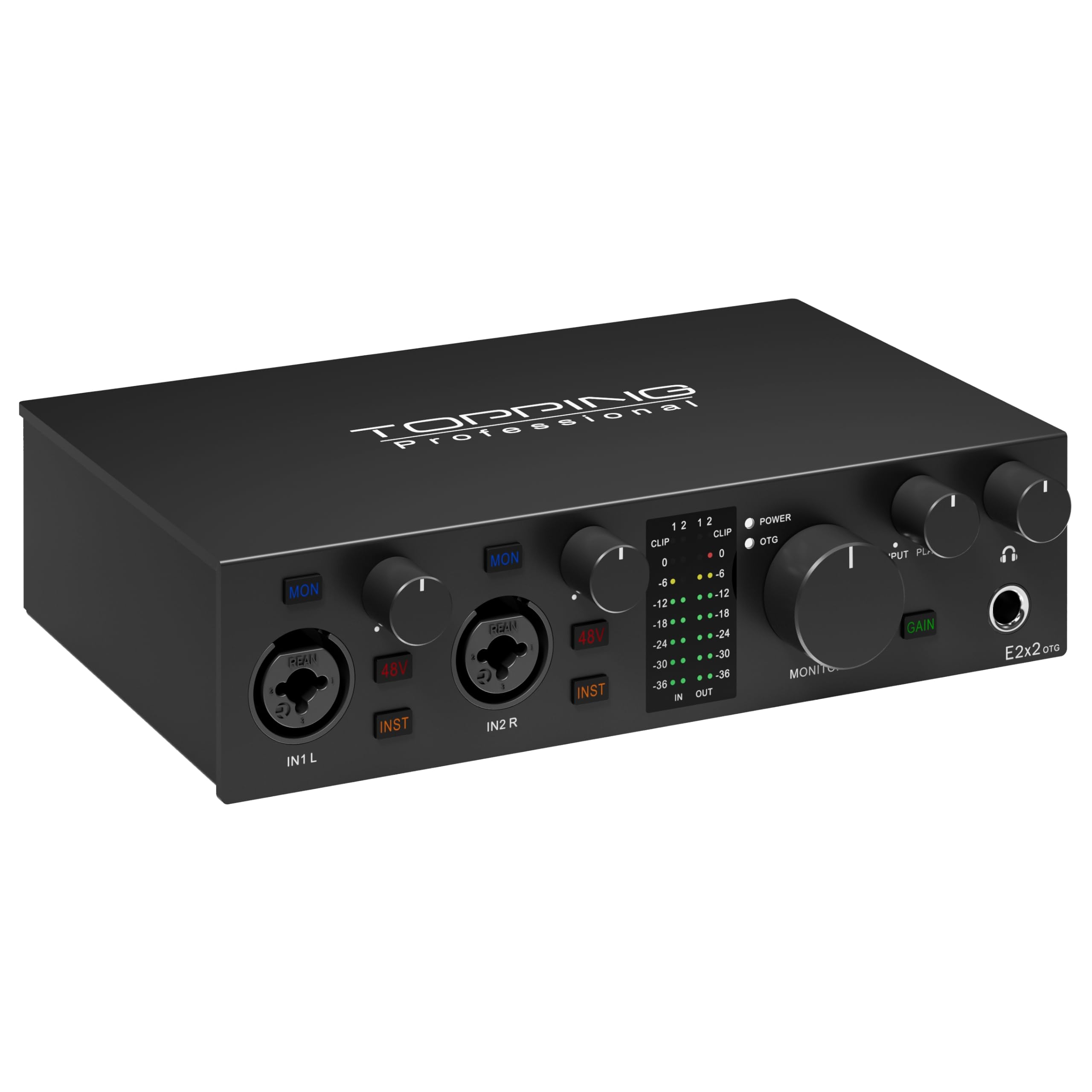
The desktop-quality workhorse that adds OTG mobile streaming and optical output for a fully pro-grade workflow.
The TOPPING E2x2 OTG takes the exceptional audio quality of the standard E2X2 and adds features specifically for mobile creators. The headline addition is the optical output, which expands your setup options for connecting to external DACs or digital speakers. It also shares the ultra-linear microphone preamp with an EIN of -130.5dBu, ensuring that whisper-quiet background noise even on sensitive condenser mics.
Its defining feature is dual mobile streaming, which allows smooth streaming from two devices simultaneously. This makes it a powerful tool for content creators who need to run a live stream from two phones or a phone and a tablet at once. The powerful 580mW headphone amplifier from the NFCA-LE module ensures distortion-free monitoring for high-sensitivity headphones during those live sessions.
The interface retains the 192kHz/24bit recording and playback quality and comes with a 2-year warranty from Topping. Customers note that the preamps can easily drive an SM7B (a popular broadcast microphone) and that the headphone output is powerful and clear. While some praise it as “the top” in its price range, there are caveats: one user found the mobile-only use buggy, noting it can forget its audio routing settings when powered only by a phone, and another points out that it needs extra USB-C power when used with standard USB.
Where It Excels
- Optical output adds digital connectivity options you won’t find on most rivals.
- Dual mobile streaming is unique for creators managing multiple live platforms.
- Incredible headphone amplification and clean preamps for its size.
Where It Falls Short
- Mobile-only use can be buggy, with the unit sometimes losing its output routing without a PC connection.
- Requires an extra USB-C power source when connecting via standard USB, adding a cable to manage.
Perfect for: professional-minded creators who need to stream to multiple platforms simultaneously and value the extra connectivity of an optical output.
Reconsider if: your workflow is strictly mobile. The stability issues reported in phone-only use make it a riskier pick for that specific scenario.
9. Box 5 DJ Audio Interface
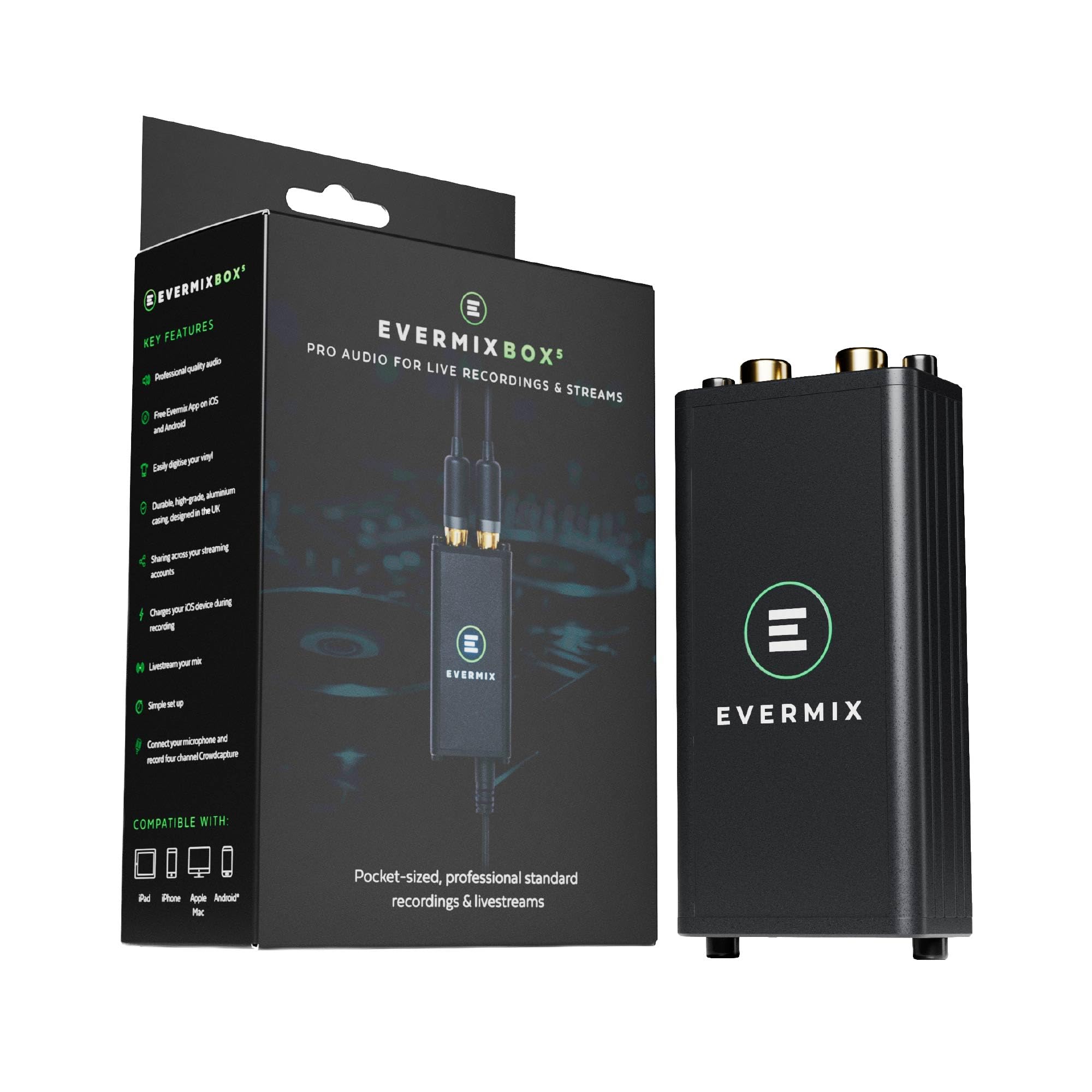
A purpose-built recording device for DJs, designed to capture your sets and the crowd’s energy simultaneously.
The Box 5 DJ Audio Interface is a specialist tool for a very specific job: recording and livestreaming DJ sets with high fidelity. It captures audio in 24-bit, 44.1kHz WAV format with a frequency response of 30Hz–20kHz, which is well-suited for electronic music. Its key feature is Crowd Capture — a 3.5mm mic input with phantom power and a 200Hz high-pass filter that lets you record the ambient sound of the room, adding atmosphere to your studio-quality mix.
It’s designed for plug-and-play simplicity, with no drivers needed. It’s compatible with USB-C iPhone/iPad and Android devices, and a Lightning cable is available for older Apple devices (sold separately). The auto level limiting prevents distortion and clipping, ensuring your recording doesn’t peak into the red during loud drops. Weighing just 90g and measuring a compact 90mm x 40mm x 30mm, it slips easily into a DJ bag.
Reviewers point out the audio quality is “out of this world” and that it’s incredibly easy to use, working perfectly with devices like the Samsung S25 Ultra. However, a recurring and significant complaint is that the box does not include the proprietary DIN to USB-C cable required to connect to your DJ controller. Shoppers say this missing piece is frustrating, and some warn about a potential subscription for full features, so factor that into your budget before buying.
What Wins People Over: The audio quality captured is amazing, and it’s small and light enough to live in a DJ bag. The crowd capture feature is a unique bonus for creating authentic live recordings.
The Major Frustration: The missing proprietary cable is a serious oversight that has led to significant owner disappointment. Check the box contents carefully and budget for a replacement cable if needed.
Get it for: working DJs who want an all-in-one solution to record clean, broadcastable sets directly from their mixer to their phone.
Hold off if: you don’t have a DJ controller with a compatible output, or if you’re looking for a general-purpose interface for microphones and instruments.
Understanding the Specs
Sample Rate and Bit Depth
You’ll see specs like “24-bit/192kHz” on professional interfaces. This measures how accurately the analog signal is converted into digital data. A higher sample rate like 192kHz captures more sonic detail than a lower one like 44.1kHz, making it better for music production where you might pitch-shift or time-stretch audio. For spoken word and podcasting, a 44.1kHz or 48kHz interface is perfectly adequate and keeps file sizes smaller.
Gain and EIN
Gain, measured in decibels (dB), is the amount of amplification the preamp applies to your microphone’s signal. Dynamic mics like the SM7B are quiet and need high gain around 60-70dB. EIN, or Equivalent Input Noise, is a measure of the preamp’s own background hiss. A lower EIN number (like -130dBu) means a cleaner, more transparent sound, which is crucial for quiet recordings in a home studio.
FAQ
Will any USB audio interface work with my Android phone?
What is phantom power and why do I need it?
What does zero-latency monitoring mean?
What is loopback audio on an interface?
Can I record a guitar directly into an Android audio interface?
Why do some interfaces have a maximum sample rate of 192 kHz while others only 44.1 kHz?
Do I need an interface with a built-in headphone amplifier?
Is an audio interface better than a USB microphone for Android?
Final Thoughts: The Verdict
For most mobile creators, the winner is the Shure MVX2U because it delivers Shure’s trusted processing and reliable OTG connectivity in a compact form that requires zero technical fuss. If you want a complete streaming kit with a pro microphone included, the iCON Panel 2 offers incredible value. And for the audiophile who wants the lowest possible noise floor and a headphone amp that can drive anything, the TOPPING E2X2 is the unit to beat.
How We Picked
We do not accept paid placement. Every pick is matched to a real buyer and a real use-case; we do not hands-on test units.
Sources & Methodology
Specifications: manufacturer listings and product documentation. Review insights: verified customer reviews, as of August 2026. Pricing: not shown on this page (it changes often); check the current price via the retailer link.
As an Amazon Associate, Gadgets Feed earns from qualifying purchases. This does not affect which products we feature.