
Our readers keep the lights on and my morning glass full of iced black tea. As an Amazon Associate, I earn from qualifying purchases.
Specs are compiled from manufacturer listings and verified buyer reviews and can change over time — please confirm the key details on the product page before buying.
That grainy, noisy mess when you sit down for an evening video call isn’t your internet — it’s your webcam struggling to see. A 4K sensor is only half the story; the real test is how that sensor handles a dim room without turning you into a pixelated shadow. This guide focuses purely on webcams that adapt to low light, so your face stays clear and well-exposed whether it’s a gloomy morning or a late-night stream.
I’m Min — the founder and writer behind Gadgets Feed. This guide is built by comparing the manufacturers’ published specifications and the patterns across verified customer reviews, so you get each pick’s real strengths and trade-offs instead of marketing spin.
You’ll learn which sensor sizes and aperture lenses actually beat bad lighting, and how to match them to your setup, to find the 4k webcam with low light adaptation that keeps you looking professional after sunset.
Our Picks at a Glance

How To Choose The Best 4K Webcam With Low Light Adaptation
When the lights go down, a webcam’s quality is defined by its sensor’s physical size — the actual light-collecting area, not the number of pixels. A larger sensor grabs more light per pixel, which makes your video look cleaner and less noisy in a dim room without needing bright lamps.
Look at the sensor size first
The sensor is the part of the camera that captures light. Fractions like 1/1.3″ or 1/2″ describe the sensor’s diagonal — a smaller denominator means a larger physical area. A sensor like 1/1.3″ is genuinely big for a webcam, which is why it can pull detail out of shadowed rooms that smaller sensors miss.
Check the aperture for light intake
The aperture is the lens opening that lets light hit the sensor. A wider opening (a lower f-number like f/1.8 or f/1.7) lets in more light, so the camera doesn’t have to boost the image artificially and introduce grain. If you often work in low light, a wide aperture is a true advantage, not a marketing buzzword.
Spot the exposure helpers
Look for HDR mode and AI-powered auto exposure to handle tricky lighting, like a bright window behind you. These features balance the bright and dark parts of your frame so your face stays visible instead of becoming a silhouette, and they adjust on the fly when you move or the light changes.
Quick Comparison
| Model | Best For | Sensor Size | Video Resolution | Autofocus | Amazon |
|---|---|---|---|---|---|
| YOLOLIV YoloCam S3★ Best Overall | Best Overall — DSLR-like quality | 1/1.3″ | 4K | PDAF | Amazon |
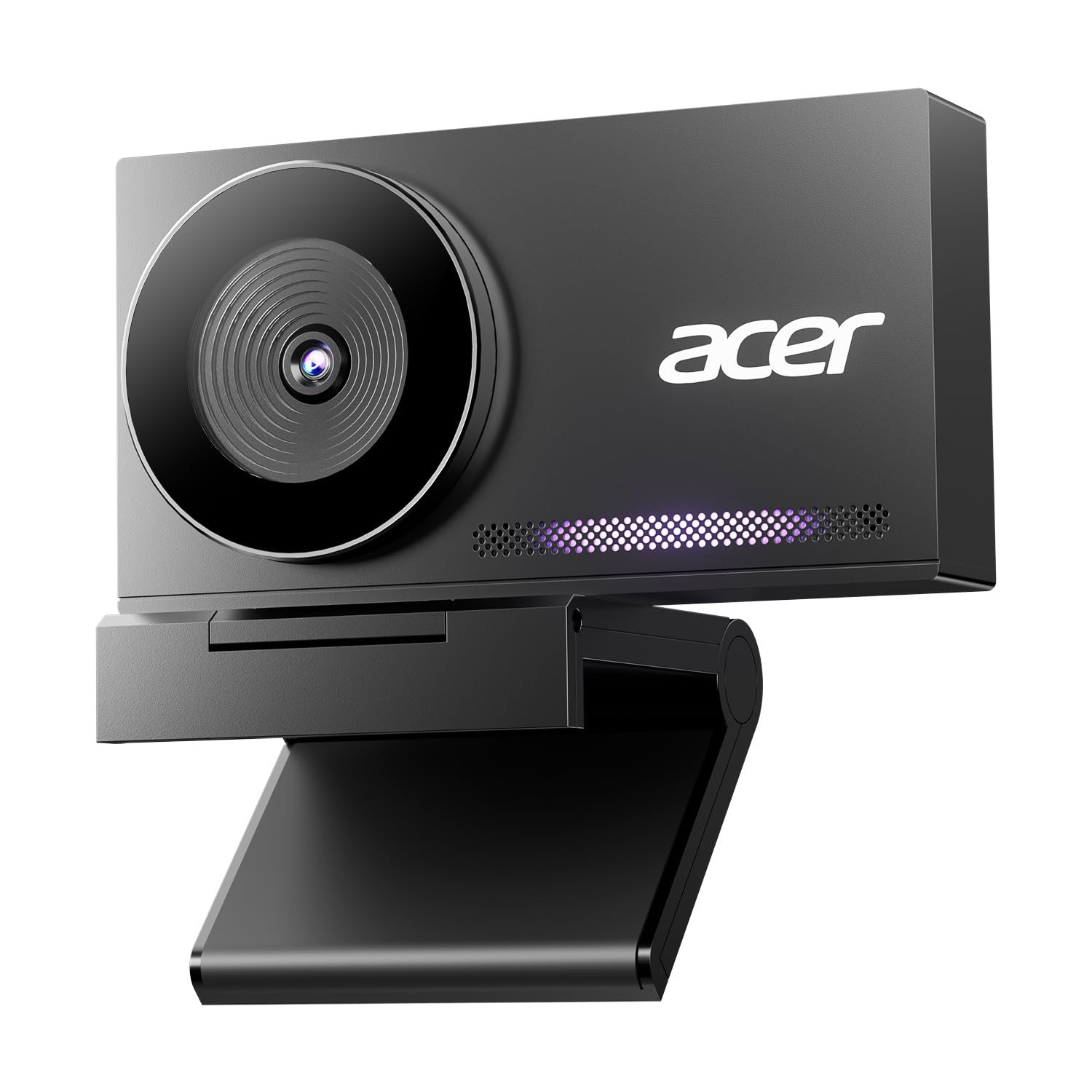
| Acer 4K WebcamBest Value | Best Value — Metal build | Sony 1/2″ | 4K (2160p) | PDAF | Amazon |
| Hollyland Lyra | Wireless mic pairing | 1/1.5″ | True 4K | 50MP PDAF | Amazon |
| AVerMedia PW515 | Wide-angle meetings | Sony low-light sensor | 4K Ultra HD | AI | Amazon |
| Insta360 Link 2 Pro | AI physical tracking | 1/1.3” | 4K | AI | Amazon |
| OBSBOT Tiny 3 | Compact PTZ & spatial audio | 1/1.28” | 4K | Dual PDAF | Amazon |
| Razer Kiyo Pro Ultra | Pro-grade sensor tech | 1/1.2″ | 4K | AI Face Tracking | Amazon |
In‑Depth Reviews
1. YOLOLIV YoloCam S3
Our pick — over 4.5★ from 200+ verified ratings; the strongest balance of quality and price.
The pick that makes a dim office look like a studio, thanks to a sensor bigger than most rivals.
The headline here is the 1/1.3″ sensor — buyers report it’s likely the largest sensor ever fitted to a webcam, and it’s the reason this thing delivers “DSLR-like 4K quality” in poor light. It captures uncompressed 4K at 30fps and 1080p at 60fps, so your picture stays smooth and detailed when you move. AI-enhanced imaging claims 2.5x clearer faces in low light, with auto-tuned exposure, white balance, and HDR handling the adjustments., with auto-tuned exposure, white balance, and HDR doing the thinking for you.
Focus is handled by fast PDAF (Phase Detection AutoFocus — a system that locks onto subjects instantly rather than hunting back and forth), which keeps you crisp during motion. The all-aluminum body doubles as a heat sink, so it’s built for 24/7 streaming without overheating, which is exactly what you want for a long broadcast. Setup is genuinely plug-and-play over USB 3.0, and the foldable magnetic mount works on any metal surface while a 1/4″-20 thread fits most tripods.
You get crisp, clear video that owners praise most, and one buyer even runs it in a 4,000°F glassblowing studio, trusting it over a Canon R50 V, trusting it over a Canon R50 V — though that same buyer noted it lacks a 1/4″ tripod mount (the spec sheet says the thread exists, so double-check your rig). The recurring gripe is connectivity, with some reporting connection hiccups, so a solid USB port matters.
What wins people over
- Large 1/1.3″ sensor pulls clean detail out of dim rooms, a genuine “DSLR-like” upgrade
- Fast PDAF autofocus keeps you sharp even when you’re moving or gesturing
- Premium all-metal body acts as a heat sink for non-stop streaming marathons
What to watch
- Some users hit connection issues, so use a high-quality USB 3.0 cable/port
- Advanced color-grading software is Windows-only for now
- No built-in SD card recording without the separate YoloCam box
The verdict: If you want a single webcam that rivals a real camera for low-light clarity, this is the one — it’s the crowd’s top pick for a reason.
Reach for it if: you stream, record, or take calls where lighting is out of your control and you refuse to look grainy.
2. Acer 4K Webcam
A metal-bodied 4K workhorse that undercuts the premium crowd while holding its own in the dark.
Don’t let the approachable price fool you. This Acer pairs a Sony 1/2″ sensor with UHD 4K resolution to deliver “incredibly sharp” video that stays true-to-life, even when the room gets dim. While its sensor is physically smaller than the YoloCam S3’s 1/1.3″, owners mention it still beats pricier gaming-brand models thanks to superior light capture — one comparison shows the gap in resolution (3840 vs 2160 pixels) that separates true 4K from lesser output.
The aerospace-grade aluminum unibody isn’t just for looks; it pulls heat away fast, so this can run 24/7 without thermal throttling. At just 57 grams — about the weight of a pair of earbuds — it’s light enough to toss in a bag, yet the sandblasted finish feels premium. The magnetic privacy cover uses 12 built-in magnets to snap securely over the lens, and the dual high-sensitivity mics pick up your voice clearly from up to 2.5 meters away while filtering out keyboard clicks while filtering out keyboard clicks.
Owners consistently praise the sharp 4K resolution and easy plug-and-play setup across Windows, Mac, and ChromeOS. The main feedback is that colors can run a touch darker than expected — easily fixed with the software’s manual settings. It’s a rare case where value and build quality arrive together.
The smart money: You get fast PDAF focus, a Sony sensor, and a premium metal build for a fraction of the flagship price — the best balance of quality and cost on this list.
The trade-off: Expect slightly darker default colors; a quick tweak in the app brings them to life.
3. Hollyland Lyra

The streamer’s Swiss Army knife, pairing a huge sensor with a wireless mic that needs no receiver.
Hollyland’s Lyra attacks low light with a massive 1/1.5″ CMOS sensor — marketed as 3x larger than standard webcams — plus a wide f/1.8 aperture that invites light in. The result is true 4K at 30fps that stays crisp in a dimly lit home office or a nighttime stream, with a naturally blurred background that separates you from the mess behind. The 50MP lens and 50MP PDAF autofocus lock on fast without the “hunting” blur you get from lesser cams.
What truly separates it is audio. It connects directly to a LARK A1 wireless microphone without needing an extra receiver, so you can roam up to 33 feet (10m) away, perfect for teaching at a whiteboard or demoing a product — perfect for teaching at a whiteboard or demoing a product — while the mic’s 20dB noise cancellation blocks AC hums and keyboard clicks. The magnetic base flips you from landscape (Zoom/Teams) to portrait (TikTok) instantly, and a twist-to-close privacy shutter protects the lens.
The HollyStudio app adds one-click skin smoothing, AI color correction that adapts to your room’s light, and a green screen algorithm that preserves fine hair details. The main concern buyers flag is heat: the back gets “nearly too hot to touch” during use, so unplug it after long sessions. Also note the Mac version of the software is limited to basic adjustments for now.
Why creators love it
- Big 1/1.5″ sensor plus f/1.8 aperture keeps video clean and sharp in low light
- Direct LARK A1 wireless mic pairing means no extra receiver clutter
- Magnetic portrait/landscape flip and integrated privacy shutter
Before you buy
- Runs hot even when idle — a durability worry some owners raise
- Advanced software features (green screen, skin beauty) not yet on Mac
- Some report integration quirks with clamshell MacBooks
Who it’s for: Streamers and educators who move around and want studio-grade audio plus video without a separate mic setup.
Look elsewhere if: you plan marathon all-day sessions — that heat build-up warrants caution.
4. AVerMedia PW515
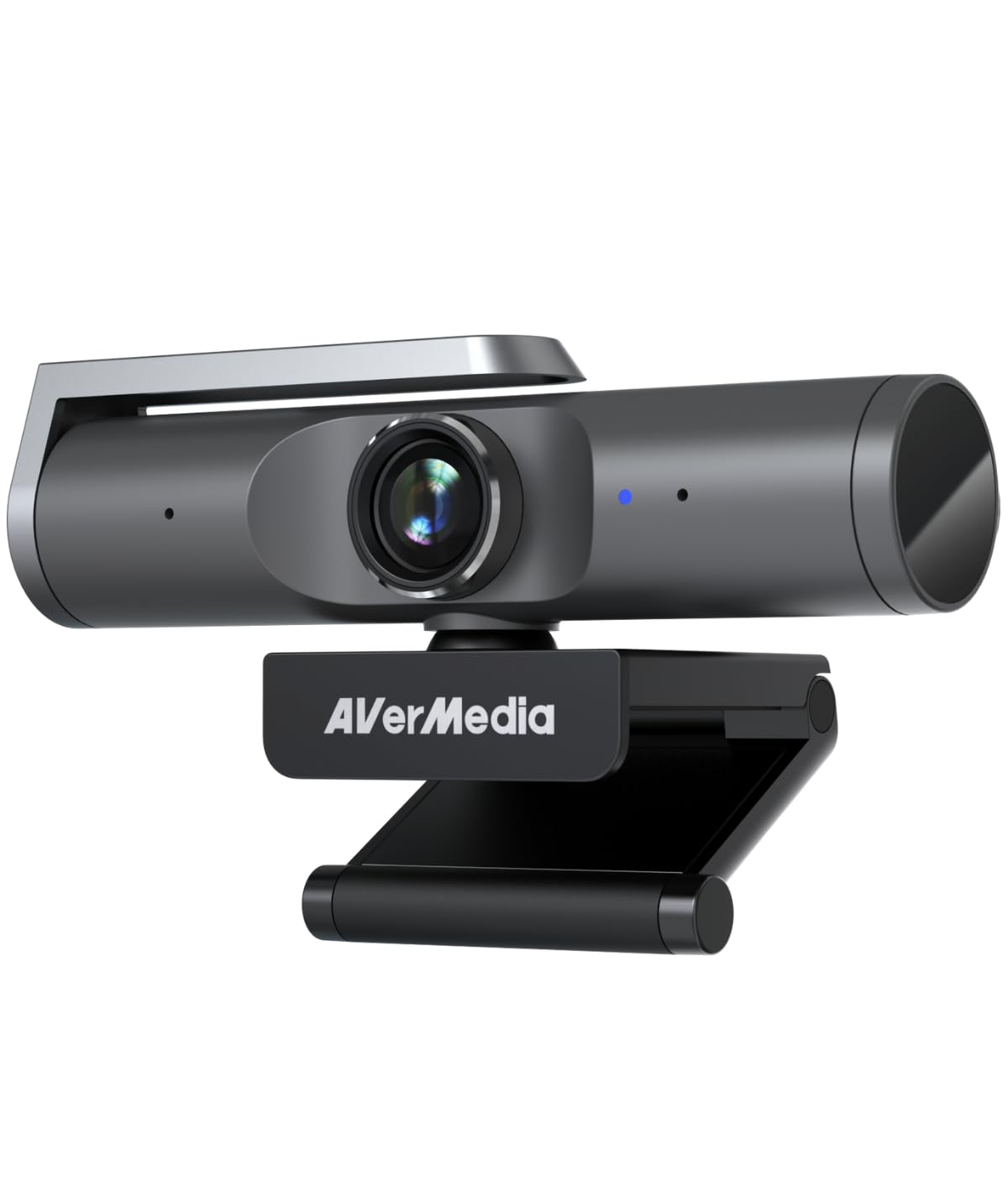
A 100° field of view with AI framing that keeps a whole room — or just you — perfectly composed.
The PW515 is built for the hybrid office. Its low-light-tune Sony sensor delivers crisp 4K Ultra HD, and the 100° wide-angle lens catches far more of your desk than a standard webcam. What makes it special is the AI Auto Framing: it intelligently adjusts the shot and even responds to hand gestures, so you can walk around a meeting room and stay centered without touching a button.
Audio is covered by dual built-in noise-reduction mics that capture natural voice clearly from up to 3 meters in all directions — strong enough for podcasting or a medium-sized meeting room. The 4x digital zoom helps you punch in for close-up detail, and the 360° rotation plus versatile mounting means you can dial in any angle. A solid privacy shutter slides over the lens when you’re done.
The catch: this camera loves light. Customers note you need decent illumination behind you to minimize noise — one notes it “needs a good light” to shine — and the software is essential for manual color tuning since the auto settings run weak. It’s a business tool that rewards a small lighting investment, but the AI framing and wide view make it worth it for teams.
Best for: Teams and hybrid offices where one camera has to frame a room, a presenter, or a single desk cleanly, with gesture control as a bonus.
The honest limit: Add a light source for best results; in very dim rooms, the sensor needs help.
5. Insta360 Link 2 Pro

A webcam that physically pans and tilts to follow you, with a 1/1.3” sensor that masters dim rooms.
The Link 2 Pro is the only pick here that moves itself. Its gimbal-based AI tracking physically pans and tilts the camera head to follow you as you pace, keeping you or your group perfectly framed — a huge leap over digital cropping. Under the hood, a large 1/1.3” sensor delivers “crisp 4K” with cleaner video and excellent low-light performance, so you stay sharp even in a home office without great lamps.
The redesigned dual-mic system uses beamforming directional pickup to isolate your voice and cut background noise in busy spaces. It’s also one of the few webcams with native Elgato Stream Deck integration, letting you switch modes, trigger presets, and control multiple cameras instantly. Hand gestures start tracking, zoom, or activate the specialized Whiteboard and DeskView modes, and it auto-tucks away at the end of a meeting.
Owners praise the crisp studio-quality resolution and note it handles bright backlighting well — a common pain point — while some find the tracking “eerie” at first and note a learning curve for AI settings. The feedback on performance and value is mixed: it works amazingly for many, but some report crashes, so weigh that against its feature set.
The standouts
- Physical PTZ tracking keeps you centered as you move around the room
- 1/1.3” sensor delivers crisp, natural colors that handle backlighting well
- Native Elgato Stream Deck control for pro creator workflows
The quirks
- Some users hit frequent crashes or compatibility issues
- AI tracking feels unnatural at first and needs software tuning
- Not compatible with ARM-based Windows or Windows Hello Face Recognition
Reach for this if: you present, teach, or stream while moving and want a camera that follows you across the room with a low-light-friendly sensor.
Think twice if: you need rock-solid stability above all — the occasional crash reports mean the OBSBOT below is steadier.
6. OBSBOT Tiny 3

The tiny titan that’s 48% smaller than its predecessor yet packs a harder-hitting sensor and pro audio.
OBSBOT shrank the Tiny 3 — it’s 48% smaller and 34% lighter than the previous model, while upgrading to a more powerful 1/1.28” CMOS sensor — while upgrading to a more powerful 1/1.28” CMOS sensor. That size advantage matters in low light, and it’s backed by a Wide ISO Domain (0-12800) lets the camera keep shooting clean in near-darkness. You get 4K at 30fps or a silky 1080p at 120fps, with Dual All-Pixel PDAF keeping every frame sharp by switching focus modes to match the lighting.
Audio gets a serious upgrade to a triple-mic array: an omnidirectional mic captures the whole scene while two MEMS directional mics pinpoint voices, feeding five specialized audio modes for superior noise reduction. The AI Tracking 2.0 identifies and locks onto a person, a group, or over 200 types of objects, and you can command the camera with your voice or hand gestures — no buttons needed. The OBSBOT Center software adds Beauty Mode, Background Blur, a Teleprompter, and even NVIDIA Maxine Eye Contact.
Reviewers call it the best webcam they’ve used, with clear picture quality and smooth, whisper-quiet gimbal tracking, and they note fewer crashes than the Insta360 Link 2 Pro. The trade-offs: it gets hot during use, and mounting can struggle on very wide monitors (a Velcro fix works). One note — some users report gesture recognition triggering even when disabled, so check the settings.
The strengths
- Large 1/1.28” sensor plus Wide ISO (0-12800) shines in very low light
- Triple-mic array with spatial audio modes for professional sound
- Voice and gesture control for a truly hands-free workflow
The trade-offs
- Runs hot during extended use — plan for airflow
- Mount can slip on extra-wide monitors without a fix
- Gesture recognition may trigger even when the feature is disabled
The verdict: A compact powerhouse that pairs flagship low-light imaging with professional spatial audio — the most feature-dense pick per cubic inch.
Who it’s not for: Anyone with a very wide monitor who can’t use Velcro or an alternative mount.
7. Razer Kiyo Pro Ultra

The sensor king: a 1/1.2″ Sony STARVIS 2 chip with an F/1.7 lens that devours light.
Razer built the Kiyo Pro Ultra around the largest sensor here — a 1/1.2″ Sony STARVIS 2 with a 2.9 μm pixel size, which captures more light and image data in every pixel than anything else on this list. That raw light-gathering power is why it delivers “DSLR-like” detail and color, and why it can replace an Canon DSLR rig for many creators. The custom F/1.7 aperture lens lets in vast amounts of light, keeping images clear and crisp even in low-light conditions.
The AI-powered imaging tracks your face, holds steady focus, and automatically adjusts light levels to keep you perfectly exposed. HDR at 30 FPS adds detail across the darkest and lightest tones, while the lens artfully blurs the background for a portrait-mode look without software. It converts raw 4K 30 FPS footage into uncompressed 4K 24FPS, 1440P 30FPS, or 1080P 60FPS directly to your stream, and on-board memory saves your last configuration.
Reviewers praise it as the best webcam they’ve used, surpassing the Elgato 4K60 in quality and low-light performance. But the mixed feedback is real: some report it stops working after a day, the autofocus struggles looking down at overhead projects, and the Windows-only Synapse software has bugs saving settings. On Mac, you get plug-and-play basic capture only — no advanced features — and value-for-money takes a hit at this premium price.
The brilliance
- Largest sensor here (1/1.2″ STARVIS 2) with a light-hungry F/1.7 aperture
- Uncompressed 4K output with a real depth-of-field bokeh effect
- HDR at 30 FPS that balances extreme brights and darks
The friction
- Windows-only advanced software with reported bugs; Mac gets basic plug-and-play only
- Some units reportedly stop working after a day — an occasional reliability concern
- Autofocus can hunt when framing overhead projects
Who it’s for: Windows creators who want the absolute best sensor technology and accept the software learning curve for pro-grade control.
Who should skip it: Mac users needing full software features, or anyone wanting a set-and-forget camera — the value only lands if you use its advanced tools.
Understanding the Specs
Sensor Size (1/1.3″, 1/2″, etc.)
This fraction describes the physical size of the light-capturing chip inside the webcam. A larger sensor (smaller denominator like 1/1.3″) collects more light per pixel, which directly translates to less noise and grain in dim conditions. It’s the single most important spec for low-light performance — more than megapixels.
Aperture (F/1.7, F/1.8)
The aperture is the lens opening that lets light hit the sensor. A wider opening — a lower f-number — lets in more light, so the camera doesn’t need to amplify the signal and introduce grain. Look for F/1.8 or wider (lower number) if you regularly work in dark rooms.
HDR and AI Exposure
High Dynamic Range (HDR) captures multiple exposures and blends them so both bright windows and your face stay visible. AI exposure correction goes further, automatically adjusting light levels and white balance in real time to keep you properly lit as conditions change. This is what “low light adaptation” really means in practice.
PDAF Autofocus
Phase Detection AutoFocus (PDAF) is a fast focusing system that locks onto a subject instantly rather than “hunting” back and forth. It keeps you sharp when you move, wave, or lean in, which matters even more in low light where contrast is lower and slow autofocus tends to struggle.
FAQ
What does “low light adaptation” actually mean on a 4K webcam?
Does a bigger sensor always mean better low-light performance?
Will a 4K webcam work with my laptop’s USB port?
How much light do I actually need for a low-light webcam to look good?
Is HDR on a webcam the same as HDR on a phone camera?
What’s the difference between PDAF and standard autofocus on a webcam?
Can I use these webcams for streaming on Twitch or YouTube?
Why do some webcams get extremely hot during use?
Final Thoughts: The Verdict
For most people, the 4k webcam with low light adaptation winner is the YOLOLIV YoloCam S3 because its 1/1.3″ sensor delivers the most impressive DSLR-like clarity in dim rooms, backed by fast PDAF focus and a heat-dissipating metal body. If you want premium tracking that follows you around, grab the Insta360 Link 2 Pro for its physical pan-tilt AI. And for the best value with Sony-sensor sharpness and pro build quality, the Acer 4K Webcam is the one to reach for.
How We Picked
We do not accept paid placement. Every pick is matched to a real buyer and a real use-case; we do not hands-on test units.
Sources & Methodology
Specifications: manufacturer listings and product documentation. Review insights: verified customer reviews, as of August 2026. Pricing: not shown on this page (it changes often); check the current price via the retailer link.
As an Amazon Associate, Gadgets Feed earns from qualifying purchases. This does not affect which products we feature.