
Our readers keep the lights on and my morning glass full of iced black tea. As an Amazon Associate, I earn from qualifying purchases.
Specs are compiled from manufacturer listings and verified buyer reviews and can change over time — please confirm the key details on the product page before buying.
Tall screens change how you work. A 14.5-inch physical height vertical monitor stacks your windows in a way a wide screen never can, so code, documents, and chat apps all stay visible at once. But “portable” monitors, PC case screens, and security displays all claim the same vertical space, and they fit completely different jobs.
I’m Min — the founder and writer behind Gadgets Feed. This guide is built by comparing the manufacturers’ published specifications and the patterns across verified customer reviews, so you get each pick’s real strengths and trade-offs instead of marketing spin.
A 14.5-inch-tall vertical monitor transforms your desk layout. Match the panel to your primary use: security feeds, travel, or PC case telemetry.
Quick Picks
- JaiHo 14-Inch 4:3 Security Monitor — Best Overall
- MAGICRAVEN Portable Monitor — Best for Travel
- VSDISPLAY Stretched Bar LCD — PC Build Pick
How To Choose The Best 14.5-Inch Physical Height Vertical Monitor
Before you buy, decide what will actually be on the screen. A vertical display is a tool, and the right one for a security room differs from one for a backpack or PC tower.
Match the Panel to the Job
Check the aspect ratio first. A 4:3 panel gives you a nearly square viewing area, which suits older CCTV feeds and classic interfaces without stretching the picture. A 16:9 panel is wider and flatter, which is why it works for video and gaming, but it offers less vertical working space when you want to stack documents.
Resolution Sets the Detail Limit
Higher pixel counts sharpen text and images but require more graphics power. A lower resolution like 1024×768 is fine for a security feed, while a 3840×2400 panel is for photo editing and detail work. Your graphics card needs to drive whatever you choose.
Power and Mounting Matter
Check whether the screen runs on USB-C power or needs a wall adapter. Some portable panels run off a single USB-C cable, which is a clean desk look, but others need a wall adapter. Mounting options range from desktop stands to VESA 75x75mm brackets to PC-case fan mounts.
Quick Comparison
In‑Depth Reviews
1. JaiHo 14-Inch 4:3 Security Monitor
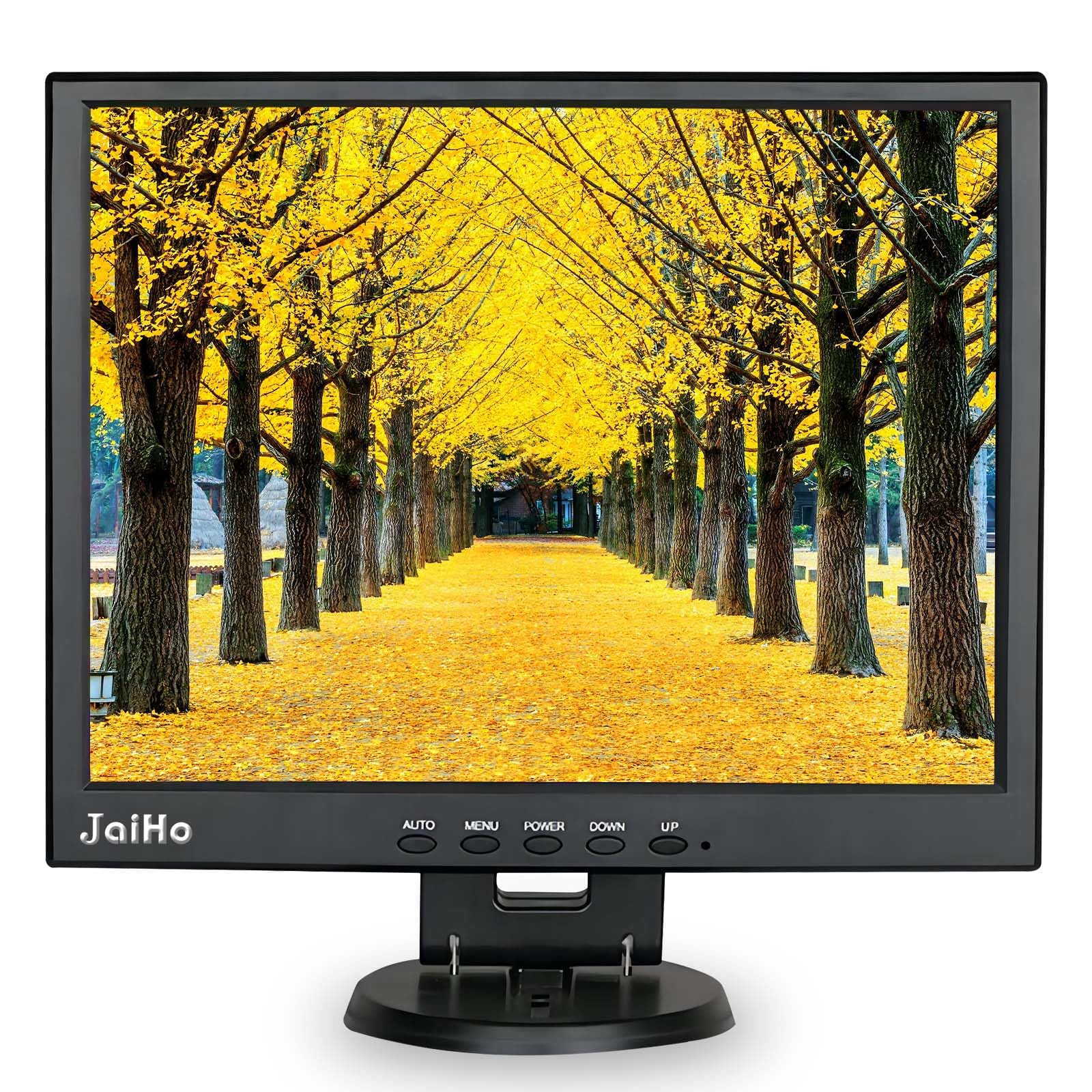
The vertical workhorse built for feeds that must stay sharp and un-stretched.
The JaiHo is the only pick here with a native 4:3 aspect ratio, and that matters if your source is an older CCTV camera or a retro console. A widescreen display would distort that image, but this panel’s 1024×768 resolution shows it exactly as intended. That makes it the natural replacement for a failed security monitor, which is exactly how a physician’s office used it to watch a waiting room.
Connectivity is the real reason to reach for this one. You get BNC, HDMI, VGA, AV, and USB inputs, so it pairs with modern DVR/NVR systems and older analog cameras alike. The high-sensitivity BNC port resists jamming for a stable signal, and the dual built-in speakers handle audio from surveillance feeds. A remote control lets you switch inputs from across the room, and the included stand plus a VESA 75x75mm pattern covers desk and wall setups.
The metal housing is the durability story. It protects against impact and vibration better than plastic, and it acts as a heat sink for 24/7 operation — a real advantage for a screen that never powers down. The 2000:1 contrast is strong, but off-axis viewing is poor, so sit directly in front. Best for fixed stations, not side-of-desk placement.
Built for the Job
- Suitability is what wins people over — the input variety handles almost any legacy source.
- Metal body stands up to constant, industrial-style use.
- 4:3 ratio means no stretching on older feeds.
The Honest Limits
- Viewing angles are narrow; brightness shifts if you look from the side.
- The remote is described as “finicky” until you set it up once.
Reach for this if: you need a dependable, always-on monitor for analog cameras, DVRs, or retro gear and value a rugged build over a pretty picture.
Look elsewhere if: you will sit off-center, because the 4:3 panel’s narrow viewing cone will frustrate you.
2. MAGICRAVEN Portable Monitor

A featherlight 4K panel that slides into a bag for a second screen anywhere.
The MAGICRAVEN is the pick for the road. At only 1.05 lb for the monitor itself, it is the lightest here by far, and its 0.39-inch max thickness means it slips into a laptop bag without adding bulk. It pairs naturally with a 13″ MacBook Air for a dual-screen setup in a coffee shop or hotel, and a scratch-proof PU leather smart cover protects the panel when it is tossed in a backpack.
The spec sheet is genuinely impressive for the price tier: a 14.5-inch IPS screen at 3840×2400 resolution with 400 nits brightness, 100% sRGB, and a 178-degree viewing angle. That matters because you can view it from far off to the side without the brightness shift that plagues the JaiHo above. It also supports HDR, Low Blue Light, and FreeSync, so it handles both work documents and gaming sessions on a PS5, Xbox, or Switch.
Setup is plug-and-play. Two full-feature USB-C ports and a Mini-HDMI port connect to most laptops, Macs, and consoles, often with just a single USB-C cable. The catch is power management: the screen can draw power from your laptop, but buyers report it drains the laptop battery fast, so keep it plugged in for long sessions. Compatibility is also slightly safer on Mac than on the newest Windows 11 systems, as the latest Windows 11 update on an HP Elitebook 840/G11 breaks this monitor.
Light as promised: the weight is the thing everyone raves about — 1.05 lb makes it feel like a tablet, not a monitor.
The fine print: brightness is rated as a touch dim by some, and you may need SwitchResX to hit full resolution on a Mac.
Grab this for: an ultra-portable second screen with a stunning 4K picture that travels in a bag, not a box.
Think twice if: you are on an older Windows 11 laptop, since a software update has been known to kill the connection.
3. VSDISPLAY Stretched Bar LCD

The skinny 2K strip that turns a glass tower into a live performance dashboard.
The VSDISPLAY is not a desk monitor — it is a PC case screen. At 14.5 inches wide and just 4.53 inches tall, this stretched 2560×720 bar is designed to replace a 3x120mm fan cluster in a DIY build. It bolts into a HAVN HS420 case “to perfection,” and the VESA mount matches a 120mm fan pattern, with an adapter available for 140mm fans. That is a very specific fit, and it nails that exact job.
You control what appears on this screen. The IPS panel (a type of display with wide viewing angles) delivers a 178-degree viewing angle and 350 cd/m2 brightness (a measure of screen luminance), so colors stay vivid even when you look from the side. Owners mention colors look “bright and vibrant” through the tempered glass. To show GPU and CPU stats, you must install your own software like Aida64, because the screen does not generate data on its own. Once configured, it works as a clean telemetry display inside your PC tower.
Setup is simple over USB-C for power and a mini-HDMI or USB-C for video. The honest caveat is hardware safety: one owner reported the screen caused two different machines to crash when plugged in with the provided cables, so check compatibility with your components before relying on it for a critical system. Overall, the crowd verdict is strong — it fits, it looks great, and it does exactly what it promises.
The Looks
- Fits the 120mm fan pattern of popular towers like the HAVN HS420.
- Vivid IPS colors hold up beautifully behind glass.
- Durable feel with a clean, bright 2560×720 resolution.
Watch Out
- Occasional reports of system crashes on incompatible hardware.
- No software included — you must supply your own monitoring app.
Perfect for: the enthusiast builder who wants a live stat readout inside a glass tower without losing cooling fans.
skip it if: you want a general-purpose second screen; this one only makes sense bolted into a case.
Understanding the Specs
Aspect Ratio
The shape of the screen, given as width versus height. A 4:3 panel is nearly square, which preserves the look of older CCTV and retro video without stretching it. A 16:9 panel is a wide rectangle, the standard for modern video and gaming. Pick based on what your main source outputs.
Resolution and Pixel Density
Resolution tells you how many pixels the screen packs. A 1024×768 panel is fine for a security feed, but a 3840×2400 panel shows far more detail for document work. On a small physical height, a higher resolution means sharper, denser text.
Contrast Ratio
This number compares the brightest white to the darkest black the panel can produce. A 2000:1 ratio means deep blacks and punchy contrast, while a 1000:1 ratio is more modest. For security footage, high contrast helps distinguish objects in shadow.
Mounting and Power
Check how the screen mounts and powers before you buy. A VESA 75x75mm pattern fits standard wall arms, a fan-pattern mount fits PC towers, and a desktop stand suits a desk. Power can be a simple USB-C cable or a dedicated wall adapter, which changes how clean your setup looks.
FAQ
What does physical height mean for a monitor?
Why would I want a 4:3 monitor instead of widescreen?
Can these vertical monitors run off a single USB-C cable?
What is a stretched bar LCD and who is it for?
Is a higher contrast ratio always better for security feeds?
Will a 1024×768 resolution look blurry for everyday desktop use?
Can I wall mount any of these monitors?
Do these monitors have built-in speakers?
What is the real-world viewing angle difference between these picks?
Can I use these to extend my laptop screen for work?
Final Thoughts: The Verdict
For most buyers, the 14.5-inch physical height vertical monitor that wins is the JaiHo 14-Inch 4:3. Its rugged metal frame and wide range of inputs make it the most dependable all-rounder for security cameras and older equipment. If you need a lightweight 4K screen for travel, choose the MAGICRAVEN Portable Monitor. For a PC case telemetry display, the VSDISPLAY Stretched Bar LCD fits the job best.
How We Picked
We do not accept paid placement. Every pick is matched to a real buyer and a real use-case; we do not hands-on test units.
Sources & Methodology
Specifications: manufacturer listings and product documentation. Review insights: verified customer reviews, as of August 2026. Pricing: not shown on this page (it changes often); check the current price via the retailer link.
As an Amazon Associate, Gadgets Feed earns from qualifying purchases. This does not affect which products we feature.