
That dreaded “Storage Almost Full” notification on your laptop or console doesn’t have to mean a frantic cloud subscription or deleting old games. A reliable 500GB hard drive is the most straightforward cure — one that keeps your files local, accessible, and under your control without recurring fees. These drives slide into a laptop bag or desktop bay and instantly multiply your usable space for documents, media libraries, and game installs.
I’m Min — the co-founder and writer behind Gadgets Feed. Market data alone captures pricing trends, but I focus on the technical specifications that determine whether a drive sustains consistent read/write performance over months of daily use, including form factor compatibility, rotational speed, and interface bottlenecks.
After analyzing real-world transfer rates and build quality across the most popular options, I’ve assembled the definitive list of the best 500gb hard drive choices for every type of user and setup.
How To Choose The Best 500GB Hard Drive
Not all 500GB hard drives are the same. The choice between an internal upgrade and a portable external drive depends on your primary device, your tolerance for cables, and whether speed or portability matters more. Here are the critical factors to weigh before buying.
Form Factor: 2.5-Inch vs 3.5-Inch
A 2.5-inch drive is the standard for laptops and portable external enclosures — it draws less power, runs cooler, and fits into tight spaces. A 3.5-inch drive is larger, heavier, and requires a dedicated power adapter, but it typically offers higher rotational speeds and better sustained performance for desktop or NAS use. Make sure your bay or enclosure matches the drive size before purchasing.
Rotational Speed and Cache Size
Rotational speed (RPM) directly impacts how fast the drive reads and writes data. A 7200 RPM drive delivers noticeably faster file transfers and game load times than a 5400 RPM unit. Cache size — usually 32MB or 64MB — acts as a temporary buffer; a larger cache helps when handling many small files simultaneously. For a system drive, prioritize 7200 RPM; for bulk media storage, 5400 RPM is adequate and quieter.
Interface: SATA vs USB
Internal drives use a SATA interface — nearly all modern laptops and desktops use SATA III (6 Gb/s), which is backward compatible with older SATA II ports. External drives use USB, most commonly USB 3.0 (5 Gb/s) or USB-C. If you plan to move the drive between computers, an external USB model offers instant plug-and-play convenience. If you need maximum speed for an internal upgrade, choose a SATA III 7200 RPM drive.
Quick Comparison
On smaller screens, swipe sideways to see the full table.
| Model | Category | Best For | Key Spec | Amazon |
|---|---|---|---|---|
| WD Blue 500GB | Internal 3.5-Inch | Desktop performance upgrades | 7200 RPM / 32MB Cache | Amazon |
| Seagate ST500LM021 | Internal 2.5-Inch | Laptop internal upgrade | 7mm z-height / 7200 RPM | Amazon |
| YOTUO 7-in-1 Hub | External Hub + HDD | Multi-device workflow & port expansion | USB-C / SD card reader | Amazon |
| Maxone 500GB | External Portable | Slim portable with metal build | 0.4-inch thick / USB 3.0 | Amazon |
| HWAYO 500GB | External Portable | Budget-friendly console storage | 6 Gb/s USB 3.0 / Ultra slim | Amazon |
| YOTUO Silicone 320GB | External Rugged | Drop protection on the go | Patented silicone sleeve | Amazon |
| iDiskk 500GB | External Apple Certified | iPhone / iPad photo backup | MFi certified / Auto backup | Amazon |
In‑Depth Reviews
1. WD Blue 500GB Desktop Hard Disk Drive

The WD Blue 500GB is the gold standard for a desktop internal hard drive at this capacity. Its 7200 RPM rotational speed and 32MB cache deliver snappy read and write performance that makes everyday file transfers feel responsive, whether you are loading applications or moving large media libraries. The 3.5-inch form factor requires a standard desktop bay and a SATA power connection, but the included drive is a reliable workhorse for system builders or anyone replacing an aging spinner.
Users consistently report that the drive arrives well-packaged, formats easily via NTFS or FAT, and runs quietly during normal operation. The aluminum enclosure helps dissipate heat effectively, keeping internal temperatures stable during extended file writes. Several customer accounts note the drive has remained error-free for years, which speaks to Western Digital’s quality control on this long-standing model line.
One caveat: a small number of users have flagged UltraDMA CRC errors appearing after a few weeks, indicating possible cable or controller handshake issues rather than a flaw in the drive itself. Checking your SATA cable connection on arrival can prevent this. If you need a trusted internal drive for a desktop build, this is the most proven option available at 500GB.
Why it’s great
- 7200 RPM provides noticeably faster load times than 5400 RPM drives
- Trusted brand with decades of reliable HDD manufacturing
Good to know
- Requires a desktop 3.5-inch bay and SATA power — not for laptops
- Occasional UltraDMA errors may require cable reseating
2. Seagate ST500LM021 Laptop Thin SATA III 7mm
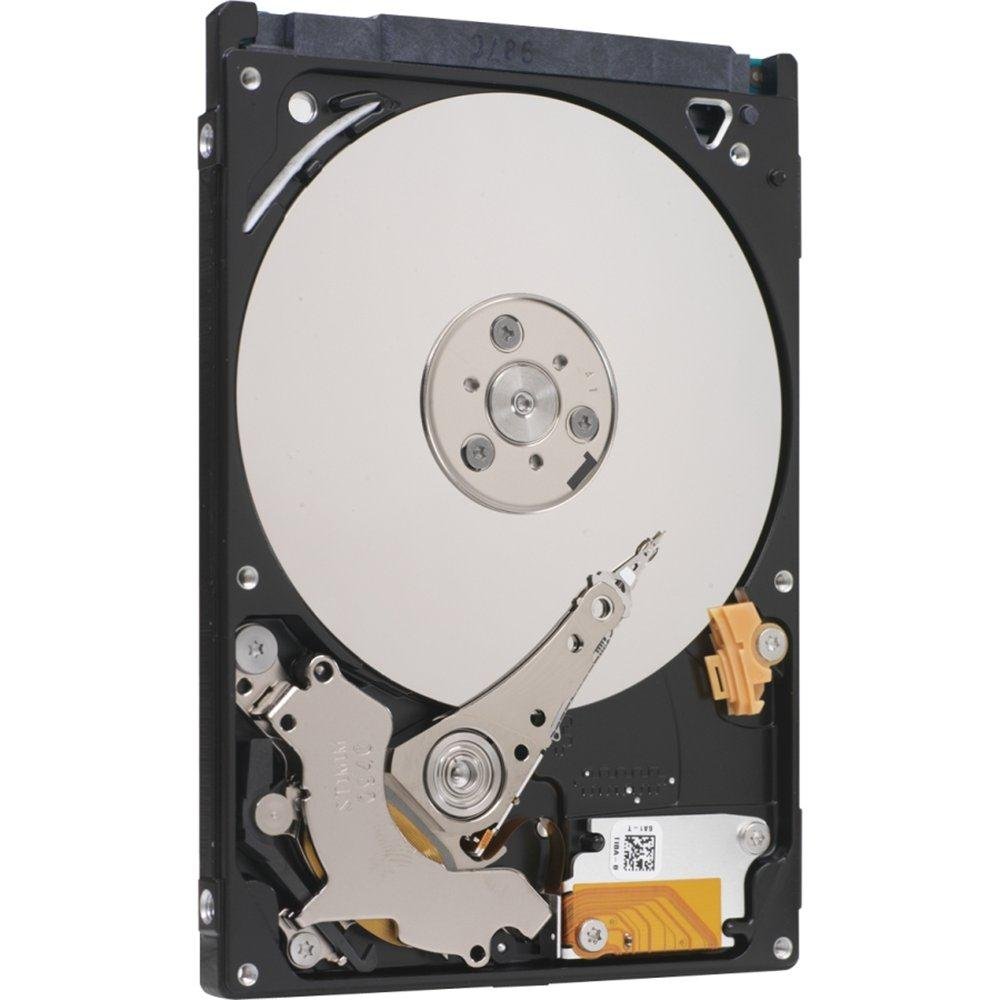
When your laptop’s internal storage is maxed out, the Seagate ST500LM021 is specifically designed to fit into the thinnest chassis without sacrificing capacity. At just 7mm thick — the first 2.5-inch drive to achieve this profile — it slides into ultrabooks and slim notebooks where a standard 9.5mm drive won’t fit. The 7200 RPM spindle speed means boot times and application launches are faster than the 5400 RPM drives that often ship stock in budget laptops.
Buyers consistently praise the drive’s straightforward installation process and the immediate speed improvement over older hardware. With a SATA III interface capable of 6 Gb/s, the ST500LM021 negotiates full bandwidth with any modern laptop controller. It also runs cool enough for daily portable use, and the self-encrypting drive variant adds a layer of data security for business users.
Customer feedback has been overwhelmingly positive regarding value, with many noting that the drive arrives quickly and functions exactly as specified. The inclusion of a 7mm spacer for 9.5mm bays in some packages adds flexibility. If you need a reliable internal 500GB upgrade for a thin laptop, this Seagate model is the most compatible option on the market.
Why it’s great
- Ultra-slim 7mm z-height fits the thinnest laptop chassis
- 7200 RPM delivers faster performance than typical 5400 RPM laptop drives
Good to know
- Not a portable external drive — requires internal SATA installation
- Some listings may ship without a 9.5mm spacer bracket
3. YOTUO Portable 500GB Docking Station External Hard Drive
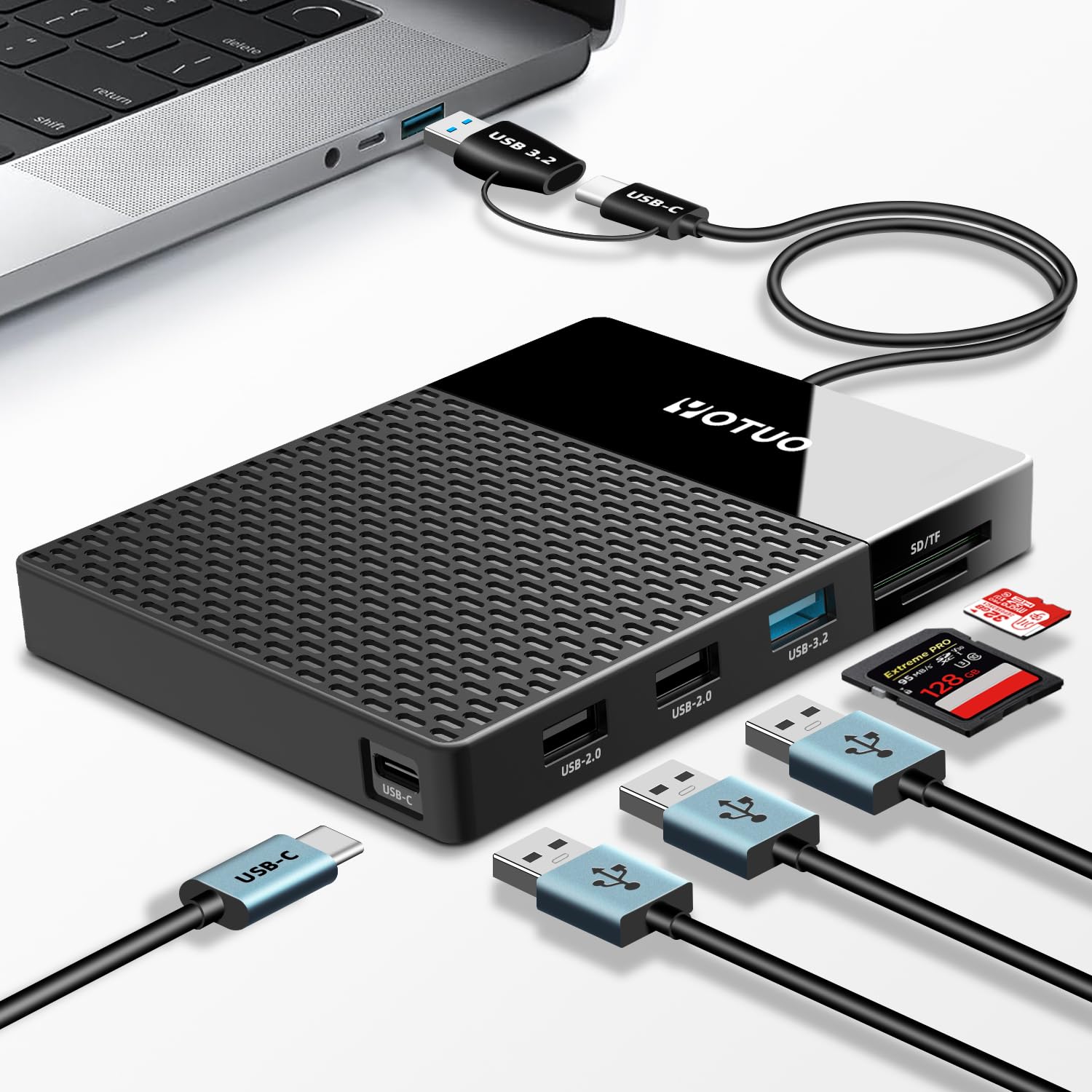
The YOTUO 7-in-1 is a rare hybrid that fuses a 500GB HDD with a multiport USB-C hub and SD/TF card reader into one compact unit. Instead of carrying a separate drive and dongle, you get a single device that expands your laptop’s port selection while adding 500GB of storage. It features USB 3.2, USB-C, and two card slots, making it particularly useful for photographers or creators who need to offload SD cards between shoots.
The dual-cable design — offering both USB-C and USB 3.2 connectors — ensures compatibility across modern and legacy devices, including Windows, Mac, Android, and even smart TVs. The drive itself is a standard 2.5-inch mechanical HDD, so transfer speeds are respectable but not SSD-fast; saving large video files can be a bit slow. However, the convenience of having a hub built into your external storage dramatically simplifies a mobile workstation setup.
Some early buyers reported issues with cable recognition, though subsequent support from the seller resolved those situations with replacements. A few users experienced device failure after minimal use, which suggests quality control can vary between units. For the price, you are trading some reliability for exceptional versatility. If your workflow demands both extra ports and extra storage in one package, this is the only option that provides that combination at this capacity.
Why it’s great
- Combines 500GB storage with USB-C hub and SD/TF reader in one device
- Dual USB 3.2 and USB-C cables support broad device compatibility
Good to know
- Mechanical HDD speeds mean slower transfers for large video files
- Inconsistent quality control — some units fail after limited use
4. Maxone 500GB Ultra Slim Portable External Hard Drive

The Maxone 500GB stands out with its all-aluminum unibody design that is both strikingly thin — just 0.4 inches — and surprisingly durable. The metal casing acts as a passive heatsink, keeping the internal drive cool during extended file transfers, and resists scratches far better than plastic alternatives. The Rose Pink color option adds a design-conscious flair that is rare in the utilitarian external HDD market.
Plug-and-play functionality works out of the box with Windows 7 through 11 and macOS without reformatting. The included 19-inch USB 3.0 cable provides transfer speeds up to 5 Gb/s, and users report that moving large game libraries — including entire Steam collections — completes smoothly without read errors. The 3-year manufacturer warranty provides reassurance that the brand stands behind its build.
On the downside, a small number of users experienced port failure after a few weeks, with the internal connector separating from the circuit board when jostled in a bag. The short cable length (19 inches) can be restrictive when the drive is plugged into a desktop tower. For desk or laptop-bag use with careful handling, the Maxone offers excellent portability and robust metal construction at a reasonable cost.
Why it’s great
- Full aluminum body dissipates heat and resists scratches
- Ultra-slim 0.4-inch profile is highly pocketable and bag-friendly
Good to know
- USB port can detach internally if the drive is handled roughly
- Included 19-inch cable is short for desktop tower setups
5. HWAYO 2.5” 500GB Ultra Slim Portable External Hard Drive

For pure affordability without cutting the core essentials, the HWAYO 500GB delivers a functional USB 3.0 external drive at a price that undercuts most competitors. It adopts a simple, ultra-slim plastic enclosure that slips into any laptop bag pocket, and the USB 3.0 interface supports transfer rates up to 6 Gb/s — roughly ten times faster than USB 2.0. This makes it a perfectly adequate solution for backing up documents, photo libraries, and storing console games
Buyers report that the drive is plug-and-play with Windows, Mac, and Chromebooks, with no driver installation required. It works directly with Xbox One and Series consoles for game storage, freeing up internal SSD space for next-gen titles. The lightweight design means it draws power solely from the USB connection, so no wall adapter is needed.
Some consistency issues appear in long-term usage. A few customers experienced random disconnections every few days, which can interrupt file transfers or cause disk errors in game libraries. The plastic shell is less protective against drops than rubberized or metal alternatives. For budget-conscious buyers who need basic portable storage and can tolerate occasional quirks, the HWAYO provides the best capacity-per-dollar ratio in this roundup.
Why it’s great
- Very low cost for a 500GB external drive with USB 3.0 speeds
- Works natively with Xbox One and Series consoles for game storage
Good to know
- Some users report random disconnections every few days
- Plastic enclosure offers less drop and scratch protection
6. YOTUO Portable External Hard Drive Silicone Sleeve (320GB)

The YOTUO drive prioritizes physical data protection above all else, thanks to its patented built-in silicone sleeve that absorbs shock from drops and bumps. At 320GB, the capacity is slightly below the 500GB standard of this roundup, but the trade-off is a drive that survives being tossed into a backpack with books or a laptop. The USB 3.0 interface delivers up to 5 Gb/s transfer speeds, and the drive is compatible with Windows, Mac, Linux, and major consoles including PS4, PS5, and Xbox Series X/S.
Students and frequent travelers appreciate the light weight — just 0.16 kg, lighter than a soda can — and the fact that no software installation is required. The plug-and-play nature means you can back up your phone photos, game saves, or work files instantly on any computer. The hybrid drive description in the specs suggests it may use a small NAND cache for faster read performance on frequently accessed files.
The reduced 320GB capacity means you will fill this drive sooner than a 500GB unit, especially if you store large game installations. The plastic enclosure underneath the sleeve is less premium than metal alternatives, and some users experienced disk read errors after extended gaming use. If maximum capacity is your priority, look elsewhere. If you need a rugged companion for on-the-go data that can survive an accidental drop, this is the most protective design in its class.
Why it’s great
- Patented silicone sleeve provides excellent drop and shock protection
- Ultra-light 0.16 kg design is easy to carry anywhere
Good to know
- Capacity is 320GB, not the standard 500GB
- Occasional disk read errors reported during game use
7. iDiskk 500GB Apple Certified External Hard Drive
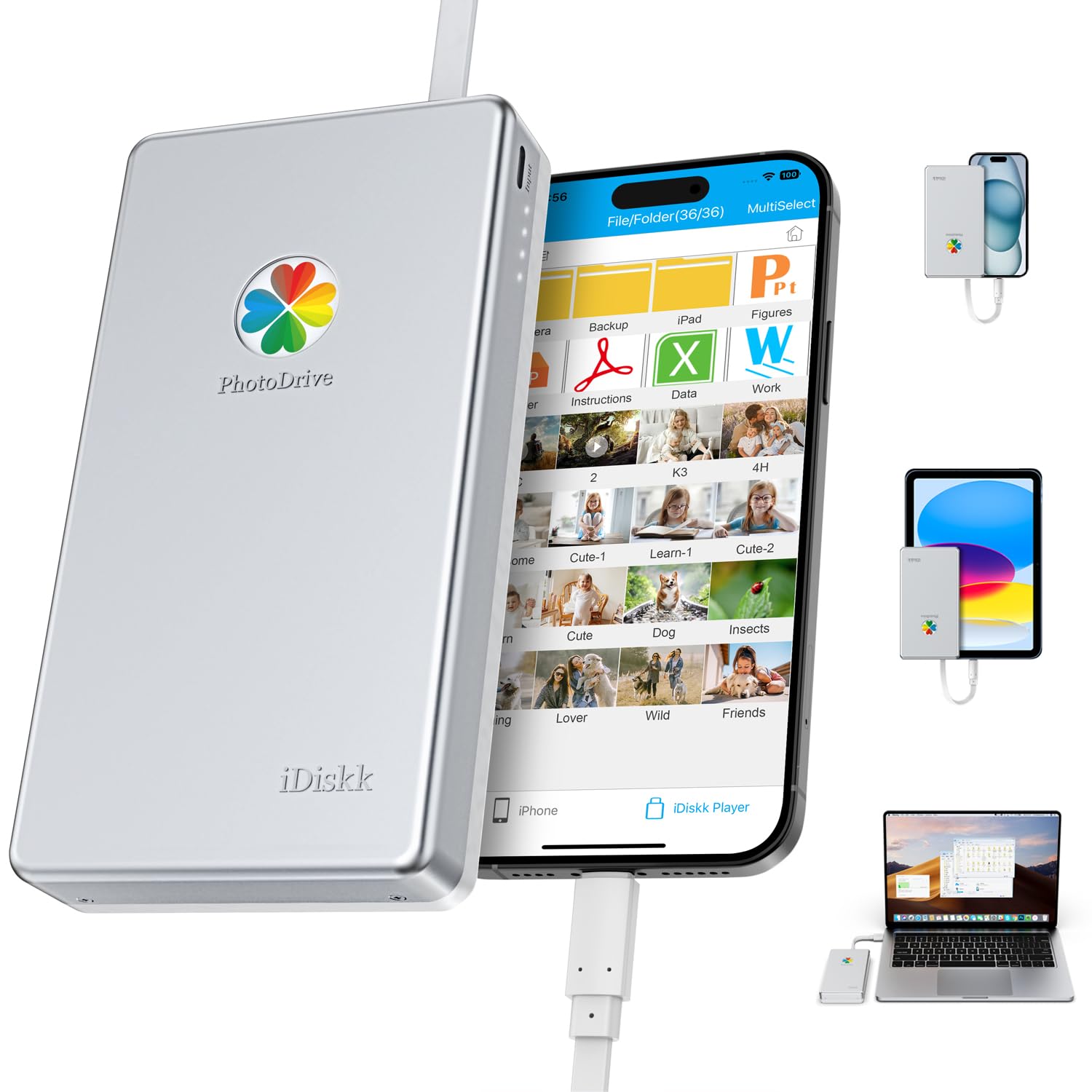
The iDiskk 500GB is designed specifically for Apple users who want to offload photos and videos from their iPhone or iPad without using iCloud. Its MFi-certified connector ensures reliable data transfer with iOS devices running 12.1 or newer, covering everything from iPhone 12 through the latest iPhone 17 models. The bundled “iDiskk Player” app enables one-tap smart backup that only saves new files, preventing duplicates and conserving drive space.
Beyond iPhone backup, the drive works as a standard external HDD for Mac and PC, supporting drag-and-drop file management without any software. It also supports plug-and-play media streaming, so you can watch movies directly from the drive while traveling without needing Wi-Fi. The data encryption feature lets you password-protect the entire drive or specific files, keeping sensitive content hidden when connected to a shared computer.
Despite the Apple-centric pitch, real-world results are mixed. A significant number of negative reviews cite complete device failure shortly after purchase, and the customer support experience has been criticized. For the premium price, the iDiskk falls short of the reliability expected from a dedicated external drive. If your main goal is iPhone storage expansion, a standard external drive with a separate Lightning adapter may be a more reliable path.
Why it’s great
- MFi-certified connector ensures compatibility with iPhone 12 through 17
- One-tap smart backup and data encryption features built in
Good to know
- Many units fail or malfunction shortly after purchase
- Requires proprietary app for full functionality on iOS
FAQ
Can I use a 500GB portable external hard drive with my PS5 or Xbox Series X?
What is the difference between a 2.5-inch and a 3.5-inch 500GB hard drive?
Is a 7200 RPM 500GB hard drive worth it over a 5400 RPM model?
Final Thoughts: The Verdict
For most users, the best 500gb hard drive overall is the WD Blue 500GB because its proven 7200 RPM reliability and desktop-friendly 3.5-inch form factor make it the gold standard for internal storage. If you need a slim internal drive for a laptop upgrade, the Seagate ST500LM021 delivers the same speed in a 7mm package. And for those who require a combined storage and docking solution, the YOTUO 7-in-1 Hub Drive is a uniquely versatile pick.