
Our readers keep the lights on and my morning glass full of iced black tea. As an Amazon Associate, I earn from qualifying purchases.
Specs are compiled from manufacturer listings and verified buyer reviews and can change over time — please confirm the key details on the product page before buying.
If you are shopping for a 1TB flash drive, the read speed on the box is only half the story. The write speed — how fast it actually saves your files — is what decides whether moving a big video library takes minutes or an entire afternoon. This guide breaks down the real-world performance, build quality, and honest trade-offs of the top 1TB USB 3.0 (and faster) drives, so you pick the one that matches how you actually use storage.
I’m Min — the founder and writer behind Gadgets Feed. This guide is built by comparing the manufacturers’ published specifications and the patterns across verified customer reviews, so you get each pick’s real strengths and trade-offs instead of marketing spin.
The crowd favorite here — 4.6 stars across 210,000+ owners — is the SanDisk Ultra Flair, but speed demons and phone users have better options further down. 3.0 usb flash drive 1tb picks need matching to your devices, so here is the honest breakdown.
Our Picks at a Glance
How To Choose The Best 3.0 USB Flash Drive 1TB
Every 1TB drive here will hold roughly 200,000 photos or dozens of full-length 4K movies. What separates them is how fast they write that data, whether they fit your phone, and how long they survive daily yanking and pocket rides.
Match the port to your devices
A classic USB-A drive plugs into laptops and desktops, but it is useless on a modern iPhone or a sleek ultrabook with only USB-C ports. Dual-connector drives give you both ends, so you can offload phone photos without hunting for an adapter. If your phone is your main camera, this is the single biggest feature to check before buying.
Read speed vs. write speed
Manufacturers advertise the read speed because it is the bigger, more impressive number. But when you drag 50GB of footage onto the drive, you wait on the write speed, which is often half the advertised read figure or worse. A drive rated for 400MB/s reads might still write at a fraction of that under sustained load, so check reviews for real write numbers before committing.
Metal casing and heat
Big transfers generate real heat, and plastic shells trap it, which can throttle speeds and stress the memory cells. A metal housing acts as a heatsink, pulling heat away so sustained writes stay faster and the drive lasts longer. It also survives drops and bag-rattling better than a flimsy plastic stick.
Quick Comparison
| Model | Best For | Read Speed | Connector | Build | Amazon |
|---|---|---|---|---|---|
| SanDisk Ultra Flair★ Best Overall | Everyday backups on a budget | Up to 150MB/s | USB-A | Metal casing | Amazon |
| SANKESU USB-C 3.1Best Value Dual | Freeing up iPhone and Android space | Up to 120MB/s | USB-A & C | Metal material | Amazon |
| Thkailar USB 3.2Top Performer | Fast dual-connector transfers | Up to 400MB/s | USB-A & C | CNC metal, PU case | Amazon |
| Centon DataStick Pro | Reliable workhorse backup | USB 3.2 Gen 1 | USB-A | Aluminum casing | Amazon |
| TEAMGROUP C175 | Lifetime-warranty value | Read 100MB/s | USB-A | Capless design | Amazon |
| TEAMGROUP C186 | Retractable, no lost caps | Read 100MB/s | USB-A | Retractable design | Amazon |
| SSK SD300 | Sustained high-speed writes | Up to 550MB/s | USB-A C adapter | Zinc alloy shell | Amazon |
| PNY PRO Elite V3 | Pro-grade speed for creators | Up to 1000MB/s | USB-A | Premium metal | Amazon |
| SanDisk Extreme Fit USB-C | Flush-fit dash cam and phone storage | Up to 400MB/s | USB-C | Microscopic form factor | Amazon |
In-Depth Reviews
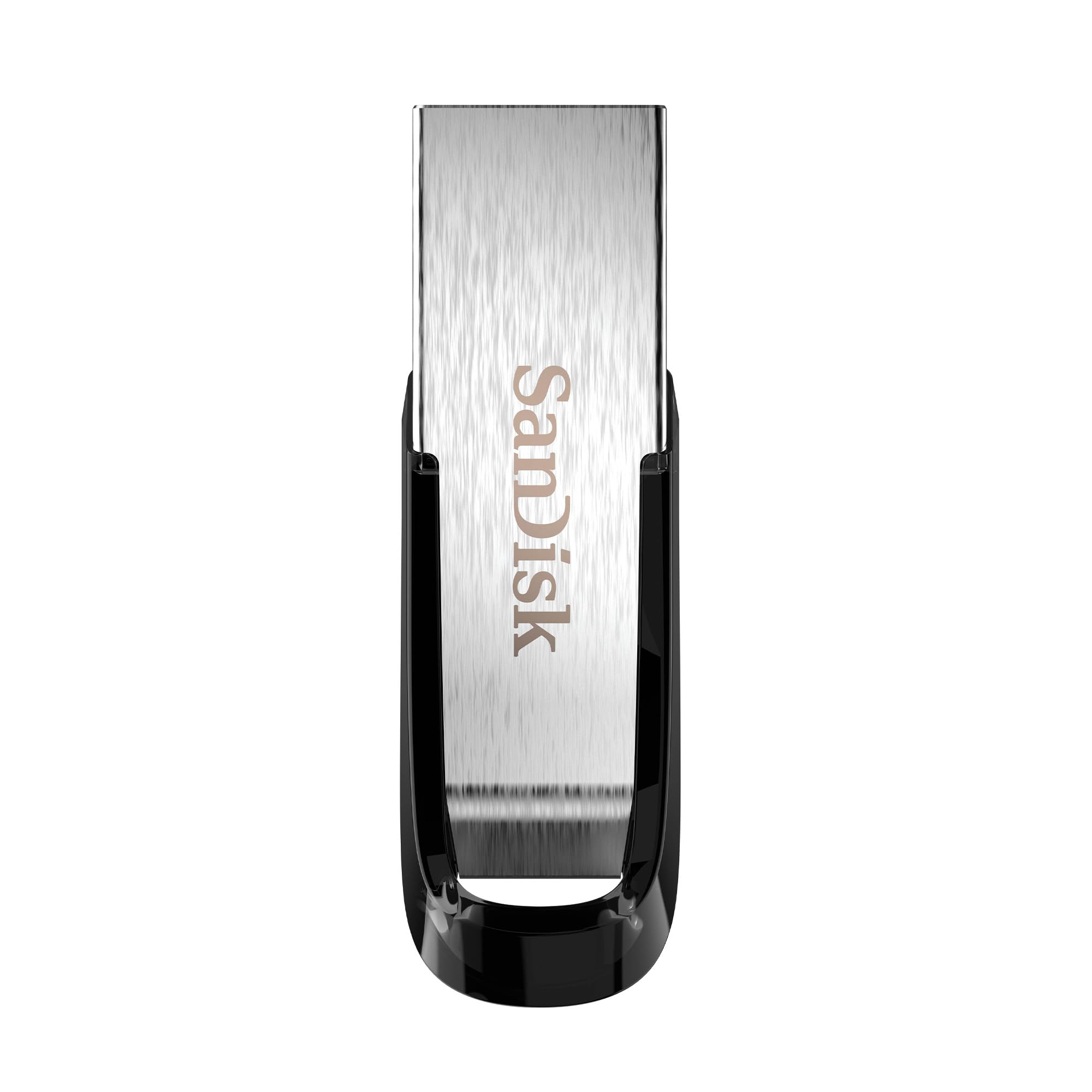
1. SanDisk 1TB Ultra Flair USB 3.0
Our pick — over 4.5★ from 210,000+ verified ratings; the strongest balance of quality and price.
The classic metal-backed workhorse that 210,000+ owners trust for everyday file life
For pure plug-and-play reliability on any laptop or desktop with a USB-A port, this is the drive most people should buy. SanDisk rates it for read speeds up to 150MB/s — roughly 15 times faster than an old USB 2.0 stick — which makes moving a full movie folder a quick errand instead of a coffee-break wait. The metal casing gives it a sleek, tough feel that shrugs off the knocks of daily bag life.
The headline feature here is the flexibility: it works with any device that has a USB port, and the bundled SanDisk Memory Zone app lets you back up, browse, and organize files while freeing space on your computer. Buyers consistently report that the read speed is genuine, hovering around 100-160MB/s in real use, with write speeds in the 50-60MB/s range — not record-breaking, but perfectly adequate for backups, boot disks, and dash cam footage.
Expect it to warm up during long transfers, just like most high-capacity sticks, but buyers report it runs cooler than many rivals thanks to that metal shell. Durability feedback splits: most report zero issues, but a minority mention failures after about six months of heavy use. So treat any 1TB drive as a backup for your most precious files, not the only copy you keep.
top pick: you want a proven, well-priced USB-A stick for work, school, and general backup that needs zero setup.
bulky: your laptop only has USB-C ports, or your priority is maximum transfer speed rather than dependable value.
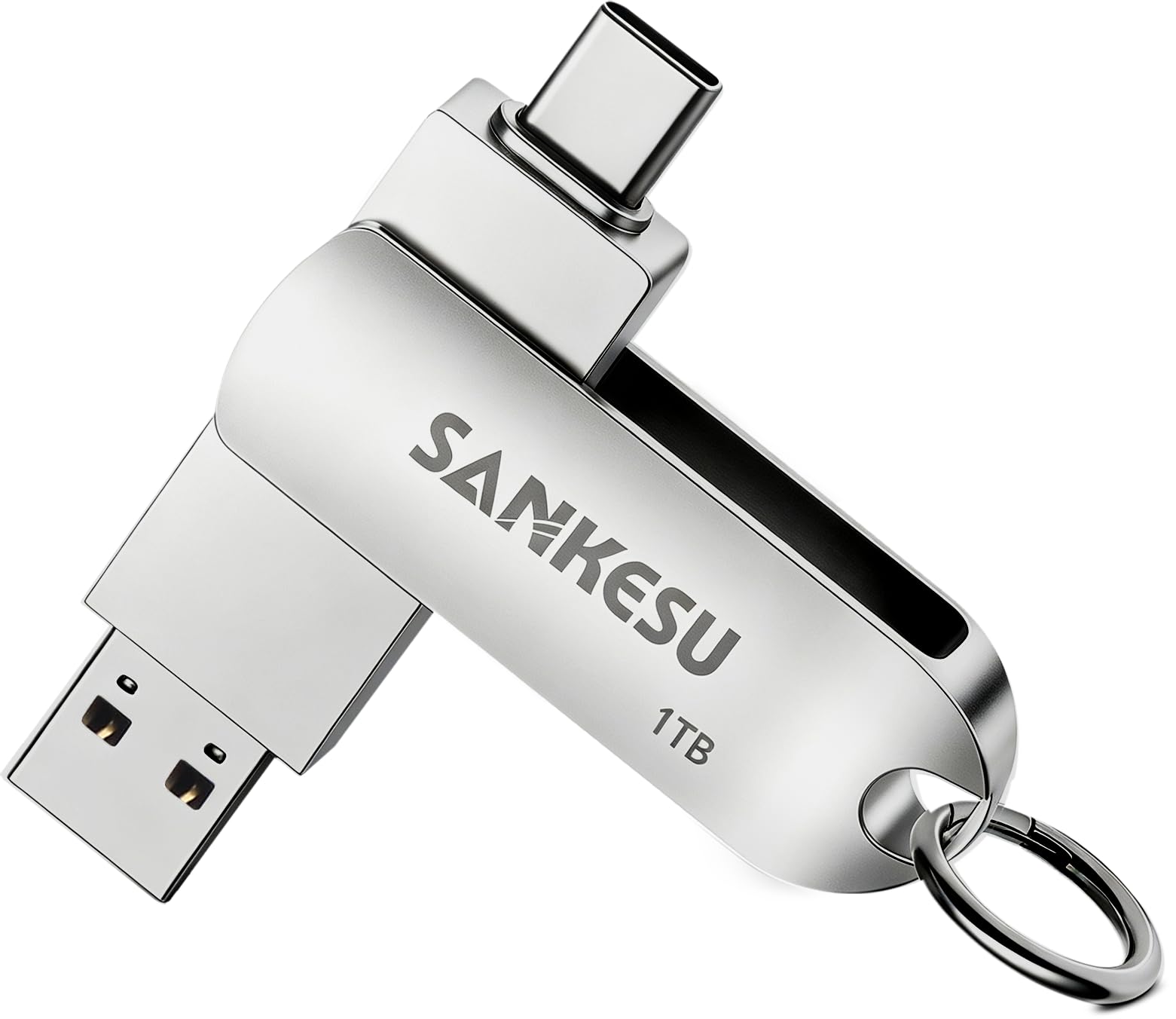
2. SANKESU 1TB USB C Flash Drive
The pocket-sized answer to the “my phone storage is full” panic
This dual-connector stick exists for one job: freeing up space on your phone and laptop without needing a single adapter. With both USB-A and USB-C ends, it plugs straight into iPhones from the 15 Series up, most Samsung Galaxies, MacBooks, PCs, and even car audio and smart speakers. It supports plug-and-play on Windows, macOS, Linux, and Android — no drivers or software to install.
The read speed tops out at 120MB/s, which the maker says moves a 4GB file in about a second — roughly 5x faster than USB 2.0. Owners mention it is easy to use and perfectly adequate for clearing out photo libraries, which is the exact scenario the review pages keep returning to. It is a silver, metal-bodied stick that is light enough to live on a keychain without weighing you down.
The catch is that it is not the fastest dual drive on this list — the Thkailar below beats its read speed by a 3.3x gap (400MB/s vs 120MB/s). And on durability, several customers note it can struggle to last beyond a couple of months of rough use. Treat it as a convenient phone-offload tool and keep a second copy of irreplaceable files elsewhere.
USB-C: offloading thousands of phone photos and videos onto a cheap, adapter-free stick that fits both your phone and laptop.
slow: you transfer huge files daily and need sustained speed, or you want a drive built for years of heavy punishment.
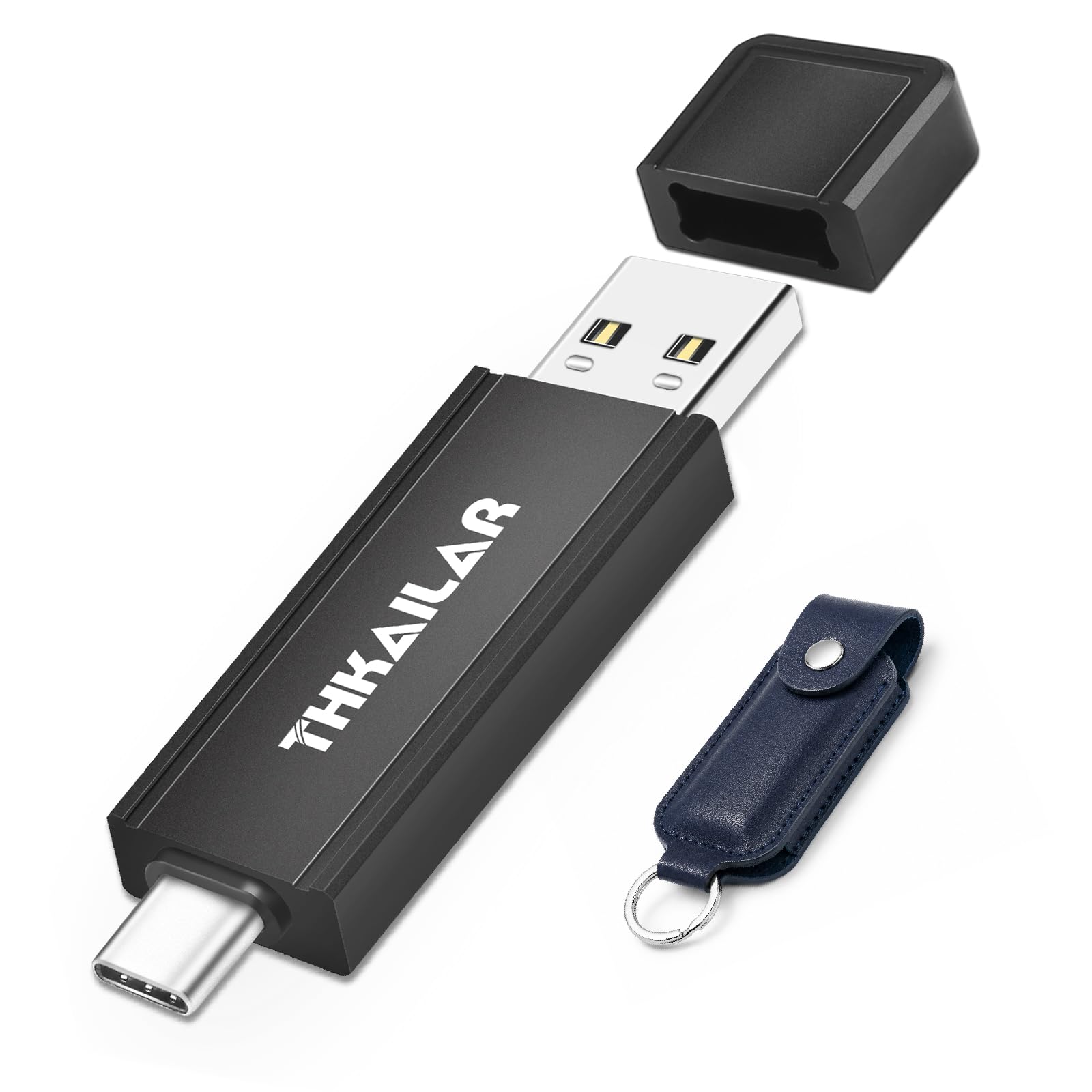
3. Thkailar 1TB USB 3.2 Flash Drive
A CNC-machined speedster that runs circles around the 120MB/s dual drives
This is the dual-connector drive to pick when speed actually matters. It reads up to 400MB/s — a 3.3x gap over the SANKESU above — which makes moving 4K video and huge project folders feel instant. The USB 3.2 Gen 1 interface handles it all, and the drive comes preformatted in exFAT so it works across Windows, macOS, Linux, and most Android devices right from the start.
Build quality gets serious attention here. The housing is precision CNC-machined metal, and a premium PU protective case keeps it clean and safe in a bag or pocket. Owners confirm it lives up to the marketing claims: real-world tests showed 61 MB/sec write and 146 MB/sec read speeds on a MacBook Pro, and it works on a PS5 for game storage without fuss.
The fit note is iPhone compatibility — a few reviewers point out it does not play nice with Samsung phones and can ask to be reformatted. And like most fast drives, it runs warm during large batch transfers. For creative professionals backing up photos and 4K clips across Mac and PC, the speed-to-price ratio is hard to argue with.
speedy: you juggle big video and photo files between USB-C phones, MacBooks, and PCs and want near-SSD pace without adapters.
hot: your workflow is all Samsung devices, where the drive’s format demands can get annoying.
4. Centon 1TB DataStick Pro

The aluminum-bodied office workhorse that businesses buy in bulk and keep for years
If your 1TB drive is going to live a boring, reliable life shuttling documents and presentations between office PCs, the DataStick Pro is built for exactly that. Its lightweight aluminum casing gives it a classic, sturdy feel that survives daily commutes, and USB 3.2 Gen 1 technology moves files up to 10x faster than a USB 2.0 stick. It is backward compatible with older USB 2.0 ports, so it will not leave you stranded on an aging office machine.
The design detail owners love is the loop at the end of the casing — you can thread an elastic band or a label through it, which makes a huge difference when you manage several drives at work. A business buyer even notes their company has used these exclusively for years, calling them extremely reliable and durable. That is the kind of institutional trust that is hard to fake.
The practical limits: files larger than 4GB can be a sticking point on some systems, and a rare unit arrives with connection trouble. Speed is solid, not spectacular — it is a dependable daily driver rather than a speed demon. For anyone who needs a tough, label-able stick for professional backup, this is the quiet professional’s choice.
durable: offices, schools, and anyone who manages multiple labeled drives and wants aluminum-armored dependability.
basic: USB-C-only laptops without an adapter, or users moving many files over 4GB regularly.
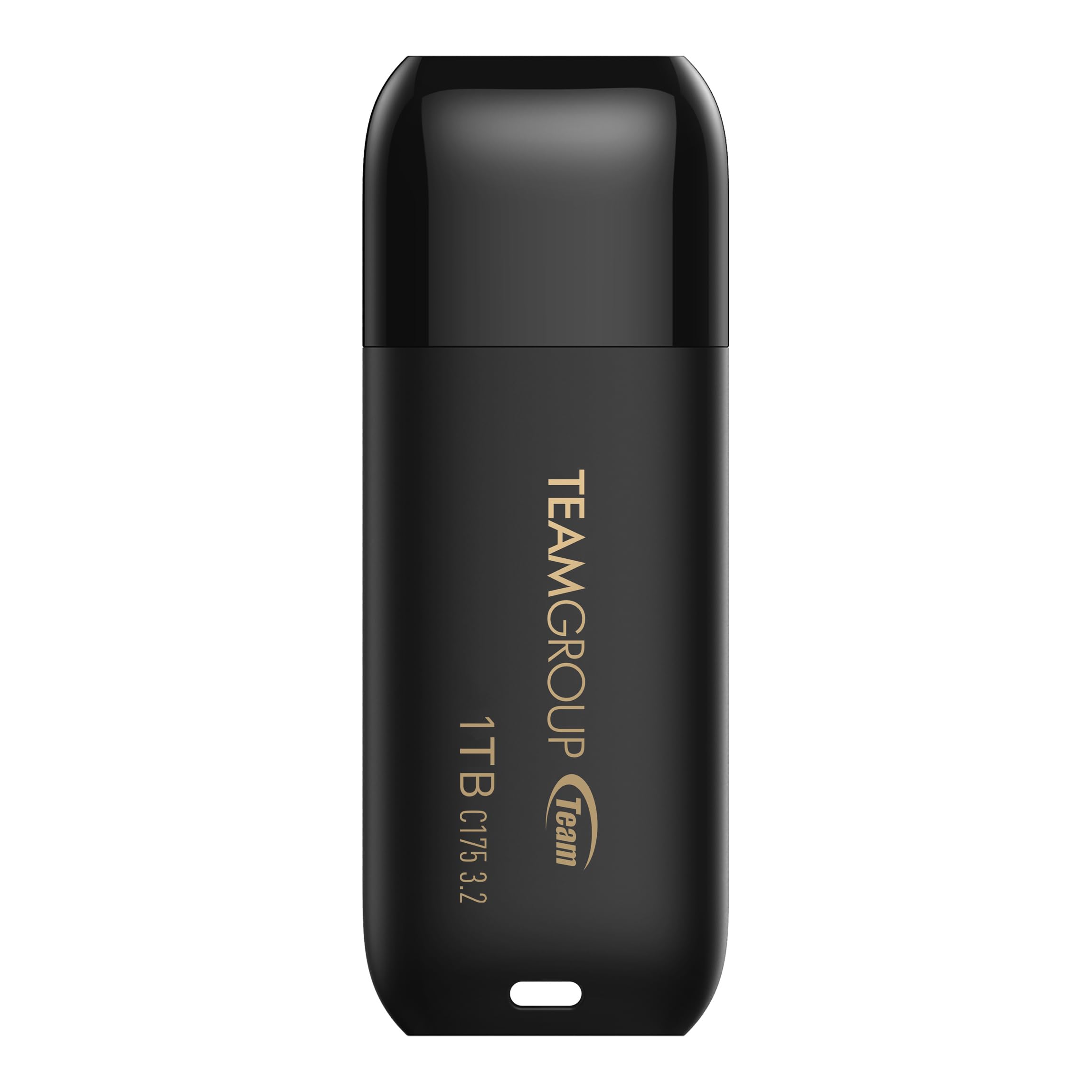
5. TEAMGROUP C175 1TB Flash Drive
A lifetime-warranty budget stick that makes 1TB storage accessible to everyone
TEAMGROUP’s C175 is the value pick that does not feel cheap where it counts. It reads at a solid 100MB/s, so you can move everyday documents, photo archives, and even bootable Linux or Windows installers without waiting around. The rounded, smooth, capless design means no tiny cap to lose in a couch cushion — just a streamlined matte black body you can grab and go.
The real differentiator is the lifetime warranty plus free technical support and customer service on TEAMGROUP’s official website. That is a serious vote of confidence for a budget-tier drive, and owners praise it as excellent value for the money, using it for everything from portable Ubuntu to Windows boot drives. It supports hot swap and power saving mode, so it behaves well whether it is plugged into a desktop or left in a laptop.
The honest caveats: some shoppers say transfer speeds can drop to zero during sustained writes, and a minority have seen drives fail within a month of heavy use. It is a fantastic entry point into 1TB storage, but for mission-critical data, the pricier metal-bodied drives above are the safer bet.
cheap: budget-minded buyers who want a capless, no-fuss 1TB stick backed by a lifetime warranty.
flimsy: you need sustained write speeds for huge files or plan to trust this with your only copy of irreplaceable work.
6. TEAMGROUP C186 1TB Flash Drive
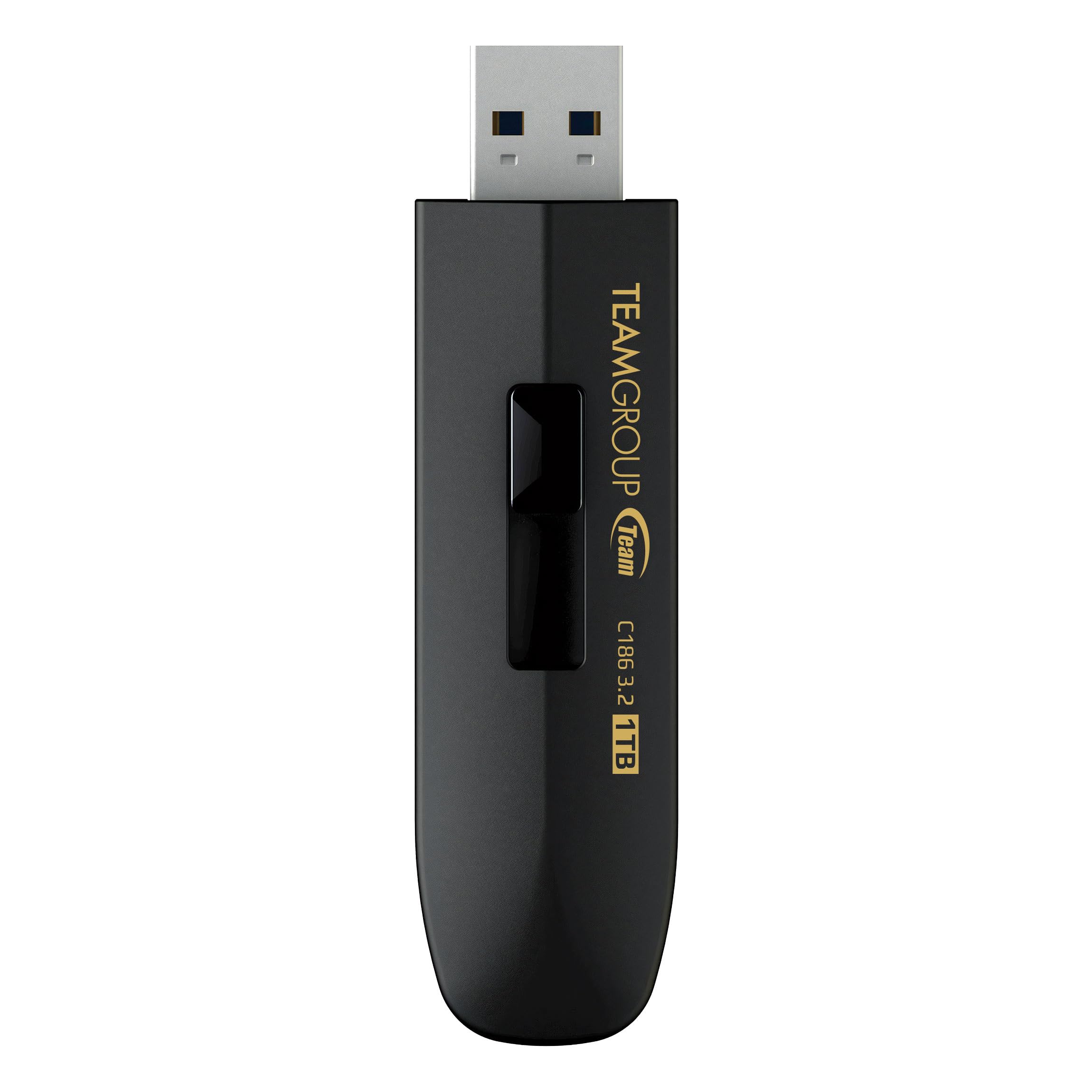
The retractable sibling that solves the C175’s only real complaint
The C186 is TEAMGROUP’s answer to anyone who found the C175’s fixed connector a little exposed. It uses an easy retractable design — you slide the USB tip out when you need it and tuck it away when you do not — keeping the connector protected without any cap to misplace. It reads at 100MB/s, matching the C175, and shares the same plug-and-play interface plus lifetime warranty.
Early owners are enthusiastic, calling it super value and reporting that data transfer and writing speeds are true to the advertised capacity. One buyer even found it faster than the advertised read speed, and a repeat purchaser says these sticks “do not disappoint” — which is about the strongest endorsement a storage product can earn.
The format note to know: it ships as exFAT, which is great for cross-platform use but incompatible with some older devices like Blu-ray players. One owner had to reformat to FAT32 using a third-party tool. If you are plugging this into modern laptops and desktops, it works flawlessly; just be aware of the format before relying on it with finicky media hardware.
sleek: you want a protected, retractable connector and a lifetime warranty at a budget-friendly price.
legacy: you need to plug into older media devices that demand FAT32 formatting from the start.
7. SSK 1TB USB 3.2 Flash Drive
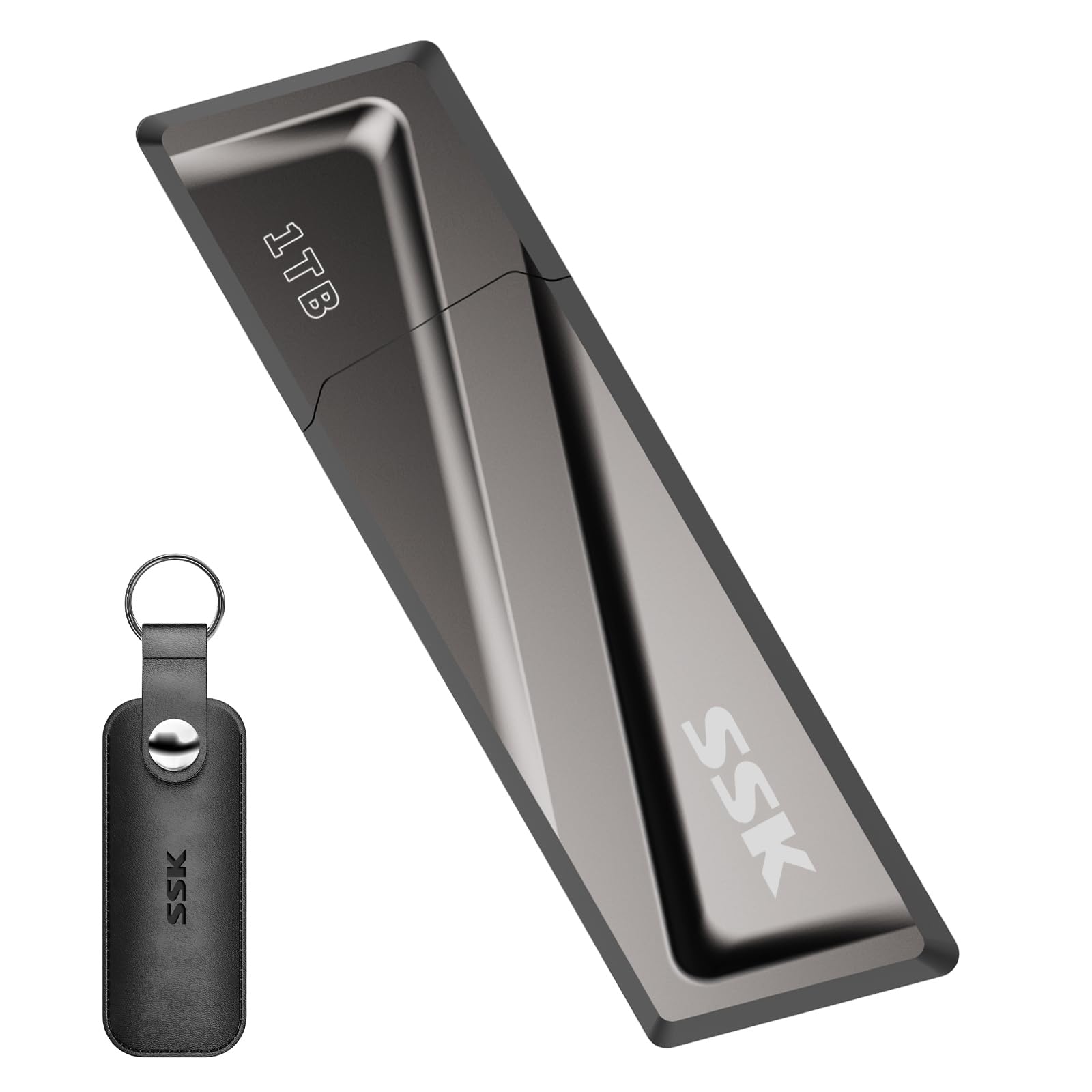
The “built like a tank” stick that hits 550MB/s reads and keeps its cool
SSK’s SD300 is the drive you buy when you are tired of watching a progress bar crawl. It reads up to 550MB/s and writes up to 520MB/s — roughly 10 times faster than a conventional USB 3.0 stick — and crucially, the speed does not drop during sustained transfers or as the drive fills up. Buyers report sustained write rates reaching 350MB/s in real use, which is genuinely SSD-adjacent performance in a thumb-sized package.
The build is where this drive earns its “built like a tank” reputation. A high-grade zinc alloy shell resists falls and abrasion, the flip-up cap protects the USB port, and the whole thing acts as a heatsink so fast transfers do not turn it into a pocket warmer. It ships with a USB-C adapter, giving you USB-A and USB-C compatibility with smartphones, MacBooks, TVs, and car audio — plus backward compatibility with USB 3.0 and 2.0 ports.
The caveats are minor for most: the included USB-C adapter can be tricky to store neatly, and the drive gets warm under load — though the metal case keeps that heat off your fingers. For system images, 4K video editing, and anyone who moves gigabytes daily, this is the speed-per-dollar standout.
value: sustained high-speed writes, bootable OS drives, and rugged metal construction that survives real life.
risky: you need maximum read speed over 1000MB/s for professional-grade 4K workflows.
8. PNY 1TB PRO Elite V3
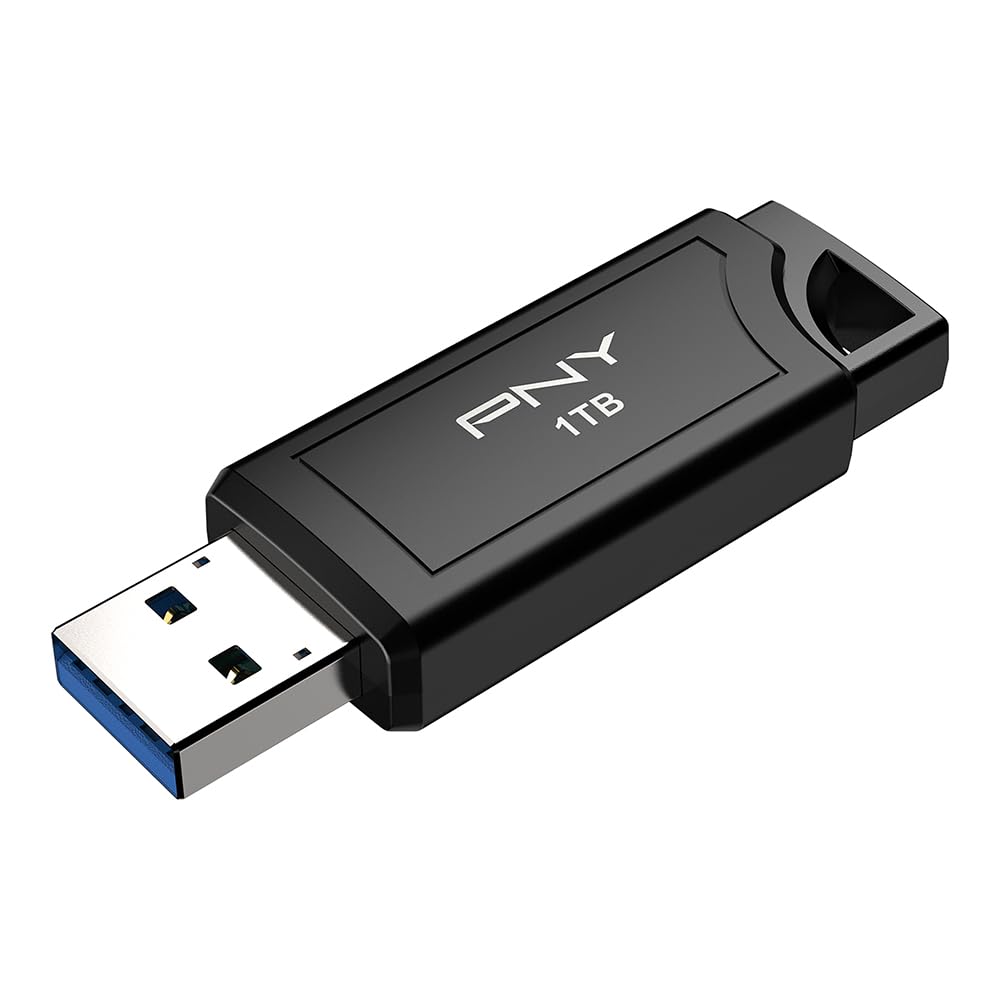
A tiny metal brick that reads at 1000MB/s — faster than many external SSDs
This is the drive for professionals who treat storage speed as a hard requirement. The PNY PRO Elite V3 hits read speeds up to 1000MB/s and writes up to 800MB/s over USB 3.2 Gen 2, which puts it in genuine external-SSD territory without the bulk or the cable. For content creators, graphic designers, and gamers moving full-resolution photos and 4K video, that speed difference is the difference between a quick errand and a lunch break.
The build matches the ambition: an all-metal, premium-feeling body that owners describe as a “tiny metal brick” — shockingly fast and small. A DJ reviewer calls it “King of the Hill,” relying on it for 500GB transfers and noting it works with CDJ decks in FAT32 format and survives the rigors of gig life. It is backward compatible with USB 3.2 Gen 1, USB 3.0, and USB 2.0, so it will not strand you on an older machine.
The disagreements in the review data center on durability — some owners mention the drive lasting only about a month — and it is a USB-A stick, so Tesla Model Y users have hit compatibility snags. For a portable, cable-free alternative to a full-size SSD that runs cool, though, nothing else on this list matches its ceiling.
pro grade: photographers, DJs, and video editors who need external-SSD speed in a pocketable, cable-free form.
costly: USB-C-only devices without an adapter, or anyone who needs a drive for a Tesla’s dash cam.
9. SanDisk 1TB Extreme Fit USB-C

The near-flush USB-C stick that disappears into your port and your workflow
This is the drive for anyone who has ever snapped a stick off by bumping it — or who wants 1TB of storage that barely protrudes from their device. The SanDisk Extreme Fit is microscopically small, fitting so snugly into USB-C ports that it works perfectly behind a manual shifter in a car or installed in a slim laptop without sticking out. It reads up to 400MB/s over USB 3.2 Gen 1, which is plenty fast for 4K video, massive photo libraries, and hefty documents.
The review pages keep coming back to two things: the tiny size and the flawless fit. Owners rave about using it in Mercedes-Benz built-in dash cams, downloading years of phone memories directly, and plugging it into MacBooks for invisible backup. It is compatible with tablets, smartphones, and personal computers, and the SanDisk Memory Zone app helps organize and manage files on Windows or Mac.
The trade-offs are the flip side of its design: it is so small that it is easy to lose, and heavier write workloads make it warm. It is a USB-C-only stick, so classic USB-A desktops are out of luck without an adapter. For car audio, dash cams, and ultrabook expansions where a flush fit is the whole point, nothing else comes close.
compact: dash cam owners, car music libraries, and ultrabook users who want huge capacity in a near-invisible package.
warm: you plug into standard USB-A ports daily, or you tend to misplace very small items.
Understanding the Specs
USB 3.2 Gen 1 vs Gen 2
Gen 1 tops out around 400-500MB/s and covers most dual-connector drives on this list, while Gen 2 doubles the ceiling to 1000MB/s plus. Your laptop’s port must support the same generation to see the full speed — plug a Gen 2 drive into an old Gen 1 port and it simply runs at the slower rate. Check your computer’s spec sheet before paying a premium for Gen 2 speed.
Read speed vs write speed
The read speed is what the box advertises big and bold, but the write speed is what actually governs your daily waits. A drive that reads at 400MB/s might write at half that under sustained load. For backups and boot drives, prioritize a consistent write speed over a flashy read number — that is the difference between a quick sync and an afternoon watching a progress bar.
exFAT and FAT32 formats
exFAT is the modern default: it handles files over 4GB and works across Windows, macOS, and Android without fuss. FAT32 is the older, more compatible format but chokes on any single file larger than 4GB. If you plug into car audio, older TVs, or DJ decks, FAT32 is often required — just know you will be limited on single-file size.
Dual USB-A and USB-C connectors
A dual-connector drive has both ends built in, so you can plug it into a classic desktop, a modern ultrabook, or an iPhone without hunting for adapters. This is the single most useful feature for phone-heavy users, since it turns the drive into a pocket-sized offload tool for photo libraries and 4K clips.
FAQ
Is a 1TB flash drive reliable enough for long-term storage?
Why does my 1TB drive show less than 1TB of usable space?
Will a USB 3.0 flash drive work in a USB 2.0 port?
What is the difference between USB-A and USB-C flash drives?
How hot is too hot for a flash drive during transfers?
Is a 1TB flash drive faster than an external SSD?
Can I use a 1TB flash drive with my iPhone?
What does the lifetime warranty on TEAMGROUP drives cover?
Why does my flash drive need to be reformatted for some devices?
Final Thoughts: The Verdict
For the majority of shoppers, the 3.0 usb flash drive 1tb winner is the SanDisk Ultra Flair because it pairs proven reliability with a durable metal casing and a price that does not punish you for the capacity. If you want dual USB-C and USB-A convenience for your phone, grab the Thkailar for its 400MB/s reads. And for professional-grade speed that rivals an external SSD, the PNY PRO Elite V3 is the one to reach for — just confirm your laptop has USB 3.2 Gen 2 ports to open up its full pace.
How We Picked
We do not accept paid placement. Every pick is matched to a real buyer and a real use-case; we do not hands-on test units.
Sources & Methodology
Specifications: manufacturer listings and product documentation. Review insights: verified customer reviews, as of September 2026. Pricing: not shown on this page (it changes often); check the current price via the retailer link.
As an Amazon Associate, Gadgets Feed earns from qualifying purchases. This does not affect which products we feature.