
Finding a gaming laptop at this level means balancing raw GPU horsepower against build quality, screen performance, and future-proofing RAM capacity. The dominant concern among buyers in this bracket is whether a discounted RTX 4050 or an older RTX 3050 will handle next-gen titles, or if a powerful integrated GPU like the Radeon 780M offers better value without a dedicated chip. Most units ship with only 8GB of memory, which is the single biggest performance bottleneck you must resolve immediately.
I’m Min — the co-founder and writer behind Gadgets Feed. After analyzing hundreds of spec sheets, cross-referencing benchmark data, and reading thousands of verified owner reports for this tier, I have separated the true performers from the marketing traps.
This guide isolates the specific models that deliver genuine 1080p gaming capability, reliable thermal design, and upgrade-friendly internals so you can confidently select the 800 dollar gaming laptop that won’t need replacing next year.
How To Choose The Best 800 Dollar Gaming Laptop
Every model in this range represents a trade-off between GPU generation, memory configuration, display quality, and chassis durability. Understanding which compromise is acceptable for your gaming habits is the key to making a purchase you won’t regret within six months.
GPU Generation Matters More Than Brand
An RTX 4050 with DLSS 3 frame generation will outpace an RTX 3050 in modern titles by a significant margin, even if the older card has the same 4GB VRAM. Look for “NVIDIA GeForce RTX 4050” explicitly in the specs. Beware of listings that emphasize “NVIDIA GeForce” without specifying the model number — that is often an RTX 2050 or GTX 1650 in disguise. The Radeon 780M integrated graphics found in some AMD Ryzen 7 laptops can match a GTX 1650, but it shares system memory, which limits performance in texture-heavy scenes.
8GB of RAM Is a Stopgap, Not a Solution
A single 8GB stick operating in single-channel mode will cost you 15-25% of your potential CPU performance in gaming. Many laptops in this tier ship with exactly this configuration to hit a lower price point. Before buying, confirm whether the RAM is soldered or whether there are two accessible SODIMM slots. The ability to upgrade to 16GB or 32GB of dual-channel DDR5 memory is the single most important long-term value decision you can make in this bracket.
Screen Refresh Rate vs. Panel Quality
A 144Hz or 165Hz display is table stakes for a gaming laptop, but not all high-refresh panels are equal. Look for specifications that mention “IPS-Level” or “Anti-Glare” and color coverage like “100% sRGB.” A cheap 144Hz TN panel will have poor viewing angles and washed-out colors, which makes the high refresh rate feel wasted. Also confirm the native resolution — 1920×1080 is the sweet spot for the GPUs in this range, while 2560×1440 will likely force you to lower settings in demanding games.
Quick Comparison
On smaller screens, swipe sideways to see the full table.
| Model | Category | Best For | Key Spec | Amazon |
|---|---|---|---|---|
| Acer Nitro V ANV15-52-586Z | Mid-Range | Best Overall Value | RTX 4050 6GB + 165Hz | Amazon |
| ASUS TUF Gaming F16 | Premium | Durability & Build | MIL-STD-810H + 144Hz | Amazon |
| HP Victus 15 | Mid-Range | Modern CPU + DDR5 | Ryzen 5 7535HS + 144Hz | Amazon |
| MSI GF63 Thin | Mid-Range | Portable Gaming | i5-11400H + 144Hz | Amazon |
| NIMO N158 | Value | Radeon 780M Performance | Ryzen 7 8745HS + 1TB | Amazon |
| NIMO N158 (Alt) | Value | High Storage Capacity | Ryzen 7 8745HS + 1TB | Amazon |
| Acer Nitro V (RTX 5050) | Mid-Range | Next-Gen GPU | RTX 5050 + 165Hz | Amazon |
| HP Pavilion Gaming 15 | Entry | Budget Essential | GTX 1650 + 60Hz | Amazon |
| NIMO N177 17.3″ | Premium | Large Screen + 32GB RAM | Ryzen 7 8745HS + 32GB | Amazon |
| Alienware 16 Aurora | Premium | Premium Brand + RTX 5050 | RTX 5050 + WQXGA | Amazon |
| ASUS ROG Strix G16 | Premium | High-End Performance | RTX 5060 + 165Hz | Amazon |
| Lenovo Legion 5i | Premium | OLED Display + RTX 5070 | RTX 5070 + OLED 165Hz | Amazon |
| ASUS ROG Strix SCAR 18 | Premium | Ultimate Flagship | RTX 5080 + 240Hz Mini LED | Amazon |
In‑Depth Reviews
1. Acer Nitro V ANV15-52-586Z

The Acer Nitro V delivers the strongest GPU-to-price ratio in this bracket with an Intel Core i5-13420H paired with an RTX 4050 at 194 AI TOPS. The 165Hz IPS panel offers a real competitive edge for fast-paced shooters, and the 512GB Gen 4 SSD ensures rapid load times. Out of the box, the 8GB DDR5 single-channel RAM is the only catch — you will want to add a second 8GB DDR5 stick immediately to unlock dual-channel performance gains that can reach 20% in CPU-bound scenarios.
Thermal management is respectable for a chassis at this price point. The dual fan system keeps the RTX 4050 cool during extended sessions, though the fans become audible under load. The Thunderbolt 4 port adds considerable versatility for external GPU docks or high-speed storage. Owners consistently report smooth 1080p gameplay at high settings in titles like Hogwarts Legacy and CS2, with frame rates well above 60 fps.
Wireless connectivity is future-proof with Wi-Fi 6 and Killer Ethernet E2600 for competitive online play. The keyboard features a red backlight with dedicated NitroSense keys for quick performance profile switching. Battery life is predictably limited at around two hours under gaming load, but that is standard for this hardware tier. This is the most balanced all-rounder for anyone who wants genuine RTX 4050 performance without overspending.
Why it’s great
- RTX 4050 with DLSS 3 frame generation for modern titles
- 165Hz IPS display with minimal ghosting
- Thunderbolt 4 port for future expansion
Good to know
- 8GB single-channel RAM needs immediate upgrade
- Battery life capped at roughly 2 hours in games
- Fans become audible under sustained load
2. ASUS TUF Gaming F16 (2024)

The ASUS TUF Gaming F16 justifies its position through build quality that few competitors match. The MIL-STD-810H certification means this chassis has survived drops, vibration, and temperature extremes that would crack cheaper plastic frames. Paired with an Intel Core 5 210H and an RTX 4050 running at a 115W Max TGP, this machine delivers sustained performance without thermal throttling thanks to five dedicated heat pipes and Arc Flow Fans.
The 16-inch FHD+ display with a 16:10 aspect ratio provides extra vertical screen space that is genuinely useful for both gaming and productivity. The 144Hz refresh rate with Adaptive-Sync eliminates screen tearing in variable frame rate scenarios. The only significant drawback is the 8GB DDR5 RAM configuration, which numerous verified buyers confirm requires immediate upgrade to 16GB for playable performance in AAA titles.
A generous port selection includes USB-C with Thunderbolt support, full-size HDMI, and Ethernet. The keyboard includes a numpad with solid key travel, and the overall aesthetic is subtle enough for professional environments. If you value a laptop that can survive being tossed in a backpack and still deliver consistent frame rates, the TUF F16 is the most durable choice in this range.
Why it’s great
- MIL-STD-810H certified drop and shock resistance
- RTX 4050 at 115W Max TGP for sustained performance
- 16:10 display with Adaptive-Sync
Good to know
- 8GB RAM insufficient for modern gaming out of box
- Pre-loaded bloatware requires manual removal
- Missing Bluetooth support on this specific SKU
3. HP Victus 15

The HP Victus 15 stands out for shipping with 16GB of DDR5 RAM right out of the box, which immediately eliminates the single-channel bottleneck that plagues many competitors. The AMD Ryzen 5 7535HS processor offers six cores and twelve threads capable of handling modern games alongside streaming or Discord without stuttering. The RTX 2050 GPU is the weakest link here — it is significantly slower than an RTX 4050 and should be considered a 1080p medium-settings GPU for demanding titles.
The 144Hz anti-glare display is genuinely good for the price, with accurate colors and sufficient brightness for indoor gaming. The build quality is solid if unspectacular, and the keyboard includes a full numeric keypad. Verified owners report running CS2 at 130+ fps and Red Dead Redemption 2 at settings that rival console quality, though the RTX 2050 means ray tracing is essentially off the table.
Battery life is average at around three hours for light productivity, but the included Wi-Fi 6 and Bluetooth 5.2 ensure stable online connectivity. The port selection lacks Thunderbolt but includes a USB-C port, HDMI 2.1, and Ethernet. This is a smart pick if you prioritize having 16GB of RAM from day one over raw GPU horsepower.
Why it’s great
- 16GB DDR5 RAM in dual-channel configuration
- 144Hz anti-glare display with good color accuracy
- AMD Ryzen 5 7535HS with six cores
Good to know
- RTX 2050 is not suitable for ray tracing
- No Thunderbolt connectivity option
- Battery life is limited to roughly 3 hours
4. MSI GF63 Thin

The MSI GF63 Thin is one of the most portable options in this category, measuring just 0.85 inches thin and weighing under 4.1 pounds. The Intel Core i5-11400H and RTX 3050 4GB combination handles esports titles like Valorant and Fortnite at high frame rates, and the 16GB DDR4 memory means zero RAM bottleneck out of the box. The 144Hz display provides smooth motion for competitive play, though the panel’s color accuracy is average.
Thermals are the main trade-off for the thin design. Owners consistently report the laptop running hot during extended gaming sessions, with the chassis reaching temperatures that make lap use uncomfortable without a cooling pad. The battery life is also short at roughly 4 hours of light use, and the 512GB NVMe SSD fills quickly with modern game installs. An external SSD is a practical addition for most users.
Build quality is acceptable for the weight class, with a plastic chassis that flexes slightly under pressure but holds up to daily use. The keyboard offers decent travel and includes a red backlight. If portability is a higher priority than raw GPU power and you primarily play less demanding titles, the GF63 Thin is a strong contender.
Why it’s great
- Thin and lightweight at under 4.1 pounds
- 16GB DDR4 RAM no upgrade needed
- 144Hz display for smooth esports gaming
Good to know
- Runs hot under sustained gaming load
- RTX 3050 struggles with ray tracing demanding games
- Battery life is below 4 hours
5. NIMO N158

The NIMO N158 takes an unconventional approach by equipping the powerful AMD Ryzen 7 8745HS with a Radeon 780M integrated GPU rather than a discrete graphics card. This configuration benefits from the 780M’s impressive performance for a iGPU, which can match or exceed a GTX 1650 in many titles at 1080p medium settings. The 16GB of DDR5 RAM and 1TB PCIe 4.0 SSD provide ample headroom for multitasking and game storage, and the system supports up to 64GB.
The inclusion of a USB4 port is a standout feature, allowing connection to an external GPU enclosure for a massive performance upgrade later. The 15.6-inch IPS display is functional but limited to a standard 60Hz refresh rate, which is a clear compromise for competitive gamers. The fingerprint reader integrated into the touchpad adds convenient biometric security, and the backlit keyboard is comfortable for extended typing sessions.
Battery life is exceptional for this class, with the efficient Ryzen 7 processor enabling up to 15.5 hours of light use. The 100W USB-C fast charger is compact and can also charge phones and tablets. This laptop is ideal for users who need strong CPU performance for productivity work and occasional gaming, with the option to later add an external GPU for serious gaming power.
Why it’s great
- Radeon 780M iGPU outperforms most integrated graphics
- USB4 port enables external GPU upgrade path
- 16GB DDR5 and 1TB SSD with upgradeability
Good to know
- 60Hz display limits competitive gaming
- Radeon 780M shares system memory for VRAM
- NIMO is a less established brand for support
6. NIMO N158 (Alt)
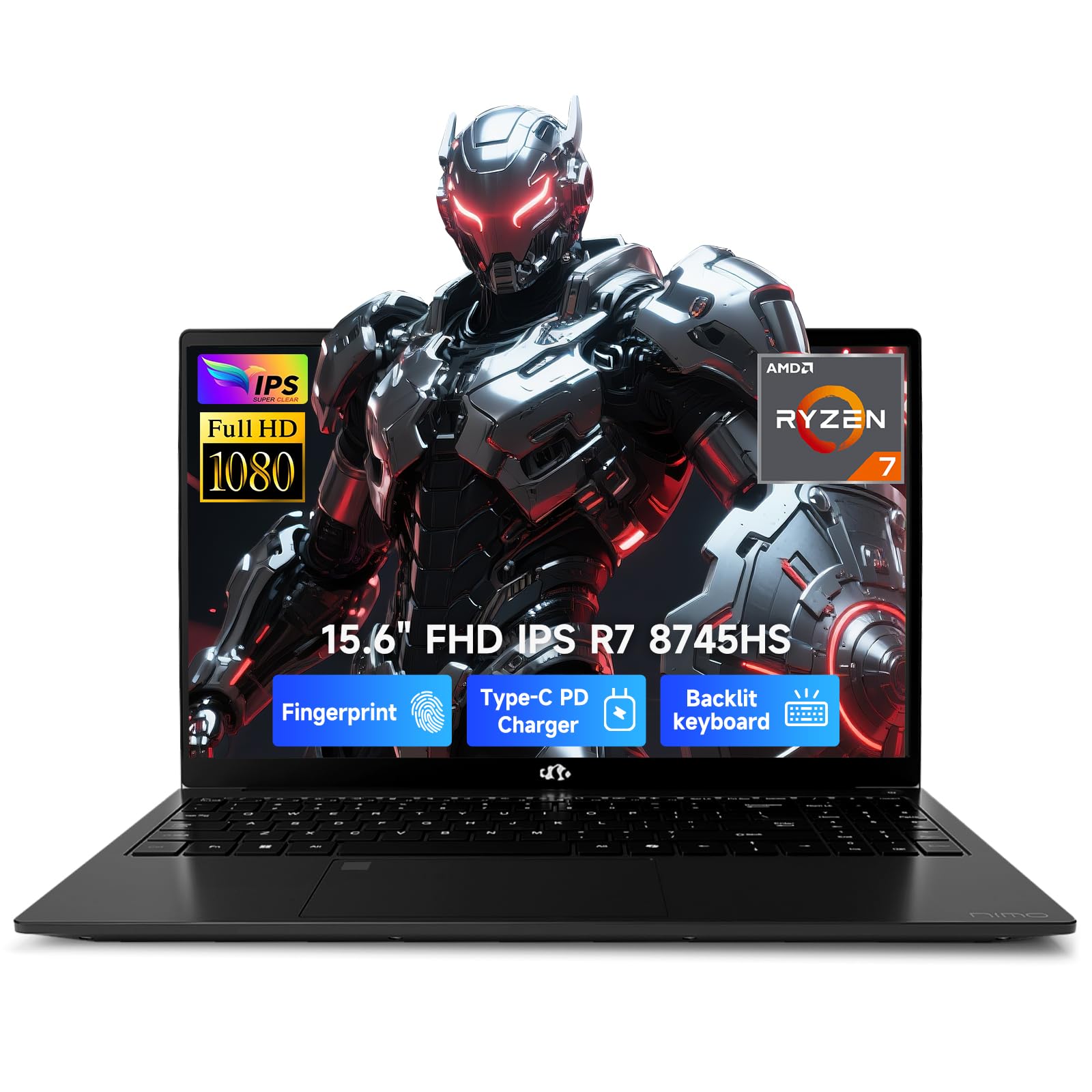
This alternate SKU of the NIMO N158 shares the same core hardware — AMD Ryzen 7 8745HS, 16GB DDR5, and a 1TB SSD — but is offered through a different seller channel with the same 2-year warranty and partial US assembly claim. The performance profile is identical to its sibling, with the Radeon 780M delivering solid 1080p gaming at medium settings for titles like Valorant, CS2, and older AAA games.
The key differentiator here is the emphasis on the 100W USB-C fast charger, which can recharge the 58 watt-hour battery from empty to a usable charge in under an hour. The backlit keyboard and fingerprint reader are present, and the 180-degree hinge allows for flexible positioning. Verified buyers report smooth operation with Linux distributions after driver adjustments, which is a bonus for developers.
As with the other NIMO model, the 60Hz display is the biggest limitation for gaming. Buyers should be aware that the iGPU performance is VRAM-constrained compared to a discrete GPU with dedicated memory. This unit makes most sense for students or professionals who need a fast CPU for code compilation or creative work and game occasionally at moderate settings.
Why it’s great
- Fast 100W USB-C charging with compact adapter
- 2-year warranty and US-based customer support
- Strong Ryzen 7 CPU performance for multitasking
Good to know
- 60Hz refresh rate not ideal for competitive gaming
- iGPU performance limited by shared system memory
- Display brightness is average
7. Acer Nitro V (RTX 5050)
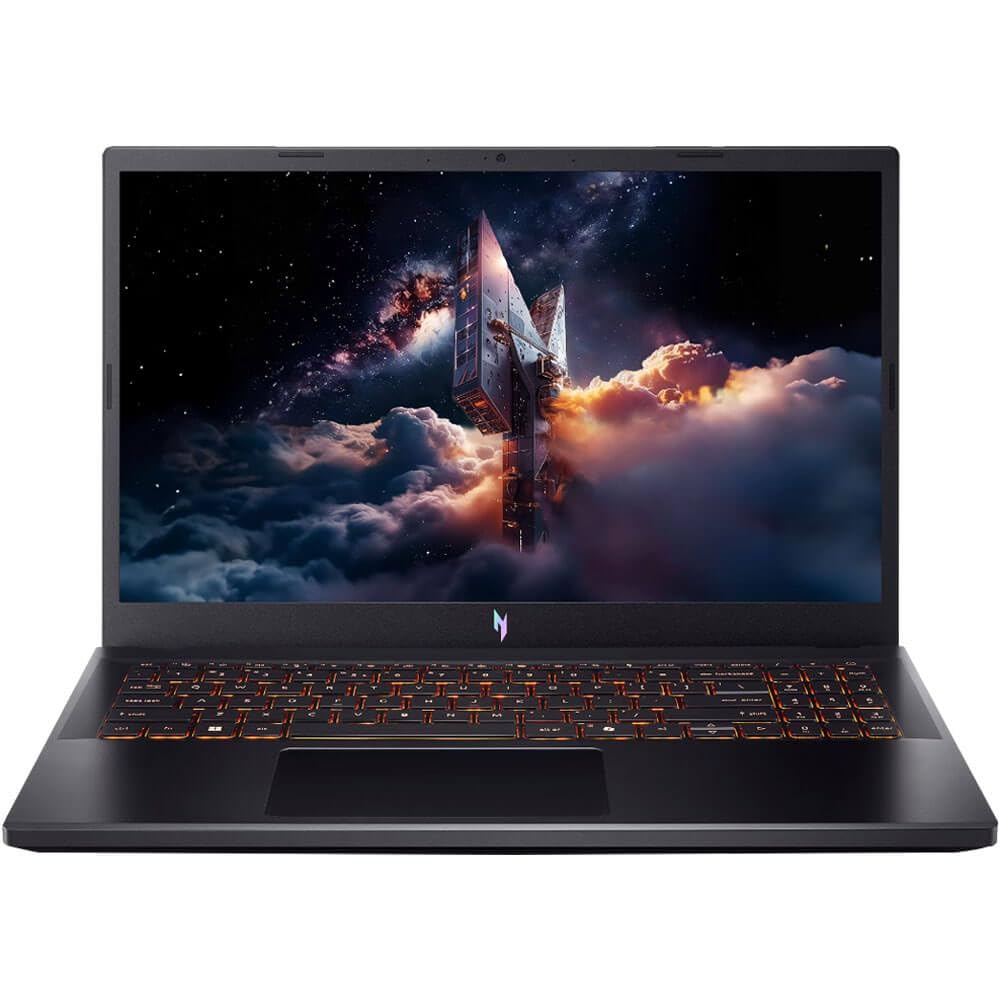
The 2025 refresh of the Acer Nitro V introduces the RTX 5050 with 8GB of VRAM, representing a significant generational leap over the RTX 4050. The Intel Core i5-13420H processor remains competent, but the GPU upgrade is the primary reason to consider this model. The 165Hz IPS display is the same excellent panel found on the previous model, offering smooth gameplay with minimal motion blur.
However, several verified buyers have reported critical issues. The unit ships with a single 16GB DDR4 stick operating in single-channel mode, which hurts CPU performance in gaming. More concerning are reports of screen ghosting and system crashes during demanding gaming sessions. The chassis also lacks a second M.2 slot, meaning storage upgrades require replacing the existing 512GB SSD rather than adding a second drive.
The RTX 5050 itself is a capable GPU that handles modern titles at 1080p high settings with ray tracing enabled, thanks to DLSS upscaling. Acer’s TrueHarmony audio technology provides decent sound quality for a gaming laptop. If you are willing to invest in a RAM upgrade and accept the single M.2 limitation, this laptop offers cutting-edge GPU performance in a familiar chassis.
Why it’s great
- RTX 5050 with 8GB VRAM for modern games
- 165Hz IPS display for smooth visuals
- DLSS support improves ray tracing performance
Good to know
- Single-channel DDR4 RAM hampers CPU performance
- Only one M.2 slot limits storage upgrades
- Reports of screen ghosting and system instability
8. HP Pavilion Gaming 15

The HP Pavilion Gaming 15 is an older model that relies on the 9th Gen Intel Core i5-9300H and GTX 1650. This configuration is strictly entry-level by today’s standards, capable of running Fortnite, Overwatch, and Sims 4 at medium settings but struggling with modern AAA releases. The 8GB DDR4 RAM is upgradable via two accessible slots, and the 256GB NVMe SSD is small but can be supplemented.
The 60Hz IPS display is adequate for casual gaming but will feel sluggish to anyone used to a 144Hz panel. HP’s thermal management keeps the chassis relatively cool during gaming, though the fans become audible. The battery life is decent for this class at up to 8 hours of mixed use, which is unusual among gaming laptops. The port selection includes USB-C and HDMI.
This laptop is best suited for a younger gamer playing less demanding titles or as a secondary machine for light gaming. The build quality is acceptable with some hinge flex, and the keyboard includes a backlit feature. Given the age of the hardware, this should only be considered at a significant discount or for users with very modest gaming needs.
Why it’s great
- Good battery life for a gaming laptop
- Upgradable RAM via two accessible slots
- USB-C port for modern peripherals
Good to know
- GTX 1650 is outdated for modern AAA gaming
- 60Hz display limits competitive play
- Only 256GB SSD storage out of the box
9. NIMO N177 17.3″

The NIMO N177 offers a massive 17.3-inch display and an exceptional 32GB of DDR5 RAM paired with the AMD Ryzen 7 8745HS. The Radeon 780M iGPU handles mainstream gaming well, but the real strength of this machine is its multitasking capability. With 32GB of memory, you can run virtual machines, stream, edit video, and game simultaneously without slowdowns.
The 17.3-inch IPS display provides a spacious work area, and the USB4 port again enables external GPU connectivity. The 58 watt-hour battery supports up to 15.5 hours of light use, and the 180-degree hinge allows flexible positioning. The fingerprint reader and backlit keyboard are standard. Verified buyers report using this machine for professional photo and video editing without issues.
The primary trade-off is the lack of a discrete GPU, which limits gaming performance compared to RTX-equipped laptops. However, the 32GB RAM configuration means this laptop will remain relevant for demanding productivity tasks for years. This is an excellent choice for creative professionals who game occasionally and value memory capacity over raw gaming frame rates.
Why it’s great
- 32GB DDR5 RAM for heavy multitasking
- 17.3-inch screen for immersive productivity
- USB4 port enables external GPU expansion
Good to know
- iGPU gaming performance limited without eGPU
- 60Hz display not ideal for competitive gamers
- Large chassis is less portable
10. Alienware 16 Aurora

The Alienware 16 Aurora commands a premium price for its brand cachet, but it delivers on performance with an Intel Core 7-240H and RTX 5050 8GB. The 16-inch WQXGA display at 2560×1600 resolution offers a sharp image with 300 nits brightness, making it one of the most visually impressive screens in this roundup. The 120Hz refresh rate is lower than some competitors but still smooth for most titles.
Alienware’s Cryo-Chamber cooling technology keeps the RTX 5050 running at optimal temperatures during extended sessions. The build quality is excellent, with a sturdy magnesium alloy chassis and a comfortable keyboard with customizable RGB lighting. Dell’s 1-year onsite service adds peace of mind, with a technician coming to your location for covered repairs.
The WQXGA resolution is demanding for the RTX 5050, so you may need to run some games at 1080p to maintain high frame rates. The laptop is heavier than competitors at over 6 pounds, and the battery life is average. This is a choice for buyers who want a recognizable gaming brand with a high-resolution display and strong warranty support, and who are willing to pay a premium for it.
Why it’s great
- Sharp WQXGA 2560×1600 display
- RTX 5050 with 8GB VRAM
- 1-year Dell onsite warranty service
Good to know
- WQXGA resolution demands high GPU power
- Heavier than most competitors at 6+ pounds
- Battery life is average for the class
11. ASUS ROG Strix G16

The ASUS ROG Strix G16 steps up to the RTX 5060 GPU paired with a 14th Gen Intel Core i7-14650HX processor. This combination delivers the highest raw gaming performance of any laptop in this roundup that is still remotely relevant to the 800-dollar bracket. The 165Hz FHD+ display with a new ACR film reduces glare and enhances contrast, providing a premium visual experience.
ROG’s intelligent cooling system includes a vapor chamber, tri-fan technology, and Conductonaut extreme liquid metal on the CPU. This allows the RTX 5060 to maintain high clock speeds without thermal throttling. The laptop features a 360-degree RGB light bar that can be customized or turned off for a professional look. The keyboard includes per-key RGB lighting with a comfortable feel.
Performance is exceptional for the hardware, with verified owners reporting over 110 fps in demanding titles at high settings. The 16GB of DDR5-5600 memory is sufficient for most games, and the 1TB Gen 4 SSD provides ample storage. Battery life is limited to around 2 hours under load, and the laptop runs warm during intense gaming sessions. This is for serious gamers who want top-tier performance and are willing to spend accordingly.
Why it’s great
- RTX 5060 delivers high frame rates at 1080p
- Vapor chamber cooling prevents thermal throttling
- 165Hz display with anti-glare ACR film
Good to know
- Significantly more expensive than budget options
- Battery life is limited under gaming load
- Runs warm on the bottom during intensive use
12. Lenovo Legion 5i

The Lenovo Legion 5i is the first laptop in this roundup to feature an OLED display, specifically a 15-inch 2.5K WQXGA PureSight panel with a 165Hz refresh rate. The image quality is stunning, with perfect blacks, vibrant colors, and HDR support that transforms both gaming and media consumption. The RTX 5070 GPU provides ample power to drive the high-resolution display at smooth frame rates.
The Intel Core i7-14700HX is a 16-core processor that handles productivity tasks with ease, and Lenovo’s AI Engine+ software optimizes performance for different workloads. The Legion Coldfront cooling system uses stealth fans and copper heat pipes to manage thermals quietly. The battery supports fast charging from 0 to 70% in under 30 minutes using USB-C.
The build quality is excellent with a magnesium alloy chassis, and the keyboard offers a comfortable typing experience. However, verified buyers report that the unit ships with single-channel 16GB DDR5 RAM, which loses up to 10% CPU performance in gaming. The speakers are described as mediocre, and there is no SD card slot. This laptop is for enthusiasts who prioritize display quality above all else.
Why it’s great
- 2.5K OLED display with 165Hz and HDR
- RTX 5070 for high-resolution gaming
- Fast charging via USB-C
Good to know
- Single-channel RAM hinders CPU performance
- Speakers are below average for the price
- No SD card slot
13. ASUS ROG Strix SCAR 18

The ASUS ROG Strix SCAR 18 represents the absolute pinnacle of gaming laptop technology with an Intel Core Ultra 9 275HX, RTX 5080 16GB, and an 18-inch Mini LED display with 240Hz refresh rate and over 2,000 dimming zones. This machine delivers over 440 fps in titles like War Thunder with DLSS enabled, making it one of the most powerful laptops available.
The cooling solution is equally extreme, featuring a vapor chamber, tri-fan technology, and Conductonaut extreme liquid metal. Despite the immense power, owners report that the fans remain quieter than expected under load, and the chassis stays surprisingly cool. The tool-less bottom plate makes upgrading RAM and SSDs trivial, and the AniMe Vision display on the lid allows for full customization.
This laptop is priced well above the 800-dollar gaming laptop range and is included here to illustrate the ceiling of the category. The RTX 5080 with 16GB VRAM handles 4K gaming with ray tracing at playable frame rates. The laptop is heavy at over 6 pounds and the battery life is limited, but for anyone seeking uncompromised performance in a portable form factor, the SCAR 18 is the definitive choice.
Why it’s great
- RTX 5080 with 16GB VRAM for max performance
- 240Hz Mini LED display with 2000+ dimming zones
- Tool-less chassis for easy upgrades
Good to know
- Extremely expensive compared to other options
- Heavy and less portable than smaller laptops
- Battery life is limited during gaming
FAQ
Is 8GB of RAM enough for gaming on an 800 dollar gaming laptop?
Should I prioritize an RTX 4050 or a Ryzen 7 with Radeon 780M iGPU?
Why do some gaming laptops have a 60Hz display at this price point?
Final Thoughts: The Verdict
For most users, the 800 dollar gaming laptop winner is the Acer Nitro V ANV15-52-586Z because it delivers the RTX 4050 and 165Hz display core combination at the most compelling price, requiring only a simple RAM upgrade to become a truly capable machine. If you want maximum durability and don’t mind upgrading RAM, grab the ASUS TUF Gaming F16 for its MIL-STD-810H tested chassis. And for the best out-of-box experience with 16GB of RAM and a modern CPU, the HP Victus 15 offers the most hassle-free setup for immediate gaming.