
Our readers keep the lights on and my morning glass full of iced black tea. As an Amazon Associate, I earn from qualifying purchases.
Specs are compiled from manufacturer listings and verified buyer reviews and can change over time — please confirm the key details on the product page before buying.
Buying a 30 TB hard drive is a big, expensive commitment, and the fear of a dead-on-arrival unit is real. This guide cuts through the spec sheets to show you which massive drives actually earn their keep for archival, backup, and enterprise use.
I’m Min — the founder and writer behind Gadgets Feed. This guide is built by comparing the manufacturers’ published specifications and the patterns across verified customer reviews, so you get each pick’s real strengths and trade-offs instead of marketing spin.
The reality is that a 30 tb hard drive is a serious investment that demands you weigh speed against encryption against raw reliability.
Quick Picks
- Seagate 20TB Exos Enterprise Hard Drive — Best Overall
- Seagate Exos M 28TB Enterprise Internal Hard — Top Performer
- Oyen Digital HDX Pro C 30TB USB-C 7200RPM — Premium Pick
- iStorage diskAshur DT2 256-bit 30TB FIPS Level — Maximum Security
How To Choose The Best 30 TB Hard Drive
Choosing a drive at this capacity means deciding what you value most: raw speed, physical security, or sheer capacity per dollar. Your choice determines both transfer speed and long-term data safety.
Internal vs. External vs. Encrypted
The first fork in the road is the physical format. An internal SATA drive is meant to live inside a desktop tower or a NAS (network-attached storage box), where it is powered by the host system. An external drive brings its own power supply and enclosure, plugging into any laptop or desktop via USB. The third option adds a hardware-encrypted layer between you and your data, typically featuring a PIN pad, ensuring that the data is unreadable without the code.
Reliability and the Fine Print
High capacity means high stakes if a drive fails. Check the MTBF (Mean Time Between Failures) rating, which is a statistical estimate of how long a drive should run before failing — the higher the better. Pay attention to the warranty length and whether it includes a data recovery service. Reviews often reveal a mixed picture: some drives arrive dead on arrival (DOA), while replacements run flawlessly for years, so understand the return process before you buy.
Quick Comparison
| Model | Best For | Capacity | Speed | Form Factor | Amazon |
|---|---|---|---|---|---|
| Seagate 20TB Exos | Best Overall | 20 TB | 400 MB/s | Internal 3.5″ | Amazon |
| Seagate Exos M 28TB | Top Performer | 28 TB | 6 Gb/s | Internal 3.5″ | Amazon |
| Oyen Digital HDX Pro C 30TB | Premium Pick | 30 TB | 10 Gb/s | External 3.5″ | Amazon |
| iStorage diskAshur DT2 30TB | Maximum Security | 30 TB | 286 MB/s | External 3.5″ | Amazon |
In‑Depth Reviews
1. Seagate 20TB Exos Enterprise Hard Drive (ST20000NM002H)
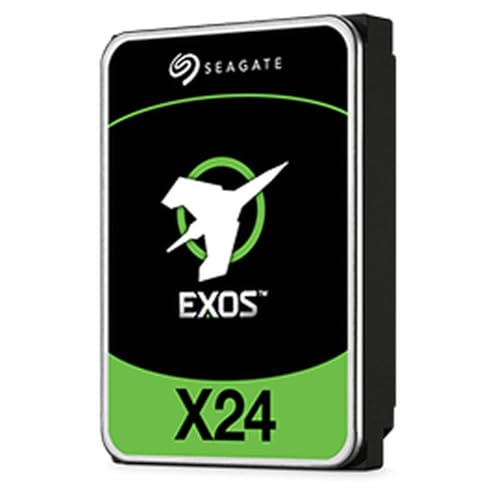
The capacity-per-dollar king for building a serious home NAS.
This 20 TB drive is the one to buy when you want the lowest cost per terabyte for a big storage pool. It is built for enterprise racks, so you get consistent performance and low latency for large data analytics jobs — but it works just as well tucked inside a desktop or a NAS in a spare room.
You get a 5-year limited warranty that includes a Data Recovery Service, plus a 2.5M-hour MTBF rating (a statistical estimate of how long the drive should run before failing). Reviews show a split: some units arrive dead on arrival, but replacements often run flawlessly for media storage. Doubled pricing delays owners from adding a second drive for redundancy.
This 7200 RPM enterprise drive delivers 400 MB/s over SATA. It moves large media libraries quickly, and the aluminum enclosure dissipates heat during long writes.
The Wins
- Lowest cost per terabyte for building huge storage pools
- 5-year warranty plus a data recovery service as a safety net
- 2.5M-hour MTBF shows the enterprise-grade intent
The Trade-Offs
- Quality control is a gamble — a dead unit on arrival is a real possibility
- Requires a desktop or NAS, not a plug-and-play external box
Reach for it if: you are building a desktop or NAS and want the most capacity for the money.
Think twice if: the thought of a DOA unit and dealing with a third-party seller for a replacement rattles you — the support path is not always smooth.
2. Seagate Exos M 28TB Enterprise Internal Hard Drive (ST28000NM003K)
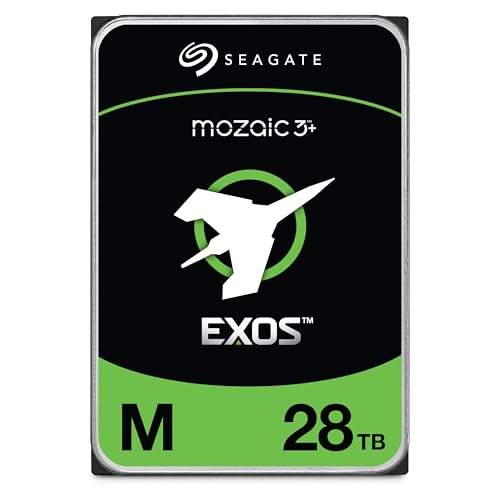
A hyperscale workhorse that packs 28 TB into a standard 3.5-inch slot.
If you need the highest capacity per slot and can stomach the premium, this is the drive serious homelab builders are running eight at a time. Seagate claims 3TB per platter using 90% proven components with Mozaic 3+ tech to boost capacity without raising power draw.
Seagate claims up to 60% lower power use than 10TB drives, key for rack deployments. Buyers back up the reliability question — “I’ve had these up and running for about two months now, eight of them” and “Not one incident in 60 days of use” — though a couple of units arrived broken and required an RMA (return merchandise authorization) to Seagate for a replacement.
Transfer speed is a step up from the 20TB Exos at 6 gigabits per second over SATA, and the 7200 RPM spindle keeps sustained reads moving. One owner notes it can run “a tiny bit louder when reading” than some NAS-specific versions, so keep that in mind if silence is a top priority in your server room.
The Wins
- Massive 28 TB capacity in a standard 3.5-inch form factor
- Up to 60% lower power draw than 10TB drives, per the maker
- Proven in multi-drive arrays with months of clean uptime
The Trade-Offs
- Premier capacity comes at a premium price
- Slightly louder during reads than some quieter NAS-grade drives
The pick if: you run a high-density NAS or server and need the biggest platters Seagate currently makes.
skip it if: you are on a single-drive budget — the cost per terabyte is far higher here than on the 20TB model above.
3. Oyen Digital HDX Pro C 30TB USB-C 7200RPM Enterprise External Hard Drive
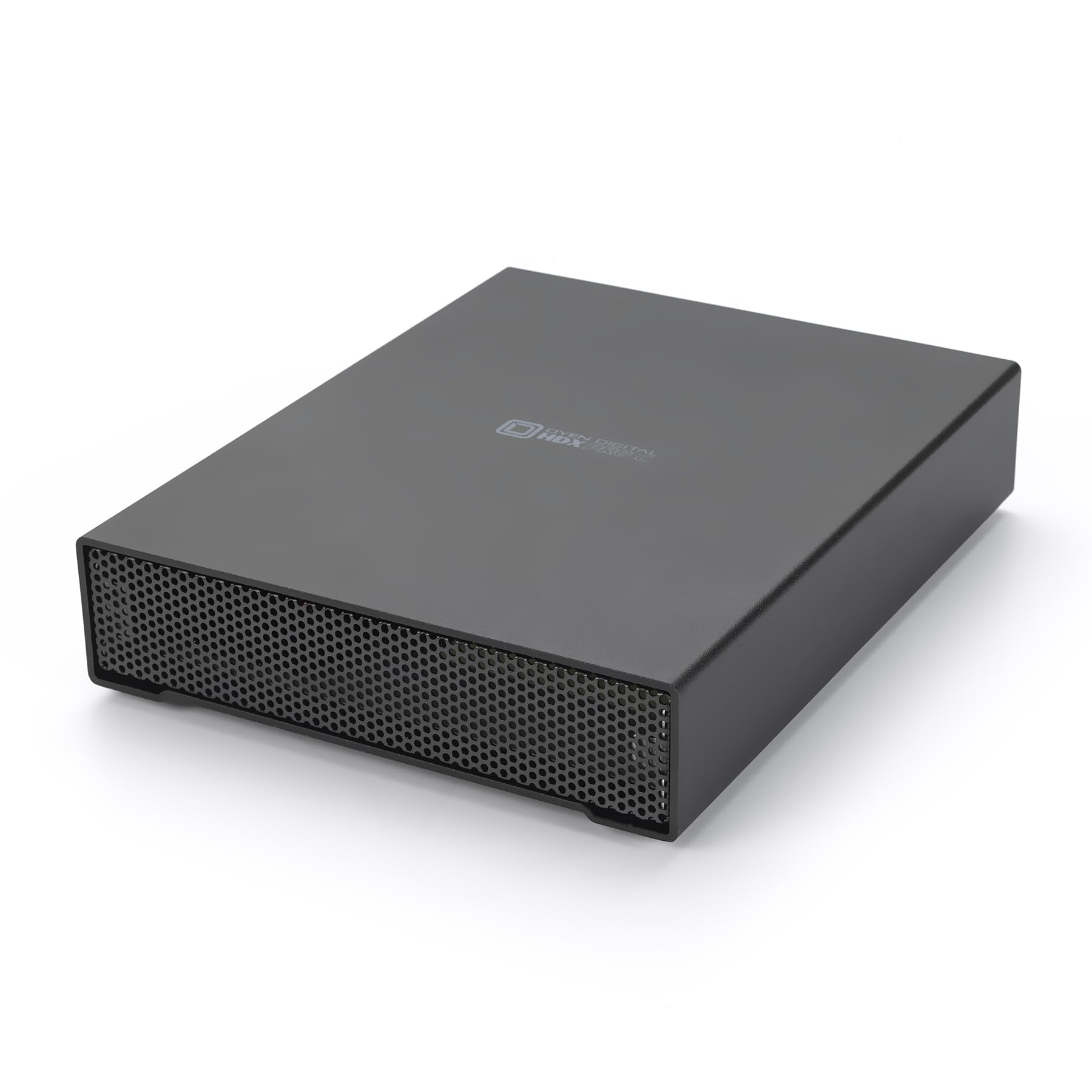
A premium external box that stays silent while it crunches through 30 TB.
This is the pick for anyone who wants a massive external drive with zero setup fuss — no opening a PC case, just plug into a USB-C port and go. It is a full enterprise drive (7200 RPM, rated up to 270 MB/sec) wrapped in an all-aluminum housing with an internal fan and power supply built in, so it runs cool on your desk for hours of heavy copying.
Connectivity is the standout: the main USB-C port runs at 10 gigabits per second, which is 67% faster than the 6 gigabits per second SATA connection on the Seagate Exos M 28TB above. A secondary USB-C port sits on the back for daisy-chaining another drive or plugging in extra peripherals without needing a hub. Owners are blunt about the build quality — “this is really high quality, 7200rms! Not getting faster without an SSD & these fans are insanely quiet” — and several describe it as the highest-quality enclosure they have used.
Cables are included in the box: a USB-C to USB-C and a USB-C to USB-A, each 3 feet long, plus the power cable, so it works with both modern laptops and older desktops. The one practical warning from the reviews is to give it a dedicated wall outlet — a couple of shutdowns traced back to an overloaded power strip rather than any hardware fault.
Build like a brick: all-aluminum construction with a quiet internal fan earns near-universal praise for durability and cooling.
The honest catch: it is markedly pricier than raw internal drives, but you are paying for the enclosure, the fan, and the plug-and-play convenience.
Best for: creative pros and archivists who need a durable, fast external drive for multiple machines or a mini server.
Who should look elsewhere: budget-focused builders who already own a NAS and do not need the premium enclosure — they would pay for features they never use.
4. iStorage diskAshur DT2 256-bit 30TB FIPS Level 3 Certified Secure Encrypted Desktop Hard Drive

The vault that locks 30 TB behind a PIN and government-grade encryption.
This is the drive you reach for when stolen data is a career-ending scenario, not just an inconvenience. You authenticate by entering a 7-15 digit PIN on the keypad, and the drive encrypts everything in real time using AES-XTS 256-bit hardware encryption, with no software required on the host machine.
The credentials are the headline: the diskAshur DT2 is certified to FIPS 140-2 Level 3, a US government security standard, and it uses a Common Criteria EAL 5+ secure microprocessor. It is designed to help organizations meet data regulations such as GDPR, CCPA, and HIPAA (privacy and data-protection laws for personal and health data). It works on any device with a USB port — Windows, macOS, Linux, Chrome, Android, and more — and the enclosure is epoxy resin, a tough case that resists dust and water.
Speed is respectable for a spinner: up to 277MB/s read and 271MB/s write over a USB 3.2 connection (rated at 286 megabytes per second). But the reviews reveal a steep learning curve — buyers report the PIN pad buttons are “too smooth to feel” and the manual is a dense 30-page guide built around flashing-light combinations. Casual users may find the setup frustrating, even if the security payoff is worth it.
The trust factor: the FIPS 140-2 Level 3 certification is exactly why owners feel their data is safe — the review pages show buyers choosing it specifically for that government credential.
The learning curve: expect a patient afternoon with the manual; the PIN entry process is not intuitive for everyone.
Reach for it if: you handle sensitive client data, need regulatory compliance, or want theft-proof encryption without software.
Look elsewhere if: you want a simple external drive — this one demands a PIN ritual before every use.
Understanding the Specs
Data Transfer Rate (Gigabits vs Megabytes)
You will see speeds quoted in two different units: gigabits per second (Gb/s) for interface ratings and megabytes per second (MB/s) for real-world throughput. A SATA connection rated at 6 Gb/s is roughly equivalent to 600 MB/s in theory, but an actual spinning drive tops out far lower — around 270-400 MB/s. The interface is rarely the bottleneck; the platter speed is.
MTBF and Warranty
MTBF (Mean Time Between Failures) is a statistical estimate of how many hours a drive should run before failing — 2.5M hours sounds enormous, but it is an aggregated rating, not a promise for any single unit. Pair that with the warranty length and whether a data recovery service is included, because at 20-30 TB, a failure without support is a costly disaster.
FAQ
Is a 30 TB hard drive reliable for long-term storage?
What is the difference between an internal and an external 30 TB drive?
How long does it take to format a 30 TB hard drive?
Is hardware encryption worth the extra cost on a 30 TB drive?
Can a 30 TB drive work with my computer?
What does the MTBF rating of 2.5 million hours actually mean?
Why are some 30 TB drives much faster than others?
What happens if my 30 TB hard drive fails?
Should I buy one massive 30 TB drive or several smaller drives?
Final Thoughts: The Verdict
For most people, the 30 tb hard drive winner is the Seagate 20TB Exos because it delivers the best capacity per dollar for building out a home NAS. If you want the fastest plug-and-play external, grab the Oyen Digital HDX Pro C. And for regulated or sensitive data, the iStorage diskAshur DT2 is the one to reach for — the crowd favorite among the encrypted options, with a FIPS Level 3 certification that most owners cite as the reason they trust it.
How We Picked
We do not accept paid placement. Every pick is matched to a real buyer and a real use-case; we do not hands-on test units.
Sources & Methodology
Specifications: manufacturer listings and product documentation. Review insights: verified customer reviews, as of September 2026. Pricing: not shown on this page (it changes often); check the current price via the retailer link.
As an Amazon Associate, Gadgets Feed earns from qualifying purchases. This does not affect which products we feature.