
Our readers keep the lights on and my morning glass full of iced black tea. As an Amazon Associate, I earn from qualifying purchases.
Specs are compiled from manufacturer listings and verified buyer reviews and can change over time — please confirm the key details on the product page before buying.
A 10TB external hard drive is a long-term investment in your data storage. You’re entrusting years of photos, videos, game saves, and work files to a single mechanical drive. Some drives fail without warning, so reliability is a key factor in choosing a 10TB model. Beyond capacity, the right drive must deliver consistent performance and reliability for daily use.
I’m Min — the founder and writer behind Gadgets Feed. This guide is built by comparing the manufacturers’ published specifications and the patterns across verified customer reviews, so you get each pick’s real strengths and trade-offs instead of marketing spin.
We break down the 10Tb External Hard Drive landscape by speed, reliability, form factor, and special features, so you can match a drive to the way you actually store data.
Our Picks at a Glance


How To Choose The Best 10Tb External Hard Drive
Understand the drive’s form factor, interface, and reliability before purchasing. A 10TB drive is a significant purchase that requires careful consideration. Selecting a drive that fits your primary use case—backup, gaming, or portability—prevents buyer’s remorse.
Form Factor: Desktop vs. Portable
At this capacity, almost every drive is a 3.5-inch desktop model that needs a power adapter and a wall outlet. These are not designed to slide into a backpack. A 2.5-inch drive doesn’t need a power brick, but in true 10TB sizes they are rare and expensive. Decide where this drive will live — if it stays on a desk next to a PC or console, the 3.5-inch desktop format is the standard, reliable choice.
Renewed vs. Brand New
Plenty of 10TB drives on the market are “renewed” — meaning a new case wrapped around a refurbished internal enterprise hard drive. This is a legitimate way to get huge capacity at a lower price. The catch is that these inner drives have a history you can’t see, no matter how good the seller’s tests are. For irreplaceable family photos, a brand-new drive from a major manufacturer is the safer bet. For game libraries and bulk storage that you can re-download, a renewed drive can be a value play.
Encryption and Security
Standard external hard drives are just raw storage — anyone who plugs them in can read the files. If you store sensitive documents, client files, or financial records, you need a drive with hardware encryption. This adds a physical keypad or onboard chip that locks the data with a PIN, independent of any software on your computer. If the drive is stolen, the data stays locked. For most personal media backups, though, this extra security isn’t necessary and drives up the cost significantly.
Quick Comparison
| Model | Best For | Capacity | Form Factor | Interface | Amazon |
|---|---|---|---|---|---|
| WD Elements 5TB★ Best Overall | Portable no-power-brick storage | 5 TB | 2.5-inch Portable | USB 3.2 Gen 1 | Amazon |
| Seagate Expansion 10TBMost Reliable | Reliable plug-and-play backups | 10 TB | 3.5-inch Desktop | USB 3.0 | Amazon |
| Avolusion PRO-Z 10TB | Budget desktop expansion | 10 TB | 3.5-inch Desktop | USB 3.0 | Amazon |
| UnionSine 10TB | High-speed daily use | 10 TB | 3.5-inch Desktop | USB 3.0 | Amazon |
| Avolusion HDDGear Pro X 10TB | Xbox One storage expansion | 10 TB | 3.5-inch Desktop | USB 3.0 | Amazon |
| Apricorn Aegis Padlock DT 10TB | Hardware-encrypted sensitive data | 10 TB | 3.5-inch Desktop | USB 3.0 | Amazon |
In‑Depth Reviews
1. Western Digital WD 5TB Elements Portable
Our pick — over 4.5★ from 128,000+ verified ratings; the strongest balance of quality and price.
The tiny bus-powered 5TB that hides in a bag and works with almost anything
It is not a 10TB drive, but it deserves a place here for a very specific reason: portability. If your real need is carrying drives between machines, or you simply do not want a wall brick and a 3.5-inch box on your desk, this is the model that makes sense. Its 2.5-inch form factor is the big difference — it runs entirely off the USB cable’s power, with no adapter needed.
What wins people over is that it performs well, works right from the start, and packs a genuinely useful 5TB into a compact size. It is plug-and-play ready with a SuperSpeed USB 3.2 Gen 1 cable capable of 5Gbps throughput, and it supports desktop, laptop, and tablet devices. Owners mention read speeds around 100-135MB/s and write speeds of 80-100MB/s, which is typical for this class of portable drive. It also plays nicely with a PS4 console and even a Tablo DVR.
There are two honest caveats. First, it is NTFS-formatted, which limits Mac users to reading files rather than writing to the drive without reformatting. Second, as a lighter portable unit, the reliability feedback is more mixed — one recurring theme is that a drive here “crashes after two months,” so the advice owners give is to back up your backup. For a grab-and-go drive for less-critical files, the convenience is tough to top.
On-the-go pick: Choose this when you want a truly portable drive that needs no power brick and fits in a small pocket of your bag. skip it if you need a single 10TB vault — this tops out at half that.
2. Seagate Expansion 10TB USB 3.0
The dependable desk-drawer workhorse that instantly expands a PC without fuss
You get 10TB of storage that works the moment you plug in the power adapter and USB cable — drag-and-drop file saving works straight from the start, no software installation needed. This is a 3.5-inch desktop model, so it needs a wall power adapter and is best kept in one spot. It is built for long-term, reliable backups.
The thing that wins people over is its consistent, reliable performance for backups. Owners with years of experience describe it as easy to use and dependable for saving photos and videos, with automatic recognition on both Windows and Mac computers for simple setup. A recurring positive is how silent it runs while it works.
The smart extra here is included Rescue Data Recovery Services, which is the kind of safety net you hope you never need but are glad exists when a drive is the only copy of your data. It is a small detail that makes this feel like the most well-rounded choice. Buyers report that the drive can only hit its fastest speeds when plugged into a full USB 3.2 compliant port, which some laptops lack.
The safe keeper: If you want a brand-new, major-brand 10TB drive with rescue services, this is the most low-maintenance way to back up irreplaceable files.
Heads up: It needs a wall outlet, and PlayStation consoles only handle up to 8TB, so this one is strictly for PCs and Macs.
3. Avolusion PRO-Z Series 10TB USB 3.0

A budget-friendly 10TB expansion that slots into any Windows desktop without opening the case
If your PC is running out of room and you want the cheapest way to add 10TB without cracking open the case, this renewed drive is a strong middle-ground pick. It comes as a brand-new premium case wrapped around a like-new refurbished 7200RPM enterprise hard drive — the fast kind of spinning disk built for heavy, round-the-clock duty. The seller states it ships with zero bad sectors and 100% health after factory testing.
For the money, the value is excellent — owners mention getting a drive with huge storage that works reliably for months on end. There is a real quirk worth knowing, though: customers note that inside the enclosure they sometimes find a 12TB drive from a budget manufacturer rather than the labelled 10TB, meaning you get even more space than advertised, but from a “seriously budget model” rather than a top-tier name. You will also only see around 9.09TB in your file manager due to the partition table.
The design goal here is clear — 24/7 operation with a sturdy power adapter. It includes a 2-year warranty card, which is generous for a renewed product and speaks to the seller’s confidence in the refurbished drive inside.
Expansion specialist: Ideal for adding bulk storage to a Windows desktop or DVR where speed is secondary to capacity and cost. If the idea of a refurbished internal drive worries you, a brand-new model is the safer path.
4. UnionSine Desktop External Hard Drive 10TB
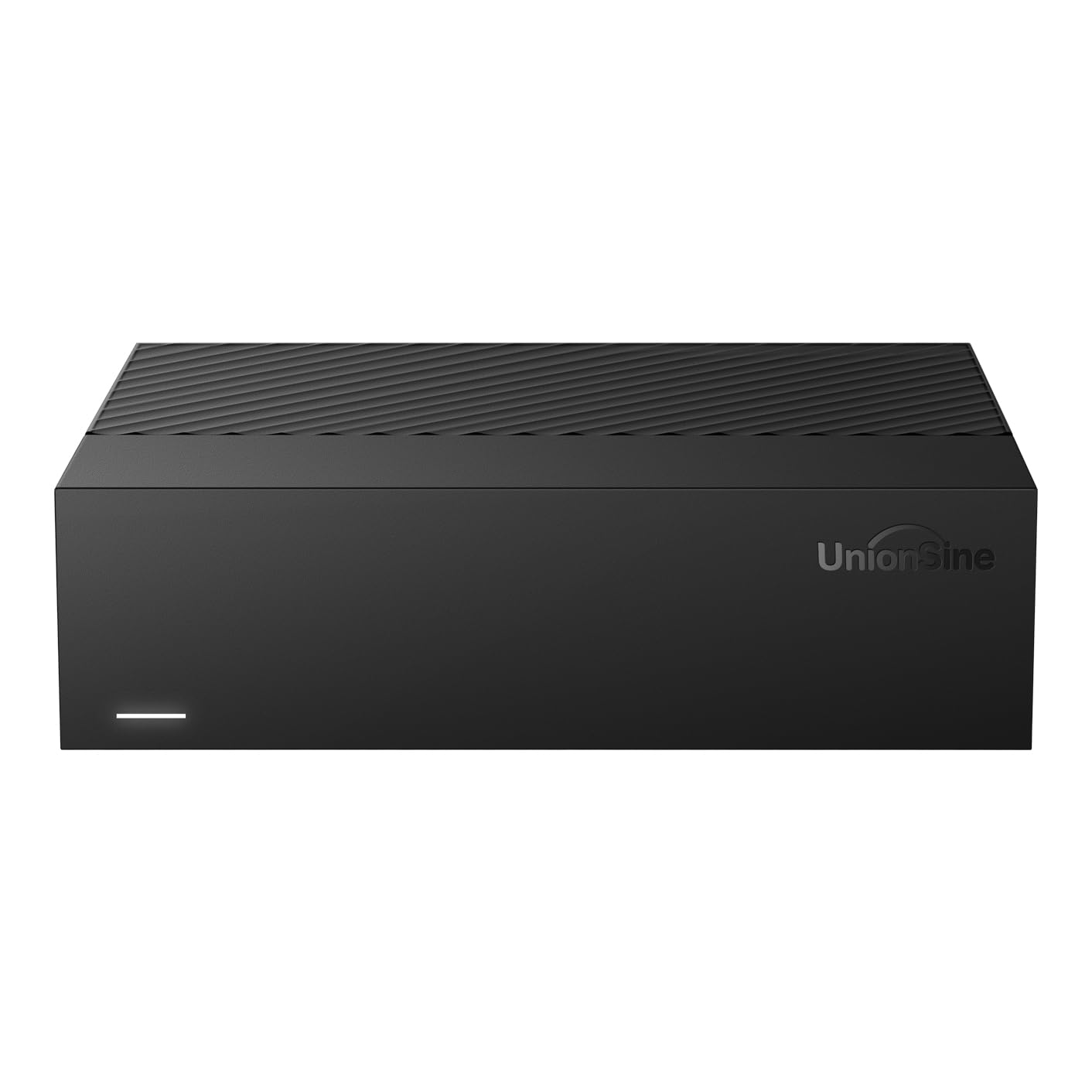
A rapid 7200RPM desktop drive that moves 4K video and big files at serious speed
This is the drive to pick when speed matters more than just capacity. It uses a 7200RPM spinning mechanism — the faster rotational speed of the disk inside — paired with a USB 3.0 interface to reach theoretical read/write speeds of up to 130-270MB/s. In plain terms, it is built to chew through large files over 4GB, which makes it a solid fit for 4K video storage, TV recording, and gaming.
The thing everyone raves about is the speed and how easy it is to use. Reviewers point out transfers of up to 120MB/s in daily use, and the plug-and-play setup means no driver installation — you just connect it and it works. It is noticeably quieter than many rivals because anti-vibration silicone is packed inside to dampen the hum of the spinning platters.
Compatibility is a standout feature here: it works across Windows, Mac, Linux, Android, TV, DVD, and Xbox thanks to its ASM chip solution — an internal controller known for broad device recognition. The 12V/3A power supply keeps the data transfer stable and safe, and it includes a power adapter and USB cable in the box.
Why it wins
- Fast 7200RPM speed up to 270MB/s for big media files
- Very broad compatibility across PC, Mac, TV, and consoles
- Quieter operation thanks to anti-vibration silicone
Know before buying
- It is a 3.5-inch desktop unit that needs a wall outlet
- 10TB formats down to about 9.3TB of usable space
Speed pick: Grab this if you move large video and photo libraries around daily and want the quickest transfers in this lineup.
The trade-off: It needs a 12V power source, so it will not slip into a travel bag — this one lives on a desk.
5. Avolusion HDDGear Pro X 10TB

A 10TB game vault pre-formatted for Xbox One that ends the uninstall shuffle
If your Xbox One X, S, or original is running out of room and you are tired of deleting games to make space, this drive is made exactly for you. It is pre-formatted with the Xbox file system, which means you plug in the USB 3.0 cable, connect the power adapter, and the console recognizes it immediately as extra storage. No reformatting, no wrestling with settings — you just expand the drive off your game console without opening up the case.
Like the other Avolusion entry here, this is a renewed product: a brand-new premium case paired with a refurbished 7200RPM enterprise drive that has passed factory tests for zero bad sectors and 100% health. Shoppers say it works great for gaming use alongside photo, video, and GoPro backup duties, and that it runs quickly without any system slowdown. There is also a route to load retro games directly from it on a computer.
The honest caveat is that this is the pick with the most mixed reliability feedback. The recurring complaint is that one drive here “totally crashed after 6 months of use no warning” — so treat this as a convenience drive for re-downloadable games, not the sole home for irreplaceable memories. Also note it is not built for PlayStation 5 compatibility.
Console expansion: The right fit for Xbox One owners who want massive game storage cheaply. Think twice if you need guaranteed long-term reliability — for that, pair this with a separate backup of anything you cannot lose.
6. Apricorn Aegis Padlock DT 10TB
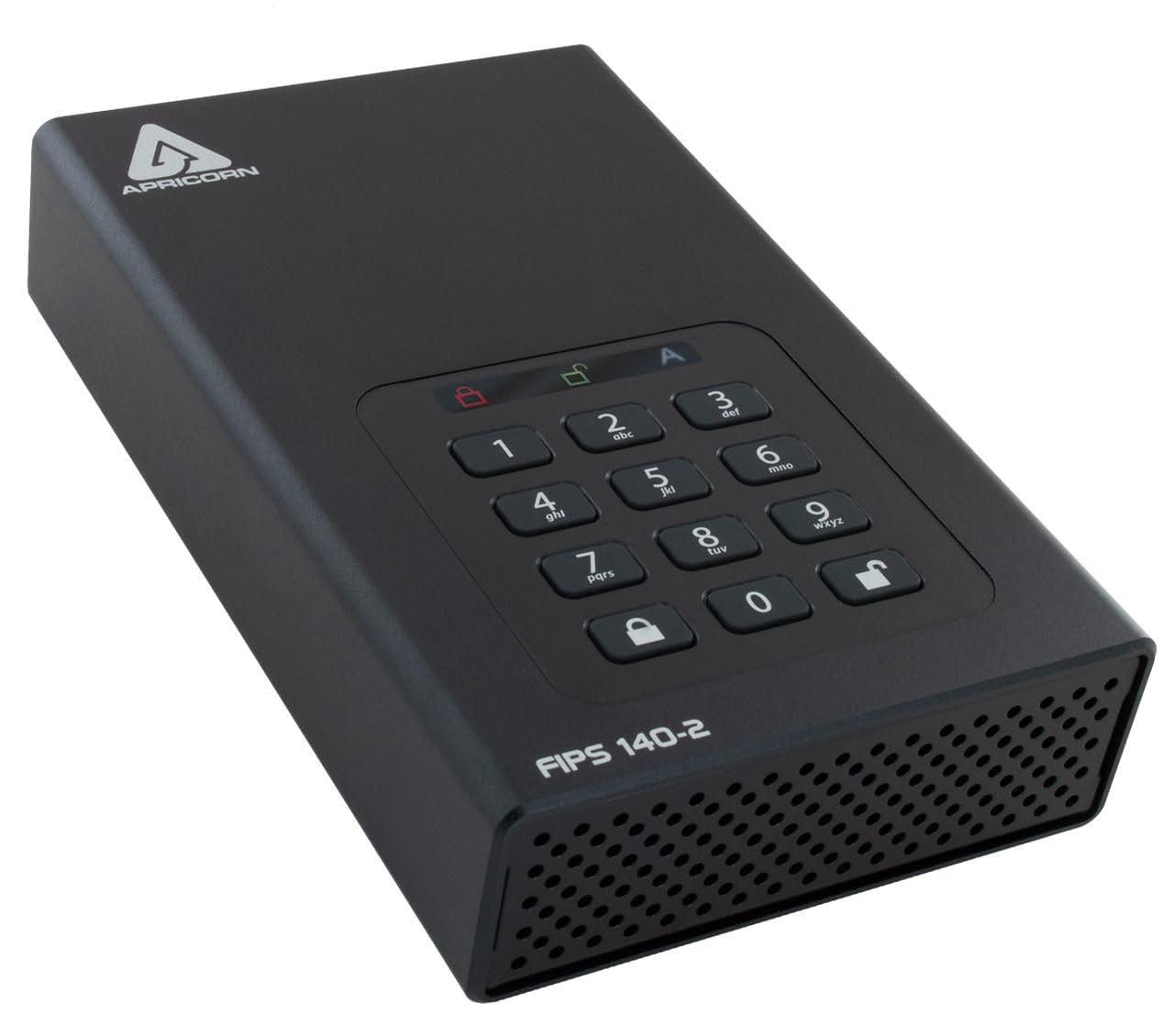
The vault-grade 10TB drive that locks your data with hardware encryption, with no software needed
This is the most expensive drive in this guide, and it earns its premium with something no other pick here offers: real on-drive security. The Aegis Padlock DT uses 256-bit hardware encryption — meaning a chip on the drive itself scrambles everything written to it, independent of any operating system or software. If the drive is stolen, the data is unreadable without the PIN. You do not waste time running encryption software; the drive is secure the moment it is locked.
For professionals managing client files or confidential documents, this drive’s hardware encryption ensures data stays locked even if the drive is stolen. It supports separate Admin and User Modes, so you can control who gets access. The programmable brute-force defense is a real feature: it locks down after too many failed PIN attempts. Buyers report using it daily for years with dependable security, calling it “perfect for professional security” and praising how easy it is to format and work with on a Mac.
The broad consensus is that it performs well as a secure backup solution. It must be plugged into a wall outlet for power — a minor trade-off — and there is a modest learning curve to set it up the first time. Once configured, though, it is straightforward. For anyone who has ever lost sleep over a stolen laptop or a misplaced drive full of sensitive data, this device is worth its weight.
Security first: Reach for this if your data is confidential — client work, financial records, legal files — and the thought of a lost drive keeps you up at night.
Look elsewhere if: You are just backing up family photos and games; you will pay a large premium for security you do not need.
Understanding the Specs
Why 10TB Shows Up as Less
Every hard drive manufacturer counts a terabyte as 1,000,000,000,000 bytes, but computers count a terabyte as 1,099,511,627,776 bytes. That difference is why a 10TB drive appears as roughly 9.09TB in your file manager. This is normal, not a defect. For example, one 12TB drive formats down to around 10.9TB, and a 16TB drive shows roughly 14.5TB. Do not panic when your new drive does not display the full labelled number.
7200RPM vs. Slower Spinning Drives
RPM stands for revolutions per minute — how fast the platters inside the drive spin. A 7200RPM drive is the faster, more responsive class, which is why it is preferred for 4K video editing and gaming. The faster the spin, the quicker the read/write head can find your data. The trade-off is that 7200RPM drives tend to run warmer and slightly noisier than their slower counterparts. For archival storage you access rarely, this matters far less than it does for daily active use.
FAQ
Why does my new 10TB drive only show 9.09TB of usable space?
Will a 10TB external hard drive work with a PlayStation 5?
What is the difference between a 2.5-inch and 3.5-inch external hard drive?
Do I need a 7200RPM hard drive for gaming and 4K video?
Are renewed or refurbished 10TB hard drives safe to buy?
What does hardware encryption mean on an external hard drive?
Can I use a 10TB external hard drive with both Windows and Mac?
How fast will file transfers actually be on a 10TB USB 3.0 drive?
Is a 10TB external hard drive a good backup solution for a DVR?
Final Thoughts: The Verdict
For most people, the best 10tb external hard drive is the Seagate Expansion 10TB because it is a brand-new, major-manufacturer drive that combines reliable plug-and-play performance with the confidence of included Rescue Data Recovery Services. If speed is your priority for moving 4K video around daily, grab the UnionSine 10TB with its 7200RPM mechanism and up to 270MB/s transfer rates. And for sensitive files that need physical protection, the Apricorn Aegis Padlock DT 10TB is the one to reach for, thanks to its hardware encryption and brute-force defense.
How We Picked
We do not accept paid placement. Every pick is matched to a real buyer and a real use-case; we do not hands-on test units.
Sources & Methodology
Specifications: manufacturer listings and product documentation. Review insights: verified customer reviews, as of September 2026. Pricing: not shown on this page (it changes often); check the current price via the retailer link.
As an Amazon Associate, Gadgets Feed earns from qualifying purchases. This does not affect which products we feature.