
Our readers keep the lights on and my morning glass full of iced black tea. As an Amazon Associate, I earn from qualifying purchases.
Specs are compiled from manufacturer listings and verified buyer reviews and can change over time — please confirm the key details on the product page before buying.
You want your console or camera feed on your computer without lag, crashes, or a surprise drop in resolution. A cheap card can claim 4K60 (4K resolution at 60 frames per second) on the box yet quietly deliver 1080p or drop frames mid-stream. This guide separates cards that deliver smooth performance from those that overpromise, so you buy with confidence.
I’m Min — the founder and writer behind Gadgets Feed. This guide is built by comparing the manufacturers’ published specifications and the patterns across verified customer reviews, so you get each pick’s real strengths and trade-offs instead of marketing spin.
You’ll see a clear winner for high-refresh gaming, a budget option for beginners, and honest notes on where each card stumbles, all to help you choose the right Video Capture Card.
Our Picks at a Glance

How To Choose The Best Video Capture Card
Before you buy, you need to know what your computer can handle and what your source device outputs. A capture card is the bridge between your gaming console or camera and your PC, so its specs must match both ends of that bridge.
Capture vs. Passthrough: The Two Numbers That Matter
Every card has two jobs. It captures video into your computer for recording or streaming, and it passes the video through to your monitor so you can play without delay. A card might capture at 1080p60 but pass through at 4K60, meaning you play in crisp 4K while your stream is 1080p. Read both numbers on the spec sheet before you buy.
High Refresh Rate and Latency for Gamers
If you play competitive shooters, you want a card that supports high refresh rates like 1440p120 or even 1080p240 on your monitor, plus low-latency capture so your stream isn’t a second behind your gameplay. VRR passthrough, which syncs your monitor’s refresh rate to your console to stop screen tearing, is a feature worth checking for.
Software Compatibility and Setup
Most cards are plug-and-play with OBS Studio, which is the free software most streamers use. Some cards work with Mac or iPad, while others are Windows-only. Check the card’s compatibility list against your computer’s operating system before you commit.
Quick Comparison
| Model | Best For | Capture Resolution | Passthrough | Interface | Amazon |
|---|---|---|---|---|---|
| Elgato 4K X★ Best Overall | High-refresh gaming | Up to 1080p240 | 4K144 with VRR | USB 3.2 Gen 2 | Amazon |
| Elgato 4K SPremium Pick | 4K60 console capture | 4K60 | 1440p120 / 1080p240 | USB 3.0 Type-C | Amazon |
| AVerMedia GC553G2 | Top-tier 4K144 recording | 4K144 MJPEG | 4K144 HDR/VRR | USB 3.2 Gen 2 Type-C | Amazon |
| NearStream CCD10 | Console streaming on a budget | 1080p60 | 4K60 / 1440p120 / 1080p240 | USB-C 3.0 | Amazon |
| Swudloe C7-01 | Simple plug-and-play recording | 1080p60 YUY2 | 4K30 | USB 3.0 Type A | Amazon |
| Guermok GM-72A | Casual streaming and VHS digitizing | 4K60 (MJPEG) | 4K60 | USB 3.0 | Amazon |
| Guermok GM-77B | iPad and tablet capture | 4K60 (MJPEG) | — | USB 3.0 / USB-C | Amazon |
In‑Depth Reviews
1. Elgato 4K X Capture Card
Our pick — 4.5★ from 950+ verified ratings; the strongest balance of quality and price.
The gold standard for high-refresh console gaming, capturing 4K144 with VRR passthrough for buttery-smooth streams.
If you game on a PS5, Xbox Series X, or Switch and want your stream to look as good as your monitor, this is the card that makes it happen. It captures at 4K resolution at 144 frames per second, so fast action stays crisp on your broadcast. The HDMI 2.1 port also lets you record high frame rates up to 240fps in 1080p, which is a dream for slow-motion clips or competitive play.
Owners praise the video quality most, with buyers reporting it “handles 4K at 144Hz with VRR and HDR10 flawlessly.” VRR passthrough (a feature that matches your monitor’s refresh rate to your console to stop screen tearing) keeps gameplay smooth, and the ultra-low latency from USB 3.2 Gen 2 (a fast USB standard) means your stream stays synced with your play. It works with OBS, Streamlabs, Zoom, and Teams right from the start.
The recurring gripe is the audio quality, which gets mixed reviews, and Mac compatibility is hit-or-miss. It’s the priciest card here, so it’s for streamers who want the absolute best. The size is a bonus — at 0.67 x 4.41 x 2.83 inches, it’s compact enough to slip behind your console.
What wins people over
- 4K144 capture with VRR passthrough keeps high-refresh gameplay flawless
- Up to 1080p240 recording for buttery-smooth slow-mo
- Compact build that fits neatly into any setup
Where it falls short
- Audio quality gets mixed feedback from owners
- Mac compatibility is not as reliable as Windows
- Premium price tag is a big commitment for casual streamers
Reach for this if: you’re a console gamer who wants the smoothest 4K streams at high refresh rates.
Look elsewhere if: you stream from a Mac regularly, since the audio and connectivity experience is less consistent there.
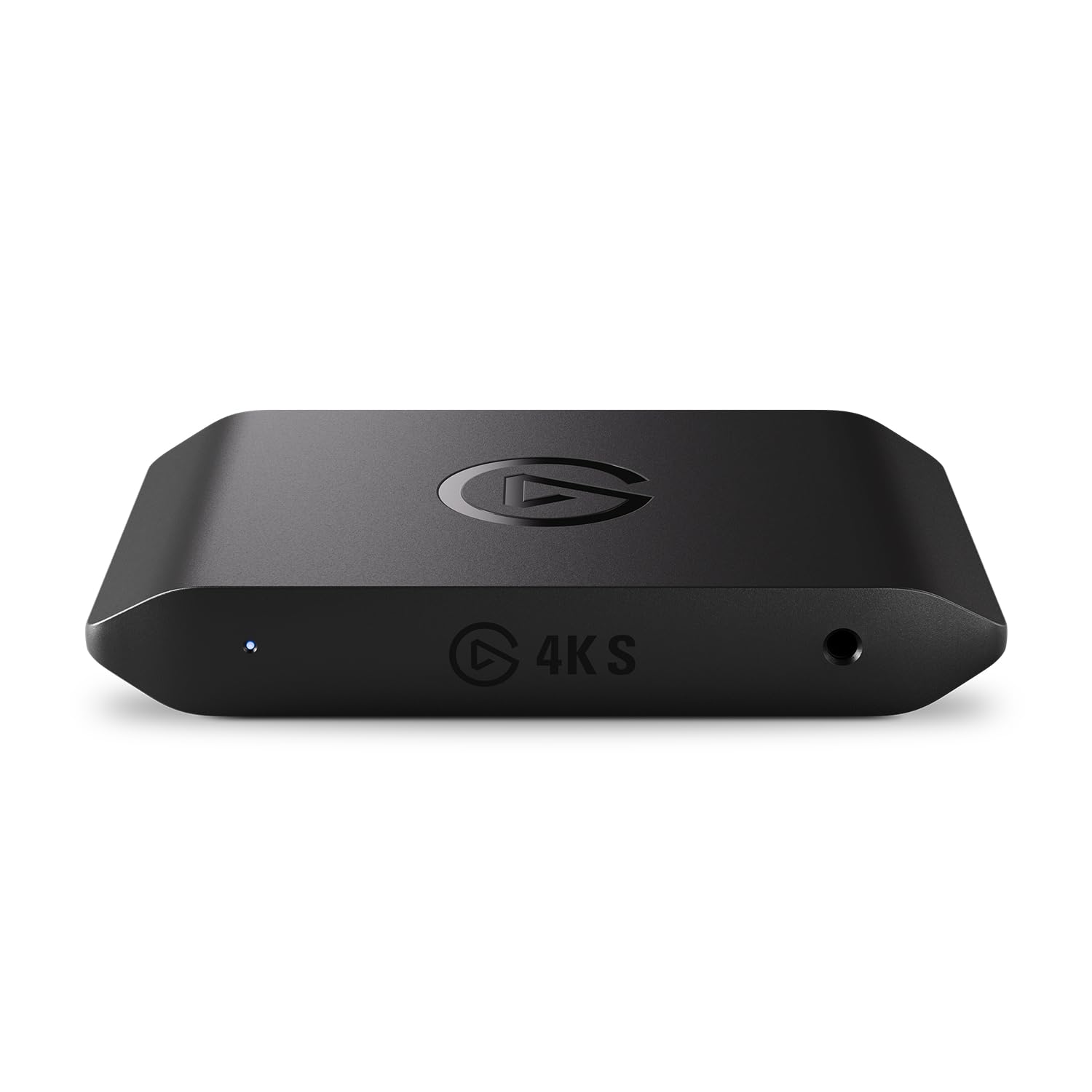
2. Elgato 4K S Capture Card
A 4K60 workhorse that delivers cinematic HDR10 capture without the 4K X’s premium price.
This is the card for streamers who want clean 4K60 recording but don’t need the ultra-high 144Hz capture of its bigger sibling. It records in 4K60 for crisp detail and vivid colors, and supports HFR playback at 1440p120 or 1080p240, so you can play and capture at high refresh rates. The HDR10 support with tone mapping on Windows means your bright and dark scenes look true to life on your broadcast.
Quality is the aspect owners praise most, with setup a close second — many find it “super easy to set up” and reliable for recording and streaming gameplay. It’s cross-platform compatible with PS5, Xbox Series X/S, and Switch 2, and the 3.5mm analog audio input lets you capture in-game chat or commentary without extra gear. Owners note it captures 1440p120 flawlessly for story games, though competitive titles can show a bit of input delay.
The honest trade-off is that some buyers report video quality issues at 720p, and PS5 users must disable HDCP (a copy-protection setting) which blocks YouTube and Netflix apps on the console. It’s a premium pick that’s more affordable than the 4K X, making it a smart middle ground.
Solid middle ground: delivers the 4K capture most streamers actually need, with the Elgato reliability that makes setup painless.
The catch: PS5 owners lose access to streaming apps unless HDCP is off, and competitive gamers may notice slight input lag.
3. AVerMedia Live Gamer Ultra 2.1

A spec-for-spec rival to the Elgato 4K X with higher passthrough, but runs hot and risks audio drift.
For PC and console gamers who want maximum recording fidelity, this card captures up to 4K144 MJPEG on Windows and passes through at 4K144 HDR/VRR, or up to 1440p240 and 1080p360 on compatible displays. That’s a higher passthrough ceiling than the Elgato 4K X’s 4K144 on the display side, making it a genuine powerhouse for high-refresh monitors. It connects via USB-C 10Gbps (USB 3.2 Gen 2) for console and PC capture.
Owners who’ve streamed for years call it the best they’ve used, with one noting a stable 5-hour Twitch stream with no dropped frames. The dual 3.5mm four-pole ports capture headset and gamepad audio for party chat, and 5.1-channel audio support is there for compatible Windows workflows. It’s also OBS-ready and supports Windows Dynamic Lighting for RGB fans.
The biggest recurring issue is audio sync — several owners mention a noticeable audio delay after about 20 minutes of streaming, which makes it unusable for daily streaming for some. It also runs hot, with one owner dropping a star over excessive heat and wanting better cooling.
Why it impresses
- 4K144 capture and up to 1080p360 passthrough for top-tier monitors
- Dual 3.5mm ports plus 5.1 audio for rich streams
- Stable multi-hour streams with no dropped frames
Why it frustrates
- Audio sync issues reported after roughly 20 minutes of streaming
- Runs hot and would benefit from better cooling
- Premium price for features only serious streamers will use
Choose it for: the highest passthrough refresh rates available and multi-hour recording sessions.
skip it if: you stream daily and can’t tolerate any risk of audio drift, since that’s the top recurring complaint.
4. NearStream CCD10

A budget-friendly entry point that passes through 1080p240 while capturing 1080p60 for your stream.
This is the right card if you’re just getting into streaming and want to keep your gaming monitor responsive. It captures video at 1080p60 through USB-C 3.0, which is plenty for a crisp Twitch or YouTube stream, while passing through at 4K60, 1440p120, or 1080p240 so your gameplay stays silky smooth on your screen. The dual 3.5mm ports let you plug in an external mic and a headset without needing a separate audio interface.
Compatibility is what owners praise most, with a director of broadcasting calling it reliable and convenient, and Linux users confirming it works great on their systems. It’s plug-and-play on Windows, macOS, and Linux, which makes setup genuinely painless. For the price, owners say it exceeds expectations — you don’t need to spend a fortune to start streaming.
The honest downside is that some customers note video quality below the advertised 1080p, closer to 720p, and one noted two units failed with in-game lag. It’s a value pick, so treat it as a starter card rather than a permanent solution.
Starter friendly: plug-and-play simplicity across Windows, Mac, and Linux makes it the easiest way to start streaming.
Know the limit: occasional reports of soft video quality mean it’s best for beginners, not pixel-perfect production.
5. Swudloe C7-01
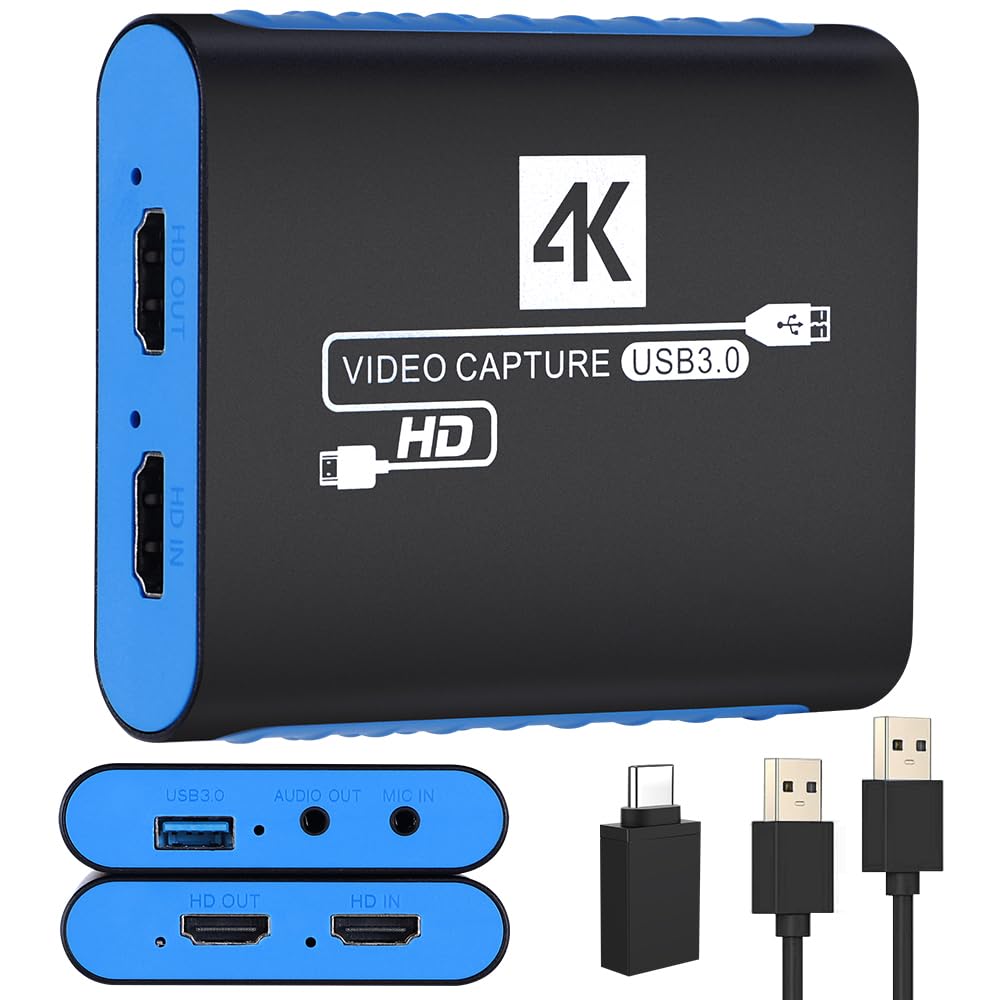
A no-fuss, plug-and-play card that records uncompressed YUY2 1080p60 for artifact-free footage.
If you want a capture card that just works without hunting for drivers, this one is the simplest choice here. It records in uncompressed YUY2 format at 1080p60, which means no loss of quality from compression artifacts — your footage stays sharp and vibrant. It handles a 4K30 HDMI input and passes it through with no frame lag, so you can preview in real time without missing a beat.
Quality and functionality are the aspects owners praise most, and many call it surprisingly good for the price, with one describing it as “great for this price point” and noting smooth gaming with no lag. The built-in 3.5mm audio input and output ports let you capture audio from mics, headphones, or instruments without extra converters. It’s plug-and-play with OBS, Twitch, and YouTube, and works on Windows and Mac.
The trade-off is that audio quality gets mixed reviews, with some owners reporting background static, and a few note occasional video quality issues. It’s a budget-friendly option for occasional use, not a 24/7 streaming workhorse.
What you get
- Uncompressed YUY2 at 1080p60 for artifact-free video
- Built-in 3.5mm audio in and out for mics and instruments
- Plug-and-play with no drivers or power supply needed
What to expect
- Audio can carry a slight background static for some users
- Video quality has mixed reviews despite good overall ratings
- 4K support is pass-through only, not capture
Best for: beginners who want a cheap, reliable card for occasional recording and casual streaming.
Not for: anyone who needs 4K recording or pristine audio capture for professional work.
6. Guermok GM-72A
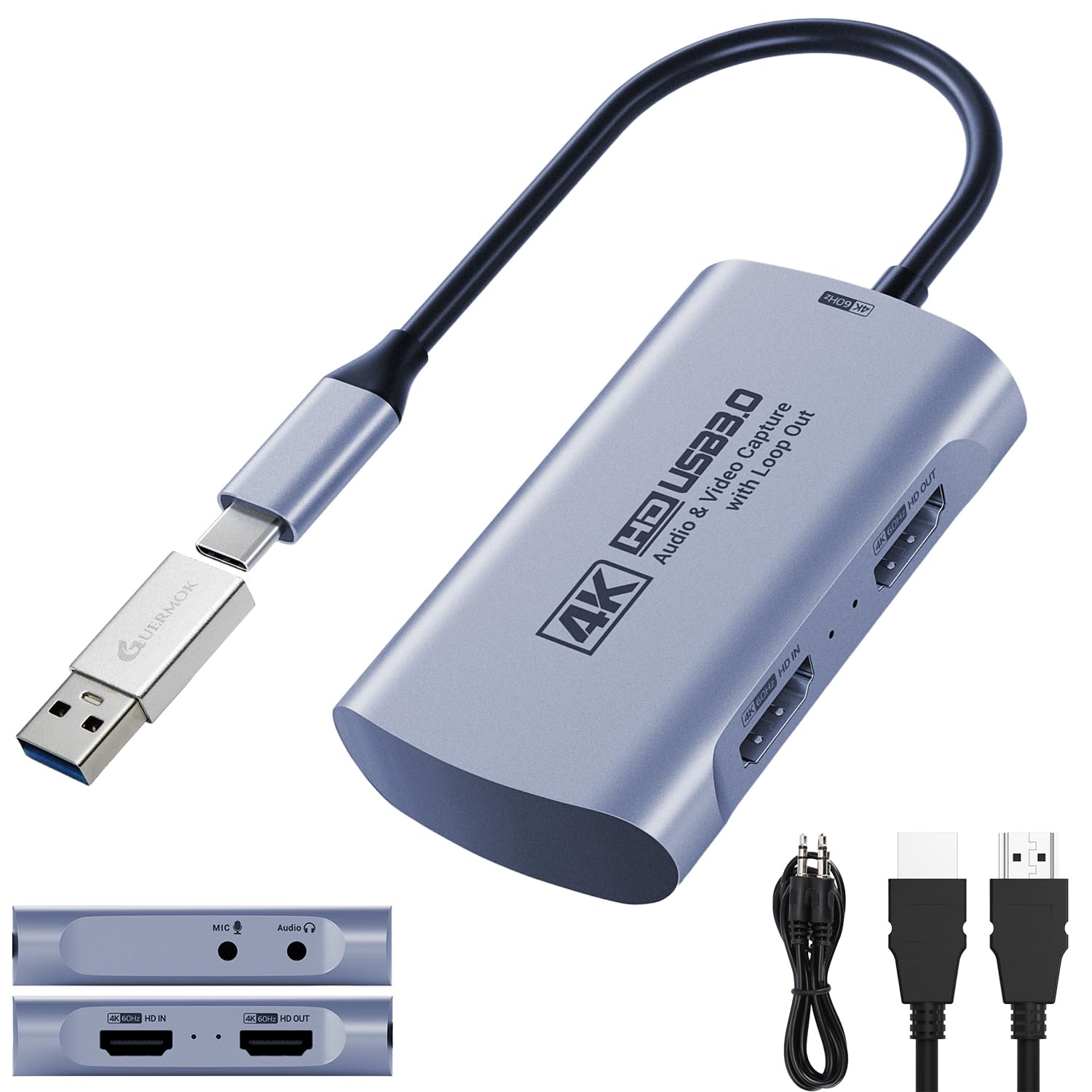
A tiny card that replaces multiple devices, handling 4K60 capture and VHS digitizing in one unit.
This is the card for casual gamers and archivists who want a single device that does it all. It captures at 4K60 via USB 3.0 with 4K60 HDMI passthrough, so you can monitor in real time while recording. It handles 2K120 and 1080p120 input for high-refresh sources, and includes 3.5mm audio in and mic out ports to embed commentary without extra equipment.
Functionality is what owners praise most, with one calling it “so small and powerful” and noting it cleared their streaming table of all other units. Another used it to digitize old family VHS tapes straight from the start. It’s plug-and-play with no drivers, working with Switch 2, PS5, Xbox, Quest 3, DSLRs, and webcams across Windows, macOS, Linux, and Android.
The honest caveat is that some reviewers point out video quality issues, specifically struggling to hit 1080p60 even though the card claims it. It’s a value pick that’s fantastic for the price, but don’t expect flawless high-refresh capture from a budget device.
Versatile and cheap: one small unit handles live streaming, device mirroring, and even VHS digitizing.
Reality check: some owners can’t achieve the advertised 60fps, so treat high-refresh claims with caution.
7. Guermok GM-77B
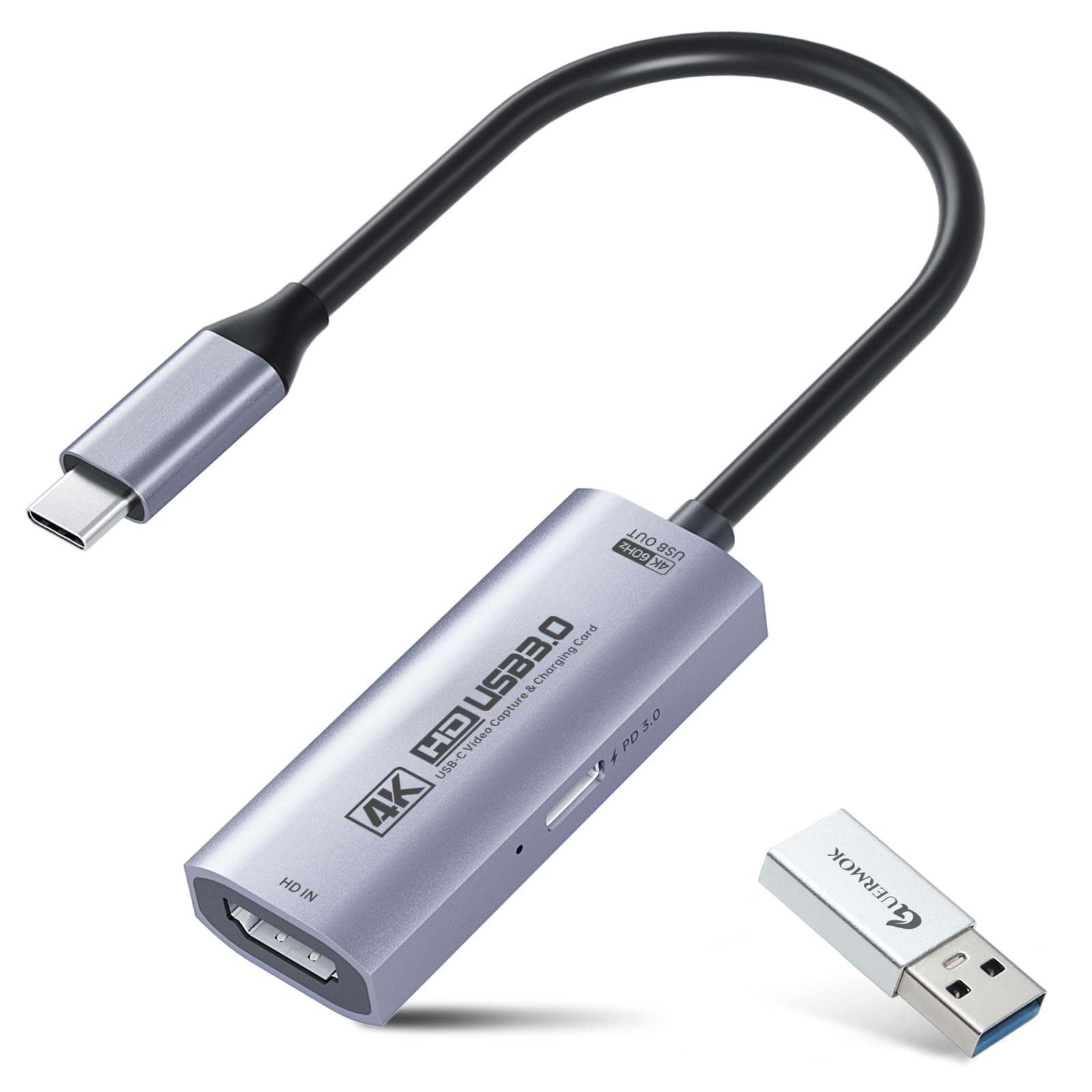
The only card here with PD 100W charging passthrough, turning your iPad into a powered monitor.
This card is uniquely built for tablet and iPad users who want to capture and charge at the same time. It supports PD 100W USB-C charging passthrough, so your iPad or compatible USB-C host stays powered during long recording sessions. It captures 4K Ultra HD at 60FPS via USB 3.0, and handles 2K120 and 1080p120 input for high-refresh sources.
Owners appreciate the quality most, with some noting it works well with Apple products and one calling it the “perfect item for turning my iPad Pro into a monitor.” It’s also used to extend a DJI Mini 5 Pro display, with very little lag and no overheating after extended use. It’s plug-and-play with no drivers, working with Switch 2, MacBook, PC, DSLR cameras, and VR headsets.
This is where you need to read carefully. Reliability gets mixed reviews, and some shoppers say it randomly stops working, displays the wrong color, or the audio dies. One buyer report is blunt: “this capture card is actually 4k30 not 4k60.” It’s the cheapest option here for a reason — it’s an entry-level card with a great charging feature, not a dependable daily streamer.
The standout features
- PD 100W charging passthrough keeps your tablet powered while streaming
- 4K60 capture with 2K120 input for high-refresh sources
- Works with Apple products, turning an iPad into a monitor
The risks to know
- Reliability is the most-discussed issue, with some units failing intermittently
- Some buyers report the actual capture is 4K30, not 4K60 as advertised
- Occasional audio dropouts and color display issues
Pick this if: you need a cheap way to capture from an iPad or tablet and value the charging passthrough.
Think twice if: you rely on consistent daily streaming, given the mixed reliability reports.
Understanding the Specs
Passthrough vs. Capture Resolution
Passthrough resolution is what you see on your gaming monitor with zero delay, while capture resolution is what gets recorded to your computer. A card like the NearStream CCD10 captures at 1080p60 but passes through at 4K60, meaning you play in 4K and stream in 1080p. Always check both numbers to know what you’re actually getting.
YUY2, MJPEG, and Frame Rates
YUY2 is an uncompressed video format that preserves quality but uses more bandwidth, while MJPEG compresses frames individually for smoother high-resolution capture. The Guermok GM-72A, for example, handles MJPEG at 4K60 but only YUY2 at 4K25. Lower frame rates at higher resolutions are normal, so match the format to your needs.
FAQ
Is the Elgato 4K X compatible with my PS5 Pro?
What does VRR passthrough mean for my gaming experience?
Can I use a capture card with a Mac or iPad?
Why does my capture card need a USB 3.0 port instead of USB 2.0?
What is HDCP and why does it cause a black screen on my PS5?
How do I get audio into my stream from a capture card?
Is a 4K60 capture card worth it for a beginner streamer?
Can I use a capture card without a computer?
What is the difference between the Elgato 4K X and 4K S?
Why is my capture card claiming 4K60 but only recording 1080p?
Final Thoughts: The Verdict
The best video capture card for most gamers is the elgato 4k x because it delivers flawless 4K144 capture with VRR passthrough that keeps competitive gameplay smooth and tear-free. If you want the best balance of price and 4K quality, grab the Elgato 4K S, which owners call a great value over its bigger sibling. And for a budget-friendly start, the NearStream CCD10 is the one to reach for, offering plug-and-play streaming across Windows, Mac, and Linux while staying affordable.
How We Picked
We do not accept paid placement. Every pick is matched to a real buyer and a real use-case; we do not hands-on test units.
Sources & Methodology
Specifications: manufacturer listings and product documentation. Review insights: verified customer reviews, as of September 2026. Pricing: not shown on this page (it changes often); check the current price via the retailer link.
As an Amazon Associate, Gadgets Feed earns from qualifying purchases. This does not affect which products we feature.