
A 43-inch computer monitor isn’t just a bigger screen—it’s a fundamental shift in how you manage your digital workspace. Shoving ten browser tabs, a code editor, and a Slack window onto a single 27-inch panel is a productivity nightmare. A 43-inch 4K display delivers the real estate of four 21.5-inch 1080p monitors without the bezels, the cable mess, or the desk footprint. This size class replaces multi-monitor towers for developers, financial analysts, video editors, and power users who need to see everything at once without craning their necks.
I’m Min — the co-founder and writer behind Gadgets Feed. I’ve spent hundreds of hours analyzing the technical specifications, panel technologies, connectivity portfolios, and real-world performance data across the current 43-inch monitor landscape to find which models actually deliver on their promise of massive, productive, and immersive computing.
Whether you need a central hub for a home office or an expansive canvas for creative work, understanding the trade-offs between IPS, VA, and OLED panels, refresh rates, and color accuracy is critical before investing. This guide cuts through the noise to identify the truly exceptional 43 inch computer monitor for every workflow and budget.
How To Choose The Best 43 Inch Computer Monitor
Moving to a 43-inch display is a desk upgrade that requires more thought than just picking the biggest screen. You’re effectively choosing a new primary interface for your computer, and the wrong decision—poor text rendering, flimsy connectivity, or slow response—can become a daily frustration. Focus on these four criteria to narrow the field.
Panel Technology: IPS vs. VA vs. OLED
At 43 inches, panel type dictates almost everything you’ll see. IPS (In-Plane Switching) panels, like the one found on the Dell U4323QE, offer wide viewing angles and consistent color, making them excellent for collaborative work or color-critical tasks. VA (Vertical Alignment) panels, used in the ViewSonic VX4381-4K, deliver superior native contrast (4000:1 or higher), which makes blacks deeper and HDR content more punchy, but viewing angles are narrower and gamma shifts off-axis are common. OLED, as seen in the LG 39GX90SA-W, provides infinite contrast and perfect blacks, but it comes at a premium cost and requires care to avoid burn-in with static UI elements typical of desktop use.
Connectivity & USB-C Hub Functionality
For a monitor this size, the connection is the command center. A 43-inch monitor sits at the center of your desk, so its ports must handle multiple inputs. Look for USB-C with at least 65W Power Delivery, which lets you charge a laptop and transmit video and data over a single cable. The Dell U4320Q and Samsung M7 (M70D) are strong in this area. If you work with multiple computers, a built-in KVM switch—like the one in the Dell U4323QE—lets you control everything with a single keyboard and mouse, a massive efficiency gain.
Color Accuracy and HDR Performance
If you edit photos or video, color gamut (sRGB, DCI-P3 coverage) and Delta E accuracy matter. Most 43-inch monitors in the mid-range cover 99% sRGB, but only premium options hit 95%+ DCI-P3 for HDR workflow. VESA DisplayHDR certification is a reliable benchmark: HDR400 ensures a baseline of brightness and color, while True Black 400 on OLED models delivers a far more convincing HDR experience. The ASUS ROG Swift PG32UCDM, while 32 inches, illustrates the HDR standard this category must target.
Physical Footprint and Ergonomic Adjustment
A 43-inch monitor is physically massive—roughly 38 inches wide and 24 inches tall. You need a desk at least 30 inches deep to avoid eye strain from being too close. Check the stand’s adjustability: height, tilt, and swivel are essential for comfort. The LG 34WR55QK-B, though 34 inches, shows the importance of a height-adjustable stand. For many, VESA mount compatibility (100x100mm or 200x200mm) is non-negotiable to attach the monitor to a heavy-duty arm or wall mount, freeing up desk space.
Quick Comparison
On smaller screens, swipe sideways to see the full table.
| Model | Category | Best For | Key Spec | Amazon |
|---|---|---|---|---|
| Dell U4323QE | Premium | Multi-PC Productivity | 4K IPS with KVM & USB-C Hub | Amazon |
| Dell U4320Q | Premium | Professional Color Work | 4K IPS, 350 cd/m² Brightness | Amazon |
| Samsung M7 (M70F) | Premium | Smart Features & AI | 4K LED, Smart TV + Gaming Hub | Amazon |
| Samsung M7 (M70D) | Mid-Range | TV/Monitor Hybrid | 4K LED, SolarCell Remote | Amazon |
| ViewSonic VX4381-4K | Mid-Range | Large-Format Budget | 4K MVA, 4-Source Multi-Picture | Amazon |
| LG 34WR55QK-B | Mid-Range | Ultrawide Multitasking | 34″ WQHD VA, 100Hz | Amazon |
| ASUS ROG Strix XG49VQ | Mid-Range | Ultrawide Budget Gaming | 49″ DFHD VA, 144Hz | Amazon |
| Alienware AW3425DW | Premium | Elite QD-OLED Gaming | 34″ WQHD QD-OLED, 240Hz | Amazon |
| MSI MPG 321URX | Premium | 4K QD-OLED Gaming | 32″ 4K QD-OLED, 240Hz | Amazon |
| ASUS ROG Swift PG32UCDM | Premium | Pro Gaming & HDR | 32″ 4K QD-OLED, 240Hz | Amazon |
| LG 39GX90SA-W | Premium | Immersive OLED Ultrawide | 39″ WQHD OLED, 240Hz | Amazon |
In‑Depth Reviews
1. Dell UltraSharp 43 4K USB-C Hub Monitor – U4323QE
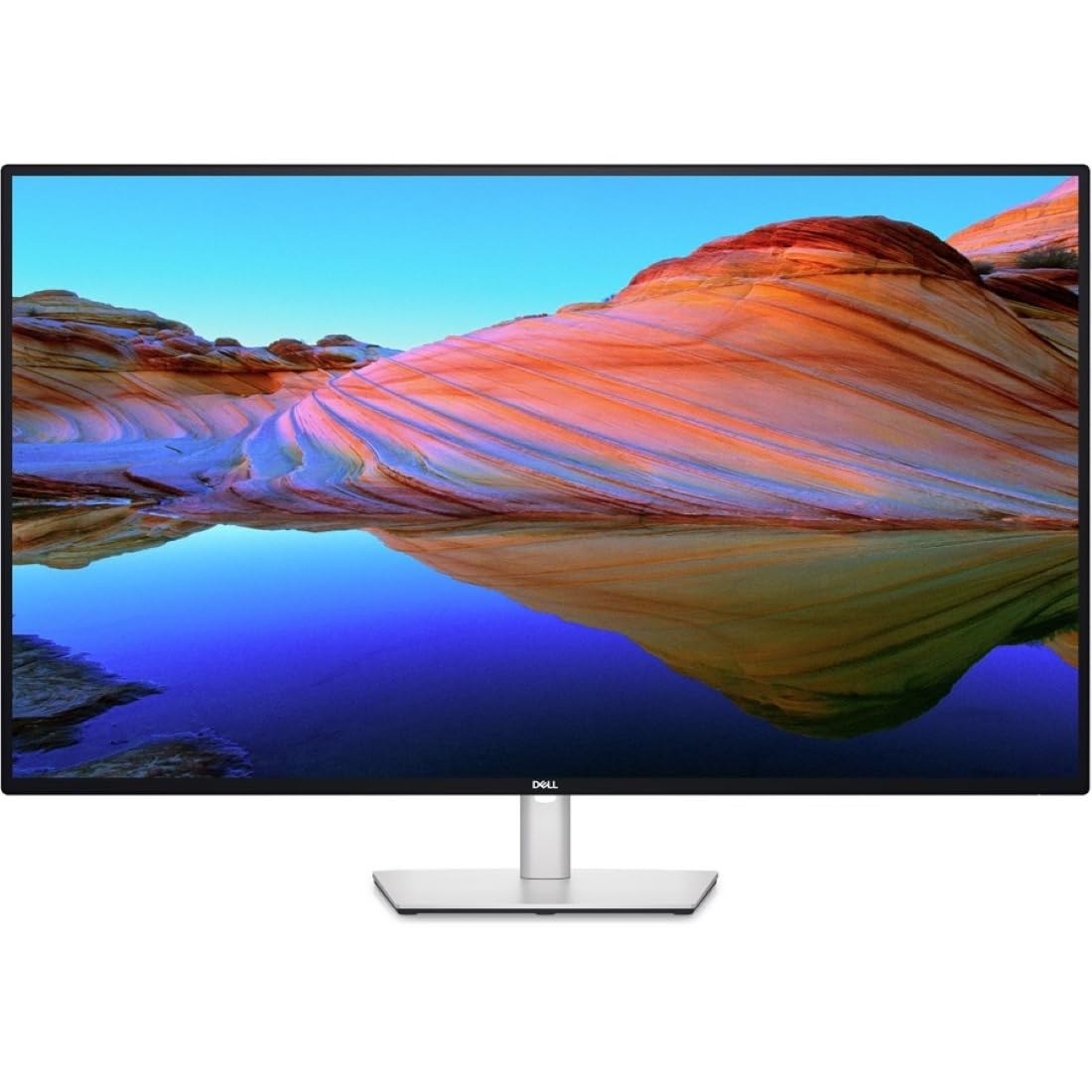
The Dell U4323QE is the ultimate command center for professionals juggling multiple computers. Its 43-inch IPS panel delivers consistent 178-degree viewing angles and accurate colors out of the box, covering 100% sRGB, which is crucial for design reviews or spreadsheet comparisons where viewing position shifts. The standout feature here is the built-in KVM with Auto KVM, allowing you to toggle between four different PCs using a single keyboard and mouse, a workflow that eliminates desk clutter and wasted minutes.
The USB-C hub functionality is equally robust, providing 90W power delivery to charge a MacBook Pro or Dell XPS while transmitting video and data over one cable. The inclusion of a 2.5GbE Ethernet port on a monitor is rare and invaluable for users on wired networks who need stable, high-speed connections without a separate dongle. The front-facing pop-out USB-A and USB-C ports are a thoughtful touch for quick flash drive access.
At roughly 60Hz, the U4323QE isn’t built for competitive gaming, but its productivity-first design is unmatched. The iMST (Internal Multi-Stream Transport) technology lets you partition the 4K screen into four virtual 1080p monitors without any software, a killer feature for developers running multiple VMs or financial analysts monitoring live trading feeds. If your priority is raw productivity and seamless multi-device control, this is the benchmark.
Why it’s great
- Built-in KVM with Auto KVM for four-PC control
- USB-C hub with 90W Power Delivery and 2.5GbE
- iMST splits screen into four FHD partitions
Good to know
- 60Hz refresh rate limits gaming potential
- Some users find the KVM software finicky
2. Dell U4320Q 43 Inch 2160p 4K UltraSharp

The Dell U4320Q is a workhorse for professionals who need a single massive 4K display that can be shared or split into multiple zones. Its 43-inch IPS panel offers a 350 cd/m² brightness and a 1000:1 contrast ratio, delivering crisp text and consistent color for productivity applications like Excel, Photoshop, or Word. Users frequently praise its ability to replace a triple-monitor setup with one seamless, bezel-free surface, significantly reducing desk clutter and cable complexity.
Connectivity is where the U4320Q shines. It includes HDMI, DisplayPort, Mini DisplayPort, and USB-C that acts as a hub, allowing a single cable to drive the display, power a laptop, and connect peripherals. The inclusion of a USB Type-B upstream port for KVM-like functionality, paired with Dell Display Manager software, makes it easy to organize windows into pre-defined grids without fiddling with manual snapping.
At a premium price point, the U4320Q lacks the built-in speaker quality and high refresh rate of monitors half its cost. However, for the user who values color-critical work, robust build quality, and the ability to daisy-chain a second 4K display via DisplayPort, this remains a durable, long-term investment. It’s not a gaming monitor, but it’s a near-perfect canvas for professional work.
Why it’s great
- Excellent 4K IPS color accuracy for professional work
- Strong connectivity with USB-C and daisy chain support
- Dell Display Manager for easy window management
Good to know
- 60Hz refresh rate, not suitable for gaming
- Built-in speakers are mediocre
3. Samsung 43” Smart Monitor M7 (M70F) 4K UHD

The Samsung M7 (M70F) is the 2025 refresh of Samsung’s popular smart monitor line, integrating a full smart TV experience into a 43-inch 4K UHD display. The headline upgrade is Samsung Vision AI, which adapts picture quality based on content type—optimizing for documents, games, or movies automatically. This makes it a compelling all-in-one for a dorm room, small office, or guest bedroom where a monitor and TV are needed in one device.
Connectivity is well-rounded with USB-C that handles video and data, alongside HDMI and USB-A ports. The built-in Samsung TV Plus and Gaming Hub provide instant access to streaming services and cloud gaming without a PC, a unique value proposition. The SolarCell Remote is an eco-friendly bonus that eliminates disposable batteries entirely.
While the 60Hz refresh rate and VA panel’s off-axis gamma shift are limitations for serious gamers or color professionals, the M70F excels as a hybrid device. The AI Active Voice Amplifier can boost dialogue in noisy environments, making it practical for binge-watching. For buyers who need a large display that serves double duty as a workstation and entertainment center, this is a uniquely capable option.
Why it’s great
- Full smart TV platform with streaming and Gaming Hub
- Samsung Vision AI optimizes picture for different tasks
- USB-C connectivity with SolarCell remote
Good to know
- 60Hz refresh rate; not for competitive gaming
- Interface is more TV than traditional monitor
4. SAMSUNG 43-Inch M7 (M70D) Series 4K UHD Smart Monitor

The Samsung M7 (M70D) is the predecessor to the M70F and remains an excellent value for users who want a large 4K display that pulls double duty as a TV. Its 43-inch VA panel delivers a 5000:1 contrast ratio, providing deep blacks that surpass most IPS displays at this price, making it surprisingly good for movie watching in a dim room. HDR10 support handles highlights reasonably well, and the 300 cd/m² brightness is adequate for typical home office lighting.
The smart monitor functionality is robust, offering built-in access to Netflix, Prime Video, and Samsung TV Plus without needing a separate streaming box. The SolarCell Remote is a practical, battery-free accessory. For workstation use, USB-C powers laptops up to 65W, and the monitor’s hub supports multiple inputs seamlessly, though it lacks a DisplayPort, which may be a dealbreaker for some desktop GPU users.
At 60Hz, this monitor isn’t for fast-paced gaming, but it handles productivity and media consumption with ease. The biggest compromise is the TV-like interface, which some users find clunky compared to a pure monitor OSD. However, for a combined workspace and living room setup, the M70D offers a feature set that no dedicated productivity monitor can match at this price.
Why it’s great
- 5000:1 VA contrast ratio for deep blacks
- Built-in smart TV apps and Gaming Hub
- USB-C with 65W Power Delivery
Good to know
- No DisplayPort input
- TV-tuned interface not ideal for PC use
5. ViewSonic VX4381-4K 43 Inch 4K Monitor
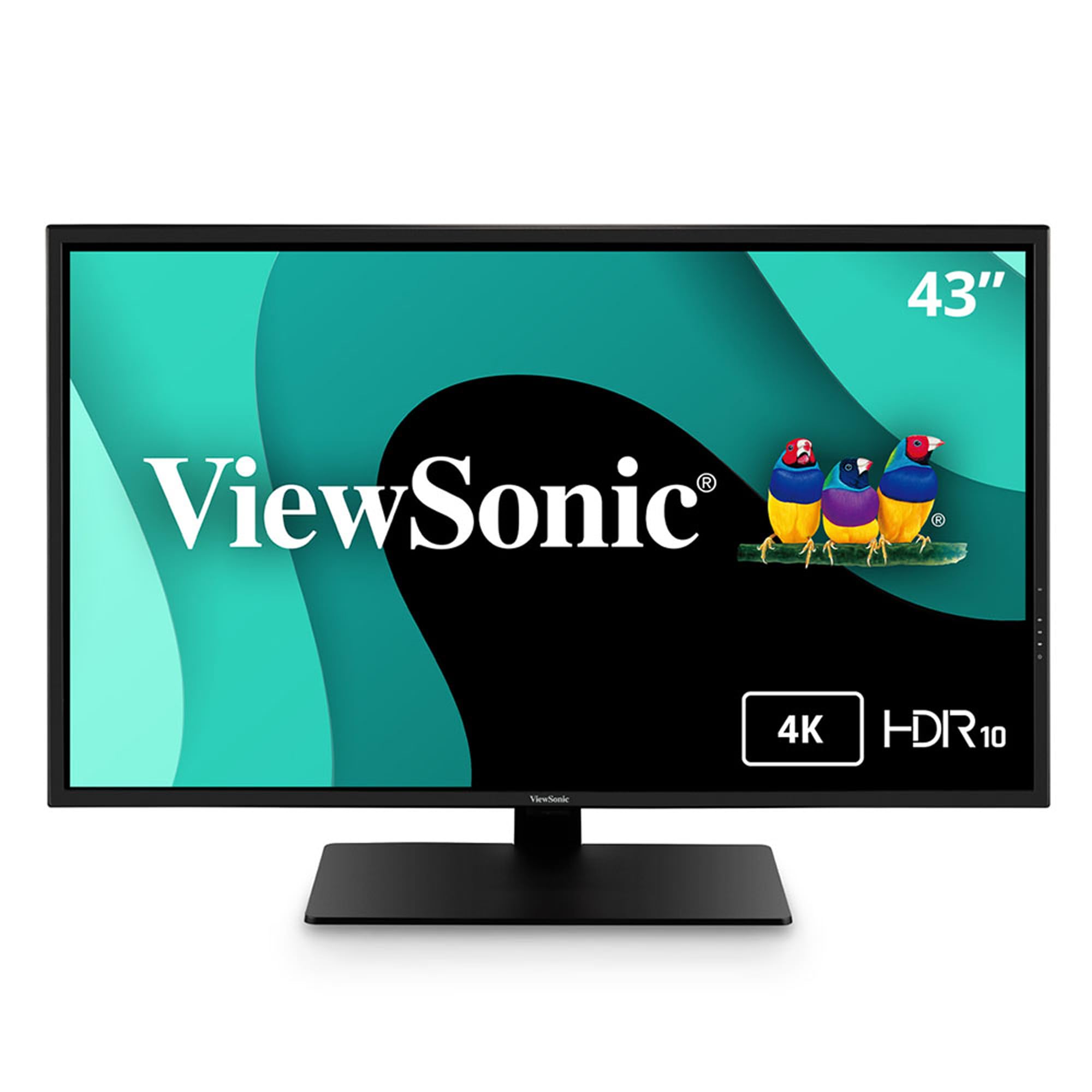
The ViewSonic VX4381-4K is an entry-level gateway to the 43-inch 4K workspace for budget-conscious buyers. It uses an MVA (a VA variant) panel with a 4000:1 contrast ratio and 450 cd/m² peak brightness, which is brighter than many competitors in this bracket. The multi-picture mode is a standout entry-level feature, allowing you to view up to four 1080p sources simultaneously on one screen without additional software—ideal for surveillance feeds or monitoring multiple servers.
Connectivity is surprisingly generous for its price tier, including HDMI, DisplayPort, Mini DisplayPort, and USB ports. The flicker-free technology and blue light filter make it a practical choice for all-day coding or document processing where eye strain is a primary concern. At 60Hz, it’s firmly in productivity territory, and the VA panel provides solid contrast for dark-mode interfaces.
The most significant caveat is color quality. Several users report the panel appears grainy or shows dithering artifacts in solid color fills, which makes it unsuitable for photo editing or color-critical design. The built-in speakers are described as terrible, so an external audio setup is mandatory. For pure text-based work, spreadsheets, and multi-source viewing on a tight budget, it gets the job done—just don’t expect visual polish.
Why it’s great
- High brightness (450 cd/m²) for VA panel
- Supports 4 simultaneous 1080p inputs
- Flicker-free and blue light filter for eye comfort
Good to know
- Color quality criticized for graininess
- Built-in speakers are very poor quality
6. LG 34WR55QK-B 34-inch UltraWide WQHD Curved

The LG 34WR55QK-B offers a compelling alternative to 43-inch 16:9 displays by stretching horizontally into a 34-inch 21:9 UltraWide format. The WQHD resolution (3440 x 1440) provides a crisp 110 PPI, making text appear sharp without the aggressive scaling required on 43-inch 4K panels. The 100Hz refresh rate is a welcome step up from standard 60Hz productivity monitors, providing smoother scrolling through documents and web pages.
The VA panel delivers a native 3000:1 contrast ratio, offering deeper blacks than IPS alternatives. The 99% sRGB coverage is decent for standard office work, and HDR10 support adds some dynamic range for streaming video. The USB-C connection with 65W Power Delivery is a huge plus, allowing a single cable to drive the display and charge a laptop. The height-adjustable stand is ergonomically well-designed.
While not a 43-inch display, the 34WR55QK-B occupies a similar niche for users who prioritize horizontal workspace for document comparison or timeline editing. The 21:9 aspect ratio means less vertical height than a 43-inch 16:9 monitor, which could be a drawback for coding or reading long PDFs. If your workflow benefits from a wide canvas rather than a tall one, this is a refined, high-refresh-rate value pick.
Why it’s great
- 100Hz refresh rate for smooth scrolling
- USB-C with 65W Power Delivery
- 21:9 ultrawide format for multi-window productivity
Good to know
- No built-in speakers
- WQHD resolution, less vertical space than 4K 43″
7. ASUS ROG Strix XG49VQ 49” Curved Gaming Monitor

The ASUS ROG Strix XG49VQ is a 49-inch super-ultrawide behemoth that effectively replaces two 27-inch monitors with a single, immersive 32:9 canvas. Its 3840 x 1080 DFHD resolution (Dual Full HD) keeps pixel count manageable, allowing mid-range graphics cards to drive high frame rates without breaking a sweat. The 144Hz refresh rate with FreeSync 2 HDR ensures smooth gameplay and video playback, making it a strong choice for gamers who also need desktop real estate.
The 1800R curvature wraps the screen around your field of view, which helps reduce neck strain when referencing the edges of such a wide display. The VA panel offers a 3000:1 contrast ratio for decent black levels, and the 90% DCI-P3 coverage provides punchy colors in supported HDR content. The stand offers full ergonomic adjustment, including height, tilt, and swivel.
The primary compromise is the 1080p vertical resolution, which gives a low 81 PPI. Text can appear pixelated compared to 4K or WQHD panels, and the desktop feels cramped vertically for coding or document-heavy workflows. For immersive sim racing, flight sims, or general desktop multitasking where horizontal space is king, the XG49VQ offers a huge canvas at a reasonable price.
Why it’s great
- 49″ 32:9 ultrawide replaces dual monitors
- 144Hz with FreeSync 2 for smooth gaming
- Full ergonomic stand with VESA mount support
Good to know
- 1080p vertical resolution results in low PPI
- HDR performance is underwhelming
8. Alienware 34 240Hz QD-OLED Curved Gaming Monitor – AW3425DW

The Alienware AW3425DW is a 34-inch QD-OLED ultrawide that redefines visual quality for gaming and media consumption. The Quantum Dot OLED panel delivers infinite contrast, perfect blacks, and a DCI-P3 color coverage of 99.3%, making HDR content look spectacular. With a 240Hz refresh rate and a 0.03ms GtG response time, motion clarity is flawless, with zero ghosting or smearing even in the fastest competitive shooters.
The 1800R curve is subtle but effective, immersing you in the 21:9 format without distorting straight lines or text. The monitor supports both AMD FreeSync Premium Pro and NVIDIA G-SYNC Compatible, ensuring tear-free gameplay regardless of your GPU brand. Build quality is excellent, with a premium metal stand and integrated cable management. VESA DisplayHDR TrueBlack 400 certification ensures deep black levels and bright highlights coexist properly.
The main downsides are the 34-inch diagonal (smaller than a 43-inch) and the WQHD resolution (3440 x 1440), which lacks the sheer pixel density of 4K. Some users note slight text fringing typical of OLED subpixel layouts, though it’s minor at normal viewing distances. For PC gamers who want the absolute best HDR and motion performance in an ultrawide format, the AW3425DW is a top-tier, long-term investment.
Why it’s great
- Stunning QD-OLED picture quality with infinite contrast
- 240Hz with 0.03ms response for elite gaming
- DCI-P3 99.3% color coverage for HDR
Good to know
- WQHD resolution, not 4K
- High price, requires care to avoid burn-in
9. MSI MPG 321URX QD-OLED 32″ 4K UHD Gaming Monitor

The MSI MPG 321URX is a 32-inch 4K QD-OLED gaming monitor that combines high pixel density with blistering speed. The 3840 x 2160 resolution on a 32-inch panel yields a sharp 138 PPI, making text and fine details incredibly crisp without the aggressive scaling needed on larger 4K displays. The 240Hz refresh rate and 0.03ms GtG response time are matched by support for FreeSync Premium Pro, ensuring no tearing or stutter in the most demanding titles.
Color performance is reference-grade, covering 99% DCI-P3 with a Delta E ≤ 2 out of the box, making it suitable for both gaming and light creative work. VESA DisplayHDR True Black 400 certification provides convincing HDR highlights alongside perfect blacks. The KVM feature with PiP/PbP is a nice productivity bonus, allowing you to control two systems on one screen.
At 32 inches, it’s smaller than the 43-inch targets in this guide, but it offers a denser, more refined experience for users who prioritize pixel clarity over raw size. The matte QD-OLED coating reduces reflections significantly. The main catch is the price, which sits firmly in the premium tier, and the potential for OLED burn-in over years of static taskbar use. For a dual-purpose gaming and productivity upgrade, this is one of the best balanced high-end panels available.
Why it’s great
- Sharp 4K QD-OLED with 138 PPI
- 240Hz, 0.03ms, FreeSync Premium Pro
- Great color accuracy (Delta E ≤ 2)
Good to know
- 32″ diagonal is smaller than target 43″ class
- High risk of burn-in with static desktop UI
10. ASUS ROG Swift 32” 4K OLED Gaming Monitor (PG32UCDM)

The ASUS ROG Swift PG32UCDM is a no-compromise 32-inch 4K QD-OLED that stands as a benchmark for premium PC gaming. Its standout engineering feature is a custom heatsink paired with graphene film technology, which dissipates heat more effectively than standard OLED cooling. This directly reduces the risk of burn-in—the single biggest fear for OLED desktop users—and ASUS backs this with a 3-year warranty that includes burn-in coverage, a significant reassurance for peace of mind.
Visually, the display is stunning, with a 1.5M:1 contrast ratio providing truly infinite blacks alongside peak brightness that can reach 1000 nits in small highlights for spectacular HDR. The 240Hz refresh rate and 0.03ms response time are perfectly matched, and compatibility with both G-SYNC and FreeSync Premium Pro ensures tear-free gaming across all setups. The true 10-bit panel and 99% DCI-P3 coverage make it accurate enough for professional HDR mastering.
At 32 inches, it is smaller than a 43-inch monitor, but for users who value a higher pixel density (138 PPI) and a screen that fits on a standard 24-inch deep desk, the PG32UCDM offers a better visual experience than any 43-inch 4K IPS monitor. The glossy screen coating enhances perceived clarity and contrast, though it reflects ambient light more than matte finishes. It’s a premium investment for those who demand the absolute best image quality.
Why it’s great
- Custom heatsink + graphene for reduced burn-in risk
- 3-year warranty with burn-in coverage included
- Stunning 4K QD-OLED HDR performance
Good to know
- 32″ diagonal, smaller than 43″ monitors
- Glossy screen reflects ambient light
11. LG 39GX90SA-W 39-inch Ultragear OLED Curved Gaming Monitor

The LG 39GX90SA-W is a 39-inch OLED ultrawide that pushes the boundaries of immersion with an aggressive 800R curve. This curvature is dramatically tighter than the standard 1800R, wrapping the display around your peripheral vision to an extent that it feels like you’re sitting inside the game world. The WQHD (3440 x 1440) OLED panel delivers perfect blacks and a 1.5M:1 contrast ratio, with 98.5% DCI-P3 coverage for rich, saturated colors.
The 240Hz refresh rate and 0.03ms response time are top-tier, and the monitor supports both FreeSync Premium and G-SYNC Compatibility for a stutter-free experience. LG’s webOS integration is a major differentiator, providing built-in access to Netflix, Prime Video, and cloud gaming services like NVIDIA GeForce NOW without needing a PC. This turns the monitor into a standalone entertainment device when work is done. The anti-glare OLED coating minimizes reflections, a real benefit for day-to-day comfort.
At 39 inches, this monitor sits in a unique space between a 34-inch ultrawide and a 43-inch 16:9 display. The 800R curve is divisive: some users find it deeply immersive, while others report distortion in straight lines and a steep learning curve for productivity work. For pure gaming immersion in racing, flight, or open-world titles, this is arguably the most engaging display on the list. Productivity users should test the curve before committing.
Why it’s great
- 800R curve provides unmatched immersion
- OLED with perfect blacks and 240Hz
- webOS integrated streaming and cloud gaming
Good to know
- Aggressive 800R curve may distort productivity work
- High premium price point
FAQ
Do I need a deep desk for a 43-inch monitor?
Is 60Hz enough for a 43-inch productivity monitor?
Will a 43-inch 4K monitor have sharp text?
Final Thoughts: The Verdict
For most users, the 43 inch computer monitor winner is the Dell UltraSharp U4323QE because it combines a professional-grade IPS panel, a versatile USB-C hub with 90W PD, and a powerful built-in KVM that makes multi-PC workflows seamless. If you want a hybrid device that serves as both a productivity monitor and a smart TV, grab the Samsung 43” M7 (M70D) for its integrated streaming apps and Gaming Hub. And for the best pure gaming immersion on a large canvas, nothing beats the LG 39GX90SA-W with its 39-inch OLED panel and aggressive 800R curve.