
A 32-inch 5K monitor occupies a unique space in the display world—it delivers the pixel density necessary for true Retina-like clarity at a size that doesn’t dominate an entire desk. The jump from 4K to 5K on a 32-inch panel more than doubles the pixel count, making text appear as sharp as printed ink and giving creative professionals the canvas to edit high-res video without zooming to 200% constantly.
I’m Min — the co-founder and writer behind Gadgets Feed. I’ve spent countless hours analyzing technical specifications, comparing panel technologies, and reading through thousands of user reviews to identify which 32-inch 5K monitors actually deliver on their promises for creative and productivity-focused buyers.
This guide breaks down the critical specs, real-world performance differences, and hidden trade-offs every serious buyer needs to understand before investing in a 32 inch 5k monitor.
How To Choose The Best 32 Inch 5K Monitor
Buying a 32-inch 5K monitor means navigating panel technology, connectivity standards, and coating preferences. The decisions you make here impact your daily experience for years.
Panel Technology: High-Contrast IPS vs True Black OLED
For a 5K productivity monitor, IPS Black panels with a 2000:1 contrast ratio offer the best balance of color accuracy, text clarity, and wide viewing angles. OLED panels deliver perfect blacks and stunning HDR but introduce risks of burn-in and subpixel layouts that can make text appear less sharp at 5K resolutions.
Connectivity: Thunderbolt 4 vs Thunderbolt 5
Thunderbolt 4 delivers 40 Gbps speeds with up to 100W of power delivery, enough to daisy-chain two 5K monitors or one 8K display. Thunderbolt 5 doubles that bandwidth to 80 Gbps, enabling 6K daisy-chaining and higher refresh rates over a single cable. For current MacBook Pro users, Thunderbolt 4 is sufficient; future-proofing points to Thunderbolt 5.
Screen Coating: Glossy, Matte, or Nano-Matte
Glossy screens like the Apple Studio Display deliver richer blacks and sharper text but reflect overhead lights. Traditional matte coatings eliminate reflections but add a hazy grain. Nano-matte panels aim to reduce reflections without the haze, but some users report a subtle speckle effect on light grays.
Quick Comparison
On smaller screens, swipe sideways to see the full table.
| Model | Category | Best For | Key Spec | Amazon |
|---|---|---|---|---|
| Apple Studio Display | Premium | Mac Ecosystem Perfection | 5K 27″ 218 PPI Glossy | Amazon |
| LG 32U990A-S 6K | Premium | Future-Proof 6K Creativity | 6K 32″ 224 PPI Thunderbolt 5 | Amazon |
| Kuycon G32P 6K | Mid-Range | Budget 6K Glossy Monitor | 6K 32″ 223 PPI Glossy | Amazon |
| BenQ PD2730S | Mid-Range | Mac Creatives with KVM | 5K 27″ 218 PPI Nano Matte | Amazon |
| ViewSonic VP2788-5K | Mid-Range | Mac Daisy-Chain Workflows | 5K 27″ 218 PPI Thunderbolt 4 | Amazon |
| ASUS ProArt PA27JCV | Mid-Range | Color-Accurate 5K on a Budget | 5K 27″ 218 PPI Calman Verified | Amazon |
| ASUS ROG Strix XG27JCG | Mid-Range | 5K High Refresh for Hybrid Work/Play | 5K 27″ 180Hz Fast IPS | Amazon |
| LG 39GX950B-B | Premium | Ultrawide 5K2K OLED Gaming | 5K2K 39″ 143 PPI OLED 165Hz | Amazon |
| Dell UltraSharp U4025QW | Premium | Ultrawide Productivity Hub | 5K2K 40″ IPS Black 120Hz | Amazon |
| INNOCN 49Q1S OLED | Mid-Range | Super Ultrawide OLED Gaming | DQHD 49″ OLED 240Hz | Amazon |
| Samsung Odyssey OLED G9 | Mid-Range | Immersive Ultrawide OLED Gaming | DQHD 49″ QD-OLED 144Hz | Amazon |
| Alienware AW2725DF | Mid-Range | Competitive Esports OLED | QHD 27″ OLED 360Hz | Amazon |
| Dell UltraSharp U3425WE | Budget | Ergonomic Ultrawide for Office | WQHD 34″ IPS 1440p | Amazon |
In‑Depth Reviews
1. Apple Studio Display
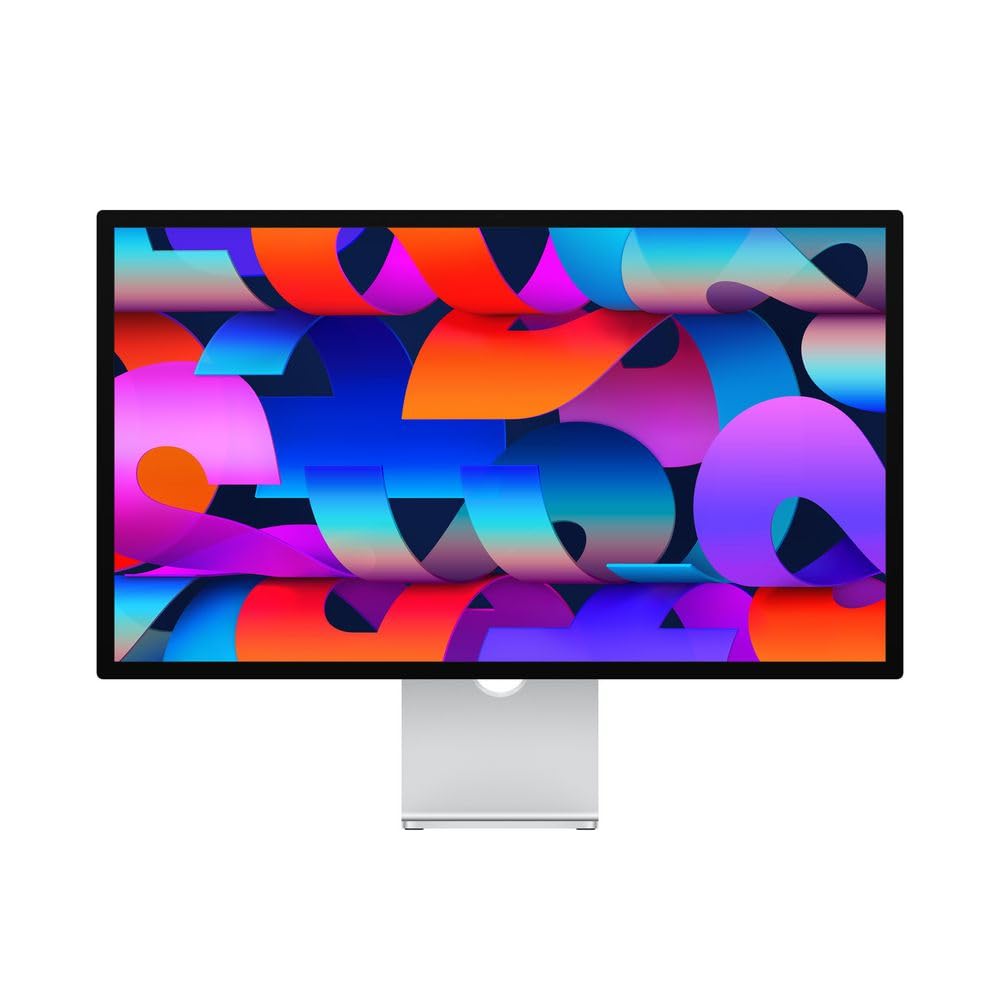
The Apple Studio Display remains the gold standard for Mac users who prioritize pixel-perfect integration and out-of-box Retina clarity. Its 27-inch 218 PPI glossy panel mates seamlessly with macOS, delivering zero scaling issues and text so sharp it looks printed. The built-in 12MP Ultra Wide camera with Center Stage and six-speaker Spatial Audio system elevate video calls far beyond any competitor’s webcam and speaker implementation.
The 96W Thunderbolt 3 port charges a MacBook Pro with a single cable while the three downstream USB-C ports handle peripherals. Color accuracy is excellent with P3 wide color support, though the 600 nits peak brightness is fixed—there is no HDR local dimming for creative work. The standard glass shows reflections in bright rooms, and the nano-texture upgrade adds cost.
For creative professionals working entirely within the Apple ecosystem, this monitor’s build quality, camera, audio, and zero-fuss macOS scaling justify the investment over any third-party alternative. The stand options range from tilt-adjustable to height-adjustable, but the tilt-only base feels limiting for an all-day workstation.
Why it’s great
- Seamless macOS integration with perfect 5K HiDPI scaling
- Industry-best built-in camera, mics, and speakers
- Premium aluminum build quality and design
Good to know
- Standard glass shows reflections; nano-texture is expensive
- Fixed brightness with no local dimming for HDR
- Tilt-adjustable stand lacks height adjustment by default
2. LG 32U990A-S 32-Inch Ultrafine 6K

The LG 32U990A-S pushes beyond 5K to 6K resolution at 32 inches, delivering a staggering 224 PPI with a Nano IPS Black panel that achieves a 2000:1 contrast ratio. This combination gives creative professionals deeper blacks than standard IPS along with the pixel density to view 6K video timelines at full resolution while keeping toolbars visible. Thunderbolt 5 connectivity provides enough bandwidth for 6K daisy-chaining and 96W charging.
Color coverage is exceptional: up to 99.5% Adobe RGB and 98% DCI-P3 with real 10-bit depth ensures smooth gradients for color grading and photo retouching. The DisplayHDR 600 certification means highlights punch above typical 5K monitors, though some users report the 450 nits typical brightness feels modest compared to dedicated HDR displays. The aggressive matte coating on some units has drawn complaints about a grainy appearance.
The included stand offers tilt, height, and pivot adjustment, but the design feels less premium than the display panel itself. The speaker quality is mediocre—fine for system sounds but inadequate for critical listening. The large external power brick and relatively short included cables are minor annoyances for a premium-tier product.
Why it’s great
- 6K resolution provides 156% more pixels than 4K at 224 PPI
- Nano IPS Black panel delivers 2000:1 contrast for deep blacks
- Thunderbolt 5 enables future-proof daisy-chaining and 96W charging
Good to know
- Matte coating can appear grainy on some units
- Typical brightness feels average for the price
- Large external power brick and short cables
3. Kuycon G32P 32-inch 6K Glossy Monitor
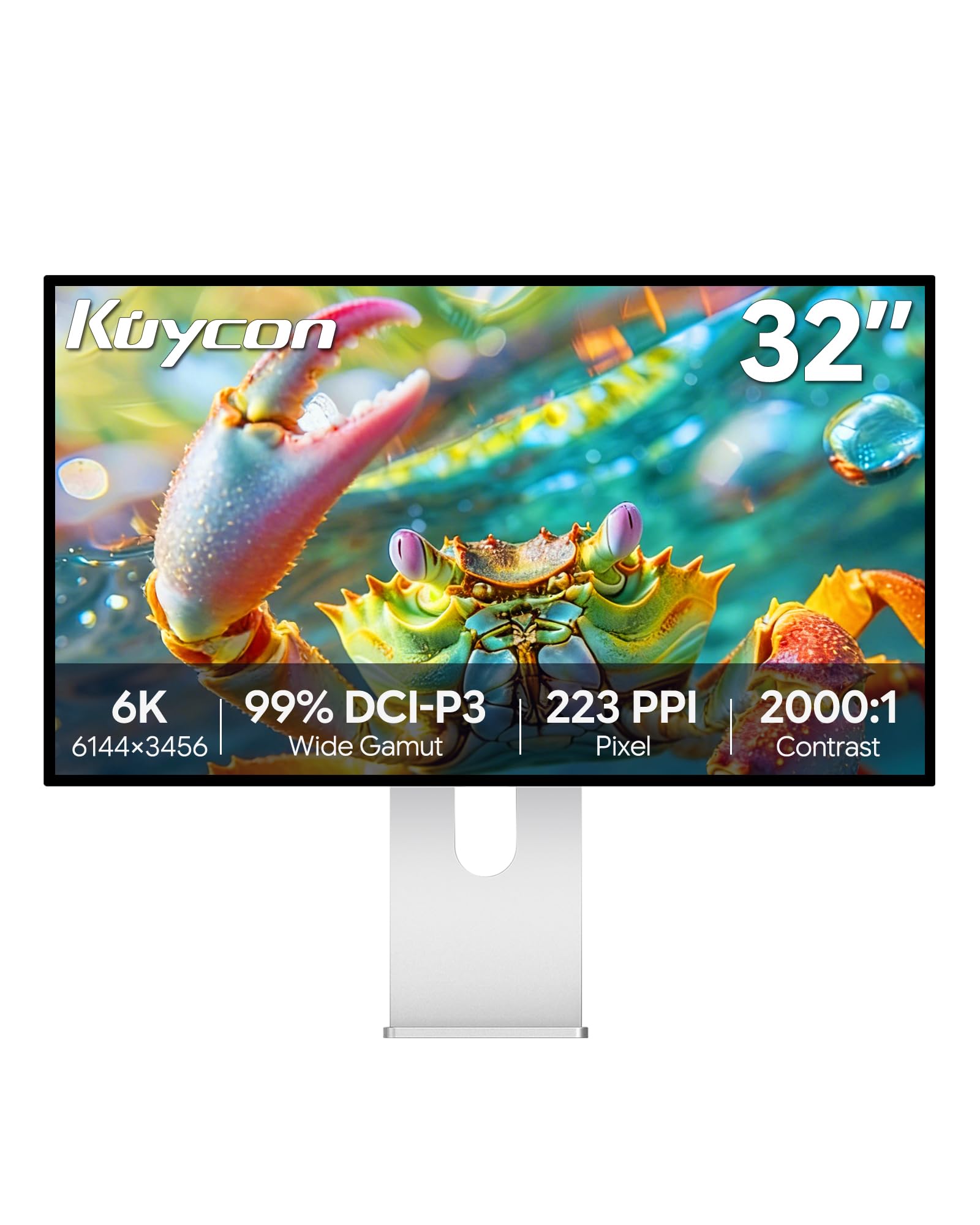
The Kuycon G32P is the only non-Apple option offering a 32-inch 6K glossy display, making it a compelling alternative for users who prefer the deeper blacks and sharper text of a glossy panel without the Apple Pro Display XDR price tag. The 223 PPI pixel density scales beautifully with macOS, and the IPS Black panel delivers a 2000:1 contrast ratio that rivals the LG 32U990A-S for a significantly lower investment.
Color accuracy measures up to 99% DCI-P3 and sRGB coverage with a Delta E under 2, suitable for photo editing and design work. The CNC-machined aluminum body and honeycomb cooling design provide a premium feel. However, the monitor lacks an integrated Thunderbolt dock, requiring a separate adapter for ethernet and multi-monitor setups. The remote control is included but ships without a battery, and the OSD navigation is basic.
Buyers should be aware that the glossy panel demands careful lighting placement to avoid reflections in bright rooms. The stand offers full ergonomic adjustment, and the 100x100mm VESA mount supports third-party arms. Some users have reported defective units, making a reliable return policy essential for this purchase.
Why it’s great
- Only glossy 6K panel available outside Apple at this price
- 223 PPI delivers crisp Retina-quality text and images
- Premium aluminum build with full ergonomic stand
Good to know
- No integrated Thunderbolt dock for networking
- Glossy panel reflects ambient light without care
- QC issues reported, verify return policy before purchase
4. BenQ PD2730S 27-inch 5K

The BenQ PD2730S is purpose-built for creative professionals who demand accurate color and workflow efficiency. Its 27-inch 5K IPS panel delivers 218 PPI with 98% DCI-P3 coverage and a 2000:1 contrast ratio, providing deep blacks and vibrant tones that meet the needs of VFX animators and 3D artists. The nano-matte coating diffuses ambient light without the graininess of traditional matte panels.
Connectivity is robust with a single Thunderbolt 4 port delivering 90W power delivery, 40 Gbps data transfer, and daisy-chain support for two 5K displays. The built-in KVM switch lets you control two systems with one keyboard and mouse, switching between them via the included wireless Hotkey Puck. The monitor also includes HDMI and USB-A ports for additional peripherals.
The uniformity technology ensures consistent brightness across the panel, which is critical for color-managed workflows. The TÜV Rheinland Eye Comfort certification reduces strain during long editing sessions. However, some units have reported stuck pixels within the first few weeks, and the heavy stand requires a sturdy desk. The Hotkey Puck is convenient but adds another peripheral to manage.
Why it’s great
- Built-in KVM switch with wireless Hotkey Puck for dual-system control
- Nano-matte panel reduces glare without haze
- Thunderbolt 4 with 90W power delivery and daisy-chain support
Good to know
- Some units report stuck pixels shortly after purchase
- Heavy stand requires a sturdy desk surface
- Premium price for the feature set
5. ViewSonic VP2788-5K 27 Inch 5K

The ViewSonic VP2788-5K is a Mac-ready 27-inch 5K IPS monitor designed for multi-display setups. Its standout feature is Thunderbolt 4 daisy-chaining, which allows you to connect two 5K monitors in series from a single Thunderbolt cable, significantly reducing cable clutter on a professional desk. The panel delivers 500 nits peak brightness, 100% sRGB, and 99% DCI-P3 coverage, with Pantone validation ensuring accurate color reproduction.
The advanced ergonomic stand offers tilt, swivel, pivot, and height adjustment for all-day comfort. Connectivity includes one Thunderbolt 4 upstream with 100W power delivery, plus USB hub, HDMI 2.1, and DisplayPort inputs for compatibility with PCs and gaming consoles. The frameless design minimizes bezel distraction in multi-monitor configurations.
Some users report instability with the USB hub, including devices failing to reconnect after sleep. The Thunderbolt 4 daisy chain works reliably with Macs, but Windows users may encounter driver complications. The 75Hz refresh rate is a minor upgrade over standard 60Hz monitors but not sufficient for competitive gaming.
Why it’s great
- Thunderbolt 4 daisy-chain for two 5K monitors from one cable
- Pantone validated with 500 nits brightness
- Full ergonomic stand with frameless design
Good to know
- USB hub can be buggy after sleep on some systems
- Thunderbolt daisy chain requires macOS for best compatibility
- 75Hz refresh rate is not high enough for competitive gaming
6. ASUS ProArt Display PA27JCV 27-inch 5K

The ASUS ProArt PA27JCV brings professional-grade 5K color accuracy to a more accessible price point. The 27-inch IPS panel is factory pre-calibrated to Delta E less than 2 with Calman verification, covering 99% DCI-P3 and 100% sRGB color spaces. The 400 cd/m² brightness is adequate for most indoor environments, though it falls short for HDR grading work.
Connectivity includes DisplayPort, HDMI, and a single USB-C port with 96W power delivery, allowing a single-cable connection to a MacBook Pro. The ambient light sensor automatically adjusts brightness and color temperature, mimicking True Tone functionality. The built-in KVM switch supports switching between two connected devices, though some Mac users report scaling issues with HiDPI modes.
The panel exhibits some backlight bleed along the top edges, and the stand feels less premium than the Apple Studio Display. The USB-C port placement on the chin makes cable management awkward. For users prioritizing 5K color accuracy on a budget, this monitor delivers, but the scaling quirks on Mac mean it does not match the seamless experience of a first-party Apple display.
Why it’s great
- Factory-calibrated Delta E less than 2 with Calman verification
- USB-C with 96W power delivery for single-cable Mac connection
- Ambient light sensor for automatic brightness/color adjustment
Good to know
- Backlight bleed visible on some units
- Mac HiDPI scaling can cause fuzzy text for some users
- Stand feels less premium than the panel quality
7. ASUS ROG Strix 27-inch 5K XG27JCG
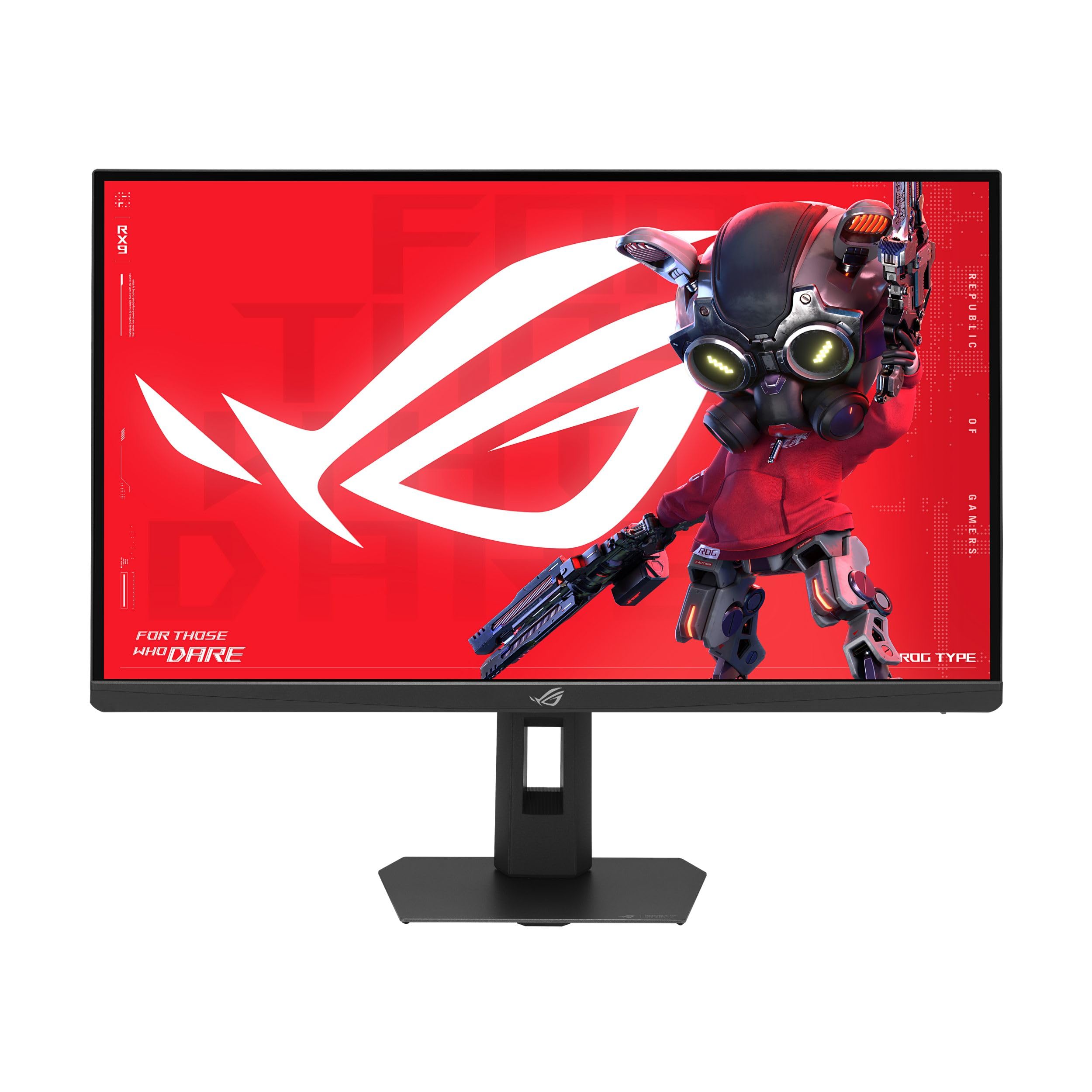
The ASUS ROG Strix XG27JCG is the only 27-inch 5K monitor that also delivers a high refresh rate, making it a unique hybrid for professionals who game. The Fast IPS panel pushes 180Hz overclocked at 5K resolution, with a dual-mode feature that switches to QHD at 330Hz for competitive titles. The 0.3ms GTG response time and G-Sync compatibility ensure tear-free, blur-free motion.
The 97% DCI-P3 color gamut and VESA DisplayHDR 600 certification provide vibrant, lifelike colors suitable for content consumption and light creative work. The Dual Mode technology is a genuine innovation, allowing you to toggle between 5K 180Hz for immersive AAA titles and QHD 330Hz for esports. Connectivity includes DisplayPort 1.4 with DSC, HDMI 2.1, and USB-C with 15W charging.
Multiple users report that the aggressive matte coating creates a hazy, oily appearance on the screen, especially noticeable on white backgrounds and light text. The 5K 180Hz mode requires DSC compression, and the 2K mode at 330Hz produces an audible whine from the electronics. The build quality feels cheaper than ASUS OLED monitors, with flimsy control buttons.
Why it’s great
- 180Hz at true 5K resolution for smooth creative and gaming use
- Dual Mode switches to QHD 330Hz for competitive play
- G-Sync compatible and DisplayHDR 600 certified
Good to know
- Aggressive matte coating creates a hazy appearance on light content
- Audible electronic whine in QHD 330Hz mode
- Build quality feels cheaper than the price suggests
8. LG 39GX950B-B 39-inch Ultragear evo 5K2K OLED
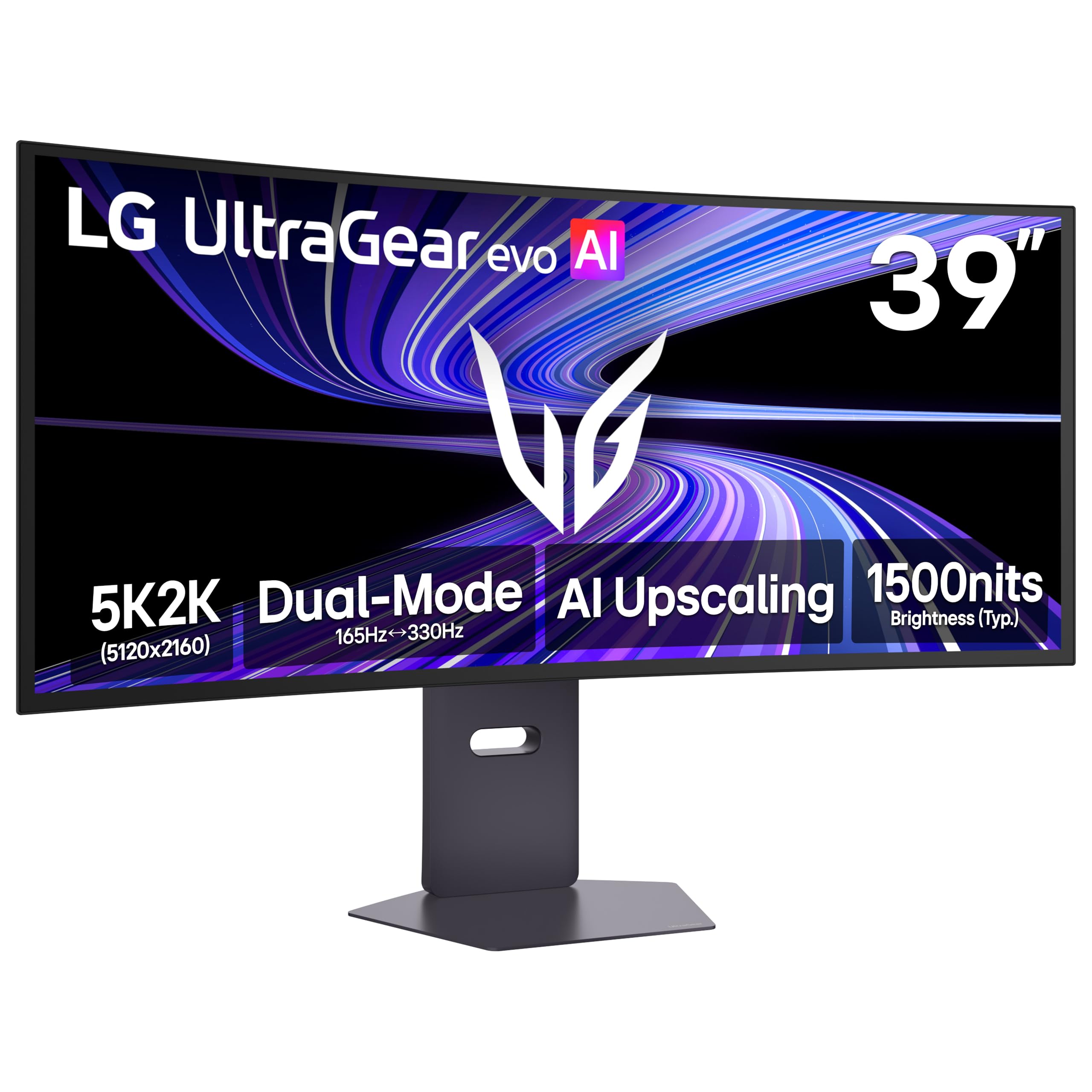
The LG 39GX950B-B is a groundbreaking ultrawide OLED that combines 5K2K resolution with a high 165Hz refresh rate on a 39-inch panel. The 4th Gen Primary RGB Tandem OLED structure delivers up to 335 nits typical brightness with improved power efficiency and stunning contrast. The 1500R curve wraps around your field of view, making it exceptional for sim racing, flight sims, and immersive single-player games.
The 143 PPI pixel density provides crisp text and fine details, crucially avoiding the softness typical of lower-density ultrawide OLEDs. AI Upscaling enhances lower-resolution content toward 5K2K, reducing the need for a GPU upgrade. Dual Mode lets you switch to Wide Full HD at 330Hz for competitive gaming. Connectivity includes DisplayPort 2.1, HDMI 2.1, and USB-C.
The monitor has a subtle matte-glossy coating that some users describe as a 2-3 on a 10-point scale, with a visible speckle pattern on dark grays at close distances. The LG software for OSD control is functional but not seamless. The 165Hz refresh rate is not the highest in the OLED ultrawide category, with some competitors reaching 240Hz.
Why it’s great
- 5K2K resolution with OLED contrast and 165Hz refresh rate
- 143 PPI ensures crisp text, unusual for ultrawide OLEDs
- AI Upscaling boosts lower-res content effectively
Good to know
- Subtle speckle pattern on dark grays at close viewing distances
- 165Hz refresh is lower than some competing OLED ultrawides
- LG OSD software could be more polished
9. Dell UltraSharp U4025QW 40-inch 5K2K

The Dell UltraSharp U4025QW is a productivity powerhouse with a 40-inch 5K2K (5120×2160) IPS Black panel that delivers a 2000:1 contrast ratio and 120Hz refresh rate. The 21:9 aspect ratio provides the horizontal real estate needed to eliminate side-to-side scrolling in spreadsheets, timelines, and code editors. The 600 nits peak brightness and DisplayHDR 600 certification keep content punchy and clear.
The built-in KVM hub is a standout feature, allowing seamless switching between two source devices with integrated Ethernet, multiple USB-A, USB-C, and DisplayPort inputs. The Thunderbolt 4 port provides up to 140W power delivery for charging demanding laptops. The anti-glare coating is effective without introducing excessive haze, and the ambient light sensor helps reduce eye strain during long work sessions.
Some users note that the IPS Black contrast, while better than standard IPS, still cannot match OLED for deep black levels in dark rooms. The build quality has a slightly plasticky feel for a premium monitor, and the lack of a remote control is a missed convenience. The physical footprint requires a deep desk—at least 30 inches is recommended.
Why it’s great
- 5K2K resolution eliminates side-scrolling in productivity workflows
- Built-in KVM hub with 140W charging and Ethernet
- IPS Black panel with 2000:1 contrast and 120Hz refresh rate
Good to know
- Requires a deep desk for proper viewing distance
- Plasticky build quality for a premium-tier monitor
- No remote control included
10. INNOCN 49Q1S OLED Curved Gaming Monitor

The INNOCN 49Q1S offers a 49-inch OLED panel at a Dual QHD resolution (5120×1440) with a 240Hz refresh rate and 0.03ms response time, making it a compelling gaming monitor in the super ultrawide category. The 1800R curvature reduces eye fatigue while providing an immersive field of view that spans nearly your entire periphery. The 32:9 aspect ratio effectively replaces a dual-monitor setup for gaming and multitasking.
Connectivity is comprehensive with two DisplayPort 1.4 ports, one HDMI 2.1, one USB-C with 90W power delivery, a USB hub, and an RJ45 ethernet port. PIP/PBP split-screen technology allows content from two separate sources to display simultaneously on the same screen. The HDR 400 certification and 99% sRGB color coverage deliver vivid colors, though the peak brightness is limited by OLED panel constraints.
Some users report that certain applications do not scale well at this resolution, resulting in tiny or misaligned text. The glossy OLED finish works well in controlled lighting but reflects strongly in bright environments. QC issues have been reported, including units failing within the first three months. The built-in speakers are adequate for casual use but lack bass for immersive gaming.
Why it’s great
- 49-inch OLED panel with 240Hz and 0.03ms response
- USB-C with 90W power delivery and built-in ethernet hub
- 1800R curve reduces eye strain during extended sessions
Good to know
- Some applications have scaling issues at DQHD resolution
- QC concerns with units failing within months
- Glossy finish reflects strongly in bright rooms
11. Samsung Odyssey OLED G9 G91SD 49-inch

The Samsung Odyssey OLED G9 G91SD brings QD-OLED technology to the 49-inch super ultrawide format, combining deep blacks with vibrant color reproduction across a Dual QHD (5120×1440) panel. The 32:9 aspect ratio at 1800R curvature provides an expansive view that is particularly effective for sim racing and flight simulators. The 144Hz refresh rate and 0.03ms response time ensure smooth, tear-free motion with G-Sync compatibility.
Samsung includes burn-in mitigation features such as Logo and Taskbar Detection, which automatically dims static elements, and a Screen Saver mode that activates after 10 minutes of inactivity. The Picture-in-Picture feature enables multitasking from two sources on a single screen without needing a second monitor. Connectivity includes DisplayPort 1.4, HDMI 2.1, and USB ports.
Some users report that the monitor suffers from VRR white flashes in specific scenarios, particularly in Firefox browser. The Single DisplayPort limitation means achieving full resolution at 144Hz requires a high-quality DP 1.4 cable. Samsung customer service experiences are mixed, with some users finding the warranty process frustrating. The 144Hz refresh rate is lower than some competing QD-OLED monitors.
Why it’s great
- QD-OLED panel delivers deep blacks and vibrant colors
- Built-in burn-in prevention with Logo/Taskbar Detection
- Picture-in-Picture from two sources on one screen
Good to know
- VRR white flashes reported in some browsers
- Warranty support experiences are inconsistent
- 144Hz refresh is below some competing QD-OLED monitors
12. Alienware AW2725DF 27-inch OLED

The Alienware AW2725DF is a 27-inch QD-OLED monitor built for competitive gaming, featuring a 360Hz refresh rate and 0.03ms response time that virtually eliminates motion blur. The QHD (2560×1440) resolution hits the sweet spot for high frame rates on current GPUs, making it an ideal choice for esports titles like Valorant, Apex Legends, and Battlefield. The infinite contrast ratio and VESA DisplayHDR True Black 400 certification deliver deep blacks and vibrant HDR highlights.
The Dell 3-year burn-in warranty provides peace of mind for OLED adoption, and the panel includes pixel-shifting and periodic pixel refresh routines to mitigate burn-in risk. Color performance is excellent with 99.3% DCI-P3 coverage and factory-calibrated Delta E less than 2, making it suitable for content consumption and light creative work. The adjustable stand offers tilt, swivel, pivot, and height adjustments.
The 1440p resolution limits productivity space compared to larger monitors. Some users report a slight purple tint on certain color tones and the glossy screen is a fingerprint magnet. The fanless design means no noise, but the heatsink can get warm during extended use. The pixel refresh process activates every few hours and lasts about 5 minutes, during which the screen briefly goes dark.
Why it’s great
- 360Hz refresh rate with 0.03ms response for elite competitive gaming
- Dell 3-year burn-in warranty for peace of mind
- Excellent color accuracy with 99.3% DCI-P3 coverage
Good to know
- 1440p resolution limits productivity screen real estate
- Glossy panel attracts fingerprints and smudges
- Periodic pixel refresh briefly interrupts use
13. Dell UltraSharp U3425WE 34-inch WQHD
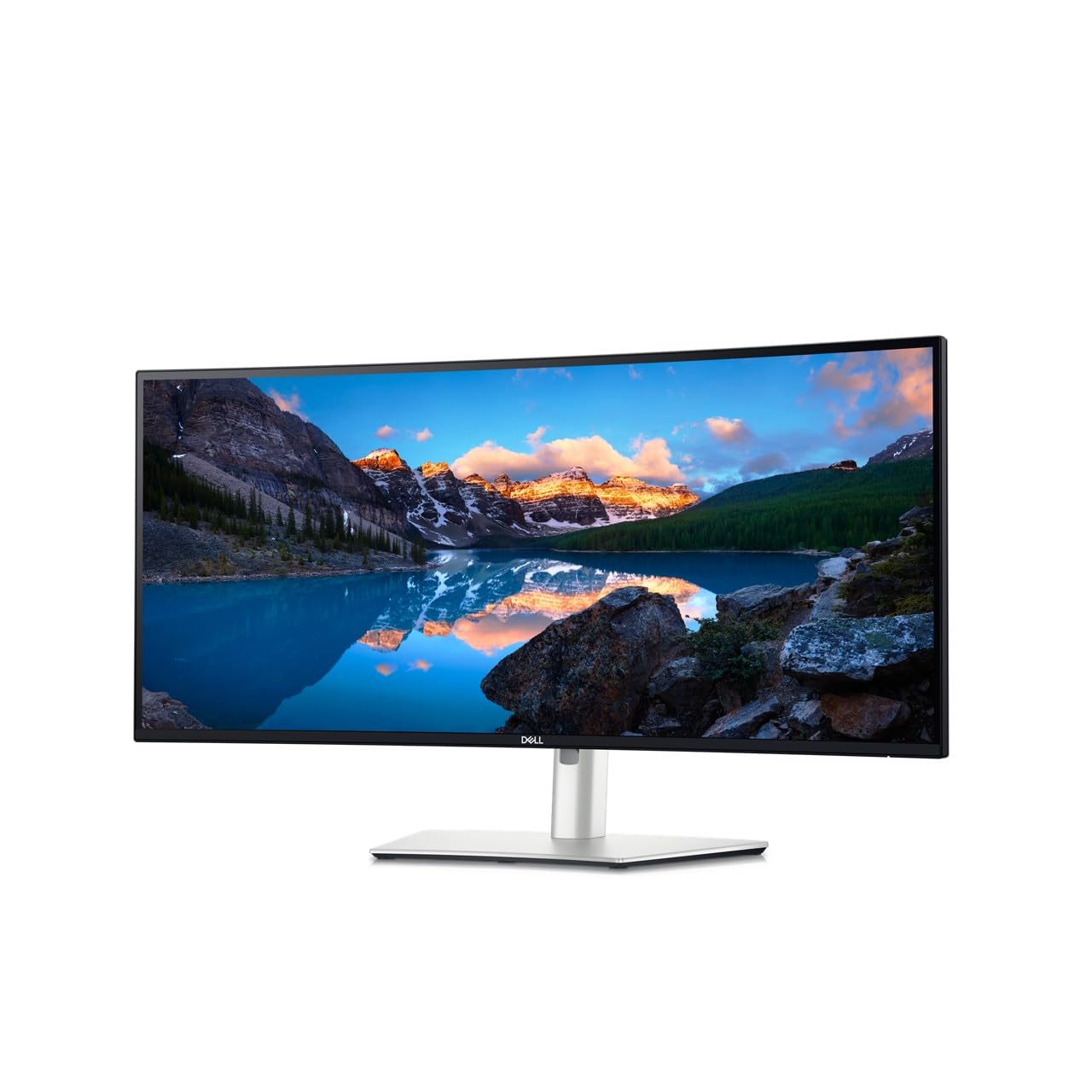
The Dell UltraSharp U3425WE is a 34-inch ultrawide IPS monitor aimed at office productivity, offering a 3440×1440 WQHD resolution with a 21:9 aspect ratio. The anti-glare coating and ambient light sensor help reduce eye strain during long work hours, while ComfortView Plus technology minimizes harmful blue light without washing out colors. The Picture-by-Picture mode allows viewing content from two sources simultaneously.
Connectivity is strong for a productivity monitor, with a built-in USB hub, USB-C with power delivery for laptop charging, HDMI, DisplayPort, and ethernet passthrough. The Digital Daisy Chain feature supports multi-monitor configurations with reduced cable clutter. The locking stand base adds security for office environments. The 5ms response time and 60Hz refresh rate are adequate for office use but not for gaming.
The 300 nits brightness is sufficient for indoor use but feels dim in brightly lit offices. Color coverage is not specified for the DCI-P3 or Adobe RGB gamuts, making it unsuitable for color-critical creative work. The resolution is WQHD, not 5K, limiting the pixel density for detailed image editing. Some users find the OSD adjustment process unintuitive.
Why it’s great
- ComfortView Plus reduces blue light for all-day work comfort
- Built-in USB hub with ethernet and PD charging
- Digital Daisy Chain for clean multi-monitor setups
Good to know
- Resolution is WQHD, not 5K, limiting pixel density
- 300 nits brightness feels dim in bright office lighting
- Not suitable for color-critical creative work
FAQ
Does a 32-inch 5K monitor provide true Retina clarity like the Apple Studio Display?
Can I daisy chain two 5K monitors from a single Thunderbolt 4 port?
Why do some 5K monitors have fuzzy text on Mac despite the high resolution?
What is the actual difference between Thunderbolt 4 and Thunderbolt 5 for 5K monitors?
Will a 32-inch 5K monitor work well for console gaming with an HDMI 2.1 connection?
Final Thoughts: The Verdict
For most users, the 32 inch 5k monitor winner is the Apple Studio Display because it delivers perfect 5K Retina clarity, premium build quality, and seamless macOS integration with best-in-class camera and audio. If you want 6K resolution for maximum screen real estate and pixel density, grab the LG 32U990A-S. And for a glossy 6K panel at a more accessible price point, nothing beats the Kuycon G32P.