
Our readers keep the lights on and my morning glass full of iced black tea. As an Amazon Associate, I earn from qualifying purchases.
Specs are compiled from manufacturer listings and verified buyer reviews and can change over time — please confirm the key details on the product page before buying.
Choosing a 60Hz 4K monitor means deciding how sharp you want your everyday work and streaming to look without paying for gaming-grade speed you do not need. The real battle here is color accuracy, brightness, and how the stand adjusts to you, not refresh rate. This guide breaks down nine of the best 60Hz 4K monitors, from value picks to premium screens, so you can match one to your desk, your Mac or PC, and your budget.
I’m Min — the founder and writer behind Gadgets Feed. This guide is built by comparing the manufacturers’ published specifications and the patterns across verified customer reviews, so you get each pick’s real strengths and trade-offs instead of marketing spin.
We dug through owner feedback on brightness, color gamut, and stand stability to find the 60hz 4k monitor that genuinely delivers crisp text and vibrant, accurate color for your daily setup.
Our Picks at a Glance



How To Choose The Best 60Hz 4K Monitor
Shopping for a 60Hz 4K monitor is less about speed and more about how good the image looks when you are staring at spreadsheets, timelines, or your favorite show. Your money goes into the panel type, the color coverage, and how bright the screen gets, so those are the specs to weigh first.
Panel Type: IPS vs VA
An IPS panel (a screen type known for wide viewing angles and consistent color from the sides) is the safe choice for most people because colors stay true even when you are not sitting dead-center. A VA panel (a screen type that offers deeper blacks and higher contrast) is better if you watch a lot of dark movies in a dim room, but colors can shift if you view it from an angle.
Color Gamut and Brightness
Color gamut is the range of colors a monitor can show, and a higher DCI-P3 percentage (a wide color standard used in film and video) means richer, more lifelike reds and greens. Brightness, measured in nits or cd/m², tells you if the screen can fight off glare from a sunny window — look for 300 cd/m² or higher for a comfortable daytime workspace.
Stand and Connectivity
A stand that only tilts might be fine for a secondary screen, but if this is your main display, height and pivot adjustments (the ability to rotate the screen vertically) save your neck during long sessions. Check the ports too — a USB-C port that also charges your laptop at 90-96 watts can replace a separate power brick and keep your desk free of cables.
Every monitor here runs at 60Hz or higher, but none are 144Hz+ gaming screens — these are built for sharp, steady work and entertainment, not competitive esports.
Quick Comparison
| Model | Best For | Panel & Contrast | Brightness | Key Ports | Amazon |
|---|---|---|---|---|---|
| LG 27UP650K-W★ Best Overall | Everyday sharpness and value | IPS, 1200:1 | 400 cd | HDMI, DisplayPort | Amazon |
| KTC 27 Inch 4KBest Value | Wide color on a budget | IPS, 1000:1 | 400 cd | HDMI 2.0 x2, DP 1.4 | Amazon |
| LG 27US500-WDesign Pick | Borderless design, simple setup | IPS, 1000:1 | 300 cd/m² | HDMI, DisplayPort | Amazon |
| ASUS VY27UQ | Eye-care extras and built-in speakers | IPS, HDR-10 | 1199.1 lm | HDMI, DisplayPort | Amazon |
| Acer CB272K | Single USB-C cable docking | IPS, 2000:1 | 350 nits | DP, HDMI, USB-C 90W | Amazon |
| LG 27US550-W | Fully adjustable workhorse | IPS, 1000:1 | 300 cd/m² | HDMI, DisplayPort | Amazon |
| LG 32UR550K-B | Big-screen immersion at 32 inches | VA, 3000:1 | 250 cd/m² | HDMI, DisplayPort | Amazon |
| Samsung ViewFinity S8 | Tool-free setup and portrait mode | LED, 1000:1 | 350 cd | HDMI, DP, USB-A, USB-B | Amazon |
| ASUS ProArt PA279CRV | Factory-calibrated photo editing | IPS, 3,000:1 | 400 cd/m² | USB-C 96W, DP, HDMI | Amazon |
In‑Depth Reviews
1. LG 27UP650K-W
Our pick — over 4.5★ from 300+ verified ratings; the strongest balance of quality and price.
The sharp, bright 4K screen that wins over nearly every buyer who makes the switch.
You get crisp text and vibrant colors on this 27-inch screen, thanks to an IPS panel (a screen type known for wide viewing angles) that covers up to 95% of the DCI-P3 color gamut — a wide color standard that makes reds and greens look richer in films and photos. It also supports VESA DisplayHDR 400 (a spec for brighter highlights and deeper shadows), so the 400 cd brightness level keeps the image clear even in a sunlit room.
Owners consistently call the image a clear upgrade — one buyer, after returning a cheaper screen, said: “I originally ordered a cheaper screen and the clarity was not good, I returned that and ordered this one and it was 1000x better.” The matte finish handles overhead light well, and the stand adjusts for height, tilt, and pivot, so you can find a comfortable angle for long work sessions.
The honest trade-off is that you do not get USB-C, speakers, or a fast refresh rate — this is a pure work-and-stream screen, not a gaming or one-cable-laptop monitor. The crowd favorite here holds a 4.7-star rating across hundreds of owners, and the praise concentrates on picture quality and value. It is the safest all-around pick on this list for anyone who wants 4K sharpness without fuss.
Why owners love it
- Text and fonts come across clear and sharp in true 4K
- Matte screen tames overhead and ambient light
- Height, tilt, and pivot adjustments make long sessions comfortable
- Works cleanly with MacBook Pro over HDMI
Know before you buy
- No USB-C port for one-cable laptop charging
- No built-in speakers
- Capped at 60Hz, so not for high-refresh gaming
Reach for this if: you want the most dependable 4K image quality and ergonomic adjustability for daily work, streaming, and photo viewing at a fair price.
Look elsewhere if: you need USB-C power delivery or built-in audio — this screen keeps its connections to HDMI and DisplayPort.
2. KTC 27 Inch 4K UHD Computer Monitor
A budget-friendly 4K panel that squeezes in a wide color gamut and a 125% color coverage spec.
This 27-inch IPS monitor covers a claimed 125% color gamut and 1.07 billion colors, which makes it a surprise performer for creative projects and editing work at an entry-level price. The 4K UHD (3840 x 2160) display at a 60Hz refresh rate keeps motion smooth enough for casual video, and the HDR 400 support (a spec for brighter highlights) helps with depth in dark scenes.
Owners praise the build quality and call it excellent value, with several noting it works plug-and-play with a Mac Mini and handles editing, office tasks, and light gaming without complaint. The pixel density gets special mention — one buyer says it is noticeably sharper than a 4K 32-inch screen, which means text and fine details look tighter on this 27-inch panel.
The catch is reliability and source-switching. A few buyers report the HDMI input drops to 30Hz after switching video sources and can black out a couple of times a day, with no fix from the manufacturer. That makes this a great pick if you leave one computer plugged in, and a less certain one if you hop between devices constantly. The brightness also draws mixed feedback — some find it excellent, others find it too dark for even mildly lit rooms.
Strong points: the quality and value are the most-discussed wins, with owners calling it a lot of screen for the money and praising the thin bezel and easy setup.
Fair warning: treat the rear controls as hard to reach, add a separate stand if you want more flexibility, and avoid heavy source-switching if you can.
Grab it for: a color-rich 4K panel on a budget where one computer stays connected most of the time.
Think twice if: you frequently switch between a laptop and desktop — the HDMI handshake can be unreliable.
3. LG 27US500-W Ultrafine Monitor
A sleek white borderless screen with strong 4K clarity, best for tidy, minimal desks.
This 27-inch Ultrafine display pairs a 1000:1 contrast ratio (the difference between the brightest white and darkest black) with up to 90% DCI-P3 color gamut, giving you deeper blacks and vivid colors in UHD clarity. The IPS panel holds wide viewing angles, so colors stay true even when you are off to the side — a real plus for creative work with detailed imagery.
The design is a big part of the appeal. Owners love the sleek white base with black edges, the thin bezels, and the way it makes a workspace look clean and modern. It works well with MacBooks, and at 27 inches it fits desks that a 32-inch screen would overwhelm — one buyer worried it would be too large and found it a perfect fit instead.
The recurring gripe is the stand, which only tilts and earns mixed feedback for wobbliness, so you may want a VESA mount (a standard hole pattern for attaching third-party arms) for stability. Setup is otherwise easy, though you will need your own HDMI-to-USB-C cable for a MacBook Air since it is not included. The image quality itself is the star here — owners consistently find it a sharp, vibrant step up in resolution.
What stands out: the picture quality and minimal appearance get the most praise, with one buyer noting it reveals far more visual detail than a 1920 x 1080 screen.
The fit note: color quality draws mixed reactions and the tilt-only stand is the weak link — plan for a mount or a stable surface.
Choose this for: a clean, borderless look with sharp 4K resolution on a desk where style and footprint matter.
Pass on it if: you need a height-adjustable stand — this one only tilts unless you add your own VESA arm.
4. ASUS VY27UQ

A 4K screen that looks after your eyes and skips the need for separate speakers.
This 27-inch UHD (3840 x 2160) IPS monitor covers 99% sRGB with 10-bit color, which explains why owners describe the image as excellent and easy on the eyes during long sessions. HDR-10 support (a format that boosts bright and dark areas) adds contrast and color accuracy for a more lifelike picture, and the 178-degree viewing angle keeps things sharp from the side.
The Eye Care Plus suite is the differentiator here — it includes a Color Augmentation mode that helps people with color-vision deficiency tell colors apart, plus a Rest Reminder to manage screen time. A proprietary treatment also inhibits the growth of bacteria and fungi on the bezels and hotkeys, which is a rare hygiene touch you will not find on other monitors in this class.
The built-in speakers are useful for casual audio, though owners are clear they are not for real music or movie listening — expect tinny sound and, in quiet rooms, a faint hum. The build is mostly plastic, but the image quality changes the impression quickly: the DisplayWidget software and a 3-year warranty with advanced replacement round out a solid value package for productivity.
What gets the praise
- Eye-care features including a color-vision aid and rest reminders
- 99% sRGB with 10-bit color for accurate everyday work
- Built-in speakers save desk space and extra cables
- 3-year warranty with advanced replacement and repair
What to expect
- Speakers are basic — fine for calls, not for music
- Plastic build feels less premium than rivals
- Compatibility mix-reviewed with some systems
Best suited to: anyone who spends long hours at a desk and wants eye-strain relief plus built-in audio without extra gear.
Not for: audiophiles or buyers who want a premium metal chassis — this one prioritizes comfort features over build materials.
5. Acer CB272K

An office-focused 4K monitor that charges your laptop through a single USB-C cable.
This 27-inch monitor turns a USB 3.1 Type-C port into a full dock — it handles display, data transfer, and device charging all at once, delivering up to 90 watts of power to your laptop. That means one cable connects your machine and keeps it charged, which is a standout convenience for a tidy desk. The ZeroFrame design (a nearly bezel-less edge) boost visible screen from edge to edge.
Color accuracy gets real attention here with 99% sRGB coverage and a 2000:1 contrast ratio (a strong difference between bright and dark areas), and the 350-nit brightness keeps it usable in well-lit offices. AMD FreeSync (a tech that syncs the monitor’s frames with your graphics card) also reduces screen tearing, and the Eyesafe Display filter cuts high-energy blue light without washing out color quality.
Owners praise the image quality and say it works even with a weak laptop GPU, but the reliability feedback is the note to weigh. Multiple owners mention the monitor keeps disconnecting from the PC and that some units last about a year before hardware failure, while others call it a very good office monitor. The USB-C power also cuts when the monitor sleeps, which can force the laptop to sleep — a hassle worth knowing before you buy.
The upside: the single-cable USB-C dock with 90W charging is the defining feature, backed by 99% sRGB color and a 350-nit bright panel.
The honest caution: reliability is the most-discussed negative — if you buy, test the connection and USB-C power behavior early in the return window.
Pick this if: you want to declutter your desk with one USB-C cable that displays, charges, and transfers data to a compatible laptop.
skip it if: you cannot tolerate connection hiccups — the disconnecting reports and sleep-mode power cut make this a gamble.
6. LG 27US550-W
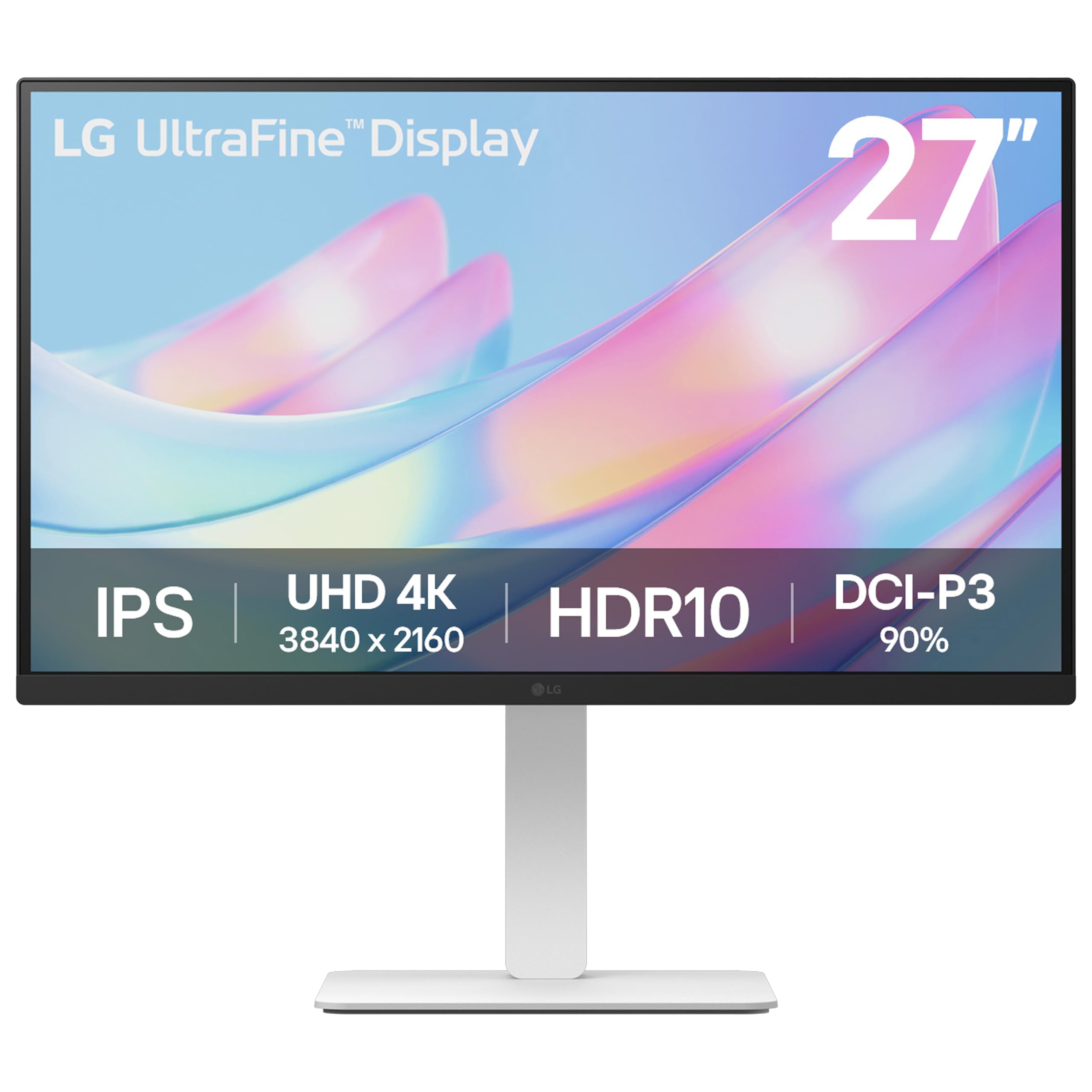
A 4K workhorse that moves with you — tilt, height, swivel, and pivot all included.
This 27-inch Ultrafine IPS monitor lets you customize your view with flexible tilt, height, swivel, and pivot adjustments, so you can rotate the screen into portrait for long documents or find the exact height that spares your neck. The 4K UHD (3840 x 2160) resolution with a 1000:1 contrast ratio gives creative professionals wide viewing angles and highly detailed imagery to work with.
HDR10 support (a format for brighter highlights and deeper blacks) brings up to 90% DCI-P3 color gamut expression, and the Switch app can split the screen into up to 6 sections for multitasking. Owners describe it as simple to use with great results, praising the resolution, screen space, and brightness, and one buyer specifically notes the nice stand with height, tilt, and swivel adjustment.
The main caveats: there are no speakers, and the 36-inch power cord has a bulky plug that can cover extra outlets. One reviewer noted 4K capping at 30Hz on a single connection, another saw a pixel-line static defect on one unit, and a third hit major connection issues with a new iPad 6th gen — so verify compatibility with newer tablets before you commit.
The draw: the four-way adjustable stand is the headline feature, making this among the most flexible ergonomic options for long sessions.
The trade-off: no speakers and a short power cord are the recurring complaints, with occasional connection quirks on newer devices.
Best for: desk workers who want full ergonomic control and a bright, sharp 4K panel for non-gaming use.
Not ideal for: anyone who needs built-in audio or plans to plug in a brand-new iPad — check device compatibility first.
7. LG 32UR550K-B

A spacious 32-inch 4K screen with deep VA contrast and built-in audio for rich viewing.
This 32-inch Ultrafine monitor gives you a large canvas for editing, streaming, and multitasking. Its VA panel (a screen type prized for deep blacks and high contrast) delivers a 3000:1 contrast ratio — noticeably deeper darks than the 1200:1 and 1000:1 IPS screens on this list. HDR technology supports up to 90% of the DCI-P3 color space, and the built-in speakers with Waves MaxxAudio add immersion without extra gear.
It carries gaming-minded extras like Dynamic Action Sync and Black Stabilizer, but owners agree it is really a productivity screen — sharp text, effective anti-reflective glass, and good color off-axis make it comfortable for long work stretches. The stand is sturdy, tool-free, and height/rotate adjustable, and it works cleanly with a Mac Mini over DisplayPort at 60Hz.
The practical notes are modest: there are no USB ports, the input does not auto-select (you use the joystick to switch), and the low-volume power on/off chimes are a minor quirk. Picture quality draws mixed feedback across owners — most find it excellent, but a few report blurrier images, so if you sit very close to large screens, weigh that before buying.
Where it shines
- 3000:1 contrast ratio for deep, rich blacks
- 32-inch size feels rich for movies and multitasking
- Built-in speakers with Waves MaxxAudio
- Tool-free height and rotate adjustable stand
Points to consider
- No USB ports on the monitor
- Input not auto-selected — manual switch via joystick
- 250 cd/m² brightness is the lowest on this list, so a bright room will challenge it
Reach for it if: you want a big, cinematic 4K screen with strong contrast and built-in audio for a media-heavy desk.
Look elsewhere if: your workspace is very bright — the 250 cd/m² peak is dimmer than every other pick here, and blur reports make it a fit for most, not all.
8. Samsung ViewFinity S8 (S80D)

A 4K monitor that sets up in seconds with no tools and pivots 90 degrees for documents.
This 27-inch ViewFinity S8 delivers crisp 4K UHD (3840×2160) resolution with high pixel density, which owners say suits professional work in Photoshop and Lightroom beautifully. The Easy Setup Stand needs no tools or screws and releases with the push of a button, and the screen pivots a full 90 degrees — perfect for reading long documents with less scrolling.
Connectivity is generous with HDMI, DisplayPort, USB-A, and USB-B ports, and the included cables cover display and hub needs from the start. HDR10 provides deeper contrast with darker darks and brighter brights, and the TÜV-certified eye care reduces flicker and excessive blue light with Eye Saver Mode. Owners call the colors lively with no backlight bleed, and it pairs beautifully with a Mac Mini M4.
The mixed note is adjustability — some find the stand great, others wish for more freedom in the angle. There is also a report of a dead-pixel line on one unit, though owners note dead pixels are not a widespread concern. The single back control button draws some frustration, but the factory settings are good enough that most buyers never touch it.
The appeal: the tool-free stand and portrait pivot make this the fastest monitor to set up and the easiest to repurpose for vertical work.
The trade-off: the control scheme is counterintuitive, and some owners found the adjustability range less flexible than expected.
Pick this if: you want a no-screw setup, a USB hub for peripherals, and the option to rotate into portrait for documents and code.
Move on if: you need heavy ergonomic customization beyond height and pivot, or you prefer dedicated physical controls over a single button.
9. ASUS ProArt PA279CRV

A factory-calibrated 4K screen built for photographers and video editors who need accurate color from the start.
This 27-inch ProArt monitor is the color-accuracy specialist here, factory pre-calibrated to a Delta E < 2 spec (a measurement of color error where lower is better) and Calman Verified, with 99% DCI-P3 and 99% Adobe RGB coverage. For photo and video editing, that means colors are correct the moment you plug it in — owners measured 99.5% sRGB and 99% Adobe RGB right from the start, calling the calibration spot-on.
Connectivity is the other headline: DisplayPort over USB-C with 96-watt Power Delivery charges your laptop through one cable, plus DisplayPort, HDMI, and a USB hub, with daisy-chain support to run multiple monitors from a single connection. The 400 cd/m² brightness and 3,000:1 contrast ratio keep images punchy, and the adjustable stand offers tilt, swivel, pivot, and height for long editing sessions.
The catch for everyday buyers: setup demands tinkering — you need to change power settings, disable eco and deep-sleep modes, and turn off auto-detection to avoid connection and wake issues, so it suits owners comfortable digging into menus. The built-in speakers are weak, and the screen runs heavy to assemble. But for color-critical work, the 5-year warranty (3 years plus 2 with registration) and factory accuracy make it the professional’s choice.
The professional edge
- Factory-calibrated Delta E < 2 color accuracy, Calman Verified
- 99% DCI-P3 and 99% Adobe RGB coverage for editing
- USB-C with 96W power delivery charges a laptop via one cable
- 5-year warranty with online registration
Be ready for
- Setup requires power-setting tweaks to avoid wake issues
- Weak built-in speakers are a minor letdown
- Heavy to assemble — plan for a sturdy surface
Choose this for: photo and video editing where factory-accurate color and one-cable laptop charging justify the premium price.
pass on it if: you want a plug-and-play screen with no menu digging — this one rewards the tinkerer, not the casual viewer.
Understanding the Specs
Color Gamut (DCI-P3 and sRGB)
Color gamut is the range of colors a monitor can display, and it is the single biggest factor in how vibrant your screen looks. DCI-P3 is a wide color standard used in film and video production — a monitor with 95% DCI-P3 coverage shows richer, more lifelike reds and greens than one at 90%. sRGB is the standard for web and everyday content, and 99% coverage means accurate colors for photos and office work. The KTC and LG 27UP650K-W both reach 95% DCI-P3, while the ASUS VY27UQ and Acer CB272K hit 99% sRGB.
Brightness (nits and cd/m²)
Brightness tells you how well a screen fights glare and how punchy HDR content looks. It is measured in nits or cd/m² — they are the same unit, just different names. A 400 cd/m² screen like the LG 27UP650K-W stays clear in a sunny room, while a 250 cd/m² panel like the LG 32UR550K-B will struggle next to a bright window. A good 60Hz 4K monitor for daily work should hit at least 300 cd/m²; anything below that is best for dim, controlled lighting.
FAQ
Will a 60Hz 4K monitor work well with a MacBook?
Is a 60Hz refresh rate enough for gaming?
What is the difference between an IPS and a VA panel?
Does a 4K monitor need a powerful computer to run?
What does HDR400 or HDR10 actually mean for a monitor?
Should I get a 27-inch or 32-inch 4K monitor?
Can I mount these monitors on a wall or arm?
Do these monitors have built-in speakers?
What is a USB-C dock feature and do I need it?
How long should a 60Hz 4K monitor last?
Final Thoughts: The Verdict
For the majority of shoppers, the 60hz 4k monitor winner is the LG 27UP650K-W because it pairs the highest owner satisfaction with crisp text, a 400 cd brightness that handles bright rooms, and a fully adjustable stand at a fair price. If you want wide color coverage on a budget, grab the KTC. And for photo and video editors who need factory-accurate color and one-cable laptop charging, the ASUS ProArt PA279CRV is the one to reach for.
How We Picked
We do not accept paid placement. Every pick is matched to a real buyer and a real use-case; we do not hands-on test units.
Sources & Methodology
Specifications: manufacturer listings and product documentation. Review insights: verified customer reviews, as of September 2026. Pricing: not shown on this page (it changes often); check the current price via the retailer link.
As an Amazon Associate, Gadgets Feed earns from qualifying purchases. This does not affect which products we feature.