
Our readers keep the lights on and my morning glass full of iced black tea. As an Amazon Associate, I earn from qualifying purchases.
Specs are compiled from manufacturer listings and verified buyer reviews and can change over time — please confirm the key details on the product page before buying.
Before you buy a 3.5-inch internal drive, ask yourself one honest question: are you building a media library or a gaming machine? A 7200 RPM (revolutions per minute, or how fast the platters spin) drive loads games faster than a 5400 RPM one, but a high-capacity 5400 RPM drive stores far more movies for the same money. The best 3.5 inch hard disk drive for you depends on what you do daily—mass storage, operating systems, gaming, or round-the-clock surveillance recording—so match the hardware to your real workload.
I’m Min — the founder and writer behind Gadgets Feed. This guide is built by comparing the manufacturers’ published specifications and the patterns across verified customer reviews, so you get each pick’s real strengths and trade-offs instead of marketing spin.
If you need a massive 8TB media vault, a 5400 RPM drive gives you the most capacity per dollar. If you need a fast boot drive for your operating system, a 7200 RPM model with a larger cache (a small amount of fast memory that holds frequently used data) will feel snappier. Match the spindle speed and cache to your specific daily tasks, and you will get the right drive for your build.
Our Picks at a Glance


How To Choose The Best 3.5 Inch Hard Disk Drive
Before you click buy, you need to decide what this drive will do all day. A drive that boots your operating system needs different traits than one that stores your photo archive. Here are the three decisions that matter most.
Match the spindle speed to the job
The spindle speed—how fast the platters spin, measured in RPM—sets the personality of the drive. A 7200 RPM drive reads and writes faster, which makes it the right pick for running games or software. A 5400 RPM drive is quieter and runs cooler, but it trades speed for capacity, making it ideal for storing files you open less often.
Check the cache for sustained transfers
Cache is the drive’s short-term memory, measured in megabytes. A larger cache—256MB versus 64MB—keeps more data ready before it hits the platter. That matters when you move large video files or run an application that reads many small files in a row.
Consider the duty cycle for 24/7 use
If the drive will record security cameras or run in a server, a desktop drive may wear out early. Surveillance and enterprise drives are built with firmware tuned for continuous writes and higher workload ratings, so they keep up with cameras that never sleep.
Quick Comparison
| Model | Best For | Capacity | Spindle Speed | Cache | Amazon |
|---|---|---|---|---|---|
| Seagate 8TB BarraCuda★ Best Overall | Mass media storage | 8 TB | 5400 RPM | 256 MB | Amazon |
| WD Blue 1TBTop Performer | Reliable everyday PC | 1 TB | 7200 RPM | 64 MB | Amazon |
| WD Black 4TBPremium Pick | Performance gaming & apps | 4 TB | 7200 RPM | 64 MB | Amazon |
| HGST Ultrastar 4TB | Used servers & NAS | 4 TB | 7200 RPM | 64 MB | Amazon |
| Hitachi Ultrastar 3TB | Budget game storage | 3 TB | 7200 RPM | 64 MB | Amazon |
| Seagate SkyHawk 6TB | 24/7 surveillance DVR/NVR | 6 TB | — | 256 MB | Amazon |
| MDD 2TB 7200RPM | Budget desktop backup | 2 TB | 7200 RPM | 64 MB | Amazon |
| MaxDigitalData 1TB | Entry surveillance DVR | 1 TB | 5900 RPM | 64 MB | Amazon |
In-depth Reviews
1. Seagate 8TB BarraCuda Internal Hard Drive (ST8000DM004)
Our pick — over 4.5★ from 105,000+ verified ratings; the strongest balance of quality and price.
The media hoarder’s dream vault that swallows entire libraries without breaking a sweat
This is the drive to pick when your collection has outgrown every other drive you own. Its 8 TB of space is a massive 8.0x jump over a 1TB drive like the WD Blue, and its 256MB cache is a 4.0x leap over that same drive’s 64MB buffer. That combination means huge movie folders and photo archives move in one go, with less waiting on sustained transfers.
Spinning at 5400 RPM, it trades a little burst speed for quiet, cool operation and an exceptional amount of room per dollar. The standout spec and the thing owners praise most is performance overall, and the value for money is a close second. This is an ideal fit for mass storage and backups, not for running your operating system—keep an SSD for that role.
Installation is genuinely simple, and it arrives in an anti-static bag only, no cables or box. The recurring gripes are noise under heavy load and slower random access times, which is the trade-off for this much capacity at this tier.
Best capacity per dollar
- 8TB of space handles entire media libraries and game collections without filling up
- 256MB cache smooths out big file transfers
- Easy plug-in install that needs no software downloads
Slow 5400 RPM drive
- 5400 RPM means slower access when opening many small files
- Can get noticeably noisy when it’s working hard
- Best as a storage drive, not an OS boot drive
the pick for: anyone archiving movies, photos, or backups who wants the most room for the money.
think twice if: you plan to boot Windows from it—speed this low will frustrate you.
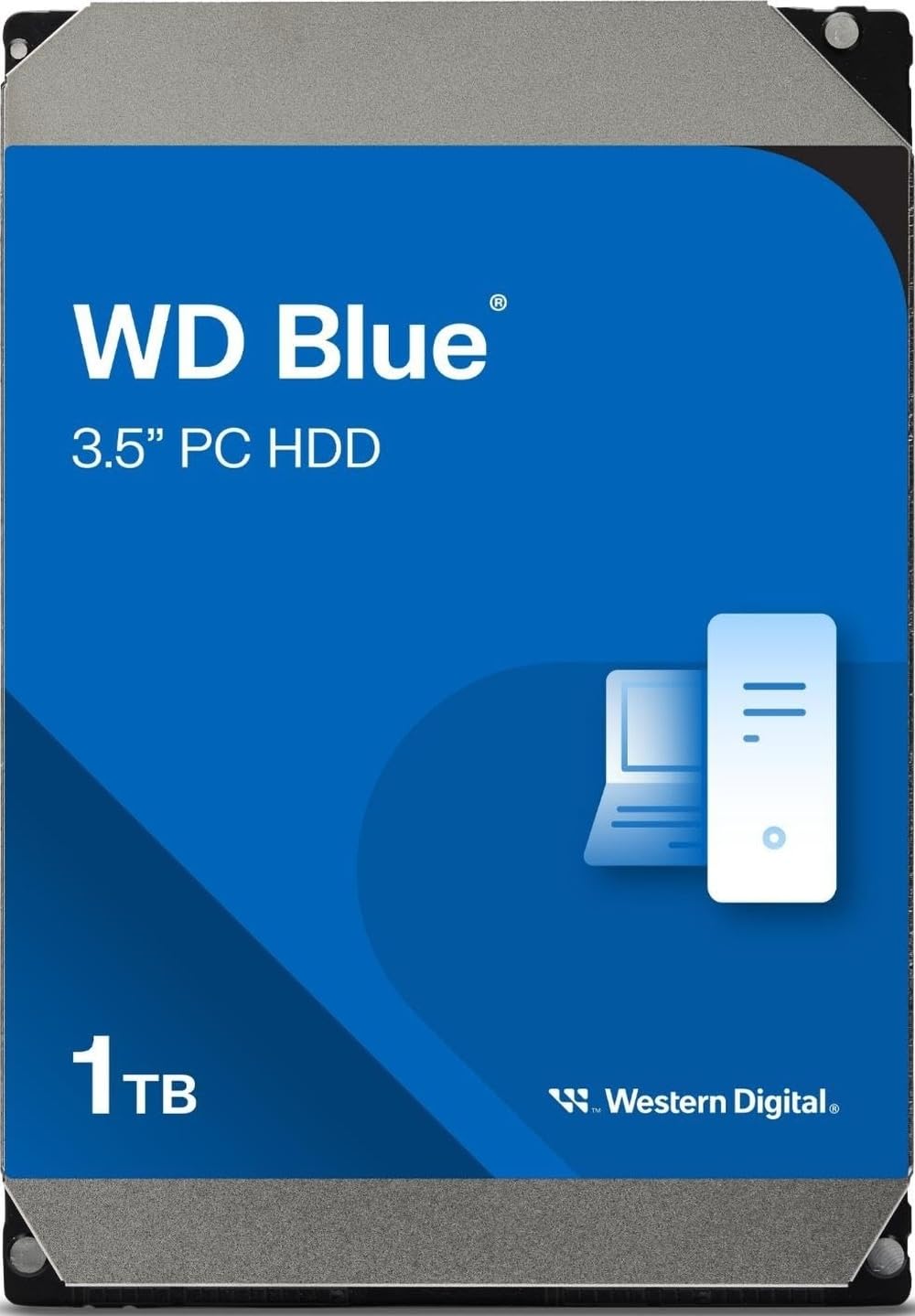
2. Western Digital 1TB WD Blue (WD10EZEX)
The dependable daily driver that has powered office PCs for years
If you need one drive that simply works for everyday computing, this is the benchmark. It spins at 7200 RPM, which gives you snappier loading of applications and files than a slower 5400 RPM drive. Its 64MB cache pairs with an average latency of just 2.22 milliseconds, so the drive finds and delivers data quickly without hesitation.
Reliability is the single biggest reason people buy this drive again and again—it’s the aspect that wins owners over above all others. The 1TB capacity works out to about 931.5GB of actual usable space, and owners mention using it as an operating system drive for 5+ months without a hiccup. It also includes free Acronis True Image WD Edition cloning software, which makes migrating from an old drive a straightforward process.
There’s a reason this remains a crowd favorite across nearly 900+ owner reviews. As customers note, it “performs same as 1TB Black” and runs faster than the Green series with no intellipark. The one genuine caveat is compatibility—a small number of systems had trouble recognizing it, and older versions of Windows may need 4KB sector alignment. Runs cooler and quieter than the higher-end Black series, making it the sensible pick for a typical desktop.
reach for this if: you want a proven, fast boot drive for a standard desktop build.
look elsewhere if: you need massive single-drive capacity—1TB fills quickly with games.
3. WD Black 4TB Performance Desktop Hard Drive (WD4003FZEX)
The high-end game vault with a five-year safety net behind it
This is the drive you buy when you want speed and capacity without compromise. It’s built with a Dual Core Processor, High Resolution Controller, and StableTrac Technology—features designed to keep the platters steady and the data flowing. Reviewers point out burst speeds around 250MB/s and continuous transfers near 150MB/s, which makes it genuinely quick for a mechanical drive.
The 4TB capacity holds up to 800,000 digital photos or 300 hours of HD video, per the manufacturer. Performance is the aspect most praised, with reliability a close second. An owner even noted it hasn’t failed after 4 years of use. The 5-year manufacturer limited warranty is the longest on this list, showing WD’s confidence in this hardware.
The trade-off is unmistakable: it’s loud. Owners describe an audible clanking sound on writes, and if your PC sits on your desk, you will hear it working. It also costs more per gigabyte than a BarraCuda, so you’re paying for speed and durability. Keep your OS on an SSD and use this purely for games and programs—that’s exactly what owners recommend doing.
Speed for heavy tasks: gamers and creators who want max mechanical speed and a 5-year warranty.
Pricey and loud: this drive is audibly loud, so noise-sensitive users should pick something quieter.
4. HGST Ultrastar 7K4000 4TB Enterprise Hard Drive (Renewed)

A used enterprise workhorse that punches above its price for big backups
This is a refurbished enterprise drive, and that pedigree shows in its raw speed. Shoppers say read speeds of 171-172 MB/s and write speeds between 150-251 MB/s, which puts it ahead of many desktop drives. The 7200 RPM spindle and 64MB cache keep it moving, and the 4TB capacity gives you serious room for backups.
Owners praise the performance and the value, and a 3-year warranty adds confidence that is rare on a renewed drive. One storage server owner sums it up well: “You may get a bad one here and there, but the company is excellent at getting a new one out to you.” The seller claims the drive was tested with zero bad blocks before shipping, so you can trust it for your media library.
The honest caveat is that reliability gets mixed feedback—most owners are happy, but a few experienced failures within a month. It also runs loud and runs hot, which makes it a poor fit for a quiet, unventilated desktop. This drive belongs in a server, a NAS, or a well-cooled PC case where its noise won’t bother you and its speed will.
best if: you run a storage server and want enterprise-grade speed at a budget price.
not for: quiet home desktops—this drive is loud and runs warm.
5. Hitachi Ultrastar 7K3000 3TB Enterprise Hard Drive (Renewed)

The speedy 3TB game drive that delivers transfer rates over 100MB/s
If you want a big, fast drive for games without spending much, this refurbished enterprise drive delivers. The 7200 RPM spindle pushes transfer speeds well beyond 100 MB/s, with one owner recording 180MB/s write speeds. Owners describe it as a “great budget game drive” with about 2.8TB of usable space after formatting.
It’s tested with Hitachi’s diagnostic software and certified with zero bad sectors, which addresses the biggest fear of buying renewed. The 64MB cache and SATA III 6.0Gb/s interface mean it slots into any modern desktop easily. It’s built for servers and RAID, so it can handle the constant reads and writes of game loading screens without complaint.
The catch is the “high mileage” reality of these drives—one owner found 88,000+ power-on hours, meaning over 10 years of prior use. It’s a used drive, so treat it as storage for non-essential archives, not your only copy of irreplaceable data. Noise is also mixed; some find it quiet, others call it loud during operation.
pick this if: you need a large, fast drive for games and can accept a refurbished unit.
skip it if: you want a brand-new drive for critical data—this one has prior mileage.
6. Seagate SkyHawk 6TB Surveillance Internal Hard Drive (ST6000VX001)

The 24/7 recorder built to never stop writing security footage
This drive is engineered for one job: writing video streams nonstop. Its Image Perfect firmware keeps footage crisp, and it’s rated for a maximum 180TB/year workload—3x the rating of a desktop drive. That workload headroom is exactly why a camera system won’t burn through it the way it would a standard drive.
The 6TB capacity holds up to 10,000 hours of HD video—over 3 months of footage for a 10-camera setup, per owners. Reliability is the most-praised aspect, and it’s also available in capacities up to 10TB if you ever need more. Rotational vibration sensors help maintain performance in multi-drive RAID systems.
Buyers report using it with Ubiquiti, Swann, and other systems with zero issues. One owner notes it’s held up reliably since 2021. Durability does get occasional negative feedback in the long run, and noise is mixed—some say silent, others find it loud. This is the right choice for a DVR or NVR, not a gaming PC.
the one to get: when you’re upgrading a security camera system and need a drive that handles constant writes.
not for: general desktop use—you’d pay a premium for surveillance features you don’t need.
7. MDD 2TB 7200RPM Internal Desktop Hard Drive

A fast 2TB workhorse that does the job at about half the OEM price
This is the sensible budget pick for a desktop that needs more room. The 7200 RPM spindle and 64MB cache keep application loads and transfers moving quickly, and the 2TB capacity is the right middle ground for most users. It’s a bare drive with a 2-year warranty, no screws, cables, or accessories in the box, so have your mounting hardware ready.
Buyers describe it as easy to install and ready to use without additional setup. Functionality is the most-praised aspect, with value for money right behind it. One owner called it a “well-built 2TB drive” that restored their system quickly after a previous drive failed. It works for desktop PCs, Macs, NAS, RAID, and surveillance systems.
Noise gets mixed feedback—some find it surprisingly quiet, others find it noisy. There’s also a rare report of a drive arriving damaged due to thin packaging, so check SMART health after install. For a straightforward, affordable storage upgrade, this delivers exactly what it promises.
grab this for: a simple, low-cost capacity upgrade for a desktop or small server.
look past it if: you need surveillance-rated durability or a larger single capacity than 2TB.
8. MaxDigitalData 1TB Surveillance CCTV DVR Hard Drive (Renewed)

The entry-level DVR drive that keeps recording with zero fuss
This is the affordable answer for a home security system that needs a simple, reliable recording drive. It’s rated for 24/7 operation and tune for video streams, with a 5900 RPM spindle and 64MB cache. The 1TB capacity provides about 30 days of recording at 30 FPS and 720P, suiting a small camera setup.
Designed for quiet operation and low power consumption, it runs cool and doesn’t drain your DVR’s power supply. It arrives “like new” per the seller, with 0 power hours and 0 bad sectors, plus a 2-year warranty. Owners mention it works perfectly with Sannce Lite and Swann DVR systems, and that it’s the “best priced hard drive” they’ve found.
Owners also note recording and playback are smooth, with video accessible from a week prior or further. This is a renewed drive, so it’s best for recording and less critical archive needs. If your camera system has only a few channels, this keeps costs low without compromising recording reliability.
choose this if: you’re setting up a small DVR system and want reliable recording on a budget.
pass on it if: you need a large capacity or a brand-new drive with a longer manufacturer history.
Understanding the Specs
Cache Memory Size
Cache is the drive’s staging area, measured in megabytes. A bigger cache, like 256MB, lets the drive hold more data before writing it to the platters. That smooths out sustained transfers of large files, which is why high-capacity drives like the BarraCuda pair well with big media workloads. A 64MB cache is still perfectly fine for everyday desktop tasks.
RPM and Workload Ratings
RPM tells you how fast the platters spin, which directly affects how quickly the drive reads and writes. Faster 7200 RPM drives feel snappier for games and apps. But for 24/7 jobs like surveillance, what matters more is the workload rating—how much data the drive can write per year. A surveillance drive rated for 180TB/year won’t wear out like a desktop drive.
FAQ
What does the cache size on a 3.5 inch hard drive actually do?
Is a 7200 RPM drive always better than a 5400 RPM drive?
Can I use a desktop hard drive for my security camera DVR?
What does the actual usable capacity look like on a 1TB drive?
What is the difference between a desktop drive and an enterprise drive?
Should I install my operating system on a hard drive or an SSD?
Are renewed or refurbished hard drives safe to buy?
Why is my new hard drive not showing up in Windows?
How long will a 3.5 inch hard drive last?
What is the best RPM for a NAS or RAID setup?
Final Thoughts: The Verdict
Across the board, the 3.5 inch hard disk drive winner is the Seagate 8TB BarraCuda because its massive 8TB capacity and 256MB cache give you the most storage for your money. If you want a fast, reliable everyday drive for a desktop, grab the WD Blue 1TB. And for a 24/7 security camera system, the Seagate SkyHawk 6TB is the one to reach for.
How We Picked
We do not accept paid placement. Every pick is matched to a real buyer and a real use-case; we do not hands-on test units.
Sources & Methodology
Specifications: manufacturer listings and product documentation. Review insights: verified customer reviews, as of September 2026. Pricing: not shown on this page (it changes often); check the current price via the retailer link.
As an Amazon Associate, Gadgets Feed earns from qualifying purchases. This does not affect which products we feature.