
The glow spilling from your monitor into a dark room creates an intense contrast that forces your eyes to work harder. The result is fatigue, headaches, and reduced focus during long work sessions or late-night gaming marathons. A purpose-built monitor backlight solves this by adding balanced ambient illumination behind the screen, effectively neutralizing that harsh contrast and keeping your vision comfortable for hours.
I’m Min — the co-founder and writer behind Gadgets Feed. I’ve spent countless hours analyzing optical designs, color-rendering specs, and user-reported comfort data across dozens of monitor light products to identify which backlights truly deliver on their promises without introducing new problems.
This guide breaks down the top contenders by their real performance, build quality, and unique feature sets, helping you choose the best backlight for monitor that matches your workspace and your eyes.
How To Choose The Best Backlight For Monitor
Not all monitor backlights are built the same, and the wrong choice can actually make eye strain worse. The three core factors that define the user experience are the type of light (front bar vs. rear strip), the quality of the light itself, and how you control it.
Front Bar or Rear Strip
A monitor light bar sits on top of the screen and projects light downward onto your desk while often including a rear-facing backlight for ambient bias. A rear strip mounts directly to the back of the monitor and emits light solely toward the wall behind it. Front bars are better for illuminating your keyboard and workspace, while rear strips are purely for reducing eye strain through ambient bias. Some premium front bars now combine both functions.
Light Quality: CRI, Color Temperature, and Flicker
CRI (Color Rendering Index) measures how accurately a light source reveals true colors — aim for 95 or higher if you do color-sensitive work. Color temperature range, typically 2700K to 6500K, determines whether the light feels warm and cozy or cool and clinical. Flicker-free LEDs are non-negotiable for sensitive eyes, as even invisible flicker at 60Hz can cause headaches over time.
Controls and Automation
Wireless remotes, motion sensors, and auto-dimming features dramatically improve daily usability. A puck-style remote with stepless brightness and color temperature adjustment lets you fine-tune the light without reaching behind the monitor. Motion sensors that automatically turn the light on and off as you sit or leave save energy and ensure consistent comfort without manual effort.
Quick Comparison
On smaller screens, swipe sideways to see the full table.
| Model | Category | Best For | Key Spec | Amazon |
|---|---|---|---|---|
| BenQ ScreenBar Halo 2 | Premium Front Bar | All-Day Eye Comfort | CRI > 95, 2700K–6500K | Amazon |
| Philips Hue Gradient PC Lightstrip | Smart Rear Strip | Immersive Gradient Sync | Millions of Colors, Zigbee | Amazon |
| LYMAX Monitor Light Bar | Mid-Range Front Bar | Motion Sensor Convenience | Radar Sensor, 2700K–6500K | Amazon |
| Quntis Monitor Light Bar (20.1″) | Wide Front Bar | Large Monitor Coverage | 88 Front + 55 Back LEDs | Amazon |
| Quntis Computer Monitor Light Bar (16.1″) | Compact Front Bar | Budget-Friendly Dual Light | Ra95 CRI, 84 LEDs | Amazon |
| Govee Gaming Light G1 | Gaming Rear Strip | RGBIC Screen Matching | 108 LEDs, 123 Modes | Amazon |
| Nanoleaf PC Screen Mirror Lightstrip | USB-C Rear Strip | Direct PC Audio Sync | 75 LEDs, USB-C Powered | Amazon |
In‑Depth Reviews
1. BenQ ScreenBar Halo 2

The BenQ ScreenBar Halo 2 is the gold standard for monitor backlighting, combining a precision 18° asymmetrical front beam with a wide, adjustable ambient backlight on the rear. Its aluminum build and polished finish feel substantial, and the wireless puck controller provides intuitive stepless brightness and color temperature control from 2700K to 6500K. The built-in motion sensor automatically turns the light on when you sit down and off after a period of inactivity, saving energy without any manual input.
With a CRI exceeding 95, color-critical professionals like photographers and designers can trust the Halo 2 not to interfere with monitor calibration. The backlight effectively reduces the contrast between the bright screen and a dark wall, which is the primary cause of digital eye strain. It fits monitors with thicknesses from 0.17 to 2.36 inches and supports 1000R to 1800R curved screens without any wobble.
The wireless controller includes a “My Favorite” mode that remembers your last settings, and the auto-dimming feature adjusts brightness based on ambient room light. The only real trade-off is the price, which sits at the premium end of the market, and the external webcam accessory may require slight tape adjustment for proper placement. For anyone spending eight or more hours in front of a screen, the investment pays for itself in reduced eye fatigue.
Why it’s great
- Superb CRI > 95 for accurate color reproduction
- Dual front and backlight with independent adjustment
- Wireless motion sensor and auto-dimming save hassle
- Flicker-free and blue-light hazard-free certification
Good to know
- Premium pricing places it above mid-range alternatives
- Webcam placement may need minor modification on some monitors
- Backlight could project further downward for larger desks
2. Philips Hue White and Color Ambiance Gradient PC Lightstrip

If you already own a Philips Hue Bridge, the Gradient PC Lightstrip is the most seamless smart backlight you can attach to a monitor. It uses Zigbee for a stable, Wi-Fi-independent connection and produces rich gradient lighting that can display multiple colors simultaneously across its length. The included mounts bend easily around corners, making it suitable for 24-to-27-inch flat or curved monitors.
The Hue Sync desktop app matches the lightstrip’s colors to on-screen content in real time, creating an immersive halo effect for games and movies. Voice control via Alexa, Google Assistant, or HomeKit means you can adjust the light without touching a button. The lightstrip also functions as a standard Hue light, allowing you to set routines, timers, and scenes from the mobile app.
At roughly before the required Bridge (sold separately), the total cost is higher than most alternatives. The gradient effect is noticeably smoother than cheaper RGB strips, but you are paying a premium for the Hue ecosystem integration. It covers the full 16.8 million color spectrum plus tunable white, and the dimming range is wide enough for both ambient bias and subtle accent lighting.
Why it’s great
- Gradient lighting with simultaneous multi-color output
- Deep smart home integration with Hue ecosystem
- Real-time screen color sync via Hue Sync app
- Voice control with Alexa, Google Assistant, HomeKit
Good to know
- Requires a Hue Bridge, adding to the total cost
- Only fits 24-27 inch monitors
- Not a front-lit bar, so it won’t illuminate your desk
3. LYMAX Monitor Light Bar M6
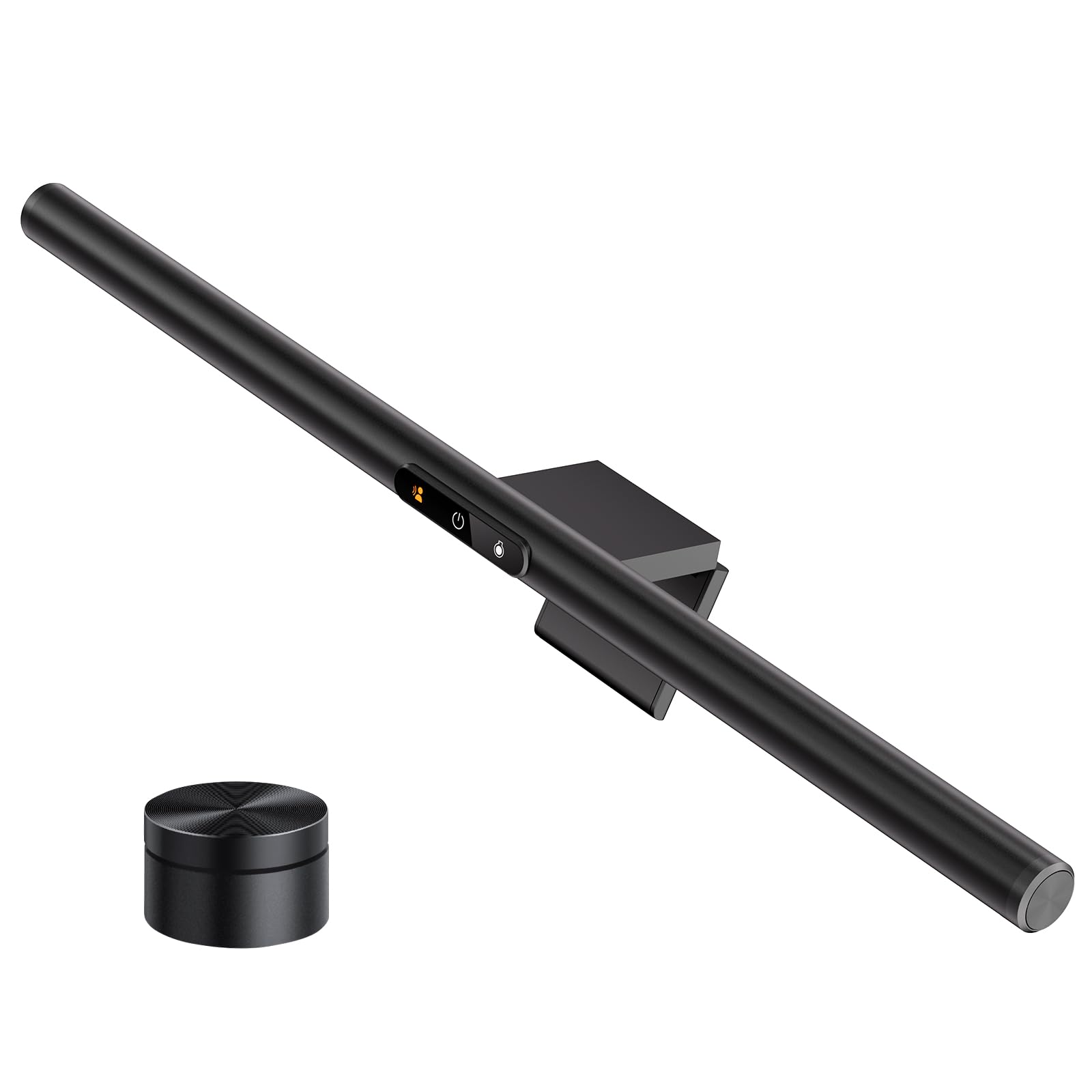
The LYMAX M6 stands out by integrating a built-in radar motion sensor that detects your presence and automatically turns the light on or off. This is a genuine convenience upgrade for anyone who frequently steps away from their desk. The rechargeable wireless remote sits on a sticky pad and gives you full stepless control over color temperature (2700K to 6500K) and brightness, while the touch controls on the bar itself offer an alternative physical interface.
The asymmetric optical lens design projects light downward without reflecting on the screen, and the 19.69-inch width covers most desks adequately. The clamp counterweight fits securely over monitors of varying thickness, and the USB-C power input allows flexible connection to a computer or wall adapter. Included tilt adjustment helps you avoid direct light in your eyes, which can be a problem with some bars on shallow desks.
Some users note the light spread is focused tightly near the keyboard area, leaving the outer edges of a large desk slightly dimmer. The sensor’s detection range works well for a standard desk setup but may trigger false on/off cycles if your monitor sits in a high-traffic area. Overall, the LYMAX delivers a strong set of features at a mid-range price point, especially if the motion automation is your priority.
Why it’s great
- Radar motion sensor for automatic on/off
- Rechargeable wireless remote with stepless control
- Flicker-free with no blue light hazard certification
- Asymmetric optical design eliminates screen glare
Good to know
- Light spread is tight and may not fully cover larger desks
- Motion sensor may trigger in high-traffic desk areas
- Not suitable for 800R curved monitors without modification
4. Quntis Monitor Light Bar (20.1 Inch)

The 20.1-inch Quntis extends 4.4 inches wider than the standard 15.7-inch bar, making it an excellent choice for ultrawide or larger monitors up to 34 inches. It splits 88 LED beads for the front light and 55 for the rear backlight, producing even illumination across a broad desk area. The sliding weighted clip design accommodates both flat and curved monitors securely without adhesive or screws.
Three lighting modes let you run front-only for focused desk work, back-only for ambient bias, or both for balanced coverage. The IR remote controller provides stepless dimming and color temperature adjustment across the full 2700K–6500K range, and a faint glow on the power button makes it easy to find the remote in the dark. The CRI of Ra95 ensures colors appear natural, which matters for photo editing and design tasks.
One catch is that the USB power adapter is not included in the box, and the bar draws up to 5V/1.5A, which may exceed the output of some laptop USB ports. The backlight area extends 6.29 inches on each side, but users on very large curved monitors may notice slight edge reflections if the bar isn’t perfectly aligned. At roughly , this is a strong value for the width and dual-light capability it delivers.
Why it’s great
- 20.1-inch width suits ultrawide and larger monitors
- 88 front LED beads for broad, bright desk coverage
- Three independent lighting modes (front, back, both)
- Sliding weighted clip works with curved and ultra-thin bezels
Good to know
- No power adapter included; requires 5V/1.5A USB source
- Backlight is not adjustable in angle
- Outer edge brightness could be more uniform on very large desks
5. Quntis Computer Monitor Light Bar (16.1 Inch)
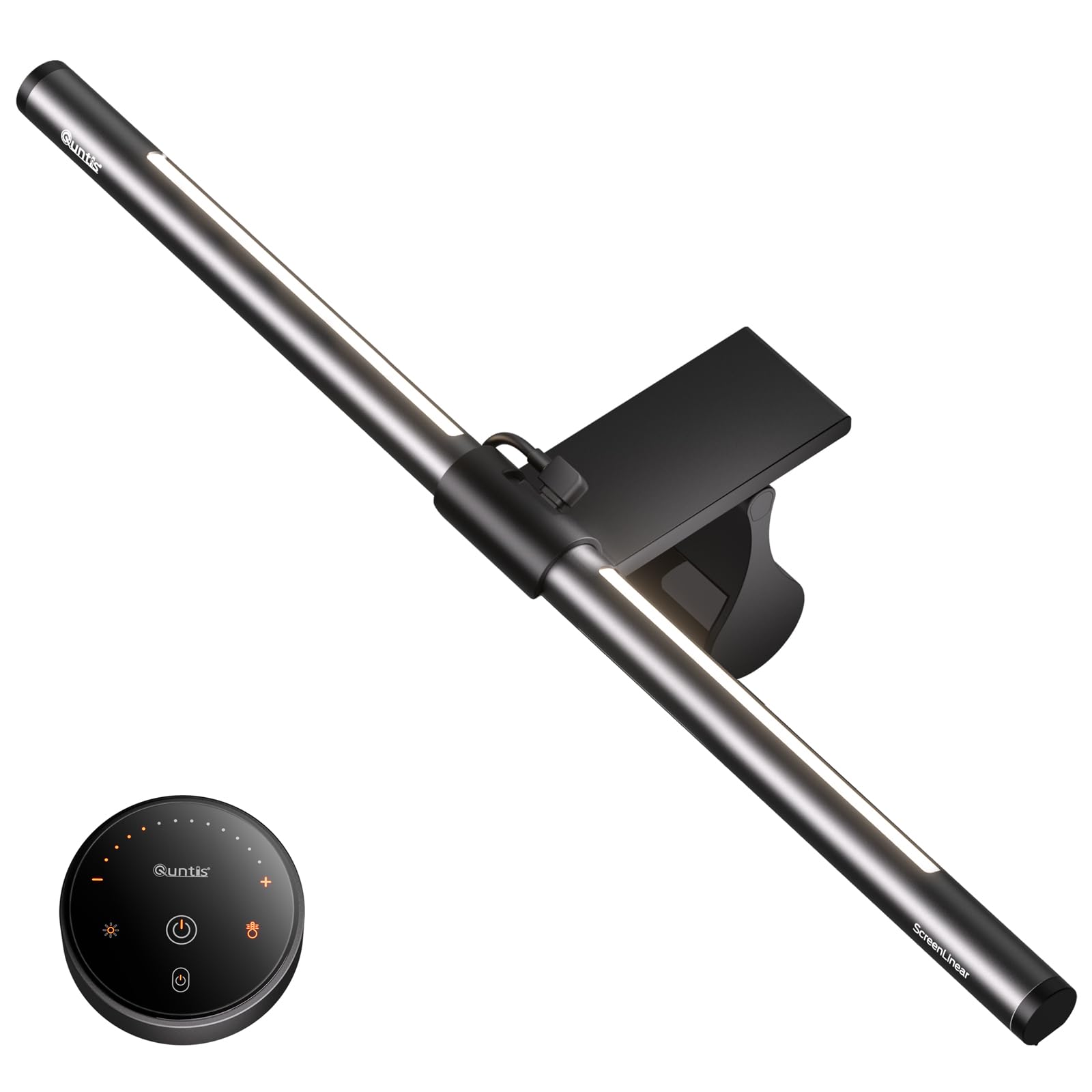
The standard 16.1-inch Quntis bar is the most affordable dual-light monitor backlight on this list that still delivers genuine eye-care benefits. It uses 84 LED beads paired with a textured softening light cover and an eye-care hood to eliminate direct glare and screen reflections. The sliding weighted clip installs in seconds and works on ultra-thin bezel and curved monitors without marring the surface.
Three lighting modes — Work, Immersive, and Design — adjust the balance between front and rear LEDs for different tasks. The IR remote uses touch-sensitive buttons that glow gently for easy location in dim lighting. Stepless dimming for both brightness and color temperature is controlled via long-press on the remote, and the smart memory function restores the last setting after a power cycle.
At this price point, the Ra95 CRI is impressive and ensures reasonably accurate color representation for video editing or design. The overall brightness is slightly lower than the larger Quntis bar, but sufficient for a standard 24-to-27-inch monitor and a typical desk. The remote battery compartment is a bit stiff to open initially, and the bar fits best on monitors with a flat top profile.
Why it’s great
- Ra95 CRI provides good color accuracy for the price
- Three distinct lighting modes adapted to different tasks
- Intelligent memory restores last brightness and color temperature
- Simple, damage-free installation on thin or curved monitors
Good to know
- Lower overall brightness compared to larger Quntis model
- Remote battery compartment is difficult to open initially
- Best suited for flat-top monitors up to 27 inches
6. Govee Gaming Light G1

The Govee G1 is designed specifically for gaming setups, using 108 high-density LED beads arranged in four strips that mount to all four sides of a 27-to-34-inch monitor. Its core feature is VibraMatch color-matching technology, which reads on-screen pixel data via the Govee Desktop app and reproduces those colors on the backlight in real time. The effect is particularly dramatic during fast-paced games with explosions and lightning effects.
Beyond screen matching, the G1 offers 123 preset scene modes and 11 music-sync modes that react to your PC’s audio. It is compatible with Govee’s PC DreamView, which can synchronize up to 10 Govee lighting products simultaneously for a full-room immersion experience. The adhesive backing is strong and holds reliably on curved monitors including 1000R models.
One significant limitation is that the DreamView color matching uses significant CPU resources, which can cause frame rate drops in demanding games like Baldur’s Gate 3. It works best with videos, lighter games, or desktop use where GPU headroom isn’t critical. The strip length is optimized for 27-34 inch screens; a 24-inch monitor will require some careful positioning or trimming.
Why it’s great
- 108 high-density LEDs produce vibrant, even RGBIC lighting
- VibraMatch screen-color sync for real-time immersion
- 123 scene modes and 11 music-sync patterns
- Compatible with Govee DreamView for multi-light synchronization
Good to know
- CPU-heavy screen matching can impact game performance
- Ideal screen size range is 27-34 inches; not great for 24-inch
- No instructions included for dynamic monitor sync setup
7. Nanoleaf PC Screen Mirror Lightstrip
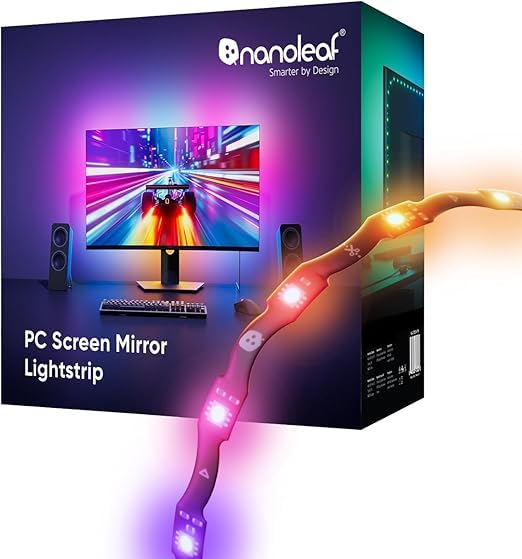
The Nanoleaf PC Screen Mirror Lightstrip takes a different approach by powering entirely through USB-C and syncing with your PC via the Nanoleaf Desktop App — no external hub or Wi-Fi required. Its zig-zag design allows it to fit behind 27-to-32-inch monitors, and you can trim it along marked cut lines for a custom fit. When trimmed, smart remapping automatically adjusts the lighting effects to the new length.
The 75 RGB LEDs cover 16 million colors plus tunable white between 2700K and 6500K, with brightness adjustable from 1 to 100 percent. The direct PC audio capture syncs the lights to music, game sounds, or any system audio without needing a separate microphone. The screen mirroring works well for movies and games, though some users report it lacks the color-matching accuracy of higher-priced options like the Philips Hue strip.
At roughly , the Nanoleaf strip is priced competitively for a USB-C-powered RGBIC backlight, but the software has notable gaps: there is no auto-off when the PC goes to sleep, no scheduling feature, and no mobile app compatibility. The strip length is also fixed to 2.5 meters before trimming, which may be too short for some ultrawide monitors. For users who want a simple, plug-and-play bias light with basic screen mirroring, it gets the job done.
Why it’s great
- USB-C powered directly from your computer, no wall wart needed
- Smart remapping after trimming maintains consistent effects
- Direct PC audio sync without external microphone
- Trimmable design for a custom monitor-specific fit
Good to know
- Software lacks auto-off with PC sleep and scheduling
- Not compatible with the Nanoleaf Mobile app
- Some users find the overall brightness underwhelming compared to competitors
FAQ
Does a monitor backlight actually reduce eye strain or is it just marketing?
Can I use a standard USB LED strip instead of a dedicated monitor backlight?
How do I know if a monitor light bar will fit my curved monitor?
Final Thoughts: The Verdict
For most users, the best backlight for monitor winner is the BenQ ScreenBar Halo 2 because it combines the most effective glare-free front light with a wide, adjustable backlight, premium build quality, and intelligent auto-dimming that genuinely reduces eye strain over long sessions. If you want immersive RGBIC screen matching with deep smart home integration, grab the Philips Hue Gradient PC Lightstrip. And for a budget-conscious dual-light solution that still delivers Ra95 CRI and solid desk illumination, nothing beats the Quntis 20.1-inch Monitor Light Bar.