
Our readers keep the lights on and my morning glass full of iced black tea. As an Amazon Associate, I earn from qualifying purchases.
Specs are compiled from manufacturer listings and verified buyer reviews and can change over time — please confirm the key details on the product page before buying.
Stretching a USB connection across a warehouse, a studio, or a living room usually ends the same way: the signal dies, the device disconnects, and you’re back to moving the printer closer. A standard passive cable simply cannot carry data reliably at 100 feet, which is why every serious long-run cord here is “active,” meaning it has built-in signal booster chips along its length to keep the data flowing. This guide breaks down the nine best 100 ft USB cord options by what they actually do, who they serve, and the honest trade-offs each one brings.
I’m Min — the founder and writer behind Gadgets Feed. This guide is built by comparing the manufacturers’ published specifications and the patterns across verified customer reviews, so you get each pick’s real strengths and trade-offs instead of marketing spin.
Signal booster chips are the difference between a cord that works and one that frustrates, so here is the breakdown of the best options for a reliable 100 ft usb cord for printers, cameras, and gaming gear.
Our Picks at a Glance

How To Choose The Best 100 Ft USB Cord
Before you pick a 100 ft USB cord, you need to know what kind of connector your device uses and whether your gear needs the older USB 2.0 standard or the much faster USB 3.0. Getting these two things right prevents almost every “this cable didn’t work” problem.
Match the connector to your device
Before you buy a 100-foot USB cord, check the port shape on your device—it decides which cable you need. Printers, scanners, and audio interfaces use a square-ish USB Type B port, so they need a cable with a Type A plug on one end and a Type B plug on the other. Cameras, VR headsets, and external hard drives take a standard rectangular Type A port, so you want an extension cable with a male Type A plug into your computer and a female Type A socket at the far end. A Type B cable will not fit a Type A device and vice versa, so matching the shape saves you a return.
Understand active versus passive cables
USB signals weaken as they travel, and at around 100 feet that weakening becomes a real problem—devices drop out or refuse to connect at all. Active cables solve this by embedding small amplifier chips along the line that boost the signal so it survives the full distance. If a listing does not say “active” or mention signal boosters, it is not built for a 100 ft run and you should keep looking.
Decide between USB 2.0 and USB 3.0 speeds
USB 2.0 tops out at 480 Mbps, which is plenty for printing documents, scanning photos, or running a MIDI keyboard. USB 3.0 hits up to 5 Gbps—roughly ten times faster—which matters for high-resolution webcams, astronomy cameras, VR headsets, and large file transfers. Printers rarely need USB 3.0 speeds, but cameras and gaming gear absolutely do, so match the standard to the most demanding device you plan to connect.
Quick Comparison
| Model | Best For | Standard | Connector | Signal Boosters | Amazon |
|---|---|---|---|---|---|
| GOSYSONG Active USB 2.0 Printer Cable★ Best Overall | The all-around best printer cable | USB 2.0 (480 Mbps) | A Male to B Male | Active | Amazon |
| LDKCOK Active USB 2.0 Printer CableBudget Champion | Budget-friendly printer runs | USB 2.0 (480 Mbps) | A Male to B Male | Active | Amazon |
| Conable Active USB Extension 100ftMost Versatile | Versatile device extension | USB 2.0 (480 Mbps) | A Male to A Female | 2 Chipsets | Amazon |
| DDSYT 100 FT Active USB 2.0 Printer Cable | Office and warehouse printing | USB 2.0 (480 Mbps) | A Male to B Male | Active | Amazon |
| SSS·GRGB USB 3.0 Extension 100FT | Webcams and USB-C charging | USB 3.0 (5 Gbps) | A Male to A Female | 4 Chipsets | Amazon |
| Kxable USB 3.0 Active Extension 100 Feet | Camera and webcam reliability | USB 3.0 (5 Gbps) | A Male to A Female | 4 Chipsets | Amazon |
| Kumiho 100FT USB 3.0 Extension Cable | True USB 3.0 speeds over distance | USB 3.0 (5 Gbps) | A Male to A Female | Active | Amazon |
| WDX MAST DYNAPOINT USB 3.0 Active Extension 100FT | VR and Quest 3 PC link | USB 3.0 (5 Gbps) | A Male to A Female | 4 Signal Enhancers | Amazon |
| BlueRigger 3.0 Active USB Extension 100FT | Gaming and in-wall installation | USB 3.0 (5 Gbps) | A Male to A Female | Active | Amazon |
In-Depth Reviews
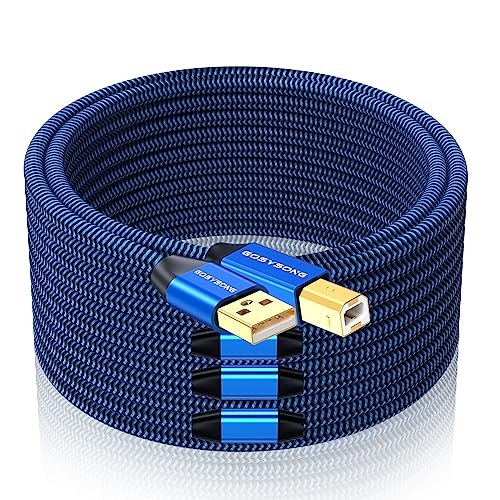
1. GOSYSONG 100ft Active USB 2.0 Printer Cable
Our pick — over 4.5★ from 850+ verified ratings; the strongest balance of quality and price.
The best-selling active USB 2.0 printer cable that keeps a stable connection across 100 feet.
If your printer lives on the other side of the room or down a hallway, this GOSYSONG cable is the fix—a 100-foot active USB 2.0 line that keeps a stable connection at full length. It is built for the square Type B port found on most printers and scanners, transferring data at up to 480 Mbps, which is more than enough for print jobs and photo scans. The active design means signal booster tech keeps the connection solid over the full run, so you are not wrestling with dropouts.
Buyers praise the build quality here more than anything else, and the specs back that up. The cable is wrapped in a tangle-free nylon braid that resists wear, and the connectors are gold-plated for longevity and corrosion resistance. Buyers report that the gold-plated ends and reinforced joints make it feel like a cord that will outlast the printer it serves, and the bright blue color makes it easy to spot when you route it behind furniture. It is heavier and sturdier than the thin cords that come in printer boxes, so you get confidence from the heft.
Compatibility is broad—it lists HP Deskjet and Officejet models, Canon MG series, Epson XP models, Brother, Dell, Samsung, and even audio gear like the Schiit Modi. The one thing to double-check before buying is that your device needs the USB 2.0 Type B interface, not the larger USB 3.0 Type B port, because this cable will not fit the 3.0 version. The long and short of it: this is the printer cable to beat at 100 feet.
Why owners stick with it
- Nylon braid resists tangles and wear for long-term use
- Gold-plated connectors hold up against corrosion
- Active booster keeps the signal stable across 100 feet
Check before you click
- Only fits USB 2.0 Type B devices, not USB 3.0 Type B ports
- Braided jacket is stiffer than plain PVC cords
Reach for this if: you need a dependable, well-built 100-foot link from a computer to a Type B printer, scanner, or audio interface.
Look elsewhere if: your device uses the wider USB 3.0 Type B connector, which this cable cannot serve.
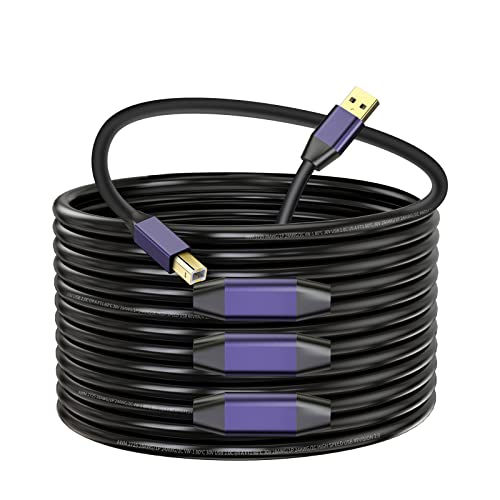
2. LDKCOK Active USB 2.0 Printer Cable 100ft
An affordable active A-to-B cord for printers and CNC machines on a budget
This LDKCOK cable is the entry-level route to a 100-foot active connection, serving the same Type B printer and scanner crowd as the top pick but at a friendlier price. It is a USB 2.0 cord pushing 480 Mbps with a tangle-free nylon braid and gold-plated plugs, so the everyday build ingredients are there for long-distance printing and scanning jobs.
The reviews split in an important way that you should know about before buying. Several owners confirm it simply works—one uses it to run a Fox Alien CNC machine and reports it does the job, and another calls it a great value with no issues. But there are also reports of defect and a specific complaint that the cable measured far shorter than advertised, with one buyer reporting they received roughly half the expected length. That inconsistency is the risk you take at this price point.
Because of that mixed track record, treat this as the value pick when you want to save money, not the one you rely on for a mission-critical install. It is also note the cable is only sold in a Morandi Purple color, which is a minor aesthetic consideration if you are routing it visibly. The upside is that USB 2.0 printer cables are simple devices, and when this one works, it works without fuss—but the verification step of measuring your length matters more here than with the pricier options.
The value read: a genuinely budget-friendly active A-to-B cord, but the occasional length and defect complaints make it a gamble compared with the top pick’s consistency. Measure your delivery before you route it permanently.
Best suited for: buyers who want a cheap active 100-foot printer cable and are comfortable testing and returning if the unit falls short.
skip it if: you need guaranteed length accuracy or cannot afford downtime from a defective unit.
3. Conable Active USB Extension Cable 100 Feet
A versatile A-to-A extender with an AC power adapter for reliable long-distance USB 2.0 connections.
This Conable turns any peripheral into a long-distance device because it is an extension cord—male Type A on one end, female Type A on the other—so it works with cameras, hard drives, or anything else with a standard port. It is a USB 2.0 active extender running at 480 Mbps with two signal booster chipsets, and it includes an AC power supply so you can inject extra power when a device needs it over the long run. The 22AWG tinned copper wire resists corrosion better than plain copper, and the reinforced molded strain relief keeps the connector ends from cracking.
What makes this one versatile is the range of gear owners have attached to it. Buyers have used it to run a laser etcher through a powered hub, to reach a keyboard and fan in another room, and to reposition printers, scanners, and hard drives into convenient spots. The cable body is a flexible PVC jacket, and the package even includes five cable ties to manage the 100-foot length cleanly along baseboards or desk edges. That kind of flexibility is why functionality is the most-praised aspect here by a large margin.
The honest caveat is in the connection quality, which draws mixed feedback—some owners find the female socket on the far end a bit loose, so a snug-fitting device plug matters. The manufacturer backs it with a two-year warranty and promises customer service replies within 24 hours, which is a stronger safety net than most cords in this category. If you want one cable that can serve a rotating cast of USB gear rather than a single printer, this is the shape to buy.
What makes it flexible
- AC power adapter included for devices that need extra juice
- Two chipset amplifiers keep the 480 Mbps signal stable
- 22AWG tinned copper resists corrosion
Keep in mind
- Not suitable for extended video or charging devices
- Female connection fit draws mixed owner feedback
Pick this when: you want to extend USB 2.0 to a variety of peripherals—keyboards, fans, hubs, tools—and want the option of external power.
Choose something else if: you are feeding a high-power device or a video stream, which this USB 2.0 active cable is not built to handle.
4. DDSYT 100 FT Active USB 2.0 Printer Cable
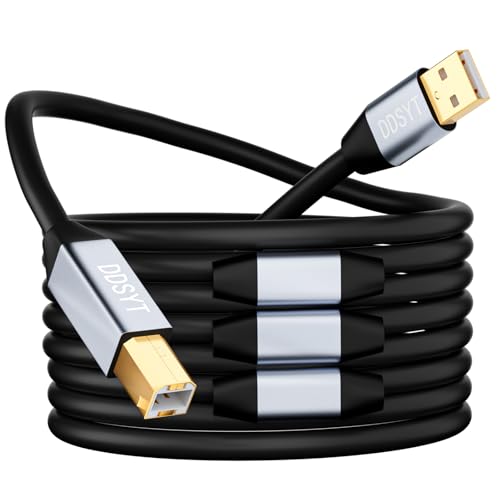
A wipe-clean PVC A-to-B cable with a built-in signal booster for dusty work environments.
This DDSYT cable targets the same Type B printer and scanner crowd as the top pick, but it makes one deliberate design choice that separates it: the jacket is smooth PVC, not braided. That means dust and grime wipe off easily, which is a real advantage in a workshop or warehouse where a fabric sleeve would trap dirt. It is a 100-foot active USB 2.0 cord running at 480 Mbps with integrated amplifier chips to prevent data loss across large open spaces.
Compatibility is the strong suit here, spanning HP Deskjet, Officejet, Envy, and Photosmart lines, plus Epson Stylus, Canon Pixma, Brother MFC and DCP, Lexmark, Samsung, and Oki—and it extends beyond printers to Yamaha digital pianos, sound bars, and DACs. Owners have even used it for Ham radio setups, connecting a Yeasu FT710 transceiver to a laptop for digital modes. The gold-plated connectors and metal shell resist corrosion, and buyers describe it as an excellent cable that does what the listing says.
The mixed note in the feedback centers on functionality: while many owners mention flawless performance, a smaller group found it did not work at all, so there is some unit-to-unit variance to expect. This is a cord you buy when you want the wipe-clean PVC jacket and broad device support, and you are willing to test it on arrival rather than assume perfection. For a printer that lives in a dusty corner of a warehouse, that smooth jacket is a genuinely useful feature.
The honest take: broad Type B compatibility and a wipe-clean PVC jacket make this a smart office or workshop pick, though a minority of customers note dead-on-arrival units, so test it early. The gold-plated connectors and built-in booster are the right ingredients for a long run.
Good for: printers, pianos, radios, and other Type B gear in dusty or high-traffic spaces where a washable jacket helps.
Not for: anyone who wants the braided-cable feel of the top pick or cannot accept the risk of an occasional defective unit.
5. SSS·GRGB USB 3.0 Extension Cable 100FT
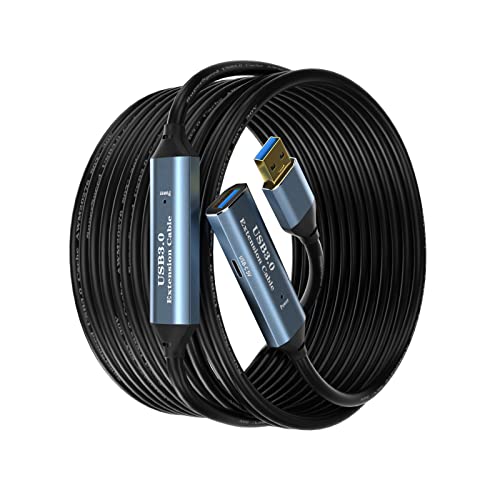
A 5 Gbps USB 3.0 extender with a built-in USB-C port for simultaneous charging.
This SSS·GRGB extension runs data at up to 5 Gbps—roughly ten times the pace of the USB 2.0 cords above—so it suits webcams, PlayStation controllers, cameras, and flash drives that need bandwidth. It is a male-to-female extender, meaning the computer end plugs into your PC and the far end accepts whatever USB device you want to reach across the room. Four booster chipsets keep the signal alive over the full 100-foot run.
The standout feature is a 5V USB-C port built into the line for charging USB-C devices, which no other cable in this lineup offers. Alongside data transfer, it can push up to 2A of charging current, so you can power a phone or tablet while a camera or controller is connected nearby. The build uses a braided shield and aluminum alloy connectors with gold plating for corrosion resistance, and buyers who connect it to a sim-rig gaming setup or distant cameras find the quality reassuring.
The honest concern is reliability over time, which draws mixed feedback—some reviewers point out flawless distant camera control, while others say the cable stopped working after a few months or arrived broken. That split makes this a value-conscious USB 3.0 choice rather than a guaranteed long-haul workhorse. If you need the USB-C charging convenience and 5 Gbps speeds, it is a compelling and budget-friendly way to get them, just with a slightly higher risk of early failure than the pricier options.
Why it stands out
- Built-in 5V USB-C port charges devices along the run
- 5 Gbps data rate is about 10x faster than USB 2.0
- Aluminum alloy connectors resist corrosion
Know the risk
- Reliability over months draws mixed owner reports
- Occasional units arrive defective or fail early
Choose it for: the rare combo of 5 Gbps extension plus USB-C charging on one cord, especially for camera and controller setups.
Think twice if: you need maximum long-term reliability, where the pricier USB 3.0 options have a better track record.
6. Kxable USB 3.0 Active Extension Cable 100 Feet
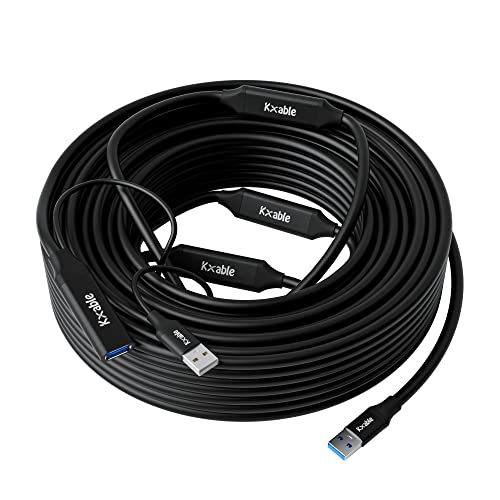
A durable 5 Gbps USB 3.0 extender with 22AWG pure copper for reliable daily camera use.
When a webcam or USB camera has to run reliably every single day at distance, the Kxable is the cable serious owners reach for. It is a USB 3.0 male-to-female extender hitting up to 5.0 Gbps—ten times faster than USB 2.0—built from 22AWG pure copper wire with multi-layer shielding to keep interference out. Four amplifier chipsets are integrated along the line to keep data moving, and an aluminum alloy shell protects the connector ends. A USB power supply is included for devices that need a boost.
Quality is the most-praised trait here, and the owner stories back it up with real longevity. Shoppers say running a USB 3.0 camera on a laser cutter daily for over two years with a stable signal, outlasting other brands they tried. Another used it to solve 4K webcam dropouts and power issues, finding the active powered extension delivered stable data and power across the full length. The cable is thick and solid, which owners read as a sign it will hold up, and it works with VR headsets, Xbox, printers, and hard drives.
The mixed feedback centers on connectivity and data transfer—most owners enjoy stable connections with no data loss, but some report random disconnects, so results vary by device and power setup. Power delivery itself earns consistent praise, with owners noting it handles both data and power reliably. The manufacturer offers a one-year warranty, which is a reasonable safety net. For a USB 3.0 cable that earns its keep in daily professional use, this is the one the review history supports most strongly.
Built to last
- 22AWG pure copper with multi-layer shielding
- Four chipset boosters keep 5 Gbps stable
- Buyers report years of daily camera use
Watch for
- Random disconnects reported by a minority of owners
- Thick build is noticeable when routing underfoot
Best for: daily-driver camera, webcam, and laser-cutter connections where signal stability across 100 feet is non-negotiable.
Consider another if: you want the absolute cheapest USB 3.0 route and can tolerate more variability in long-term reliability.
7. Kumiho 100FT USB 3.0 Extension Cable

A USB 3.0 extender that maintains true 5 Gbps speeds over the full 100-foot run.
Most long USB cables silently drop to USB 2.0 speeds over distance, but the Kumiho is the exception owners keep confirming actually holds 5 Gbps at the far end. It is a USB 3.0 male-to-female extender built with a tinned copper core and multi-layer shielding to suppress interference, wrapped in a flexible PVC body with an aluminum alloy housing. The active chipsets along the line keep that full-speed signal intact across the entire 100 feet.
The review evidence here is unusually specific and technical, which is why this earns the speed crown. Astronomy enthusiasts testing with a ZWO camera report their software confirms a true USB 3.0 connection—much faster than other cables that silently stepped down to USB 2.0 speeds. Another owner runs a Kinect 2 sensor through a USB adapter and confirms 3.0 operation. For demanding gear like astro cameras, VR, and high-resolution capture, that genuine speed retention is the whole ballgame.
Owners note a practical detail: cables at 15 feet or longer include a power port to supply the chip, and some devices need that extra 5V connection to a powered port or wall charger for the most stable long-distance transmission. The cable is plug-and-play with PlayStation, Xbox, keyboards, mice, printers, scanners, cameras, and hard drives, and it is backward compatible with USB 2.0 and 1.1. If your device absolutely needs USB 3.0 bandwidth at the end of a 100-foot run, this is the pick that delivers it.
The speed verdict: owners with test equipment confirm this cable holds USB 3.0 speeds where competitors fall back to USB 2.0. Connect the power port for the most demanding devices and you get a genuine 5 Gbps link at full length.
Reach for it if: you run an astronomy camera, Kinect, or other gear that genuinely needs 5 Gbps across a 100-foot span.
Pass if: you only need printer speeds, where the far cheaper USB 2.0 active cables do the same job.
8. WDX MAST DYNAPOINT USB 3.0 Active Extension 100FT
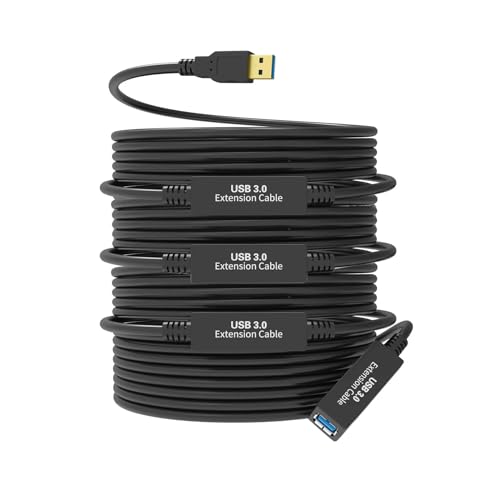
A 5 Gbps USB 3.0 extender with four signal enhancers for stable Quest 3 PC link gaming.
VR headsets are some of the most demanding USB devices you can run at a distance, and this WD X MAST DYNAPOINT cable is built with that exact use case in mind. It is a USB 3.0 male-to-female extender running at up to 5 Gbps with four signal enhancer chips to fight signal attenuation over the 100-foot length. The package includes an AC power adapter, which owners confirm is essential for anything beyond basic keyboard and mouse duty. Gold-plated A/M and A/F sockets pair with tinned copper conductors and braided shielding for consistent connectivity.
The headline owner story is a Quest 3 PC link test that hit 2.6 Gbps, which is exactly the kind of bandwidth VR streaming needs. Others report gaming on a 75-inch TV from the couch, pairing the cable with a powered hub to get zero latency and zero errors across a 50-foot run while supporting a keyboard, mouse, headset, and controller simultaneously. The cable is thick with durable ends, and owners note it outperformed thinner cords they had tried before.
The important caveat, repeated across reviews, is the power requirement: RGB devices and controllers can be unstable without the AC adapter plugged in, so plan to use it for anything beyond a basic mouse and keyboard. Signal quality overall draws mixed feedback—many enjoy zero latency while a few report delays—and durability is a mixed bag over the long term. The manufacturer covers it with a 12-month warranty. For VR players who want to roam while tethered to a PC, this is a purpose-built answer.
Built for the couch gamer
- Quest 3 PC link tested at 2.6 Gbps by owners
- AC power adapter included for stable long runs
- Four signal enhancers maintain the 5 Gbps link
Plan around this
- Power is required for RGB and controller setups
- Signal quality and durability draw mixed owner reports
Made for: VR headsets, especially Quest 3 PC link, plus webcams and controllers that need stable 5 Gbps at a distance.
Not ideal if: you want a thin, discreet cable—this one is thick and noticeable underfoot, and it wants its power adapter.
9. BlueRigger 3.0 Active USB Extension Cable 100FT
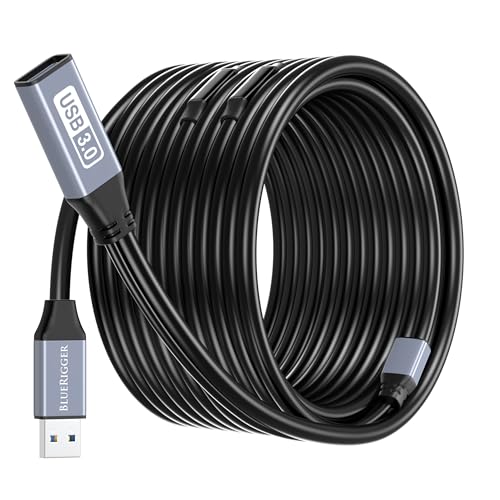
A premium 5 Gbps USB 3.0 extender with CL3 in-wall rating and lifetime warranty.
When you want to run a USB connection through a wall, along a baseboard, or to a permanently mounted TV, the BlueRigger is the cable built for that job. It is a USB 3.0 male-to-female extender delivering up to 5 Gbps—ten times faster than USB 2.0—with an integrated chipset across all lengths and signal boosters added on longer runs to keep the connection stable. The distinction that separates it is the CL3 rating, which qualifies it for in-wall installation where standard cables are not approved. It also supports charging at up to 5V/1A alongside data.
The construction is premium across the board: corrosion-resistant nickel-plated connectors, an aluminum alloy casing for heat dissipation and durability, and a build that owners consistently describe as high quality. The review history shows it solving real problems—one buyer’s golf simulator only worked with this cable after two cheaper ones failed, and it is the only one powerful enough to carry the signal. Another runs wired Xbox and PS5 controllers at length, while webcam users confirm full data and power delivery even at shorter 25-foot spans. Connectivity earns strong praise with no latency or interruption complaints.
Compatibility is universal across Windows, Mac OS, Linux, and Chrome OS, and the device list spans VR headsets, PlayStation, Xbox, printers, scanners, webcams, and hard drives. The recurring durability caveat is honest: most owners find it very durable, but a minority report it failed after several months of use, so no cable is truly immortal. What softens that risk is the Lifetime Warranty with US-based support, which is the strongest guarantee in this entire lineup and makes the premium price a defensible investment.
The premium case
- CL3 rating permits clean in-wall installation
- Lifetime warranty with US-based support
- Proven to carry signals other cables cannot
The trade-off
- Highest price in this lineup
- A minority of owners mention failure after months of use
Worth it for: permanent installs, in-wall runs, and demanding gear like golf simulators and VR where a failed cable means real downtime.
Overkill if: you just need a cheap 100-foot printer connection and do not need 5 Gbps or in-wall ratings.
Understanding the Specs
Active signal boosters
The single most important feature on a 100 ft USB cord. A passive cable lets the USB signal fade over distance, which causes disconnects and devices that simply do not appear on your computer. Active cables embed small amplifier chips at intervals along the line to regenerate the signal, so it arrives at the far end strong enough to work. If a listing does not say “active” or mention signal boosters or chipsets, it is not built for a 100-foot run.
USB 2.0 versus USB 3.0
These are the two speed standards you will choose between. USB 2.0 transfers data at up to 480 Mbps, which comfortably handles printers, scanners, and MIDI keyboards. USB 3.0 reaches up to 5 Gbps—about ten times faster—and matters for high-resolution webcams, VR headsets, astronomy cameras, and large file backups. Match the standard to your most demanding device; a printer does not need USB 3.0, but a Quest 3 absolutely does.
Connector types explained
Two connector shapes dominate this category. Type B is the squarish port found on most printers, scanners, and audio interfaces, so those devices need a cable with a Type A plug on the computer end and a Type B plug on the device end. Type A is the standard rectangular USB port, and extension cables use a male Type A to plug into your PC plus a female Type A socket at the far end to accept any device. Verify your device’s port shape before ordering, because the two are not interchangeable.
Power delivery and adapters
Long active cables often include a power option because the booster chips and the device at the far end can draw more power than a standard USB port provides. Some cords include an AC power adapter, some add a side USB-C charging port, and others simply offer a power port you can connect when needed. For demanding gear like VR headsets, RGB controllers, and 4K webcams, plugging in that extra power is usually the difference between a stable connection and random disconnects.
FAQ
Why does my 100 ft USB cable not work with a standard passive cord?
How do I know if I need a Type B printer cable or a Type A extension cable?
Is USB 2.0 fast enough for a printer at 100 feet?
Do I need to plug in the AC power adapter that comes with some cables?
What does “active” mean on a USB extension cable?
Can I use a 100 ft USB cable to extend my VR headset?
Will a 100 ft USB cable work for a webcam mounted across the room?
How do I run a 100 ft USB cable through a wall safely?
Which is better for a 100 ft run, a dedicated printer cable or an extension cable?
How long do active USB extension cables actually last?
What happens if I plug a USB 2.0 device into a USB 3.0 extension cable?
Final Thoughts: The Verdict
Across the board, the 100 ft usb cord winner is the GOSYSONG Active USB 2.0 Printer Cable because it pairs the most-praised build quality with a braided, gold-plated design that owners consistently trust for long-distance printer runs. If you want true USB 3.0 speeds for a webcam or astronomy camera, grab the Kumiho 100FT USB 3.0 Extension Cable, which owners confirm actually holds 5 Gbps where competitors drop to USB 2.0. And for a permanent in-wall install or a golf simulator that demands reliability, the BlueRigger 3.0 Active USB Extension Cable is the one to reach for, backed by a Lifetime Warranty that no other pick can match. The crowd favorite here—GOSYSONG at 4.8 stars across 800+ owners—outpaces the field on consistency, making it the safest default when you just need the printer to work from across the room.
How We Picked
We do not accept paid placement. Every pick is matched to a real buyer and a real use-case; we do not hands-on test units.
Sources & Methodology
Specifications: manufacturer listings and product documentation. Review insights: verified customer reviews, as of September 2026. Pricing: not shown on this page (it changes often); check the current price via the retailer link.
As an Amazon Associate, Gadgets Feed earns from qualifying purchases. This does not affect which products we feature.