
Our readers keep the lights on and my morning glass full of iced black tea. As an Amazon Associate, I earn from qualifying purchases.
Specs are compiled from manufacturer listings and verified buyer reviews and can change over time — please confirm the key details on the product page before buying.
Digitizing a shelf of books without damaging their spines used to mean a flatbed scanner, a lot of patience, and the grim realization that you can’t capture a thick hardcover without cracking its binding. This guide covers a different approach: overhead book scanners that photograph open pages from above, so you can archive everything from family Bibles to museum-bound newspapers without ever pressing the pages flat.
I’m Min — the founder and writer behind Gadgets Feed. This guide is built by comparing the manufacturers’ published specifications and the patterns across verified customer reviews, so you get each pick’s real strengths and trade-offs instead of marketing spin.
The best book scanner for your home library or office archive balances resolution, page-flattening smarts, and scanning speed, and we’ve weighed nine models to find the one that keeps your books intact and your workflow painless.
Our Picks at a Glance


How To Choose The Best Book Scanner
An overhead book scanner works like a high-mounted camera pointed down at a page. You rest a book open beneath it, and the device photographs the spread—no lid to close, no glass pressing on the binding. That single design choice is why it suits fragile books that a flatbed would stress or break.
Resolution and DPI
Megapixels tell you how much visual detail the camera sensor captures, while DPI (dots per inch) describes how that detail maps to a printed page’s physical size. The crowd-savvy choices here range from 13MP to 38MP cameras, often paired with software that enhances resolution beyond the raw sensor. Match the pixel count to your end goal: casual archiving tolerates less, while OCR (optical character recognition, which turns images into searchable text) wants sharper, cleaner source images.
Auto-flattening and finger erasing
An open book’s pages curve near the spine, and your hands have to hold them down. Modern software fixes both problems after the shot: curve-flattening digitally straightens the page, and finger-erasing removes stray digits from the photo’s edge. These features are the difference between a mediocre photo of a book and a clean, readable digital page.
Speed and workflow hardware
Hand-feeding a flatbed means one page at a time with a lid open and shut each cycle. Overhead models turn pages manually but skip the lid entirely, and a foot pedal lets you trigger a capture without touching the computer—so your hands stay on the book. This is where a scanner earns its keep for long runs of dense archiving work.
Quick Comparison
| Model | Best For | Max Page Size | Camera Resolution | Weight | Amazon |
|---|---|---|---|---|---|
| CZUR Shine Ultra★ Best Overall | Fast USB class & personal book use | A3 | 13MP | 4 lbs | Amazon |
| CZUR ET MAXTop Performer | Serious archiving projects | A3 | 38MP (7168 x 5376) | 1 kg (2.2 lbs) | Amazon |
| ScanSnap SV600Premium Pick | Durable premium pick for thick books | A3 (oversized) | 1200 DPI CCD | 6.6 lbs | Amazon |
| NetumScan 13MP | Teachers and desk scanning on a budget | A4 | 13MP (1300W) | — | Amazon |
| IRIScan Desk 6 | Users wanting a light foldable scanner | A4 | 8MP / 12MP extrapolated | 2 lbs | Amazon |
| IRIScan Desk 6 Pro | A4 users who want more headroom | A3 | 13MP / 21MP extrapolated | 2 lbs | Amazon |
| VIISAN S21 | A2 newspaper and magazine digitizing | A2 | 26MP (5888 x 4522) | — | Amazon |
| Plustek OpticPro A320E | Flatbed lovers with wide-format needs | 12″ x 17″ | CCD 1200 DPI | 7.5 kg (16.5 lbs) | Amazon |
| Fujitsu PA03641-B301 | Scientists and lab notebook archivers | A3 | 600 DPI CCD | 3 kg (6.6 lbs) | Amazon |
In‑Depth Reviews
1. CZUR Shine Ultra
Our pick — over 4★ from 450+ verified ratings; the strongest balance of quality and price.
The versatile all-rounder that photographs books quickly without a hint of a lid or press.
For most home offices, the CZUR Shine Ultra delivers the best mix of speed and flexibility. It captures A3 and A4 pages (11.69 x 16.53 and 8.27 x 11.75 inches respectively) and smaller objects, snapping each page in about one second. Reviewers praise its overall quality and functionality, calling it a straightforward purchase that proves worth the money. A built-in foot pedal lets you trigger captures hands-free, enabling roughly 15–20 pages per minute—a huge productivity win when you’re holding a book open.
Its 13MP CMOS sensor captures at 4160 x 3120 pixels (roughly 340 DPI at A4 or 245 DPI at A3), while CZUR’s patented flattening technology digitally straightens the curved pages of bound books. This works best for thinner volumes; the company recommends its ET series for thicker books. OCR covers 180+ languages, though Thai, Hebrew, and Arabic are not currently supported. Image quality splits the room—some owners call it superior with auto-cropping and finger removal working cleanly, while others find photos blurry with inconsistent color reproduction. The strongest praise highlights its versatility over flatbeds and auto-feed machines.
Compatibility is the catch here. It works with Windows XP through 11 and macOS 10.13 or later, but it was not built for Android or iOS—so a tablet-only setup will not work. One large-scale user returned theirs after auto-cropping cut off content across a 900-page run, which tells you to temper expectations if you plan on massive archive work. For everyday book and document digitizing with a Windows or Mac machine, this is a fast, compact pick.
What wins people over
- Foot pedal drives rapid hands-free page captures
- Thumb tabs auto-removed and book curves auto-flattened
- 13MP resolution reads fine text and even old photos cleanly
- Compact foldable body that’s USB-powered
Where it cuts corners
- Not compatible with Android or iOS devices
- Curved-page flattening is designed for thinner books only
- Some buyers report blurry images and uneven color
Ideal first pick: a fast, flexible workhorse that suits students, teachers, and home archivists working on slim books and loose documents.
Think twice if: you plan to digitize thick tomes or archive thousands of pages in a single sitting, where consistent auto-cropping matters more.
2. CZUR ET MAX Professional Book & Document Scanner
A serious archiving machine with a 38MP camera that makes spines and pages look great.
Where the Shine Ultra flattens thinner books, the CZUR ET MAX is built for the heavy lifting. Its 38MP CMOS sensor (a light-capturing chip) shoots at 7168 x 5376 pixels at 410 DPI (dots per inch, a resolution measure), and owners routinely call scan quality the single strongest aspect. One user scanned an entire yearbook in under five minutes—time they’d have spent hours on with a flatbed—and another processed 44 journals totaling 1935 pages in a single day. For large-scale book digitization, this speed is the kind of leap that justifies the premium tier.
Patented curve-flattening technology automatically straightens the curved pages of bound books without requiring you to unbind them, and the scanner is not shy about heavy volumes, either. The built-in auto page-turn detection triggers a capture when you flip a page, and a foot pedal is included. A 1.5-second per page scan speed, combined with side lamps that eliminate glare, makes it an efficient archival companion for old books and fragile bindings, which one owner praised as safer for delicate spines than traditional pressing.
Look closer and there are a few seams. OCR supports 180+ languages but not Thai or Hebrew, and Arabic OCR only works on ET Series scanners under Windows. Flattening is slightly imperfect on thick-book bulges, and a handful of owners mention occasional tilted pages in notebooks. One reader went so far as to say the scan quality resembled an iPad fixed to an architect’s lamp, with software artifacts in the OCR—a reminder that even premium pickups demand realistic expectations. Still, built-in HDMI output lets you project in real time to an external display for live demonstrations, and it scans at a rapid pace—customers note processing 30-40 pages per minute.
Professional archiver: The ET MAX earns its reputation among heavy book scanners, offering a sturdy build that handles both books and loose documents easily while capturing crisp, high-resolution images for OCR (optical character recognition, which turns scans into editable text).
Software caution: OCR errors and some image artifacts can frustrate, and it’s not meant for use with glossy or highly reflective materials.
Reach for this if: you digitize thick bound volumes and want top-tier speed and 38MP detail in one unit.
Look elsewhere if: your budget only stretches to occasional, simpler scans—the Shine Ultra covers that ground for far less.
3. ScanSnap SV600 Overhead Book and Document Scanner
The cult-favorite overhead scanner known for its CCD clarity and sturdy build.
If the ET MAX is about top-end resolution, the ScanSnap SV600 is about a fundamentally different sensor approach. Its CCD (charge-coupled device) optical technology, found in premium scanners, delivers crisp, consistent image quality—owners confirm it handles even glossy graded comics in plastic holders with surprising clarity, something cheaper camera-based units can struggle with. A hobbyist genealogist calls it a “really incredible tool” recommended by a pro, largely because it scans without a feeding mechanism or a scanning bed cover, making it perfect for oversized books and periodicals. The heavy-duty build over cheaper alternatives stands out; reviewers point out it as durable and reliable.
The SV600’s core strengths are its intelligent page handling. Multi Document Detection scans multiple business cards, photos, or newspaper clippings in one go, automatically cropping and rotating each image. For books, Auto Book Correction flattens and corrects curve distortion, while a Page Turning Detection function begins scanning automatically as you turn pages—so you can work in real-time with your hands free. A Point Retouch function removes any fingers captured during scanning. However, that finger removal only works one page at a time, and color quality leans “mixed” in owner feedback. Dark and strong colors reproduce best, so pale or faded pages need more patience.
Software is where this machine divides opinion. Some praise it for being easy to use and compatible with the latest macOS, while others find it deeply frustrating—One reviewer noted that a 300-page book took over six hours, with only about five pages coming out clean, and no save feature to protect their work from a computer crash. Owners who scan large volumes note that some manual page editing is often required. Home users with mid-size scanning projects will find its page-turning detection liberating; power users should expect to also budget for Adobe Acrobat DC, which is needed for deeper PDF editing and adds an annual subscription after the trial.
Why it’s a favorite
- CCD optics deliver clean, reliable scans even on reflective covers
- Page Turning Detection keeps hands on the book
- Heavy-duty build quality that owners trust for the long run
- Scans newspapers and periodicals without cutting or damaging them
What to know
- Requires manual edits for best results, and some find it slow
- Finger removal only works one page at a time
- Deep PDF editing needs Adobe Acrobat DC, an added subscription
Invest if: you value sensor quality and longevity over raw resolution, and want a scanner that keeps glossy or fragile oversize pages intact.
Think twice if: you need a fast, fully automated pipeline with powerful included software and no manual fussing.
4. Plustek OpticPro A320E Large Format Flatbed Scanner

A wide-format flatbed for oversized maps and archive prints, not a spine-friendly overhead.
Not every scanning job involves bound books. The Plustek OpticPro A320E is a wide-format flatbed that tackles a different problem: large, flat originals like maps, drawings, and 12×12 scrapbook pages. Its flat scan area extends to 12″ x 17″, which covers A3-sized documents and wide-format paper cleanly. Reviewers point to scan quality as the standout strength—owners call it quick, accurate, and simple for digitizing photo albums and oversized documents in one pass. A large-format bed like this is also a big reason collectors and resellers lean on it: One owner scanned around 500 graded comic slabs in a day and a half, massively cutting the time it takes to list them.
The A320E relies on industry-standard TWAIN and WIA drivers, so it plays nice with other software (VueScan is a common companion). The integrated Doc Action utility gives you searchable PDFs and quick scan-to-email, scan-to-print, or scan-to-FTP options, and supports Windows 7 through 11. A 240-volt LED light source keeps scans energy-efficient and warm-up quick. The trade-off? Setup is a mixed bag according to owners—some describe it as easy, others call it a nightmare. Software performance splits opinions too; it can be a bit finicky, with buttons that occasionally feel unresponsive and batch scans that run about 10-12 seconds each at 10-second intervals.
The real catch is that this is a flatbed, so a thick, fragile book must still be pressed against a glass lid—exactly the problem overhead scanners solve. And at a premium price, some owners find its interpolated resolution disappoints: a pro illustrator reported blurry-looking scans and poor color accuracy compared to cheaper rivals. This is not the most protective option for libraries, but for high-volume scanning of flat documents and paper collections, it’s a capable workhorse.
Flatbed specialist: You buy this for its generous scan bed, not for bound books; it shines on maps, photos, and oversized flat originals.
Software hurdle: Expect a learning curve on setup and a scan speed measured in seconds per sheet—not the rapid-fire pace of an overhead camera unit.
Pick this for: resellers and archivists working with flat 12×12 and A3 originals who want a long, dependable scan bed.
Skip it for: digitizing library books where spine preservation is key—that’s what overhead models do better.
5. VIISAN Large Format Book & Document Scanner S21

Camera-style scanner built for newspaper-size A2 spreads and museum-grade archives.
Bigger than A3? That’s exactly what the VIISAN S21 is for. With a 26MP sensor and a scanning area that reaches full A2 at 594 x 420 mm, it captures oversized newspapers, manuscripts, and maps that most overhead scanners physically can’t handle. Adjustable A2/A3 height settings let you raise or lower the camera head to match the document, and the arm folds to a 90-degree hinge for transport. In institutional use, lab notes show it making short work of massive digitization projects: One archivist reported that the S21 processed eight drawers of material in months instead of years, out-pacing an older unit.
Its real differentiator is software that repairs damaged edges, auto-flattens curved pages, erases fingers, and splits double-page spreads into separate files. When paired with the bundled scanning software, the sensor’s native 5888 x 4522 output can be software-enhanced up to a claimed 600 DPI. For archival purposes, one owner found the high resolution made text readable in old Bibles, scrapbooks, and family photos—essentially turning the unit into a digital memento archive.
The catch is that such results hinge on your lighting. The built-in 3-level LED light is bright enough for photos in the dark, but the manual warns against using it in bright ambient light, and several owners found the internal light insufficient for reflective or glossy materials, needing supplemental lamps instead. The bundled OfficeCam software architecture is another wall: it only supports x64 and x86 systems (standard 64-bit and 32-bit processors) on Windows and macOS, with no ARM-based devices like the Surface Pro X. An occasional unit arrives with a hinge that won’t hold at exactly 90 degrees, so be ready to steady the arm manually.
Large format hero
- A2 capture area for newspapers and maps no other overhead covers
- Auto-flatten, fingerprint removal, and edge repair built in
- Fast enough for archive-level digitization in months, not years
Requires patience
- Built-in lighting disappoints on reflective items; plan extra lamps
- ARM devices like the Surface Pro X won’t run the software
- No manual focus or exposure control limits fine-tuning
Made for: researchers and institutions archiving oversized paper, where A2 coverage and OCR make it the only tool for the job.
Not for: click-happy beginners who expect flawless scans straight from the start—lighting discipline is part of the workflow.
6. IRIScan Desk 6 Pro A3 Book and Document Scanner

A light, foldable overhead that reaches A3 pages with room to spare.
IRIScan’s Desk 6 Pro brings A3 scanning to a fully foldable body that weighs just 2 lbs—the kind of portability that makes it easy to tuck into a bag for off-site teaching or archival trips. Its 21MP-extrapolated CMOS sensor captures at a max 4160 x 3120 pixels, a step up from the base A4 model for offices that handle both legal pads and ledger sheets. Scanning keeps pace at under one second per page, with a 4-LED light bar improving low-light capture.
The 138+ language OCR engine is built on IRIS recognition, feeding text not just into PDFs but into editable Word and Excel files. AI auto-flattening, auto-scan, and finger-hiding are all aboard, and the unit doubles as a document camera for virtual lessons over Zoom, Google Meet, or Skype. You can record lessons at Full HD 1080 (1920 x 1080) or higher, with a Picture-in-Picture mode for putting yourself alongside the docs. Daily scanning volume is rated up to 5000 pages, all powered over a single USB cable.
Power users still hit the same IRIScan wall: the software is service-driven and can generate audio beeps on each scan with no way to quiet them, and the companion Readiris suite is where the real editing muscle lives. Quality reports skew mixed in reviews, with one buyer finding the scans poor while a Spanish-language owner praises its speed and image quality. If you prefer the IRIScan ecosystem and need A3 coverage without the usual desk footprint, this is a capable middle-ground pick.
Versatile weight: 2 lbs with an A3 reach makes this the easiest full-size overhead to travel with.
Software quirks: Expect some driver friction and occasional scan quality inconsistency, depending on your lighting.
Ideal for: traveling educators and hybrid workers who project or record while scanning A3 handouts.
Better options exist for: demanding archivists who need consistent output and polished software from the start.
7. IRIScan Desk 6 8MP A4 Book and Document Scanner

A featherweight A4 scanner for bound documents that live on a desk, not in motion.
The original IRIScan Desk 6 targets a simpler use case than its Pro sibling: bound documents up to letter or A4 size (10.98 x 8.5 inches or 297 x 210 mm), scanned fast without pressing the spine flat. Weighing only 2 lbs and powered by USB, it folds down small enough for a shelf—a tidy answer for personal archives and coursework. The IRIScan visualizer software is included, with Readiris for turning captures into searchable PDFs, Word, or Excel files across 138+ languages.
Owners find the scan quality solid and the hardware straightforward, with a 12MP-extrapolated camera resolving fine details at up to 3600 DPI for crisp text. The extra IRIScan AI flattening plus finger-hiding keeps clean book pages flowing, and a 5V USB 2.0 cable supplies power while a spare Type-A port lets you daisy-chain periferals. On a desk with adequate light, the four built-in LEDs are enough to keep pages evenly lit.
Where it stumbles is the vexing software experience—the recurring complaint among happy hardware owners is the IRIScan software beeping after every capture, with no setting to silence it. Others report that customer service is nearly unreachable, and that the marketing overstates its book-scanning scope for A4-only desks; one owner found it works excellently for standard documents but could not recommend it after a support breakdown.
All in all, the IRIScan Desk 6 is right for A4-focused users who value a featherweight profile and don’t mind taming its quirks.
Efficient desk buddy: An A4-focused camera that captures bound inserts quickly once you get past the software’s personality.
A caveat on support: The lack of responsive phone support can make setup hangups feel like dead ends.
Choose this if: you scan letter-size books and periodicals at a desk and want the lightest, least obtrusive overhead camera.
Move up if: your stacks include A3-sized volumes or you need dependable support—the Pro A3 model is the safer bet.
8. NetumScan 13MP Book Document Camera for Teachers

The budget teacher’s sidekick that turns a laptop into a book scanner in minutes.
NetumScan’s 13MP document camera (a camera that captures pages from above) is aimed squarely at classrooms and home offices on a budget. Its retractable aluminum alloy frame folds flat for storage, and the software runs on Windows, macOS, and Linux. One-Key auto-correction straightens skewed images in seconds, while batch scanning handles whole stacks with manual page turning. Teachers who put it to work find it exceeds expectations—”Exceeded my expectations for ease of use, from the start,” reads one buyer’s report, noting the scans stay in order and the unit is easy to set up and store.
Its 1300W CMOS sensor (13 megapixels) and built-in LED light make it usable in dim classrooms, while the stepless dimming dial lets you fine-tune brightness continuously rather than jumping between fixed levels. It also shoots live video for distance learning, making music scores or lesson sheets visible in real time. Combined with a USB flash drive that carries the manual and software, the whole setup plugs into a PC, Mac, or Linux machine without extra drivers.
The trade-offs start with the software. Some owners received units missing the USB drive from the box, and the downloadable version can require frequent restarts between scans. The camera is excellent for capturing book pages as images, but don’t count on the bundled OCR—one photographer who built their own OCR pipeline specifically praised the camera hardware while ignoring the built-in tools. If you’re scanning high volumes of A4 sheets on a regular basis, its basic controls and small footprint begin to show limits.
Accessible entry point: A genuinely low-cost, low-friction camera that makes casual book scanning feel easy.
Software maturity: Expect driver rough edges and double-check box contents before relying on the flash drive.
Pick it up for: teachers and occasional digitizers who want a no-frills A4 camera that works across operating systems.
Pass it by for: large books and archival photo work where higher-end optics and steadier software earn their keep.
9. Fujitsu PA03641-B301 SV600 ScanSnap Document Scanner
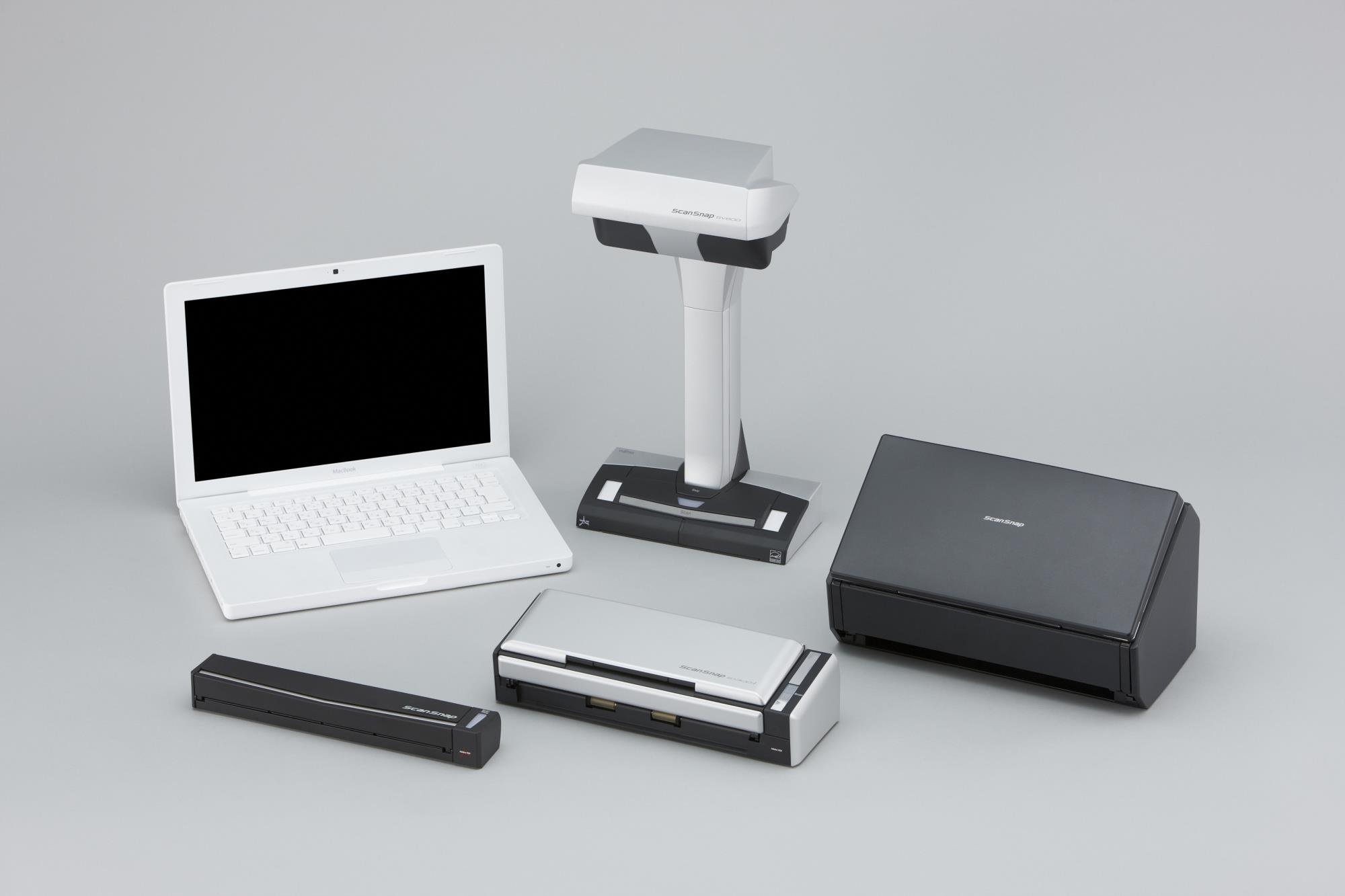
The original SV600 package for scientists scanning thick lab notebooks end to end.
The Fujitsu PA03641-B301 is the full retail SV600 kit—the same overhead CCD scanner as the newer listing, but with a software bundle that scientists specifically call out. For lab researchers, its oversized capture area reads tall notebooks with no edge cutoff, and the CCD sensor handles handwritten gloss pages cleanly. One owner described it as perfect for scientists scanning lab notebooks, praising how the timed mode cycles at roughly 5-6 seconds per page without the edge cutoff that plagues feed scanners.
Its 600 DPI CCD sensor and 20W power draw drive a fast startup with a small footprint, working in most lighting. The included software—Rack Filer Smart, Adobe Acrobat XI, and Rack2File—gives you batch photo management and deep PDF editing right from the start. The auto-correction straightens pages and keeps them readable, with color that holds up well. A 5-computer license means you can install it across team machines, though you’ll want to turn the scanner off between sessions to avoid recognition glitches.
The height is the main obstacle—this is an upright unit that needs noticeable shelf clearance, so measure your space before buying. For very thick books, owners recommend placing a glass panel on top to flatten the page surface. The finger-removal software is clunky, batch PDFs can crash if you string too many pages together (10-20 page batches are the safe zone), and the background pad has inaccurate edge markings. It’s a specialist tool, but for scientists and serious archivists pushing toward a paperless office, nothing in the provided data handles lab notebook runs so smoothly.
Built for data
- Oversized capture reads lab notebooks with no edge cutoff
- CCD sensor stays sharp on gloss and handwriting
- Ships with full Adobe Acrobat and multi-PC license
The fine print
- Significant height demands careful shelf planning
- Timed mode runs only 5-6 seconds per page
- Batch scanning needs 10-20 page chunks to stay stable
Archivists and scientists: The bundled software and CCD optics make this the most complete SV600 package for turning heavy notebooks into searchable files.
skip it if: your library is compact and you lack the vertical shelf space this upright scanner demands.
Understanding the Specs
Megapixels vs. DPI
Megapixels describe the total pixel count on the camera sensor, and DPI (dots per inch) describes how those pixels cover a scanned page’s physical surface. A large map scanned at low DPI can look washed out if the sensor lacks enough pixels. Book scanners often pair a sensor (13MP, 26MP, 38MP) with software that boosts effective DPI—but raw optical resolution always beats software guesswork for OCR accuracy and fine details.
Overhead Camera vs. Flatbed
An overhead scanner photographs an open book from above, so the spine never presses into a glass plate and thick volumes stay intact. A flatbed scanner lays a page flat against glass for precise wide-format capture, but it requires opening and pressing bound documents, which can strain or crack newer bindings. Choose overhead for bound books and library materials; choose flatbed for maps, scrapbook pages, and loose oversize originals.
FAQ
What does an overhead book scanner actually do for my book’s spine?
Is a higher megapixel count always better for book scanning?
Can these scanners handle glossy or coated pages?
Does an overhead scanner support Android or iOS tablets?
What is curve-flattening software for?
Why would I want a foot pedal on a book scanner?
Is a book scanner faster than a flatbed for bulk digitization?
Can I get searchable PDFs or editable Word files from these scans?
Should I buy an overhead camera or a wide-format flatbed for maps and scrapbooks?
Final Thoughts: The Verdict
For the majority of shoppers, the book scanner worth buying first is the CZUR Shine Ultra for its speed, 13MP clarity, and foot-pedal flow that suits everything from schoolwork to modest book archiving. If your project centers on thick preserved volumes or professional-grade archives, the CZUR ET MAX steps up with a 38MP sensor and the flattening muscle to match—the crowd favorite among serious book digitizers.
How We Picked
We do not accept paid placement. Every pick is matched to a real buyer and a real use-case; we do not hands-on test units.
Sources & Methodology
Specifications: manufacturer listings and product documentation. Review insights: verified customer reviews, as of September 2026. Pricing: not shown on this page (it changes often); check the current price via the retailer link.
As an Amazon Associate, Gadgets Feed earns from qualifying purchases. This does not affect which products we feature.