
Our readers keep the lights on and my morning glass full of iced black tea. As an Amazon Associate, I earn from qualifying purchases.
Specs are compiled from manufacturer listings and verified buyer reviews and can change over time — please confirm the key details on the product page before buying.
You want a Chromebook that won’t die halfway through your day, has room for your apps and offline files, and a screen you can read for hours without eye strain. The budget tier has improved a lot, with several models now offering full HD (1920×1080) displays and all-day battery life without premium prices. Here is how to pick the right one for school, work, or daily browsing.
I’m Min — the founder and writer behind Gadgets Feed. This guide is built by comparing the manufacturers’ published specifications and the patterns across verified customer reviews, so you get each pick’s real strengths and trade-offs instead of marketing spin.
You’ll see exactly which affordable chromebook laptops deliver the best balance of battery, storage, and screen for the money.
Our Picks at a Glance


How To Choose The Best Affordable Chromebook Laptops
Choosing an affordable Chromebook is less about finding the most powerful processor and more about matching the machine to your daily routine. Since Chrome OS is a lightweight operating system, even entry-level chips handle web browsing, Google Docs, and streaming well. Your real focus should be on the components that affect your daily experience: the screen resolution, the amount of RAM for multitasking, and how much local storage you actually need.
Screen Size and Resolution
The display dictates how comfortable you’ll be working for long stretches. A larger 14-inch or 15-inch screen with Full HD (1920×1080) resolution gives you crisp text and more room for split-screen work. Smaller 11.6-inch models are lighter and more portable but often cap out at HD (1366×768) resolution. If you plan to watch videos or work on detailed documents, prioritize a Full HD panel even if it means a slightly larger chassis.
RAM and Multitasking Headroom
RAM determines how many browser tabs and apps you can keep open without slowdowns. In this price range, 4GB is the standard and handles typical Chromebook workloads—streaming, email, and school portals—admirably. You’ll notice stutter only if you try to juggle dozens of heavy tabs or Android games. If you frequently keep many applications open, look for a model that pairs that 4GB with a modern quad-core processor to keep things responsive.
Storage: The eMMC vs. Expansion Question
Chromebooks use space-efficient eMMC flash memory for storage, which is fast enough for booting and loading apps. Base models often come with 32GB or 64GB, which fills up quickly if you download Android apps or save videos for offline viewing. Some manufacturers bundle a microSD or SD card to boost that space, giving you room for more files and media. Check whether the model has a card slot for future expansion, or if it comes with extra storage from the start.
Quick Comparison
| Model | Best For | Screen | Storage | Battery | Amazon |
|---|---|---|---|---|---|
| HP 14 2-in-1 Chromebook★ Best Overall | Best Overall Flexibility | 14″ FHD Touch | 64GB | All-Day | Amazon |
| ASUS 15″ FHD ChromebookBest Value | Best Value Big Screen | 15″ FHD IPS | 128GB | All-Day | Amazon |
| Samsung Chromebook 4Most Portable | Best for Portability | 11.6″ HD | 32GB | 12.5 Hours | Amazon |
| HP Chromebook 14 | Best Bundle Extras | 14″ HD | 192GB | 14 Hours | Amazon |
| Acer Chromebook 311 | Reliable Basic Companion | 11.6″ HD | 32GB | 10 Hours | Amazon |
| Lenovo IdeaPad Slim 3 14″ | Best Touchscreen Quality | 14″ FHD Touch | 128GB | 13.5 Hours | Amazon |
| HP Chromebook x360 14 | Premium Touch 2-in-1 | 14″ FHD Touch | 64GB | 10 Hours | Amazon |
| Lenovo Chromebook 14″ WUXGA | Best Bright Display | 14″ WUXGA Touch | 64GB | Long | Amazon |
| ASUS Chromebook Flip CX1 | Most Versatile Premium | 14″ FHD Touch | 128GB | 11 Hours | Amazon |
In-Depth Reviews
1. HP 14 2-in-1 Chromebook
Our pick — 4.5★ from 350+ verified ratings; the strongest balance of quality and price.
A 360° convertible that flips into tablet mode for homework or movie night.
This HP stands out because its 14-inch Full HD IPS touchscreen flips a full 360 degrees, letting you switch between laptop and tablet modes without buying a separate device. Inside, the Intel N100 quad-core processor (running up to 3.40GHz) handles everyday tasks, and it’s backed by 4GB of DDR5 RAM — the newer, faster memory standard that keeps things snappy. Owners consistently say performance is the defining strength, with many noting it “gets me through the day without having to charge frequently,” which makes it a trustworthy class-to-class companion.
At just over a pound lighter than many 15-inch rivals, it’s genuinely portable, and the 64GB of storage is enough for apps and documents. The 720p webcam with integrated dual-array microphones keeps you clear on video calls, while Wi-Fi 6 and Bluetooth 5 provide modern, reliable wireless connections. It’s a renewed unit, but the feedback is clear: several buyers thought it was brand new from the start, commenting on the distinct blue color and the included stylus.
A touchscreen, 360° hinge, and full HD panel together are rare at this price point. Its blend of a 360° hinge, responsive N100 processor, and all-day battery makes it the clear crowd favorite for daily versatility.
Why It Wins
- 360-degree flip design with a 14″ FHD IPS touchscreen for laptop and tablet use
- Intel N100 processor and 4GB DDR5 RAM deliver responsive performance for daily apps
- Lightweight and thin chassis with a battery that lasts through a school or work day
Things to Note
- Runs Chrome OS, which lacks some familiar Windows desktop software
- Durability receives mixed feedback from owners, so treat it with care
Reach for this if: you want one device that works as a laptop for typing and a tablet for watching or presenting.
Think twice if: you rely on a specific Windows-only application for your job or classes.
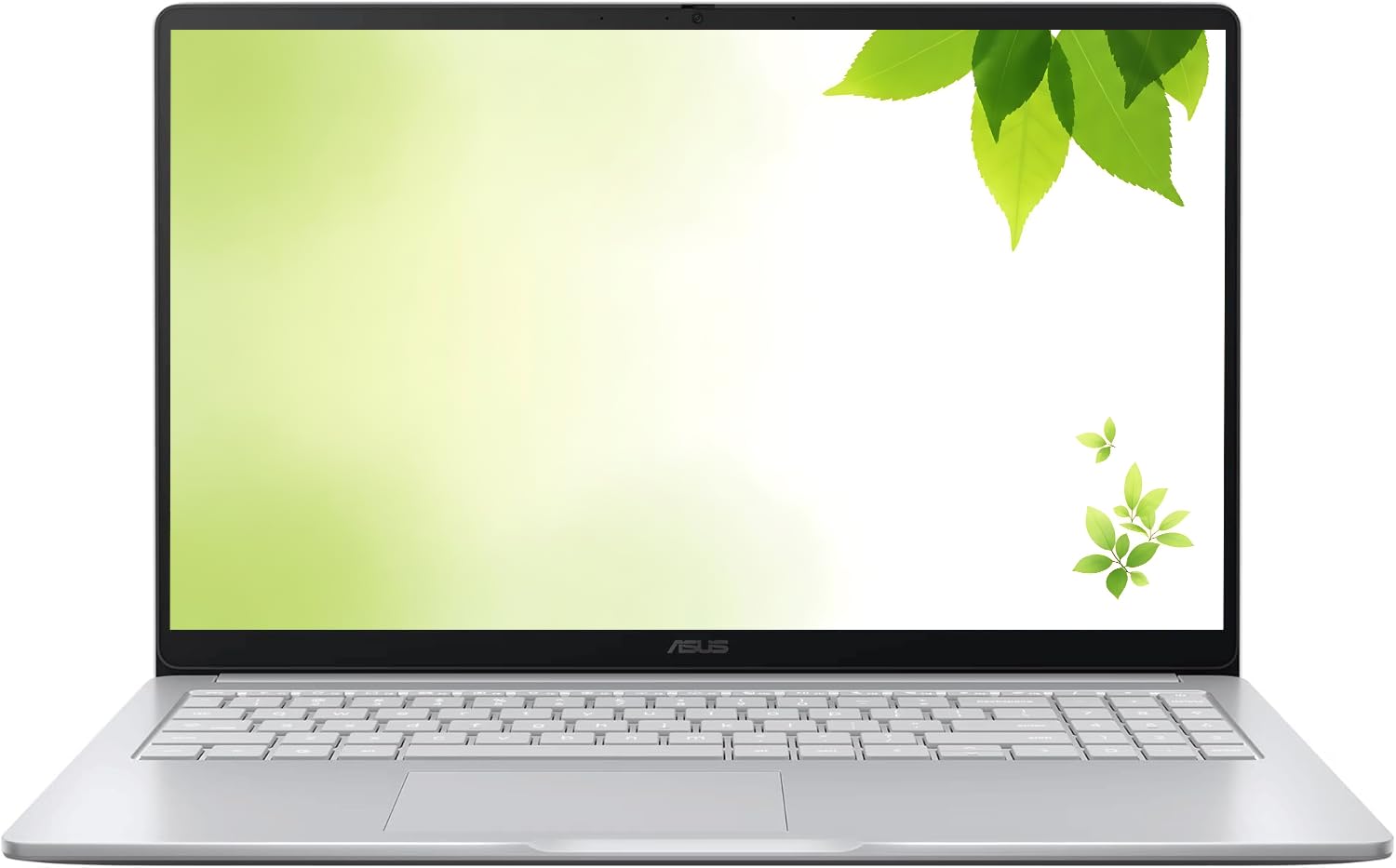
2. ASUS 15″ FHD IPS Chromebook
A massive Full HD screen with quadruple the storage of entry-level rivals.
If you want the biggest canvas for the least money, this ASUS delivers a 15-inch Full HD IPS display — 29% more screen than the 11.6-inch Samsung Chromebook 4, making documents and spreadsheets far easier to read. It’s also a storage standout: the 128GB of internal space is a full 4 times the 32GB you get on that smaller Samsung, giving you room for apps, photos, and offline files. Performance is what you’d expect from a budget laptop, but for web use and Google Docs, owners say it’s a great deal, with one noting it “feels high quality” and is “extremely easy to setup.”
The pastel silver finish looks clean, and it’s a renewed model that frequently arrives looking flawless — several buyers reported they couldn’t find a single flaw and felt it was brand new. It includes an HDMI port for plugging into a monitor or TV, plus USB-C and USB-A connectivity, so you can connect to displays, keyboards, and storage devices without an adapter. The battery gets positive feedback for lasting through the day.
The trade-off is the processor: the Celeron chip tops out at 2.80GHz, and owners genuinely disagree on its speed, so this isn’t the pick for heavy multitasking. It’s a pure value play for students or web users who want a huge, clear screen and ample storage without spending more.
Big screen, big storage: The 15″ display and 128GB storage make it the standout for anyone who lives in Google Docs and needs space for files.
Not for power users: The entry Celeron chip means keeping expectations realistic — this shines at web use, not heavy multitasking.
Who it beats: Anyone cross-shopping the Samsung Chromebook 4 gets a far bigger screen and 4x the storage here.
Look elsewhere if: you plan to run many demanding Android apps simultaneously, as speed gets mixed reviews.
3. Samsung Chromebook 4
A rugged 11.6-inch build that survives daily backpack-and-desk wear.
Battery life is the headline feature here, rated for 12.5 hours on a charge — enough for a full day of classes without hunting for an outlet. The Gigabit Wi-Fi keeps connections fast, and Samsung layers in advanced security with built-in virus protection. Buyers also praise the Google Assistant integration and the fact that setup takes about five minutes, making it a great first laptop or a simple machine for elderly family members handling bills and web browsing. The screen is bright, though some wish the HD panel were sharper and more vivid.
There are legitimate trade-offs at this size. Storage is a lean 32GB, and the screen is a basic HD panel that earns the most negative feedback of any feature, with owners consistently wanting clearer and brighter images. It’s also worth knowing that a small number of units have stopped working within a few months, so treat it as a dependable daily driver rather than an indestructible forever device.
Built for the Road
- 12.5-hour battery life easily spans a full school or work day
- Military-grade durable build survives drops, dirt, and daily abuse
- Light 11.6″ design and fast Gigabit Wi-Fi for on-the-go use
Compact Compromises
- HD screen quality is the recurring complaint — it’s not the sharpest or brightest
- 32GB storage fills quickly, and there’s no SD card slot for expansion
Best pick for: students, travelers, and anyone who needs a tough, lightweight machine that lasts all day.
Skip it for: movie buffs or designers who need a sharper, more colorful display.
4. HP Chromebook 14 with Marxsol Bundle

A 14-inch student pick with 192GB total storage and all accessories included.
This HP bundle solves the two biggest budget-laptop frustrations at once: storage and accessories. It pairs 64GB of internal eMMC storage with a 128GB memory card, giving you 192GB total — room to spare for homework files, movies, and apps. The MarxsolAccessory kit sweetens the deal with a 6-in-1 USB-C docking station hub, a wireless mouse, a mousepad, HDMI and USB cables, so you’re fully equipped the moment the box arrives. Owners love the completeness, noting it came with “a lot of things” and is “perfect for the schoolwork I have to do.”
The 14-inch HD display has an anti-glare panel to keep visuals comfortable in bright indoor settings, and the quad-core Intel Celeron N4120 (bursting to 2.6 GHz) lets you run multiple programs and browser tabs at once. The HP True Vision 720p camera and integrated microphone make it Zoom-ready for online classes and remote work. Battery life is rated up to 14 hours, one of the strongest figures here.
The honest caveat is that one owner received a unit whose screen wouldn’t power on, so it’s worth testing the display immediately upon arrival. Most buyers, though, find it a great compact notebook for the price, and the sheer volume of included gear makes it an exceptional value for students setting up for the first time.
Everything included: The docking station, wireless mouse, and extra storage card mean no hidden setup costs.
Test on arrival: A single report of a dark screen means you should verify the display powers on right away.
Ideal for: students and remote workers who want one box with all the accessories and generous 192GB of space.
Not the one if: you need a sharper Full HD panel — this is an HD (1366×768) display.
5. Acer Chromebook 311

A compact 11.6-inch model ideal for quick browsing and travel.
The Acer 311 nails the simple brief: a small, reliable Chromebook for everyday web use. Its 11.6-inch HD display is small enough that owners leave it out on the coffee table for quick browsing or YouTube, and it’s lightweight enough to travel without a second thought. Under the hood, the Intel Celeron N4000 with 4GB of LPDDR4 memory handles basic tasks responsively, and buyers consistently rave about the speed, calling it “very very responsive” for casual use.
Battery life is rated up to 10 hours, and real-world reports back it up, with one owner stretching a 12-hour Skype session. The clear webcam and decent microphone make it a solid option for video calls, and the keyboard earns praise for its feel. It comes with built-in virus protection, automatic updates, and access to over 2 million Android apps, plus an additional 100GB of Google Drive space for cloud backups.
The weaknesses are predictable at this size. The speakers are on the weaker side, though Bluetooth 5.0 offers an easy fix by connecting to wireless headphones or speakers. It’s also note this specific model lacks a touchscreen — that’s reserved for pricier versions in the lineup. For the money, owners uniformly call it good value and a well-made secondary computer for meetings, research, or travel.
The Everyday Strengths
- Up to 10-hour battery life handles a full day of classes or travel
- Light and compact 11.6″ build is easy to carry or leave on a coffee table
- Fast, responsive performance for browsing, streaming, and Google apps
Small-Screen Limits
- Speakers are weak, so plan on Bluetooth headphones or external speakers
- No touchscreen on this model and connectivity feedback is mixed
Grab it if: you want a dependable, easy-to-set-up second computer for light browsing and travel.
Pass if: you need a touchscreen or want stronger built-in speakers for media.
6. Lenovo IdeaPad Slim 3 14″ Chromebook

A vivid 300-nit touchscreen with 100% sRGB coverage that feels far from budget.
Lenovo’s IdeaPad Slim 3 is the pick for display quality. The 14-inch Full HD (1920×1080) touchscreen hits 300 nits of brightness and covers 100% of the sRGB color gamut, meaning colors look rich and accurate rather than washed out — a rare treat at this price. It’s also an anti-glare panel, so you can work near a window without fighting reflections. Owners can’t stop comparing it favorably to their old Windows machines, calling it “the apple of chromebooks” for its polish and classy abyss blue finish.
Inside, an 8-core MediaTek Kompanio 520 processor handles multitasking smoothly, and you get 128GB of total storage — a 64GB eMMC drive plus a 64GB SD card already attached. Battery life is rated up to 13.5 hours, giving you genuine all-day endurance. The 720p webcam includes a privacy shutter, a small touch that matters for security-conscious users, and the whole thing is backed by a one-year manufacturer warranty with software updates through June 2032.
Setup is easy for Google users — log in with your Gmail account and everything syncs. Most owners call it “a great value for the money” and say it’s “not too heavy and looks classy.” The one recurring issue is an occasional freeze that can slow restarts, but if you stick to web, email, social media, and Google Drive, this is a solid pick. skip it if you plan to run heavy Android games or need more than the 32GB of storage.
Screen & Endurance Stars
- 14″ FHD touchscreen with 300 nits and 100% sRGB for vivid, accurate colors
- 8-core MediaTek Kompanio 520 keeps multitasking smooth
- 13.5-hour battery plus 128GB total storage (64GB eMMC + 64GB SD card)
Minor Gripes
- Occasional freezing that can slow down restarts
- Soldered RAM means you can’t upgrade memory later
Choose this for: the best-looking screen in the budget tier and a premium feel without the premium price.
Reconsider if: you need maximum performance from demanding apps — this is built for everyday web and cloud work.
7. HP Chromebook x360 14

A beautifully finished convertible with a bright touchscreen and genuinely great battery.
The HP x360 feels premium because of its polish. The 14-inch Full HD (1920×1080) IPS touchscreen is crisp and responsive, and the 2-in-1 hinge folds into tent or tablet mode for presentations or casual viewing. Buyers are impressed with how easy it is to use, the battery life, and the touchscreen — one calls it “100% works great,” and another notes it arrived looking brand new with no scratches.
Performance comes from the Intel Processor N100, running up to 3.40GHz — a meaningful step up in responsiveness from older Celeron chips. It’s paired with 4GB of LPDDR5 RAM (the latest low-power standard) and 64GB of eMMC storage. The sky blue color is a refreshing change from the usual gray or silver, and it connects to mice, keyboards, external displays, and even a stylus via its USB ports. Mixed usage battery is rated up to 10 hours and 15 minutes.
The 64GB of storage is the main limitation for anyone planning to download lots of Android apps or videos. But for students, professionals, and everyday users who want a reliable, good-looking machine that handles web work beautifully, this x360 is a crowd-pleaser that’s easy to recommend.
Premium touch experience: The bright FHD IPS touchscreen and smooth N100 processor make everyday use feel easy.
The storage catch: 64GB is fine for cloud-centric users but fills up fast with downloaded media.
Best suited for: buyers who want a polished, attractive 2-in-1 with a great screen and all-day battery.
Not ideal if: you need lots of local storage for apps and offline videos.
8. Lenovo Chromebook 14″ WUXGA
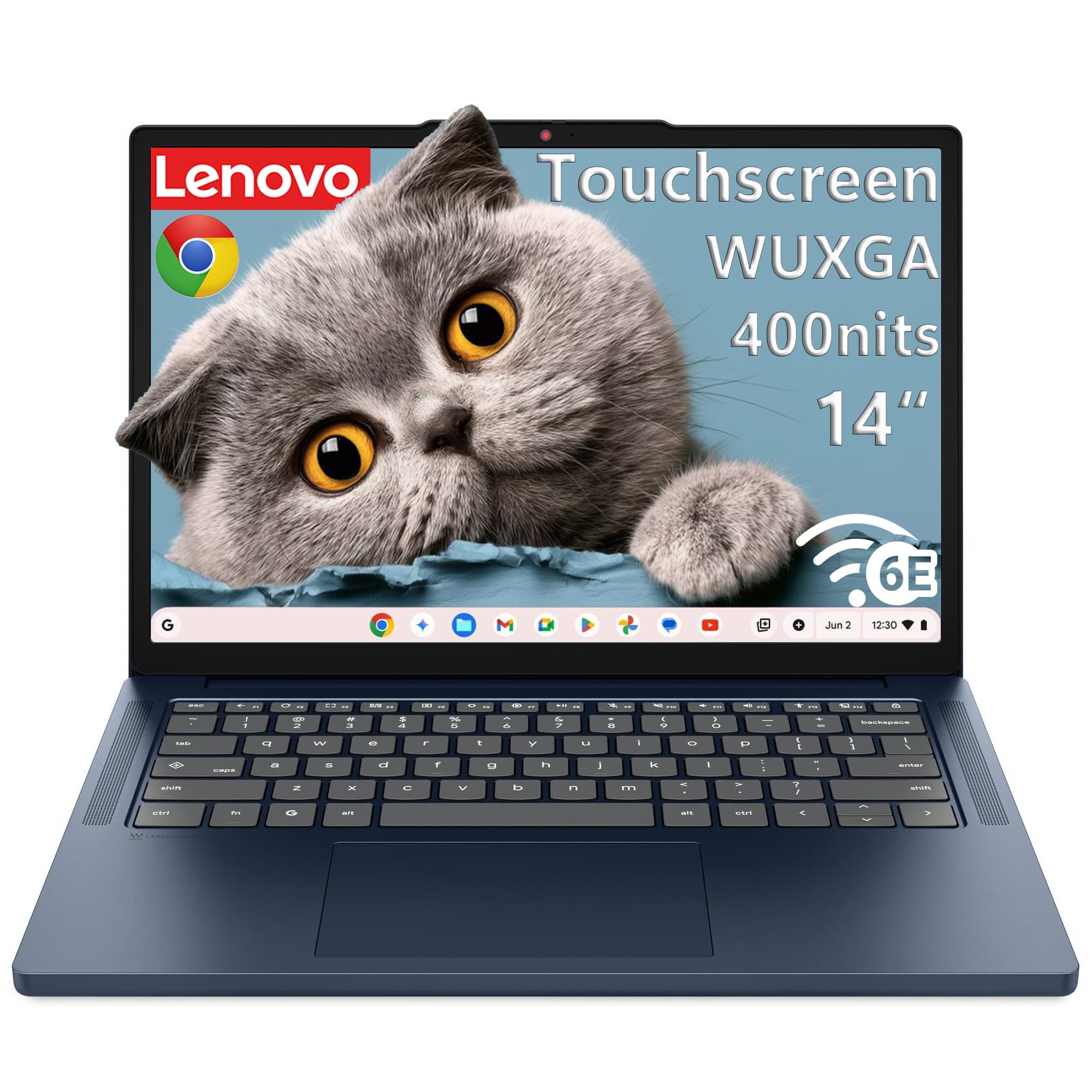
A bright, secure workhorse with bleeding-edge Wi-Fi 6E and a featherlight frame.
This Lenovo stands apart with a stunning 14-inch WUXGA (1920×1200) touchscreen that hits 400 nits of brightness — noticeably brighter than typical budget panels, making it readable even outdoors or near windows. Its 8-core MediaTek Kompanio 540 processor pairs two performance cores running at 2.6GHz with six efficiency cores, delivering responsive speeds for browsing and streaming. Owners call it “superfast and beautiful,” with many noting it’s an amazing laptop for the price and a great pick for a high schooler.
what separates it is connectivity and security. Wi-Fi 6E (the newest wireless band, less congested) keeps your connection fast, and Bluetooth 5.3 (the latest standard) keeps peripherals paired. It passes MIL-STD-810H military-grade durability testing, and at just 2.99 lbs (1.36 kg), it’s light for a 14-inch machine. The Google Security Chip H1 (a dedicated hardware chip for encryption) and a camera privacy shutter protect your data, and the display is TÜV Rheinland Low Blue Light certified (a standard that reduces eye strain) for long viewing sessions. You also get a 65W USB-C charger, two USB-C ports with DisplayPort (for connecting external monitors), and an HDMI port.
The biggest draw is the value-for-money equation — owners consistently praise what you get for the price, and the speed gets positive mentions. It’s worth knowing that reliability feedback is mixed, with a small number of owners reporting unexpected screen shut-offs or tab glitches, so it’s worth testing thoroughly during the return window. One buyer also noted their unit lacked touchscreen capabilities despite the listing, so verify that feature on arrival if it matters to you.
Ahead of the Curve
- Bright 400-nit WUXGA touchscreen with anti-glare coating for indoor or outdoor use
- Fast Wi-Fi 6E and Bluetooth 5.3 for stable, high-speed connections
- Light 2.99 lbs military-grade build with camera privacy shutter
What to Watch
- Reliability is a mixed bag, with occasional screen or tab glitches reported
- Some units may not have the advertised touchscreen — verify on arrival
Perfect for: students and professionals who want the brightest screen, fastest Wi-Fi, and a light, secure build.
Proceed with care if: you’re wary of mixed reliability reports — test thoroughly when it arrives.
9. ASUS Chromebook Flip CX1

The fully-loaded convertible with double the RAM and four ways to work or watch.
For versatility, the ASUS Flip CX1 gives you the most complete package. Its 14-inch Full HD (1920×1080) NanoEdge touchscreen flips 360 degrees into four modes — clamshell, tent, stand, and tablet — so you can type an essay, present slides, watch a movie, or sketch without a separate tablet. The standout spec is 8GB of RAM, double what most budget Chromebooks offer, so multitasking across many browser tabs and Android apps feels smoother than on the HP x360’s 4GB. It also meets the US Military Grade MIL-STD-810H durability standard and weighs just 3.59 lbs.
Storage is generous at 128GB of eMMC, giving you room for apps and offline files. The Intel Celeron N4500 processor tops out at 2.8GHz, and owners find it works well for school work and Google Classroom, with a teacher’s spouse using it daily for professional coursework. Battery life is rated up to 11 hours, and the flip mechanism itself earns praise for being strong and well-built. It also comes with a free 3-month Google One AI Premium plan, which includes Gemini Advanced and 2TB of cloud storage.
The connectivity options are comprehensive: two USB-C ports with display and power delivery support, two USB-A ports, a microSD card reader, and dual audio jacks. Performance does get mixed feedback, with some owners finding it slower than expected for demanding tasks, so it’s best for everyday productivity rather than heavy processing. Buyers consistently note the build quality is great and the touchscreen is solid, making this a long-term investment that avoids the need for a separate tablet.
Why It’s the Top Convertible
- 8GB RAM — double the standard — handles heavy tab and app multitasking
- 360° flip design offers clamshell, tent, stand, and tablet modes
- 128GB storage, 11-hour battery, and military-grade durability in a 3.59 lbs body
Performance Reality
- Speed gets mixed reviews — it’s great for school and web, not heavy processing
- Battery life varies by how you use it, though it’s rated up to 11 hours
Reach for this if: you want one device that replaces both a laptop and a tablet without compromise.
Think about it if: you’re a student who needs smooth multitasking and plenty of storage for a multi-year purchase.
Understanding the Specs
Processor & RAM
The processor is the engine that determines how smoothly your Chromebook runs. Chips like the Intel Celeron N-series or MediaTek Kompanio series are designed specifically for light, efficient workloads, which is exactly what Chrome OS demands. RAM, typically 4GB in this price range, is your multitasking headroom — it decides how many browser tabs and apps you can keep open without lag. Some premium picks push to 8GB, which is worth the upgrade if you juggle many applications or Android games at once.
Storage & Display
Chromebooks use eMMC flash storage, which is compact and fast enough for booting up and loading apps quickly. Base models start at 32GB, but many budget picks now bundle extra SD cards to reach 128GB or more for offline files and media. For the screen, a Full HD (1920×1080) IPS panel is the gold standard for sharp text and wide viewing angles, while budget options often use HD (1366×768) displays that are lighter but noticeably less crisp. Nits measure brightness — 300 nits or higher keeps the screen readable in bright rooms.
Battery Life & Connectivity
Battery life is measured in hours of mixed usage, and the best budget Chromebooks now advertise 10 to 14 hours on a charge. That’s genuine all-day endurance, so you can leave the charger at home. For connectivity, look for Wi-Fi 6 or the newer Wi-Fi 6E standard for faster, more stable wireless connections, plus Bluetooth 5.0 or later for reliable peripherals. Modern ports include USB-C for charging and display output, with fast data transfer and power delivery support on many models.
Build & Form Factor
Build quality in this tier ranges from basic plastic bodies to military-grade (MIL-STD-810H) durable frames that survive drops and daily abuse. Weight matters if you carry it constantly, with 11.6-inch models under 2.5 lbs being the lightest. A 2-in-1 convertible design adds a 360-degree hinge, letting you switch from laptop to tablet, tent, or stand mode — eliminating the need for a separate tablet and adding genuine versatility to your daily workflow.
FAQ
How much RAM do I really need in an affordable Chromebook?
Is 32GB of storage enough for school work?
Should I buy a renewed or refurbished Chromebook?
What’s the difference between HD and Full HD screens on a Chromebook?
How long will an affordable Chromebook last?
Can a Chromebook replace a Windows laptop for everyday use?
Is a touchscreen Chromebook worth the extra cost?
How long does the battery actually last in real use?
Are Chromebooks safe from viruses?
What’s the difference between a 2-in-1 convertible and a standard laptop Chromebook?
Final Thoughts: The Verdict
For most people, the affordable chromebook laptops winner is the HP 14 2-in-1 Chromebook because its 360-degree flip design, Full HD touchscreen, and responsive Intel N100 processor deliver the most versatile daily experience without straying into premium pricing. If you want the biggest screen for the least money, grab the ASUS 15″ FHD Chromebook with its 128GB of storage. And for a tough, ultra-portable companion that lasts through the longest school days, the Samsung Chromebook 4 is the one to reach for — its 12.5-hour battery and military-grade build make it a dependable daily driver. Every pick here handles daily essentials smoothly, so you don’t need to overspend for a Chromebook that genuinely works.
How We Picked
We do not accept paid placement. Every pick is matched to a real buyer and a real use-case; we do not hands-on test units.
Sources & Methodology
Specifications: manufacturer listings and product documentation. Review insights: verified customer reviews, as of September 2026. Pricing: not shown on this page (it changes often); check the current price via the retailer link.
As an Amazon Associate, Gadgets Feed earns from qualifying purchases. This does not affect which products we feature.