
Our readers keep the lights on and my morning glass full of iced black tea. As an Amazon Associate, I earn from qualifying purchases.
Specs are compiled from manufacturer listings and verified buyer reviews and can change over time — please confirm the key details on the product page before buying.
The biggest mistake budget Chromebook shoppers make is assuming all cheap laptops feel cheaply slow. That assumption costs you real time every single day, because the difference between a 4GB machine and an 8GB one shows up the moment you have ten tabs open and a video call running. This guide sorts through the processors, screens, and battery claims to find which machines handle your actual routine—school, work, streaming—without the lag that makes you want to throw them out the window.
I’m Min — the founder and writer behind Gadgets Feed. This guide is built by comparing the manufacturers’ published specifications and the patterns across verified customer reviews, so you get each pick’s real strengths and trade-offs instead of marketing spin.
We break down the specs that actually matter and highlight which models deliver the smoothest everyday experience for the money, so you can confidently choose the right budget chromebook without overpaying for features you’ll never use.
Our Picks at a Glance


How To Choose The Best Budget Chromebook
Buying a budget Chromebook is less about finding the cheapest price and more about finding where the corners are cut, and whether those cuts actually impact your day. ChromeOS is lightweight by design, so even modest hardware handles browsing, email, and video calls. But once you start juggling many tasks at once, the machine’s limits become obvious. The goal is to get the smoothest multitasking experience for the budget you have.
RAM: The Real Multitasking Power
With ChromeOS, the amount of RAM is often the deciding factor in how the laptop feels under load. A machine with 4GB of RAM will handle a few tabs fine, but can start to slow down or refresh pages when you have many open or are streaming video while editing documents. An 8GB model gives Chrome and Android apps much more room to breathe, making the whole experience feel snappier and more reliable when you’re hopping between tasks all day.
Storage and Startup Speed
Chromebooks typically use either eMMC or UFS flash storage. The amount you get is important for offline files, but the type matters less to most people than the amount. A 64GB drive will fill up if you download large files, while 128GB gives you far more freedom to store things locally. Cloud-based workflows make storage less critical for many, but the extra space is welcome if you travel or have spotty internet.
Battery Life and Display Clarity
Battery life estimates often look optimistic, but the real-world consensus tends to be slightly lower than the claims. A rating of around 12-14 hours usually means you’ll get through a full day of notes and web browsing without hunting for an outlet. The display is equally crucial for comfort—a 15.6-inch screen is great for split-screen productivity, and a Full HD (1920×1080) panel will look considerably sharper than a standard HD (1366×768) one, especially when reading small text.
Quick Comparison
| Model | Best For | Screen | Storage | Battery Life | Amazon |
|---|---|---|---|---|---|
| Acer Chromebook 315★ Best Overall | Big Screen Productivity | 15.6″ HD | 64GB eMMC | 12.5 Hours | Amazon |
| HP Chromebook 14a (Renewed)Best Battery Life | Long-Lasting Battery | 14″ HD | 64GB eMMC | 14 Hours | Amazon |
| ASUS 15″ FHD ChromebookBest Display | Sharp FHD Display | 15″ FHD IPS | 128GB | — | Amazon |
| HP 14″ HD Chromebook | Student Back-to-School | 14″ HD | 64GB eMMC | 14 Hours | Amazon |
| Lenovo IdeaPad Slim 3 | Portability & Style | 14″ HD | 64GB | 13.5 Hours | Amazon |
| Samsung Galaxy Chromebook Go | Durability on a Budget | 14″ HD | 64GB | 12 Hours | Amazon |
| Acer Gateway Chromebook 314 | Full HD Resolution on a Budget | 14″ FHD | 64GB eMMC | 10.5 Hours | Amazon |
| Lenovo Chromebook m (14″, 11) | Touchscreen & Modern Ports | 14″ WUXGA Touch | 64GB UFS 2.2 | — | Amazon |
| ASUS Chromebook CX15 | Top-Tier Value & Power | 15.6″ FHD | 128GB | 10 Hours | Amazon |
In-Depth Reviews
1. Acer Chromebook 315
Our pick — over 4★ from 300+ verified ratings; the strongest balance of quality and price.
The big-screened workhorse that keeps up all day and then some.
Its 12.5-hour battery life pairs with the 15.6″ HD display for a full workday away from an outlet. The Intel Celeron N4020 (up to 2.80 GHz) keeps multiple browser tabs running smoothly. Buyers praise its fast performance and easy setup, noting it’s “good has space and is very big.”
The anti-glare coating and narrow 0.37-inch bezel improve visibility in bright rooms, and a full numeric keypad aids data entry. With 64GB eMMC storage and 4GB RAM, it handles school and office tasks within ChromeOS. Connectivity includes 2x USB-C 3.1, 2x USB-A 3.1, and a headphone jack. Its speakers deliver fuller sound than typical budget laptops, avoiding the tinny quality.
It’s the balanced pick for students and casual users wanting a large screen and long battery at an affordable price.
What Wins People Over
- Large 15.6-inch HD screen with an anti-glare coating for sunny rooms
- Solid 12.5-hour battery life for campus or office days away from power
- Includes a numeric keypad, making data entry far more efficient
- Fast setup and quick charging for users new to ChromeOS
The Honest Trade-offs
- HD resolution (1366 x 768) is not as crisp as Full HD on larger monitors
- A few users note it might slow down if you have tons of browsers open
- Limited local storage for large offline files
The takeaway: This Acer is the go-to if you want the biggest, most productive screen in this budget range and can live with standard HD sharpness. It suits students and home users who primarily browse, stream, and use Google tools.
Consider something else if: Your daily load involves heavy offline photo editing or many processor-heavy Android apps; this leans toward web-based work.
2. HP 14” Chromebook Laptop (Renewed)
An all-day battery champion that outlasts nearly every rival.
That headroom means reliable all-day performance, so you can comfortably stream shows or knock out assignments without carrying the charger. The quad-core Intel Celeron N4120 processor is tuned to balance performance, power consumption, and value, and it handles the 14-inch HD (1366 x 768) display with ease. As buyers report, “the laptop works very well and is in mint condition.”
You can slip this HP into a backpack and move from class to study sessions without feeling the weight. Its custom-tuned stereo speakers sound richer than typical budget laptops, and HP Fast Charge technology takes your laptop from 0 to 50% in about 45 minutes when you need a quick boost. The 802.11a/b/g/n/ac (2×2) Wi-Fi combo (a dual-band wireless standard) keeps remote work or streaming stable, and the full-size keyboard includes a multi-touch touchpad that supports four-finger gestures.
The one caveat? This is a renewed unit, meaning it’s a professionally refurbished device. Some owners mentioned it registers key presses occasionally when they think they haven’t pressed, which can be a quirk for the pickiest typists—though the overwhelming sentiment is that both renewed units arrive in excellent, lightweight condition.
Why it leads: This HP is the clear choice for anyone who refuses to hunt for a wall outlet. Its 14 hours of battery life outlasts the Acer 315’s 12.5 hours, giving power users extra cushion for the longest days.
Reality check: It’s renewed hardware, so the cosmetic condition may vary slightly—though buyers repeatedly note they arrive performing perfectly.
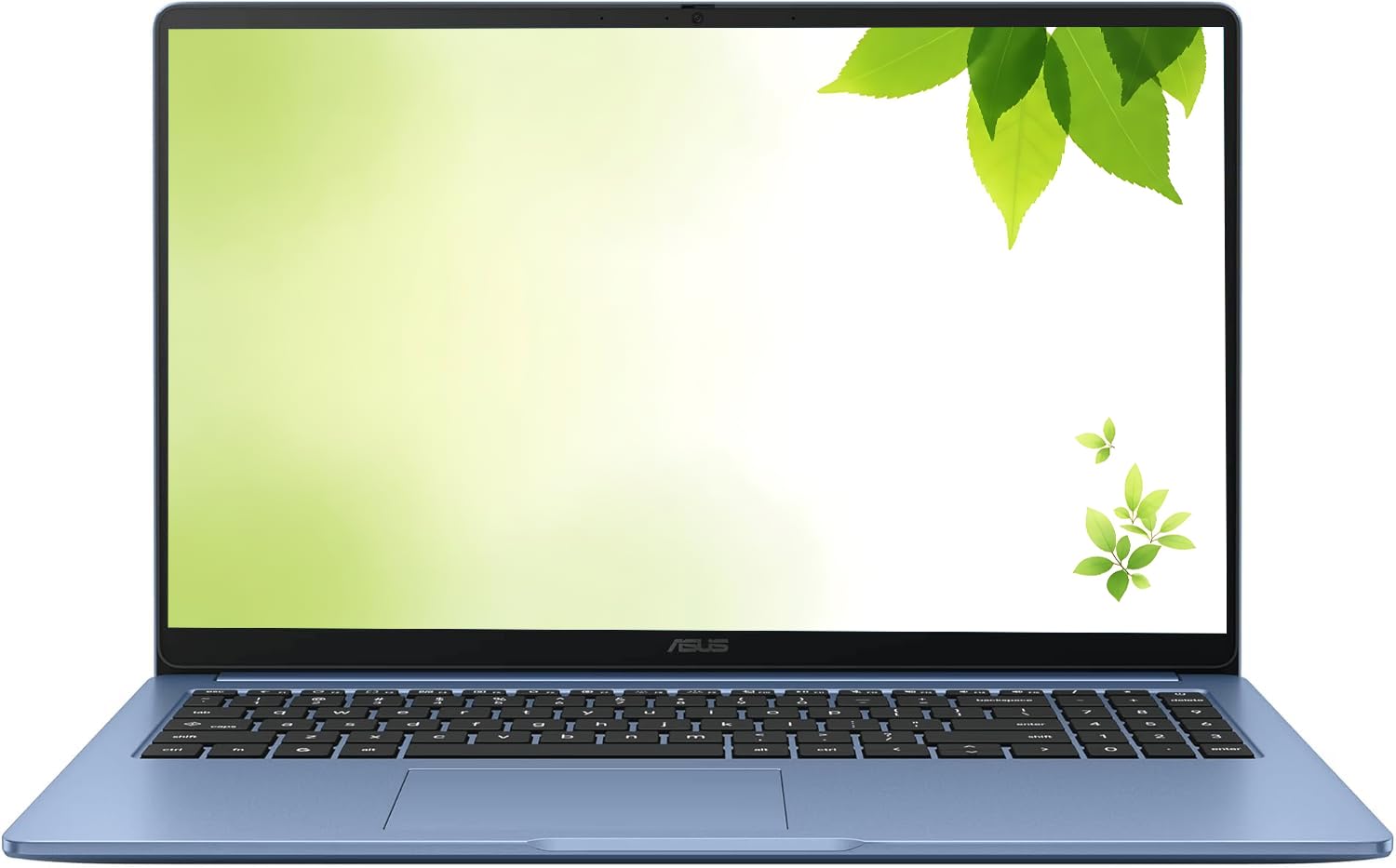
3. ASUS 2026 15″ FHD IPS Chromebook (Renewed)
A sharp Full HD screen that doubles the storage of most rivals.
You see the difference the moment you look at this ASUS: a 15″ FHD IPS panel (a screen type with wide viewing angles) at 1920 x 1080 resolution makes text crisp and colors accurate—a clear step up from the HD screens on many budget peers, including the Acer 315, which tops out at 1366 x 768. It also ships with 128GB of storage versus the Acer’s 64GB, a true 2.0x gap for your apps and downloaded movies. An Intel Processor reaching up to 2.80GHz slightly edges out the HP Chromebook 14’s max 2.6GHz clock speed, paired with 4GB DDR4 RAM.
Owners mention this Chromebook arrives feeling “like brand new from the start” and call it an “excellent budget option for students or web users.” The Pastel Blue color stands out pleasantly, and the fast Wi-Fi and Bluetooth—plus HDMI and USB-C ports—let you connect external displays easily. You get 1x USB Type-C, 1x USB Type-A, and a headphone/microphone combo jack, with an AC charger included.
The trade-off with 128GB capacity is that ChromeOS (Google’s operating system) does not run every traditional software program—one buyer called it a paperweight for their needs. You must commit to the Google ecosystem (Docs, Gmail, web apps) as your main workflow.
The mic-drop: Sharper than the Acer Chromebook 315 (1920×1080 vs 1366×768) and with double the storage (128GB vs 64GB), this ASUS gives you the best visual real estate and space for your files at a value price.
4. HP 14″ HD Chromebook for Students

A reliable study companion with quadruple-core muscle for smooth classwork.
If you are a student who needs steady performance from first boot to last assignment, this Acer delivers. Its Intel Celeron N4120 (a quad-core processor) divides up work smoothly during class research or group projects. The 14-inch HD (1366 x 768) micro-edge display is easy to carry between lecture halls, and it matches the HP 14a above with a 14-hour battery life—enough for a full day of classes plus an evening study session.
Buyers highlight that the “keyboard is comfortable to type on” for long essays, and the screen is “bright and clear.” Setup on ChromeOS is straightforward for school, and ports are versatile: 2x USB 3.0 Type-A for flash drives, 1x USB 3.0 Type-C, an HDMI port, and a headphone jack for private listening. The 4GB LPDDR4x memory (a type of fast RAM) runs multiple apps and browser tabs smoothly.
A few reviewers mentioned they wish they could adjust the picture quality more directly, which points to the slightly limited color settings of an HD panel. But for the core purpose—accessing portals, writing essays, attending Zoom classes—it delivers reliably.
Reach for this if: You’re kitting out a K-12 or college student who needs a slow-to-break, easy-to-use machine that boots fast, runs a full day of classes, and connects to every school peripheral.
Look elsewhere if: Your student’s coursework includes video editing or CAD software, which will outpace its processor and RAM limits.
5. Lenovo IdeaPad Slim 3 Chromebook

The featherweight that slips into any bag without weighing you down.
For those who commute or move between rooms all day, the defining stat here is the weight: a minimal 2.87 lbs. This Lenovo is enclosed in an “abyss blue” chassis, giving it a modern, chic look that doesn’t feel plastic. It’s powered by the efficient MediaTek Kompanio 520 Processor, which keeps the chassis quiet and draws little power, helping it achieve an advertised battery life of up to 13.5 hours. That’s impressively close to the HP 14-inch student model’s rating, but this Lenovo adds Wi-Fi 6 for a faster, more stable connection to modern routers.
The audio experience gets a boost from Waves MaxxAudio-tuned stereo speakers, making music and video calls sound fuller. A privacy shutter built into the HD camera plus a mute key help keep conversations secure and private. A USB-C port simultaneously charges, transfers files, and syncs to a monitor, serving as a solid one-cable hub for presentations and file backups. Buyers describe it as “slim and easy to use” with a screen that’s “clear and works great for my needs.”
The main thing owners flag is the lack of touchscreen — something 19 of them mention as a downside since many newer Chromebooks include it. It is absolutely a laptop for basic tasks like email, browsing, and video streaming; those looking for a heavy-duty computing machine found it “painfully slow.”
Built for the Commute
- Weighs just 2.87 lbs — lightest pick here for easy transport
- Up to 13.5-hour battery helps it last through long travel days
- Wi-Fi 6 support makes for snappier, more stable wireless connections
- Privacy shutter on the camera for security when not in use
Points to Check
- No touchscreen functionality for those used to tapping displays
- Speed and screen quality receive more mixed feedback from power users
6. Samsung Galaxy Chromebook Go

A slim, sturdy option that’s built to survive your busy schedule.
Durability leads the pitch here, following the “skillfully designed, military tough” claim that the chassis can withstand occasional drops and dings. This makes it an interesting alternative to the IdeaPad Slim 3 for anyone who treats their laptop a bit roughly—it won’t dent at the first knock. Inside is an Intel Celeron Processor N4500 with a max speed of 2.8 GHz, the same horsepower class as the top pick, and 4GB of RAM for everyday web and school tasks. It also includes a long-lasting 12-hour battery to power through the school day.
This Samsung also advertises Wi-Fi that is three times faster than the previous generation, which cuts down on lag when streaming or downloading big attachments. It integrates elegantly with Samsung phones for file transfers and even controlling your phone right from the Chromebook—a useful bonus for that ecosystem. Customers note that it’s “very easy to use” and “very happy with the larger screen,” specifically noting it works great for middle school students and holds up for years of daily use.
The trade-off mirrors the budget-tier standard, where 4GB of RAM and 64GB of storage mean it’s not built for heavy multitasking or extensive offline libraries—one owner described it as struggling with heavy multitasking. It’s a solid choice if you want the polished, reliable feel of a Samsung device on a strict budget.
Solid foundation: Choosing this means prioritizing build toughness and phone integration over maximum screen sharpness. The 14″ HD panel is adequate for browsing, but the legendary Samsung longevity consistently shows up in owner stories—one daily-use device lasted a kid five years.
7. Acer Gateway Chromebook 314

among the most affordable routes to a true Full HD screen.
This Gateway brings a sharp 14″ Full HD (1920 x 1080) display, a clear step up in clarity from the HD (1366 x 768) panels on the Lenovo IdeaPad or Samsung Go. It means sharper fonts, more detailed spreadsheets, and less eye strain during long reading sessions. The Intel Celeron N4500 Dual-Core Processor runs up to 2.8GHz, which is solid for the price point, and it boots up in under 10 seconds. The ComfyView display reduces glare, and it delivers the security of ChromeOS with built-in protection and the Titan C2 security chip.
The port selection is lean but adequate, including 1 x USB Type-C port USB 3.2 Gen 1 with DisplayPort over USB Type-C and USB Charging, plus one USB 3.2 Gen 1 port for legacy devices. You also get a 3.5mm combo jack and HD webcam (1280 x 720) with 720p HD Audio/Video recording for clear video calls. The official spec lists up to 10.5 hours of battery life, which is decent though not class-leading next to the 14-hour HP models. Reviewers point out it’s a “great value” and works “wonderful” for basic tasks.
However, the review data points to two honest concerns: the reliability of the charging system and screen quality. A few voices report that the machine doesn’t work again after a few months of use due to charging failure, and another mentions “poor screen contrast and color clarity” which some find livable. This notebook shines for the visual quality upgrade but takes a backseat to the Acer 315 if maximum reliability is your number-one concern.
Clear pane: If pixel density (sharpness) is your priority without paying premium prices, this Gateway delivers crisp FHD more affordably than most. The caveat: battery life (10.5 hours) trails the Acer’s 12.5 and the HP’s 14.
8. Lenovo Chromebook m (14″, 11)
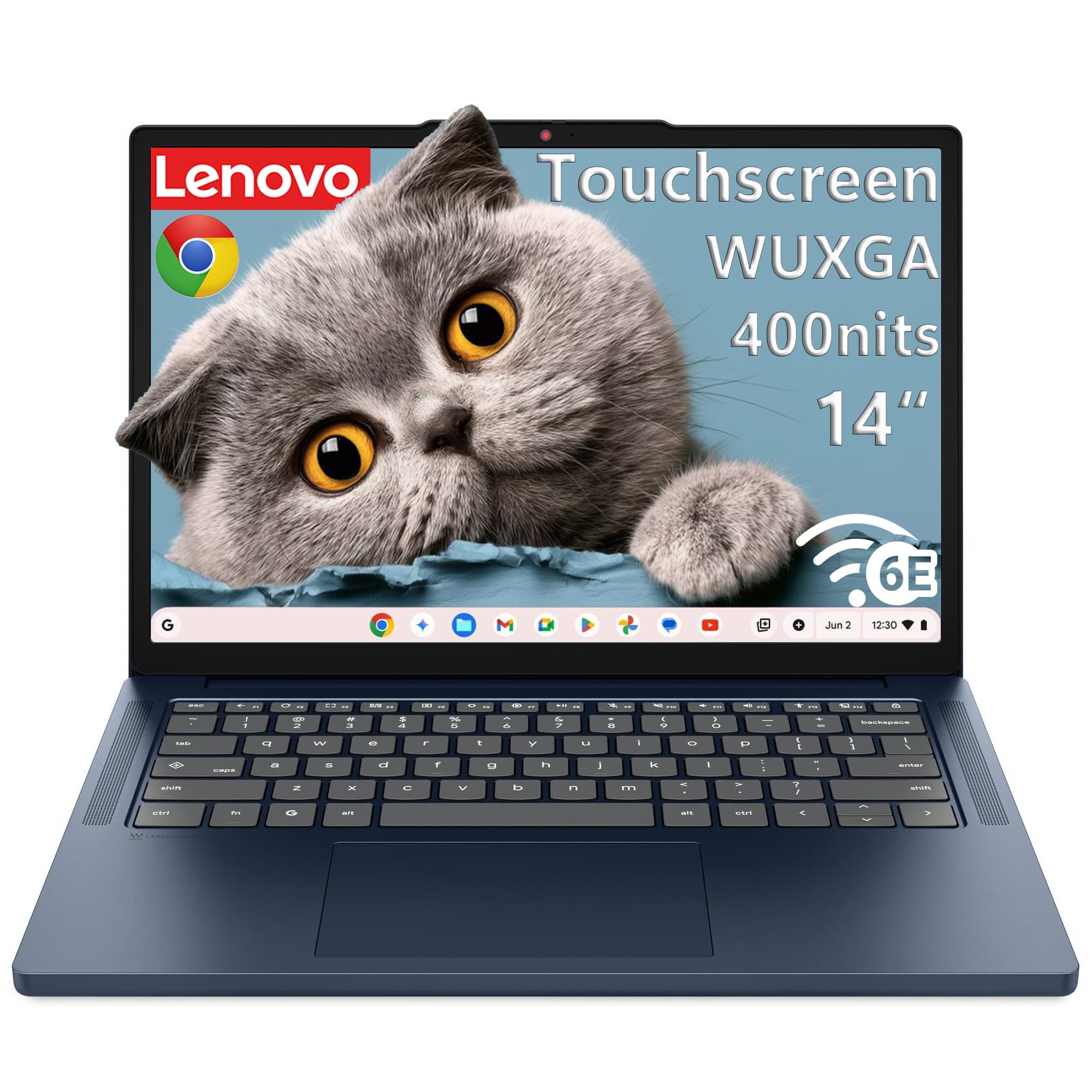
A bright, touch-capable screen with a hefty 8-core processor.
This Lenovo is the only touchscreen in this budget roundup, with a 14″ WUXGA (1920×1200) IPS panel that is sharper and taller than standard 1366×768 displays. The screen is brighter too, rated at 400 nits (a measure of brightness), so it stays legible outdoors or near sunny windows—a big deal if you work in cafes. Instead of a typical dual-core budget chip, it runs an 8-core MediaTek Kompanio 540 processor with an integrated Arm Mali-G57 MC2 GPU (graphics unit), designed to boot quickly and stay fast with multiple tabs open—ideal for students and remote workers who live in web apps.
The 4GB LPDDR5X memory is soldered for efficiency, and it swaps slower eMMC for 64GB UFS 2.2 storage (a faster flash memory type), so files open quickly. Ports are sturdy: 2x USB-A, 2x USB-C with USB PD 45-65W (power delivery for charging) and DisplayPort 1.4, plus HDMI 1.4b for easy monitor connection. It passes MIL-STD-810H testing (a military durability standard) in a Cosmic Blue chassis weighing just 1.36 kg (2.99 lbs), and includes the Google Security Chip H1 and a camera privacy shutter.
Buyers sum it up as “capable of doing much more than I am capable of” and a “good mid range student laptop,” though one unit was called a “lemon” with screen quirks—a reminder that any budget laptop can have a silent dud. Some listings advertise touch while a single review claims it isn’t, so double-check the specific panel before you buy.
Why Upgrade Here
- Bright, high-res 14″ WUXGA (1920×1200) touchscreen at 400-nits
- 8-core processor for smoother multitasking than most budget Chromebooks
- Modern Wi-Fi 6E connectivity for minimized lag
- Includes USB-C with DisplayPort 1.4 for clean external displays
Points to Check
- Higher price tag than the entry-level models
- Mixed feedback around long-term reliability of individual units
9. ASUS Chromebook CX15

The rare budget laptop that gives you 8GB RAM and 128GB of storage.
Saving the most future-proof option for last, the ASUS CX15 skips the typical 4GB/64GB pairing to offer 8GB of LPDDR5 memory with 128GB of storage. This is the configuration that serious multitaskers want, because it gives Chrome room to breathe when you are working across many documents, streaming, and running video calls all at once. It’s a noticeable step above the Lenovo IdeaPad Slim 3’s 64GB of storage, doubling the space for files. The snappy Intel Processor N50 powers the 15.6-inch Full HD 1920×1080 NanoEdge anti-glare display, and despite the large screen, it weighs just 3.53 lbs.
The display is expansive for a budget machine and has a numeric keypad for number input. It keeps your data secure with the Titan C2 security chip, and even meets Military Grade standard MIL-STD 810H for durability. Ports are covered with 1x audio jack, 2x USB 3.2 Gen1 Type-C, 1x USB 3.2 Gen1 Type-A, plus HDMI 1.4 for presentations. Buyers were impressed that it “did the job instantly,” often reporting the battery “lasts me for 9 hours of use,” and calling the quality “amazing” for the price.
The primary concern buried in the reviews is that one unit “won’t power on” after purchase—a reminder that premium specs don’t always guarantee flawless assembly.
Space & speed: This is the pick for power users and light content creators on a budget. The jump to 8GB RAM and 128GB capacity is the single biggest smoothness upgrade here, making it the best value for those who plan to keep a Chromebook for years.
Understanding the Specs
RAM and Storage (4GB vs 8GB, 64GB vs 128GB)
RAM and storage determine how many browser tabs you can keep open without lag and how many files you can store offline. A standard 4GB/64GB combo handles typical web work, but an 8GB/128GB setup delivers a smoother experience for heavier multitasking. Storage on any Chromebook is rarely about installing huge programs since almost everything lives in the cloud, so base amounts are fine for email and streaming—yet larger capacities prevent you from deleting movies or documents when you travel.
Processor and Clock Speed
Most budget Chromebooks rely on Intel Celeron or MediaTek processors running up to speeds like 2.6GHz or 2.8GHz. A higher clock speed generally translates to snappier page loads and fewer stutters when you switch between apps. These chips are designed for energy efficiency, which balances performance to offer the long battery life that makes Chromebooks so attractive in the first place.
FAQ
How much RAM do I really need in a budget Chromebook?
Is 64GB of storage enough on a Chromebook?
What is the difference between HD (1366×768) and Full HD (1920×1080) screens?
Can a budget Chromebook handle video calls and Zoom?
How long does the battery last on a budget Chromebook?
Is it worth buying a renewed or refurbished Chromebook to save money?
Can I install Microsoft Office on a Chromebook?
Are Chromebooks secure enough for online banking?
Do these budget Chromebooks have a touchscreen?
Can I connect these Chromebooks to an external monitor?
Final Thoughts: The Verdict
The smartest move for most buyers is the acer chromebook 315 because its large 15.6-inch screen, 12.5-hour battery, and strong build quality cover the everyday essentials with the least risk. If your priority is squeezing the most work time from a single charge, the HP Chromebook Laptop with its 14-hour rating is the one to reach for. And when your work depends on smoother multitasking with extra memory, the ASUS Chromebook CX15 with 8GB RAM and 128GB of storage stands as the best long-term value.
How We Picked
We do not accept paid placement. Every pick is matched to a real buyer and a real use-case; we do not hands-on test units.
Sources & Methodology
Specifications: manufacturer listings and product documentation. Review insights: verified customer reviews, as of September 2026. Pricing: not shown on this page (it changes often); check the current price via the retailer link.
As an Amazon Associate, Gadgets Feed earns from qualifying purchases. This does not affect which products we feature.