
Our readers keep the lights on and my morning glass full of iced black tea. As an Amazon Associate, I earn from qualifying purchases.
Specs are compiled from manufacturer listings and verified buyer reviews and can change over time — please confirm the key details on the product page before buying.
You want a mouse that looks like a real animal, but the fun shape hides a practical fork in the road: do you pick the one that plugs in with a tiny USB dongle, or the one that pairs over Bluetooth? That choice decides battery life and which devices it works with. Below, we separate the hamster-shaped mice that are all fur and no function from the ones that will survive a school year in a backpack.
I’m Min — the founder and writer behind Gadgets Feed. This guide is built by comparing the manufacturers’ published specifications and the patterns across verified customer reviews, so you get each pick’s real strengths and trade-offs instead of marketing spin.
We’ve dug through the specs and owner feedback to crown the cutest, most reliable rodent for your desk. Here are the top contenders for the computer mouse that looks like a mouse, ranked for real-world use, not just their adorable faces.
Our Picks at a Glance

How To Choose The Best Computer Mouse That Looks Like A Mouse
Choosing a novelty mouse is less about raw specs and more about matching the connection type and size to the person who will actually use it every day. Before you fall for a cute face, check these three things.
Dongle or Bluetooth: The Connection Question
Here is the trade-off. A mouse with a 2.4GHz USB receiver (the little dongle you plug into a port) works instantly once you slot it in, so it suits school Chromebooks and older laptops. A Bluetooth-only mouse frees up that USB port, which helps on a slim MacBook Air or an iPad, but your device must have Bluetooth built-in, and you may need to open the settings menu to pair it.
Size and Grip for Small Hands
These are compact devices by design, so “small” is the point. But “small” varies — some are better suited to a child’s grip, while others are big enough for an adult hand to rest on comfortably. Watch for reviews mentioning whether a larger palm hangs off the edge or whether a toddler finds it too chunky, because that fit dictates daily comfort more than any other factor.
The Reality of Plastic and Paint
These mice are made of plastic and are priced as fun accessories, not heavy-duty peripherals. The glossy coating that makes them look smooth can peel with heavy daily rubbing, and the cute ear buttons are the most vulnerable part. If it’s for a child who tends to drop things, you’ll want a model that owners describe as surviving tumbles, not one that’s purely decorative.
Quick Comparison
| Model | Best For | Connectivity | Weight | Battery Life | Amazon |
|---|---|---|---|---|---|
| 2.4GHz Hamster Mouse★ Best Overall | School & daily work | 2.4GHz USB Receiver | 60 g | Up to 12 months (AA) | Amazon |
| Bluetooth Hamster Mouse | iPads & MacBooks | Bluetooth | — | Sleep mode after 8 min | Amazon |
| Silent Hamster Mouse | Offices & quiet spaces | 2.4GHz USB Receiver | — | Sleep mode included | Amazon |
| elec Space Hamster | Desk charm & gifting | 2.4GHz USB Receiver | 60 g | Rare battery changes | Amazon |
In‑Depth Reviews
1. 2.4GHz Wireless Cute Hamster Shape Mouse
Our pick — over 4★ from 350+ verified ratings; the strongest balance of quality and price.
The classroom-tested champ that makes it through the whole school year on one AA battery.
The headline here is battery endurance — buyers report the mouse running on a single AA for an entire school year without needing a swap. That longevity comes from a 12-month average battery life on one AA spec, making it the pick you set up in September and forget about until June. The matching purple plastic looks like a real hamster, with the left and right buttons built into the ears and the scroll wheel sitting on top of the head.
It pairs with a tiny 2.4GHz USB receiver for a connection that holds steady up to 10 meters away, so you aren’t tied to the laptop. The 60 g body is light enough for a kid’s backpack, though owners with larger adult hands note it runs small and their fingers land right on the click buttons. Parents report it working flawlessly with school Chromebooks and MacBook Airs, with responsive tracking and no cursor jumping during daily browsing.
The thing that wins people over is how reliably it tracks for the price, and the recurring praise centers on the ergonomic shape that reduces hand strain during long clicking sessions. There is one honest trade-off: the smooth top coating can start to peel with heavy daily rubbing, and a few units have been known to stop responding after a period of inactivity until you nudge them awake. Owners mention that if you leave it idle, it powers down, but just moving it brings it right back to life.
Why it earns the top spot
- Runs a full school year on a single AA battery
- Stable 2.4GHz connection up to 10 meters
- Featherlight 60 g build for easy transport
- Reviews praise the comfortable, stress-reducing grip that suits small hands
Where it asks for a little grace
- Too small for larger adult hands to rest naturally
- Smooth top surface can peel from daily friction
- May drop into sleep mode until you move it again
Reach for it if: you want a dependable dongle-based mouse for a student or daily office work where battery life matters more than joining a Bluetooth network.
Look elsewhere if: you have larger hands and need a full-palm rest, or you need to connect to a tablet like an iPad that lacks a standard USB port.
2. SHARE SUNSHINE Silent Hamster Shape Mouse
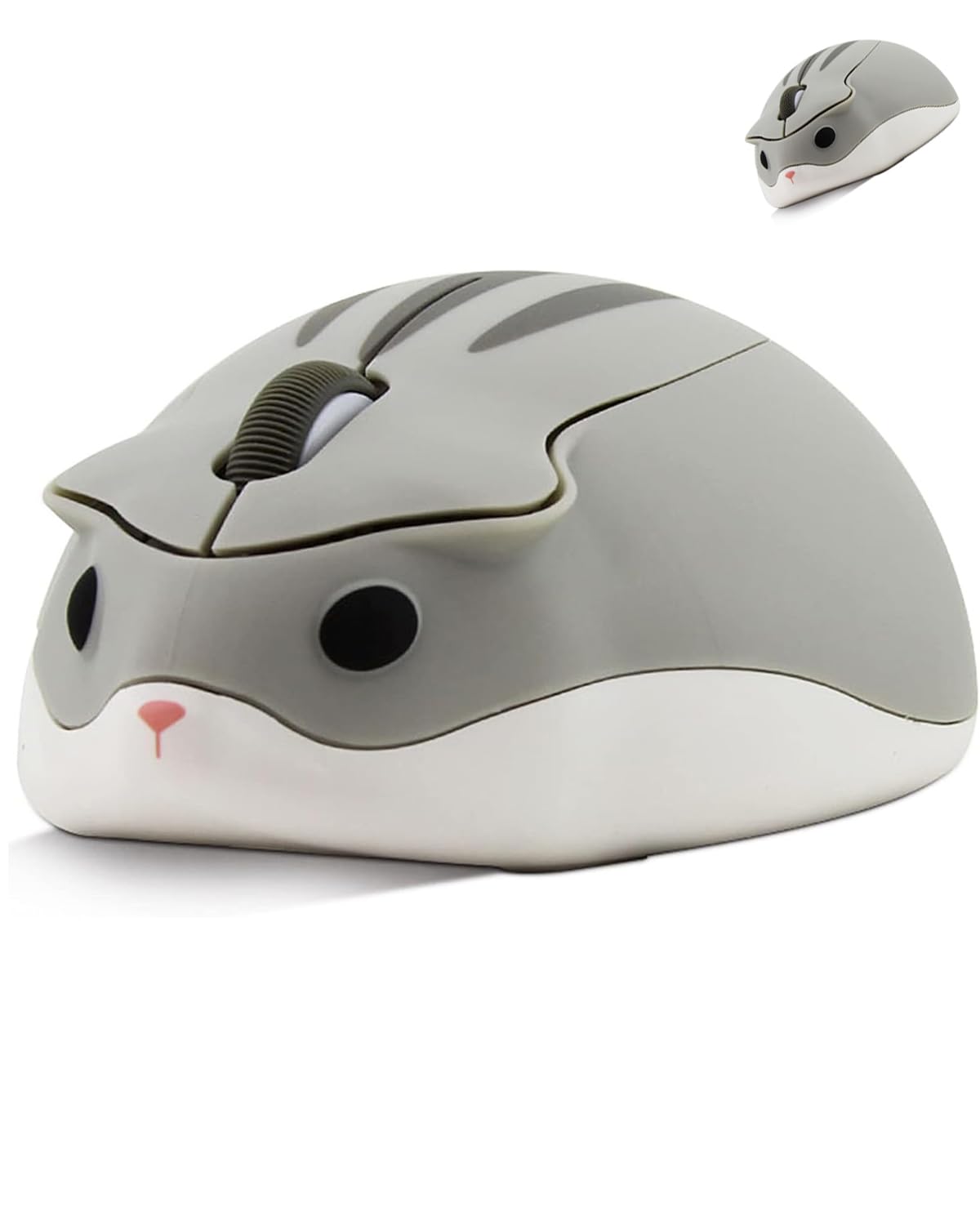
The drop-proof underdog that takes tumbles, keeps clicking silently, and stays precise on Windows.
This gray hamster is the one owners describe as “indestructible” after watching it survive repeated drops onto the floor, which makes it the sensible pick if the mouse is destined for a kid’s desk or a chaotic classroom. It runs on a 2.4GHz USB connection that pairs automatically with Windows XP through Windows 10, Linux, and Mac OS X, so compatibility is rarely a question. The silent-click feature is a genuine relief in a shared office, and the 1200 DPI optical tracking keeps the cursor responsive without being overly sensitive.
Where this one shines is the texture — the matte finish feels soft and comfortable to hold, and owners on both sides of the size fence praise the grip. It’s small enough to slip into a laptop bag but still shaped to fit an average adult hand well. Battery life is a strong point too, with the sleep mode stretching a single AA battery for months of regular use.
One seasoned owner sums up the main gripe: the cute ear buttons can discolor over time, and the USB dongle feels flimsy when you pull it out. The battery cover also pops off if the mouse takes a hard fall, even if the mouse itself keeps working. For the volume of happy owners, this is the one to grab for a mix of durability, quiet operation, and that extra-cute aesthetic.
Built to take a beating
- Survives drops intact, per multiple owners
- Silent clicks keep libraries and offices peaceful
- Matte soft-touch finish feels comfortable
- Sleep mode stretches battery for months
Watch these details
- Ear buttons may discolor over time
- USB dongle feels fragile when removing
- Battery cover can pop off if dropped hard
Best suited for: anyone who wants a quiet, drop-tolerant mouse for school, office, or travel without sacrificing a comfortable grip.
The honest trade-off: the flimsy receiver and paint wear are reminders that this is a budget-plastic accessory, not a premium peripheral.
3. elec Space Cute Animal Hamster Shape Wireless Mouse
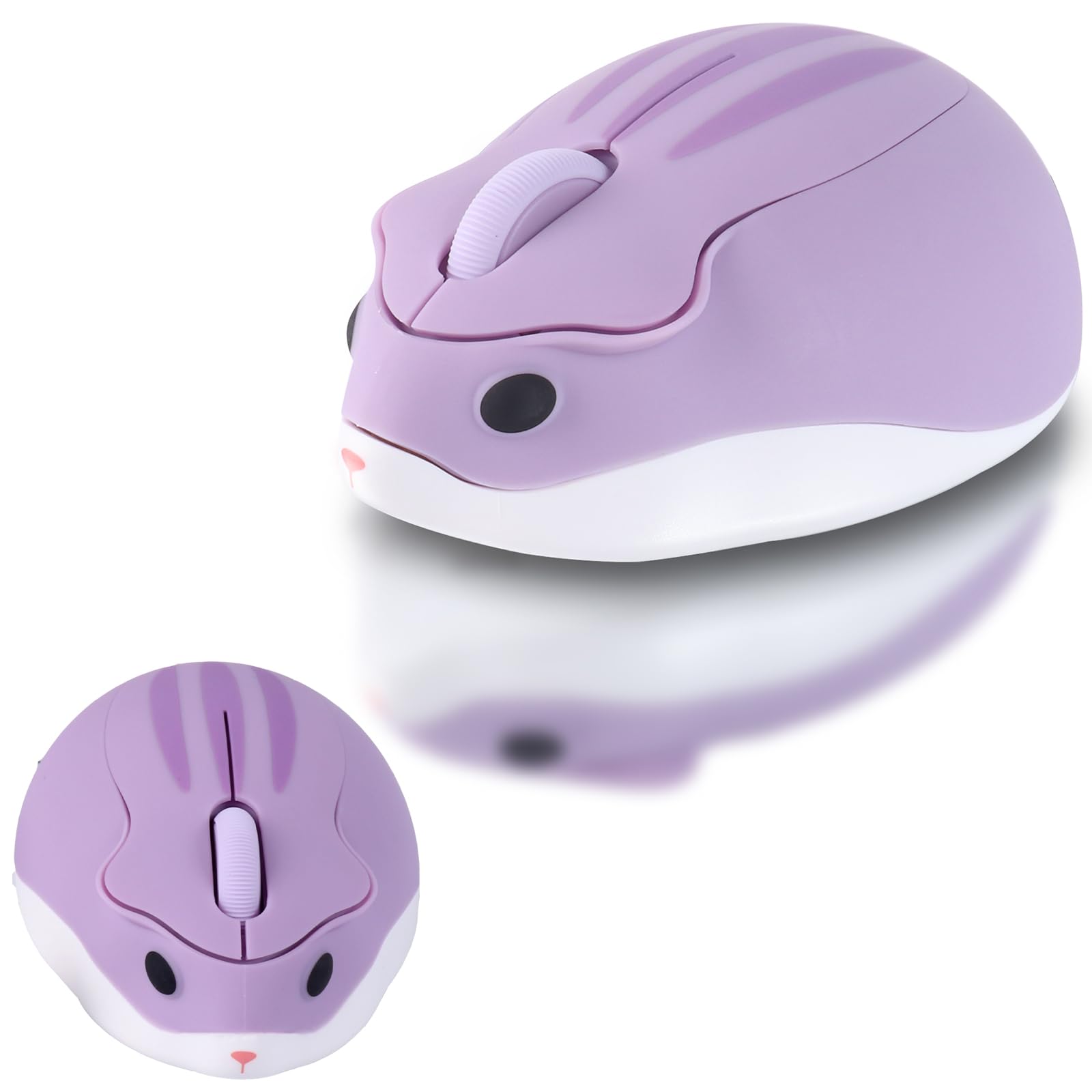
The office icebreaker that delights coworkers and drinks almost no battery power for years.
This purple hamster is the one that turns a gray cubicle into a conversation starter — buyers describe it delighting everyone who walks by, which makes it a feel-good work companion. Under the cute shell is a 2.4GHz wireless connection that reaches up to 10 meters, and the tiny receiver tucks into the battery slot inside the mouse when you travel. The glossy, anti-sweat surface resists fingerprints and dirt, so it keeps looking fresh even with daily handling.
Where this pick becomes a legend is battery discipline. One owner reports swapping the AA battery just twice across three years of daily use., thanks to a fast-sleeping hibernation mode that wakes the instant you click a button. The 60 g body and 4.13-inch length suit smaller hands perfectly, and the smart scroll wheel makes long pages easier to navigate.
Be aware that reliability is a gamble for a few buyers — some report the cursor moving on its own or lagging until they turn the mouse off and on again, and a couple of units arrived with the power switch stuck off. The soft texture and quiet clicks win praise from most, which is why it stays a favorite gift for women, friends, and kids.
What wins people over: the ergonomic feel and near-silent click, with owners praising the smooth texture for comfortable long-session use.
A fair caution: while many units run flawlessly for years, a minority report drifting cursors or seized power switches, so test it early and lean on the return window if yours acts up.
Choose this one for: a delightful desk buddy for someone with small hands who values battery longevity and a smooth, quiet click above all.
Think twice if: you need guaranteed reliability for daily work — the occasional defective unit makes this more of a gamble than the dongle-based alternatives above.
4. SHARE SUNSHINE Bluetooth Cute Hamster Shape Mouse

The wireless wanderer that pairs straight to an iPad and leaves your USB ports completely free.
This gray Bluetooth hamster is the specialist of the group — it skips the USB dongle entirely and speaks directly to iPads, iPhones, MacBooks, Windows laptops, and Android tablets. That makes it the only real option here if your setup is an iPad Pro or a slim MacBook where every port counts. The 3D design uses the same ear-button layout, and the near-silent click keeps it welcome in a quiet library or a nighttime workspace. A matte, anti-fingerprint finish with soft side grips keeps the hold secure during longer stretches.
The catch is the connection trade-off. Because there’s no USB receiver, you’re relying on the device’s Bluetooth stack — and to use it with an iPad you’ll need iPadOS 13 or above and AssistiveTouch turned on in the accessibility settings. The smart power saving drops it into sleep mode after 8 minutes of inactivity, and a click wakes it instantly. Owners who bought several for their kids report all of them working properly months later with no connection gripes, and those who’ve cycled through other mice note this is the first one that didn’t drop the link.
Honestly, a few buyers were surprised to find no USB dongle in the box — it is Bluetooth only by design — and some units have stopped working after about a month. For the right person, though, going cable-free and dongle-free is the whole appeal, and the 1200 DPI tracking (dots per inch, or how sensitively the cursor moves) stays responsive for browsing and casual use.
Why go Bluetooth
- Pairs directly with iPads and iPhones
- Frees up every USB port on your laptop
- Near-silent clicks suit shared spaces
- Anti-fingerprint matte finish stays clean
What to know first
- Ships without a USB receiver — Bluetooth only
- Needs iPadOS 13+ and AssistiveTouch enabled on iPads
- A few units have failed after a month of use
Grab it for: a student or traveler pairing with a tablet or a port-starved ultrabook who wants a cute, quiet mouse without carrying a dongle.
skip it if: your computer is older with finicky Bluetooth, or you want the instant plug-and-play reliability of a USB receiver model.
Understanding the Specs
2.4GHz Dongle vs. Bluetooth
This is the spec that decides what you can plug into. A 2.4GHz mouse ships with a tiny USB receiver you slot into a port — it’s usually instant, no menus needed, and works with nearly any laptop or desktop from the last two decades. A Bluetooth mouse has no dongle at all; it pairs wirelessly with the device’s built-in Bluetooth, which is essential for an iPad but can be finicky on older machines with weak Bluetooth radios.
DPI and Optical Tracking
DPI stands for dots per inch, and it measures how far the cursor travels across the screen for every inch you move the mouse. These hamster mice all sit at 1200 DPI, which is a middle-of-the-road sensitivity. It feels smooth and controlled for everyday browsing, documents, and schoolwork, and it’s high enough that you won’t be flinging your wrist across the desk just to cross the screen.
Silent Click and Button Layout
A silent click uses a dampened mechanism so the button makes a soft thud instead of a sharp click. That matters in a shared office, a library, or a bedroom where someone’s sleeping nearby. On all these hamster models, the left and right buttons are molded into the ears and the scroll wheel sits on top of the head, which keeps the classic three-button layout you already know.
Battery Life and Sleep Mode
Most of these run on a single AA battery that you supply yourself. Battery life spans from a 12-month average to a couple of AA swaps per year, depending on sleep-mode efficiency., depending on how aggressively the mouse enters sleep mode. A good sleep mode drops power draw after a few minutes of inactivity and wakes on a click, which is the difference between changing batteries monthly and almost forgetting the battery door exists.
FAQ
Will a hamster-shaped mouse work with my MacBook or iPad?
Does a cute animal mouse require software or drivers to install?
What kind of battery does it take and how long does it last?
Are the clicks actually silent on these mice?
Is a 1200 DPI mouse precise enough for gaming?
How do I wake the mouse up if it falls asleep?
These mice all look tiny. Will they fit an adult hand?
Why do some of these mice ship without a USB receiver?
Are these animal mice durable enough for a child?
How do I know if the mouse is compatible with my operating system?
Final Thoughts: The Verdict
For the most dependable, longest-running computer mouse that looks like a mouse, the 2.4GHz Hamster Mouse is the crowd favorite — with hundreds of owners behind it, the single-AA-battery endurance that lasts a full school year and the 60 g build make it the safest call for students and daily drivers. If you need whisper-quiet clicks in a shared space, the Silent Hamster brings drop-proof durability and a soft matte finish. And if your setup is an iPad or a port-starved MacBook, the Bluetooth Hamster is the only one here that pairs without a single cable.
How We Picked
We do not accept paid placement. Every pick is matched to a real buyer and a real use-case; we do not hands-on test units.
Sources & Methodology
Specifications: manufacturer listings and product documentation. Review insights: verified customer reviews, as of September 2026. Pricing: not shown on this page (it changes often); check the current price via the retailer link.
As an Amazon Associate, Gadgets Feed earns from qualifying purchases. This does not affect which products we feature.