
Our readers keep the lights on and my morning glass full of iced black tea. As an Amazon Associate, I earn from qualifying purchases.
Specs are compiled from manufacturer listings and verified buyer reviews and can change over time — please confirm the key details on the product page before buying.
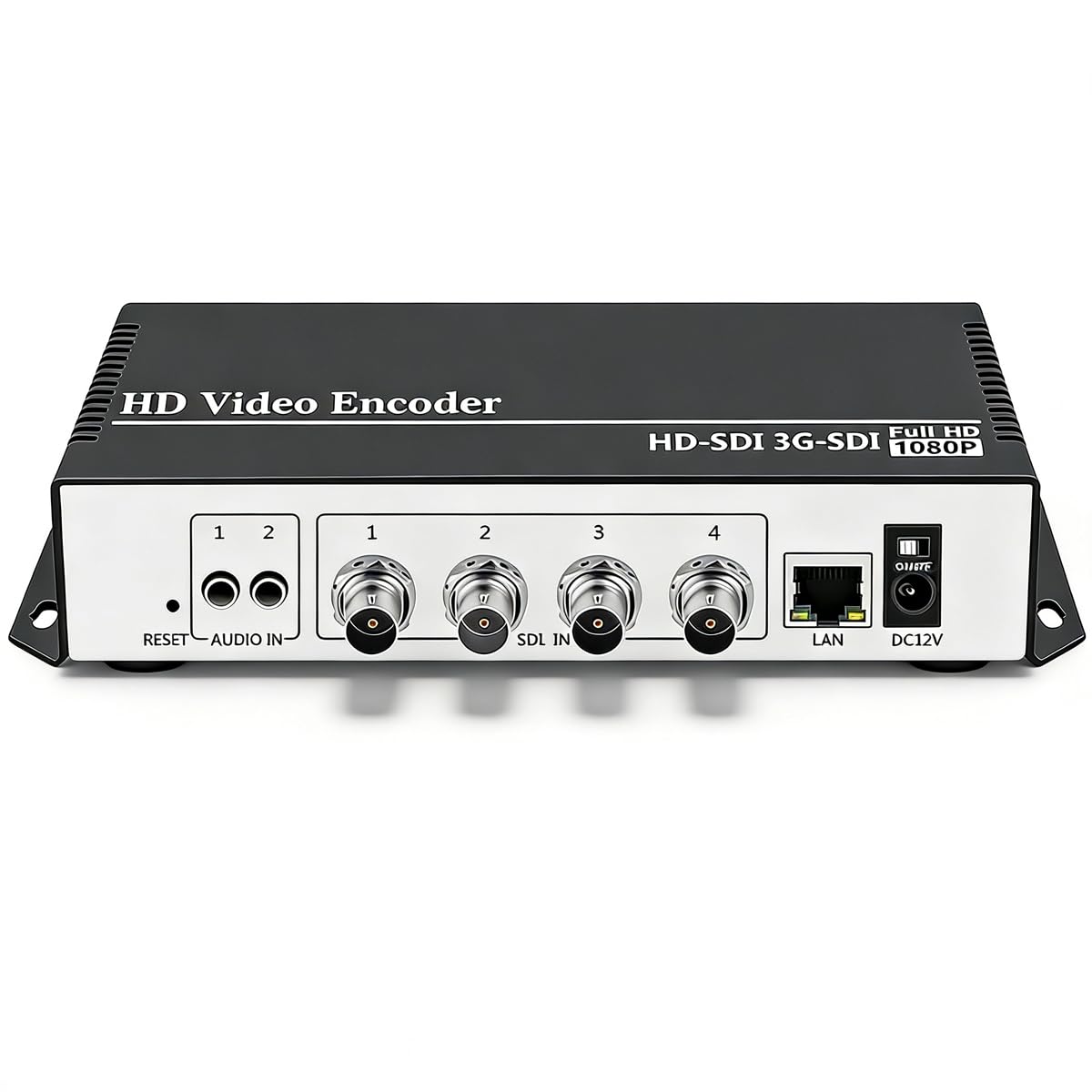
If you run live sports, church services, or multi-camera productions, the biggest headache is sending one feed to many places without stacking laptops and software. A 4-channel IPTV encoder takes four separate video inputs and turns them into network streams you can push to Facebook, YouTube, and your own server at the same time. The three picks below are all proven 4-input broadcast boxes, but they differ sharply in resolution limits, reliability, and ease of daily use.
I’m Min — the founder and writer behind Gadgets Feed. This guide is built by comparing the manufacturers’ published specifications and the patterns across verified customer reviews, so you get each pick’s real strengths and trade-offs instead of marketing spin.
To pick the right 4 channel iptv encoder, you need to match it to your camera resolutions, your streaming platforms, and how much hands-on setup you can tolerate.
Our Picks at a Glance
How To Choose The Best 4 Channel IPTV Encoder
Before you compare models, you need to know what “4 channels” really delivers. Some encoders accept four 1080p inputs, while others split that processing power and only handle two 4K feeds at once. Matching the box to your actual camera output is the first filter.
Resolution and Frame Rate Ceilings
The encoder’s chipset decides the maximum resolution you can send. A unit that handles 4K UHD input at 30fps is different from one that only accepts 1080p at 60fps. If your cameras are all 1080p, paying extra for 4K capability is wasted budget.
Output Streams and Protocols
Each input channel can often be published to multiple destinations at once. Check the encoder’s maximum feed count — some boxes allow up to 16 simultaneous output feeds across different protocols. Protocol support like RTMP, SRT, and HLS determines compatibility with your streaming software and platform.
Ease of Setup and Operation
These are professional tools, not plug-and-play gadgets. Some units require static IP configuration and stream-key knowledge, while others offer on-screen displays for monitoring. If you need a portable encoder for field use, look for one that starts streams without needing a computer attached.
Quick Comparison
| Model | Best For | Max Resolution | Max Output Feeds | Weight | Amazon |
|---|---|---|---|---|---|
| URayCoder USE265-1★ Best Overall | Multi-platform reliability | 4K UHD @ 30fps | 4 simultaneous streams | 16 oz | Amazon |
| ORIVISION ZY-EH1304 | Broad platform reach | 2CH 4K @ 30Hz + 2CH 1080P @ 60Hz | 16 feeds (4 platforms per channel) | 0.79 kg | Amazon |
| iseevy ISV-4HE4 | Simplest reliable operation | 4CH 1080P or 2CH 4K30 | — | 0.72 kg | Amazon |
In-Depth Reviews
1. URayCoder USE265-1 Multi-channel SDI to IP Encoder
The repeat-buy workhorse that replaces three-thousand-dollar broadcast units for live sports.
This URayCoder is the one the crowd keeps coming back to — it’s a unit buyers have purchased five separate times, largely because it handles the heavy lifting of multi-camera production. It accepts 4K UHD (3840×2160) video input, encodes with an H.265/H.264 dual chipset, and hits 30fps at 4K resolution or up to 120fps at 2K and lower. That headroom matters when you’re switching between a 4K main camera and 1080p replays in a live sports truck.
What makes it a true broadcast tool is its ability to output 4 video streams simultaneously, each with a different protocol. You can push one feed to YouTube, another to Facebook, and a third to your own RTMP server without extra gear. Buyers report rock-solid streaming when hardwired to a network, and the external audio input simplifies mixing in a separate microphone.
The catch is setup. The manual is poorly translated, and you will need to understand IP addresses and stream keys. As owners mention, the device also lacks a power button on some models, so starting a stream requires a computer. Once configured, though, the video quality holds its own against far pricier LiveU alternatives.
Why It Wins Fans
- Simultaneous 4-protocol output covers every major live platform at once
- Owners praise its stable, low-lag transmission on hardwired networks
- Lifetime free warranty and responsive technical support from the maker
Setup Realities
- No on-device configuration or power switch on some versions
- Setup is not plug-and-play — you need stream key and IP knowledge
Reach for this if: you stream multi-camera sports or events and want dependable multi-platform output with lifetime support.
Think twice if: you need a field-portable encoder that starts streams without a laptop attached.
2. ORIVISION ZY-EH1304 4K HDMI Encoder with LCD Screen

The highest-output option, pushing 16 simultaneous platform feeds from a 4K-capable box.
If your job is distributing one signal to the widest possible audience, this ORIVISION is built for reach. It accepts 4 HDMI inputs, supports up to 2 channels of 4K@30Hz plus 2 channels of 1080P@60Hz, and each channel can broadcast to up to 4 platforms. That math gives you a maximum of 16 simultaneous output feeds, all from a single Ethernet port.
The built-in LCD screen is the standout feature here — it lets you monitor working status in real time without needing a separate laptop. Owners praise how well it integrates with Apple TVs after initial configuration, and one buyer called it an “inexpensive media device that works great.” The box supports H.265, H.264, and MJPEG encoding (video compression formats that balance quality and file size), plus protocols covering HTTP, RTSP, RTMP, RTMPS, SRT, RTP, UDP, FLV, and HLS (streaming standards that let you send video to different platforms).
The recurring gripe is reliability. Customers note the unit “looks up and requires a reboot weekly,” and HLS streams can stutter. This makes it a better fit for controlled environments where you can monitor the LCD than for unattended 24/7 broadcast duty. It also weighs 0.79 kg, which is slightly heavier than the iseevy below at 0.72 kg.
Broadcast reach: The 16-feed ceiling is class-leading in this list — no other pick publishes to that many destinations from one box.
Stability caveat: The weekly-reboot reports mean this rewards an operator who keeps an eye on the screen.
Best fits: hotel IPTV systems and multi-platform simulcasts where you need maximum feed count and don’t mind monitoring the LCD.
Not ideal for: set-and-forget installations where a reboot would take a live show off the air.
3. iseevy ISV-4HE4 4-Channel HDMI Encoder

A 12-volt box that simply works, flexing between four 1080p feeds or two 4K feeds.
This iseevy is the most straightforward of the three, and its owners sum it up in one line: “works as it should.” It accepts either 4 channels of 1080P or 2 channels of 4K30 HDMI input, giving you flexibility depending on your camera fleet. The H.265/H.264 encoding with AAC/MP3 audio compression keeps your bandwidth in check.
Protocol support here covers RTMP, RTMPS, SRT, RTSP, UDP, RTP, HTTP, HLS, FLV, and TS, which means it talks to nearly any streaming server you already run. A useful extra is per-channel watermarking — you can add up to 4 logos or scrolling text overlays to each channel independently. At 0.72 kg, it’s the lightest unit in this lineup, making it the easiest to rack or transport.
The trade-off is depth of field feedback. With fewer published reviews than the other two, there’s less long-term reliability data to draw on. What exists is uniformly positive, and the simple 12-volt power input keeps installation straightforward for a technician.
Straightforward pick: Reviewers point out it functions exactly as expected from the first boot, with no complex configuration stories.
Limited evidence: The short review trail means this is a bet on simplicity rather than a heavily road-tested reputation.
Choose this for: a clean 1080p multi-cam setup where you want a lightweight encoder that behaves from day one.
Look elsewhere if: you need the raw multi-feed distribution power of the ORIVISION’s 16 outputs.
Understanding the Specs
H.265 vs H.264 Encoding
H.265 (also called HEVC) is the newer compression standard that delivers the same image quality as H.264 at roughly half the bitrate. That means smoother streams on limited upload bandwidth — useful when you’re pushing multiple 4K feeds from a single venue.
RTMP, SRT, and HLS Protocols
RTMP is the classic push protocol used by Facebook and YouTube. SRT is a modern alternative that survives poor network conditions far better. HLS is the standard for video-on-demand and Apple devices. A 4-channel encoder that supports all three gives you the most flexibility in how you deliver your stream.
FAQ
What exactly does a 4-channel IPTV encoder do?
Can a 4-channel encoder stream to multiple platforms at once?
Will a 4-channel encoder accept four 4K camera feeds?
What is the difference between H.265 and H.264 encoders?
Do I need a computer to run these encoders?
Is OBS software still needed if I buy a hardware encoder?
Should I choose SRT or RTMP for my live stream?
What does the number of output feeds mean?
How do I add a logo or overlay to my IPTV streams?
Why does my HLS stream stutter or require reboots?
Final Thoughts: The Verdict
If you want one dependable pick, the 4 channel iptv encoder to buy first is the URayCoder because it balances true 4K input, four simultaneous protocol outputs, and a lifetime warranty — the crowd favorite with the most positive real-world feedback. If your priority is pushing one signal to the maximum number of platforms, grab the ORIVISION for its 16-feed ceiling. And for a clean, simple 1080p setup that behaves from day one, the iseevy is the one to reach for.
How We Picked
We do not accept paid placement. Every pick is matched to a real buyer and a real use-case; we do not hands-on test units.
Sources & Methodology
Specifications: manufacturer listings and product documentation. Review insights: verified customer reviews, as of September 2026. Pricing: not shown on this page (it changes often); check the current price via the retailer link.
As an Amazon Associate, Gadgets Feed earns from qualifying purchases. This does not affect which products we feature.