
Our readers keep the lights on and my morning glass full of iced black tea. As an Amazon Associate, I earn from qualifying purchases.
Specs are compiled from manufacturer listings and verified buyer reviews and can change over time — please confirm the key details on the product page before buying.
Buying a 3D LiDAR scanner is a deep-research purchase where the real cost isn’t the hardware — it’s the hours lost wrestling with software and the heartbreak of a mesh that falls apart halfway through a reverse-engineering project. The buying space splits cleanly into two camps: desktop/industrial units chasing 0.02mm tolerances on mechanical parts, and architectural survey tools meant to capture entire buildings. Your choice between blue laser and infrared structured light will determine whether you spray-coat that shiny part or scan it as-is.
I’m Min — the founder and writer behind Gadgets Feed. This guide is built by comparing the manufacturers’ published specifications and the patterns across verified customer reviews, so you get each pick’s real strengths and trade-offs instead of marketing spin.
Knowing if you need 0.02mm part-level precision or 100m room-scale capture prevents a costly mismatch. That is exactly what this breakdown of the available 3d lidar scanner landscape delivers before you spend hundreds or thousands of dollars.
Our Picks at a Glance

How To Choose The Best 3D Lidar Scanner
Before you look at pixel counts or laser lines, decide what you plan to scan. A unit that excels at capturing a small engine bracket in blue laser mode will feel clumsy if your real job is mapping a 4,000-square-foot commercial space for a virtual tour. These are tools built for opposite ends of the physical world, so the right starting question is about objects versus rooms.
Assess Your Object Size and Finish
Small mechanical parts with fine features demand the tightest accuracy and often need blue laser light to handle reflective metals. If you scan mostly dark, shiny, or black objects, look for a laser-based unit that claims to skip the anti-glare spray, since coating the part adds prep time and can hide detail. If your subjects are faces, bodies, or medium-sized objects with rich color texture, infrared structured light paired with an RGB camera becomes the more useful tool.
Match the Scan Range to the Job
Handheld units for product design typically operate on a subject that sits on a turntable or in front of you at arm’s length. Architectural LiDAR scanners are a separate breed that measures range in meters, so a spec like 100m reach tells you the unit is built for mapping building interiors, not just small parts. Beware the beginner mistake of buying an industrial desktop scanner when you actually need a room-mapping device for real estate or construction, or vice versa.
Check the Minimum Computer Requirements Before Buying
The scanner is only half the system — the computer running the scan software is often the hidden bottleneck. Premium blue laser scanners frequently demand an Nvidia RTX 3060 GPU and 32GB of RAM, and some top units recommend 64GB of memory just to process the point clouds smoothly. If your laptop is a few years old, verify the GPU brand and RAM capacity against the maker’s checklist, since an incompatible graphics card has forced more than a few buyers to return otherwise excellent hardware.
Quick Comparison
| Model | Best For | Accuracy | Scanning Speed | Key Technology | Amazon |
|---|---|---|---|---|---|
| Creality Raptor★ Best Overall | Prosumer Parts & Objects | Up to 0.02 mm | Up to 60 fps | Hybrid Blue Laser + Infrared | Amazon |
| Matterport Pro3Architectural Pro | Building & Large-Space Capture | ±20 mm at 10 m | Under 20 Seconds | Infrared LiDAR (100m Range) | Amazon |
| Revopoint MetroX | Industrial Reverse Engineering | Up to 0.02 mm | Up to 7M Points/Sec | Cross Lines Blue Laser | Amazon |
| Creality Ferret Pro | Beginners on iOS/Android | Up to 0.1 mm | 30FPS | Infrared & WiFi 6 | Amazon |
| EINSTAR Rockit | Outdoor & Black Part Scanning | — | Up to 90 fps | 38-Line Blue Laser + Infrared | Amazon |
In‑Depth Reviews
1. Creality Raptor
The dual-mode workhorse that scans objects and faces without forcing a choice between laser or infrared.
You get two capture methods in one unit: a blue 7-line laser for fine detail and infrared structured light for scanning faces and bodies without any markers. In blue laser mode, this scanner beats the Ferret Pro by name — it hits 0.02mm accuracy and a 3D resolution range of 0.02 – 2mm, while the Ferret is stuck at 0.1mm accuracy. That is a 5.0x gap in the finest tolerance you can achieve, so tiny features like engraved text stay sharp.
You can skip the spray paint on black or shiny metal parts, and the 12 white LED lights capture full-color textures as you scan. Buyers report it “works out of box; easy for mesh users,” so if you already model with meshes, your first scan is straightforward. One owner even scanned inner ear molds for custom in-ear monitors — a job that demands holding a steady distance on small, complex shapes — and got perfect results.
The ergonomics help you hold that steady distance longer: at just 372g with an tune grip, it reduces fatigue on extended projects, which matters since owners mention it is sensitive to keeping equal distance between scanner and subject. The all-metal lens barrel keeps thermal stability, but the aluminum body means you should handle it gently to protect that 0.02mm calibration. It pairs cleanly with a Creality K2 Plus printer for a full scan-to-print pipeline, and the software merges high-resolution scans into workable 3D files.
Two-Realm Versatility
- Blue laser hits 0.02mm accuracy for mechanical work — a 5.0x finer tolerance than the Ferret Pro can manage
- 60fps blue-light capture speed doubles the Ferret Pro’s 30FPS rate for faster workflows
- Rare 372g weight keeps long scans comfortable
Dedication Required
- Owners warn it demands consistent distance control to avoid scan drift
- Metallic build requires cautious handling to preserve accuracy
The center of the Venn diagram: this is the pick for makers who want one tool for printing parts at high resolution and occasionally scanning a person or object in color without markers.
The honesty check: precision scanning requires a steady hand and patience, so it is not a device for someone expecting point-and-shoot results.
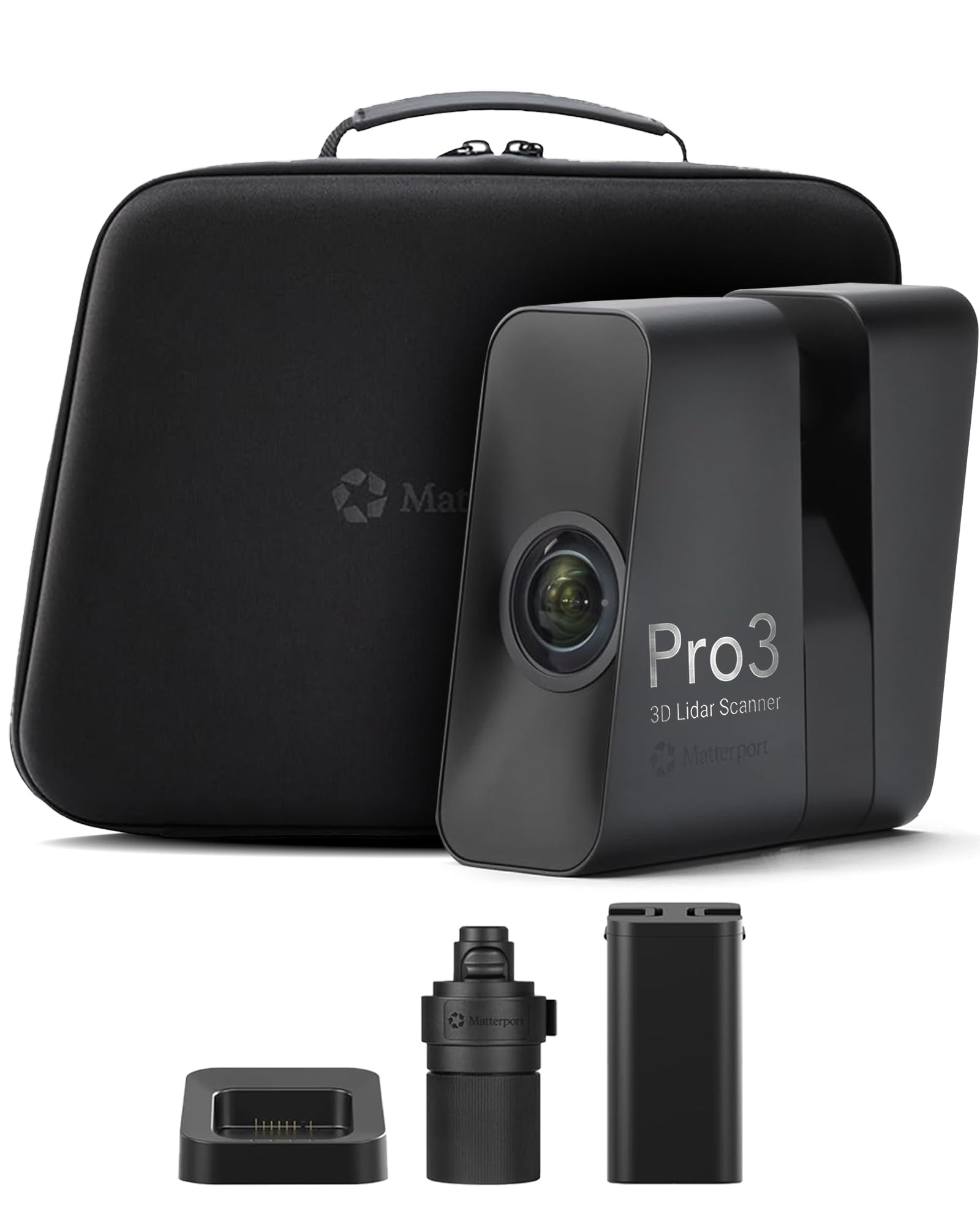
2. Matterport Pro3
The room-mapper that turns a 40,000-square-foot warehouse into a walkable digital twin in minutes.
This is the only architectural survey tool in the lineup, and its specs make the category obvious: a measuring range up to 100m in E57 files with ±20mm accuracy at 10m. Where desktop scanners measure in millimeters of tolerance on a part, the Pro3 measures distance in meters, capturing high-density point clouds at 100K points per second to document entire residential, commercial, and outdoor spaces.
The productivity leap over older Matterport hardware is the headline. Each scan completes in under 20 seconds, and the unit handles direct sunlight and low-light interiors without a performance drop, which is exactly what professionals scanning building exteriors need. Long-time users who upgraded from the Pro2 call it “a great improvement — much faster and more accurate,” with the huge addition being that you can now scan building exteriors, not just interiors.
Power for full workdays comes from a swappable removable battery, and the kit ships with a charging station and quick-release tripod mount, though the tripod itself is separate. One operational note: the Pro3 leans on a yearly subscription — Matterport software runs best on Professional or Business plans, and the device will not work with the free tier. A few field users note the older Pro2 stitches faster mid-scan, but they stick with the Pro3 for the superior point cloud output.
Built for the building trade: real estate, construction, and facility teams who need rapid, reliable documentation of spaces — this is a professional workflow tool, not a hobbyist toy.
The fine print: the subscription requirement and software workflow are the recurring friction points that make it a business expense rather than an impulse buy.
3. EINSTAR Rockit
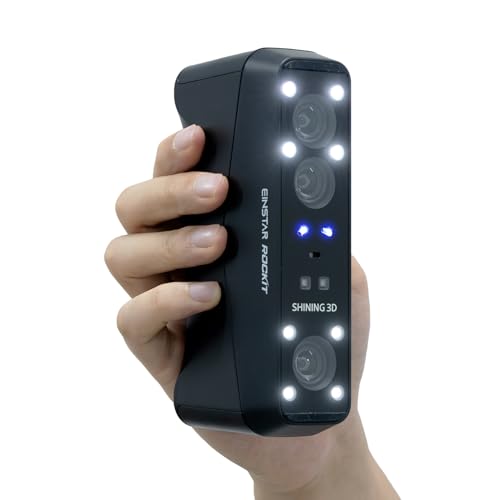
The pocket-sized wireless scanner built to devour black and shiny car parts without a single spray can.
The Rockit justifies its spot with raw laser power: 19+19 crossed lines for quick large-area scans and 7 parallel lines for fine details, and you can switch between them mid-scan. That many laser lines let it capture dark, reflective surfaces without any spray — several owners tested this on car parts. One buyer scanned a wheel with black, shiny surfaces, and the wiper and spoke details came through clean in a single 3-minute pass at 0.1mm tolerance.
You also get true wireless operation: a built-in Wi-Fi module syncs to your PC with no extra hub, and a swappable internal battery runs up to 3 hours. Owners like the cable-free feel, but they note you still need a laptop for data storage and processing. The default marker-free mode skips reflective stickers, so you can start scanning feature-rich objects right away.
The material versatility extends to bright environments. Laser HD mode pushes its working limit to 110,000 Lux and infrared rapid mode to 70,000 Lux, meaning statues and architectural details in direct daylight are fair game. The infrared VCSEL mode scans medium to large objects from face to feet in a fast pass. There is real-world acclaim for its professional-grade quality, with one owner noting it outperforms both the Creality Ferret and the Einstar 1 in its price class.
Outdoor and automotive specialist: the one to grab when daylight scanning or unpainted metal and plastic are the main diet, and you want genuine portability.
The setup hurdle: the EXStar Hub software demands a registered user ID from Shining and runs only on Nvidia GPUs — verify your graphics card before you buy.
4. Revopoint MetroX

Industrial-grade accuracy that pushes scan-to-CAD workflows with a desktop turntable that runs on its own.
For serious measurement jobs, the MetroX reaches 0.02mm accuracy and 0.01mm precision — the same tolerance class as the Raptor’s laser mode, but with a fused point cloud distance of 0.05mm. It uses 14 crossed blue laser lines running at up to 60fps, so you can skip spray on dark or shiny surfaces. That 60fps rate matches the Raptor’s top laser speed exactly, tying the two as the fastest capture pace in this guide.
Full-field mode captures up to 7 million points per second for rapid data collection, which is what makes its automated turntable workflow so productive. You place an object on the Dual-Axis Auto Turntable, and the tripod-mounted scanner runs the whole capture by itself, generating metrology-grade point clouds and color without you holding the unit. An owner scanning a black, small, irregular part that defeated a competitor’s unit had results in 30 minutes of opening the box — the hardware “just works,” per the review pages.
The software is what lifts this above hobbyist tools. Revo Scan 5 MetroX handles point cloud fusion and meshing, and the optional Revo Design package (powered by Quicksurface software) turns scanned data in STL, OBJ, and PLY formats into ready-to-use CAD models for reverse engineering or product design. Three tracking modes adapt to your surface: feature tracking for detailed objects, marker tracking for plain ones, and Global Marker mode for complex parts needing better volumetric accuracy.
Automated Precision
- Auto Turntable mode runs hands-free scans for inspection and design work
- 14 crossed blue lasers grab dark parts with no spray prep
- Quicksurface-powered CAD export streamlines reverse engineering
Hard on Hardware
- Needs a serious PC: Windows requires an Intel i7 13th Gen or Ryzen 7 5800, 32GB RAM, and an Nvidia RTX 3060
- Struggles with detailed flat objects like a flatbed scanner, so match it to parts with depth
For the metrology-minded: quality engineers and designers who want repeatable, automated scans of machined parts with an eye toward CAD.
Best to skip if: your subjects are wide flat panels — the laser engine is tune for deep geometries, not planar surfaces.
5. Creality CR-Scan Ferret Pro

The one that cuts the laptop cord — a budget-friendly entry with screen-based scanning through a WiFi 6 bridge.
The Ferret Pro is the value pick, and it sets expectations clearly: 0.1mm accuracy and 0.16mm resolution, while the Raptor up top offers 0.02mm tolerance — an 8.0x finer resolution gap that explains the price difference. What you gain is accessibility: a dedicated WiFi 6 bridge links the scanner to an iPhone 11+ or Android phone for untethered scanning, with a data rate 3x faster than WiFi 5.
For beginners, the headline features are real. Anti-shake tracking with one-shot 3D imaging helps smooth out unsteady hands, capturing full-color scans at 30FPS — half the raw speed of the Raptor’s blue laser. It performs outdoors up to 30,000 lux of ambient light, and its smaller starting volume handles small objects natively. Several owners produced “very usable scans right from the start” and found it works well for their needs, noting that small objects scan better than large ones.
That said, the honest read of this unit is that it is a tool with a learning curve. Results split down the middle: while some find it powerful for the money, others describe the companion software as having a steep learning curve, with reports of a simple wrench coming out badly before adjustments. The hardware rewards a decent computer with ample RAM — an Intel processor is the safer path than AMD, per owners — and patience with the software’s learning curve before scans get clean.
Phone-first beginners: the right call if you want to try 3D scanning without a PC tethered to the scanner, and you keep expectations at the entry level.
The humility caveat: expect a genuine learning period since the combined scan quality and software experience are the two areas owners flag most — this is a first rung, not a finishing tool.
Understanding the Specs
Laser Modes
Blue laser light reflects off shiny metal and dark plastic without needing a matte spray coat, which is why industrial scanners lean on it. Infrared structured light projects patterns that are safer for faces and bodies, which is why hybrid units switch between the two. The biggest myth is that a single mode covers everything — hybrid units exist for a reason.
Accuracy vs Resolution
Accuracy (measured in millimeters like 0.02mm) tells you how close the scanned model is to the real object size. Resolution (also in millimeters) tells you how fine the captured detail is, and a spec like a 0.16mm resolution will miss the tiny engraving that a 0.02mm resolution sees. Buyers conflate the two constantly, which is why spec sheets list them separately.
System Requirements
A professional blue laser scanner generates gigabytes of point cloud data that your computer must process live. The makers publish minimum specs — for example, a Windows machine might need an i7 CPU, 32GB RAM, and an Nvidia RTX 3060, while the most demanding units recommend 64GB. Ignoring the host PC requirement is the single most common cause of returned scanners, since weak hardware stutters or fails mid-scan.
Scanning Speed
Measured in frames per second (fps) or millions of points per second, this spec controls how quickly you sweep the scanner across the subject. Faster capture means less time holding the scanner at a steady distance, which reduces motion blur in the final mesh. A scanner that operates at 60fps lets you move at about double the speed of one at 30FPS.
FAQ
Can a 3D LiDAR scanner handle black and shiny objects without spray?
What is the difference between blue laser and infrared scanning?
Does the scanner work independently or does it need a computer?
Will a 3D scanner work with my Mac or PC?
What accuracy should I expect from a 3D LiDAR scanner?
What are the best file formats for 3D printing?
What do markers do and do I always need them?
Can I scan a person with a 3D LiDAR scanner?
How do I get from a scan to a usable CAD model?
Why is my scan software running slowly or crashing?
Final Thoughts: The Verdict
If you need one tool to span both 3D printing parts and full-color object scanning, the Creality Raptor is the strongest overall balance of precision and versatility. For professionals documenting whole buildings or outdoor spaces, the Matterport Pro3 is the clear fit, instantly turning a house into a digital twin. And for a budget-friendly wireless starting point, the Creality Ferret Pro lets you learn the craft on a phone before you invest in a workstation-class unit. Raptor customers note the highest satisfaction across all picks, citing its dual-mode versatility and out-of-box ease.
How We Picked
We do not accept paid placement. Every pick is matched to a real buyer and a real use-case; we do not hands-on test units.
Sources & Methodology
Specifications: manufacturer listings and product documentation. Review insights: verified customer reviews, as of September 2026. Pricing: not shown on this page (it changes often); check the current price via the retailer link.
As an Amazon Associate, Gadgets Feed earns from qualifying purchases. This does not affect which products we feature.