
Our readers keep the lights on and my morning glass full of iced black tea. As an Amazon Associate, I earn from qualifying purchases.
Specs are compiled from manufacturer listings and verified buyer reviews and can change over time — please confirm the key details on the product page before buying.
Your graphics card and the games you play decide how many frames per second (fps) you need from a 24-inch 1080p gaming monitor. The panels here range from a smooth 120Hz to a blistering 280Hz, so you can match the speed to your setup. This guide cuts through the spec-sheet noise to show you which fast, sharp 1080p panels are actually worth your desk space, based on the specs and the patterns across thousands of verified owner experiences.
I’m Min — the founder and writer behind Gadgets Feed. This guide is built by comparing the manufacturers’ published specifications and the patterns across verified customer reviews, so you get each pick’s real strengths and trade-offs instead of marketing spin.
Whether you are chasing competitive frames or a crisp everyday display, this breakdown of the best 24 inch 1080p gaming monitor options helps you match the right refresh rate and panel to your setup.
Our Picks at a Glance


How To Choose The Best 24 Inch 1080P Gaming Monitor
Choosing a 1080p gaming monitor is about balancing refresh rate, panel type, and features that reduce eye strain. A quick note on sizing: this list uses flexible matching, so you will see both true 24-inch models and a few 24.5-inch or 23.8-inch screens — all deliver the same 1920×1080 experience and fit the same desk space.
Refresh Rate: 120Hz vs 240Hz
Your monitor’s refresh rate, measured in Hertz (Hz), is how many times the screen draws a new image each second. A 120Hz panel shows 120 frames per second, which already looks far smoother than a standard 60Hz office screen. Bump that to 240Hz and fast camera pans in shooters stay readable, but only if your graphics card can actually push that many frames. If your PC manages 150 FPS in your favorite game, a 280Hz monitor is wasted money — you will see no difference beyond 150Hz. Buy the refresh rate that matches your GPU’s real output.
Panel Type: IPS is the balance
IPS (In-Plane Switching) panels give you the best color accuracy and wide viewing angles, meaning the picture stays consistent when you view from the side. Older TN (Twisted Nematic) panels respond faster at a lower cost but wash out colors at an angle. For a 1080p gaming screen that also handles work and movies well, IPS is the safest choice. You will see “Fast IPS” on several picks here — it is IPS with a quicker response time tuned for gaming.
Eye Comfort Features Matter for Long Sessions
Gaming marathons and workdays strain your eyes, so look for a monitor that reduces that fatigue. Flicker-Free technology eliminates the screen’s invisible rapid flicker that tires eyes, while a Blue Light Filter cuts the harsh blue wavelengths. These features are common across the picks below, but their implementation varies — some models offer dedicated low-blue-light modes that tint the screen warmer, which helps during evening sessions.
Quick Comparison
| Model | Best For | Refresh Rate | Response Time | Connectivity | Amazon |
|---|---|---|---|---|---|
| KTC H24F7★ Best Overall | High brightness + color | 240Hz | 1ms (MPRT) | HDMI x2, DP x1 | Amazon |
| Sceptre E255B-FWD240Dual-Port Pick | Dual-port flexibility | 240Hz | 1ms (BR) | HDMI x2, DP x2 | Amazon |
| ViewSonic VA2456A-MHDBest Value | Daisy-chain setups | 120Hz | 1ms (MPRT) | HDMI, DP, VGA | Amazon |
| Amazon Basics G24 | Budget plug-and-play | 165Hz | 1ms | HDMI, DP | Amazon |
| Z-Edge 24 Inch | FPS & RTS presets | 240Hz | 1ms | HDMI, DP | Amazon |
| Samsung Odyssey G3 | Adjustable ergonomics | 180Hz | 1ms (MPRT) | HDMI, DP | Amazon |
| Sceptre C248B-1858RN | rich curved view | 165Hz | 1ms | HDMI x2, DP x1 | Amazon |
| Acer Nitro KG251Q | Maximum competitive speed | 280Hz | 1ms | HDMI, DP | Amazon |
| ASUS TUF VG259Q3A | Elite motion clarity | 180Hz | 1ms (GTG) | HDMI, DP | Amazon |
| Dell S24 Series | Office + casual gaming | 144Hz | 1ms (MPRT) | HDMI x2 | Amazon |
| ASUS TUF VG247Q1A | Versatile FreeSync Premium | 165Hz | 1ms (MPRT) | HDMI, DP | Amazon |
In‑Depth Reviews
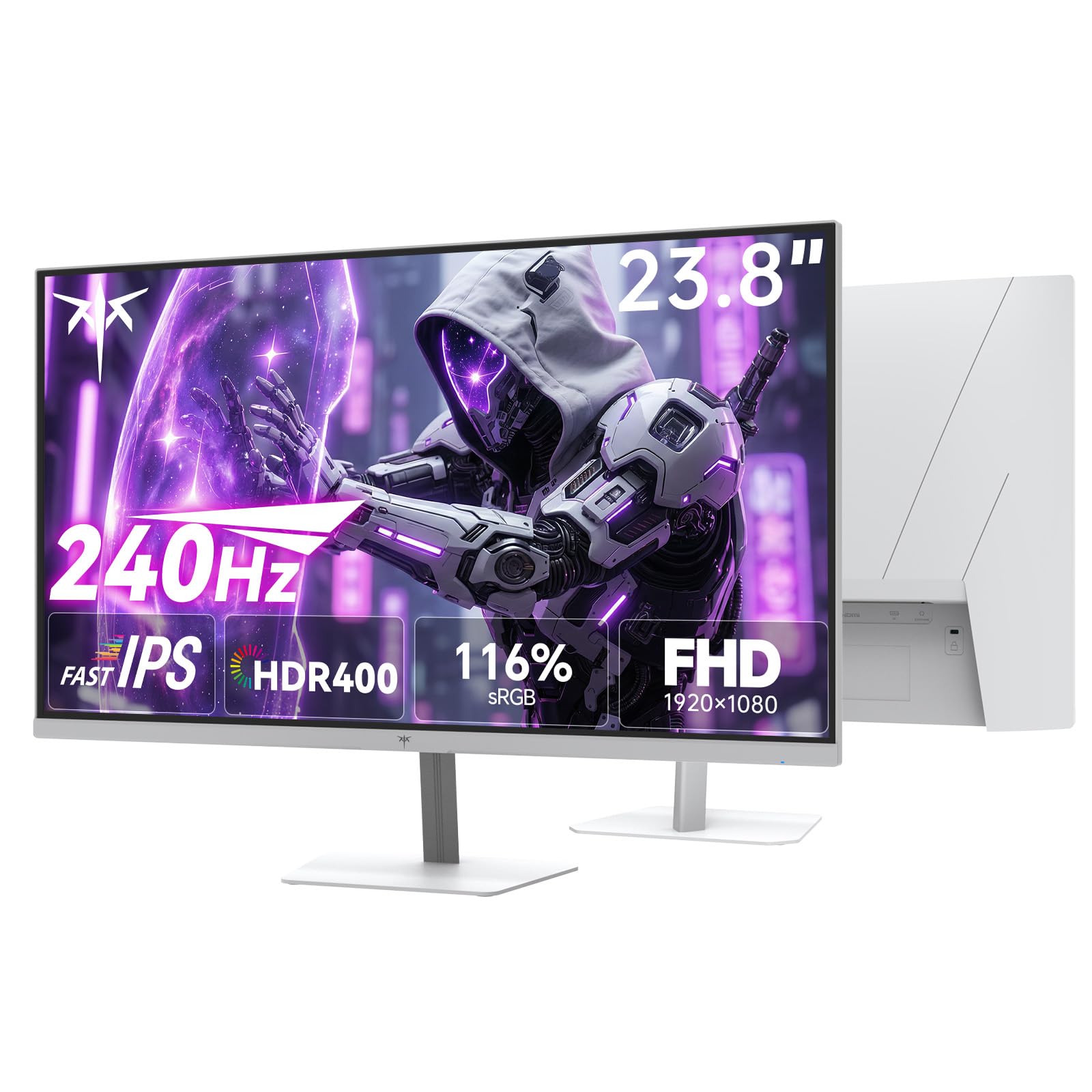
1. KTC 24 Inch 240Hz Gaming Monitor, H24F7
Our pick — over 4.5★ from 2,500+ verified ratings; the strongest balance of quality and price.
The KTC H24F7 pairs a 240Hz refresh rate with 400 cd/m² brightness and 116% sRGB coverage for vivid, tear-free gaming.
The KTC H24F7 leads this list because it nails the two specs that matter most for 1080p gaming: a 240Hz refresh rate and a 1ms response time (MPRT, or Moving Picture Response Time — how quickly a pixel changes to reduce blur). That speed means fast-moving targets stay sharp, so you can track enemies without smearing. It combines that speed with a Fast IPS panel, so you get both the smooth motion and the vivid colors that IPS is known for — a step above the older LCD (Liquid Crystal Display) tech you find on cheaper screens.
In plain terms, the KTC stays punchy and readable in a bright room where dimmer screens wash out. The 116% sRGB color gamut area (a measure of the range of colors the screen can show) also beats the 100% sRGB of the Sceptre E255B-FWD240, so games and movies look richer right from the start.
Comfort and adaptability are built in: Low Blue Light, Flicker-Free, and anti-glare tech work together to reduce eye strain during long sessions. On connectivity, you get two HDMI ports and one DisplayPort for hooking up an Xbox, a PC, and a laptop at the same time, plus a -5° to 15° tilt adjustment and VESA 100mm x 100mm wall-mount support. Buyers report it is a “great 180Hz gaming monitor; no tearing at 120Hz,” and many note it feels sturdier and smoother than flagship monitors they owned before, with minimal ghosting after a quick color calibration.
What wins people over
- 240Hz refresh and 1ms response keep fast motion crisp and tear-free, especially with Adaptive Sync (FreeSync and G-Sync) smoothing out frame pacing.
- 116% sRGB coverage and 16.7 million colors deliver vibrant, lifelike visuals for both gaming and everyday use.
- Three-year warranty and customer support that responds within 12 hours add real confidence at this price.
Trade-offs to know
- The white color scheme stands out on a desk of black monitors — a style mismatch for some setups.
- To hit the full 240Hz, you need a graphics card powerful enough to feed it that many frames.
Reach for the KTC if: you want a fast, bright, color-rich panel that doubles as a great work display without breaking your budget.
Look elsewhere if: you prefer a black chassis to match a dark setup, or you never play games that push past 120 FPS.
2. Sceptre 24.5-inch Gaming Monitor E255B-FWD240
The Sceptre E255B-FWD240 offers dual HDMI and dual DisplayPort inputs, all supporting 240Hz, plus built-in speakers for a tidy setup.
The Sceptre E255B-FWD240 is the choice when you have multiple devices that all need fast connections. It packs two HDMI ports and two DisplayPorts, both of which support the full 240Hz refresh rate, so you can run a gaming PC, console, and streaming box without ever swapping cables. The 1ms response time (BR, or Blur Reduction — a backlight trick that sharpens fast motion) joins the 240Hz rate to make a 2.0x leap over the 120Hz refresh of the ViewSonic VA2456A-MHD; in real terms, that is twice the frames per second for buttery camera sweeps.
Image quality is handled by a 100% sRGB color gamut (full standard color range) and a 2000:1 contrast ratio — a 2.0x gap in contrast ratio versus the KTC H24F7 above, meaning deeper blacks and more separation between light and dark scenes. Owners mention it is “great quality! Especially for its cheap price,” and the crowd consensus is that the monitor quality and value for money are its two strongest points. Many also note it plays 1080p at 120Hz on an Xbox without issue, making it a solid console companion.
Built-in speakers keep audio going without extra hardware, and Blue-Light Shift technology reduces harsh blue light for longer sessions. The main honesty check: the integrated speakers are fine for work or casual video but noticeably weak for gaming, where headphones are the better route. At 4.54 kg (about 10 lbs) with a 7.6″D x 22″W x 16″H footprint, it is a stable, compact unit for a smaller desk.
Why it earns its spot
- Two HDMI and two DisplayPort inputs all hit 240Hz — rare flexibility at this level.
- 2000:1 contrast ratio delivers deeper blacks than most 1080p rivals.
- Built-in speakers save desk space and handle casual audio fine.
The honest limit
- Speakers are the weak link for rich gaming — plan on headphones.
- Color quality earns mixed feedback from owners, so calibration may help.
This one fits if: you juggle a PC and console and want every port to run at full speed.
skip it if: audio quality from the monitor itself is a deciding factor for you.
3. ViewSonic VA2456A-MHD 24 Inch 1080p IPS Monitor
The ViewSonic VA2456A-MHD delivers smooth 120Hz gaming and DisplayPort-out daisy-chaining for a clutter-free multi-monitor desk.
The ViewSonic VA2456A-MHD proves you do not need 240Hz to have a great monitor. Its 120Hz refresh rate and 1ms MPRT response time deliver smooth scrolling and responsive gaming for most players, and the SuperClear IPS panel keeps colors consistent from wide viewing angles — so a second person watching a movie or comparing spreadsheets sees the same accurate picture. The frameless design makes it look modern and pairs well in a multi-monitor setup.
Its a neat extra is connectivity. Beyond the expected HDMI and DisplayPort, it adds a VGA port for older PCs and — more impressively — DisplayPort-out technology. That lets you daisy-chain a second monitor using a single cable between displays, creating a clean, clutter-free multi-screen workspace for laptops, PCs, and Macs. Buyers praise the crisp Full HD image and note it works especially well with a MacBook Air and for a home office setup. The crowd consensus is that monitor quality and picture quality are its standout strengths.
Eye care is covered with integrated Flicker-Free technology and a Blue Light Filter, which owners say reduces fatigue during long workdays. The ViewMode presets let you switch between “Game,” “Movie,” “Web,” “Text,” and “Mono” gamma curves for the task at hand. The honest trade-offs are a basic stand with limited tilt, a 250 cd/m² brightness that is 60% dimmer than the KTC above (fine indoors, less ideal in very bright rooms), and no USB hub. Owners who buy it for the office often find they keep it for the light gaming too.
Its strongest cards
- Daisy-chain via DisplayPort-out lets you run two monitors from one cable.
- VGA port keeps older desktops and legacy hardware working.
- IPS viewing angles keep the picture true for anyone sitting off-center.
What to expect
- 250 cd/m² peak brightness is modest — best for indoor, controlled lighting.
- Basic stand limits ergonomic adjustment compared to pricier picks.
Pick the ViewSonic if: you want a dual-monitor office setup that also handles 120Hz gaming without fuss.
Think twice if: you demand maximum brightness or a fully adjustable ergonomic stand.
4. Amazon Basics 24 Inch 165Hz Gaming Monitor
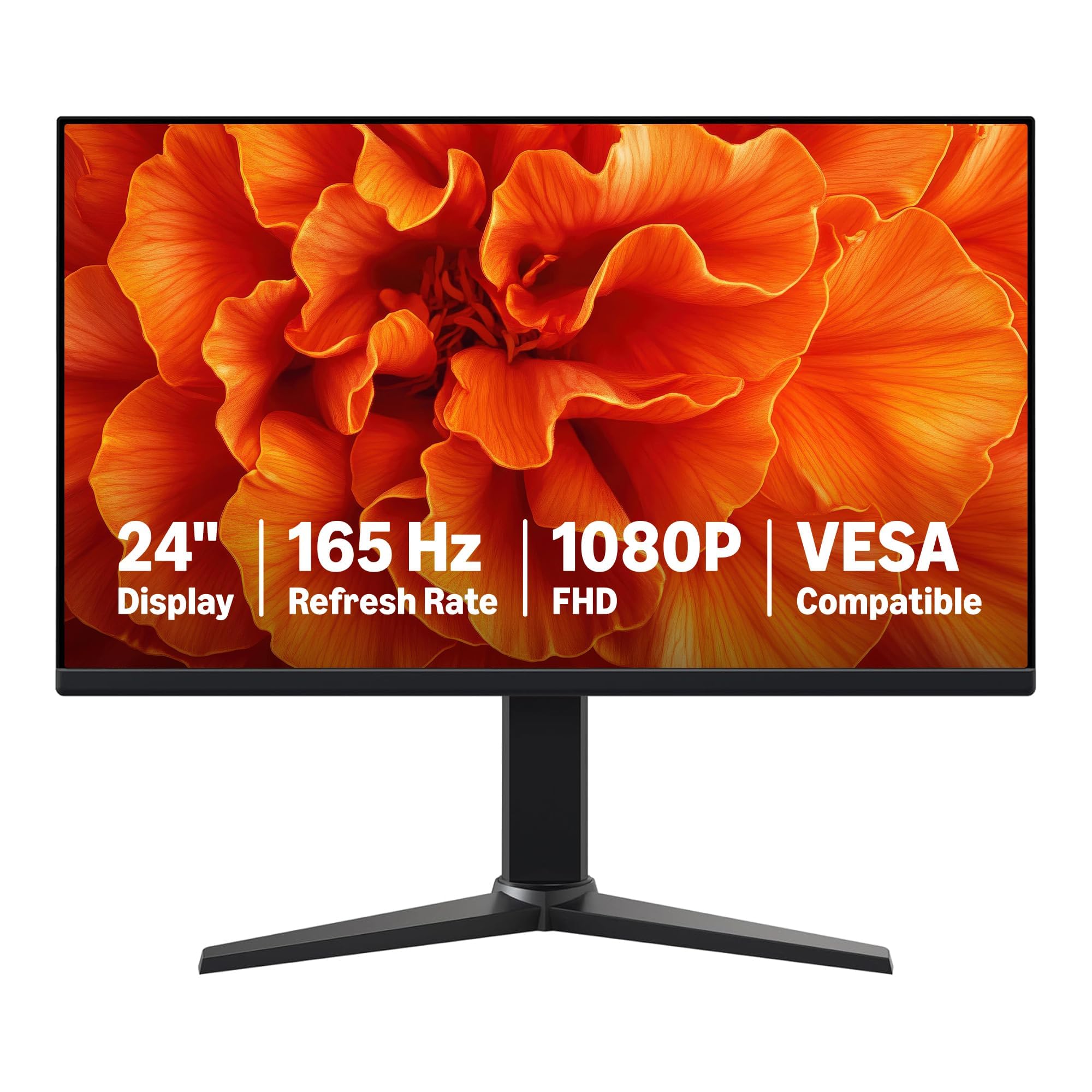
The Amazon Basics G24 is a 165Hz IPS with Adaptive Sync, offering smooth, tear-free gaming at a budget price.
The Amazon Basics 24-inch monitor is the definition of plug-and-play. It is a 23.8-inch viewable IPS (In-Plane Switching) screen with a 165Hz refresh rate, a 1ms response time, and Adaptive Sync to reduce screen tearing. It is built for gamers who want the smooth-motion experience without paying for extra features they will never use. The 1080p picture is crisp, and the 165Hz refresh is a big step up from a standard 60Hz office display.
Adaptive Sync is the key feature here — it matches the monitor’s refresh rate to your graphics card’s output, so fast scenes do not tear or stutter. Customers note the screen looks clear and is easy on the eyes, with strong colors, and the crowd consensus is that quality, refresh rate, and value for money are its top attributes. Many use it as a second work monitor for email and Teams while also gaming on it, finding it does both jobs without complaint.
One important note: to hit the full 165Hz, your computer’s ports and graphics card must support FHD output at that speed, and you need a DisplayPort 1.4 or HDMI 2.0 compatible cable, then select 165Hz in your display settings. On the downside, some units arrive without a power cable or HDMI cable — the power supply is a 12V barrel plug that may need a separate purchase. Buyers also note the VESA mount points are hard to reach while the stand is attached. It weighs 7.7 pounds, so it is a solid, sturdy presence on a desk. Do not forget to peel the protective film (marked with a date code) off the panel before you use it.
What it does well
- 165Hz with Adaptive Sync gives smooth, tear-free gaming at a budget price.
- Clear 1080p IPS picture with well-regarded color quality.
- Sturdy stand and easy HDMI hookup make setup painless.
Budget realities
- Power cable and HDMI cable are not always included — check the box first.
- VESA mounting is awkward with the stock stand attached.
This is the budget buy if: you want a fast, reliable 1080p screen for mixed work and gaming at the lowest entry cost.
Consider another if: you need included cables or plan to wall-mount immediately.
5. Z-Edge 24 Inch 240Hz 165Hz Gaming Monitor
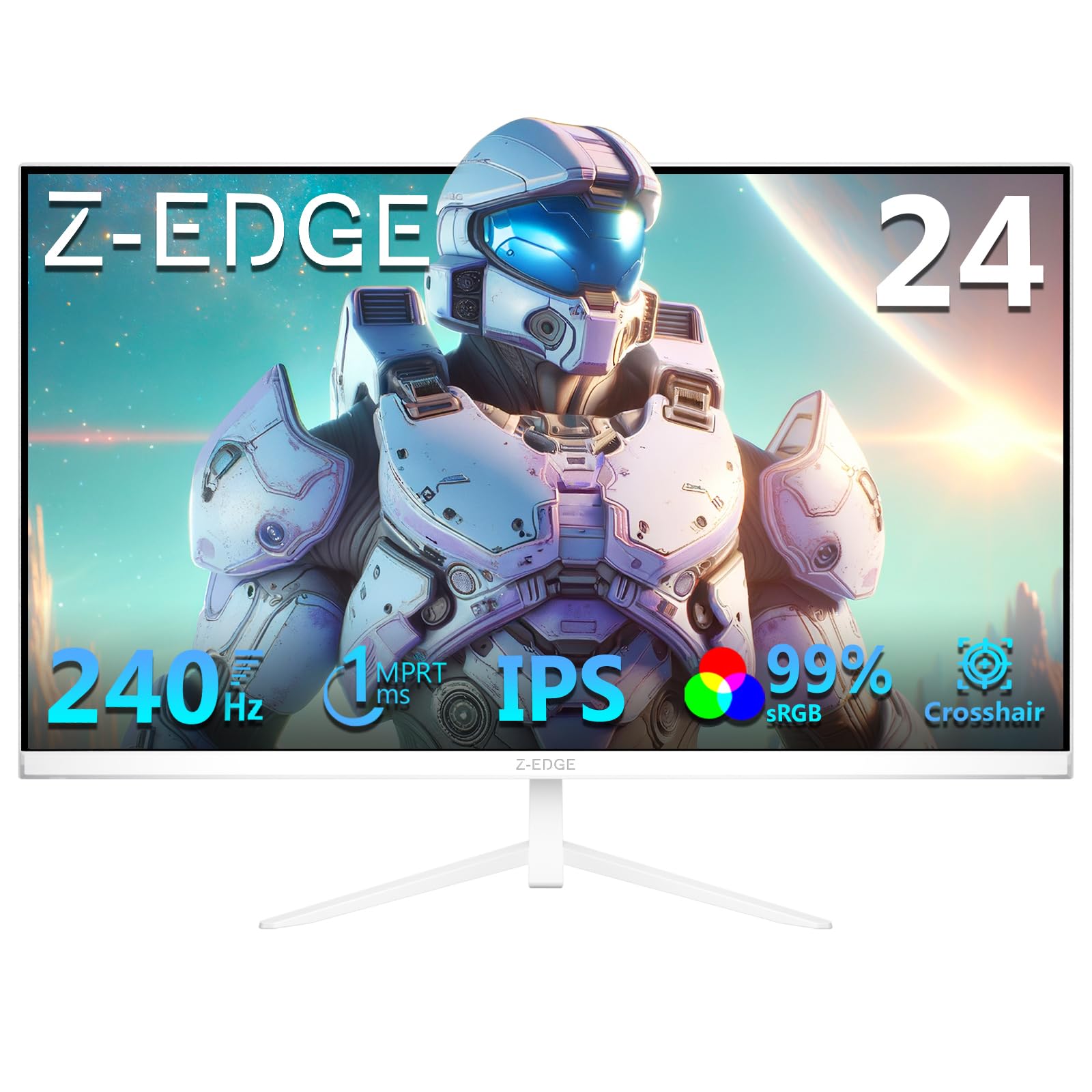
The Z-Edge 24-inch monitor combines a 240Hz IPS panel with FPS and RTS presets plus a Crosshair overlay for competitive shooters.
The Z-Edge leans hard into competitive gaming. Its 240Hz refresh rate and 1ms response time minimize motion blur and ghosting, and the FreeSync technology (Adaptive Sync that matches frames to your GPU) eliminates screen tearing. It is a screen built to keep up with fast-paced FPS and racing games, which owners confirm — the crowd consensus is that it performs particularly well in those frantic genres while delivering strong quality and value for money.
It adds gamer-focused extras you will not find everywhere. A Crosshair feature overlays a targeting reticle for better aim in shooters, while FPS and RTS Game Modes are preset display settings tuned for those genres. The IPS panel covers 99% sRGB (nearly the full standard color range) and expands viewing to a wide 178° angle, so colors stay accurate even when you are not sitting dead-center. Owners consistently call the picture quality crisp and the colors vibrant.
With a brightness of 350 cd/m², it sits between the dimmer 250 cd/m² ViewSonic and the brighter 400 cd/m² KTC — bright enough for most rooms. Both the HDMI and DisplayPort inputs fully support 240Hz, and the 75x75mm mount lets you wall-mount or attach a monitor arm. The three-sided narrow bezel makes it a good fit for dual-monitor setups. A few owners mention a flimsy-feeling stand that can tip and an occasional faulty included DisplayPort cable, so budget for a quality cable if needed. The picture quality feedback is overall positive, though a minority report dead pixels on arrival.
Built for the grind
- 240Hz plus FreeSync means smooth, tear-free motion in the fastest games.
- Crosshair overlay and FPS/RTS presets give a real edge in shooters.
- 178° IPS viewing angles keep colors true for any seating position.
Watch for
- The stock stand can feel unstable — a monitor arm may be a smart add-on.
- An included cable may need replacing; budget a solid DisplayPort cable.
Grab the Z-Edge if: you live in competitive shooters and want on-screen aiming aids plus a fast IPS panel.
Pass on it if: desk stability and out-of-box cables matter more to you than the extra gaming presets.
6. Samsung 24″ Odyssey G3 (G30D) FHD Gaming Monitor

The Samsung Odyssey G3 offers a 180Hz refresh rate and a fully adjustable stand (swivel, tilt, pivot, height) that outclasses all rivals here.
The Samsung Odyssey G3 stands apart not for raw speed but for comfort. Its 180Hz refresh rate and 1ms response time (MPRT) keep gameplay smooth, while AMD Radeon FreeSync reduces tearing for smooth motion. But the feature that wins buyers over is the stand: it swivels, tilts, pivots, and adjusts in height, so you can position the screen perfectly for your posture. That is a level of ergonomic freedom most 1080p monitors at this size simply do not offer — the KTC and Z-Edge above only tilt.
Samsung packs in gamer aids too. Black Equalizer brightens dark areas so you can spot enemies hiding in shadows, while Virtual Aim Point puts crosshairs on screen for more accurate shots. Eye Saver Mode minimizes blue light and the panel reduces flicker, which owners say keeps eyes relaxed during long sessions. The 3-sided borderless design gives a clean look and lines up neatly in a dual-monitor setup.
Color quality is a highlight — owners describe deep, rich colors at 180Hz and a crisp, clear picture with fast, smooth motion. The contrast ratio of 3000:1 delivers notably deep blacks. Included in the box are the DP cable, HDMI cable, and power cable, so you can set up immediately. The crowd consensus is clear: quality, value, and picture quality are its standout strengths, and many say it exceeds expectations for both work and console gaming. A few owners were surprised it is heavier than expected, but they call it a non-issue once set up.
Its standout traits
- Full ergonomic stand — swivel, tilt, pivot, and height — protects your neck and posture.
- 3000:1 contrast ratio gives deep blacks and strong depth in games.
- Cables included in the box for instant setup.
Know before you buy
- 250 cd/m² brightness is average — better for indoor lighting.
- Heavier than its size suggests, so give it a solid surface.
Choose the Odyssey G3 if: you spend hours at your desk and want a screen that adjusts to you, not the other way around.
Look elsewhere if: raw 240Hz speed matters more than ergonomics and brand polish.
7. Sceptre Curved 24″ FHD 1080p Gaming Monitor C248B-1858RN

The Sceptre C248B-1858RN’s 1500R curve and 165Hz refresh rate wrap the image around you for deeper immersion in games.
If you want the wrap-around feel of a curved screen without moving up to a huge 27-inch panel, the Sceptre C248B-1858RN is the pick. Its curved design emulates the shape of the human eye, and the 1500R curve (the tightness of the bend — lower numbers mean a more pronounced curve) pulls you into games. It runs at 165Hz through DisplayPort with a fast response time that reduces ghosting and blur, so fast-moving enemies stay in sharp focus during chaotic moments.
The edgeless design adds to the rich feel, and Sceptre includes multiple port options: DisplayPort delivers up to 165Hz, HDMI 1 supports 144Hz, and HDMI 2 handles 120Hz. That flexibility means older consoles and PCs can still get a smooth experience even if they cannot hit the top rate. The contrast ratio is listed at an eye-catching 1,000,000:1, delivering deep blacks that make games pop. Blue Light Shift reduces eye strain, and a colorful LED light on the back cover adds a modern gaming aesthetic many owners love.
Built-in speakers are suited to work and gaming, saving desk space, and the VESA wall-mount pattern (100mm x 100mm) gives you freedom to position it anywhere. The display tilts 15° backward and 5° forward to find a comfortable angle. Buyers praise the smooth 144Hz and 165Hz performance and call it great value for casual and mid-level gamers. Some owners note the side edges are thicker than the photos suggest, and the speakers sound a bit “crunchy” at higher volumes — headphones are the better route for serious play. Durability and picture quality get mixed feedback, so handle it with care during setup.
Why the curve wins
- 1500R curvature wraps the image around you for stronger immersion than a flat panel.
- DisplayPort, HDMI 1, and HDMI 2 offer 165Hz, 144Hz, and 120Hz options for varied hardware.
- Tilt range of 15° back and 5° forward helps you find a comfortable angle.
Honest caveats
- Built-in speakers sound crunchy — plan for headphones.
- Side bezels are thicker than product photos suggest.
Reach for the Sceptre curved if: you want cinematic immersion and a smooth 165Hz experience for casual and mid-level gaming.
pass on it if: you need razor-thin bezels or high-quality built-in audio.
8. Acer Nitro KG251Q 24.5in 280Hz Gaming Monitor

The Acer Nitro KG251Q’s 280Hz refresh rate is the fastest in this lineup, delivering ultra-smooth motion for esports titles.
For pure competitive speed, nothing here touches the Acer Nitro KG251Q. Its 280Hz refresh rate is the fastest in this lineup — a massive step beyond the 120Hz ViewSonic — and the 1ms response time renders fast 2D motion scenes ultra-smooth with minimal smearing or ghosting. This is the monitor you buy when you play esports titles like CS2 or rhythm games like OSU! and need every millisecond of advantage. Owners running it at full 280Hz confirm it delivers a true 280Hz experience.
AMD FreeSync Premium technology syncs the monitor’s frames with your graphics card to eliminate screen tearing and stuttering. The 1920 x 1080 Full HD resolution in a 16:9 aspect ratio delivers sharp, detailed images, and the ZeroFrame design does away with thick bezels so you see more of the action — and can place multiple monitors side-by-side for a nearly smooth view. The included kit covers the basics: the display, an HDMI cable, power cord, and stand.
A few honest notes: the default color settings are mediocre from the start, but reviewers point out fixing them easily through AMD software for a vibrant picture. There is no height adjustment (only minimal tilt), so consider a monitor arm for ergonomics. It has no built-in speakers, so audio requires external gear. While most praise the sharp picture and great colors, one owner noted a single dead pixel on arrival and another flagged ghosting on the warm light setting. For an esports-focused budget screen, the value is hard to argue with.
Built to win
- 280Hz refresh rate leads the entire list for the smoothest possible motion.
- FreeSync Premium delivers tear-free gaming with compatible GPUs.
- ZeroFrame design makes multi-monitor setups feel smooth.
What to fix yourself
- No height adjustment or built-in speakers — plan for both.
- Colors need tweaking via graphics software for best results.
This is the esports pick if: you compete in fast-paced titles and your GPU can feed a 280Hz panel.
Choose another if: you want out-of-box color accuracy, speakers, or ergonomic adjustments.
9. ASUS TUF Gaming VG259Q3A 25″ 180Hz Monitor

An ASUS TUF 180Hz Fast IPS with elite motion blur reduction for razor-sharp gameplay.
The ASUS TUF VG259Q3A brings serious motion-clarity tech to the 1080p class. Its 24.5-inch viewable Fast IPS panel runs at 180Hz with a 1ms (GTG, or Gray-to-Gray — the time a pixel takes to switch between gray shades) response time. what separates it is ASUS Extreme Low Motion Blur (ELMB), which further reduces ghosting and motion blur for exceptionally sharp visuals during high-frame-rate gaming. For competitive players, this combination means fast-moving targets stay crisp instead of trailing.
The 99% sRGB color gamut ensures vivid, accurate colors, and Shadow Boost brightens dark scenes without over-exposing the bright areas — a real advantage when an enemy camps in a shadowy corner. It comes with built-in 1.5W x 2 stereo speakers for basic audio, and the “What’s in the box” list includes the DisplayPort cable, HDMI cable, power cord, quick start guide, and warranty card. Owners consistently call the picture quality excellent, the build solid, and the colors bright — ideal for competitive gaming. The ASUS Display Widget software makes adjusting settings easy, which buyers appreciate for tailoring the screen to long work sessions.
Power draw is a pleasant surprise: under 18W during use, under 0.5W in power-saving mode, and under 0.3W when off. Two honest notes for buyers: the stand sits low and may need raising or a monitor arm for comfortable viewing, and some units ship without the promised DisplayPort cable despite the listing. The speakers are adequate but weak, so owners recommend external speakers for real audio. The ASUS brand comes with a 3-year warranty, plus a 3-month Adobe Creative Cloud subscription is included with purchase.
Standout technology
- ELMB reduces motion blur beyond standard 1ms response for elite clarity.
- Shadow Boost reveals enemies hidden in dark areas without washing out bright spots.
- Low power draw (under 18W) keeps energy bills and heat down.
Be ready for
- The stock stand is short — a monitor arm or riser helps posture.
- Speakers are adequate but weak; external audio is recommended.
Buy the ASUS TUF if: you want a fast, colorful panel with elite motion clarity and a trusted 3-year warranty.
Hold off if: you need height adjustment from the start or powerful built-in speakers.
10. Dell S24 Series 24 Inch IPS 144Hz Monitor
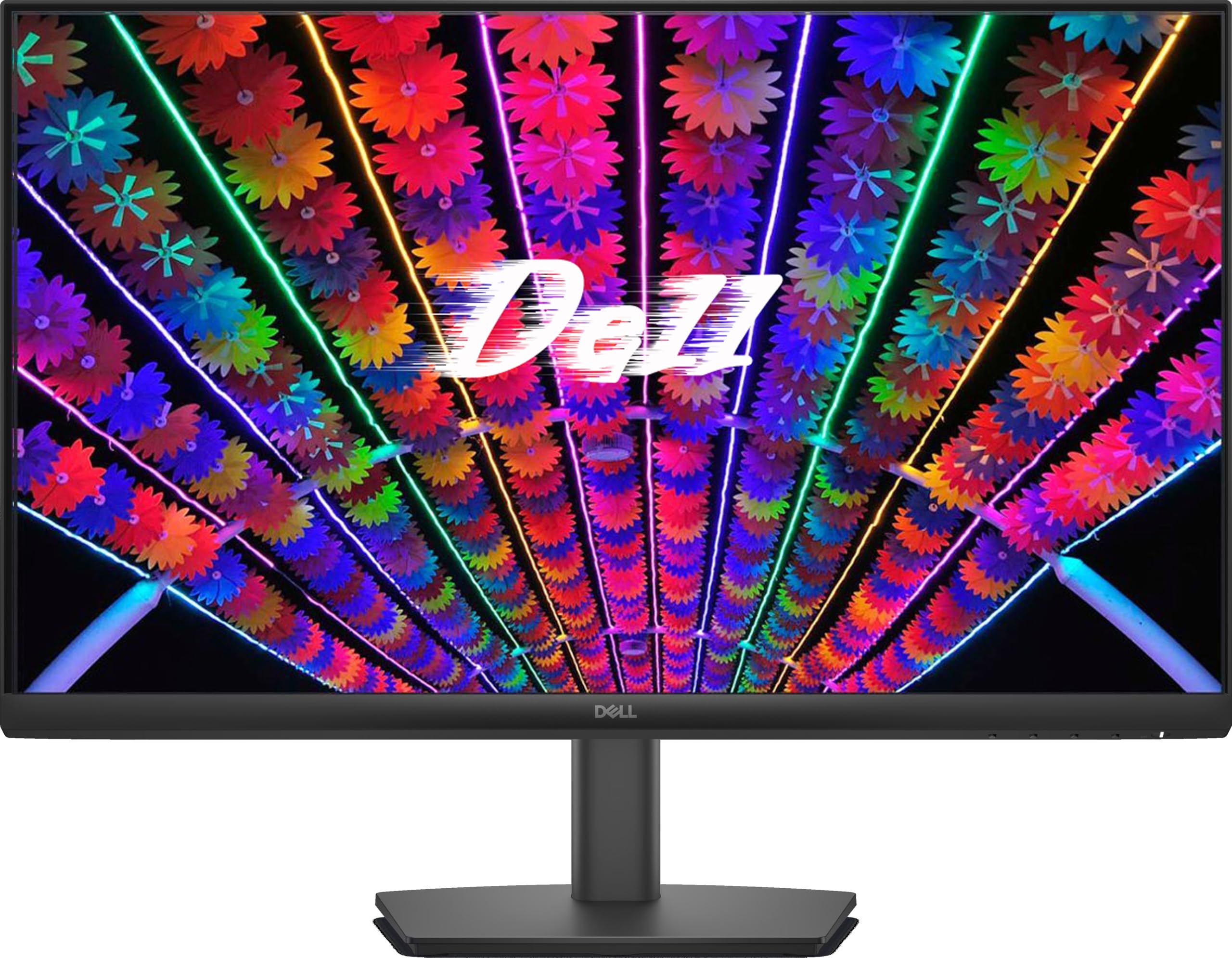
A Dell 144Hz IPS that feels equally at home in a home office and a gaming setup.
The Dell S24 Series monitor is the diplomat of this list — equally comfortable running spreadsheets by day and FPS games by night. Its 24-inch IPS panel delivers Full HD 1080p at a 144Hz refresh rate with a 1ms MPRT response time, which owners say makes FPS games feel noticeably smoother. The IPS technology gives you consistent colors from wide viewing angles, so it works well whether you are at your desk or reviewing work with a colleague.
The anti-glare display is a genuine selling point here. Shoppers say it handles direct sunlight well, making it a strong choice for a desk near a window where glossy screens wash out. Flicker-Free technology and Low Blue Light features reduce eye fatigue during long workdays, and the built-in power supply unit plus cable holder keeps your desk tidy — a small-footprint design that reclaims space. VESA 100mm x 100mm mounting lets you hang it on a wall anywhere in the house.
Connectivity comes via two HDMI ports, making it a flexible secondary monitor for a laptop or desktop. The 1000:1 contrast ratio keeps blacks and text crisp. Buyers describe it as budget-friendly, reliable, and versatile, with the crowd consensus highlighting monitor quality, image quality, and value for money as its top traits. A few note the refresh rate behavior varies by setup (some report 100Hz or 75Hz depending on their hardware and cable), so check your graphics card and cable to get the full 144Hz. Limited tilt adjustment is the main ergonomic constraint.
What makes it versatile
- Anti-glare screen stays readable even near a bright window.
- Built-in power supply and cable holder keep your desk clean.
- Two HDMI ports make multi-device switching easy for work and play.
Consider this first
- Tilt adjustment is limited — no height or swivel options.
- Reaching 144Hz depends on your GPU, cable, and display settings.
Pick the Dell if: you want one monitor that excels at office work, handles sunlight well, and still games at a smooth 144Hz.
Look past it if: you need full ergonomic adjustments or a higher refresh rate for esports.
11. ASUS TUF Gaming VG247Q1A 24″ 165Hz Monitor

A 165Hz TUF panel with FreeSync Premium that works with both Nvidia and AMD cards.
The ASUS TUF VG247Q1A is the most broadly compatible monitor in this list. Its 165Hz refresh rate (which also supports 144Hz for older setups) and 1ms response time (MPRT) deliver smooth gameplay, but the real story is Adaptive-Sync support: it works with both Nvidia GeForce GPUs (GTX 10 series, GTX 16 series, RTX 20 series and newer) via Adaptive-Sync and AMD Radeon cards through FreeSync Premium. Whatever graphics card you own, this screen syncs with it to eliminate tearing and choppy frame rates.
The ASUS Extreme Low Motion Blur (ELMB) technology joins that 1ms response time to eliminate ghosting, keeping fast action sharp. Shadow Boost brightens dark areas without over-exposing bright ones, giving you an edge when enemies lurk in shadows. The 350 cd/m² brightness is comfortably bright for most rooms — a step up from the 250 cd/m² Dell S24 above. Owners praise the vibrant colors and excellent contrast, with the crowd consensus calling monitor quality and value for money its strongest points.
It ships with everything you need: a DisplayPort cable, HDMI cable, power cord, quick start guide, and warranty card. Built-in speakers add convenience, and the included 3-month Adobe Creative Cloud subscription is a nice bonus. A few honest notes from owners: changing inputs requires several button presses through the rear controls, which some find frustrating, and there are occasional reports of dead pixels from the start. Buyers who bought multiple units for an office or shop floor found it an ideal, affordable upgrade over decade-old monitors.
Its broad appeal
- Works with both Nvidia Adaptive-Sync and AMD FreeSync Premium — no brand lock-in.
- 350 cd/m² brightness keeps the picture vivid in brighter rooms.
- DP and HDMI cables included for immediate setup.
Minor frustrations
- On-screen menu navigation via rear buttons takes multiple presses.
- An occasional unit arrives with dead pixels — check on arrival.
Choose the TUF VG247Q1A if: you have either an Nvidia or AMD card and want a fast, bright, universally compatible 1080p panel.
Look elsewhere if: you want a simpler on-screen menu or cannot tolerate the risk of a rare dead pixel.
Understanding the Specs
Refresh Rate (Hz)
Refresh rate, measured in Hertz (Hz), is how many times your monitor redraws the image each second. A 120Hz panel shows 120 frames per second, which is already twice as smooth as a standard 60Hz office screen. Jump to 165Hz or 240Hz and fast camera pans in shooters stay readable and sharp. The catch: your monitor can only show as many frames as your graphics card sends it. If your GPU outputs 150 FPS in your favorite game, a 280Hz monitor will not look any different than a 165Hz one. Match the refresh rate to your hardware’s real output to avoid paying for speed you cannot use.
Response Time (ms)
Response time, measured in milliseconds (ms), is how quickly a pixel changes color. Faster response times mean less ghosting — the blurry trail behind moving objects. You will see it listed as 1ms or 2ms, often with an abbreviation like MPRT (Moving Picture Response Time) or GTG (Gray-to-Gray). Lower is better for gaming: a 1ms panel keeps fast-moving enemies and terrain in sharp focus during chaotic moments, while slower panels can smear. For competitive shooters, prioritize the fastest response time you can find.
FAQ
Is 240Hz worth it over 144Hz for a 1080p gaming monitor?
What is the difference between a 24 inch and 24.5 inch 1080p monitor?
Do I need a special cable for 240Hz or 280Hz refresh rates?
Can I use a 240Hz gaming monitor with a PS5 or Xbox?
What is Adaptive Sync, FreeSync, and G-Sync?
Is IPS better than VA or TN for a 1080p gaming monitor?
Will a 1080p monitor look blurry or pixelated at 24 inches?
What does the 1ms response time mean for gaming?
Do these gaming monitors have built-in speakers?
Can I wall-mount a 24 inch 1080p gaming monitor?
Final Thoughts: The Verdict
For the majority of shoppers, the 24 inch 1080p gaming monitor winner is the KTC H24F7 because it pairs a 240Hz refresh with 400 cd/m² brightness and 116% sRGB color coverage at a price that undercuts the bigger brands. If you want the most flexible connectivity for a multi-device setup, grab the Sceptre E255B-FWD240 with its dual HDMI and dual DisplayPort inputs. And for a desk near a bright window that also handles office work, the Dell S24 is the anti-glare one to reach for.
How We Picked
We do not accept paid placement. Every pick is matched to a real buyer and a real use-case; we do not hands-on test units.
Sources & Methodology
Specifications: manufacturer listings and product documentation. Review insights: verified customer reviews, as of September 2026. Pricing: not shown on this page (it changes often); check the current price via the retailer link.
As an Amazon Associate, Gadgets Feed earns from qualifying purchases. This does not affect which products we feature.