
Our readers keep the lights on and my morning glass full of iced black tea. As an Amazon Associate, I earn from qualifying purchases.
Specs are compiled from manufacturer listings and verified buyer reviews and can change over time — please confirm the key details on the product page before buying.
If you can dim your room, you can get rich, saturated color that a matte screen simply muddles. A glossy 4K monitor—especially an OLED one—turns off black pixels completely, so you get the deepest blacks and most vibrant image on the market today. This guide reviews five glossy 4K monitors, from a 27-inch IPS value pick to a 32-inch 480Hz flagship, to help you match the panel to your GPU and room lighting.
I’m Min — the founder and writer behind Gadgets Feed. This guide is built by comparing the manufacturers’ published specifications and the patterns across verified customer reviews, so you get each pick’s real strengths and trade-offs instead of marketing spin.
These 4k monitor with glossy screen options prove that vibrant, reflection-free viewing is achievable.
Our Picks at a Glance

How To Choose The Best 4K Monitor With Glossy Screen
Choosing a glossy 4K monitor hinges on your room’s lighting and your GPU’s power, not just the panel specs. The glossy coating amplifies color and sharpness, but it also reflects every window and lamp behind you. If you sit opposite a bright window without blinds, a glossy panel will cause daily glare frustration. In a dimmable room, glossy delivers the best image quality available.
Panel Type: OLED Is the Glossy balance
Nearly every glossy 4K monitor worth buying today uses an OLED panel (a display where each pixel produces its own light). That matters because OLED pixels turn off individually to show true black. An IPS screen with a 1000:1 contrast ratio shows dark scenes as dark gray, while an OLED’s 1,500,000:1 ratio makes blacks look completely absent—which is why the LG and ASUS models here all carry OLED tech. The trade-off is that OLED panels manage brightness carefully and need some care to avoid burn-in (permanent image ghosting), though modern protection features handle that automatically.
Refresh Rate and Your GPU
You only need a high refresh rate (how many times the screen updates per second) if your computer can produce that many frames. A 4K 165Hz panel demands a powerful GPU to run modern games at full speed. That is why these monitors also offer a dual-mode feature: it drops resolution to Full HD (1920×1080) and doubles the refresh rate to 330Hz or higher for competitive shooters. Before you pay for 240Hz, check whether your console or PC can actually push that many frames at the resolution you play.
Quick Comparison
| Model | Best For | Refresh Rate | Contrast Ratio | Response Time | Amazon |
|---|---|---|---|---|---|
| LG UltraGear 32GX850A★ Best Overall | Overall glossy 4K gaming | 4K 165Hz / FHD 330Hz | 1,500,000:1 | 0.03ms | Amazon |
| Samsung Odyssey G7 G73SHPremium Pick | Color accuracy & esports | 4K 165Hz / FHD 330Hz | 1,500,000:1 | 0.03ms | Amazon |
| ASUS ROG XG32UCWG | Mirror-like clarity & build | 4K 165Hz / FHD 330Hz | 1,500,000:1 | 0.03ms | Amazon |
| DOUGH Spectrum One | MacBook docking value | 144Hz | 1000:1 | 1ms | Amazon |
| ASUS ROG Strix XG32UCWMG | High-speed 480Hz dual mode | 4K 240Hz / FHD 480Hz | 1,000,000:1 | — | Amazon |
In-Depth Reviews
1. LG 32GX850A-B UltraGear 32″ Glossy OLED
Our pick — 4.5★ from 100+ verified ratings; the strongest balance of quality and price.
This glossy OLED’s 1,500,000:1 contrast ratio makes your old IPS panel look like a museum piece.
Load a dark game and you see why this monitor wins the crowd — a 1,500,000:1 contrast ratio means black pixels switch off completely rather than glowing gray. That is a 1500x contrast gap over the DOUGH’s IPS panel at 1000:1, so shadows look genuinely empty and colors gain depth an LCD cannot fake. Owners describe sharp white text against inky black as a revelation, and it is built on a WOLED panel (a type of OLED that uses a white light source with color filters) that avoids the purple tint some rival OLEDs show.
Motion stays crisp because the 0.03ms response time (how fast a pixel changes color) is 33.3x faster than the DOUGH’s 1ms rating, so there is essentially zero ghosting in frantic scenes. You get dual-mode flexibility — run story games at full 4K UHD (3840 x 2160) up to 165Hz, then hit a hotkey to drop to Full HD (1920×1080) at up to 330Hz for fast-paced shooters. The Micro Lens Array+ tech (a film that focuses light) pushes typical brightness to 275 nits so it stays vivid in well-lit rooms, and buyers report the glossy finish works fine in bright spaces despite reflecting more than matte.
UL certifications for Anti-Glare, Flicker-Free, and Low Blue Light reduce eye strain during marathon gaming sessions., and the stand gives you height, tilt, swivel, and pivot adjustments. Display quality wins owners over more than any other trait, and the design skips gamer aesthetics for a clean professional look. The recurring trade-off is glare — if you have a light directly behind you, reflection becomes a distraction — and a handful of owners mention occasional flicker. This is a monitor for a room you can control. It is easy to set up, works well with Mac Mini setups, and reviewers sum up the value plainly: great picture, perfect blacks, no flicker, and a sturdy build.
Why It Wins
- True black OLED contrast (1,500,000:1) that IPS panels can’t match
- Near-instant 0.03ms response for ghost-free motion
- Dual mode switches 4K 165Hz to FHD 330Hz via hotkey
- Full ergonomic stand with height, tilt, swivel, pivot
Room For Caution
- Glossy surface shows reflections with direct light behind you
- Some owners mention flicker, though others say none at all
Reach for this if: you want the best all-around glossy 4K OLED without paying flagship money, and your room lighting is manageable.
Look elsewhere if: you sit with a bright window or lamp directly behind your screen every day — the glare will annoy you.
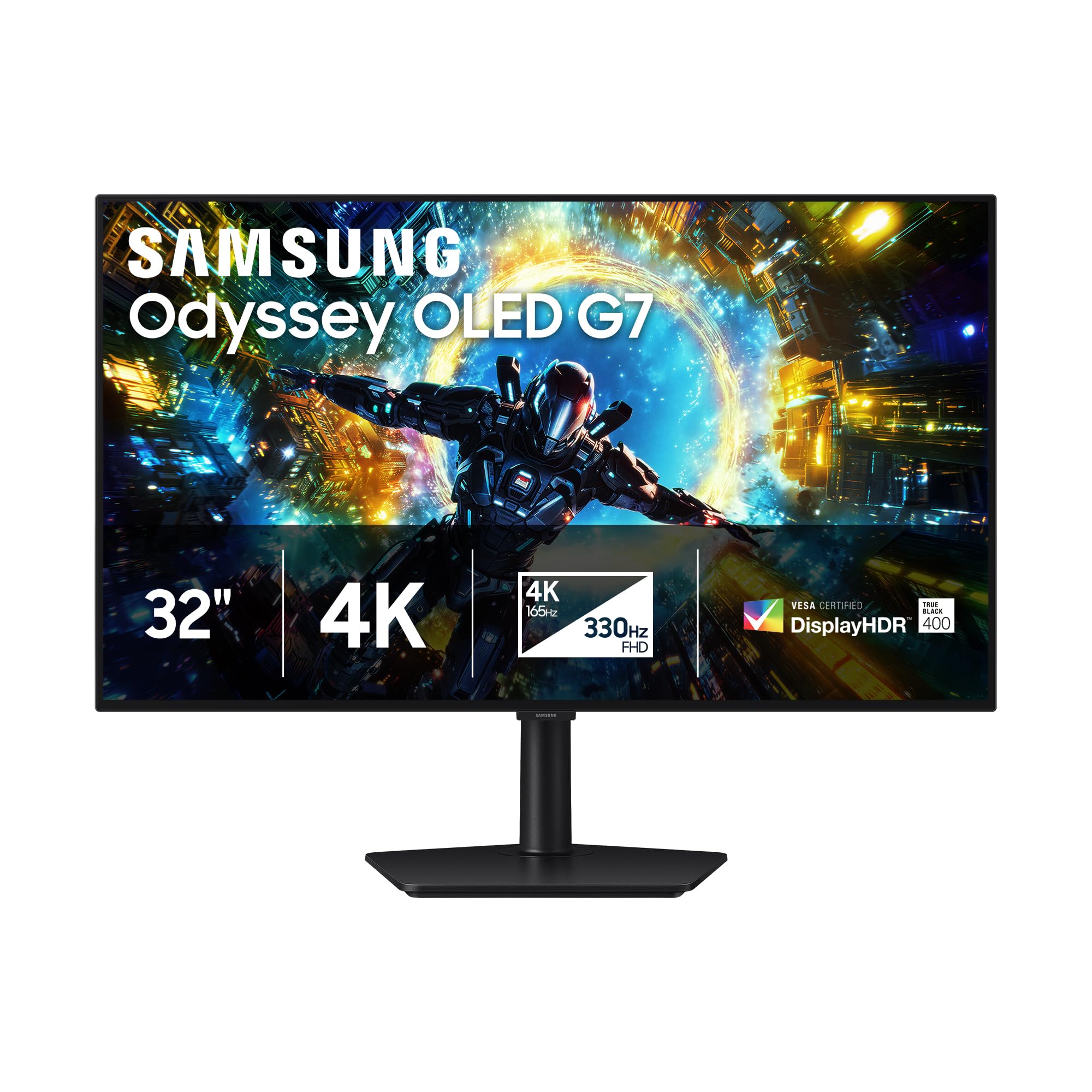
2. Samsung 32″ Odyssey OLED G7 (G73SH)
Owners call this Pantone-validated glossy OLED the biggest visual leap in decades.
Samsung’s monitor shares the same 4K OLED DNA as the LG above — a 1,500,000:1 contrast ratio and a 0.03ms response time — but separates itself with factory-level color credibility. It is Pantone Validated, meaning colors are reproduced with a precision photo editors and color-critical gamers trust. HDR10+ Gaming (a standard that adds scene-by-scene brightness data) tune contrast for added depth. Long-time LCD owners describe the upgrade as the single biggest visual jump they have experienced in over 20 years of using computers.
Gaming flexibility matches the LG’s dual-mode design: toggle between 4K at 165Hz for single-player worlds and Full HD at 330Hz for competitive shooters. The glossy OLED surface draws the usual caution — a few owners note it needs controlled lighting to avoid reflections — but the same buyers praise its contrast and vibrant colors once the room is right. The ergonomic stand pivots, tilts, and swivels, and a 3-year burn-in warranty covers OLED longevity.
Owners most discuss color and contrast, noting the panel makes older monitors look tired by comparison. The honest fit note: a couple of owners found it works best as a secondary display or felt it lacked the wow factor of their main monitor. Connectivity is leaner than rivals — just one DisplayPort and one HDMI with no USB-C — so it lacks the single-cable docking of the DOUGH Spectrum One. If you chase esports fluidity, dual mode delivers. The 3-year warranty plus Pantone accuracy make this a premium pick for gamers who also care about color truth.
Standout credential: Pantone-validated color accuracy on a glossy OLED is rare, making this the pick for gamers who notice color grading.
Who it beats: it leads the DOUGH on response time by a 33.3x margin and beats the LG on factory color validation, though connectivity is sparser.
Best for: buyers who want OLED contrast with professional-grade color accuracy and a full ergonomic stand.
Think twice if: you need multiple inputs or USB-C docking — this panel keeps connectivity minimal with one DP and one HDMI.
3. ASUS ROG XG32UCWG 32″ 4K Glossy OLED
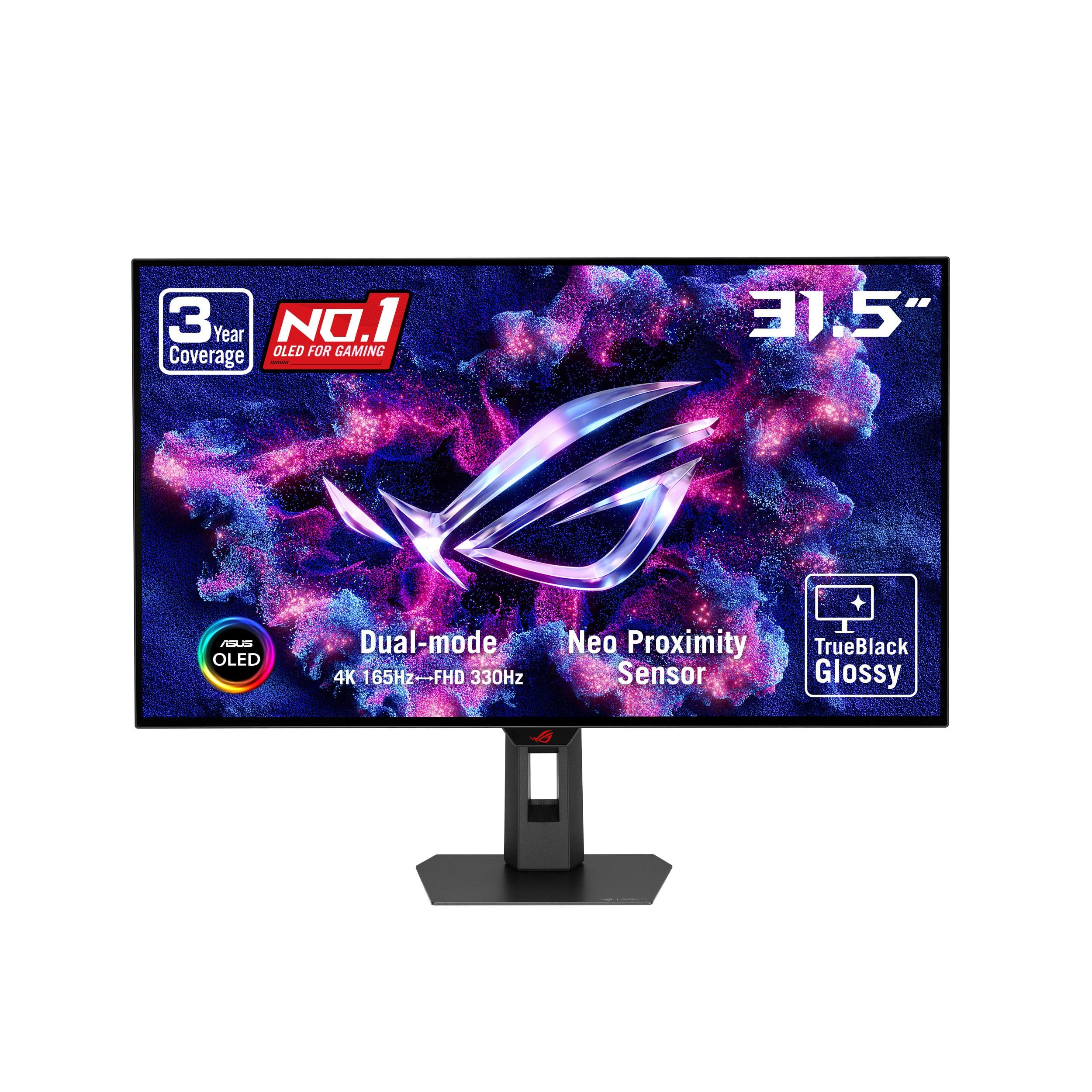
A mirror-like WOLED panel with the most aggressive burn-in protection in this lineup.
ASUS calls this a TrueBlack Glossy panel, and the claim holds up — the zero-haze surface delivers imagery so sharp and mirror-like that owners describe the coating as stunning even before they judge color. It runs the same 4K WOLED core as the Samsung and LG, hitting a 1,500,000:1 contrast ratio and 0.03ms response. It differentiates with dual mode offering 4K at 165Hz or Full HD at 330Hz, matching the competition while adding a 3-year warranty with burn-in coverage. The 99% DCI-P3 gamut (a wide color space used in film) with true 10-bit color and Delta E < 2 (a color accuracy score where lower is better) makes this a legitimate option for photo and video editing, not just gaming.
The defining feature is ASUS OLED Care Pro with a Neo Proximity Sensor, which detects when you step away and switches the screen to black to reduce burn-in risk — a real answer to the fear most buyers carry about OLED. Owners note the WOLED tech delivers punch and saturation without the purple tint or gray blacks they saw on previous QD-OLED panels, and the premium stand and build quality earn consistent praise. The panel is factory well-calibrated, and a 3-year warranty with burn-in and Advanced Replacement coverage makes the longevity risk feel manageable.
Quality is the trait owners praise most, followed closely by color performance, with perfect black levels being a recurring highlight. The honest caveats: the glossy surface is delicate and demands careful handling, and some owners mention the OSD menu (on-screen display) feels dated and the bezels are not ultra-thin. One owner who games on PS5, PC, and Switch 2 calls it a perfect OLED monitor that enhances every game regardless of settings, which says a lot about how well-rounded it is.
What Makes It Shine
- Neo Proximity Sensor auto-blacks the screen when you step away
- 99% DCI-P3 with true 10-bit color for editing work
- 3-year warranty includes burn-in and advanced replacement
- Dual mode: 4K 165Hz or FHD 330Hz
Consider This
- Glossy coating is delicate — handle the panel with care
- OSD interface feels outdated, and bezels aren’t ultra-thin
A standout-spec mic-drop: the Neo Proximity Sensor is the strongest burn-in defense in this lineup, backed by a 3-year coverage plan.
Only caveat: treat the glossy panel gently and be ready for a dated on-screen menu.
4. DOUGH Spectrum One 27″ 4K Glossy IPS

This budget glossy 4K doubles as a MacBook docking station — no OLED premium required.
Not everyone needs OLED. If you want glossy 4K sharpness without the premium panel cost, the DOUGH Spectrum One delivers with a 27-inch IPS display that owners genuinely praise for crispness and color. It is factory calibrated to a Delta E 0.6 average accuracy (a color error score where lower is better), covering 98% of the DCI-P3 gamut and 100% of sRGB with 1.07 billion colors. Customers note being really impressed with the sharpness and colors of the glossy version. The 144Hz refresh rate and 1ms response time keep it smooth, though both trail the OLED models above — the LG is 33.3x faster on response and offers a higher refresh rate.
The real differentiator is single-cable living: a USB-C 3.2 Gen 2 port (a modern connector standard) carries video, data, and up to 100W of power, so a MacBook Pro connects with one cable and charges at full speed. Two HDMI 2.1 ports and one DisplayPort 1.4 round out connectivity, plus a USB hub with two USB-A and one USB-C port each hitting 10 Gb/s transfers, and a 3.5mm audio jack. Owners describe it as a credible Studio Display alternative at roughly a third of the cost, making it a smart value play for Mac users who want glossy 4K without the Apple tax.
Praise centers on the vivid 4K glossy image and abundant port selection, but a few owners note quirks: slow wake from sleep, occasional black screens on resolution switches, and slight backlight strobing on some units. The stock stand is overpriced, so most owners mount it on a cheap VESA arm instead. One buyer found the panel dimmer than expected compared to a previous Razer monitor — though its 450 nits sustained brightness is actually solid for an IPS. This is the value pick for productivity and casual gaming, not the choice for OLED purists who need the 0.03ms response of the LG.
Smart money move: 100W USB-C power delivery plus a 4K glossy panel makes this the cheapest way to replace a MacBook docking setup.
Know the quirks: expect slow wake times and occasional black screens, and budget for a third-party VESA stand.
Grab it for: MacBook owners who want glossy 4K, a built-in hub, and laptop charging without paying OLED or Apple prices.
Pass on it if: deep blacks and 0.03ms motion clarity matter more to you than value — IPS contrast sits at 1000:1, not 1,500,000:1.
5. ASUS ROG Strix OLED XG32UCWMG
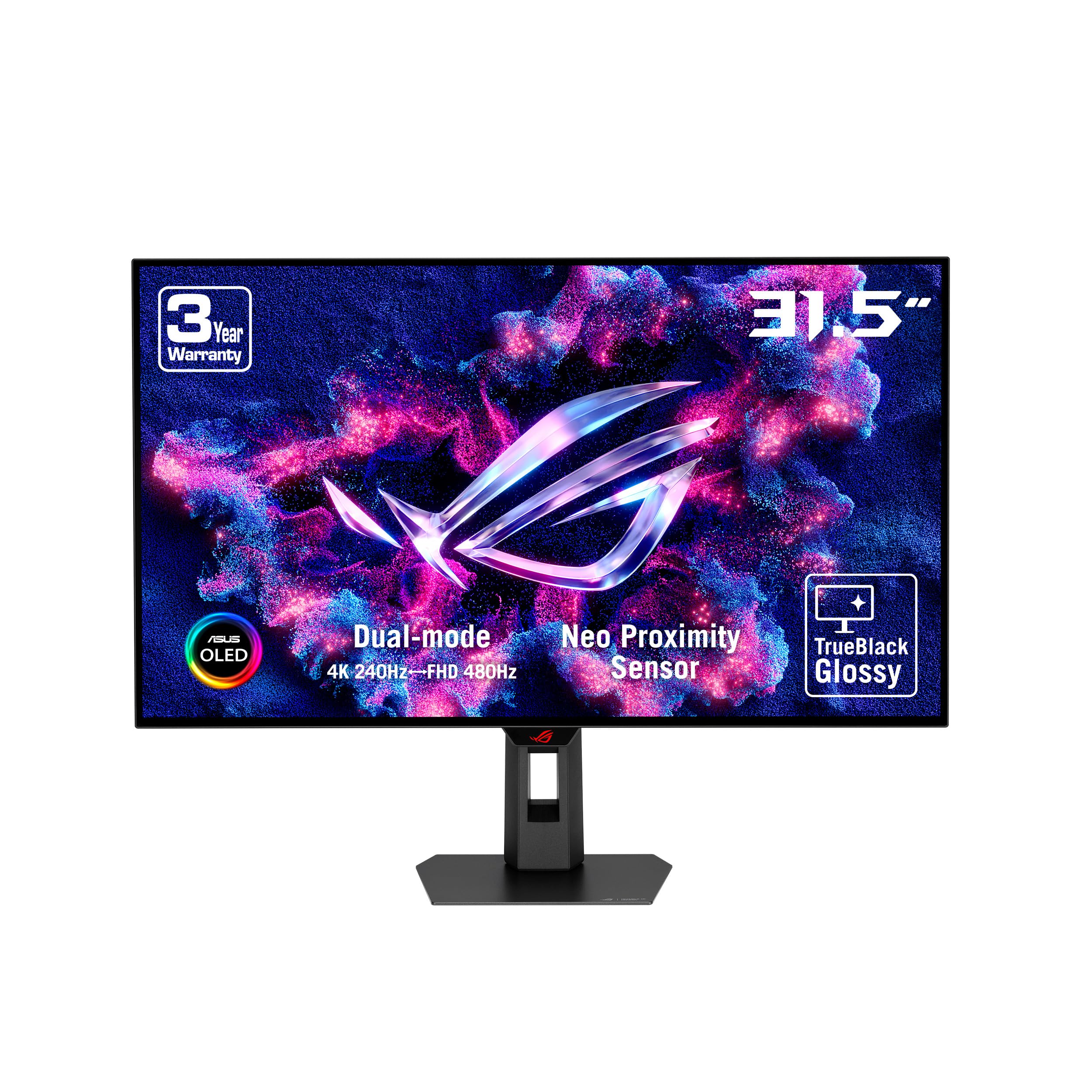
This flagship pushes a 32-inch glossy OLED to 480Hz — the speed king of this lineup.
While the LG and Samsung top out at 330Hz in Full HD, the ROG Strix XG32UCWMG pushes its dual mode to 4K at 240Hz and Full HD at a staggering 480Hz. That makes it the monitor for players who want every last frame of headroom. Owners running a PS5 Pro, Xbox, or high-end PC describe gaming as very smooth and the colors as popping, with the 32-inch TrueBlack glossy WOLED surface delivering inky blacks that make RPG worlds feel rich. The 1,000,000:1 contrast ratio and 400 nits brightness keep it vivid, and text stays so clear that one owner calls it the best 4K 32-inch monitor they have used.
It shares ASUS’s TrueBlack Glossy panel DNA with the XG32UCWG above — a zero-haze, veil-free surface for exceptionally sharp images — plus the same OLED Care Pro with a Neo proximity sensor that blacks out the screen when you leave. The DisplayWidget Center software separates it, letting you tweak OLED Care features and monitor settings with a mouse instead of fumbling through buttons. Connectivity covers DisplayPort 1.4 with DSC (Display Stream Compression), HDMI 2.1, and USB-C with 15W power delivery, so it handles modern consoles and PCs without compromise.
Owners praise color and sharpness most, noting the glossy True Black surface creates an immersion that IPS panels can’t approach, and that even with OLED’s reputation for dimness, the brightness matches their previous VA panel. The honest notes: the glossy panel really does want a dark room, the power button is an unusual whole-knob unit, and at least one owner calls the 480Hz mode a waste of money if you never play hyper-competitive shooters. For the buyer who wants the absolute fastest glossy 4K OLED and has the GPU to feed it, this is the ceiling of what the category offers.
The Speed Edge
- Industry-leading dual mode: 4K 240Hz or FHD 480Hz
- Mouse-controlled DisplayWidget Center for easy settings
- TrueBlack glossy WOLED with 1,000,000:1 contrast
- OLED Care Pro with Neo proximity sensor
Before You Commit
- 480Hz mode is overkill unless you play competitive FPS titles
- Glossy surface performs best in a darkened room
Buy it for: the fastest glossy OLED available — 480Hz in Full HD — if you own a top-tier GPU or a PS5 Pro and play competitive shooters.
skip it if: you rarely play esports titles; the 480Hz mode adds cost you won’t use, and the LG or Samsung gives you most of the experience for less.
Understanding the Specs
Contrast Ratio
This number tells you how much brighter a white pixel is than a black pixel, and it is the single biggest difference between OLED and IPS panels. An OLED like the LG or Samsung hits 1,500,000:1 because each pixel turns off completely to show true black, while an IPS panel like the DOUGH maxes out at 1000:1 and shows dark scenes as dark gray. Higher contrast means more depth and pop in games and movies, which is why OLED is the gold standard for glossy 4K monitors.
Response Time
Measured in milliseconds, response time is how fast a pixel changes color, and lower numbers mean less ghosting or blur when things move fast. The OLED models here hit 0.03ms, which is effectively instant and 33.3x faster than the DOUGH’s 1ms IPS panel. For fast-paced games, a 0.03ms response keeps motion crisp; for everyday work, even 1ms is more than smooth enough.
Dual-Mode Refresh Rate
Dual mode is a feature that lets one monitor switch between two resolution and speed combinations. At 4K you get 165Hz or 240Hz for beautiful single-player games, and at Full HD (1920×1080) the same display jumps to 330Hz or even 480Hz for competitive shooters where high frame rates matter most. It means you don’t have to choose between image quality and speed — you get both and switch with a button or hotkey.
Glossy vs Matte Coating
The glossy surface has no anti-glare haze, which is why colors look punchier and text appears sharper than on a matte panel. The trade-off is that glossy screens reflect light — a window or lamp behind you will show up on screen. Most glossy OLED owners say the vibrant image is worth it, provided you control your room’s lighting.
FAQ
Is a glossy 4K monitor better than a matte one?
What graphics card do I need to run a 4K 165Hz monitor?
Will these glossy OLED monitors work with a MacBook Pro?
What is dual mode and do I actually need it?
How long do glossy OLED monitors last before burn-in?
Is an OLED 4K monitor worth it over an IPS one?
Can I use a glossy 4K monitor for photo or video editing?
Does a glossy screen cause more eye strain than matte?
What is the difference between 4K 165Hz and 4K 240Hz OLED monitors?
Do these monitors work with the PS5 and Xbox Series X?
Final Thoughts: The Verdict
The crowd favorite — a 4.5-star rating across over a hundred owners — is the LG UltraGear 32GX850A, and it earns the Best Overall spot because it packages 1,500,000:1 OLED contrast, a 0.03ms response, and dual-mode 165Hz/330Hz flexibility into a clean, professional design at a value that reviewers keep calling out. If color accuracy matters more than raw value, the Samsung Odyssey G7 G73SH brings Pantone validation and a full ergonomic stand. And for MacBook owners who want glossy 4K without the OLED premium, the DOUGH Spectrum One is the budget-friendly pick that docks and charges over a single USB-C cable.
How We Picked
We do not accept paid placement. Every pick is matched to a real buyer and a real use-case; we do not hands-on test units.
Sources & Methodology
Specifications: manufacturer listings and product documentation. Review insights: verified customer reviews, as of September 2026. Pricing: not shown on this page (it changes often); check the current price via the retailer link.
As an Amazon Associate, Gadgets Feed earns from qualifying purchases. This does not affect which products we feature.