
The used laptop market is a minefield of expired batteries, missing keys, and seller listings that overstate “like new” condition. When you buy a pre-owned machine, you are trading a warranty for raw specs — and if you pick the wrong configuration, that trade costs you everything. The difference between a reliable daily driver and a paperweight often comes down to a single generation of processor, the amount of soldered RAM, or whether the SSD uses NVMe or SATA protocol.
I’m Min — the co-founder and writer behind Gadgets Feed. This guide comes from hours spent cross-referencing seller histories, decoding laptop spec sheets, and reviewing thousands of customer reports to identify which used models actually deliver on their promise of reliability within a tight budget.
After all that research, I’ve distilled the market down to the configurations that matter. Whether you need a durable workhorse for spreadsheets or a lightweight note-taker for class, this is the definitive guide to finding the best affordable used laptops on the market right now.
How To Choose The Best Affordable Used Laptops
The used laptop market is flooded with business lease returns, school surplus, and individually traded machines. The key is knowing which specs to prioritize and which compromises are acceptable at your budget. Here is what matters most when you are buying a pre-owned notebook.
Processor Generation — The 8th-Gen Floor
In the used market, an 8th-generation Intel Core i5 (i5-8250U or i5-8350U) is the absolute floor for a machine that feels snappy today. These quad-core chips handle multitasking, video streaming, and Office apps without stuttering. Avoid anything older than 8th-gen Core i3 or any Pentium/Celeron unless you are buying a dedicated media player — those chips struggle with modern browser workloads and multiple tabs.
RAM and Storage — Non-Negotiable Minimums
You need at least 8GB of RAM for a Windows 11 machine to feel responsive. 4GB machines are e-waste for any serious work. Storage also matters: a 128GB or 256GB SSD is the minimum, and it must be an SSD — not eMMC. eMMC storage is significantly slower and wears out faster, making it unsuitable as a primary drive. Prioritize NVMe SSDs over SATA if the option exists at your price point.
Battery Life — The Hidden Cost
The single biggest failure point in a used laptop is the battery. Many refurbished units ship with original batteries that have degraded to 1–2 hours of actual runtime. If the listing does not mention battery health percentage or estimated life, assume it will need replacing. Factor in the – cost of a third-party replacement battery when calculating your total spend, and prioritize models with user-replaceable batteries over sealed designs.
Quick Comparison
On smaller screens, swipe sideways to see the full table.
| Model | Category | Best For | Key Spec | Amazon |
|---|---|---|---|---|
| ThinkPad T14 Gen 1 | Business Ultrabook | Professional multitasking | 16GB DDR4 / 512GB NVMe | Amazon |
| Dell Latitude 5400 (32GB/1TB) | Heavy-Duty Workstation | Large file storage | 32GB RAM / 1TB NVMe | Amazon |
| ASUS Vivobook Go 15.6″ | Modern Budget | General home use | Ryzen 3 7320U / 8GB DDR5 | Amazon |
| MacBook Pro 13″ (2020) | Premium Ultraportable | Apple ecosystem creators | 8GB RAM / 512GB SSD / Retina | Amazon |
| Dell Latitude 5490 | Value Workhorse | Linux or legacy software | 16GB RAM / 512GB SSD | Amazon |
| Microsoft Surface Laptop Go | Compact Touchscreen | Portable school notes | 16GB RAM / 256GB SSD / Touch | Amazon |
| HP 14″ Student Laptop | Entry-Level | Basic browsing and Office | 16GB DDR4 / 64GB eMMC | Amazon |
| Dell Latitude 5400 (i5/8GB) | Budget Office | Cost-conscious work | 8GB RAM / 256GB SSD | Amazon |
| ASUS 15.5″ Celeron | Ultra-Budget | Single-task utility | 4GB RAM / 128GB SSD | Amazon |
In‑Depth Reviews
1. Lenovo ThinkPad T14 Gen 1

The ThinkPad T14 Gen 1 represents the sweet spot in the used business laptop market. It packs a 10th-gen Intel Core i5-10310U processor — a true quad-core chip that boosts to 4.4 GHz — paired with 16GB of DDR4 RAM and a 512GB NVMe SSD. That combination handles heavy spreadsheet work, multiple browser profiles, and even light virtual machines without breaking a sweat. The 1080p Full HD display on the 14-inch panel is sharp enough for all-day document work, and the Thunderbolt 3 port gives you eGPU options if you want to push it further.
Build quality is where the T-series ThinkPad separates itself from consumer laptops. The chassis is magnesium alloy reinforced with a roll cage, passed MIL-STD-810G testing, and the keyboard is widely considered the best in any laptop class. The unit ships with Windows 11 Pro and zero bloatware, a rare find in the renewed space. Battery life reports from verified buyers consistently describe it as “perfect” or “excellent,” which suggests the seller is screening for healthy units before listing them.
The trade-off is single USB-C port also handles charging, so you will need a USB-A hub if you plan to plug in more than one peripheral. A few buyers reported the trackpad can be unresponsive in cold temperatures before warming up, and cosmetic imperfections like small dings are possible on a unit this age. But for the price, this is the most capable and durable used laptop you can buy today.
Why it’s great
- True business-grade build with MIL-STD testing and excellent keyboard
- 16GB RAM and 512GB NVMe handle multitasking with zero lag
- Thunderbolt 3 enables external GPU and high-speed peripheral connectivity
Good to know
- Only one USB-C port — plan on using a hub
- Trackpad may be slow to respond in cold environments
- Some units arrive with minor cosmetic scuffs
2. Dell Latitude 5400 (32GB/1TB)

This Dell Latitude 5400 configuration is an outlier in the used market because of its 32GB of RAM and 1TB NVMe SSD. Those specs are rare even in new mid-range laptops, and finding them in a renewed business machine at this price is almost unheard of. The 8th-gen Core i5-8265U Whiskey Lake processor (quad-core, up to 3.9 GHz) is a generation older than the ThinkPad’s 10th-gen chip, but the massive RAM and storage more than compensate for the slight CPU deficit. You can run a dozen Chrome tabs, a virtual machine, and Photoshop simultaneously without hitting memory limits.
Buyers consistently report that the unit arrives looking new, with a flawless screen and snappy boot times. The 14-inch FHD display is crisp, and the port selection is generous: USB 3.1, HDMI, Thunderbolt 3, and a webcam are all included. Verified reviews mention the machine works great for music recording and software development, which are workloads that demand both RAM and storage headroom.
The catch is reliability variance. One buyer reported a critical fan failure after five months, and another noted a loose USB port on the left side. The seller’s warranty response was inconsistent in those cases. This laptop is best suited for buyers who are comfortable with a small risk of a hardware defect in exchange for specs that would cost three times as much in a new machine.
Why it’s great
- 32GB RAM — enough for heavy multitasking and virtual machines
- 1TB NVMe SSD provides massive fast storage for large media files
- Thunderbolt 3 and HDMI expand connection options
Good to know
- Some units have developed fan or port issues after a few months
- Seller warranty support has been inconsistent in some cases
- 8th-gen CPU is a step behind 10th-gen for single-core tasks
3. ASUS Vivobook Go 15.6″

The ASUS Vivobook Go 15.6″ is a new laptop — not renewed — which eliminates the battery and wear uncertainties inherent in used machines. It runs on an AMD Ryzen 3 7320U, a quad-core processor built on the modern Zen 2 architecture that outperforms Intel’s 10th-gen Celeron and Pentium chips by a wide margin. The 8GB of DDR5 RAM and 256GB SSD are adequate for everyday student tasks: web browsing, streaming, document editing, and light gaming like Minecraft at lower settings.
The 15.6-inch FHD display is bright at 250 nits, and the 42Wh battery delivers up to 11 hours of real-world runtime, according to verified buyers. The chassis meets MIL-STD-810H durability standards, meaning it can survive drops and temperature extremes better than most budget consumer laptops. The numeric keypad is a welcome addition for anyone who enters data regularly, and the webcam privacy shutter addresses a real security concern.
The downsides are notable. The RAM is soldered — you cannot upgrade it later. The 256GB SSD will fill up quickly if you install games or large software packages. And the unit ships in Windows 11 S Mode by default, which requires a free but inconvenient step to exit before you can install apps from outside the Microsoft Store. But as a new machine with a full warranty, it avoids the biggest risks of the used market.
Why it’s great
- New unit with full warranty — no battery degradation worries
- Ryzen 3 processor delivers solid everyday performance
- MIL-STD-810H certified for drops and temperature extremes
Good to know
- RAM is soldered and cannot be upgraded
- Boots in Windows 11 S Mode — you must manually exit
- Storage is limited to 256GB with no expansion slot
4. 2020 MacBook Pro 13″

The 2020 Intel MacBook Pro remains a solid pick for users invested in the Apple ecosystem who need macOS for specific creative software. The 1.4 GHz quad-core 8th-gen Core i5 paired with 8GB of RAM and a 512GB SSD handles Final Cut Pro, Logic Pro, and Lightroom with reasonable speed. The Retina display with True Tone (2560×1600 resolution at 227 PPI) is still one of the best screens on any 13-inch laptop, and the Force Touch trackpad sets the standard for precision pointing.
The Magic Keyboard — introduced in this generation — fixed the butterfly keyboard reliability issues of earlier models, and the Touch Bar provides a unique workflow shortcut for creative apps. The two Thunderbolt 3 ports support fast data transfer and external displays. Buyers report that units in good condition arrive looking and feeling like new, with fast delivery and responsive sellers.
Battery life is the critical concern here. Several verified buyers reported that their unit arrived with a battery service warning, requiring constant plug-in to stay on. Apple’s sealed design makes battery replacement a + repair. If you buy this model, confirm with the seller before purchase that the battery health is above 80% capacity and that the system does not show a “Service Recommended” warning in the battery menu.
Why it’s great
- Excellent Retina display with True Tone color accuracy
- Magic Keyboard fixes previous generation’s reliability issues
- 512GB SSD provides ample space for creative projects
Good to know
- Battery health varies widely — some units arrive with service warnings
- Sealed design makes DIY battery replacement difficult and costly
- 8GB RAM is soldered and may limit heavy multitasking
5. Dell Latitude 5490

The Dell Latitude 5490 is a classic business-class laptop that excels in two specific scenarios: running Linux and running legacy Windows software. The Core i5-8350U (8th-gen, quad-core) is mature enough to have complete Linux driver support — one verified buyer installed Linux Mint 22.3 in about 20 minutes with all hardware working out of the box. The 16GB of RAM and 512GB SSD provide plenty of headroom for development environments and Docker containers.
For Windows users, the 5490 ships with Windows 10 Pro by default, which is a deliberate advantage for anyone who relies on COMM port drivers or other legacy hardware interfaces that Windows 11 has deprecated. Verified reviews confirm that the machine handles radio programming, industrial diagnostic software, and even some light gaming at lower settings. The 14-inch FHD display is adequate for productivity, and the port selection includes HDMI, USB-C, and a full-size RJ-45 Ethernet jack — increasingly rare in modern thin-and-lights.
The quality control on these units is inconsistent. One buyer reported a defective charging port that rendered the laptop non-functional after just 2.5 hours of use. Another noted the lack of a backlit keyboard despite it being listed. If you order this model, test the charging circuit and keyboard lighting immediately upon arrival, and be prepared to use the return window if those features do not match the listing.
Why it’s great
- Excellent Linux compatibility — all drivers work out of the box
- 16GB RAM and 512GB SSD handle development and VMs well
- Includes HDMI, USB-C, and full-size RJ-45 Ethernet
Good to know
- Some units arrive with defective charging ports or batteries
- Backlit keyboard is not guaranteed despite listing claims
- 8th-gen CPU shows its age in CPU-bound tasks
6. Microsoft Surface Laptop Go
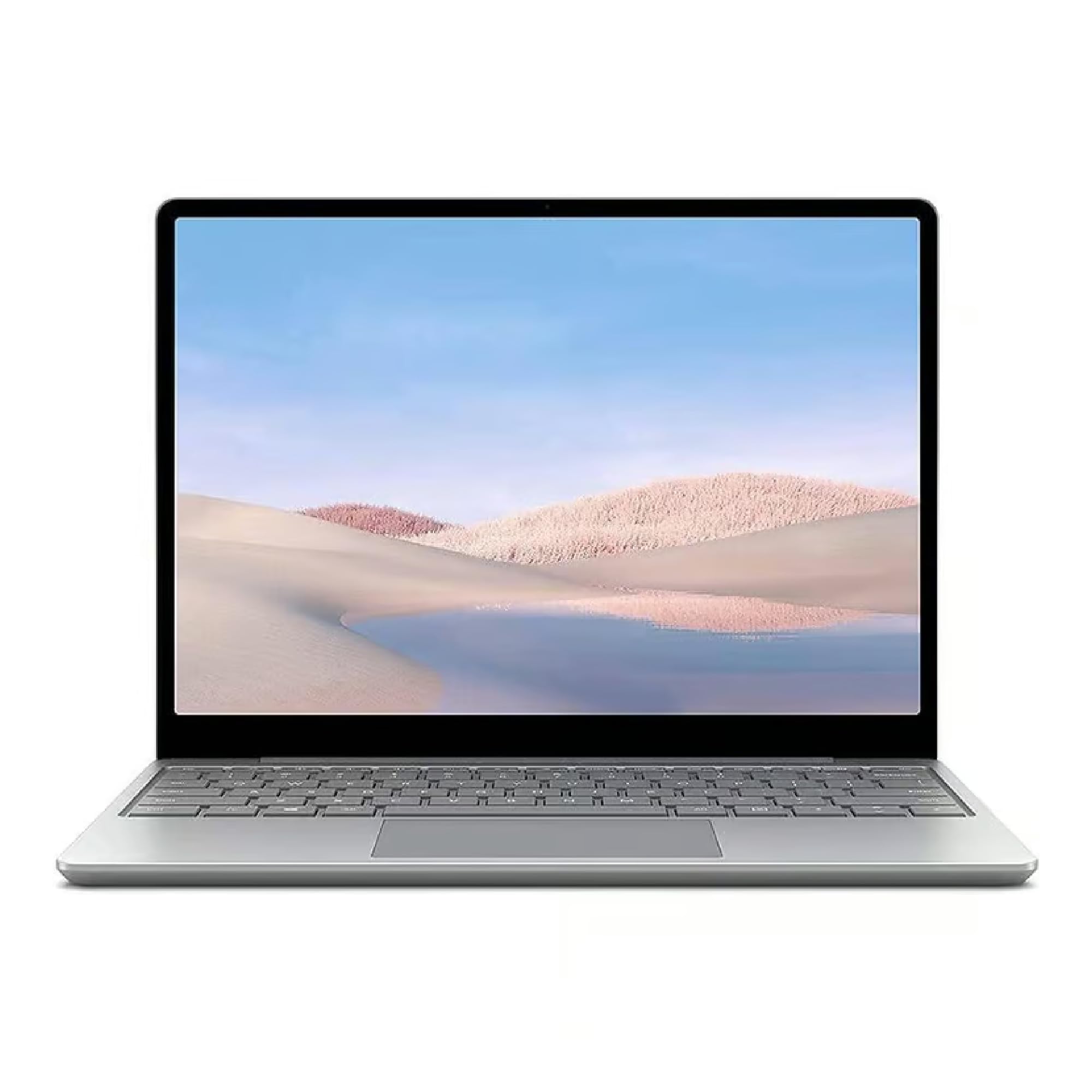
The Surface Laptop Go stands out in the used market for its 16GB of RAM in a sub-12.5-inch chassis. Most compact laptops in this price range top out at 8GB. The 10th-gen Core i5-1035G1 is a solid mid-range chip that handles school workloads, web apps, and media streaming with ease. The 12.4-inch LCD touchscreen with a 1536×1024 resolution offers a unique form factor that fits easily into a backpack or tote bag, making it an excellent choice for students who move between classes all day.
Buyers are consistently impressed with the build quality and performance. Verified reviews mention that the unit feels like new, runs programs quickly, and handles multiple applications without delay. The fingerprint power button with Windows Hello provides fast, secure login. The 256GB SSD is sufficient for documents, notes, and cloud-synced media, though power users will want external storage for large collections.
The quirky resolution (1536×1024) is not standard 1080p, which means some apps may not scale perfectly, and the 3:2 aspect ratio is taller than most screens — great for documents but slightly cropped for widescreen video. The battery life is adequate for a school day but not exceptional, and the sealed design means no RAM or storage upgrades. The Surface Laptop Go is a focused productivity tool, not a general-purpose workstation.
Why it’s great
- 16GB RAM in a compact 12.4-inch chassis is rare
- Touchscreen display with 3:2 aspect ratio is excellent for reading and notes
- Fingerprint power button with Windows Hello for fast login
Good to know
- Non-standard 1536×1024 resolution may cause scaling issues in some apps
- RAM and storage are not upgradeable
- Battery life is average for its size class
7. HP 14″ Student Laptop

This HP 14-inch laptop is priced aggressively for the used market, and its 16GB of DDR4 RAM is its single standout feature. The 64GB eMMC storage is the bigger concern: eMMC is significantly slower than an SSD and wears out faster, and 64GB fills up quickly after Windows 11 and Office 365 install.
For very specific use cases, this machine makes sense. Verified buyers mention using it for writing, basic web browsing, and as a dedicated Windows tool for vintage car diagnostic software. The 10.25-hour claimed battery life is generous for the segment, and the inclusion of an RJ-45 Ethernet port is rare on budget laptops. The 14-inch HD (1366×768) display is dim at 220 nits and has a low color gamut, but it is adequate for document work.
Reliability is a real concern. Multiple buyers reported receiving defective units — one with an internal clock issue, another that barely functioned after a few days. While Amazon’s replacement policy handled those cases, the failure rate suggests quality control is inconsistent. This laptop is only recommended for buyers with the absolute lowest budget who need a secondary machine for single-task workloads and are prepared for the possibility of a return.
Why it’s great
- 16GB RAM at this price point is unusual
- Includes both HDMI and RJ-45 Ethernet for connectivity
- Long battery life claim of over 10 hours
Good to know
- 64GB eMMC is extremely slow and fills up quickly
- Celeron N4120 processor struggles with multitasking
- Inconsistent quality control — some units arrive defective
8. Dell Latitude 5400 (i5/8GB)
The entry-level configuration of the Dell Latitude 5400 drops the RAM to 8GB and storage to 256GB, but keeps the same 8th-gen Core i5-8365U quad-core processor and business-class build quality. This is the baseline spec for a machine that feels genuinely modern: 8GB is the minimum for Windows 11 to run smoothly, and a 256GB SSD provides enough space for Office apps, cloud sync folders, and a few large programs. The 14-inch FHD display is crisp, and the keyboard delivers the tactile feedback that has made the Latitude series a favorite among office workers.
Verified buyers describe the unit as lightweight, running cool, and performing without slowness. The built-in camera cover is a thoughtful security feature, and the screen opens nearly flat for collaborative viewing. Battery life is the critical variable — one buyer reported 1–2 hours of continuous use, while another received a unit with a dead battery on arrival. This is typical of the Latitude line, where battery condition varies widely across refurbished units.
The low price comes with notable risk. One buyer received a unit with a non-working trackpad and seven unresponsive keyboard keys, describing the refurbished condition as “doubtful they even touched the laptop.” The return window is your safety net here. If you can tolerate the possibility of a return and want a proper business laptop at the lowest possible entry cost, this is a capable machine — assuming your unit passes the initial inspection.
Why it’s great
- Proper business-class build with great keyboard and FHD display
- Quad-core i5-8365U handles office tasks smoothly
- Built-in webcam privacy shutter
Good to know
- Battery condition varies — some units last 1–2 hours, others are dead
- Quality control is inconsistent; some units arrive with hardware defects
- 8GB RAM is the minimum for comfortable Windows 11 use
9. ASUS 15.5″ Celeron

The ASUS 15.5-inch Celeron laptop is the absolute entry point of the used market. It features a 10th-gen Intel Celeron processor clocked up to 2.76 GHz, 4GB of LPDDR4 RAM, and a 128GB SSD. The 15.5-inch FHD display is the one genuinely good hardware choice here — you get a full 1920×1080 panel at this price, which is better than the 1366×768 screens on many budget laptops. The backlit keyboard is a surprising inclusion at this tier.
This machine can only handle single-task workloads: one browser tab, one document, one lightweight application at a time. The 4GB of RAM is a hard ceiling — Windows 11 alone uses over 2GB at idle, leaving almost nothing for your apps. The 128GB SSD, while faster than eMMC, will fill up quickly after the operating system and a few programs. Verified buyers report that games take hours to download and that the machine feels slow and buggy with standard usage.
One buyer described it as a “waste of money” and another reported the mousepad stopped working after a Windows update. This is a machine for a very specific use case: a dedicated single-purpose tool — running one piece of legacy software in a garage, acting as a headless server, or serving as a very basic web kiosk. If you need a laptop for actual daily productivity, the 4GB RAM ceiling will frustrate you almost immediately.
Why it’s great
- 15.5-inch FHD display is genuinely good at this price point
- Includes backlit keyboard
- 128GB SSD is faster than eMMC storage
Good to know
- 4GB RAM is not enough for comfortable multitasking
- Celeron processor struggles with modern web apps
- Some units develop hardware issues after minor updates
FAQ
How long do batteries last in refurbished laptops?
Is it safe to buy a used laptop that only has 4GB of RAM?
What does “Certified Refurbished” on Amazon actually mean?
Final Thoughts: The Verdict
For most users, the best affordable used laptops winner is the Lenovo ThinkPad T14 Gen 1 because it delivers military-grade durability, a superb keyboard, and 16GB/512GB specs in a true business chassis at a price that undercuts any new competitor. If you need maximum capacity for heavy multitasking, grab the Dell Latitude 5400 with 32GB RAM and 1TB storage. And for a risk-free new machine with a full warranty, nothing beats the ASUS Vivobook Go with its Ryzen 3 processor and modern DDR5 RAM.