
Our readers keep the lights on and my morning glass full of iced black tea. As an Amazon Associate, I earn from qualifying purchases.
Specs are compiled from manufacturer listings and verified buyer reviews and can change over time — please confirm the key details on the product page before buying.
Finding an entry-level laser that won’t empty your wallet usually means sifting through confusing wattage claims and tiny work areas. This guide focuses on machines that balance power, workspace, and software compatibility for beginners. These picks engrave wood, leather, and acrylic without the premium price tag.
I’m Min — the founder and writer behind Gadgets Feed. This guide is built by comparing the manufacturers’ published specifications and the patterns across verified customer reviews, so you get each pick’s real strengths and trade-offs instead of marketing spin.
Match the laser’s optical power to your materials to avoid paying for unused wattage. Here are the affordable laser cutter models that deliver the best value for hobbyists and small shops.
Our Picks at a Glance

How To Choose The Best Affordable Laser Cutter
Before you click buy, decide what you will do most: engrave (mark the surface) or cut (slice all the way through). If you mainly engrave or make light cuts, a diode laser works well. If you need thicker, cleaner cuts on materials like acrylic, a CO2 laser is the standard choice.
Match Laser Power to Your Materials
Look for a machine’s optical power—the actual laser strength reaching the material, measured in watts (W). A 5.5W laser is a true beginner unit, fine for detailed engraving on wood and leather. A 10W or 20W diode handles cutting thin wood faster, while something like a 40W CO2 tube slices through thicker stock with ease.
Prioritize Work Area and Speed
Work area dictates the maximum size of your material. If you want to make signs or larger decor, look for a bed at least 400x400mm. Engraving speed, measured in millimeters per minute (mm/min), determines how long you wait; a machine hitting 24,000 mm/min will finish large batch jobs noticeably quicker than one capped at 6,000 mm/min.
Don’t Overlook Safety and Software
Enclosed units with a Class 1 rating filter harmful radiation, making them safer for homes and small studios. Open-frame machines work fine but require you to wear proper goggles. Also, confirm the machine supports LightBurn software—it’s the industry standard that makes designing and controlling the laser much easier.
Quick Comparison
| Model | Best For | Laser Power | Work Area | Max Speed | Amazon |
|---|---|---|---|---|---|
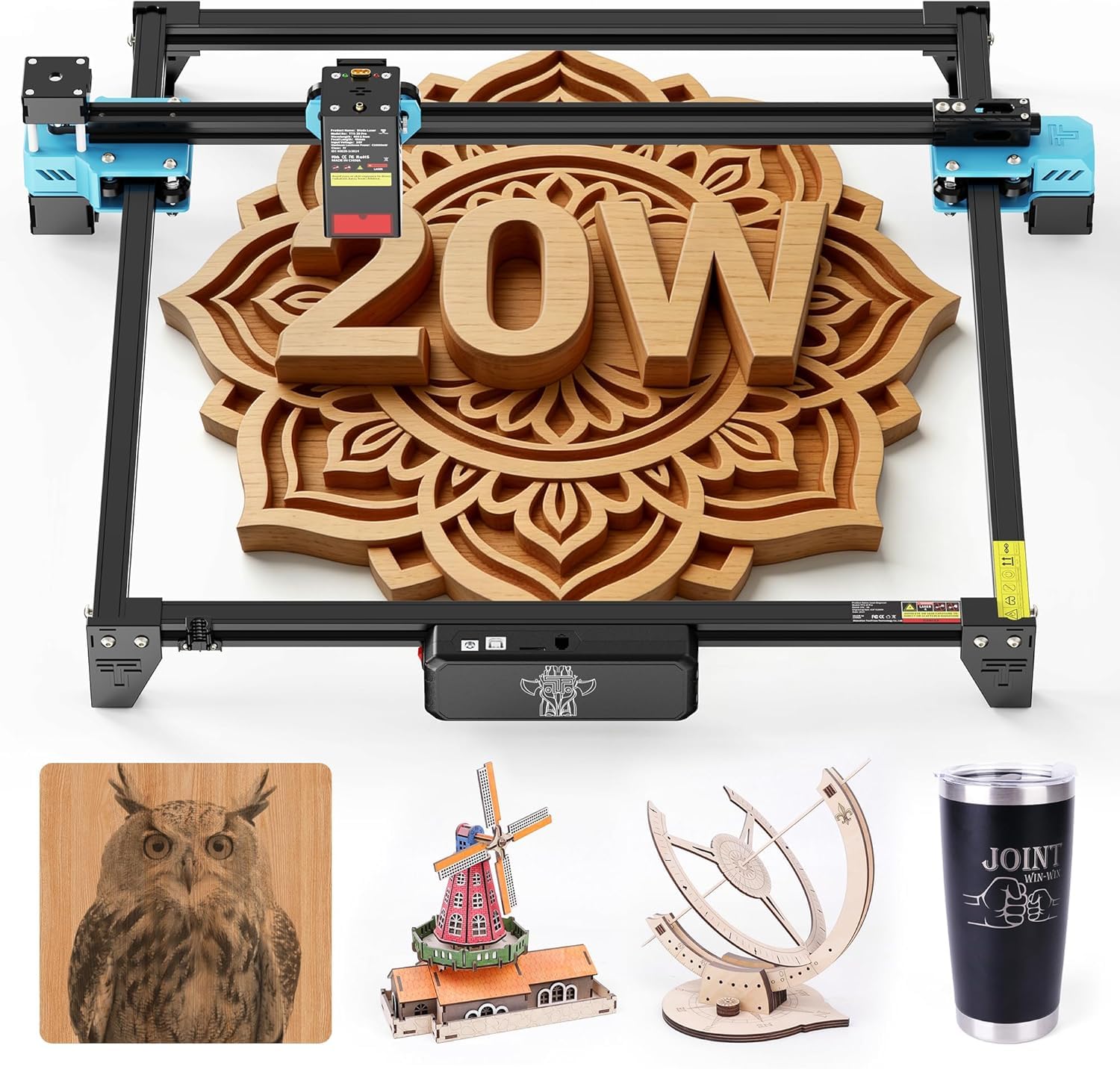
| Twotrees TTS-20 Pro★ Best Overall | Value & Speed | 20W | 418x418mm | 30,000 mm/min | Amazon |
| KENTOKTOOL LE400PROValue Pick | Absolute Beginners | 5.5W | 400x400mm | 6,000 mm/min | Amazon |
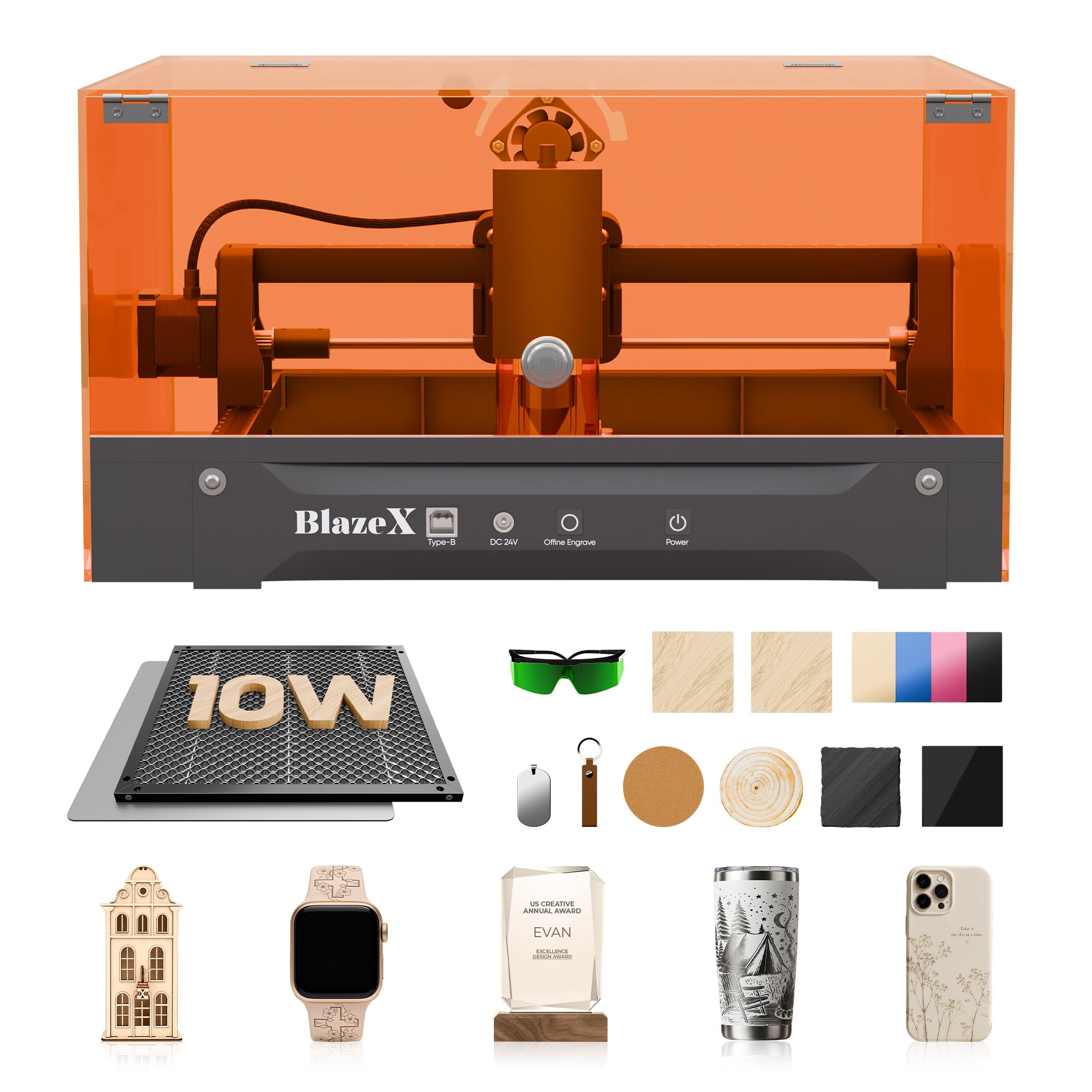
| BlazeX M3All-In-One Kit | All-In-One Starter Kit | 10W | — | — | Amazon |
| Creality Falcon 10W | Large Budget Projects | 10W | 500x500mm | 10,000 mm/min | Amazon |
| Longer RAY5 20W | Touchscreen Ease | 20W | 400x365mm | 10,000 mm/min | Amazon |
| ATOMSTACK A20 PRO | Precision & Detail | 20W | — | 400 mm/s | Amazon |
| CREALITY FALCON A1 | Enclosed Beginner Flow | 10W | 381x305mm | 600 mm/s | Amazon |
| xTool M2 | Craft Studio Versatility | 10W | A3 Capacity | — | Amazon |
| Longer RAY5 40W | Thick Cuts & Power | 40W | 15.16″x15.16″ | 24,000 mm/min | Amazon |
| OMTech K40+ | Professional Acrylic Cutting | 45W CO2 | 12″x8″ | 300 mm/s | Amazon |
In‑Depth Reviews
1. Twotrees TTS-20 Pro Laser Engraver
Our pick — over 4★ from 450+ verified ratings; the strongest balance of quality and price.
A 20W diode laser with 30,000 mm/min speed for fast batch engraving.
This Twotrees leads the list for one big reason: it outspeeds and out-powers the typical starter machine without the premium cost. You get a 20W diode laser with a max speed of 30,000 mm/min — that’s five times faster than the more basic LE400PRO’s 6,000 mm/min, so large jobs finish in a fraction of the time.
The 418x418mm working area is roomier than the LE400PRO’s 400x400mm bed, giving you a touch more space for bigger panels. It uses sturdy aluminum framing and GT2-6mm belts for smooth movement, with a 0.1mm positioning accuracy to keep patterns clean. Multiple connection methods — Wi-Fi, USB, or a 4GB TF card — let you run jobs fully offline by storing files directly on the card.
Owners call it a great starter laser that works well on nonmetallic materials, and the build quality gets praise. As buyers report: “Works good so far, just trying to figure the specs in light burn.” Assembly is mostly straightforward, though a few note the initial setup can take patience if you are not mechanically inclined.
What Wins People Over
- Racing 30,000 mm/min speed saves serious time
- Solid aluminum frame and quiet TMC2209 drivers
- Full offline engraving via 4GB TF card
What to Expect
- LightBurn setup has a learning curve for new users
- Optional accessories like air assist cost extra
Reach for this if: you want the most speed and power for the money and plan to run repeated or larger engraving projects.
Look elsewhere if: you want a fully enclosed safety housing — this is an open-frame machine that needs your own goggles.
2. KENTOKTOOL LE400PRO
A 5.5W diode laser with 0.08mm focus for crisp beginner engravings.
If you have never touched a laser before, this KENTOKTOOL is built to hold your hand. Its 5.5W laser output keeps things safe and manageable, yet owners say it still cuts cleanly through wood and acrylic. The point compression technology creates a 0.08mm ultra-fine focus, so fine details on leather and wood come out crisp.
Setup takes only 10 to 20 minutes thanks to an all-metal structure, and the magnetic protective cover filters 97% of UV rays while snapping on and off easily. The 400x400mm work area gives you plenty of room for standard projects. A knob design lets you adjust focus without any tools, removing a common frustration for beginners.
You get smooth software compatibility here — owners praise how well it works with popular programs, and they describe the unit as quiet, consistent, and free of overheating. It runs at 6,000 mm/min (a speed measure for how fast the laser head moves), which is slower than some rivals, so it is not built for high-volume production. For personal gifts and hobby work, it hits a balance.
Why It Shines
- Fully enclosed Class 1 safety housing
- Tool-free knob focusing is genuinely easy
- Sharp 0.08mm ultra-fine laser focus
Keep In Mind
- Speed tops out at 6,000 mm/min
- No printed manual — plan to learn via online videos
Who it beats: anyone scared off by technical setup — this one is the most forgiving to learn on.
Who it doesn’t: users with big cutting jobs who need higher wattage and faster passes.
3. BlazeX M3 10W Laser Engraver
Includes a honeycomb bed, enclosure, and 13 test materials for immediate use.
The BlazeX M3 is the rare starter kit that actually feels complete. Inside you get the machine, a honeycomb laser bed, a protective enclosure, 13 pieces of engraving material, goggles, and a tool kit. That means you can unbox, set up, and run your first test engraving in minutes — no separate shopping trip for accessories.
Under the hood, a 10W high-precision module with 0.01mm ultra-fine accuracy handles detail work across wood, leather, glass, and coated metal. Owners mention accurate, detailed engraving on metal and wood, and one small shop owner called it the best investment for their business. The 10W power cuts 1/2″ poplar with minimal charring.
Being a Class 1 safety unit, it filters harmful radiation and includes smart sensors that trigger an automatic stop if the machine tilts or the lid opens. The integrated fan exhausts smoke and odors while keeping noise low. The main caveat is that ease of use gets mixed feedback — many find it beginner-friendly, while others hit a learning curve with the software.
Kit completeness: Few rivals match the included enclosure, honeycomb bed, and 13 test materials, making this the easiest path from unboxing to your first finished piece.
The honest trade-off: software setup stumps a few new users, so expect to watch a tutorial or two before everything clicks.
Choose it for: a craft-first buyer who wants to start creating immediately without buying a dozen add-ons.
Pass on it if: you prioritize raw cut speed over a complete, ready-to-run package.
4. Creality Falcon 10W Laser Engraver

Features a 500x500mm honeycomb bed for larger projects.
Most budget lasers squeeze you into a cramped workspace, but the Creality Falcon 10W flips that by including a huge 500x500mm honeycomb bed. Owners note the roughly 16×16-inch area fits a standard 12×12-inch material with plenty of room to spare. That bigger bed reduces scorching and improves airflow for cleaner cuts.
It arrives about 99% pre-assembled, so setup takes just 5 to 10 minutes before it is ready to run. A 10W laser reaches speeds up to 10,000 mm/min, balancing speed with the precision of a 0.06mm laser spot for sharp detail. It works with both LaserGRBL and LightBurn across Windows and macOS.
Quality and performance earn consistent praise, with owners calling it a great starter machine that excels at fine work and etching. The included emergency stop button and tilt detection add a layer of safety. The catch is that the instructions are thin — new users mention a steep learning curve and recommend watching online resources to get the drivers and startup guide sorted.
Pros Worth Knowing
- Massive 500x500mm honeycomb work surface
- Almost fully assembled from the start
- Fast 10,000 mm/min engraving speed
Trade-offs
- Assembly instructions leave gaps
- Heavier machine at 24.5 pounds
Best suited to: hobbyists who want to work on larger pieces without the jump to a premium-priced unit.
Think twice if: you expect a fully guided, hand-holding setup experience straight from the manual.
5. Longer RAY5 20W Laser Engraver

Built-in 3.5-inch color touchscreen for on-machine control.
The Longer RAY5 20W stands out because of its built-in 3.5-inch color touch screen. Instead of fiddling with a laptop for every tweak, you can monitor progress, adjust speed, and run jobs directly from the machine. Owners consistently describe it as simple to use and well-constructed, calling it a capable machine that delivers excellent results.
Performance is driven by a 20W laser with a 0.08×0.1mm compressed beam and precise rails. It reaches a maximum processing speed of 10,000 mm/min, and owners note the 20W power allows for deeper, faster cuts on multiple surfaces. The machine supports four connection modes — USB, TF card, WiFi, and APP — so you are never locked into one workflow.
Versatility is a core strength: it handles cutting 25mm wood and 35mm acrylic, as well as engraving leather, paper, glass, and plastics. Compatibility with LaserGRBL and LightBurn keeps software familiar. The main note from owners is that an air pump is recommended for the best engraving and cutting effects, so budget for that if you want cleaner results.
Standout Features
- On-machine 3.5″ touchscreen control
- Four flexible connection modes
- Handles 25mm wood and 35mm acrylic
Considerations
- Air pump sold separately for best results
- Smaller 400x365mm bed than some rivals
A confident pick for: makers who value quick, screen-based control and the reliability of a well-built frame.
A cautious pick for: those needing the absolute largest work surface in this price tier.
6. ATOMSTACK A20 PRO V2 Laser Engraver

Dot compression optics that push engraving precision down to a hair-thin 0.01mm.
For buyers who obsess over fine detail, the ATOMSTACK A20 Pro V2 delivers. Its unique dot compression technology produces 0.08 x 0.1mm dots for precise marks, and built-in limit switches plus a cross-line light help achieve 0.01mm engraving accuracy. That level of detail makes it a strong match for personalized gifts and business cards.
Raw power is also on tap with a 20W output laser and engraving speeds up to 400mm/s. The integrated linear guide motion structure makes assembly quicker while extending the machine’s lifespan. Owners confirm it is easy to put together, with setup taking about 20 minutes, and they describe it as one of the better laser engravers available.
Safety features include a removable magnetic protective cover, safety glasses, and a tilt angle safety beep that triggers past 15°. It connects via Type-C or USB stick and works with the ATOMSTACK App, LightBurn, or LaserGRBL. Some users note the free proprietary software is basic and recommend LightBurn for full control, and the gantry cables are exposed unless you retrofit drag chains.
Precision angle: for detailed, intricate engravings, the 0.01mm accuracy and dot compression tech give it an edge over units with looser tolerances.
Realistic note: plan to use LightBurn for the best experience — the bundled free apps are functional but limited.
Grab this for: fine-detailed projects like personalized gifts and business cards where precision matters most.
skip it if: you want a fully documented, plug-and-play software experience without any tinkering.
7. CREALITY FALCON A1 10W Laser Engraver

A pre-calibrated smart camera and CoreXY speed that skip the manual alignment headache.
The Falcon A1 is the most beginner-friendly enclosed option here because it removes guesswork. A pre-calibrated HD camera gives you a full-frame view of the engraving area, letting you lock onto the object with ease. Smart material recognition pre-sets optimal parameters so you can skip the trial-and-error phase and jump straight to successful engraving.
Speed is a headline feature: the CoreXY Motion System with a dual motor power system reaches 600mm/s, which the maker says makes it three times faster than traditional models. It ships fully assembled, so setup is quick, and the metal frame feels solid and professional. Owners highly recommend it as a great first machine, praising the quality and value.
Safety is comprehensive with a dual-door enclosed design, a transparent cover that filters 99% of laser radiation, auto-lock, an emergency stop, and smoke control. The included Falcon Design Space software is free and beginner-friendly, though it also supports LightBurn and LaserGRBL. Reliability gets mixed feedback — several customers note flawless performance while a minority hit power supply issues, and the camera calibration frustrates some.
Why Choose It
- Smart camera positioning saves setup time
- Speedy 600mm/s CoreXY motion system
- Fully enclosed Class 1 safety housing
Watch Out For
- Reliability reports are mixed on power supply
- Camera calibration can be finicky for some
Best for: beginners who value safety and ease, and want to avoid manual alignment headaches.
Not for: those wary of potential reliability hiccups who prefer a proven, long-track-record chassis.
8. xTool M2 10W Laser Engraver
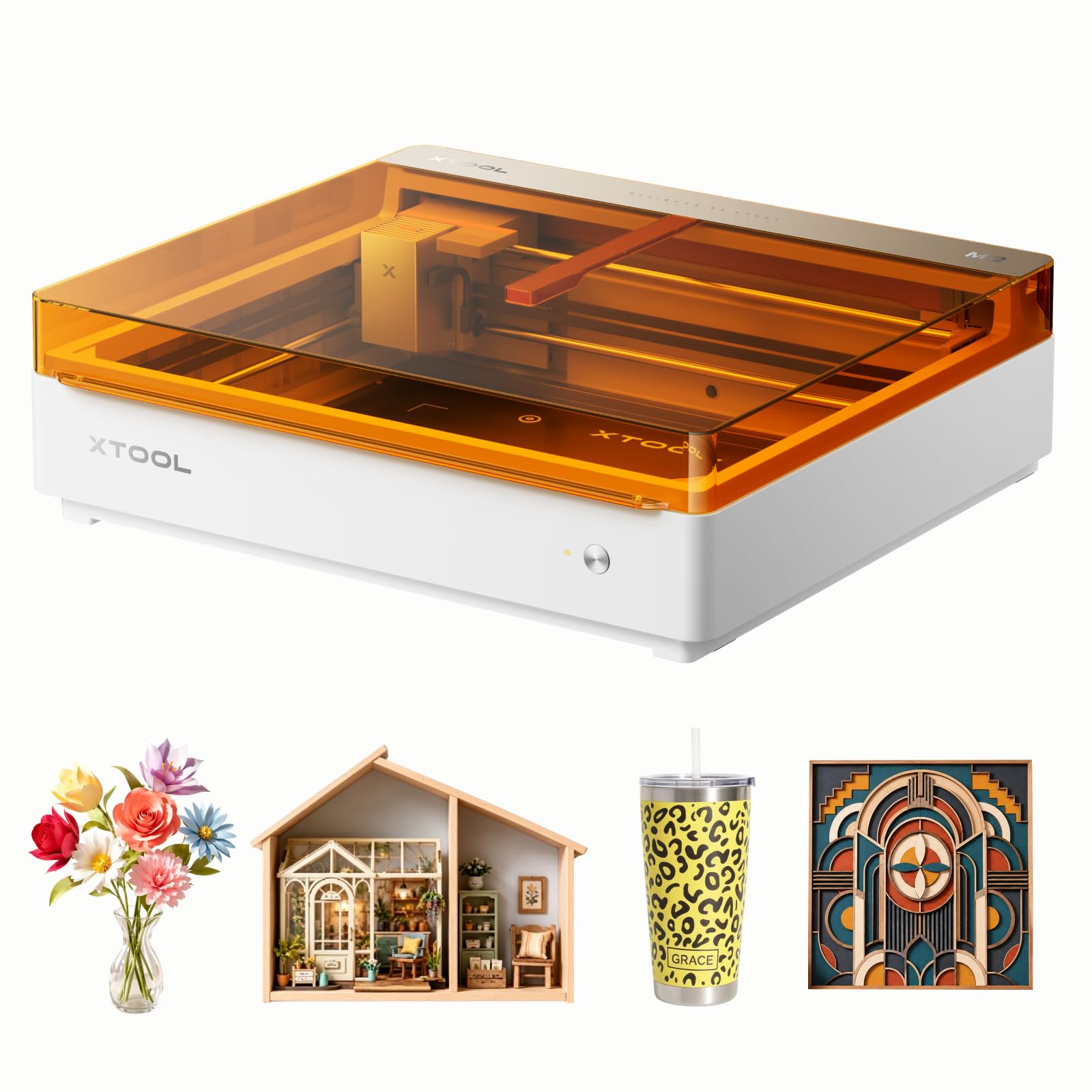
Dual built-in cameras that give a real-time preview so you place material with certainty.
The xTool M2 is a craft-focused machine that feels more like an appliance than a workshop tool. Its built-in dual cameras give you a real-time preview of your workspace, and ACS (a motion-control system that syncs the cameras with the laser head) enables a “Place & Go” experience — you set your material down and the machine knows exactly where to engrave. Owners call the dual cameras superior for alignment.
The M2 comes standard with a 10W diode laser and supports over 300 materials including cardstock, felt, leather, and wood. What makes it unusual is the dual-mode architecture: you can add a CMYK Inkjet module (sold separately) to print full-color designs alongside the laser, opening up creative options no other unit here matches. The xTool Studio software is beginner-friendly with hundreds of ready-to-use templates and an integrated AI image generator.
Its fully enclosed Class 1 design with real-time monitoring makes it safe for home use. Owners describe it as an artist’s dream machine, easy to use and well worth the price. The honest limits are a roughly one-inch height clearance that restricts thick materials, no included honeycomb base, and LightBurn is not supported — you work within xTool’s own software ecosystem.
Key Strengths
- Dual-camera real-time preview positioning
- Optional full-color CMYK printing module
- Safe enclosed Class 1 design for homes
Limits
- 1-inch height clearance blocks thick stock
- No LightBurn support — xTool software only
Made for: hobby crafters and small-biz sellers who want laser plus full-color print in one tidy, safe unit.
Not ideal for: users who want to cut tall or thick materials or who depend on LightBurn workflows.
9. Longer RAY5 40W Laser Engraver

A 40W upgrade that slices 20mm wood in a single pass without breaking a sweat.
This is the power pick for buyers who want to cut, not just engrave. The Longer RAY5 packs a 40W optical output laser that cuts 0.78″ (20mm) wood and 1.18″ (30mm) black acrylic in a single pass — capability that usually costs much more. Owners describe cuts that go “like a hot knife through butter.”
Speed is equally impressive. Advanced dual-beam technology pushes engraving up to 24,000 mm/min, so even intricate large jobs finish quickly. The upgraded 32-bit chipset motherboard with a built-in 256-bit color scale and a 0.08 x 0.1mm ultra-fine focus area delivers finer engraving with higher contrast. An included air-assist pump, controlled through LightBurn, keeps cuts clean by clearing debris.
The generous 15.16″x15.16″ work area handles sizable panels, and it supports USB, TF Card, WiFi, and APP connections for offline operation. Owners praise easy assembly, good value, and responsive customer service. The instructions draw mixed feedback — some find them clear while others supplement with videos — and a few needed tech support to resolve minor movement issues.
The Big Wins
- Serious 40W cutting of thick wood and acrylic
- Blazing 24,000 mm/min engraving speed
- Included air-assist pump for cleaner cuts
The Trade-offs
- Instructions are not always crisp
- Occasional minor issues need tech support
Pick this when: your projects lean toward cutting thicker wood and acrylic rather than just surface engraving.
Reconsider if: you need an enclosed housing — this is an open-frame design requiring your own safety goggles.
10. OMTech K40+ 45W Desktop CO2 Laser

A true CO2 upgrade that cleanly slices 0.4″ acrylic for professional-grade results.
When diode lasers hit their limit, a CO2 laser like the OMTech K40+ is the natural upgrade path. It delivers a genuine 45W of CO2 power, slicing through 0.4″ (10mm) acrylic and 0.31″ (8mm) wood with ease. The maker states this boosts cutting speed by 1.5–2x and increases depth by 15–20% compared to earlier models.
A compact 12″x8″ workspace handles standard material, while a detachable base and optional rotary axis expand into cylindrical or taller objects. The integrated 45° air assist auto-adjusts airflow based on laser power, clearing smoke, protecting the lens, and reducing wood carbonization. Engraving runs up to 300 mm/s.
Owners describe it as working superbly well once set up, with clean engravings and strong power. Customer service earns high marks for guiding new CO2 users through a setup that can feel challenging at first. Safety features include door and water protection, an emergency stop, and a flame-retardant acrylic panel. It is a heavier, larger machine at 81.8 pounds, so plan your workspace accordingly.
Why step up: if you cut acrylic regularly for products or signs, the clean edge quality of CO2 is worth the jump from diode.
Before you buy: budget time for a real learning curve — this is not an unbox-and-go machine, but support helps smooth the path.
Best for: serious crafters and small businesses moving up to clean, professional acrylic and wood cutting.
Not for: casual hobbyists who want something lightweight, quiet, and instantly familiar.
Understanding the Specs
Optical Power (Watts)
The real strength of the laser beam reaching your material. Diodes ranging from 5.5W to 20W handle engraving well and light cutting. If you plan to slice thick wood or acrylic, look toward higher wattage or a CO2 system; the number drives both speed and maximum material thickness.
Working Area & Speed
The work area — like 418x418mm — sets the largest material size you can load. Engraving speed, often in mm/min, tells you how fast the head moves; higher speeds finish large batch jobs quicker. Balance both: a fast machine on a tiny bed still limits project size.
FAQ
What is the difference between a diode laser and a CO2 laser for beginners?
How much laser power do I actually need for my first cutter?
Is an enclosed laser cutter safer for home use?
What software do I need to run these laser engravers?
Can these affordable lasers cut acrylic cleanly?
How long does assembly usually take?
Will these machines work with my Mac computer?
Can a laser engraver operate without being connected to a computer?
What materials should a beginner avoid with a diode laser?
Final Thoughts: The Verdict
The clear winner for most buyers is the Twotrees TTS-20 Pro because it delivers 20W of power and a blazing 30,000 mm/min speed at a price that undercuts rivals with less capability. If you want a fully enclosed, camera-guided beginner experience, the CREALITY FALCON A1 removes the most guesswork. And for cutting thick acrylic with professional edges, the OMTech K40+ is the upgrade that serious small shops reach for.
Start with your material list: engraving-heavy projects are happy with a 10W diode, while cutting ambitions point you toward 20W diodes or a CO2 system. Whichever you choose, pairing it with LightBurn and a simple air-assist setup will dramatically improve your results from day one.
How We Picked
We do not accept paid placement. Every pick is matched to a real buyer and a real use-case; we do not hands-on test units.
Sources & Methodology
Specifications: manufacturer listings and product documentation. Review insights: verified customer reviews, as of September 2026. Pricing: not shown on this page (it changes often); check the current price via the retailer link.
As an Amazon Associate, Gadgets Feed earns from qualifying purchases. This does not affect which products we feature.