
Our readers keep the lights on and my morning glass full of iced black tea. As an Amazon Associate, I earn from qualifying purchases.
Specs are compiled from manufacturer listings and verified buyer reviews and can change over time — please confirm the key details on the product page before buying.
A 1 TB drive is the point where a PC finally stops feeling cramped. It is enough room for a few modern game installs, your photo library, and the system files, all without juggling what to delete. The real fork in the road is the connection type, because that single choice decides whether your drive moves data at 560 MB/s or at 7,450 MB/s.
I’m Min — the founder and writer behind Gadgets Feed. This guide is built by comparing the manufacturers’ published specifications and the patterns across verified customer reviews, so you get each pick’s real strengths and trade-offs instead of marketing spin.
To pick the right 1 tb ssd, you first need to know which slot your PC has inside—because the drive’s speed and shape must match that slot to work at all.
Our Picks at a Glance



How To Choose The Best 1 TB SSD
The first question is not which brand, but which slot your computer has open. A modern desktop or laptop likely has an M.2 slot for a stick-style NVMe drive. An older machine, or a bay that expects a 2.5-inch drive, forces you onto the SATA standard. Pick the wrong shape and it simply will not fit.
Match the interface to your motherboard
SATA III is the older, slower standard capped around 560 MB/s, and it works in any machine with a 2.5-inch bay. NVMe drives plug directly into the motherboard over PCIe and run many times faster. If your PC has an M.2 slot, an NVMe drive like the Crucial E100 turns a slow old computer into a snappy one. If you only have a SATA port, the Samsung 870 EVO is the ceiling of what that connection can do.
Read the endurance number before you buy
Every SSD has a TBW rating (terabytes written—the total data the drive can handle before its cells wear out). A higher TBW means the maker expects a longer life. For a 1 TB drive, 600 TBW is sturdy, covering years of everyday use. If you constantly install and delete large files, favor higher endurance figures.
Quick Comparison
| Model | Best For | Interface | Read Speed | Form Factor | Amazon |
|---|---|---|---|---|---|
| Samsung 870 EVO★ Best Overall | Reliable SATA upgrade | SATA III | 560 MB/s | 2.5-inch | Amazon |
| TEAMGROUP T-Force Vulcan ZBest Value | Budget SATA swap | SATA III | 550 MB/s | 2.5-inch | Amazon |
| Crucial E100Top Performer | Fast NVMe value | NVMe Gen4 | 5,000 MB/s | M.2 | Amazon |
| BIWIN Black Opal NV7400 | PS5 expansion speed | NVMe Gen4 | 7,450 MB/s | M.2 2280 | Amazon |
| TEAMGROUP MP44L | Cool-running desktop | NVMe Gen4 | 5,000 MB/s | M.2 2280 | Amazon |
| Crucial P510 | Bleeding-edge Gen5 | NVMe Gen5 | 11,000 MB/s | M.2 2280 | Amazon |
| WD_BLACK SN850X | Top-tier gaming drive | NVMe Gen4 | 7,300 MB/s | M.2 2280 | Amazon |
| Sandisk Extreme Portable | Rugged on-the-go storage | USB | 2,000 MB/s | Portable | Amazon |
| Samsung 990 Pro | Premium PS5 & PC | NVMe Gen4 | 7,450 MB/s | M.2 2280 | Amazon |
In‑Depth Reviews
1. Samsung SSD 870 EVO SATA III 2.5” 1TB
Our pick — over 4.5★ from 45,500+ verified ratings; the strongest balance of quality and price.
The SATA benchmark that turns a clunky old laptop into a silent, snappy daily driver.
Pick this drive when your machine only has a 2.5-inch bay, because it maxes out the SATA interface with read speeds up to 560 MB/s and writes up to 530 MB/s. It’s the crowd favorite here—4.8 stars across 45,000+ owners—and buyers report it writes at 540 MB/s versus 160 MB/s for a WD spinning drive, so a hard-drive laptop feels transformed overnight.
Reliability is the headline here. Samsung rates it for 600 TBW endurance under a 5-year limited warranty, covering years of heavy writes. Owners mention cooler, lower-power operation than older drives, with compatibility across motherboards, NAS boxes, and video recorders. AES 256-bit hardware encryption keeps your files private.
Samsung Magician software centralizes drive health monitoring and firmware updates. Check the firmware version on secondhand units, as a 2022 batch shipped with a faulty revision. For a fresh SATA drive, this is the safest buy in the category.
What wins people over
- Sustained speeds near the SATA ceiling at 560 MB/s read
- 600 TBW endurance with a 5-year limited warranty
- Runs cooler and quieter than the spinning drive it replaces
Who should pass
- No match for NVMe drives if your motherboard has an M.2 slot
- Older firmware batches from a specific 2022 window need checking
Reach for this if: you want the undisputed king of SATA drives for an older laptop, a NAS, or a budget desktop build.
Look elsewhere if: your motherboard has an M.2 slot, where an NVMe drive like the Crucial E100 runs nearly ten times faster.
2. TEAMGROUP T-Force Vulcan Z 1TB SATA III
A wallet-friendly SATA swap that gives an aging computer a genuine second life.
If the Samsung above is the premium SATA pick, this Vulcan Z is the entry-level route to the same upgrade feeling. It uses SLC caching on 3D NAND QLC memory to quote read and write speeds up to 550/470 MB/s, and the 2.5-inch metal casing fits any standard drive bay. Photographers get a real win here — one owner says Lightroom loads photos in 1/10 the time it took on the old hard drive.
The honest hiccup in the review data is performance consistency. Customers note the advertised 550/470 MB/s figures land closer to 402/343 in practice, a roughly 20% shortfall that sits well above the industry’s typical 5% tolerance. For everyday booting and file storage that gap is rarely noticeable. For sustained heavy writes, the Samsung 870 EVO is the steadier hand.
Most reviewers point out smooth operation for a year or more of use as a system drive, with no heat issues and simple installation. Given its budget-friendly position, it is a sound value play for reviving an older machine.
Value verdict: the cheapest way to ditch a slow hard drive, provided you accept real-world speeds below the sticker.
Best fit: a secondary storage drive or a budget laptop where the Samsung’s premium is hard to justify.
3. Crucial E100 1TB M.2 NVMe PCIe Gen4
The mid-range NVMe that makes an old desktop feel brand new for very little money.
This is the drive to grab when your motherboard has an M.2 slot but you do not want to overspend, because it delivers Gen4 performance at 5,000 MB/s, roughly eight times faster than the SATA drives above. A modest price for that speed makes it a favorite for reviving older PCs. Owners describe turning a dated computer into a rocket with near-instant boot times.
Installation is genuinely beginner-friendly, a point that shows up again and again in owner feedback. The drive works cleanly with cloning software, so you can duplicate your current system drive and swap it in without reinstalling Windows. It is more durable and quieter than a hard drive, with less noise and heat.
Crucial’s limited 3-year warranty and trusted brand reputation reassure first-time NVMe buyers. Games load instantly, with one owner noting Stellaris pops right up. If your machine supports Gen4 and you want the biggest speed jump for the smallest outlay, this is your target.
Why it earns its spot
- 5,000 MB/s reads make it roughly 8x faster than SATA
- Simple cloning and installation for first-time upgraders
- Quality control backed by a trusted brand name
The trade-off
- Warranty is 3 years, shorter than the 5-year terms on premium rivals
- Gen4 speed requires a Gen4-capable M.2 slot
Best for: anyone with a compatible M.2 slot who wants the full NVMe experience without paying flagship prices.
Switch to the 990 Pro if: you need the absolute fastest Gen4 speeds at 7,450 MB/s and a longer warranty.
4. BIWIN Black Opal NV7400 1TB Gen4x4

A Gen4 speed demon that pushes 7,450 MB/s reads with a graphene heat sink to keep it cool.
For builders who demand market-leading speed on a tighter premium budget, the NV7400 delivers read speeds up to 7,450 MB/s and writes up to 6,500 MB/s with random read and write performance up to 1,000K IOPS. That places it in the same conversation as far pricier flagships. It hits the spec sheet for heavy workflows like CAD work, which owners confirm the 1 TB capacity handles with room to spare.
Heat is handled by a 0.5mm graphene aluminium heat sink, and a composite power supply IC improves power efficiency to extend the drive’s lifespan. Host Memory Buffer technology keeps performance stable under demanding workloads, while built-in smart cache and data compression tune retrieval. The bundled Biwin Intelligence software handles performance testing, data migration, and firmware updates.
The main practical gripe from owners involves the delicate M.2 installation process, where a loose screw can cause trouble, so disconnect the battery before you start. One owner running two of these drives in a Windows 11 PC had to adjust power settings to prevent crashes at idle. At this price, competing near the Samsung 990 Pro for less makes it a compelling choice for gamers and creators.
Speed mic-drop: 7,450 MB/s reads and 6,500 MB/s writes in a drive that undercuts the usual flagship cost.
Fair warning: a cautious install is required, and Windows power settings may need a tweak on some builds.
5. TEAMGROUP MP44L 1TB SLC Cache NVMe Gen4

A thin Gen4 stick with a graphene label that runs cool in tight laptop and desktop spaces.
This MP44L delivers sequential read and write speeds up to 5,000/4,500 MB/s over PCIe Gen4x4, more than double what the previous Gen3 interface could manage. Real-world transfers back that up, with owners reporting a 50GB game moving in about ten seconds. Installation is straightforward, and it works perfectly on MSI boards, per owner reports.
TEAMGROUP’s clever design detail is a conductive graphene coating on the label, which is less than 1mm thick and helps dissipate heat while avoiding mechanical interference during assembly. Combined with the onboard M.2 heat sink, the thermal performance is doubled. Most owners see temperatures staying below 55°C, though a few report the drive runs hot in poorly ventilated laptops.
SLC caching (a fast temporary write buffer) boosts everyday performance, and the 5-year or TBW limited warranty covers you. Load times for large games and heavy video editing stay short. This is a solid mid-range pick for a desktop with a Gen4 slot, especially if you want a drive that runs cooler than older Gen4 rivals.
What stands out
- SLC caching keeps burst performance high
- Graphene label and heat sink double the cooling
- 5-year limited warranty covers long ownership
Consider first
- Heat reports are mixed in laptops without good airflow
- Speeds trail the 7,000+ MB/s flagships
Pick this if: you want strong Gen4 speed with thoughtful cooling in a compact M.2 2280 stick.
Think twice if: your laptop has poor ventilation, or you need the top-tier 7,450 MB/s ceiling.
6. Crucial P510 PCIe Gen5 NVMe 1TB

The future-proof pick that hits 11,000 MB/s reads for gamers and creators on Gen5 boards.
This is the drive for early adopters with a Gen5-capable motherboard, because it delivers up to 11,000 MB/s reads and 8,500 MB/s writes, the fastest figures in this lineup. It still works in Gen4 systems thanks to backward compatibility, so it is an upgrade you can carry forward to your next build. Built on Micron’s advanced G8 NAND with thermal control, it keeps performance reliable under sustained load.
Owners confirm it performs exactly as advertised, with one describing how it transformed a seven-year-old computer into a rocket. The 1 TB capacity holds AAA games, apps, and media comfortably. Acronis True Image cloning software comes bundled for easy data recovery and transfers, plus a one-month Adobe Creative Cloud All-Apps subscription for creative projects.
Gen5 drives run warmer than Gen4 by nature, so a motherboard heat sink is wise for sustained workloads. The price sits at a premium over Gen4 rivals, but for a savvy buyer wanting the newest standard, this is a reasonable entry point into Gen5 territory. It pairs particularly well with a PS5 or a high-end gaming PC that supports the faster bus.
Speed leader: 11,000 MB/s reads put this a full step ahead of every Gen4 drive on this list.
Reality check: you only open up that speed on a Gen5 board, and the drive runs warmer that demands good cooling.
7. WD_BLACK SN850X 1TB NVMe SSD

The gamer’s flagship that sustains 6,400 MB/s writes and shrugs off the heaviest modern titles.
This is the drive serious gamers reach for when load times are the difference between winning and losing. It hits read speeds up to 7,300 MB/s and writes up to 6,300 MB/s on the 1 TB model, with owners measuring real sustained writes around 6.4 GB/s over a large cache before it slows. That translates into ridiculously short load times, even for larger, more demanding games.
The WD_BLACK Dashboard software includes a Gaming Mode, and the drive is built with SANDISK TLC 3D NAND. It stays stable in the mid-50°C range with a heat sink and avoids throttling, but it does run warm without one, so airflow matters. Owners praise its suitability for OS, gaming, and even media server workloads across a massive owner base.
The trade-off is the premium price tag, which some owners call overkill for casual users. It is built for high-end builds where every millisecond counts. One owner had compatibility trouble with a specific third-party dock, so verify your enclosure supports standard M.2 sizes before pairing it with external hardware.
Built for gamers
- Sustained ~6.4 GB/s writes over the cache window
- WD_BLACK Dashboard with Gaming Mode tweaks
- Huge owner base confirms reliable high-end performance
The cost of speed
- Premium price for performance casual users may never feel
- Runs warm without a heat sink and needs solid airflow
Go with this if: you are building a no-compromise gaming rig and want one of the fastest Gen4 drives available.
Save money if: your gaming is casual, where the Crucial E100 delivers most of the feel for less.
8. Sandisk 1TB Extreme Portable SSD
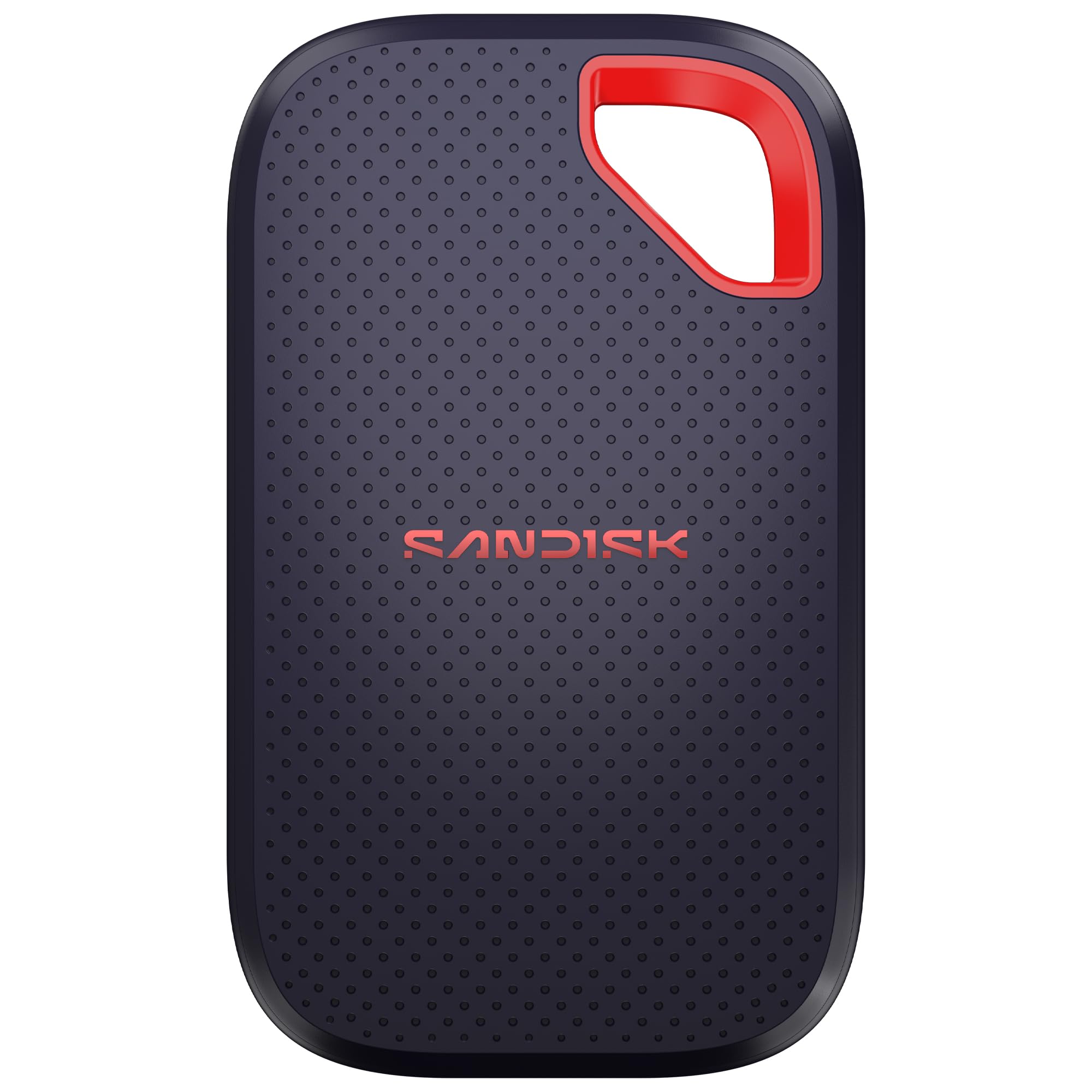
A pocket-sized external that survives drops and spills while moving 1,000 photos in under a minute.
The only external drive in this lineup, the Extreme Portable is for people who carry data between machines. It reaches up to 2,000 MB/s transfer speeds, enough to move 1,000 high-res photos in under 60 seconds. Owners call it the fastest data transfer they have experienced, and it is small enough to fit in a pocket or even on a keychain.
Durability is the defining trait here, with an IP65 rating for protection against spills and dust, plus drop protection up to 3 meters. A 256-bit AES encryption layer with password protection keeps private files secure. The new model is about a third of the weight of older versions, though some owners note the front cover now uses plastic that feels less premium than the rubber back.
It works across desktop, laptop, smartphone, and tablet, and even runs fast on older Windows 7 machines. The honest caveat from owners is value, with some calling it pricey compared to internal SSDs of the same capacity. If your workflow demands rugged portable storage and speed, this is the premium pick, but a standard internal drive gives more gigabytes per dollar.
On-the-go verdict: 2,000 MB/s transfers plus IP65 and 3-meter drop protection make it the travel-ready workhorse.
skip it if: you only need internal storage and do not want to pay the portability premium.
9. Samsung 990 Pro 1TB Gen4 NVMe SSD

The flagship Gen4 drive with 7,450 MB/s reads that PS5 owners trust for expanded storage.
This is the reference-grade Gen4 drive, rated for read speeds up to 7,450 MB/s and writes up to 6,900 MB/s with random IOPS of 1,550K reads and 1,200K writes. It is explicitly designed for the Sony PlayStation 5, where it slots into the console’s expansion bay. Shoppers say it operates at lower temperatures even when running maxed out, a key trait for a console’s tight internal airflow.
Endurance is a genuine strong suit at 600 TBW, backed by a 5-year warranty and a 1.5 million hours MTBF rating. Free Samsung Magician software handles performance optimization and firmware updates. One owner cloned a slower 2TB laptop drive onto this 1TB stick in about an hour, confirming the software makes migration painless.
Samsung’s reputation for never-failing SSDs shows up repeatedly in owner feedback. The premium price is the main hurdle, sitting at the top of this list, but for PS5 expansion or a high-end PC build the 990 Pro is a proven, flawless performer. Durability chatter is mixed in the data, but the overwhelming consensus is a fast, reliable drive that earns its flagship status.
Flagship credentials
- 7,450 MB/s reads and 6,900 MB/s writes at the Gen4 ceiling
- 600 TBW endurance with a 5-year warranty
- Runs cool under load, ideal for PS5 expansion
Before you commit
- Highest price in this guide for Gen4 speed
- Overkill if your motherboard only supports Gen3
Choose this for: a PS5 expansion or premium PC where Samsung’s reliability track record justifies the cost.
Save the difference if: you are on a Gen3 board, where the Crucial E100’s backward-friendly speed is plenty.
Understanding the Specs
Interface and form factor
The interface is the pipe that moves data, and it sets a hard ceiling on speed. SATA III maxes out around 560 MB/s and uses a 2.5-inch drive that fits older bays. NVMe drives plug directly into the motherboard over PCIe and routinely hit 5,000 to 7,450 MB/s, but they need an M.2 slot, a thin stick-shaped connector. Match the drive’s shape to the slot you actually have.
Read and write speeds
Read speed is how fast the drive loads games, boots Windows, and opens files. Write speed matters when you save large videos or install big titles. Both are quoted in MB/s, megabytes per second. A 7,450 MB/s drive feels instant for game loads, while a 560 MB/s SATA drive is a massive upgrade from a hard drive but still a fraction of NVMe speed.
FAQ
Will a 1 TB SSD fit in my laptop or desktop?
What is the difference between SATA and NVMe drives?
Is a 1 TB SSD enough for gaming?
How long does a 1 TB SSD last?
Can I use an M.2 SSD in a PlayStation 5?
Is it worth paying more for a Gen5 SSD?
What does TBW mean on an SSD spec sheet?
Do I need a heat sink for an NVMe SSD?
Can I clone my old hard drive to a new SSD?
Final Thoughts: The Verdict
If you want one dependable pick, the best 1 tb ssd winner is the Samsung 870 EVO because it’s the proven king of SATA drives with a 560 MB/s ceiling that transforms old machines. If you have an M.2 slot and want speed, grab the Crucial E100 for a Gen4 jump to 5,000 MB/s. And for the fastest Gen4 performance in a gaming rig or PS5, the Samsung 990 Pro is the one to reach for.
How We Picked
We do not accept paid placement. Every pick is matched to a real buyer and a real use-case; we do not hands-on test units.
Sources & Methodology
Specifications: manufacturer listings and product documentation. Review insights: verified customer reviews, as of September 2026. Pricing: not shown on this page (it changes often); check the current price via the retailer link.
As an Amazon Associate, Gadgets Feed earns from qualifying purchases. This does not affect which products we feature.