
Our readers keep the lights on and my morning glass full of iced black tea. As an Amazon Associate, I earn from qualifying purchases.
Specs are compiled from manufacturer listings and verified buyer reviews and can change over time — please confirm the key details on the product page before buying.
Your camera’s built-in screen is the weakest link on a sunny shoot—you end up guessing at focus and exposure. A budget camera monitor fixes that by giving you a bigger, brighter view, but the catch is that “bright” can mean anything from 450 to 2000 nits depending on the model. The guide below cuts through the spec noise to help you pick the one that actually fits your rig and your wallet.
I’m Min — the founder and writer behind Gadgets Feed. This guide is built by comparing the manufacturers’ published specifications and the patterns across verified customer reviews, so you get each pick’s real strengths and trade-offs instead of marketing spin.
We break down the top budget camera monitor options to find a strong balance of brightness, features, and durability for your video workflow.
Our Picks at a Glance


How To Choose The Best Budget Camera Monitor
Before you spend money, know that a monitor’s job is to show you a clear image in the conditions you actually shoot in. The two numbers that define that experience are resolution (how sharp the picture is) and brightness (how well you can see it in daylight).
Nits: The Key to Outdoor Shooting
Brightness is measured in nits, and this is the spec that separates an indoor-only tool from an all-day outdoor companion. A 450-nit screen can look washed out under direct sun, while a 1000-nit or 1200-nit panel keeps detail visible when you’re shooting at midday. If you mostly work indoors or in shade, a lower-nit panel with a sunshade can still work fine.
Resolution and Touchscreens
Higher resolution (measured in pixels) means a crisper image for critical focus. Touchscreens add convenience for menu navigation and quick zooming, but they also add cost—so decide if you need that flexibility or if physical buttons are enough.
Quick Comparison
| Model | Best For | Screen Size | Brightness | Resolution | Amazon |
|---|---|---|---|---|---|
| FEELWORLD T7 Plus★ Best Overall | Rig builders who want a big, tough screen | 7″ | 450 nits | 1920×1200 | Amazon |
| NEEWER F100Budget Champion | Beginners tracking focus on a budget | 7″ | 450 nits | 1280 x 800 | Amazon |
| Portkeys PT6Touch Editor | Color grading with touch control | 5.2″ | 600 nits | 1920×1080 | Amazon |
| osee T5+ | Sunlit shoots with custom color presets | 5.5″ | 1000 nits | 1920 x 1080 | Amazon |
| Desview A5 | Gimbal users wanting lightweight 4K/60 out | 5.5″ | 600 nits | 1920×1080 | Amazon |
| Portkeys PT5 II | Minimalist rigs on a strict budget | 5″ | — | 1920×1080 | Amazon |
| FEELWORLD F5 Pro V4 | Wireless video systems needing passthrough | 6″ | 500 nits | 1920×1080 | Amazon |
| VILTROX DC-550 | Bright daylight color-critical work | 5.5″ | 1200 nits | 1920 x 1080 | Amazon |
| NEEWER F500 PRO | Direct sunlight with battery included | 5.5″ | 2000 nits | 1920×1080 | Amazon |
In-Depth Reviews
1. FEELWORLD T7 Plus
Our pick — over 4★ from 550+ verified ratings; the strongest balance of quality and price.
The field-tested 7-inch workhorse that daily rigs seem to love.
This pick earns its top spot not with the brightest panel, but with an all-around build that owners trust for years of heavy use. The 7-inch IPS screen delivers Full HD 1920×1200 resolution in a 16:10 aspect ratio with 450cd/m2 brightness and 160° viewing angles—plenty for framing and focus checks. The whole thing is wrapped in an aluminum frame that’s just 18mm thin, so it feels solid without weighing your rig down (it tips the scales at 1.83 pounds).
Color work is a real strength here, with professional calibration to the Rec.709 color standard. That means what you see on the monitor matches the broadcast-standard look your footage should have. The 4K HDMI input and output (3840x2160p at up to 30Hz) lets you feed a clean signal to a second screen for a director or client, all without needing a separate splitter.
Buyers report it’s been a reliable companion for live production setups like ATEM switchers as well as DSLR and mirrorless cameras, with all-day battery life on a single NP-F970. The recurring honest note: it does not ship with a battery or a power adapter, so you’ll need to budget for those. The strongest praise centers on picture clarity and overall quality—the two things owners mention most often—making this a safe, well-rounded bet for almost any shooter.
bright field monitor
- Aluminum frame stands up to daily, multi-year use
- Rec.709 color calibration for accurate skin tones
- Full HDMI in and out for clean signal routing
setup learning curve
- Battery and power adapter sold separately
- 450-nit panel may need the sunshade on bright days
studio work: you want a durable, large-screen workhorse with accurate colors for serious daily shooting.
traveling: factor the cost of a battery and charger into your budget, because neither is in the box.
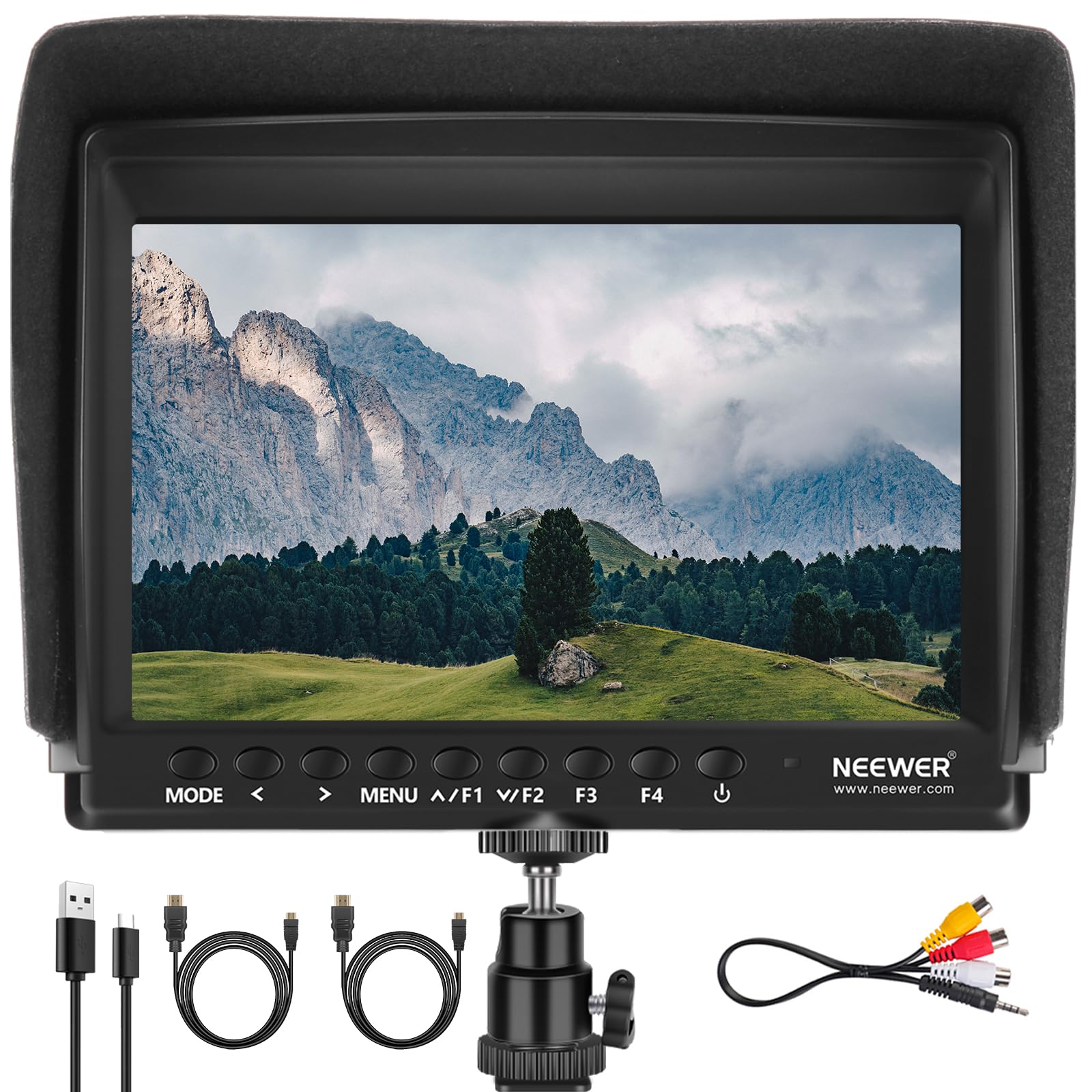
2. NEEWER F100
A no-frills 7-incher that nails framing and focus without the price tag.
If you’re just stepping up from your camera’s tiny flip screen, this is the lean, affordable way to do it. The F100 packs a 7-inch IPS panel with a 1280 x 800 resolution, 450 nits of brightness, and a 1200:1 contrast ratio into an ultra-thin 17mm body. It’s a full 35% bigger screen than the Portkeys PT6 class of monitors, which makes it much easier to see your composition from a distance.
The monitoring toolbox covers the essentials: Peaking Focus Assist to highlight sharp edges, a Histogram for exposure, and tools like Image Flip and Freeze for tricky angles. Everything is controlled through four custom keys and a headphone jack lets you monitor audio without adding noise to your recording. The 360° mini ball head and cold shoe mount mean you can attach it to a DSLR, a handheld stabilizer, or a rig and swing it to almost any angle.
You get a dependable monitor for framing shots and checking focus, and owners mention it handles those jobs without surprises—just don’t expect precise color grading, since the screen’s modest brightness limits that. A few customers note the display is dim outdoors without shade, so plan for that. The recurring practical warning: check the package contents. The “no battery” version ships with cables and a sunshade but no power source, so reviewers point out you’ll want a compatible battery or cord or it’s “basically useless.” For learning the craft, it delivers more than its price suggests.
budget starter screen: the combination of a big 7-inch screen, focus peaking, and a low entry cost makes it ideal for new videographers—just remember the power situation before you buy.
3. Portkeys PT6
The featherweight color tool with a touchscreen that fits in a pocket.
At just 0.37lb, this is the monitor you forget is on your rig until you need it. The Portkeys PT6 packs a 5.2-inch touchscreen with Full HD 1920×1080 resolution and a crisp 400 PPI—sharper than the NEEWER F100’s 1280 x 800 display. It’s also 33% brighter than that budget pick at 600 nits, making it a more confident choice for shaded outdoor work.
Colorists will find a deep feature list here, including Luma and RGB Waveform scopes to check your exposure and color before and after you load a 3D LUT. The touchscreen makes navigating the Anamorphic desqueeze, Zebra, False Color, and Histogram tools much faster than poking physical buttons. It accepts power from Sony NP-F or Canon LP-E6 batteries (not included), so it fits into an existing camera battery ecosystem.
What wins people over is the monitor quality and sheer value for money—owners rave about getting this many tools for the price. The trade-off is a plastic body and a swivel bracket that some found flimsy, plus a screen that still reads a bit dim under harsh desert sun. It’s a niche pick: brilliant for indoor sets and shaded locations where its compact size and touch interface shine.
professionals: run-and-gun shooters who want professional scopes and a fast touch interface without hauling a heavy monitor.
casuals: you shoot mostly in full, direct sun—600 nits will have you reaching for extra shade.
4. osee T5+

Doubles the brightness of entry-level monitors for a clear outdoor view.
Step outside without a sun hood and this screen still stays visible, thanks to a 1000-nit panel that doubles the output of older budget monitors. The 5.5-inch LCD runs at 1920 x 1080 resolution with a 1000:1 contrast ratio and a rich 1.06B color depth, so skin tones and highlights look natural even when the sun is beating down on your set.
Where the T5+ really flexes is its customizable workflow. You can set up eight MySets—essentially saved configurations of all your monitoring tools—and flip between them with a single joystick toggle. The false color system lets you preset specific tones for different camera models, so exposure checking becomes a one-click task instead of a menu dive. It also handles LOG and HDR shooting with built-in De-log processing and accepts custom 3D LUTs via SD card.
Quality control and value for money are the two things buyers single out most, with many noting it’s one of the brightest screens you can get in this price range. The mixed feedback centers on performance and the user interface, with some units arriving with quality issues. One quirky detail: the DC-out port for powering accessories uses a non-standard 4mm size, so it won’t work with common dummy batteries. For outdoor shooters who want pro exposure tools without the pro price, it’s a standout.
sunlight visibility: the 1000-nit brightness and one-touch exposure presets make it a joy on sunlit shoots, where lesser screens wash out completely.
5. Desview A5
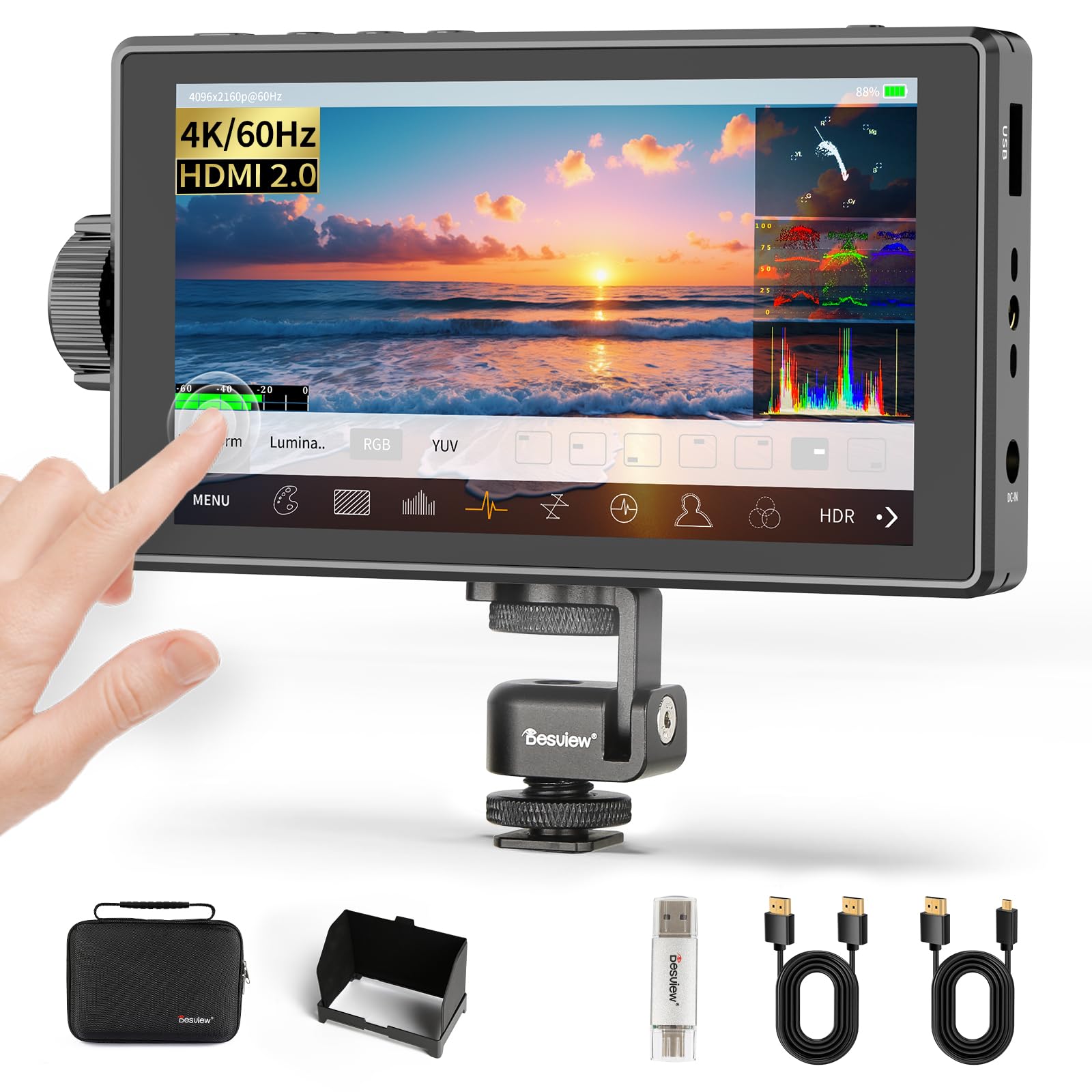
A featherlight 340-gram touchscreen that won’t drag down your gimbal.
Balancing a rig on a gimbal is all about weight, and at just 340 grams this is one of the lightest full-featured monitors here. The Desview A5 pairs a responsive 5.5-inch IPS touchscreen with a side scroll knob for quick adjustments, so you’re never hunting through menus mid-shot. A dedicated touch-lock key prevents accidental changes when you’re moving fast.
It’s also one of the few budget monitors to support a true 4K/60Hz signal through its HDMI 2.0 input and output (4096x2160p@60Hz). That means you can monitor your camera in full fidelity and loop the clean feed out to a second screen in real time. The 600-nit panel with a 1400:1 contrast ratio stays clear in controlled indoor sets and shaded outdoor locations, and the included sunshade extends its range.
Owners found it solved a specific pain: a camera screen showing colors that didn’t match the final footage. This screen with its HDR and 3D LUT support helped bridge that gap. One person even repurposed it as an external display for a server. The most common frustration is the package lacking a battery, so you’ll need your own NP-F series cell or a USB-C power bank to get started—and the Type-C port and DC 12V input give you those options.
tight budgets: gimbal and handheld shooters who count every gram and want buttery-smooth 60Hz monitoring.
advanced needs: a battery is not included, so plan to bring your own NP-F cell or a power bank for longer shoots.
6. Portkeys PT5 II
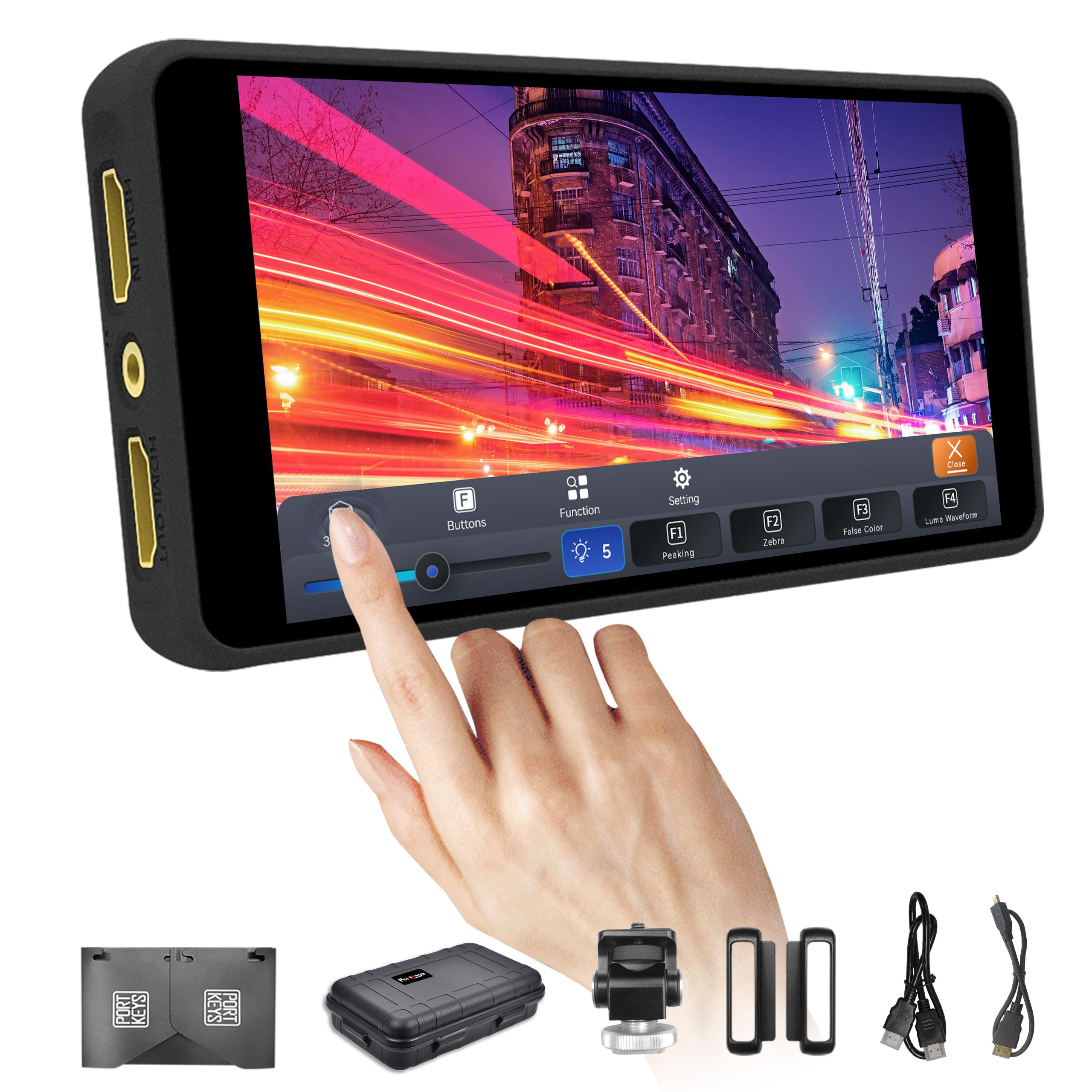
A 0.28-pound touchscreen that brings pro scopes to the smallest rigs.
This is the lightest monitor in the lineup at a barely-there 0.28lb, designed for shooters who want a full monitoring suite without bulk. The 5-inch screen serves up Full HD 1920×1080 resolution at a dense 400 PPI on a 178° viewing angle. Its slim profile and featherlight build make it a natural fit for gimbals, vlog rigs, and travel kits where every ounce counts.
What sets the PT5 II apart is depth of tools for the money. It includes Luma and RGB Waveform scopes, Histogram, False Color, Zebra, and 3D LUT support to preview your Log footage on set. The touchscreen interface runs Portkeys’ new MOVnorm OS, which owners say is a big improvement over older menus. A one-year warranty backs the package, and it powers from Sony NP-F or Canon LP-E6 batteries (not included).
Buyers consistently call it a solid value for the price, especially for the clean image and easy interface. The honest caveats: a handful of units have stopped working after several months, and reliability feedback is genuinely mixed, so it’s worth checking the return policy. It’s also note the case fits snugly, and some Sony shooters find the monitor blocks the camera’s touch focus, so you’ll want to set your AF before connecting.
compact yet mighty: for the price, you get a dense, sharp touchscreen with scopes usually found on far more expensive units.
7. FEELWORLD F5 Pro V4

The 6-inch touch monitor built to power your wireless video transmitter.
This one is engineered for creators running wireless video systems on their rigs. The 6-inch IPS screen delivers Full HD 1920×1080 in a 16:9 aspect ratio, and its ultra-lightweight 245g body keeps your setup balanced. The distinguishing feature is the integrated F970 power kit, which lets a single Sony battery power both the monitor and an attached wireless transmitter like a Mars400s—keeping your rig compact and your cables clean.
It’s a capable video assist tool with 3D LUT preview for shooting Log, plus Waveform, Vector, and Histogram scopes to nail focus and exposure. The responsive touchscreen gives quick access to false color, focus peaking, and anamorphic de-squeeze, and you get two custom buttons for your most-used features. A DC 8.4V output even lets the monitor power your camera directly, which simplifies the whole power chain.
Owners rate the overall quality as superb and call it excellent value, with the touchscreen earning consistent praise. The key limitation is brightness: at 500 nits it’s an indoor and shaded-location specialist, and shoppers say you’ll want the included sunshade outdoors. One buyer sums it up as “a monitor doesn’t make you a great shooter,” but this one does everything needed for content creation, livestreaming, and interviews while staying affordable.
color grading: you run a wireless video transmitter and want one clean power source instead of a nest of batteries.
minimal rigs: you spend most shoots in direct sun—the 500-nit panel is happiest indoors or in shade.
8. VILTROX DC-550

A 1200-nit daylight-viewable touchscreen that arrives ready to shoot.
This is the rare budget monitor that comes with a battery in the box, saving you a surprise accessory purchase. The DC-550 pairs a 5.5-inch IPS touchscreen with a searing 1200 nits of brightness, so you can see a sharp, vivid image even under harsh sun. It’s calibrated to the REC-709 color standard with a 1200:1 contrast ratio, delivering color you can trust for critical work.
Colorists get a full professional suite: Parade waveform, vector graph, brightness histogram, auxiliary focus, audio columns, image flip, and false color. You can load custom 3D LUTs through an SD card to preview any camera’s Log mode on set. The 4K HDMI input and output handle up to 4K 30Hz signals (3840x2160p and 4096x2160p), and a 3.5mm headphone jack lets you monitor audio while you shoot.
Screen quality and brightness earn the strongest praise—owners say it beats reflections even with a glossy panel and produces excellent color on bright days. The triple power system (NP-F battery, DC 12-18V, or Type-C 5V 3A power bank) means you’re never stranded. The main gap: it can’t overlay your camera’s shutter speed and ISO on screen, so you’ll still glance at the tiny camera monitor for those settings. For daylight color work with minimal hassle, this is a top contender.
plug and play: a rare budget monitor that includes its battery, pairs it with a strong 1200-nit screen, and handles 4K routing with ease.
9. NEEWER F500 PRO
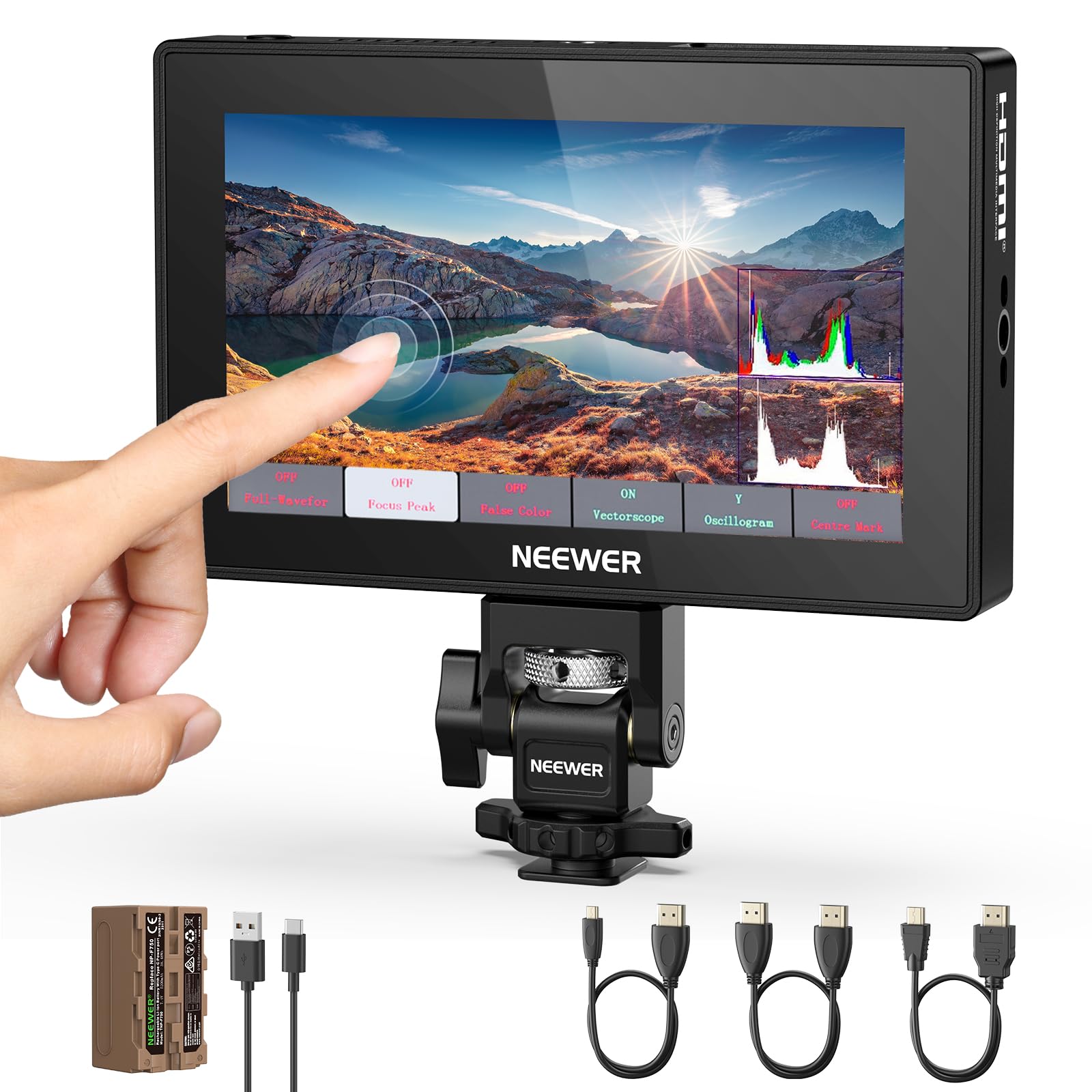
The 2000-nit monster that stays readable in the harshest midday sun.
If direct sunlight is your daily reality, this is the screen to beat. The F500 PRO cranks out an extraordinary 2000 nits of brightness—the highest in this lineup—on a 5.5-inch IPS touch panel at 1920×1080 Full HD. Owners describe it as “monstrous brightness,” with intense clarity even in direct sun. A 180° tilting screen and manual or automatic backlight adjustment (1-100) let you tune it to any environment.
It ships ready to power a full shoot with a high-capacity 5200mAh NP-F750 battery included, which buyers report held up for an entire hour-long event. The monitor handles HDR monitoring and comes with 15 preloaded 3D LUTs, plus room for 60 custom LUT uploads via SD card. A comprehensive tool suite—waveform, vectorscope, histogram, focus peaking, zebra, and false color—covers every exposure and focus check you’d need, and a built-in cooling fan prevents overheating on long takes.
Buyers praise the monitor quality, value, and versatility, with many noting it’s great for studio work and even filming 9:16 vertical content for social media. It also doubles as a dummy battery with a max DC 8.4V output to power your camera, and a 3.5mm headphone jack lets you monitor audio in real time. The honest trade-offs: it’s a bit heavy, and a few color purists found the built-in S-Log3 LUT inaccurate, so you may prefer loading your own custom LUTs. For an all-in-one daylight kit, it’s hard to top.
studio monitors: outdoor event shooters and studio photographers who need extreme visibility and hours of battery in one package.
field use: set aside money for a sunshade to help outdoors, and if you’re picky about color, plan to load your own LUTs (color lookup tables that adjust how the screen displays colors) since the built-in look may not satisfy you.
Understanding the Specs
Nits and Outdoor Visibility
Nits measure how bright a screen can get. A 450-nit monitor is fine for indoor sets, but a 1000-nit or 1200-nit panel stays clear in direct sun, letting you see your composition without huddling under a shade. If you shoot outdoors, don’t compromise here—it’s the single biggest quality-of-life factor.
4K HDMI Input vs. 4K Passthrough
Some budget monitors accept a 4K signal and display it at a lower Full HD resolution, while others can loop that 4K feed out to a second monitor. If you plan to send a clean signal to a client or director’s screen, make sure the monitor has both an input and an output port.
FAQ
Do camera monitors come with a battery?
What does nits mean for a camera monitor?
Is a touchscreen worth the extra cost?
Can I use a camera monitor with my mirrorless camera?
What is focus peaking and why do I need it?
What is false color in a camera monitor?
Can a camera monitor power my camera?
What is a 3D LUT and how does it help?
Is a bigger screen always better?
Final Thoughts: The Verdict
For the majority of shoppers, the budget camera monitor winner is the FEELWORLD T7 Plus because it combines a large, color-accurate 7-inch screen with a durable aluminum frame that owners trust for years. If you want extreme daylight visibility with a battery included, grab the NEEWER F500 PRO. And for gimbal work where weight matters, the Desview A5 is the one to reach for.
How We Picked
We do not accept paid placement. Every pick is matched to a real buyer and a real use-case; we do not hands-on test units.
Sources & Methodology
Specifications: manufacturer listings and product documentation. Review insights: verified customer reviews, as of September 2026. Pricing: not shown on this page (it changes often); check the current price via the retailer link.
As an Amazon Associate, Gadgets Feed earns from qualifying purchases. This does not affect which products we feature.