
Our readers keep the lights on and my morning glass full of iced black tea. As an Amazon Associate, I earn from qualifying purchases.
Specs are compiled from manufacturer listings and verified buyer reviews and can change over time — please confirm the key details on the product page before buying.
If you own a gaming or workstation laptop, you know the original power brick is massive, expensive to replace, and the one thing you cannot lose. This guide focuses on the best 150W Laptop Charger options that deliver enough juice for demanding CPUs and GPUs without the usual guesswork about tips and voltages.
I’m Min — the founder and writer behind Gadgets Feed. This guide is built by comparing the manufacturers’ published specifications and the patterns across verified customer reviews, so you get each pick’s real strengths and trade-offs instead of marketing spin.
We’ve matched each charger to the laptops owners actually use it with, so you can find a reliable replacement that fits your machine and keeps it running at full speed. 150w laptop charger
Our Picks at a Glance


How To Choose The Right 150W Laptop Charger
When your laptop won’t charge, the fix usually depends on three things: the connector tip, the voltage, and the brand’s build quality. Match the first two and nearly any 150W brick will power your machine; get them wrong and you risk no charge at all or, worse, damage to the port.
Match The Tip Before You Match The Wattage
Most gaming laptops from HP use a 4.5mm x 3.0mm blue tip, while many ASUS ROG and TUF models use a wider 6.0mm x 3.7mm round barrel. Even within HP, some docks and older EliteBooks use a 7.4mm x 5.0mm round tip. The charger listing always states its connector size, and that is the first spec you must verify against your laptop’s port before buying.
Understand Voltage and Amperage Together
A “150W” label can hide different internals. HP machines generally run on 19.5V at 7.7A, while ASUS gaming laptops typically need 20V at 7.5A. If the voltage is wrong, the laptop may refuse to charge or throttle performance; if the amperage is lower than the original, you will drain the battery faster than it fills during heavy gaming sessions.
Budget Brands Are a Gamble on Longevity
Cheaper aftermarket chargers often work flawlessly for weeks, but owner reports show occasional early failures or units that run very hot under full load. OEM-branded adapters and premium universal units with better heat dissipation and protection circuits are a safer bet if you plan to game for hours daily or travel far from a replacement source.
Quick Comparison
| Model | Best For | Output | Connector Tip | Laptop Fit | Amazon |
|---|---|---|---|---|---|
| LVYATUO 150W HP Dock Charger★ Best Overall | HP Thunderbolt docks & older EliteBooks | 19.5V 7.7A | 7.4mm x 5.0mm | HP Dock G2/G4, EliteBook, ProBook | Amazon |
| HP OEM 150W 4.5mm Blue TipOEM Pick | Exact OEM quality for ZBook & OMEN | 19.5V 7.7A | 4.5mm x 3.0mm Blue | HP ZBook, OMEN, Pavilion Gaming | Amazon |
| SlimQ 150W 3-PortPremium Pick | Travelers needing multi-device charging | 150W total | DC + USB-C | Universal (tips sold separately) | Amazon |
| NeaHao 150W HP Adapter | HP ZBook Studio G3–G8 replacement | 19.5V 7.7A | 4.5mm x 3.0mm | HP ZBook Studio, Fury, 15u | Amazon |
| HXHTEC Slim 150W HP Adapter | Compact spare for ZBook & OMEN | 19.5V 7.7A | 4.5mm x 3.0mm | HP ZBook, OMEN, Pavilion | Amazon |
| LVYATUO 150W ASUS Charger | ASUS TUF & ROG Strix laptops | 20V 7.5A | 6.0mm x 3.7mm | ASUS TUF, ROG Strix, ZenBook | Amazon |
| JAART 150W ASUS Charger | Budget fit for ASUS TUF models | 20V 7.5A | 6.0mm x 3.7mm | ASUS TUF, ROG Strix | Amazon |
| HNHTKJ 150W ASUS Charger | ASUS users wanting a long 10-ft cable | 20V 7.5A | 6.0mm x 3.7mm | ASUS TUF, ROG Strix, ZenBook Pro | Amazon |
| Ruilezyo 150W HP Charger | Budget replacement for ZBook & OMEN | 19.5V 7.7A | 4.5mm x 3.0mm | HP ZBook, OMEN, Pavilion | Amazon |
Note: This list uses flexible, human-like matching for 150W output power, so not every pick is the exact number searched; the nearest same-type watt serves the same purpose.
In‑Depth Reviews
1. LVYATUO 150W Charger for HP Thunderbolt Dock & EliteBook
Our pick — over 4.5★ from 80+ verified ratings; the strongest balance of quality and price.
The dock driver that delivers steady power for a multi-monitor HP setup
If your HP Thunderbolt Dock has ever blinked off under load with two monitors connected, this adapter was built for exactly that scene. Buyers report it keeps an HP Thunderbolt Dock 120W G4 running without issues — though it runs a little warm to the touch when two 20″ monitors and peripherals are drawing power at once, which is entirely normal for a brick at full tilt.
It pushes 150W at 19.5V with 7.7A, which is more headroom than the 120W 19.5V 6.15A dock spec requires. That extra margin is why one buyer swapped it onto an HP EliteDesk 800 G4 after adding a discrete video card — the supply had enough power to run the whole office PC for months without a hiccup. The 7.4mm x 5.0mm round tip is the key compatibility point here, so it also fits older EliteBook and ProBook lines like the 9470m, 8730w, and 8560w.
Internal protection circuits guard against short circuit, overcurrent, overvoltage, and overheating, and the 100–240V input range handles international voltages without a converter. Weighing about 0.68 kg, it is not the lightest brick on this list, but reliability is what owners praise most — this is the crowd favorite because it simply keeps working where cheaper units flake out.
What wins owners over
- Reliability is the #1 praised trait — it works like the OEM adapter it replaces.
- More power than the old cord that burnt out, handy for docks and desktops.
- Wide compatibility across HP docks, EliteBooks, and ProBooks with the 7.4mm tip.
The trade-offs to know
- The 7.4mm tip will NOT fit newer HP ZBooks that use the 4.5mm blue tip.
- Runs warm to the touch under heavy dock load — not a fault, just physics.
Reach for it if: you have an HP Thunderbolt Dock G2/G4 or an older EliteBook/ProBook with the 7.4mm round port and want the most dependable aftermarket supply.
Look elsewhere if: your laptop takes the slimmer 4.5mm blue tip — you need one of the ZBook-focused chargers further down.
2. HP Original 150W 19.5V 7.7A 4.5mm Blue Tip Adapter
Genuine HP engineering that fixed gaming lag other bricks could not
When your ZBook or OMEN needs a charger that behaves exactly like the one that shipped in the box, this genuine HP adapter is the safest bet on the shelf. Buyers describe it as an “exact replacement” for the HP Fury 15 notebook, and one owner even keeps three on hand after a puppy chewed through the original — proof of how well it matches factory behavior.
The most telling success story: an owner using a non-OEM 150W charger experienced gaming lag that completely disappeared once they switched to this HP unit. That is the difference genuine parts can make — consistent 19.5V at 7.7A delivered without the voltage sag that throttles performance under load.
It covers the 4.5mm blue-tip family, which means ZBook 15 G3/G4, ZBook Studio G3/G4, ZBook 15u G3/G4, OMEN 15, and Pavilion gaming models like the 15-bc251nr all fit. The connector is a 4.5mm barrel, and the silver plastic housing carries the HP branding for easy identification. If you want zero doubt about compatibility and are willing to pay a little more for the name, this is the pick.
Exact-match performance: replacement quality is what buyers praise most, with reliability close behind — it is the genuine article, and it shows under heavy gaming draw.
One honest note: it costs more than the aftermarket options above, but owners who tried cheaper bricks first found this one actually solved their power problems.
Best suited to: anyone with a 4.5mm blue-tip HP ZBook or OMEN who wants factory-grade reliability and does not mind paying for the HP name.
Not the pick for: HP docks or older EliteBooks using the larger 7.4mm round tip — that is the LVYATUO above.
3. SlimQ 150W Gaming Laptop Charger, 3-Port with Extension Cable
The all-in-one travel brick that replaces your laptop charger and phone charger
For anyone who travels with both a gaming laptop and a phone, this SlimQ charger collapses two bricks into one 10.8oz (305g) unit — and the maker claims it is 60% lighter than traditional laptop chargers. The main unit weighs just over 10 ounces, which is roughly half the weight of a typical OEM brick, and the AC prongs fold down so it packs flat into a bag.
Beyond the laptop DC barrel, it adds USB-C outlets so you can charge a phone, tablet, or even an iPhone 13 or later-model Samsung Galaxy at the same time. Owners confirm it handles simultaneous laptop-plus-phone charging without overheating, and one buyer runs a OnexPlayer Apex that pulls over 120W for 7 hours straight. A high-quality braided DC cable comes in the box, and international adapters for UK, EU, AU, and KR plugs are included for global travel.
The catch to understand before buying: it is a universal charger, so you must order the correct laptop interface tip separately based on your laptop brand. The package includes a 12A DC cable, a US extension cord, and the international adapters, but the laptop-specific tip is an accessory purchase. Owners consistently praise its compact size and build quality — this is the premium choice for frequent flyers who value one-bag simplicity over OEM loyalty.
Why it justifies the premium
- Charging performance is what owners praise most — it holds over 120W for hours.
- USB-C outlets charge phones, iPads, and Apple Watches alongside the laptop.
- Folding prongs plus international adapters make it the ultimate travel companion.
Set expectations first
- Requires buying a separate laptop tip for your specific brand — not plug-and-play.
- Braided DC cable is high quality but a bit bulky, owners note.
Grab this if: you fly often, hate carrying two chargers, and want one unit that powers a laptop, phone, and tablet from a single wall outlet.
skip it if: you want a direct OEM replacement with zero extra tip shopping — the HP or ASUS-specific picks suit you better.
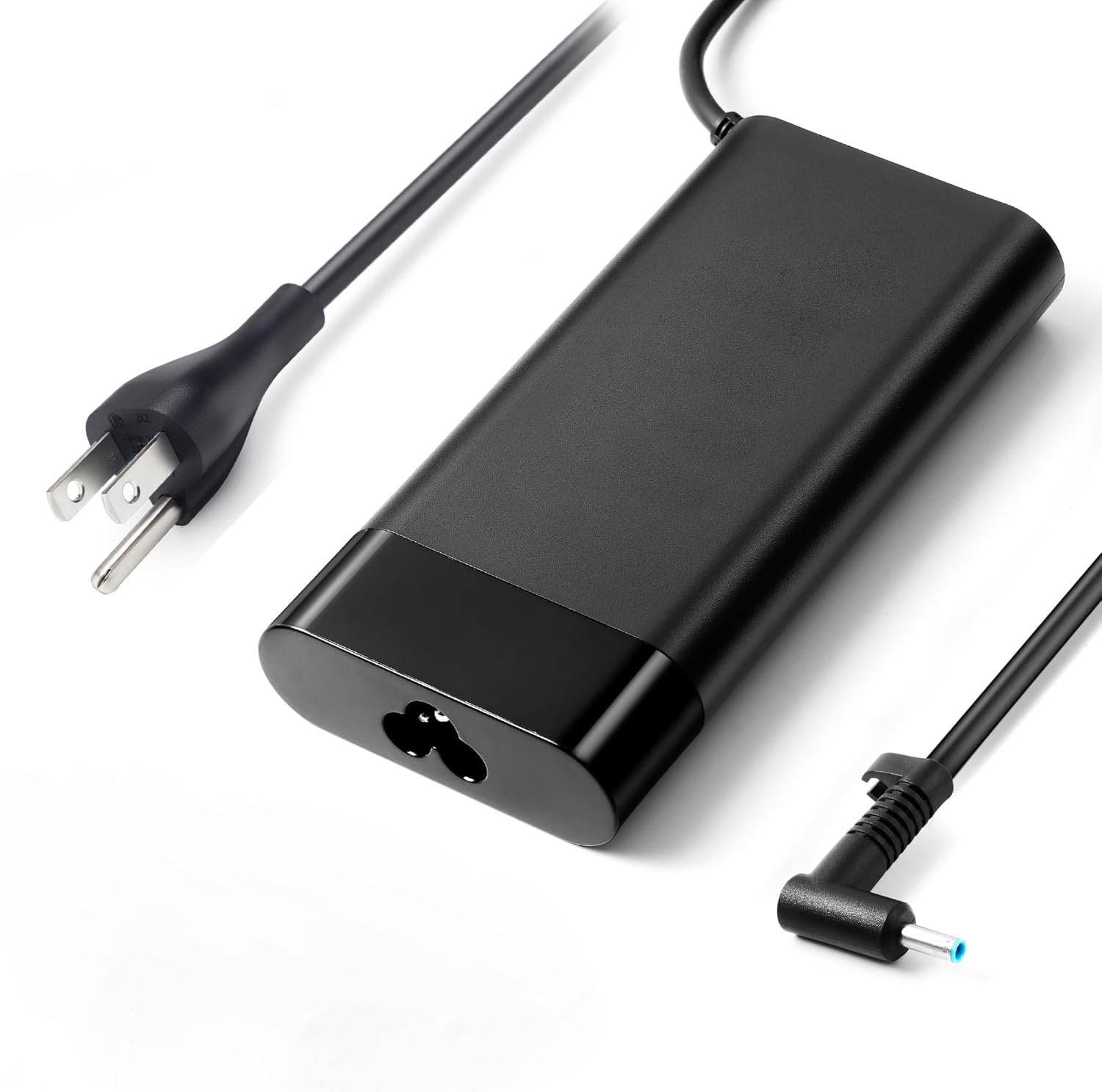
4. NeaHao 150W AC Charger for HP ZBook Studio & Fury
A direct ZBook Studio match that owners call same-as-factory
HP ZBook Studio owners who want a second power supply for travel without paying full OEM prices land on this NeaHao adapter. One buyer ordered it specifically as a travel backup and reports it is “the same as the one that came with the computer” — a direct match to the original ZBook supply that performs identically.
It delivers a max output of 19.5V at 7.7A for 150W, and the compatibility list covers a remarkable range: ZBook Studio G3 through G8, ZBook 15 Power, Fury 15/17 G7/G8, ZBook 15u G3, 15v x360 G5, plus OMEN and Pavilion 15/17 gaming lines. The 4.5mm x 3.0mm tip is the standard blue-tip size, so it slots into any of those machines without adapters.
Internal protections guard against overcurrent and short circuits, and owners consistently report clean, stable power delivery. One buyer even used it to bypass a damaged USB-C port on a laptop that had a secondary barrel option — the charger revived the machine and it finally charges again. For a genuine-feeling HP-compatible brick at a mid-range price, this one overdelivers on function.
Function-first performance: functionality is what buyers praise most, with power quality close behind — owners repeatedly call it a working match to the factory adapter.
Minor observation: the wall-to-brick cord is a bit shorter than the original, though owners mention you can swap in the HP cord if it bothers you.
Choose this for: a ZBook Studio G3–G8 owner who wants a dependable second charger for the office bag at a more sensible cost than genuine HP.
Pass on it if: your machine uses the larger 7.4mm dock tip — this is strictly the 4.5mm blue-tip family.
5. HXHTEC Slim 150W 19.5V 7.7A Adapter for HP ZBook & OMEN

A slim blue-tip spare that is noticeably smaller than the factory brick
Buyers replacing a dead ZBook or OMEN charger with this HXHTEC unit often remark that it is “smaller and more compact” than the original that came with the laptop. That makes it a genuinely better travel companion than most OEM bricks — it delivers the full 150W (19.5V at 7.7A) from a slimmer housing that slips into a laptop sleeve pocket.
The 4.5mm x 3.0mm tip covers the standard HP ZBook 15 G3–G6, ZBook Studio G3–G8, OMEN 15/17, and Pavilion Gaming 15/17 models. It also lists a deep bench of compatible HP part numbers, including 775626-003, ADP-150XB B, and A150A05AL, so cross-referencing your old adapter’s model is straightforward. One owner noted it fits most HP small blue plugs and even includes an adapter for larger black-rimmed connectors, widening its usefulness.
On the honesty side, CE/ROHS/FCC/CCC certifications back the safety claims, with protection built in against short circuiting, overvoltage, overcurrent, and overheating. The honest trade-off, as one owner put it, is that the build feels cheaper than the OEM and it sits around 6.5 x 3 x 1 inches — near the size of an iPhone 12 Pro Max. Many owners keep it stationary at a desk and reserve the OEM for travel, which is a sensible division of labor.
The smarter spare
- Smaller and more compact than the original charger, per multiple owners.
- Safety-certified with short-circuit, overvoltage, and overcurrent protection.
- Covers a huge range of HP ZBook, OMEN, and Pavilion part numbers.
Know before you buy
- Build quality is lighter than OEM — best kept stationary rather than tossed in a bag daily.
- No power LED, which some owners noticed but accepted as common at this tier.
Pick it for: a compact desk charger for a blue-tip HP ZBook or OMEN that does not need to survive constant travel.
Think twice if: you plan to use it as your only charger on the road every day — the genuinely-HP unit above is built tougher.
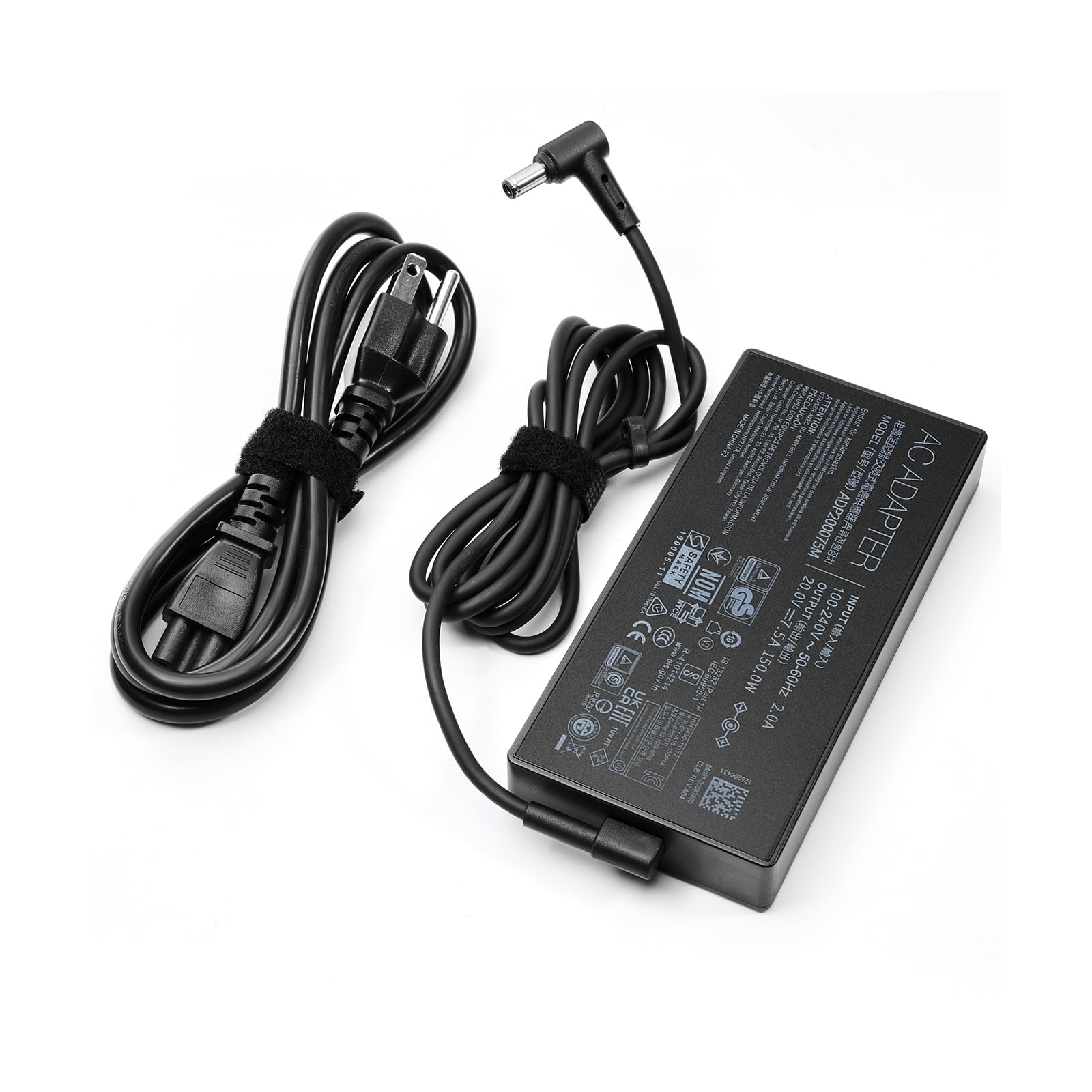
6. LVYATUO 150W AC Charger for ASUS ROG Strix & TUF Gaming
The ASUS workhorse that powered a laptop for three straight years
ASUS ROG Strix and TUF Gaming owners have a strong favorite here, and the proof is in a longevity story: one buyer got three full years of service out of this charger before it stopped powering up — and still called that “fair for the price.” Another owner replaced a unit that a puppy chewed and found the tip fit exactly with no adapter needed, plus spare adapter sizes shipped along just in case.
It outputs 150W at 20V with 7.5A, which is the correct spec for the ASUS 6.0mm x 3.7mm barrel family. The compatibility list is enormous: TUF Gaming F15/F17, A15/A17, FX505, FX705, FX86, plus ROG Strix G531, G731, G15, and G17 models across multiple generations. Owners describe it as a “perfect match to the original” that charges quickly and stably, with charging performance being the trait buyers single out most.
The 100–240V input range adapts to international power, and internal protections cover short circuit, overcurrent, overvoltage, and overheating. The recurring honest note is that the brick is bulky and hard to travel with — though buyers also say it matches the original ASUS design in size, so it is not a regression. If you have an ASUS gaming laptop with the wide barrel tip, this is the volume-pick champion that most owners trust.
Owners’ favorite traits
- Charging performance praised most — fast, stable, and a perfect original match.
- Proven endurance: one owner ran it daily for three years.
- Ships with varied adapter sizes for a more universal fit.
What to weigh
- The brick is bulky for travel — comparable to the original ASUS design.
- Individual units have failed early for a few buyers, so buy from a return-friendly seller.
Best for: ASUS TUF or ROG Strix owners who want the most widely-bought, well-proven 150W replacement at a fair price.
Not for: HP laptops — this uses the 20V ASUS standard, not the 19.5V HP standard.
7. HNHTKJ 150W Charger for ASUS TUF F15/F17/A15/A17

Ten feet of reach that frees your gaming spot from the wall
ASUS TUF owners who hate being tethered two feet from an outlet will appreciate this charger’s headline spec: a total cable length of 10 feet, split between a 6-foot charger cable and a 4-foot power cable. That extra reach lets you game from a couch or bed position that a standard short OEM cord simply cannot serve.
Electrically, it delivers 20V at 7.5A for 150W through a 6.0mm x 3.7mm tip, making it a drop-in replacement for the ADP-150CH B and A18-150P1A adapters. The compatibility net covers the ASUS TUF A15/A17 and F15/F17 families, ROG Strix G531GT/G731GT and G15/G512, plus the ZenBook Pro 14 Duo OLED UX8402 series. The 100–240V input supports global use, and built-in protections guard against overcharging, overheating, and short-circuiting.
Owners call it a perfect replacement that is not a universal compromise but a tailored fit for their specific ASUS model. The main honest caveat comes from heavy gamers: under sustained load on a TUF A17, the brick runs genuinely hot within 10–15 minutes of launching a game. That is common for high-wattage adapters working hard, but if you are sensitive to warm components, it is worth noting.
The standout perks
- 10-foot total cable is the longest reach on this list — flexible placement anywhere.
- Described by owners as a perfect replacement, not a universal compromise.
- Folding US prongs and global voltage input support travel.
Watch points
- Runs hot during sustained heavy gaming load on some TUF models.
- An occasional unit arrives with mismatched parts — verify contents at delivery.
Reach for it if: you need maximum cable length to position your ASUS TUF or ROG laptop comfortably away from the wall outlet.
Look elsewhere if: you want genuine ASUS-branded confidence — this is a well-reviewed third-party unit, not OEM.
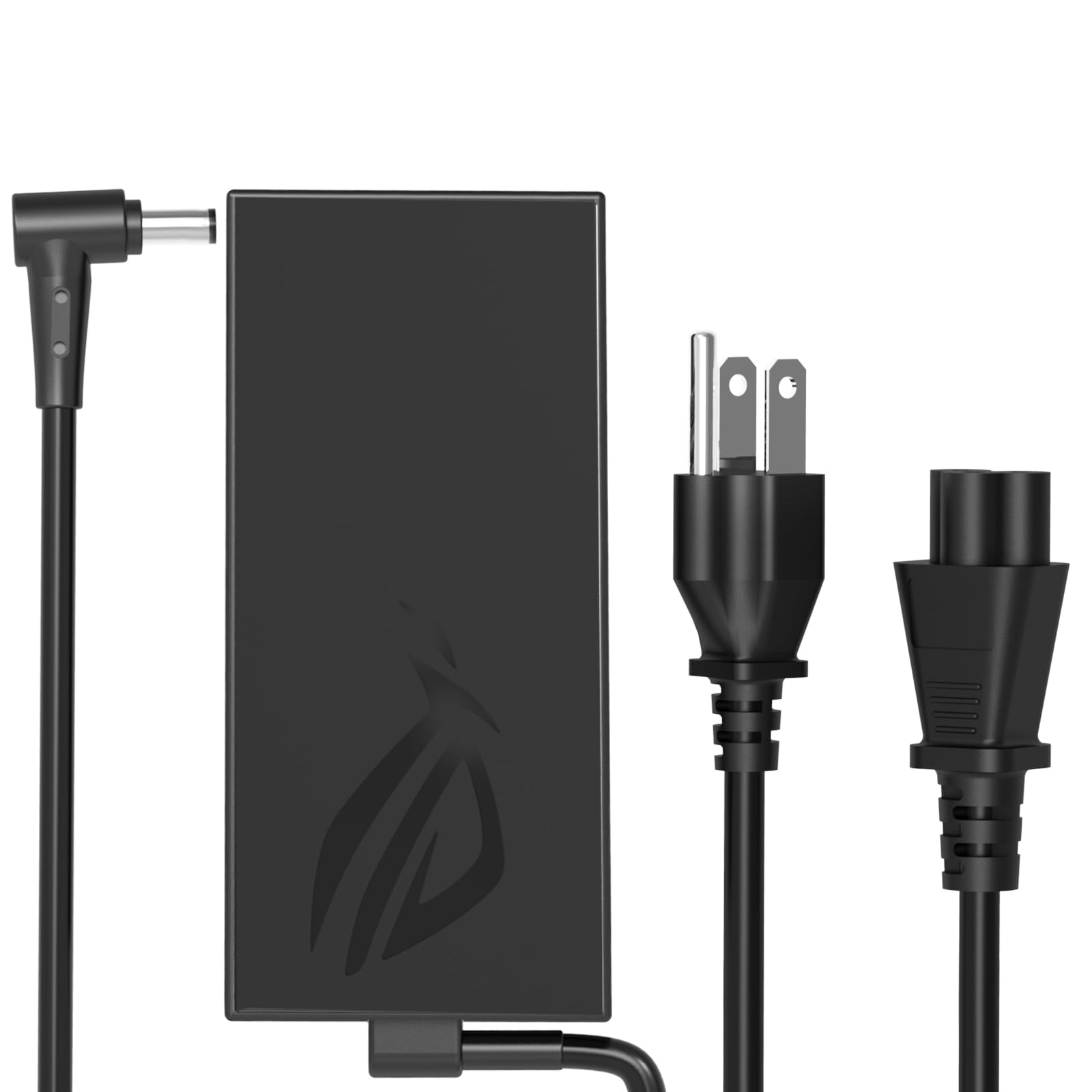
8. JAART 150W Charger for ASUS TUF Gaming & ROG Strix
A budget ASUS stand-in that fits perfectly but asks for gentle care
For ASUS TUF A15 or A17 owners on a tight budget, this JAART charger nails the fit — compatibility is the trait buyers praise most, with owners confirming it slots perfectly into FX505, FA506, FX506HF, and FX705 models. One reviewer noted the cable is actually a little longer than the original, which adds a touch of placement freedom you do not expect at this price tier.
It outputs 20V at 7.5A for 150W and includes both a 6.0mm x 3.7mm tip and a 5.5mm x 2.5mm tip, giving you two barrel sizes to match older and newer ASUS machines. The 100–240V input range covers home and travel use, and the package includes the power adapter plus an AC power cord.
The honest reality is that durability is this unit’s weak spot. While many customers note it works perfectly and charges fast, a smaller subset describes failures — one unit stopped holding a charge within about a month, and a separate report mentioned a melted cable after a couple of months. Treat this as a budget stopgap for light-to-moderate use, not a charger you want powering an expensive machine daily for years. If your laptop is your livelihood, the LVYATUO ASUS pick above is worth the step up.
Where it wins
- Compatibility praised most — perfect fit for ASUS TUF and ROG models.
- Includes two tip sizes (6.0mm and 5.5mm) for broader laptop coverage.
- Cable runs a little longer than the original, reviewers point out.
Where it falls short
- Durability concerns are real: some units fail within weeks to a couple of months.
- One owner reported a melted cable after failure — a reminder to unplug when not in use.
Fine for: an occasional-use spare or a tight-budget ASUS owner who accepts shorter expected lifespan.
Avoid if: you need daily reliability for a primary work or gaming machine — invest in the higher-rated ASUS charger instead.
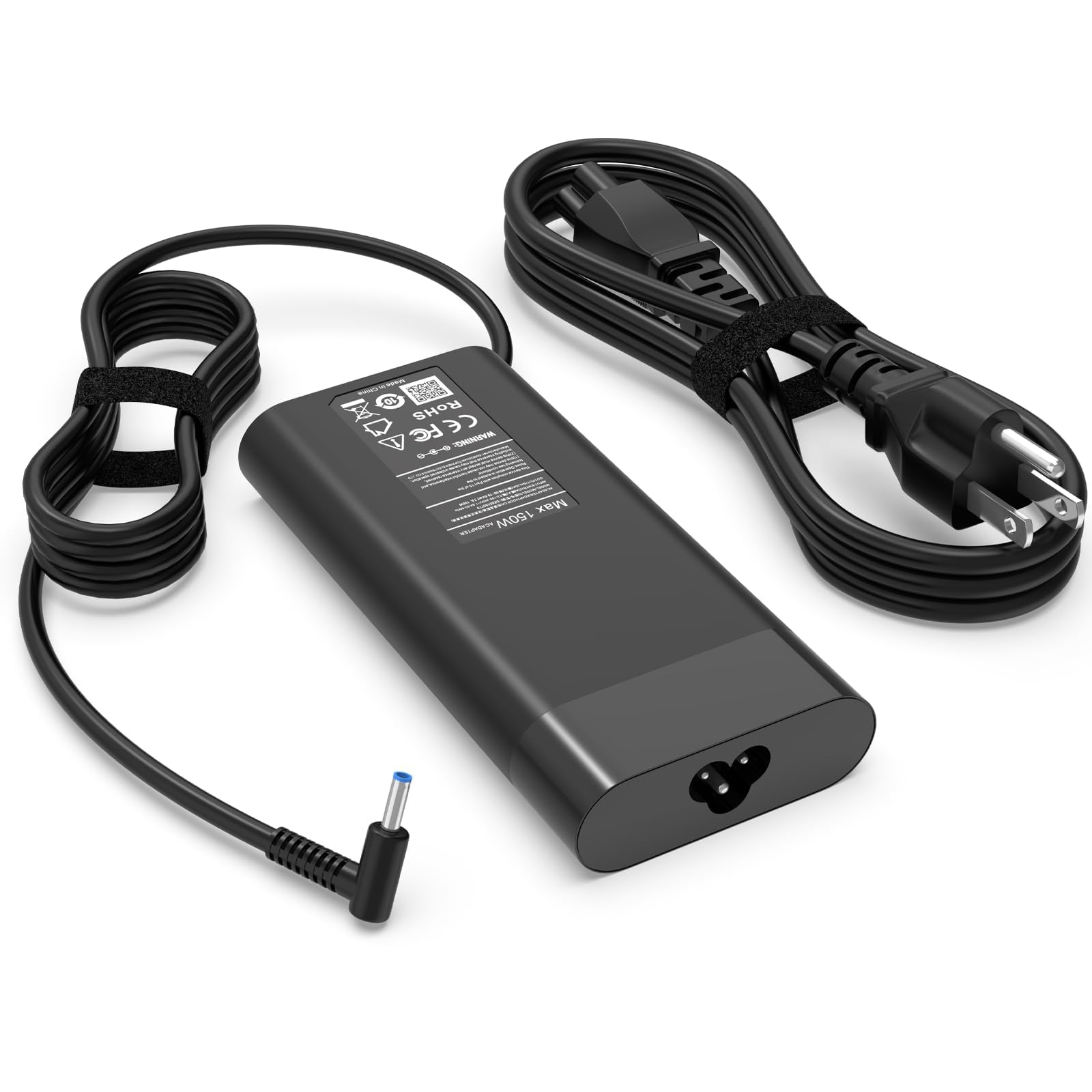
9. Ruilezyo 150W Charger for HP ZBook & OMEN
A svelte blue-tip replacement that is slimmer than the HP brick it swaps
HP ZBook and Pavilion Gaming owners looking for the lowest-cost entry into the 4.5mm blue-tip family find a fit here — buyers praise the fit most, with one owner noting it resolved a power issue on a ZBook that would not turn on because a previous charger lacked the right voltage and amperage. Another describes it as slimmer and more compact than the original HP chargers they had cycled through.
It outputs 19.5V at 7.7A for 150W, with an input range of 100–240V at 50–60Hz. The compatibility list is broad: ZBook 15 G3/G4, ZBook 15u G3/G4, ZBook Studio G3–G8, ZBook Power G7, EliteBook 1050 G1 and 855 G7, OMEN 15/17, and Pavilion Gaming 15/17 lines. A built-in heat dissipation system plus IC chip technology provide overload, short-circuit, and overheat protection. The package includes the power adapter and cord with 24/7 email support behind it.
The honest trade-off is reliability — the most-discussed aspect here is mixed, and one buyer mentioned two units both stopped working a little after a month. Fit and slimness earn genuine praise, but this is the budget HP option where you accept some gamble on longevity. For a primary charger on a machine you depend on, the genuine HP unit or the NeaHao above gives far more confidence for a modest price increase.
The appeal
- Fit praised most — perfect match for ZBook and Pavilion families with 4.5mm tips.
- Slimmer and more compact than the HP originals, per owners.
- Heat dissipation system protects against overheating at full output.
The gamble
- Reliability is the most-discussed aspect and it is mixed, not glowing.
- Some units failed shortly after a month of use, so consider a backup plan.
Works for: a budget-minded HP ZBook/OMEN owner who wants a slim spare and accepts the durability risk.
Step up if: this is your only charger for daily work — the genuine HP unit costs more but is built to last.
Understanding the Specs
19.5V vs 20V Output
HP laptops almost always run on a 19.5V rail, while ASUS gaming machines typically use a 20V rail. The voltage must match what your laptop expects; if it does not, the machine may refuse to charge or throttle its performance. Check the label on your original adapter — it always lists the exact voltage and amperage your laptop needs.
Barrel Tip Size and Polarity
A 150W charger means nothing if the plug does not fit your port. HP’s 4.5mm x 3.0mm blue tip is common on ZBooks and OMENs, while the wider 7.4mm x 5.0mm round tip appears on docks and older EliteBooks. ASUS gaming laptops generally use the 6.0mm x 3.7mm barrel. Match the tip size exactly to your laptop’s charging port before you buy.
Amperage and Real Power Delivery
Wattage is voltage times amperage, so 19.5V at 7.7A equals about 150W. If you buy a charger with lower amperage than your original, the laptop will drain the battery faster than it charges during heavy use. Stay at or above the original amperage for full performance — never accept a lower-wattage brick as a permanent substitute.
OEM vs Third-Party vs Universal
Genuine OEM chargers (like the HP-branded unit) match factory behavior exactly and are the safest bet for daily use. Third-party brand-specific chargers (like the LVYATUO and NeaHao picks) offer similar performance for less money. Universal chargers (like the SlimQ) let you charge laptops plus phones from one brick, but require buying the correct laptop tip separately for your specific brand.
FAQ
Will a 150W charger damage a laptop that only needs 90W?
Is the 4.5mm blue tip different from the 7.4mm round tip on HP laptops?
Can I use a 19.5V HP charger on a 20V ASUS laptop?
Why do some 150W chargers run so hot during gaming?
What is the difference between a brand-specific charger and a universal one?
How do I know which HP part number my charger matches?
Can a 150W charger charge my laptop and phone at the same time?
Will an aftermarket charger work with an HP Thunderbolt Dock?
Will an aftermarket charger work with an HP Thunderbolt Dock?
Why does my laptop charge slowly even with a 150W charger?
Is it worth paying more for a genuine HP or ASUS charger?
Final Thoughts: The Verdict
For most buyers, the best 150w laptop charger is the LVYATUO for HP Docks because it pairs proven reliability with the widest compatibility across HP docks and older laptops. If you want true OEM confidence for a blue-tip ZBook or OMEN, the genuine HP adapter is the one that fixed gaming lag other bricks could not. And for the frequent traveler juggling a laptop and phone, the SlimQ 3-Port collapses everything into one lightweight brick.
How We Picked
We do not accept paid placement. Every pick is matched to a real buyer and a real use-case; we do not hands-on test units.
Sources & Methodology
Specifications: manufacturer listings and product documentation. Review insights: verified customer reviews, as of September 2026. Pricing: not shown on this page (it changes often); check the current price via the retailer link.
As an Amazon Associate, Gadgets Feed earns from qualifying purchases. This does not affect which products we feature.