
Our readers keep the lights on and my morning glass full of iced black tea. As an Amazon Associate, I earn from qualifying purchases.
Specs are compiled from manufacturer listings and verified buyer reviews and can change over time — please confirm the key details on the product page before buying.
Buying a budget prebuilt PC is a maze of confusing model numbers, and the fear of getting a machine that can’t handle your favorite game is real. This guide cuts through the noise to focus on the components that actually matter for your money—the processor, graphics card, and RAM—so you can buy with confidence and play without frustration.
I’m Min — the founder and writer behind Gadgets Feed. This guide is built by comparing the manufacturers’ published specifications and the patterns across verified customer reviews, so you get each pick’s real strengths and trade-offs instead of marketing spin.
Whether it’s for esports or office work, we’ve matched rigs to the games you play, and here is the best budget prebuilt pc you can choose without overpaying for specs you’ll never use.
Our Picks at a Glance
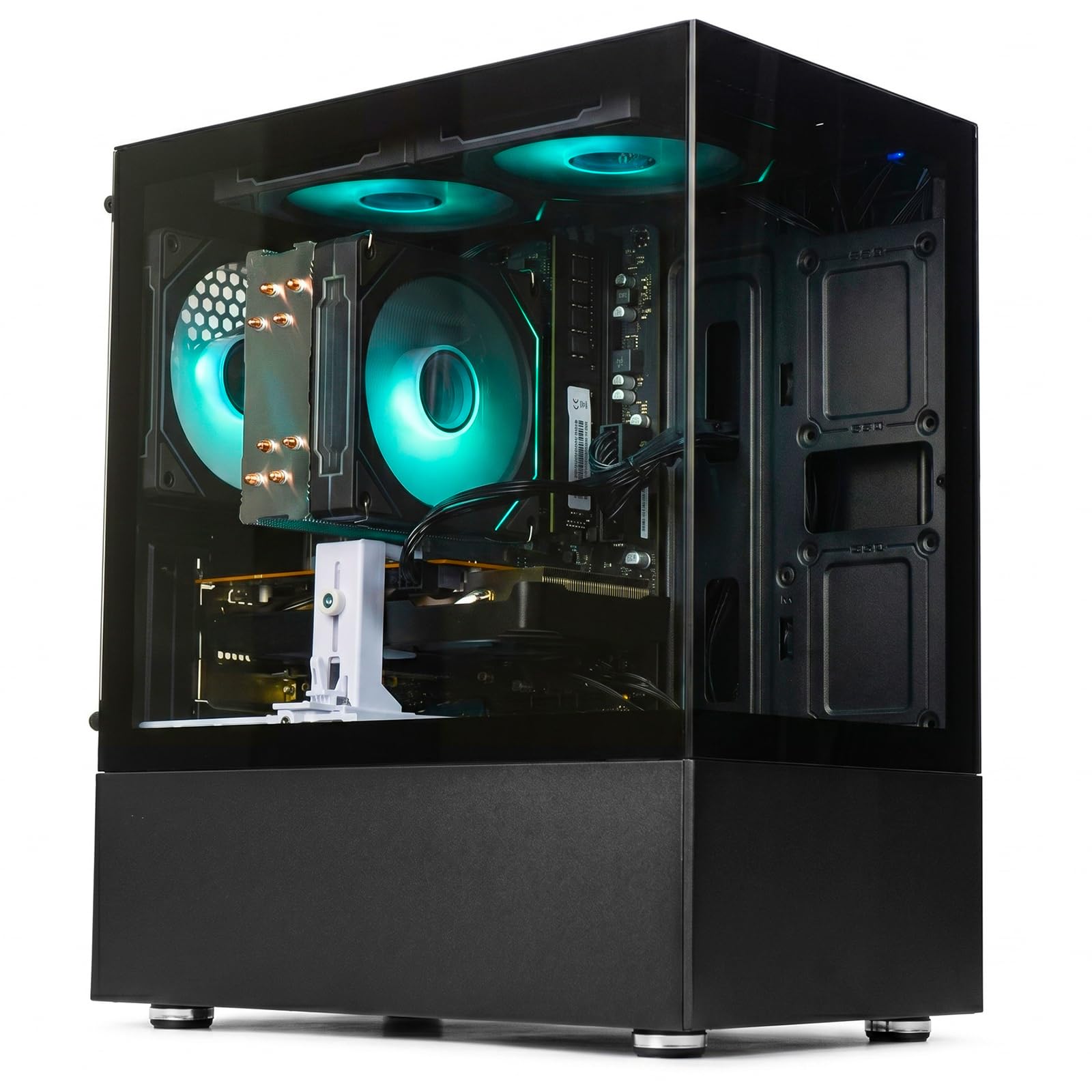
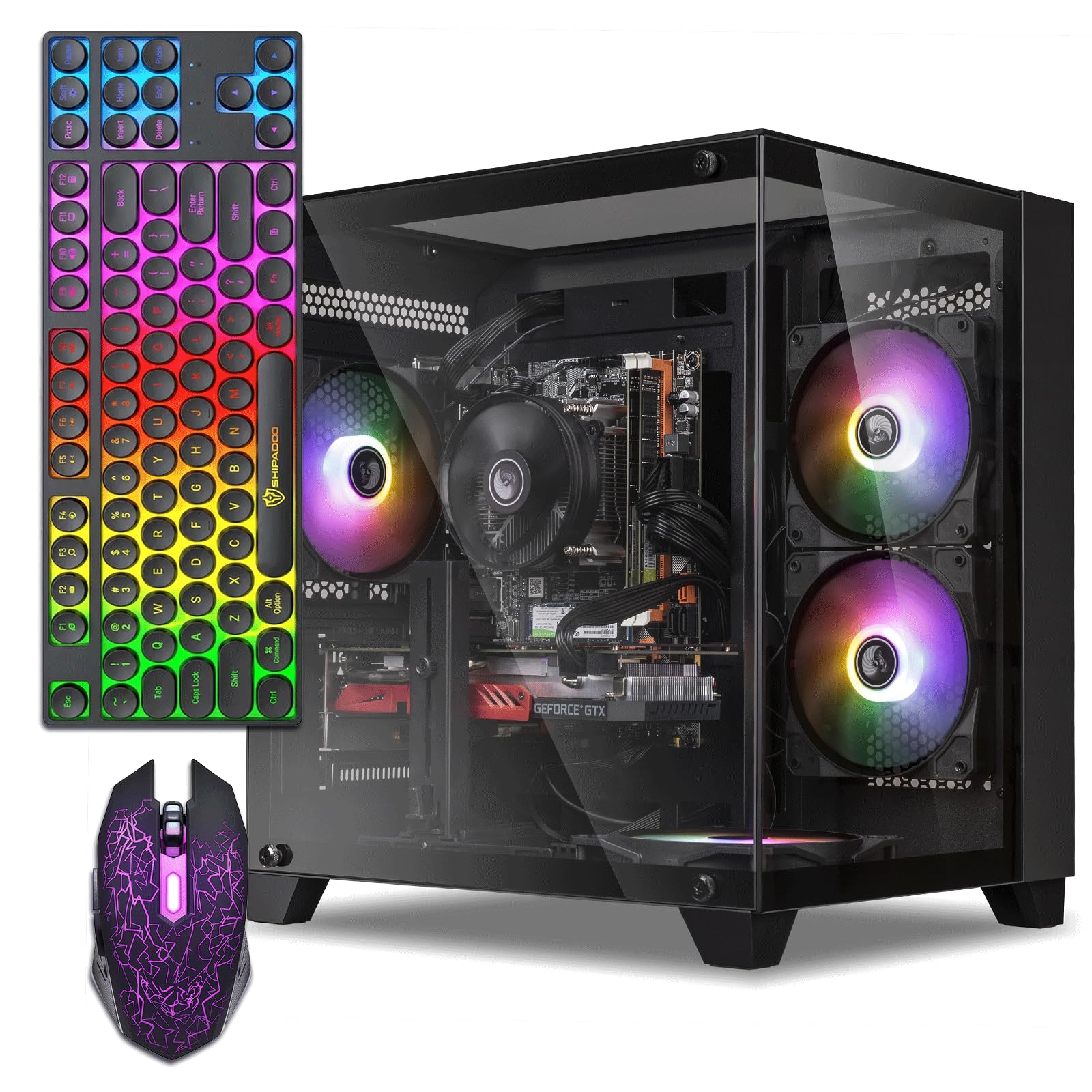

How To Choose The Best Budget Prebuilt PC
Buying a prebuilt means trusting someone else’s part choices, so you need to verify the parts list rather than the promises. The secret isn’t finding the cheapest option—it’s finding the one with the newest core components, since that determines how long it stays relevant and whether it can run Windows 11 without issue.
Prioritize the Graphics Card for Gaming
If gaming is the goal, the graphics card (GPU) is your first filter. Look for a dedicated GPU with its own video memory—like the GTX 1660 Super or RX 560—rather than relying on the processor’s built-in graphics. A card with a higher number after the name (GTX 1660 vs GTX 1050) and more VRAM (video memory) generally means higher frame rates at 1080p.
Understanding Core Counts and Clock Speed
The processor, or CPU, acts as the brain of the PC. A modern processor with more cores and threads, like a Ryzen 5 or Core i5, handles multitasking—running a game, Discord, and a browser—without stuttering. While the clock speed (measured in GHz) indicates peak responsiveness, a newer architecture with a higher number of cores often provides better real-world performance than an older chip with a higher advertised GHz.
Check for Windows 11 Compatibility and Storage
A key pitfall with budget PCs is finding an older refurbished machine that can’t officially support Windows 11, which can cause freezing or a dead end when updates arrive. Verify the listing states Windows 11 support rather than requiring a workaround, and prioritize an SSD (Solid State Drive) over a mechanical hard drive. An SSD’s lightning-fast read/write speeds mean your OS boots and games load in about half the time of older drives.
Quick Comparison
| Model | Best For | Graphics Card (GPU) | Processor (CPU) | Storage Capacity | Amazon |
|---|---|---|---|---|---|
| LXZ Gaming PC★ Best Overall | Modern Cores & 3A Gaming | Radeon RX 560 4GB | Ryzen 5 4500 | 512GB NVMe SSD | Amazon |
| ZER-LON Gaming PCBest Value Bundle | Complete Beginner Bundle | Radeon R7 350 4GB | Core i5-3470 | 512GB SSD | Amazon |
| Dell RGB Gaming TowerStyle Pick | Fast 1080p Esports. | GeForce GTX 1050 Ti 4G | Core i7 6th Gen | 512GB SSD | Amazon |
| STGAubron Gaming PC | Ray Tracing Potential | RTX 2060 6G | Core i5 | 512GB SSD | Amazon |
| WIWB Prebuilt Gaming PC | Upgradeable White Build | Radeon RX 560 4GB | Ryzen 5 3500X | 512GB SSD | Amazon |
| WIWB Ryzen 7 Desktop | Office Powerhouse | Radeon RX 580 8GB | Ryzen 7 4700LE | 512GB SSD | Amazon |
| YAWYORE Gaming PC | Storage & Quiet Fans | Radeon Vega (Integrated) | Ryzen 5 5600GT | 1TB NVMe SSD | Amazon |
| NINGMEI Gaming PC | High FPS 1080p Gaming | GeForce GTX 1660 Super 6GB | Ryzen 5 5500 | 1TB Gen4 NVMe SSD | Amazon |
In-Depth Reviews
1. LXZ Gaming PC Desktop
Our pick — over 4★ from 60+ verified ratings; the strongest balance of quality and price.
The modern-core pick that actually plays 3A titles, not just esports.
This rig earns the top spot because it pairs a modern 6-core, 12-thread Ryzen 5 4500 processor (boosting to 4.1GHz) with a dedicated Radeon RX 560 4GB GPU. The result is a system that balances processor speed against graphics power better than its peers, handling video editing and streaming alongside mainstream gaming without breaking a sweat.
You get smooth multitasking and fast load times without touching a screwdriver. The 16GB of dual-channel DDR4 RAM (memory that works in pairs for quicker data flow) lets you switch between apps without stutter, and the 512GB NVMe SSD (a solid-state drive that connects directly to the motherboard) boots Windows in seconds and slashes game loading screens. This “Plug and Play” tower arrives debugged and ready to run the moment you plug it in—so you can jump straight into office work or GTA V. Buyers report it offers “Easy setup, lightweight, ample storage, smooth gaming,” with one noting Overwatch hitting its 300 FPS cap.
There is a caveat if you are a hardcore competitive player on the latest versions of Windows. Some have noted that Valorant is incompatible with Windows 11, requiring an install of Windows 10 to run it. A few others who only use it for heavy graphics or high-end gaming suggest looking at a stronger GPU, but for the vast majority of buyers—from students to office workers—this is a solid, quiet performer.
Why it wins
- Modern 4.1 GHz 6-core Ryzen CPU outperforms older budget chips
- Versatile for office, video editing, and esports
- 16GB RAM with 512GB NVMe SSD for fast loads
Watch out for
- Some anti-cheat games need Windows 10 instead of 11
- Entry-level GPU won’t max out new AAA titles
The top performer: If you want one PC that does office work, video editing, and mainstream gaming, this is the balanced choice with the most modern processor foundation.
A small catch: Competitive Valorant fans on Windows 11 might hit a snag, so factor in the OS you plan to run.
2. ZER-LON Gaming PC Desktop
The budget champion that shows up fully equipped with keyboard, mouse, and RGB.
For those wanting a true starter package, the ZER-LON provides exceptional value for money by including a gaming keyboard, mouse, and mouse pad in the box. It is driven by an Intel Core i5 processor (boosting up to 3.6GHz) and a dedicated Radeon R7 350 4GB graphics card, which lets it run 1080p/60fps on most games. Owners mention the CPU idles around 40°C, and even in demanding sessions like Marvel Rivals, it peaks at 60°C, keeping temperatures normal.
It is particularly a hit with teens and beginners: Fortnite, Roblox, Minecraft, and CS run smoothly on it. Setup is a breeze from the start, and the WiFi connection is strong without lag spikes. The case is a bit on the larger size but not overwhelmingly so, allowing for decent airflow that keeps the system stable.
There are important limitations to know. The processor is an older generation i5-3470 that can’t officially support Windows 11, and it relies on a backdoor install. The motherboard is also limited, offering no CPU upgrade path, and there is no Bluetooth adapter built-in. If you need to push modern AAA games or want a future-proof upgrade path, this isn’t the one.
What you get
- Complete with RGB fans, keyboard, mouse, and pad
- Plenty of ports: 2x USB 3.0, 6x USB 2.0, RJ-45
- Multiple display outputs for monitors
What’s missing
- No Bluetooth support
- Outdated CPU with no upgrade path
The perfect starter: This is the set-and-play choice for a teen’s first gaming rig where titles like Roblox and Minecraft are the main diet.
Look elsewhere if: Your goal is playing the newest triple-A games at high settings or you want a machine ready for Windows 11.
3. Dell RGB Gaming Tower Computer
A used-office-workhorse reborn with RGB flair and surprising gaming chops.
This renewed Dell OptiPlex tower earns its spot by delivering more frames per dollar than the typical budget prebuilt. Its Intel Core i7 6th Generation processor (a CPU running at 3.40GHz) pairs with a GeForce GTX 1050 Ti 4GB graphics card (a GPU with 4GB of video memory) to push 120+ FPS in Overwatch 2 and Valorant on low settings—so competitive shooters stay fluid—and 60+ FPS in Witcher 3 on high for smoother exploration. The GTX 1050 Ti is a legendary budget card, and the i7’s strong single-core speed (how fast one processor core handles tasks) keeps frame rates high even in CPU-heavy moments. skip it if you want to play the latest AAA titles at ultra settings; this rig is built for esports and older games, not cutting-edge graphics.
Owners praise the system for its value and suitability, noting it exceeds expectations for the price and even handles productivity suites like DaVinci Resolve and Krita without overheating. The package is fully loaded, too, with a customizable RGB keyboard, mouse, and RGB speakers included to match your style. Noise levels are generally low, and the setup just needs a monitor to be complete.
The honest catch here is reliability—it is the most “mixed bag” aspect of this prebuilt. The system runs Windows 11 Pro, but it often requires built-in driver updates to avoid adware, and some units have reported keyboard issues or freezing. This is a great “value entry PC” if you’re comfortable doing basic driver management yourself. If you want a totally hands-off warranty experience, note that coverage is only around 90 days.
The highlights
- Blazing fast for esports—120+ FPS in Valorant
- Full RGB set with keyboard, mouse, and speakers
- Handles 1080p and creative software without overheating
The trade-offs
- Reliability can be hit-or-miss across units
- Short 90-day warranty support
The speed pick: This suits a gamer who prioritizes high frame rates in Valorant and Overwatch over playing the newest single-player epics.
Better to skip: If you want a machine that runs flawlessly with zero driver tinkering, spend more for a new system with a longer warranty.
4. STGAubron Gaming PC Desktop

The RTX 2060 option that brings modern features like ray tracing to the budget tier.
If you want the most powerful graphics card at a reasonable price, this STGAubron is it. It comes with a GeForce RTX 2060 6G GPU—a significant step up from the GTX 10-series cards, offering features like ray tracing and DLSS (Deep Learning Super Sampling, an AI upscaling tech that boosts FPS). This GPU is paired with a Core i5 processor that boosts up to 3.7GHz, 16GB of RAM, and a 512GB SSD.
The input and output options are generous. It includes Bluetooth 5.0 support and Wi-Fi 6 connectivity, ensuring a stable wireless signal for online play. With an RGB gaming mouse and keyboard included, plus 2 RGB fans, it is set to be a colorful centerpiece. Owners note the internal wiring is perfect, the build quality is solid, and free lifetime tech support backs the purchase.
However, review patterns reveal a “good or bad depending on what you want” situation. Some customers note the listed 12+ year-old hardware is outdated and not officially compatible with Windows 11 (requiring a workaround for the missing TPM 2.0 chip), and the Wi-Fi adapter can be weak. While the 98 positive performance notes show the RTX card is loved, treat this as a capable gaming rig, not a future-proof workhorse.
The power upgrade
- RTX 2060 6GB enables ray tracing and DLSS
- Wi-Fi 6 and Bluetooth 5.0 built-in
- 1-year parts & labor with lifetime support
Proceed with care
- Windows 11 compatibility relies on a workaround
- USB Wi-Fi adapter quality is often criticized
The graphics gambit: If you do not mind a manual install workaround to get Windows 11, the RTX 2060 here is the strongest pure gaming silicon in the mid-range group.
Who it frustrates: Buyers who expect everything to be current and plug-and-play, as the internal components are dated.
5. WIWB Prebuilt Gaming PC Desktop
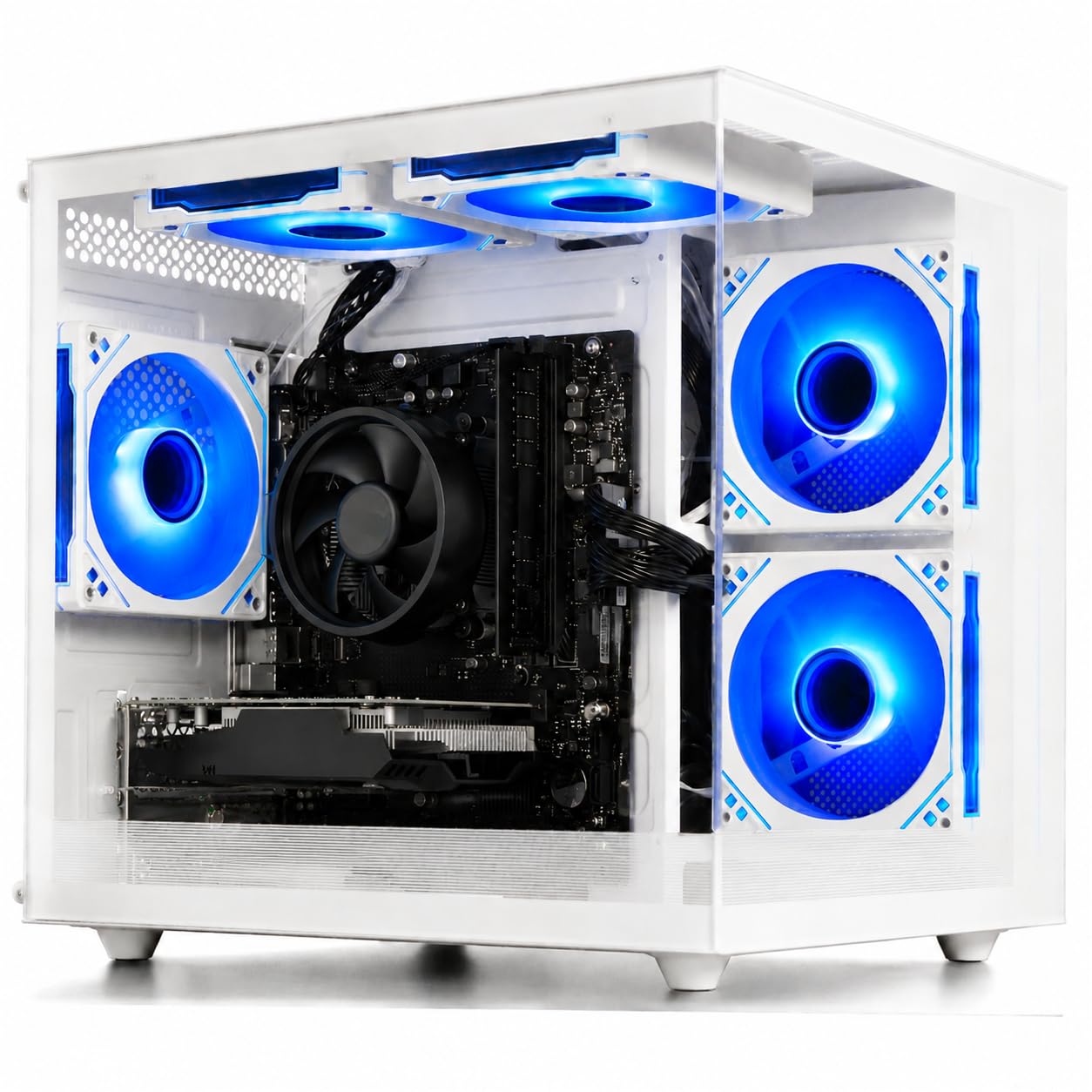
A white tower built with the future in mind, offering real upgrade slots.
This WIWB build focuses on being a “perfect starter” that leans into the future. The Ryzen 5 3500X chip has a base speed of 3.6GHz and boosts up to 4.1GHz, and crucially, it is paired with a motherboard that has multiple reserved slots for future expansion. “Upgradeable” is the keyword—it offers M.2 SSD and DDR4 memory slots so you can add drives or RAM later without a full rebuild.
Performance is well-balanced for the money. The Radeon RX 560 4GB GDDR5 discrete card supports DirectX 12 and runs esports favorites like League of Legends and CS:GO smoothly, plus light AAA titles at medium settings. Reviewers point out it is very quiet even after long sessions, and the white case with a button on top to cycle RGB colors adds some personal flair.
One aspect that shines is the company’s support: it comes with a 1-year manufacturer warranty and online technical support. While the components are entry-level, the ability to swap out the graphics card for a stronger one means this case can grow with your skill level. It’s a great value for a student, letting them learn on a solid machine that doesn’t require a steep initial investment.
Built to grow
- Reserved M.2 and DDR4 slots for future upgrades
- Quiet operation for focused work or play
- 1-year manufacturer warranty and online support
Entry-level limits
- GPU output is capped for 1080p medium settings
- Glass panel can be tricky to remove for cleaning
Looking ahead: Reach for this if you want an affordable system that you plan to upgrade component-by-component as you save up.
The first limitation: Esports are great, but heavy AAA single-player titles will need those future upgrades sooner rather than later.
6. WIWB Ryzen 7 Prebuilt Gaming PC
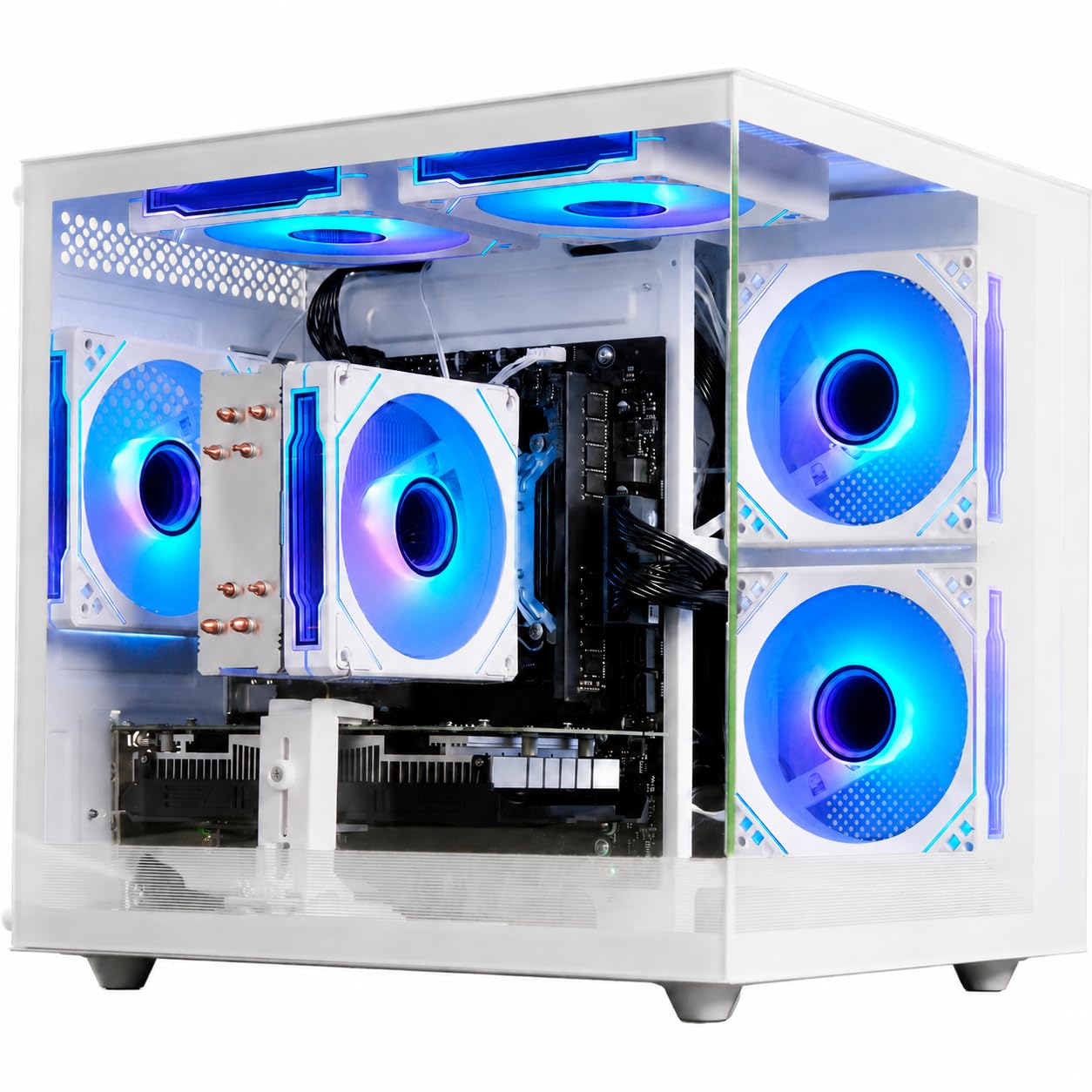
An 8-core processing beast that makes multitasking and creative work easy.
This desktop is a secret weapon for heavy multi-taskers. Inside is the Ryzen 7 4700LE processor, an 8-core, 16-thread chip that boosts up to 4.2GHz. That architecture means it can chew through spreadsheets, video calls, and 20 browser tabs simultaneously without lag. It is backed by 16GB of 3200MHz DDR4 RAM and a responsive 512GB SSD for quicker startup and app access.
For visuals, the dedicated Radeon RX 580 8GB graphics card provides plenty of memory—more than enough to support a 5k2k ultra-wide monitor for productivity. The system handles dual monitors and multitasking flawlessly, running Chrome, Slack, Zoom, and spreadsheets concurrently. It’s a quiet, snappy machine that owners call an excellent pick for a home office or a student’s all-rounder.
It does come with a reliability warning that reads like a coin flip: while many call it a great value Windows 11 Pro PC, a minority report it crashing with persistent blue screens after installing updates. The RX 580 is also aging for the newest titles—owners say it might not run high-performance games at max settings—but it remains perfect for esports and 1080p mainstream titles. This is best suited for productivity first, gaming second.
The strengths
- 8-core, 16-thread Ryzen 7 handles heavy multitasking
- 8GB GPU memory supports high-res monitors
- Comes ready for work with Windows 11 Pro
The risks
- Reliability is mixed—some experience blue screens
- Older GPU architecture limits high-end gaming
For the multitasker: If your day is spreadsheets, streams, and creative apps rather than maxing out new releases, this processor gives you the most cores for the cash.
Keep in mind: A faulty unit can hit a blue screen loop, so ensure you have a return window that works for you.
7. YAWYORE Gaming PC Desktop

A massive 1TB drive and whisper-quiet cooling make this the clearest canvas.
YAWYORE offers the most storage for the price. This machine pairs the AMD Ryzen 5 5600GT processor (running at 3.6GHz boost clock with 4.6GHz turbo) with a spacious 1TB NVMe PCIe SSD. Having that extra drive space means you can install a large game library and still have room for video projects, music, and files without worrying about running out of room.
It uses a 550W 80PLUS Bronze certified power supply for stable, energy-efficient operation, so you have headroom to upgrade. Inside, 5 x 12cm ARGB fans and an AMD air cooling system keep things quiet and cool. Owners praise the case’s build quality and sturdy feel, noting that the machine turns on perfectly from the start. It is also lauded for handling GPU upgrades well, giving beginners room to add a stronger dedicated graphics card later.
Because it relies on the integrated AMD Radeon Vega Graphics, it is built for 1080p mainstream games at quality frame rates rather than hardcore AAA gaming. Some buyers find gaming performance lacking for modern shooters, preferring a dedicated GPU. The WiFi connectivity also gets mixed reviews, with some finding it easy to connect while others report drop-offs. This is your pick if you value storage and quiet operation over raw graphics power.
Plenty of space
- Generous 1TB M.2 NVMe PCIe SSD storage
- 550W 80PLUS Bronze PSU for stable power
- Quiet cooling with 5 ARGB fans
Graphics reality
- Integrated Vega graphics limit heavy gaming
- WiFi can be a mixed bag for some buyers
The expansion canvas: This suits a beginner who wants a whisper-quiet, high-storage PC for daily use and plans to install a dedicated graphics card soon.
Not for esports purists: You will want a model with a discrete GPU for a smooth competitive edge in titles like Fortnite and Valorant.
8. NINGMEI Prebuilt Gaming PC

Serious 1080p firepower with a 1TB Gen4 drive and a modern 6-core CPU.
Quad-HD is possible, but this NINGMEI is all about demolishing 1080p. It is the top gaming spec in this lineup thanks to the GeForce GTX 1660 Super 6GB GDDR6 graphics card, a GPU known for delivering high, stable FPS at 1080p. Backing it is the AMD Ryzen 5 5500 processor with 6 cores and 12 threads that boosts to 4.2GHz, ensuring no bottleneck when things get intense.
It is built for longevity with 16GB of fast 3200MHz DDR4 RAM that includes heat spreaders, and storage is a rapid 1TB Gen4 NVMe M.2 SSD—one of the fastest drive formats available. A 650W 80+ Bronze Certified Power Supply with 6 ARGB fans keeps everything cool under pressure. The internal layout is a highlight: it uses a B450M chipset motherboard with tool-less side panels, making upgrades simple without a screwdriver.
While fans are quiet during general use, they are reported to get noticeably loud with heavy mods or demanding games like The Sims 4, but there are no crashes even after 6 months of use. The branding might be unfamiliar, but the components inside are established. This is a great value box that offers serious gaming performance from the start, and it comes with a free oversized mouse pad.
Gaming muscle
- GTX 1660 Super 6GB is the fastest GPU here
- 1TB Gen4 NVMe SSD for ultra-fast load times
- 650W Bronze PSU leaves room for upgrades
Minor noise
- Fans get loud under heavy loads
- Customer service reputation is inconsistent
The gamer’s choice: Skip the entry-level cards—if you want to play AAA titles at high settings with high FPS right now, this offers the best performance-per-dollar.
The only ask: Ensure you are happy with fan noise during intense sessions, as it’s not a silent PC under load.
Understanding the Specs
Dedicated vs. Integrated Graphics
This is the single most important spec for gaming. A dedicated GPU is a separate card (like the GTX 1660 Super or RX 580) with its own video memory, designed to handle complex 3D rendering. Without it, your PC relies on the CPU’s integrated graphics (like Vega), which often struggles to maintain smooth frame rates in modern games. If esports and AAA gaming are the goal, prioritize a dedicated card with at least 4GB of its own memory—integrated graphics are best reserved for office work and very light games.
The Upgrade Path and Connectivity
Budget prebuilts often use proprietary or stripped-down motherboards that limit future upgrades. Before buying, check that the board has extra DIMM slots for adding RAM (remember, DDR4 is different from DDR5) and a standard PCIe x16 slot for swapping in a better graphics card later. Also, confirm the power supply wattage—a 650W 80+ Bronze unit provides room to grow, while a bare-bones 300W unit might require an upgrade whenever you add a power-hungry component.
FAQ
Can I play Fortnite or Valorant on a budget prebuilt PC?
How much RAM do I really need for gaming?
Is 512GB of SSD storage enough?
What does “renewed” mean for a prebuilt PC?
How do I know if the PC supports Windows 11?
Should I buy a PC with Wi-Fi built-in or use an adapter?
What is the difference between GDDR5 and GDDR6 memory on a graphics card?
How long will a budget prebuilt PC last?
Are cooling and noise levels an issue with budget towers?
Do I need to buy extra accessories like a keyboard and mouse?
Final Thoughts: The Verdict
Across the board, the best overall budget prebuilt pc is the LXZ Gaming PC Desktop because its modern Ryzen 5 4500 processor and 16GB RAM future-proof it for years of office work and esports gaming. If you want maximum raw gaming frames right from the start and have a little more budget, the NINGMEI Gaming PC with its GTX 1660 Super is a strong step up. And for a first-time buyer who wants a complete setup without buying extras, the ZER-LON Gaming PC offers the strongest bundle value with its included keyboard and mouse. With 65 ratings giving the LXZ a strong 4.4-star average, it is a crowd favorite for a reason.
How We Picked
We do not accept paid placement. Every pick is matched to a real buyer and a real use-case; we do not hands-on test units.
Sources & Methodology
Specifications: manufacturer listings and product documentation. Review insights: verified customer reviews, as of September 2026. Pricing: not shown on this page (it changes often); check the current price via the retailer link.
As an Amazon Associate, Gadgets Feed earns from qualifying purchases. This does not affect which products we feature.