
Our readers keep the lights on and my morning glass full of iced black tea. As an Amazon Associate, I earn from qualifying purchases.
Specs are compiled from manufacturer listings and verified buyer reviews and can change over time — please confirm the key details on the product page before buying.
A storage failure can wipe out your photos, projects, and files in an instant. A backup solid state drive (SSD) survives drops and bumps that would destroy a traditional hard drive, and it transfers data several times faster. The real question is which speed, capacity, and durability rating fits your workflow without overpaying for features you’ll never use.
I’m Min — the founder and writer behind Gadgets Feed. This guide is built by comparing the manufacturers’ published specifications and the patterns across verified customer reviews, so you get each pick’s real strengths and trade-offs instead of marketing spin.
If you back up 4K video, archive a game library, or safeguard work documents, this guide to the backup solid state drive explains the specs in plain language so you pick the right model for your situation.
Our Picks at a Glance


How To Choose The Best Backup Solid State Drive
Choosing a backup drive depends on transfer speed, storage capacity, and durability. Understanding these specs before you buy prevents overpaying for speed your computer can’t use or choosing a fragile drive that fails on your commute.
Speed: It Depends on the Port
A 2000MB/s drive isn’t always faster than a 1050MB/s drive. That’s only true if your computer has a USB 3.2 Gen 2×2 port that supports those faster speeds. Many laptops and desktops only have Gen 2 ports, which max out at 1050MB/s. If you plug a 2000MB/s drive into an older port, you’ll get the same speed as a cheaper drive.
Durability: Look for the IP Rating
Backup drives travel in bags, get knocked off desks, and face dust at job sites. An IP65 rating means the drive is fully protected against dust and can handle water jets from any direction. An IP rating is a more useful durability indicator than drop protection alone, as it guarantees protection against the elements that damage electronics over time.
Pick the Right Storage Amount
Before you buy, check the size of the files you plan to back up. A 1TB drive holds around 200,000 photos or over 300 hours of HD video. For most people with documents and family media, 1TB is the balance. If you edit video or keep an entire game library, step up to a 2TB model so you don’t juggle multiple drives.
Quick Comparison
| Model | Best For | Capacity | Max Speed | Durability | Amazon |
|---|---|---|---|---|---|
| Samsung T7★ Best Overall | Overall reliability and speed | 1TB | 1050 MB/s | 6ft Drop | Amazon |
| SSK Portable SSDBudget Champion | Budget travelers | 1TB | 1050 MB/s | Aluminum case | Amazon |
| Lexar ES3Slim Pick | Ultra-thin pocket carry | 1TB | 1050 MB/s | 10.5mm thick | Amazon |
| Vansuny 2TB | Cost-effective high capacity | 2TB | 500 MB/s | Metal casing | Amazon |
| Crucial X9 | Rugged outdoor use | 1TB | 1050 MB/s | IP55 + 7.5ft | Amazon |
| Amazon Basics SSD | Fast budget mainstream | 1TB | 2000 MB/s | IP65 | Amazon |
| fanxiang 2TB | Budget high-capacity speed | 2TB | 2000 MB/s | Aluminum alloy | Amazon |
| SanDisk Extreme 1TB | Rugged everyday carry | 1TB | 1050 MB/s | IP65 + 3m | Amazon |
| SanDisk Extreme 2TB | Premium speed and capacity | 2TB | 2000 MB/s | IP65 + 3m | Amazon |
In‑Depth Reviews
1. Samsung T7 Portable SSD 1TB
Our pick — over 4.5★ from 21,000+ verified ratings; the strongest balance of quality and price.
The all-rounder that handles heavy workloads and accidental drops without breaking a sweat.
The Samsung T7 earns its reputation through sheer consistency. Its PCIe NVMe technology delivers read and write speeds up to 1,050/1,000 MB/s. That raw speed translates to real-world results—buyers report moving 100GB of data in roughly one minute and recording seven simultaneous 1080p30 video streams with no dropped frames or errors. For video editors, that means you can edit directly off the drive without lag.
Its durable design is built around a solid aluminum unibody construction with shock resistance and fall protection up to 6 feet. Owners who mount it in a Rivian for constant dashcam recording report it handles both the car’s heat and continuous write cycles without issue. The drive is also smaller than a credit card, making it easy to slip into a pocket or camera bag.
Security is a key differentiator here. The T7 includes 256-bit AES hardware encryption, which keeps your files locked with password protection without slowing down transfers. Compatibility spans PC, Mac, smartphone, tablet, and gaming consoles including PlayStation 4 and 5, so it adapts to whatever devices you own.
speed plus durability
- Blazing fast real-world transfers—100GB in about a minute
- Solid aluminum build handles drops up to 6 feet
- Smaller than a credit card for easy pocket carry
- Hardware encryption keeps data secure
premium price tag
- Gets warm during sustained transfers, though owners confirm it stays within safe limits
- Requires a USB 3.2 Gen 2 port for full speed
grab for transfers: you need one drive that balances speed, durability, and security for daily backups and creative work.
avoid on budget: you want maximum capacity at the lowest cost—this caps at 1TB and carries a premium over budget brands.
2. SSK Portable SSD 1TB
A featherlight 36.6-gram drive that delivers flagship speed for a fraction of the price.
The SSK Portable SSD earns its spot for budget buyers because it matches the Samsung T7’s 1050MB/s read and 1000MB/s write speeds at a friendlier price, and it’s lighter than the Lexar ES3 at 36.6g versus 42g. Owners love it for automotive dashcam use, with one noting the car formatted it in seconds and that it’s “much less expensive than some of the other options.” For phone users, it captures 4K60Hz ProRes HDR video from iPhones while drawing less than 2.4 Watts of power.
Heat management is a thoughtful touch here. A 2mm thick aluminum alloy case keeps temperatures peaking at 105.58°F, so sustained backups won’t throttle or overheat. The package includes both USB-C and USB-A cables, which means it bridges older laptops and newer phones without needing an adapter.
Durability is the honest trade-off at this price. While the aluminum case feels premium, the long-term reliability reports are more mixed than premium brands—some owners mention units failing within a year. For a primary backup of irreplaceable files, consider keeping a second copy elsewhere.
choose for casual: you want a light, fast drive for phone backups, dashcams, or everyday files without spending premium money.
reconsider heavy use: you need absolute long-term reliability for critical data—this one has occasional reports of failures down the line.
3. Lexar ES3 1TB Portable SSD
At just 10.5mm thick and 42g, this drive slides into a pocket like a credit card.
The Lexar ES3 is engineered for those who prioritize portability above all else. It supports USB 3.2 Gen 2 speeds up to 1050MB/s read and 1000MB/s write, though customers note that on a USB 3.0 port through a hub, it reliably holds 200-250MB/s—still fast enough for smooth daily use. For iPhone 17 series users and Android owners, it’s a plug-and-play companion for offloading photos and videos.
Security comes built-in via Lexar DataShield 256-bit AES encryption software. Owners praise the password protection for keeping private files locked, and the build quality holds up well. Its compatibility also extends to PS4, PS5, and Xbox Series X|S consoles, making it a versatile gaming storage expansion.
Connectivity is where reviews split. It works smoothly with iPhone 17 and Android, but it’s not supported on iPhone 14 and older models—a critical check if you have an older phone. Some owners also report the first 2-3GB of transfers run at high speeds before settling to a steady rate, which is typical of caching behavior (where the drive uses fast temporary memory first).
fit for travel: creatives and travelers who want a barely-there drive for quick backups and console game storage.
not for editors: iPhone 14 users or anyone expecting sustained peak speeds—the drive’s caching and iPhone support have limits.
4. Vansuny 2TB Portable External SSD

Doubles the storage of most rivals while keeping the footprint smaller than your palm.
The Vansuny 2TB SSD answers a simple need: maximum capacity for the money. Read and write speeds reach up to 500MB/s and 450MB/s respectively—slower than the 1050MB/s drives above, but perfectly adequate for storing photos, documents, and game libraries where transfer speed isn’t critical. The metal design promotes fast heat dissipation and stands up to daily handling.
Owners specifically note how easily it fits in a pocket or purse, calling it “not bulky or crazy looking.” The package includes a Type-A to Type-C data adapter (for older USB ports), a Type-A to Type-C cable, and a storage bag, so you can connect to modern laptops and older PCs right from the start. It works with Windows, Mac OS, and Android systems.
Reliability is the recurring concern in owner feedback. Some units work flawlessly while others fail completely, with a few reporting the drive stopped being recognized after weeks of use. This is the budget-tier trade-off: you get more storage per dollar, but you should maintain a second backup of truly critical files rather than trusting this as your only copy.
use for archives: you need 2TB of portable storage for archives and media libraries without premium cost.
doubt for critical: this will be your only backup—reliability reports are mixed and a second copy is wise for irreplaceable data.
5. Crucial X9 1TB Portable SSD

Built for all-weather travel with IP55 dust and water resistance plus a 7.5-foot drop rating.
The Crucial X9 is designed for those who take their backups into the field. It delivers up to 1050MB/s transfer speeds, and owners confirm real-world performance holding over 900MB/s. Its IP55 water and dust resistance means it shrugs off rain and dust, while the drop resistance up to 7.5 feet (2 meters) protects against clumsy moments. It’s the kind of durability that lets you toss it into a backpack without a second thought.
Compatibility is remarkably broad. It connects to Windows, Mac, iPad Pro, Chromebooks, Android, Linux, PS4, PS5, and Xbox via USB-C and USB-A. Owners use it to back up iPad Pro data, Android phone files, and work documents, keeping it permanently in a backpack pocket. The drive is impressively compact, measuring just 2 1/2 inches long and under 2 inches wide.
The main friction points are cosmetic. The polycarbonate case feels lighter-duty than metal rivals, and the included cable is short—owners recommend a longer cable for desktop use. Speed also varies by port, so a USB 3.2 Gen 2 connection is needed to hit those peak numbers.
take for daily: your backups travel through weather, job sites, or backpack chaos and need genuine IP-rated protection.
pass if needing rugged: you prefer a metal-body premium feel—this one uses a lighter plastic shell and a short bundled cable.
6. Amazon Basics Portable External SSD 1TB

Amazon’s own take on a fast backup drive—2000MB/s speeds for those with modern ports.
The Amazon Basics SSD brings genuine speed at a mainstream price. Read and write speeds reach up to 2000MB/s over USB 3.2 Gen 2×2, and owners confirm it’s “surprisingly fast and reasonably priced” for full image backups. Its compact footprint measures just 2.33 inches square with a 0.39-inch thickness, making it easy to stash in a bag or pocket.
Thermal management is a standout feature. An advanced thermal solution keeps the SSD below 50°C/122°F during heavy use, preventing the throttling that slows other drives mid-transfer. The IP65 water and dustproof rating means it survives spills and dusty environments. The package includes two USB cables—Type C to C and Type C to A—plus a storage case, which owners genuinely appreciate for travel.
The exFAT format ensures wide compatibility from the start. It works with Mac, PC, and gaming consoles including PlayStation 4/5, Xbox Series S/X, and all Nintendo Switch models. Owners note that to get the full 2000MB/s, you need a device with a USB 3.2 Gen 2×2 port; otherwise, it will run at the speed of your older port.
pick for backups: you have a modern computer with USB 3.2 Gen 2×2 and want double the speed of most rivals at a fair price.
avoid for gaming: your computer lacks that newer port—you won’t see speeds beyond 1050MB/s and might prefer a cheaper drive.
7. fanxiang 2TB External SSD

Two terabytes of near-flagship speed in a drive that weighs just 1.6 ounces.
The fanxiang 2TB SSD packs a serious punch into a tiny frame. It delivers sequential read/write speeds up to 2000MB/s and 1800MB/s over USB 3.2 Gen 2×2, and its mini dimensions of 85 x 50 x 8.6mm make it smaller than most rivals. At 1.6 ounces, it’s light enough that owners describe it as an easy addition to any bag, and it includes a 2-in-1 cable with both USB Type-C-to-C and Type-C-to-A ends.
The aluminum alloy unibody serves double duty—providing shock resistance while helping heat dissipate faster during heavy transfers. Owners moving up from old spinning drives note the small size and impressive transfer speeds are a “step up” worth making. It’s also compatible with iPhone 15 and 15 Pro, plus Windows, Android, Mac OS, PS5/PS4, and Xbox.
Reliability reports are genuinely split. While some drives work flawlessly, reviewers point out occasional units failing within a few months or delivering write speeds well below advertised figures on certain systems. The 5-year after-sales service or 1024TBW warranty (a measure of how much data you can write over the drive’s life) offers some confidence, but the variability makes it a less predictable choice for critical data than premium brands like the SanDisk Extreme.
opt for bulk: you want maximum capacity and speed for the money in a featherlight package.
skip for important: this will hold your only copy of irreplaceable work—the quality control is less consistent than established premium brands.
8. SanDisk 1TB Extreme Portable SSD

A ruggedized classic—the crowd favorite for those who need proven toughness and speed.
The SanDisk Extreme earns its spot for rugged daily carry because its IP65 rating (dust-tight and water-jet resistant) and carabiner loop protect it where the SSK Portable SSD might not survive. It delivers NVMe (a fast storage protocol) solid-state performance with up to 1050MB/s read and 1000MB/s write speeds, and owners say it’s “blazing fast” and noticeably quicker than traditional hard drives. For music libraries, video editing, and daily backups, it handles sustained transfers while staying cool and silent.
Durability is where this drive separates itself. It carries IP65 water and dust resistance and up to 3-meter drop protection, both qualified upgrades from earlier models. The handy carabiner loop lets you secure it to a belt loop or backpack, which owners find genuinely useful for travel. The rubberized body feels solid in hand and survives the bumps of daily carry.
Privacy protection comes via included password protection with 256-bit AES hardware encryption. That means your backups stay locked even if the drive is lost or stolen. One important compatibility note: it’s not suitable for use with an iPhone 11, which reports drawing “too much power” from the drive’s connection.
buy for outdoors: rugged daily carry where drops, spills, and dust are real risks—the IP65 rating and carabiner loop deliver genuine confidence.
skip if tight cash: this older model is not for iPhone 11 users, and you’ll need a USB 3.1/3.2 Gen 2 port to hit full speed.
9. SanDisk 2TB Extreme Portable SSD
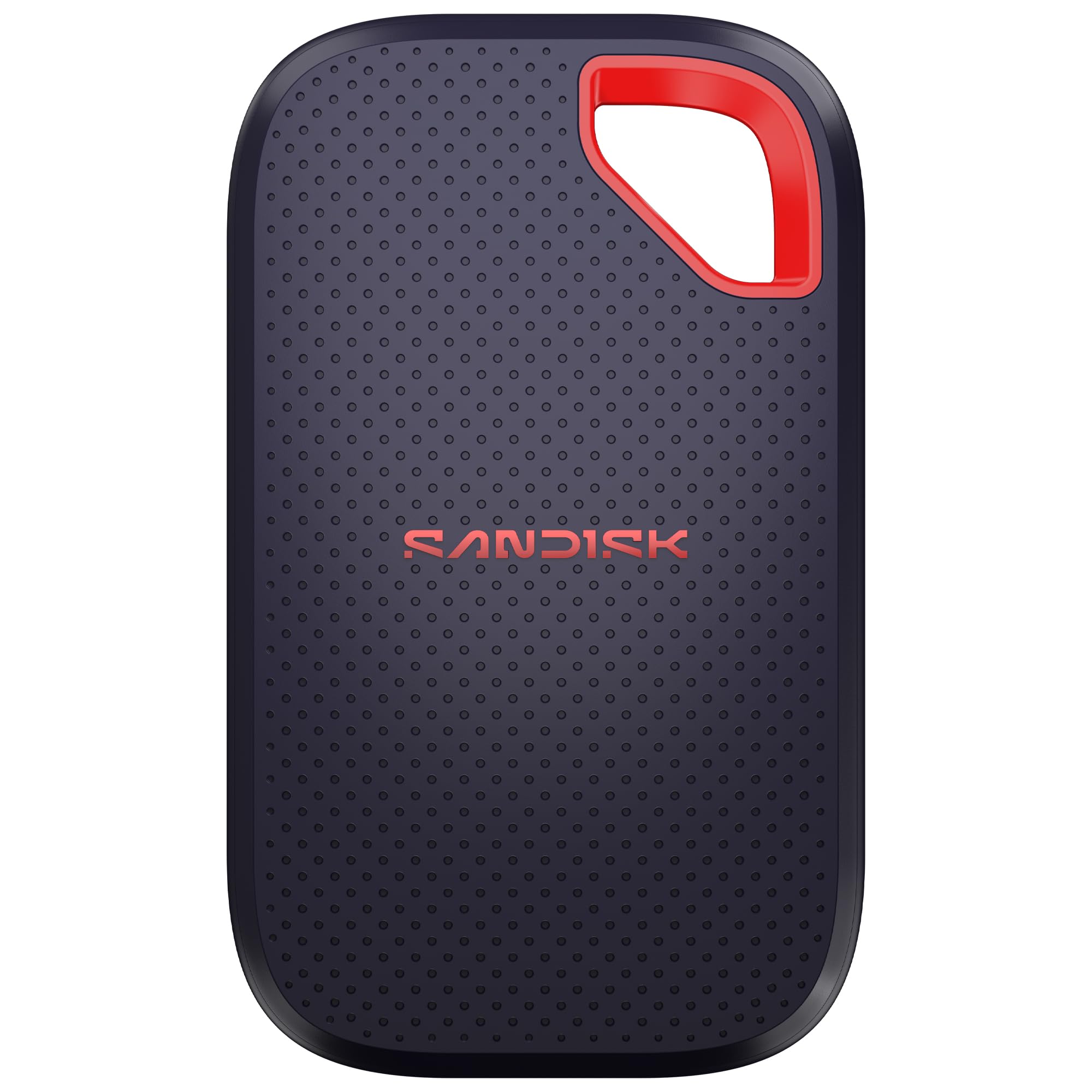
The latest-generation SanDisk moves files nearly twice as fast as its predecessor.
The new SanDisk Extreme 2TB is the speed king of this lineup. It delivers up to 2000MB/s transfer speeds, nearly 2X faster than the previous generation. That translates to moving 1,000 high-resolution photos in under 60 seconds, making it a serious tool for photographers and videographers working with AI content and high-res clips. The 2TB capacity gives ample room for extensive archives.
It inherits the rugged DNA of the SanDisk Extreme line, with an IP65 rating for water and dust resistance and up to 3-meter drop protection. The pocket-sized design fits easily in small bags, and owners describe it as light enough to potentially hang from a keychain. Despite the smaller build, it maintains solid durability and runs cool during transfers.
Security remains a priority with 256-bit AES encryption and password protection, keeping private files secure. Owners consistently praise its reliability and straightforward setup. The honest caveat is price—being an SSD with this speed and capacity makes it more expensive than spinning hard drives, and some find the value mixed when compared to slower budget options.
splurge for pros: you work with huge media files and need the fastest possible transfers with proven SanDisk reliability.
skip for light users: your computer lacks a 20Gbps USB port—you won’t access the full 2000MB/s speed without it.
Understanding the Specs
USB Generation and Speed
USB 3.2 Gen 2 supports speeds up to 10Gbps, which results in real-world transfers around 1050MB/s. USB 3.2 Gen 2×2 doubles that to 20Gbps, enabling transfers around 2000MB/s. The catch is that both your drive and your computer’s port must support the same generation to hit those peak numbers. Check your laptop or desktop’s specifications before paying extra for a Gen 2×2 drive.
IP Ratings Explained
The IP rating (Ingress Protection, a standard for dust and water resistance) tells you how well a drive survives the elements. The first digit (5 or 6) covers dust protection, with 6 being fully dust-tight. The second digit covers water resistance—a 5 means it handles water jets, while a 6 means it withstands powerful jets or temporary flooding. For most users, an IP65 rating offers genuine confidence for travel and outdoor work.
FAQ
What is the difference between a portable SSD and a traditional external hard drive?
How do I know which USB speed my computer supports?
Can I use an external SSD with my iPhone or Android phone?
Is 1TB enough space for backups?
What does the IP rating on an SSD actually mean?
Will an SSD work with my gaming console?
How long will an external SSD last?
What is hardware encryption and why does it matter?
Is it worth paying more for a 2000MB/s SSD?
Final Thoughts: The Verdict
For most buyers, the backup solid state drive worth buying first is the Samsung T7 because its proven reliability, strong performance, and hardware encryption make it the most dependable choice for important data. If you want the ruggedness to survive drops and weather, grab the SanDisk 1TB Extreme. And if you need maximum capacity with modern speed, the SanDisk 2TB Extreme is the one to reach for.
How We Picked
We do not accept paid placement. Every pick is matched to a real buyer and a real use-case; we do not hands-on test units.
Sources & Methodology
Specifications: manufacturer listings and product documentation. Review insights: verified customer reviews, as of September 2026. Pricing: not shown on this page (it changes often); check the current price via the retailer link.
As an Amazon Associate, Gadgets Feed earns from qualifying purchases. This does not affect which products we feature.