
Our readers keep the lights on and my morning glass full of iced black tea. As an Amazon Associate, I earn from qualifying purchases.
Specs are compiled from manufacturer listings and verified buyer reviews and can change over time — please confirm the key details on the product page before buying.
Paper piles up fast, whether it’s receipts from a business trip or contracts waiting on your desk. The right scanner turns that stack into neat digital files in seconds, but picking one means choosing between a portable sheet-fed model and a flatbed that handles photos and books. This guide breaks down the best affordable scanners by what you’ll actually scan, so you get a clean digital copy without paying for features you’ll never use.
I’m Min — the founder and writer behind Gadgets Feed. This guide is built by comparing the manufacturers’ published specifications and the patterns across verified customer reviews, so you get each pick’s real strengths and trade-offs instead of marketing spin.
Whether your focus is speed, portability, or capturing fragile documents, the picks below match real-world scanning habits to the right tool for the job in this affordable scanner roundup.
Our Picks at a Glance


How To Choose The Best Affordable Scanner
Your scanning habits decide everything here. A traveling salesperson needs a tiny USB-powered unit that fits in a briefcase, while someone digitizing old family photos needs a flatbed that won’t bend a fragile print. Figure out what you scan most, then match that to the right mechanism.
Sheet-Fed vs. Flatbed: Which Motion Matches Your Pile?
Sheet-fed scanners pull each page through a slot, which makes them fast and compact but limits them to single loose pages and cards. A flatbed scanner works like a copier: you place a document, photo, or even a book page face down on the glass and the scan head moves underneath it. That design handles items you can’t feed through a slot, so it’s the safer choice for anything stiff, bound, or irreplaceable.
Resolution: Why dpi Dictates Detail
Resolution is measured in dots per inch (dpi), which tells you how much detail the sensor captures. Documents and text files are perfectly readable at 300 dpi, but if you plan to crop tightly or print enlargements, a mode closer to 600 dpi gives the scanner more data to work with. Higher dpi settings also create larger files, so you will trade storage space for sharper detail.
Portability: When Weight and Power Source Count
Portable scanners are powered through a USB cable, so you skip a wall adapter but must stay near a computer for the power and the scan. If your desk is your scanning station, that is no problem at all. If you travel, look at the weight and footprint, since a model around one pound or less disappears into a bag without adding bulk.
Quick Comparison
| Model | Best For | Max Resolution (dpi) | Weight | Scan Speed | Amazon |
|---|---|---|---|---|---|
| Brother DS-640★ Best Overall | Fast daily document feeds | 300 | 1 pounds | 16 ppm | Amazon |
| Canon CanoScan LiDE 300Premium Pick | Flatbed scanning of photos & documents | — | 3.6 pounds | — | Amazon |
| Plustek S410 PlusBest for Desks | Desk-side business card & receipt feeds | 600 | 0.41 kg | — | Amazon |
| IRIScan Express 4 | Windows users wanting OCR software bundled | 300 | 0.5 kg | 8 ppm | Amazon |
| Epson ES-50 | Ultra-light travel scanning | — | 9.44 ounces | — | Amazon |
| HP HPPS100 | Quick single-sided batch jobs | 300 dpi | 3 ounces | 15 ppm | Amazon |
| Canon P-208II | Duplex scanning on a budget | 600 | 590 g | 8 ppm | Amazon |
| Epson RapidReceipt RR-60 | Receipt and invoice data extraction | 600 dpi | 16 ounces | 10 ppm | Amazon |
| Visioneer Xerox Duplex Combo | High-volume duplex office digitizing | — | 5.94 pounds | 25 ppm | Amazon |
In‑Depth Reviews
1. Brother DS-640 Compact Mobile Document Scanner
Our pick — over 4★ from 6,000+ verified ratings; the strongest balance of quality and price.
The desktop dynamo that clears a week of loose paperwork in a single sitting without hogging your desk.
You get genuine speed here without a wall plug in sight. The DS-640 scans color and black-and-white documents at the same blazing pace of up to 16ppm (pages per minute), which means a full color report takes no longer than a plain text page. It runs entirely off your computer through the included micro USB 3.0 cable, so there is no outlet needed and nothing extra to carry, which is why it is such a strong fit for a home office.
You get a full-featured document feeder that slips into a bag, because it weighs just 1 pound — a 3.6x gap against a flatbed like the Canon LiDE 300 at 3.6 pounds. The trade-off is that it only feeds one sheet at a time, so you slide each page in rather than loading a stack. The free Brother iPrint&Scan app handles the rest, sending scans to your PC, network, cloud services, email, and even OCR (text recognition to make files searchable) across Windows, Mac, and Linux. Buyers report it simply as: “Fast, high-quality scans; compact.” The thing everyone raves about is build quality, and the software is refreshingly clean with no ads or clutter.
The main friction point for modern laptop owners is the port: it uses USB-A, so newer MacBooks with only USB-C ports will need an adapter or a USB 3.0 to USB-C cable, as some found hubs don’t reliably power it. It is also single-sided only, so if you need both sides of a page captured automatically, you’ll look at a duplex model instead. The crowd favorite — 4.3 stars across 6,400+ owners — suggests this is the reliable workhorse most people actually stick with for daily use.
What Wins People Over
- Color scans run at the same 16ppm speed as black-and-white, so you never slow down for detail
- USB-powered design means it works anywhere there is a laptop, from a cafe to a client site
- Clean, ad-free software that makes multipage PDFs easy to assemble
Where It Asks For Patience
- Single-sheet manual feed only — no stack of pages to load and walk away from
- USB-A connection leaves USB-C-only laptops needing an adapter
- Scanning a stack of 20 pages takes your full attention
Grab it for: anyone who wants a fast, genuinely portable document feeder for day-to-day paperwork and doesn’t mind sliding pages in one at a time.
Look elsewhere if: you need duplex scanning or own a USB-C-only machine and want a true plug-and-play setup.
2. Canon CanoScan LiDE 300 Scanner
The flatbed that treats fragile photos and dog-eared pages with the care a slot-fed scanner can’t offer.
This is the pick for anything you don’t want to bend, crease, or lose in a feeder. As a flatbed scanner, you lift the lid, lay a photo, receipt, or business card face down on the glass, and the LED light source captures it in place. It captures 48-bit color depth (meaning it records a very wide range of color tones), which is why owners describe scanning thousands of photos and documents flawlessly and praise it for clean, accurate colors on a desk-friendly footprint.
You get a rigid glass bed for photos and fragile originals, but it costs you portability: at 3.6 pounds and with a 14.5″D x 9.9″W footprint, it is noticeably heavier and wider than the sheet-fed portables above. It’s also fully USB-powered, so no separate adapter clutters your setup. One owner who scanned over 3,500 documents and photos found excellent quality on black-and-white 8×10 photos at 400 dpi, noting that jumping to 600 dpi added little visible gain. Owners mention it plainly: “Easy to use, great value – this is the perfect scanner for daily use.” The thing everyone raves about is the ease of use, with intuitive controls and Auto Scan Mode that detects what you place on the glass.
The honest caveat here involves reliability over time: some units develop recurring “scanner busy” errors that only clear after a full software reinstall, and a handful of customers note it simply stops being recognized after about ten days of use. Color scans can also come out slightly oversaturated, so expect to do light color correction if you plan to digitize photos rather than text. It is a genuine value flatbed for students and artists, but it’s not the unit to rely on if you need a guaranteed no-hassle daily driver for critical documents.
Flatbed Finesse: the lift-the-lid design is the whole story here — you can scan a single page, a thick book, or a fragile photo without forcing it through any slot.
Reach For This If: your pile includes anything delicate, bound, or oddly shaped; give it a pass when you need a rugged, always-on daily workhorse.
3. Plustek Mobile Scanner S410 Plus
The slot-fed sidekick that saves you the walk to the office printer for every single stray receipt.
This is the desk-side answer for anyone tired of trekking to a shared printer to scan one page at a time. Reviewers point out it works “perfect for my desk so I don’t have to go back and forth to the printer to scan paperwork,” capturing ID cards and smaller documents with easy setup. It runs entirely on USB bus power, so there are no batteries to charge and no external power brick to hide, and its slim profile disappears next to a monitor.
You get sharper detail on small text and fine print on invoices, because the S410 Plus captures at 600 dpi — double the 300 dpi that the Brother DS-640 offers. The button-free design means it automatically processes an image the moment you feed a page, saving files straight to a folder you choose — you never touch a scan button or on-screen prompt. Built-in OCR software (which converts scanned text into editable Word, Excel, or searchable PDF files) lets you send results to your local computer, an FTP server, or a shared folder.
The catch is where it plugs in, not how it performs: it is strictly USB-wired, so there is no wireless option if you want to scan from across the room or from a tablet. It is also a Windows-focused device (built for Windows 7 through 11), and while most owners find setup straightforward, compatibility hiccups can appear on some locked-down work computers. Weighing under 1 lb, it is genuinely portable, but it shines brightest as a permanent resident of your desk.
Why It Earns Its Spot
- 600 dpi resolution doubles the fine-detail clarity of comparable 300 dpi feeders
- Feeds plastic ID cards, business cards, and receipts without a button press
- Bus-powered via USB, so no batteries or wall adapter to manage
The Fit Check
- USB-only connection rules out wireless or tablet-based scanning
- Windows-first design may not play nice with every corporate laptop
- An occasional unit has stopped working just past the return window
Make It Yours If: you scan a steady stream of single pages, cards, and receipts from a fixed desk and want sharp 600 dpi output.
Think Twice If: you’re on a Mac-heavy or fully wireless setup and don’t want to stay tethered by a USB cable.
4. IRIScan Express 4 Black Compact Portable USB Scanner

The Windows-only wand that packs a full office software suite into a lightweight, go-anywhere frame.
This is the budget-friendly feeder for Windows users who want more than just a digital copy — they want the text inside their documents to become editable. It scans color and black-and-white pages at the same speed of up to 8ppm, runs entirely off an included micro USB 2.0 cable with no AC adapter required, and weighs about 0.5 kg so it slips easily into a bag. Owners describe it as “very light and portable to take with you anywhere,” with simple setup and clear scans.
The real value here is the bundled software, which other budget feeders often skip. You get the full Readiris OCR package with unlimited lifetime use, letting you scan straight to Word, PDF, or Excel formats, and a free PDF editor for signing, editing, and annotating documents. It handles business cards, photos, and receipts, and can even send business card details directly to Outlook. That makes it a practical fit for small business owners, students, teachers, and commuters who want scanned paperwork to feed straight into documents they can edit, not just dead-end image files.
The deal-breaker for some will be the platform lock: this scanner is compatible only with Windows (Windows 7 and up), so Mac users are entirely out of luck. There is also a documented setup hurdle where the driver isn’t always easy to find on the manufacturer’s website, which frustrated some owners from the very first install. At 2.5 watts and with a single-sheet capacity, it is a light-duty tool for one page at a time rather than a stack-fed office machine.
Software First: you are buying the unlimited OCR and PDF-editing suite as much as the hardware — a rare bundle at this level.
Better For: dedicated Windows users who want to edit scanned text; skip it entirely if you run on a Mac.
5. Epson WorkForce ES-50 Mobile Document Scanner
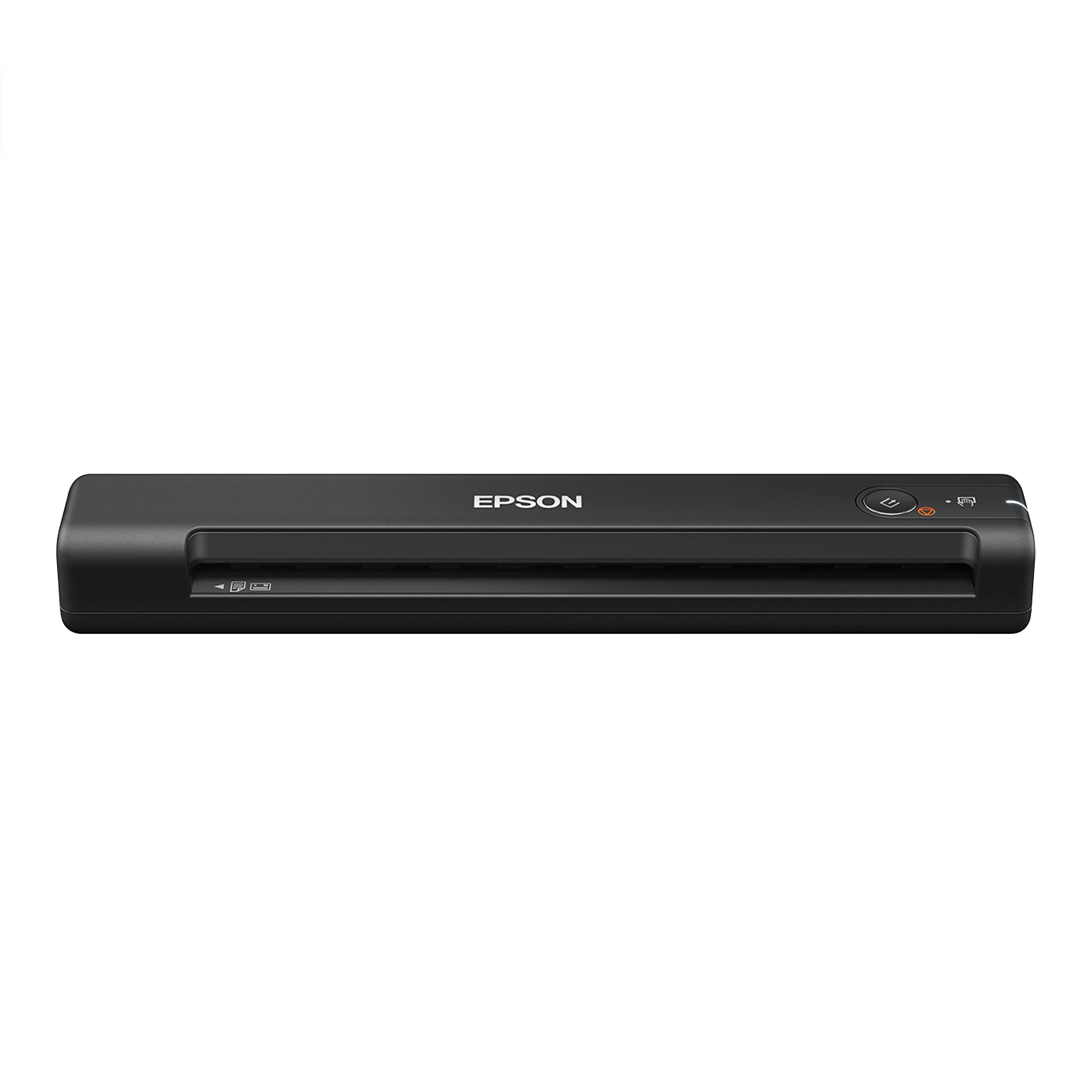
The featherweight that rides in a laptop bag all week and still delivers legible scans in seconds.
This is the pick for field work and travel, where every ounce in your bag matters. At just 9.44 ounces, it’s lighter than a can of soda and easily the most portable full-featured feeder here, sliding into a laptop sleeve without adding noticeable bulk. Epson rates it to scan a single page in as little as 5.5 seconds, and owners find it fits easily into a laptop bag while producing legible PDFs in seconds. It handles documents up to 8.5 x 72 inches — so a long receipt or a full spreadsheet page feeds through in one continuous pass.
What wins people over is its build quality and speed, with the bundled Epson ScanSmart software giving you one-click scanning, review, and save workflows. That software includes OCR (optical character recognition, which is a tool that reads the text in a scanned image) to create searchable PDFs and editable Word and Excel files, plus the option to scan straight to cloud storage like Google Drive or Dropbox. For a client-site document digitizing job, shoppers say it delivers real value for its size and price.
The honest concessions are about feeding and setup rather than scan quality. There are no paper guides, so you have to align each page carefully by hand, and many owners note a slight learning curve to keep pages from coming out crooked. It is also strictly a single-sheet, single-sided scanner — you won’t load a stack or capture both sides without re-feeding — and there’s no carry case included. Photo quality is respectable with the included carrier sheet but sits a step below what a flatbed produces.
The Travel Champ
- 9.44-ounce weight makes it the easiest unit here to carry daily
- 5.5-second page speed keeps up with a busy on-the-go workflow
- Feeds extra-long pages up to 8.5 x 72 inches without a problem
What It Gives Up
- No paper guides, so pages need careful hand alignment to scan straight
- Single-sided only — duplex jobs mean re-feeding every page
- No protective case in the box for the travel it’s built for
Ideal for the road: consultants, sales reps, and students who need quick, legible scans wherever the laptop goes.
Not for the office: anyone processing deep stacks or two-sided pages, or expecting flatbed-quality photo output.
6. HP Small USB Document & Photo Scanner (HPPS100)

The 3-ounce slip of a scanner that punches through a small batch of invoices while living in your briefcase.
This is the lightest unit in the lineup at just 3 ounces, which makes it nearly unnoticeable inside a bag or briefcase, yet HP rates it for a reliable 15ppm (15 pages per minute, or about 4 seconds per page) in both black-and-white and color. That combination of near-zero carry weight and real batch speed makes it a favorite for commuters, tax preparers, and small business owners who convert invoices, contracts, and letters while moving between home and office. It handles paper sizes from a tiny 2″ x 2.9″ business card up to a full 8.5″ x 14″ legal sheet.
What wins people over here is quality, with one company running this scanner in every office and reporting it’s easy to install and compatible with their existing programs. The free HP WorkScan software handles auto-scan and size detection, lets you preview, zoom, crop, and clean up backgrounds, and saves to PDF, JPG, and other common formats. Because it powers through USB 2.0 with the cable included, there’s no battery to charge and no wall adapter to pack — just plug in and scan.
The trade-off for that featherweight build is durability under heavy load. Some buyers report the software can spike CPU usage and even crash a laptop, especially when pushing past 300 dpi, and a few describe it as needing a trial-and-error connection order. It is also strictly simplex (single-sided), so double-sided documents require manual flipping. Treat it as a light-to-medium duty travel companion, not an all-day office workhorse.
The Featherweight’s Strengths
- 3-ounce body is the lightest here — you’ll forget it’s in the bag
- 15 ppm speed converts small stacks quickly
- HP WorkScan software makes cropping and cleaning up scans a few clicks
The Lightweight’s Limits
- Software can be resource-hungry and crash-prone on some laptops at high dpi
- Simplex only, so back-to-back printing means re-feeding pages
- Best kept to small- or medium-batch jobs rather than daily heavy use
Reach for it when: you want the absolute lightest way to digitize a modest pile of single-sided pages from anywhere.
Look elsewhere if: your workflow is high-volume, duplex, or demands flawless software stability on older hardware.
7. Canon imageFORMULA P-208II Personal Document Scanner

The compact duplex feeder that captures both sides of a page in one pass, a rarity at this price.
If you regularly scan two-sided documents, this is the budget-friendly model that saves you from flipping every page. The P-208II scans both sides of a document at the same time, in color, at up to 8 pages-per-minute — which means a double-sided contract takes the same effort as a single-sided one. It captures at 600 dpi resolution, giving you detail sharp enough for clean text and readable small print, and it handles receipts, photos, business cards, and long documents with equal ease.
It’s also among the most flexible for where your scans go. The bundled software sends files straight to cloud services like Dropbox, Google Drive, OneDrive, Box, QuickBooks Online, Evernote, and SharePoint, alongside standard searchable PDF and JPG output. Owners describe it as truly plug-and-play and portable, with one finding it handles business cards and receipts easily, and the scan quality earning consistent praise. It runs on both Windows and Mac with a TWAIN driver included, and Canon backs it with a one-year warranty and US-based technical support.
The weak link, by a wide margin, is the software experience. Multiple owners describe it as “awful” and “the most user-unfriendly instructions and software I have ever seen,” with a particularly notable incompatibility with macOS Monterey (version 12) and no clear driver update timeline. The feed tray is also shallow with a tendency toward angled feeds and occasional double-feeds, and it connects via mini-USB rather than the modern USB-C standard. For a Windows user who can work past the software, the hardware itself scans flawlessly.
The Duplex Advantage
- Scans both sides at once in color at up to 8 ppm — a real time-saver
- 600 dpi resolution captures crisp detail for text and small print
- Sends scans directly to Dropbox, Google Drive, OneDrive, and more
The Software Hurdle
- Software and install instructions frustrate many owners
- Known compatibility trouble with macOS Monterey (version 12)
- Mini-USB connection and a shallow feed tray add friction
Hardware Hero, Software Struggle: the duplex scanning is genuinely excellent for the money, but budget time for a rocky software setup, especially on a Mac.
Windows Workhorse: ideal for Windows users with two-sided document stacks; Mac owners on Monterey or newer should proceed with caution.
8. Epson RapidReceipt RR-60 Mobile Document Scanner

The receipt tamer that reads the numbers off your thermal paper and files them before you do.
If your paper pile is mostly crumpled receipts and invoices, this scanner does something the others can’t: it reads the data. The RR-60 uses ScanSmart AI PRO technology to intelligently convert and extract scanned information into smart digital data, turning a stack of thermal receipts into automatically categorized records. Owners mention it scans receipts, captures legible data, and lets you edit the amount, company, tax, and tip fields before filing — one ran through 80+ receipts without a single issue.
It feeds up to 10 pages per minute in automatic feeding mode, so you can drop in one thermal slip after another, and its HyperClear Technology optics produce enhanced scans with auto-cropping and background removal. That data then exports cleanly to financial software like QuickBooks and TurboTax, or saves as searchable and editable PDFs. At just 16 ounces and powered over USB, it’s the smallest and lightest in its class for this specific receipt-management job.
The limitations show up around software and compatibility. While some owners find the software smooth and simple, others describe it as difficult to use, and several report connection issues with a clear warning that it is not Mac-compatible despite Epson’s broader product line. Faded or handwritten receipts can also confuse the data extraction, though the fields stay editable for manual correction. And unlike a stack-fed document scanner, each receipt is captured individually, so a massive backlog means one sheet at a time.
The Data Wizard
- Extracts amount, company, and tax data from receipts automatically
- Exports organized details straight into QuickBooks and TurboTax
- 10 ppm auto-feeding keeps the receipt pile moving quickly
The Data Catch
- Software earns mixed feedback and can be difficult to set up
- Not Mac-compatible, and some report connection issues
- Each receipt scans individually, so bulk backlogs take time
Built for bookkeepers: freelancers and small business owners drowning in receipts who want expense data filed automatically.
Look past it if: you’re on a Mac, scan mostly full documents, or just want plain PDFs without data extraction.
9. Visioneer Xerox Duplex Combo Flatbed Scanner with ADF

The only true office-grade combo here, pairing a 50-page-per-minute duplex feeder with a flatbed for everything else.
This is the one scanner in the lineup that genuinely belongs in a busy office rather than a desk corner. It combines a flatbed for delicate items with an automatic document feeder (ADF) that runs at up to 25 ppm (pages per minute) for single-sided or 50 ipm (images per minute) for duplex, capturing both sides of a stack of pages automatically. Owners describe it as having “the feel of a commercial scanner,” with an ADF that handles crumpled or torn paper without jamming and accurate OCR even on skewed text.
That dual design makes it uniquely versatile: the ADF chews through big stacks of letter-size documents, while the flatbed handles photos, cards, books, and anything too fragile for a feeder. It handles paper up to 8.5″ x 118″ in the ADF — enough for a full accounting ledger page — and scans at a solid 300 dpi for documents. Customers note scanning about 50 photos in an afternoon on the flatbed at 600 dpi with good quality. Software features include jam recovery without a restart, merge and split PDF tools, auto-orientation, blank-page detection, and direct cloud export.
The installation, however, is the recurring sore spot. Multiple owners describe a difficult setup where you must load drivers from the CD menu in a specific order and, on Windows 10, manually enable.NET Framework WCF Services to fix MSI errors. There are also reports of units shipping with the wrong regional power clips for US buyers, requiring a separate power supply purchase. At 5.94 pounds, it’s the heaviest pick here by a wide margin, but that weight buys the only true stack-feeding, duplex, flatbed combo on this list.
The Office Muscle
- 25 ppm / 50 ipm duplex ADF powers through entire stacks both sides
- Flatbed bed handles photos, books, and fragile originals the ADF can’t
- ADF copes with crumpled and torn paper that stalls lesser feeders
The Setup Tax
- Driver installation is fiddly and order-dependent on Windows
- Some units arrive with the wrong regional power clip for US outlets
- At 5.94 pounds, this one stays on the desk rather than in a bag
Choose it for volume: offices and power users digitizing full two-sided stacks plus the occasional delicate original on one machine.
skip it if: you scan a few pages a day and don’t want to wrestle a demanding driver install for that privilege.
Understanding the Specs
Resolution (dpi)
Resolution is measured in dots per inch (dpi), which is how much detail the sensor captures across every inch of your document. A 300 dpi scan is perfectly legible for text and standard office documents, producing reasonable file sizes. Jump to 600 dpi and you capture twice the fine detail, which matters when you crop tightly into a small area like a receipt line or print an enlarged photo, but it roughly doubles your file size too.
Scan Speed (ppm)
Speed is usually quoted in pages per minute (ppm), telling you how many single pages the feeder can process in sixty seconds. This number matters most when you digitize stacks regularly, since the difference between 8 ppm and 16 ppm turns a 40-page job from five minutes into two and a half. Remember that duplex scanners quote two numbers: pages per minute for one side, and images per minute (ipm) when capturing both sides in a single pass.
Simplex vs. Duplex
This describes whether a scanner captures one side of a page or both. Simplex (single-sided) models like most budget portables require you to flip every page and feed it twice for double-sided documents. Duplex models capture both sides in one pass, which halves your handling time on two-sided paperwork. It is the single biggest time-saving feature for contract-heavy or report-heavy scanning, and typically costs more.
Optical Character Recognition (OCR)
OCR is the software technology that reads the text inside a scanned image and turns it into editable, searchable content. Without it, a scan is just a picture of a page — you can see the words but cannot search or edit them. With bundled OCR, you can convert a scanned contract into an editable Word file or a searchable PDF, and many receipt scanners use it to extract figures like totals and dates automatically.
FAQ
Will a portable USB scanner work with my MacBook or laptop?
What is the difference between a flatbed scanner and a sheet-fed scanner?
Can I scan both sides of a page at once without flipping it manually?
How many pages per minute do I actually need for home office scanning?
Will a scanner work for scanning receipts and business cards or just full pages?
Do these scanners need their own power outlet or batteries?
What does OCR mean and do I need it in a scanner?
Is a higher dpi resolution always better for scanning?
How long does a compact document scanner typically last?
Can I scan documents directly to cloud storage like Google Drive or Dropbox?
Final Thoughts: The Verdict
For most people, the affordable scanner winner is the Brother DS-640 because it pairs a genuinely fast 16ppm color scan speed with true USB portability at just 1 pound, making it the most versatile daily driver for typical home office paperwork. If you want flatbed versatility for photos and fragile originals, grab the Canon LiDE 300. And for receipt-heavy bookkeeping where you want the data pulled off the page automatically, the Epson RapidReceipt RR-60 is the one to reach for.
How We Picked
We do not accept paid placement. Every pick is matched to a real buyer and a real use-case; we do not hands-on test units.
Sources & Methodology
Specifications: manufacturer listings and product documentation. Review insights: verified customer reviews, as of September 2026. Pricing: not shown on this page (it changes often); check the current price via the retailer link.
As an Amazon Associate, Gadgets Feed earns from qualifying purchases. This does not affect which products we feature.