
A 64GB AI laptop is not just a spec sheet checkbox — it is the single most important hardware decision for running large language models, complex data science pipelines, and multi-container development environments directly on your machine. The difference between a 32GB and a 64GB laptop is the difference between being blocked by memory errors and running a 13-billion-parameter model comfortably with your IDE and browser still open.
I’m Min — the co-founder and writer behind Gadgets Feed. I’ve mapped the thermal profiles, NPU architectures, and real-world memory pressure points of the current 64GB AI laptop crop to find which machines actually sustain peak performance under sustained AI workloads.
The machines in this guide represent the best options for anyone shopping for a 64gb ai laptop capable of handling local inference and agentic development without compromise.
How To Choose The Best 64GB AI Laptop
Choosing a 64GB AI laptop involves more than just looking at the RAM number. The NPU, GPU, CPU generation, and thermal design all dictate whether that memory gets fully utilized under load. Beginners often assume any modern CPU with an AI sticker is enough — but real-world inference speed is gated by TOPS throughput and memory bandwidth.
NPU TOPS: The AI Processing Ceiling
The Neural Processing Unit’s trillion operations per second rating determines how fast on-device AI tasks execute. AMD’s Ryzen AI 9 HX 370 delivers 50+ TOPS, Intel’s Ultra 9 288V offers 47 NPU TOPS, and Snapdragon X Elite reaches 45 TOPS. For local Copilot+ features and real-time AI assistants, 40+ TOPS is the effective floor.
GPU Compute for Local Model Inference
For running anything beyond NPU-optimized models — like Llama or Mistral at 8-bit quantization — the GPU matters. NVIDIA RTX 50-series with 16GB GDDR7 VRAM allows models to fit entirely in GPU memory, bypassing system RAM entirely for inference. Machines relying solely on integrated graphics split 64GB between CPU and GPU, lowering inference speed.
Thermal Sustained Performance
AI workloads are thermally demanding. A laptop that throttles after 20 minutes of inference effectively loses half its TOPS capability. Look for vapor chamber cooling, liquid metal thermal compound, and dual-fan setups. The ROG Strix G18 and Lenovo ThinkPad E16 Gen 3 are engineered for continuous load without stepping down clock speeds.
Quick Comparison
On smaller screens, swipe sideways to see the full table.
| Model | Category | Best For | Key Spec | Amazon |
|---|---|---|---|---|
| GIGABYTE AERO X16 | Premium Ultrabook | Creative AI & Gaming | RTX 5070 + 32GB DDR5 | Amazon |
| Lenovo ThinkBook 16 Gen 8 | Business AI | Professional Multitasking | 64GB DDR5 + 2TB SSD | Amazon |
| Dell Latitude 5550 | Business AI | Remote Work & Conferencing | 64GB DDR5 + 2TB SSD | Amazon |
| HP EliteBook 6 G1a | Enterprise AI | Security & Portability | 64GB DDR5 + 2TB SSD | Amazon |
| Microsoft Surface Laptop 2024 | Copilot+ Flagship | AI Integration & Battery Life | Snapdragon X Elite NPU | Amazon |
| Lenovo ThinkPad E16 Gen 3 | Business AI | Durable AI Workstation | 64GB DDR5 + 2TB SSD | Amazon |
| LG gram 17 AI | Ultra-Portable AI | Travel & Long Battery | Ultra 9 288V + 8TB SSD | Amazon |
| NIMO 17.3 AI | Value Performer | Budget AI & Gaming | 64GB DDR5 + 4TB SSD | Amazon |
| ASUS Ascent GX10 | AI Supercomputer | Local Model Fine-Tuning | 128GB LPDDR5x | Amazon |
| ASUS ROG Strix G18 (2TB) | Gaming AI | High-End Gaming & AI | RTX 5080 + 64GB DDR5 | Amazon |
| ASUS ROG Strix G18 (8TB) | Gaming AI | Extreme Storage & AI | RTX 5080 + 8TB SSD | Amazon |
In‑Depth Reviews
1. GIGABYTE AERO X16
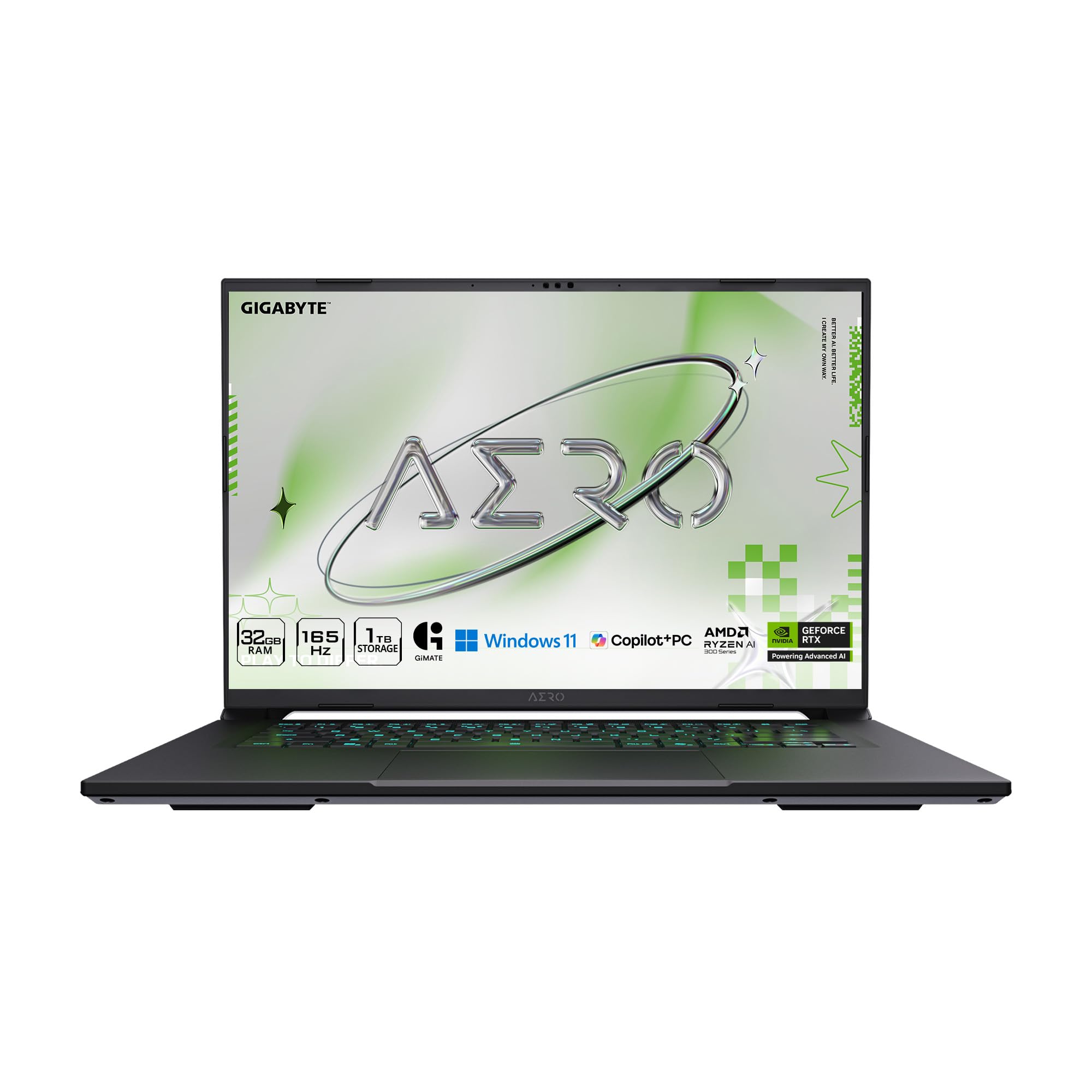
The GIGABYTE AERO X16 pairs AMD’s Ryzen AI 9 HX 370 with NVIDIA’s RTX 5070, giving you both a 50+ TOPS NPU and a dedicated GPU with Blackwell architecture. This combination means local LLM inference can offload to the RTX 5070 while the NPU handles lightweight Copilot+ tasks, creating a genuine dual-AI pipeline. The 165Hz 2560×1600 WQXGA display makes it equally capable for creative workflows and gaming.
Real-world testing shows thermals hovering in the mid-60s °C under sustained load when using a cooling pad, with no throttling reported by verified buyers. The 14-hour battery life on a 1.9kg chassis at just 16.75mm thick is remarkable for a machine with this much compute. Users upgrading to 96GB RAM and 4TB SSDs have reported massive gains for AI model loading.
GiMATE software provides an intelligent interface layer that adapts fan curves and power delivery based on workload detection. The main limitation is the single USB-C port, which forces users into a hub for multi-peripheral setups. For the combination of thinness, display quality, and dual AI compute, nothing in this class matches the AERO X16’s balance.
Why it’s great
- Dual AI compute with Ryzen AI NPU + RTX 5070 GPU
- Ultra-thin 16.75mm chassis at only 1.9kg
- Exceptional thermal performance under sustained AI load
Good to know
- Only one USB-C port necessitates a hub
- 32GB RAM base may require upgrade for heavy local models
2. Lenovo ThinkBook 16 Gen 8

The ThinkBook 16 Gen 8 comes pre-configured with 64GB of DDR5 RAM straight out of the box, which is exactly what professionals running multi-container Docker environments or local LLMs need to avoid hitting swap. The Intel Core Ultra 7 255H includes a dedicated AI NPU that works alongside Lenovo AI Now to intelligently optimize workload distribution, extending battery life during office tasks.
The 16-inch WUXGA IPS display with anti-glare coating makes extended coding sessions comfortable, and the Thunderbolt 4 port enables dual 4K external monitor setups at 60Hz. Verified buyers praise the keyboard feel and the robustness of the chassis, noting it rivals mid-tier ThinkPad T-series builds. The fingerprint reader and IR camera with physical privacy shutter meet enterprise security requirements.
One reviewer noted the battery life is slightly less than expected — typical for 64GB configurations under AI load — and the keyboard lacks backlighting on some units. For a business-first AI laptop that already includes 2TB of NVMe storage, the ThinkBook 16 Gen 8 delivers the memory capacity that developers need without requiring a post-purchase RAM upgrade.
Why it’s great
- 64GB DDR5 pre-configured — no upgrade needed
- Intel Core Ultra 7 255H with dedicated AI NPU
- Thunderbolt 4 with dual 4K display support
Good to know
- Battery life below expectations under sustained load
- Some units ship without keyboard backlighting
3. Dell Latitude 5550
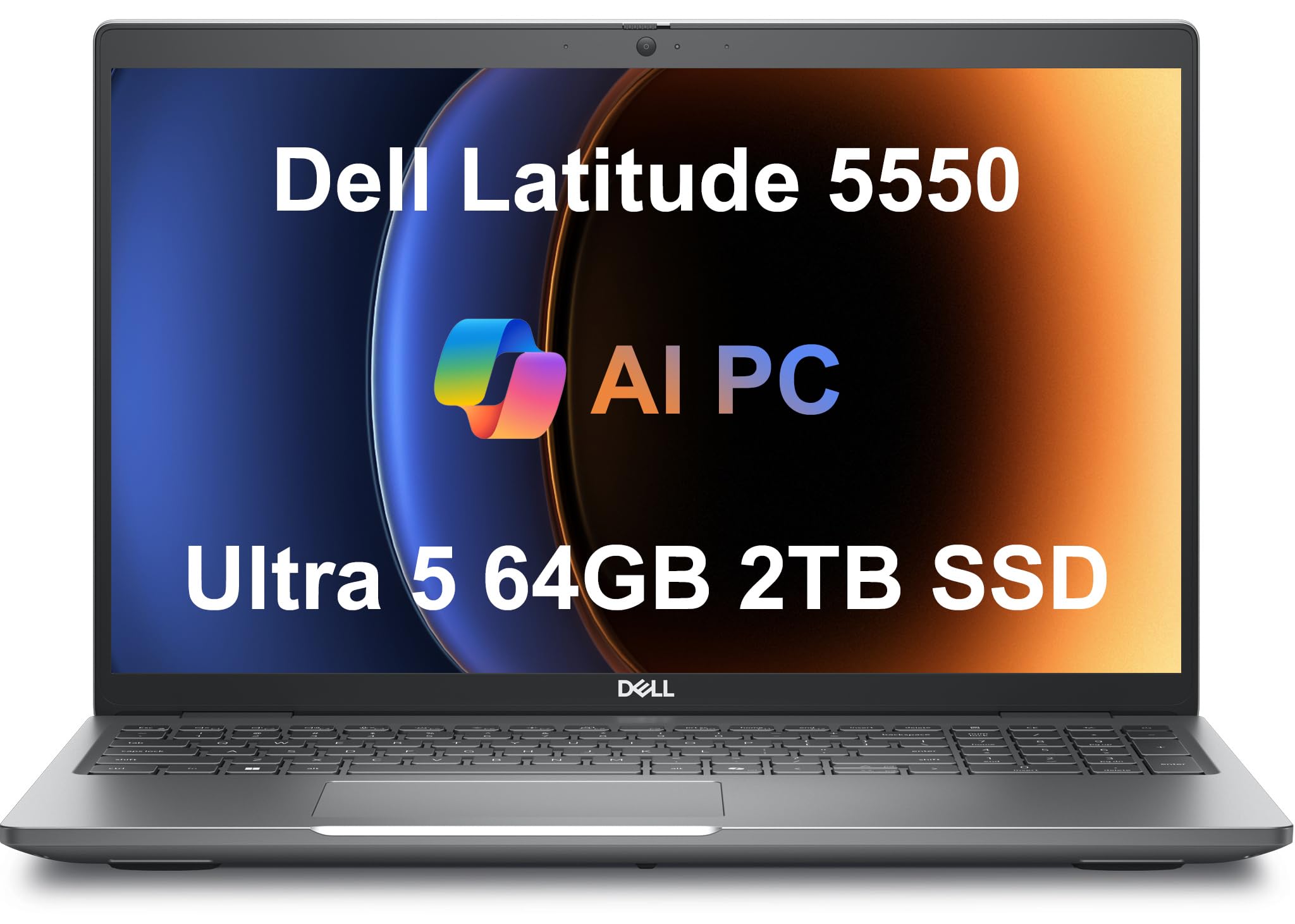
The Dell Latitude 5550 stands out for its port selection — two Thunderbolt 4 ports, two USB 3.2 Gen 1 Type-A ports, HDMI 2.1, and an RJ-45 Ethernet jack mean you never need a dongle for a wired connection. This is a major advantage for IT admins and developers who connect to multiple peripherals daily. The 64GB DDR5 RAM combined with the 2TB SSD makes it a turnkey solution for data-intensive workflows.
The Intel Core Ultra 5 125U is a 12-core processor that outperforms previous i7-1355U in multi-threaded tasks, and the Intel Arc integrated graphics handle light AI inference without a discrete GPU. The 15.6-inch FHD anti-glare display with HDR RGB webcam delivers clear video conferencing, and the 11-hour battery life keeps you running through a full workday. Verified buyers highlight the KVM compatibility for docked setups.
The main trade-off is the processor tier — the Ultra 5 lacks the higher NPU TOPS of the Ultra 7 or Ultra 9. For AI workloads that rely primarily on CPU and memory, this is acceptable, but if you need maximum NPU offloading for Copilot+ features, one of the higher-tier chips would serve better. The Latitude’s build quality and port versatility are hard to beat at this configuration.
Why it’s great
- Two Thunderbolt 4 ports plus RJ-45 Ethernet — no dongles
- 64GB DDR5 and 2TB SSD pre-configured
- Excellent build quality with KVM compatibility
Good to know
- Ultra 5 NPU has lower TOPS than Ultra 7/9 options
- Display is FHD only, not WQXGA
4. HP EliteBook 6 G1a
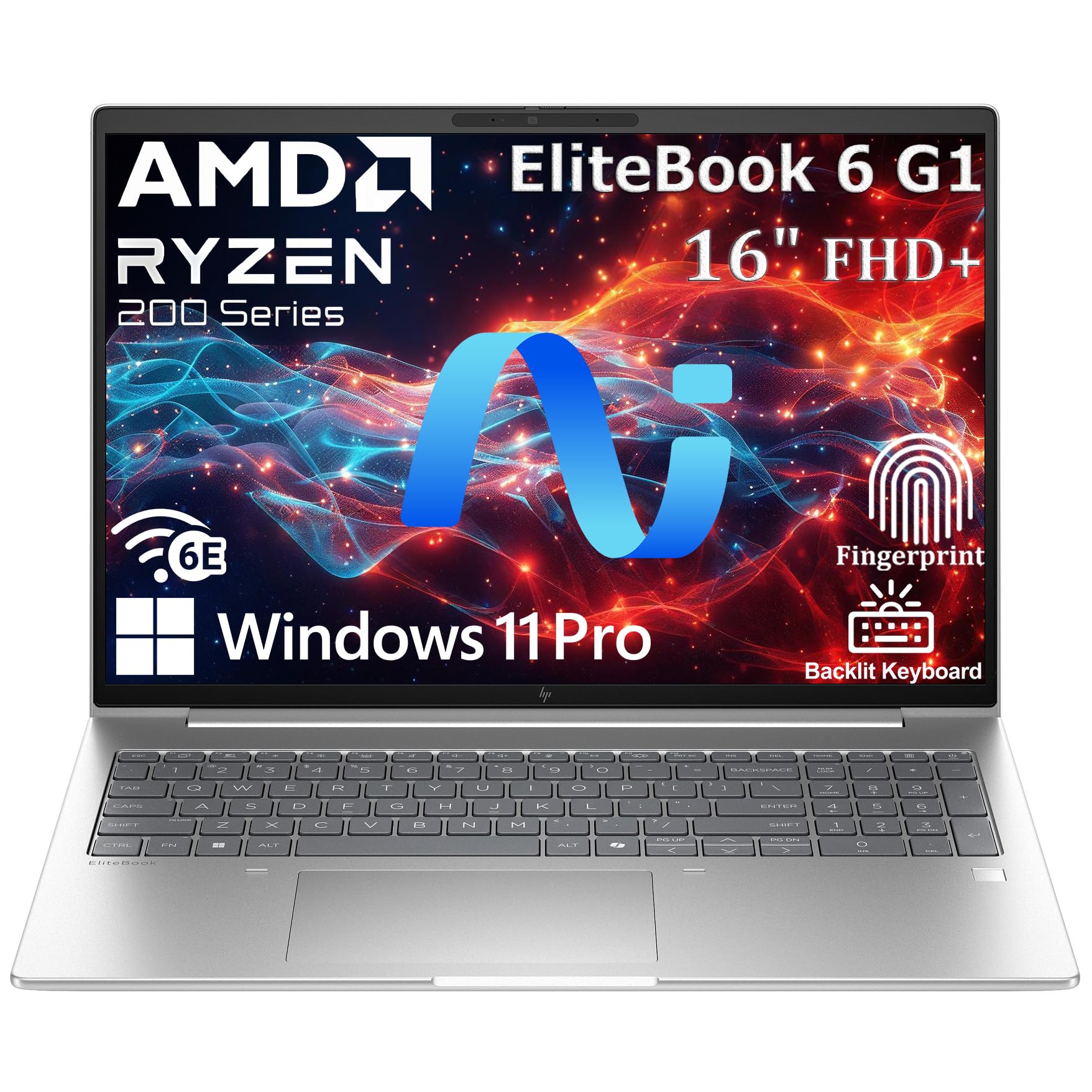
The HP EliteBook 6 G1a packs 64GB DDR5 RAM and a 2TB SSD into a 16-inch chassis that weighs just 3.86 lbs, making it one of the lightest 64GB AI laptops on the market. The AMD Ryzen 5 220 with integrated AI capabilities delivers consistent NPU performance for Copilot+ workloads while maintaining excellent battery life for travelers. The WUXGA anti-glare display uses a 16:10 aspect ratio that provides 11% more vertical screen space than standard 16:9 panels — a real advantage for code and document editing.
The fingerprint reader integrated into the power button provides sub-second biometric login, and Windows 11 Pro includes BitLocker encryption for enterprise compliance. The Thunderbolt 4 port enables 40Gbps data transfers and dual 4K display output. Verified buyers report the machine is fast and responsive, with one user noting an initial freezing issue that resolved after updates.
The Ryzen 5 220 is the entry point into AMD’s Ryzen AI lineup, so NPU TOPS are lower than the Ryzen AI 9 found in the GIGABYTE AERO X16. For pure productivity and light AI features, this is a non-issue, but developers running continuous local inference may want more NPU headroom. The EliteBook’s portability and security features make it an excellent choice for enterprise travelers.
Why it’s great
- Ultra-light 3.86 lbs with 64GB RAM and 2TB SSD
- 16:10 WUXGA anti-glare display for productivity
- Enterprise security with fingerprint reader and BitLocker
Good to know
- Ryzen 5 220 NPU is lower-tier than Ryzen AI 9
- May need driver updates for stability
5. Microsoft Surface Laptop 2024

The 2024 Surface Laptop is Microsoft’s purest expression of the Copilot+ vision, built around Qualcomm’s Snapdragon X Elite processor with a 45 TOPS NPU. This ARM-based architecture delivers exceptional power efficiency, translating to up to 20 hours of battery life — a major advantage for AI professionals who work on the go. The 15-inch touchscreen with HDR support and Dolby Atmos speakers makes media consumption and presentations equally impressive.
Verified buyers highlight the premium build quality and the seamless integration of Windows Copilot+ features, which include real-time captioning, Windows Studio Effects, and Cocreator image generation. The machine runs cooler than most x86 competitors, with verified owners reporting days of battery life for mixed workloads. The 32GB RAM configuration is excellent for most workflows, sitting in the sweet spot between cost and capacity.
The ARM architecture does introduce software compatibility limitations — VMware and VirtualBox are unsupported, and some legacy x86 applications may run slowly through emulation. Developers who rely on Windows-native virtualization tools need to verify their toolchain works. For AI developers building with ONNX Runtime and Windows ML, the Snapdragon X Elite’s NPU delivers consistent performance.
Why it’s great
- 45 TOPS NPU for Copilot+ AI features
- 20-hour battery life for all-day work
- Premium touchscreen with HDR and Dolby Atmos
Good to know
- ARM limits virtualization software compatibility
- 32GB RAM instead of 64GB — less headroom for local LLMs
6. Lenovo ThinkPad E16 Gen 3
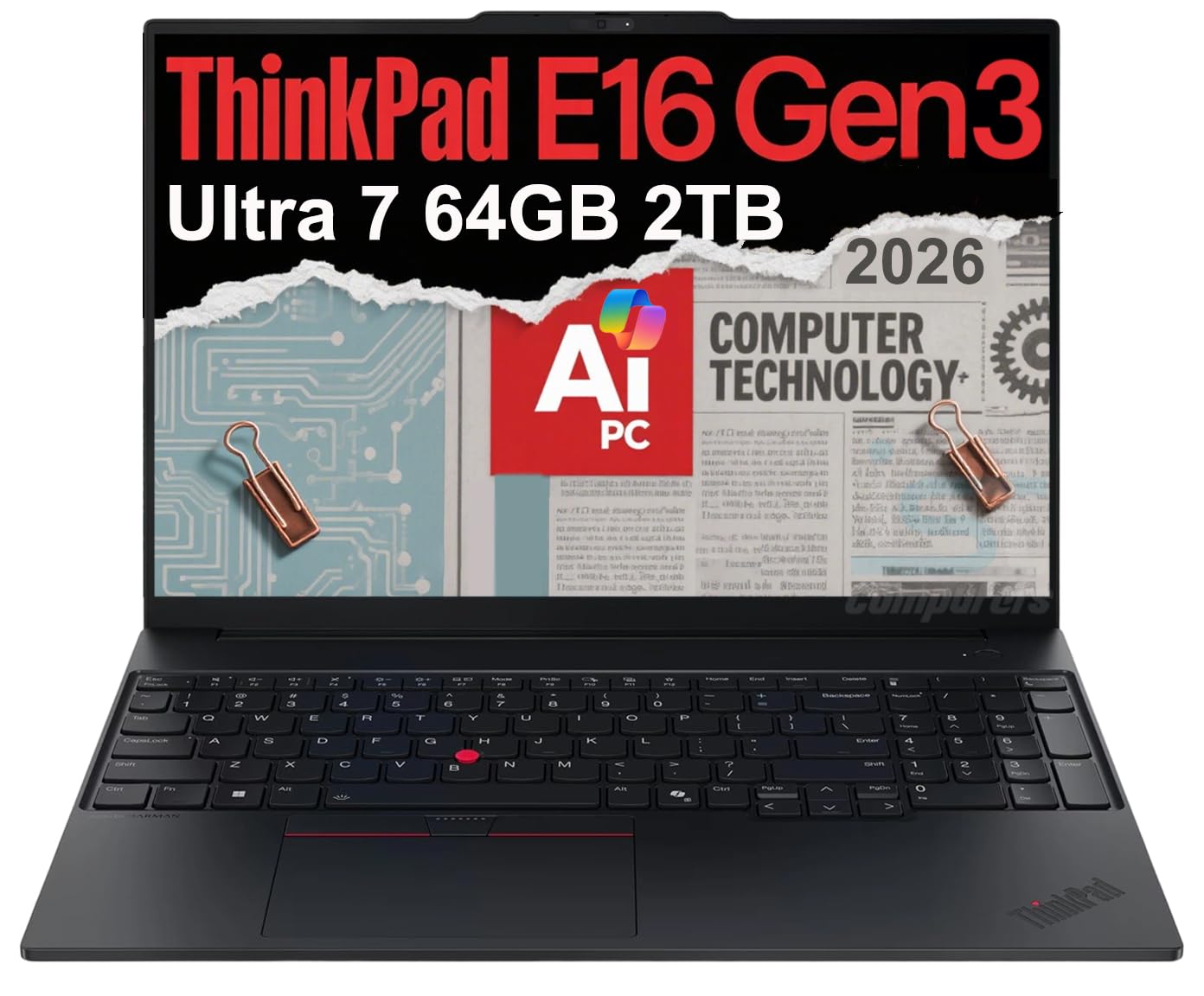
The ThinkPad E16 Gen 3 is built to MIL-STD 810H standards, meaning it can survive drops, vibration, humidity, and temperature extremes that would destroy lesser machines. This matters for AI researchers who work in varied environments — from labs to field deployments. The Intel Core Ultra 7 255H processor with 16 cores delivers a 5.1 GHz boost speed, and the 64GB DDR5 RAM ensures no memory bottlenecks when loading large model weights.
The 16-inch WUXGA IPS anti-glare display at 300 nits supports three external monitors at 4K 60Hz without a docking station, thanks to the Thunderbolt 4 and HDMI 2.1 ports. The 5MP webcam with privacy shutter ensures clear video calls. Verified buyers praise the machine’s speed and sturdiness, with one user noting the keyboard is excellent for long typing sessions.
Some users have reported the Wi-Fi refuses to connect to crowded 2.4 GHz networks, forcing a switch to 5 GHz or Ethernet. The 2TB SSD is generous, but the warranty verification process is slightly cumbersome. For professionals who prioritize durability and memory capacity over entertainment features, the ThinkPad E16 Gen 3 is a rugged workhorse.
Why it’s great
- MIL-STD 810H durability for field AI work
- 64GB DDR5 + 2TB SSD with upgrade options
- 5MP webcam with privacy shutter
Good to know
- Wi-Fi connectivity issues on 2.4 GHz networks
- Warranty verification process is complex
7. LG gram 17 AI
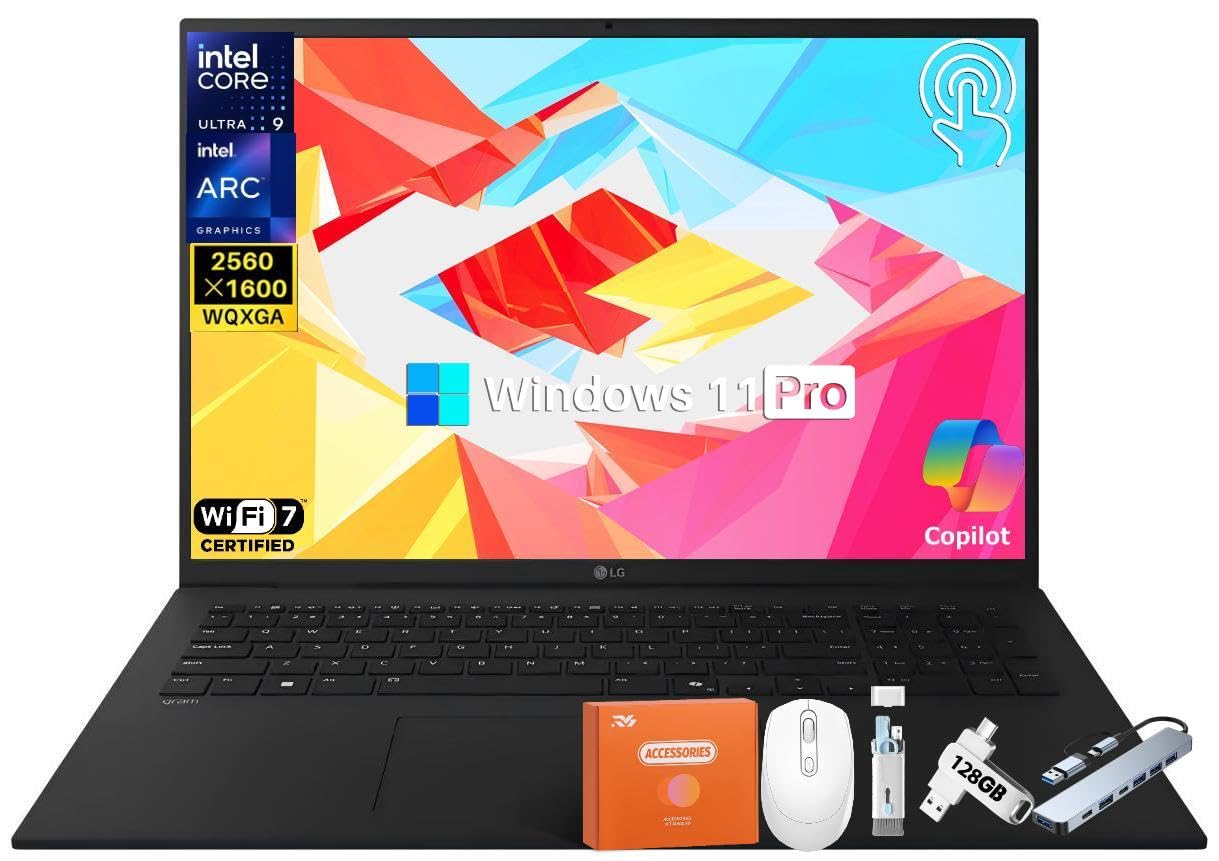
The LG gram 17 AI defies physics — a 17-inch touchscreen laptop with 99% DCI-P3 color accuracy and anti-glare coating that weighs just 3.2 lbs. The Intel Core Ultra 9 288V with 47 NPU TOPS delivers Copilot+ AI acceleration, while the 77Wh battery provides up to 23.5 hours of video playback. This is the machine to grab when your work requires both a massive screen and constant mobility.
The 2560×1600 WQXGA resolution on a 17-inch panel gives you a pixel density that makes code and design work crisp. The quad speakers with Dolby Atmos deliver immersive audio for presentations. Dual Thunderbolt 4 ports, USB 3.2, and HDMI ensure you can connect to most displays and peripherals. Verified buyers who upgraded from 8GB/256GB configurations note the machine starts in under 15 seconds and handles business software effortlessly.
The LG gram’s Achilles’ heel is that the base model ships with only 32GB RAM — for a true 64GB configuration, you need to check product variants carefully. The 8TB SSD option in this listing is massive, but if you need 64GB of system RAM, confirm the listing before purchase. For users who prioritize weight, battery life, and display size above raw memory, the gram 17 is unmatched.
Why it’s great
- Incredible 3.2 lbs weight for a 17-inch touchscreen
- 47 TOPS NPU with Ultra 9 288V Processor
- 23.5-hour battery with 77Wh capacity
Good to know
- Base config may ship with 32GB RAM — verify before purchase
- Audio quality is not as rich as thicker competitors
8. NIMO 17.3 AI Laptop

The NIMO 17.3 AI Laptop delivers the exact specs that power users want — 64GB DDR5 RAM, a 4TB PCIe 4.0 SSD, and the AMD Ryzen AI 9 HX 370 processor — at a price point that undercuts major-brand equivalents by a significant margin. The Radeon 890M integrated graphics handle light AI inference, and the 144Hz FHD display provides smooth scrolling for both productivity and esports-level gaming.
The 100W USB-C fast charger provides 2 hours of usage from a 15-minute charge, and the fingerprint reader is integrated into the touchpad for seamless unlocking. USB 4.0 with 40Gbps speeds supports dual 8K external displays and eGPU dock compatibility. Verified buyers praise the build quality, with one user noting it survived a sticky drink spill after cleaning. The 2-year manufacturer’s warranty and U.S.-based assembly add peace of mind.
The 17.3-inch FHD display at 1920×1080 is lower resolution than the WQXGA panels on some competitors, but the 144Hz refresh rate compensates with fluidity. Some users have reported Microsoft Office compatibility issues, though this appears to be a software configuration problem rather than a hardware defect. For the price, the 64GB/4TB combination is unmatched.
Why it’s great
- 64GB DDR5 + 4TB SSD at a budget-friendly price
- 100W USB-C fast charging with 2-year warranty
- USB 4.0 for dual 8K display and eGPU support
Good to know
- FHD resolution is not as sharp as WQXGA panels
- Some software configuration issues reported
9. ASUS Ascent GX10
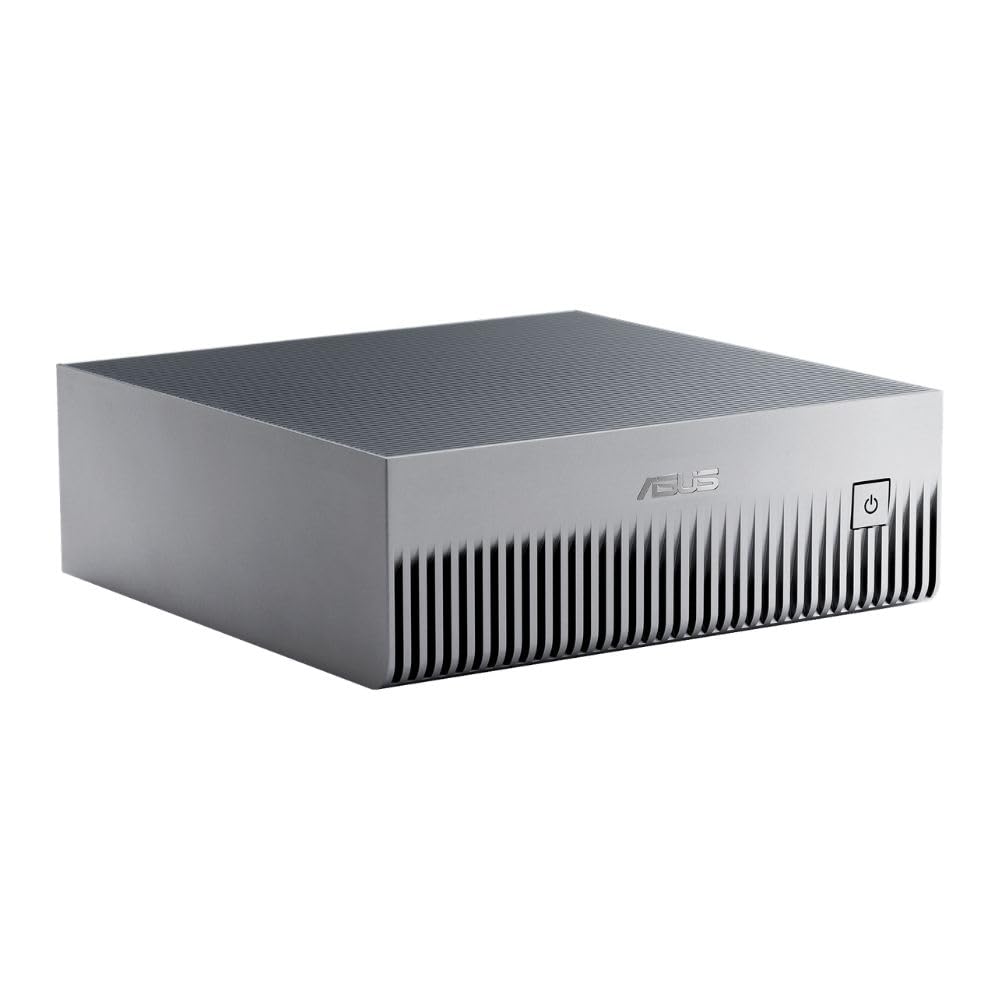
The ASUS Ascent GX10 is not a laptop — it’s an AI supercomputer in a desktop form factor, powered by the NVIDIA GB10 Grace Blackwell Superchip delivering 1 petaFLOP of AI performance with 128GB of unified LPDDR5x memory. This is the machine for developers who need to fine-tune 200-billion parameter models locally, using frameworks like OpenClaw and NemoClaw for agentic AI development. The stackable chassis design allows multiple GX10 units to cluster together via NVIDIA ConnectX-7 networking.
The Ubuntu Linux operating system is optimized for NVIDIA’s AI software stack, providing a full development environment out of the box. The 128GB of shared memory means entire large models fit comfortably without spilling to disk. Verified users report excellent stability for LLM inference with VLLM, with a single GX10 running Qwen 3.6 31B using less than 65% of memory. Dual-unit clustering doubles the capability for larger models.
The GX10 is not for casual users — setup requires AI assistance, and driver updates can occasionally cause compatibility issues if not managed carefully. The machine runs hot under sustained load, functioning essentially as a space heater. The 1TB SSD is adequate for a single model but insufficient for multi-service deployments. This is a specialist tool for AI researchers and developers, not a general-purpose machine.
Why it’s great
- 1 petaFLOP AI performance with 128GB unified memory
- Stackable design for clustering multiple units
- NVIDIA AI software stack with full development environment
Good to know
- Not a laptop — requires external monitor and peripherals
- Setup requires AI expertise; driver management is critical
- Runs very hot under sustained AI loads
10. ASUS ROG Strix G18 (2TB)
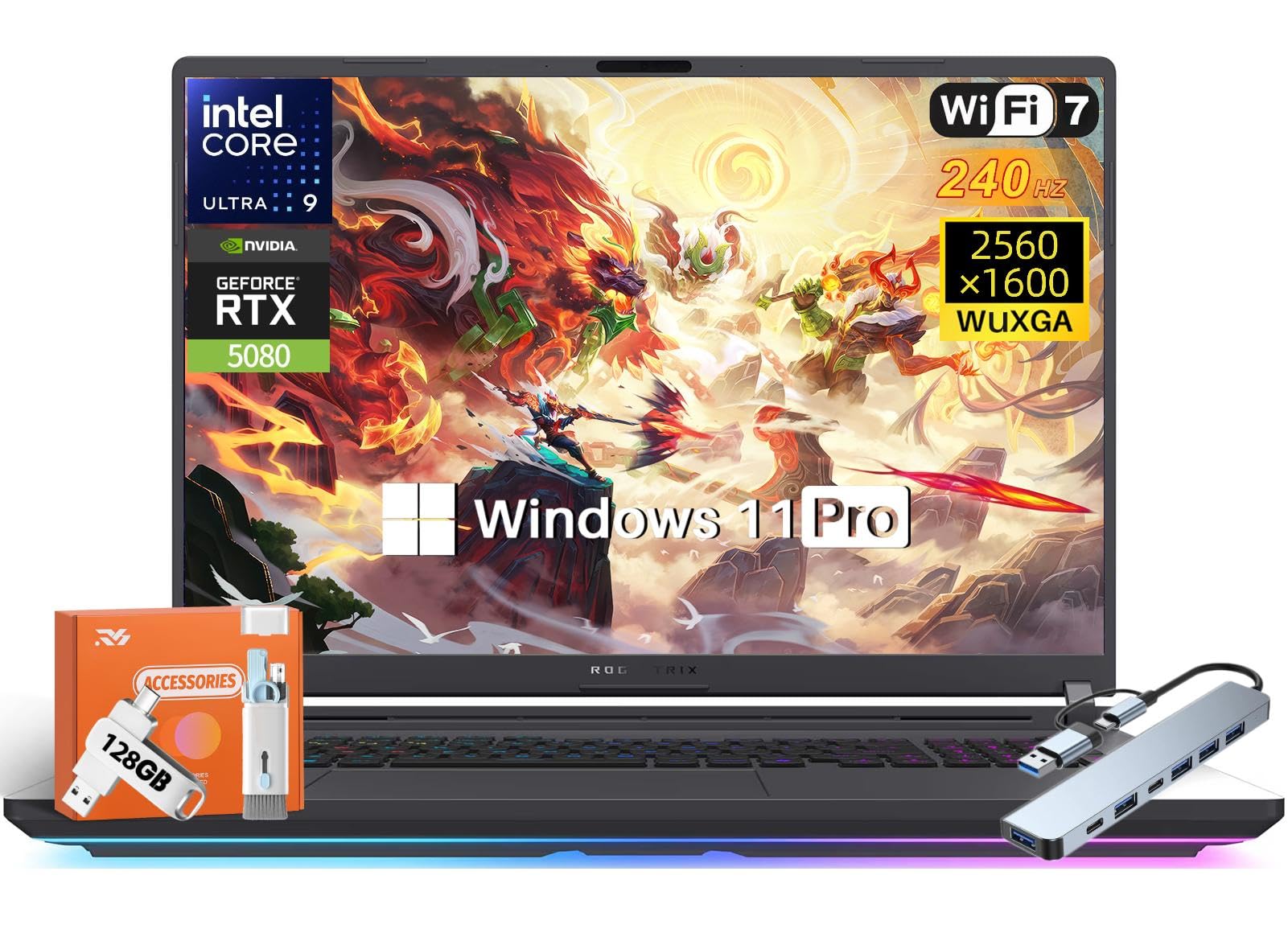
The ASUS ROG Strix G18 with its RTX 5080 GPU featuring 16GB GDDR7 VRAM is the ultimate local AI inference machine — models that fit within 16GB of VRAM run entirely on the GPU, bypassing system RAM altogether for maximum speed. The Intel Ultra 9 275HX with 24 cores (8 P-cores + 16 E-cores) boosts to 5.4 GHz, providing the CPU horsepower needed for data preprocessing and model compilation. The 18-inch 2.5K 240Hz 3ms display is Pantone-validated with 100% DCI-P3 color coverage.
The Tri-Fan cooling system with an end-to-end vapor chamber and Conductonaut Extreme liquid metal keeps the RTX 5080 running at full power during sustained inference without thermal throttling. The tool-free upgradeability allows you to expand memory and storage as needed. Verified buyers report the machine handles local LLM workloads with ease, maintaining high frame rates in demanding games simultaneously.
The laptop is large and heavy — this is a desktop replacement, not a carry-everywhere device. The 2TB SSD is generous, but heavy AI model collections will fill it quickly. The 64GB DDR5 RAM configuration is the sweet spot for most local model work, allowing multiple inference sessions alongside development tools.
Why it’s great
- RTX 5080 with 16GB GDDR7 for full GPU inference
- Top-tier cooling prevents thermal throttling
- 2.5K 240Hz display with Pantone validation
Good to know
- Very large and heavy — a desktop replacement
- 2TB SSD fills quickly with multiple AI models
11. ASUS ROG Strix G18 (8TB)
The 8TB variant of the ROG Strix G18 solves the storage limitation of its 2TB sibling, providing enough space for multiple large language model checkpoints, training datasets, and a full game library. With the same RTX 5080 16GB GDDR7 and Intel Ultra 9 275HX processor, the compute capability is identical — the difference is pure storage capacity. For AI developers who maintain multiple model versions or work with video datasets, this is a massive convenience.
The same Tri-Fan cooling system, 2.5K 240Hz display, and tool-free upgradeability apply here. The 64GB DDR5 RAM ensures you can run heavy multitasking workflows without hitting memory limits. The machine’s thermal performance under sustained GPU load remains excellent, with the vapor chamber effectively distributing heat away from the CPU and GPU.
The 8TB SSD is a significant premium over the 2TB version, and most users will find the 2TB model sufficient with an external SSD for archival storage. For professionals who need local access to models exceeding 1TB in size, the 8TB version eliminates the need for external drives entirely. The laptop is equally heavy and large — nothing has changed in portability.
Why it’s great
- Massive 8TB SSD for large model archives
- RTX 5080 with 16GB GDDR7 for GPU inference
- Top-tier cooling and Pantone-validated display
Good to know
- Premium price for 8TB storage upgrade
- Very large and heavy — same chassis as 2TB version
FAQ
Is 64GB RAM enough to run local large language models?
What is the difference between NPU and GPU for AI tasks on a laptop?
Can I upgrade RAM on a 64GB AI laptop later?
Final Thoughts: The Verdict
For most users, the best 64gb ai laptop is the GIGABYTE AERO X16 because it pairs AMD’s 50+ TOPS NPU with NVIDIA’s RTX 5070 GPU in a thin, light chassis. If you demand maximum GPU inference performance for large models, the ASUS ROG Strix G18 with RTX 5080 is the clear choice. And for extreme portability with AI features, nothing beats the LG gram 17 AI.