
Our readers keep the lights on and my morning glass full of iced black tea. As an Amazon Associate, I earn from qualifying purchases.
Specs are compiled from manufacturer listings and verified buyer reviews and can change over time — please confirm the key details on the product page before buying.
A 1 TB SD card fits your entire photo library and game collection into a chip smaller than a postage stamp. The real question is whether the card’s write speed can handle 4K recording or gaming without stuttering. Prioritize write speed over read speed, as it dictates whether your camera or console can record or save data without lag.
I’m Min — the founder and writer behind Gadgets Feed. This guide is built by comparing the manufacturers’ published specifications and the patterns across verified customer reviews, so you get each pick’s real strengths and trade-offs instead of marketing spin.
Your phone, drone, or handheld console will only perform as well as the card inside it, which is why finding the right 1 tb sd card means matching speed classes to how you actually shoot and play.
Our Picks at a Glance

How To Choose The Best 1 TB SD Card
Every 1 TB card here stores tens of thousands of photos or dozens of modern game installs. Choose based on sustained write speed and your device’s official 1 TB capacity support. Here’s the checklist most buyers overlook.
Read Speed vs. Write Speed: The Real Divide
Read speed determines how quickly you transfer files from the card to a computer. Write speed is how fast the card accepts new data, and that is the number that decides if your camera buffer clears quickly or if a video recording drops frames. A card boasting a high read speed can still have a modest sustained write speed, so check both before paying for a “fast” label.
Capacity Compatibility Is Not Guaranteed
Not every device accepts a 1 TB microSD card. Older cameras, some dashcams, and even certain consoles have a hard ceiling far below 1 TB — for example, some devices cap out at 256 GB or 512 GB. Before buying, look up the maximum supported card size for your specific device, because a card that the hardware can’t fully read is a waste of money.
Quick Comparison
| Model | Best For | Read / Write Speed | Video Class | Card Type | Amazon |
|---|---|---|---|---|---|
| SanDisk Extreme 1TB★ Best Overall | All-around reliability | 160 / 90 MB/s | U3, V30 | microSDXC | Amazon |
| Lexar Silver Plus 1TBTop Performer | 4K video capture | 205 / 150 MB/s | V30 | microSDXC | Amazon |
| PNY PRO Elite Prime 1TBFastest Transfer | Speed with an adapter | 200 / 150 MB/s | U3, V30, A2 | microSDXC | Amazon |
| Samsung PRO Plus Sonic 1TB | Gaming on the go | 180 / 130 MB/s | U3, V30, A2 | microSDXC | Amazon |
| SANDISK 1TB Ultra | Everyday Android storage | 150 MB/s Read | C10, A1 | microSDXC | Amazon |
| Amazon Basics 1TB | High-capacity value | 200 / 150 MB/s | U3, A2 | microSDXC | Amazon |
| Kingston Canvas Go Plus 1TB | Full-size camera card | 200 MB/s Read | U3, V30 | SDXC | Amazon |
| Silicon Power Gaming 1TB | Nintendo Switch / Steam Deck | 80 MB/s Read | V30 | microSDXC | Amazon |
| TEAMGROUP Elite 1TB | Budget camera spare | 100 MB/s Read | U3, V30 | SDXC | Amazon |
In‑Depth Reviews
1. SanDisk Extreme 1TB microSDXC
Our pick — over 4.5★ from 354,500+ verified ratings; the strongest balance of quality and price.
The default answer for anyone who wants one card that simply works everywhere.
This is the card that defines the category, and its reputation is built on consistency rather than a single headline number. It reads at up to 160 MB/s and writes at up to 90 MB/s, which is plenty for saving high-resolution photos and 4K UHD video without the camera stalling. The U3 and V30 ratings (the speed classes that guarantee smooth 4K recording) mean you don’t have to second-guess whether it will keep up with a modern action camera or mirrorless body.
It shrugs off the elements, rated as temperature proof, water proof, shock proof and x-ray proof, so it survives a bumpy bike ride or a day at the beach. Buyers report real benchmark numbers that land below the theoretical maximum — “95MB/s read, 70MB/s write” in everyday use — but that still beats most rivals for sustained write performance, and the card is the crowd favorite for good reason. With the included adapter it slips into full-size SD slots too, making it a one-card solution for phones, cameras, and laptops.
Why It’s The Benchmark
- Rated A2 for faster app loading and in-app performance on phones
- 5-proof durability covers water, shock, temperature, drop and x-ray
- Up to 90 MB/s write speed keeps 4K recording stable
Keep In Mind
- Hit advertised speeds requires a compatible reader, as transfers can bottleneck on older adapters
- Premium tier pricing for a terabyte of capacity
Reach for this if: you want the most proven, dependable 1 TB card across phones, cameras, and gaming handhelds.
Look elsewhere if: your device only has a built-in card slot with a slow reader — you won’t open up the full speed.
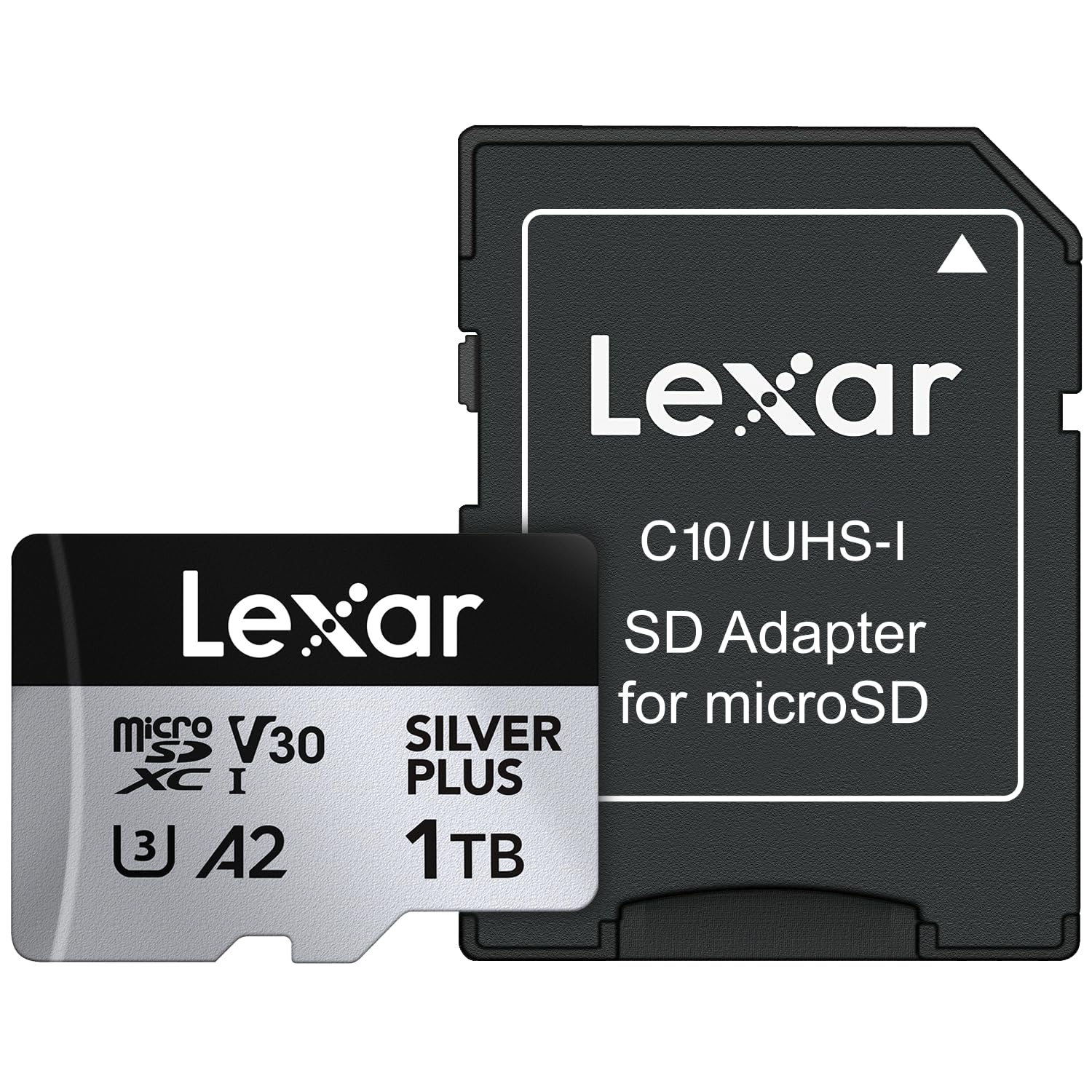
2. Lexar Silver Plus 1TB Micro SD
A speed demon aimed squarely at videographers who refuse to drop a single frame.
If your priority is capturing buttery-smooth 4K video, this Lexar is the fastest microSD option on this list. It hits up to 205 MB/s read and 150 MB/s write, and the V30 rating supports up to 4K 60FPS recording so your footage stays stutter-free even when you’re panning fast or shooting action. Owners shooting on a DJI Pocket 3 report smooth playback with no dropped frames, which is the exact scenario this card is built for.
The durability list is exhaustive — IPX7 waterproof (meaning it survives submersion in a meter of water for 30 minutes), plus wearproof, drop-proof, temperature-proof, x-ray-proof, shockproof, magnetic-proof, and vibration-resistant. Lexar also bundles its Recovery Software for pulling back accidentally deleted files, and backs the card with a lifetime limited warranty while the adapter gets one year. At 9.07 g it’s double the heft of the SanDisk Extreme at 4.54 g, a difference you’d never feel in a camera but note if you’re comparing spec sheets.
Built For Creators
- 150 MB/s max write keeps high-bitrate 4K recordings consistent
- IPX7 waterproof rating that rivals any card here
- Works with DJI, GoPro, and Steam Deck (not Switch 2)
The Trade-Off
- Heavier build than the SanDisk Extreme
- Premium price reflects the top-tier write speed
Best suited for: drone and action-cam shooters who want maximum write speed for 4K 60FPS without dropped frames.
Not the pick for: budget buyers — the speed premium only pays off if you actually shoot heavy video.
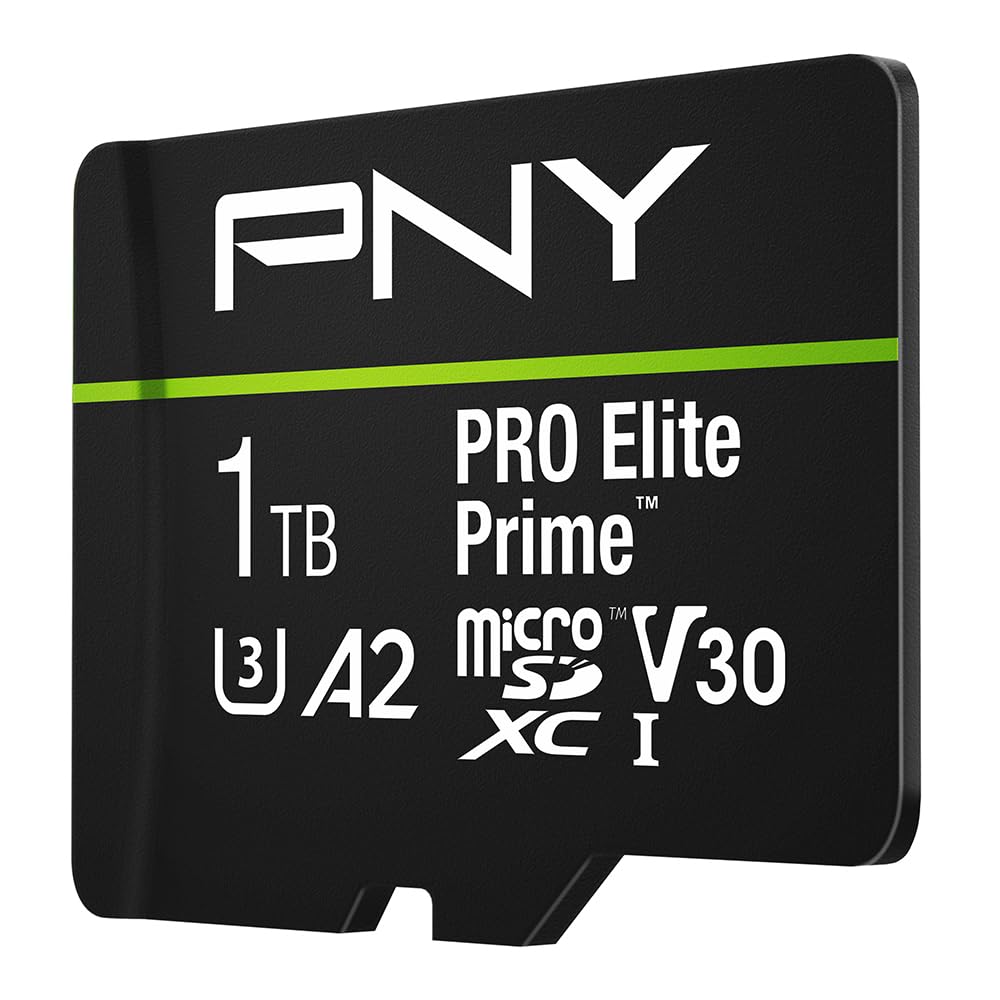
3. PNY PRO Elite Prime 1TB
A stress-tested workhorse that pairs huge capacity with genuinely fast sustained writes.
PNY claims up to 200 MB/s read and 150 MB/s write, and the review data suggests those numbers aren’t just marketing. One owner ran a full-capacity write test and recorded 31 MB/s sustained write over 8+ hours with zero errors, plus a quick-test burst of 174 MB/s write and 191 MB/s read. That kind of endurance speaks to a card that won’t fake its speed the moment the cache fills.
It carries the A2 rating — meaning at least 4000 IOPS read and 2000 IOPS write — so apps can launch directly from the card on a phone or tablet without feeling sluggish. The bundled SD adapter makes it compatible with DSLRs, video cameras, and laptops, and the drop-proof, temperature-proof, and water-proof build suits surveillance cams and drones. Owners highlight how it handles older hardware from the 2010s without complaint, which is a versatility that’s hard to find at this capacity.
Certified endurance: Full-capacity stress tests ran for 8+ hours with zero errors, which is the best real-world proof of reliability in this lineup.
One honest note: Speed feedback is mixed in places, with some owners seeing slower numbers than the headline 200 MB/s outside the PNY reader.
4. Samsung PRO Plus Sonic The Hedgehog 1TB
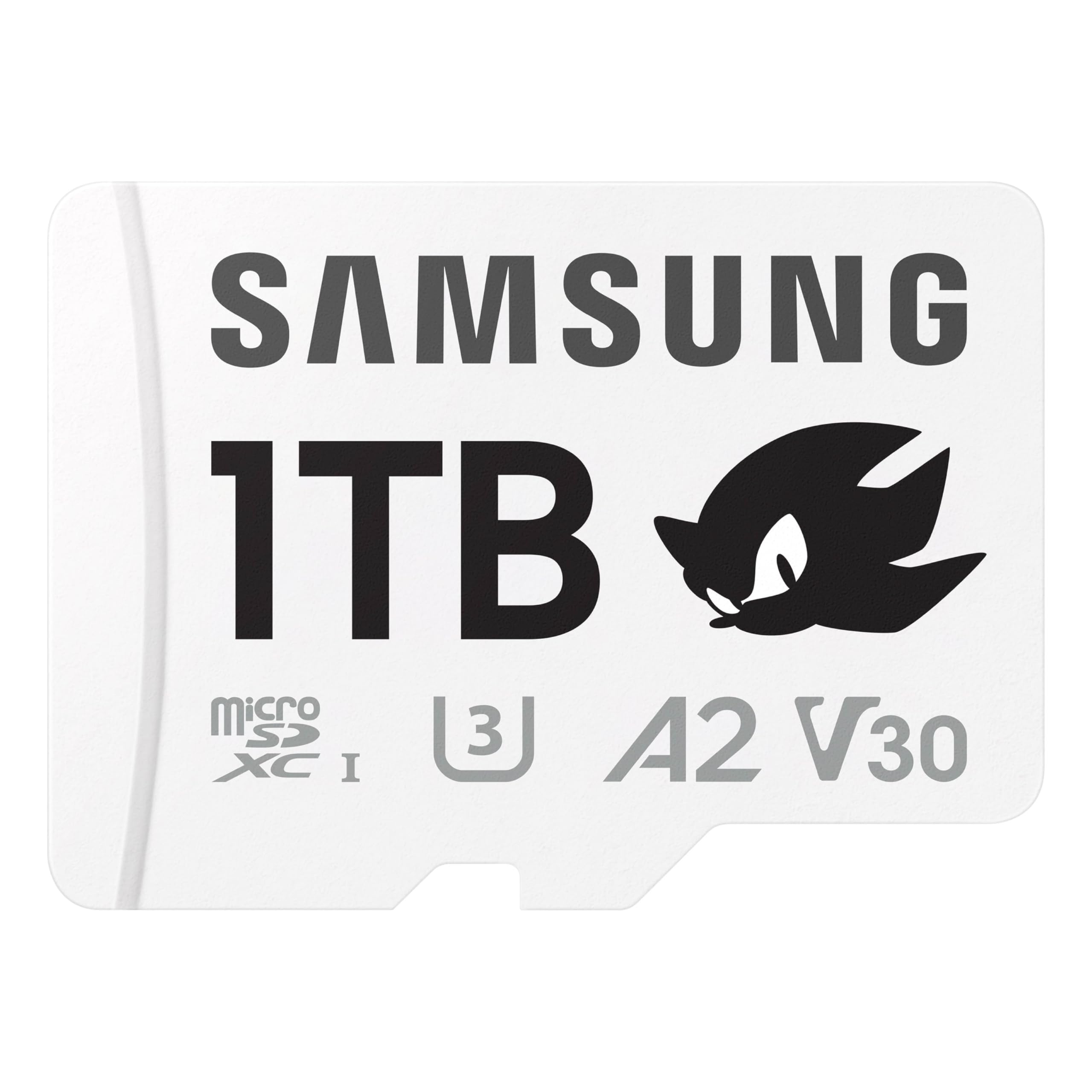
A collectible skin on serious hardware for gamers who want storage with personality.
Samsung’s PRO Plus has long been a top-tier gaming card, and the Sonic the Hedgehog edition wraps that performance in a white, themed design that stands out in any handheld. It reads at up to 180 MB/s and writes at up to 130 MB/s, so load screens on a Switch or Steam Deck shrink noticeably, and the 6-proof protection stands up to water and extreme temperatures. It’s a full microSD with an included full-size SD adapter for cameras and drones.
Switch owners mention it works with no lag and plenty of room for a full game library, and the A2 rating (faster app loading) makes it a natural fit for handheld consoles. Samsung sweetens the deal with its Magician Software, which verifies authenticity and monitors drive health — a nice guard against the counterfeit cards that plague this market. The Sonic branding spans capacities from 128GB up to this 1TB model, so you can match storage to your library.
Gamer-Friendly Extras
- A2 rated for fast app and game launching
- 10-year limited warranty backs the 6-proof build
- Magician software verifies the card is genuine
Who Should Pass
- Not compatible with Switch 2 for game storage
- The Sonic theme won’t appeal to everyone
Grab this if: you want a proven gaming card with a fun design and the confidence of Samsung’s authenticity check.
Choose something else if: you’re planning to use it in a Switch 2, which it doesn’t fully support.
5. SANDISK 1TB Ultra microSD

The sensible terabyte for phones and tablets where raw speed matters less than capacity.
Not every 1 TB buyer is shooting 4K video. If you just want to load up an Android phone or tablet with photos, music, and apps, this Ultra card delivers 150 MB/s read speeds and Class 10 Full HD recording at a friendlier price. That read speed translates to moving up to 1000 photos per minute off the card, and the A1 rating (1500 read IOPS, 500 write IOPS) gives apps a snappier feel when installed on the card.
It’s rated for a wide operating temperature range of -13°F to 185°F (-25°C to 85°C), and it’s drop-proof, magnetic-proof, temperature-proof, water-proof and x-ray-proof. Owners have used it across Wyze cameras, the Nintendo Switch, and Steam Deck with instant recognition and no lag or corruption. The catch for heavy users is that it’s not rated for 4K video — that’s the Ultra’s compromise to hit its price point, and why the Extreme exists above it.
The value angle: You get SanDisk’s reliability and a terabyte of space without paying for the 4K video write speeds you might never use.
Fair warning: If your phone shoots or your camera records 4K, the missing U3 rating means this isn’t the right card for that job.
6. Amazon Basics 1TB microSDXC

Name-brand specs on paper with an honest note about what it takes to reach them.
Amazon Basics has stepped up from “generic spare” to a legitimate contender, claiming up to 200 MB/s read and 150 MB/s write with UHS-I, U3, Class 10, and A2 speed classes. The fine print is refreshingly honest: hitting that 200 MB/s read speed requires the separately sold Amazon Basics USB-C card reader, because the card itself exceeds the standard UHS-I ceiling of 104 MB/s. Owners confirm the capacity is real, with one reporting roughly 970 GB usable after formatting.
It’s compatible with smartphones, tablets, GoPro/action cameras, DSLRs, drones, and gaming consoles, and it’s built to survive shocks, IPX6 water exposure (heavy splashes), temperatures from -10° to 80°, x-rays, and magnets. A Kindle Fire owner swapped it in and found setup took seconds, while a dashcam user upgraded from a 64GB card and found footage clear and reliable. The one recurring note is value — some owners find it overpriced for what it is, which makes sense given it sits near premium-tier pricing.
Why It Impresses
- A2 and U3 ratings rival cards costing more
- Available storage confirmed above 908GB in the listing
- Handles Full HD, 4K, and even 5K video recording
The Catch
- Top read speed requires buying a separate Amazon Basics reader
- Value-for-money feedback is genuinely mixed
Pick this for: a high-capacity card with modern speed classes at a price that undercuts the big names.
skip it if: you want plug-and-play maximum speed without hunting down a specific card reader.
7. Kingston Canvas Go Plus 1TB SD Card

A true full-size SD card for photographers who never want to fiddle with adapters.
Most giant-capacity cards are microSD with an adapter, but this Kingston is a native full-size SDXC card — which means it seats directly into a DSLR or mirrorless camera body with zero adapters to lose. It reads at up to 200 MB/s, and the U3 and V30 ratings (speed classes that guarantee minimum write speeds for 4K video) support smooth 4K Ultra-HD recording without dropped frames, making it ideal for burst photography and event shooting.
A wedding photographer ran this card in a Canon R5II for months and reported the buffer rarely fills except in full-speed mode, with no corrupt sectors across hundreds of shots. Another owner paired it with a budget Ordro Z88 camcorder and captured 2-hour non-stop sports recordings at a 14.7Mb/s write speed without issue. That combination of professional and budget-camera compatibility makes it among the most versatile full-size cards available at 1 TB.
Creator-ready: A native SDXC card proven in a Canon R5II for months at weddings — buffer rarely fills, no corruption, no adapter needed.
Worth noting: Owners warn the price has climbed due to AI-driven demand for storage, so it’s not the budget pick it once was.
8. Silicon Power 1TB Gaming Micro SD

The budget way to give a Switch OLED a full terabyte of game room.
If you’re a Switch or Steam Deck owner who bought a 1TB card on a deal — as customers note doing for a Switch OLED — this Silicon Power card holds an entire digital library with room to spare. It reads at up to 80 MB/s, which is enough for smooth game loading on the Switch, and the V30 rating (a speed class that guarantees a minimum write speed for video) means it meets the console’s requirements. Owners who replaced slower cards report gameplay is now smooth with minimal lag.
One wrinkle makes this pick uniquely honest: the listing clearly states it is NOT compatible with Switch 2 for game storage or save data. It’s also not a microSD Express card, so on a Switch 2 it may only hold screenshots or videos at best. For original Switch and Switch OLED owners, though, it’s a dependable, budget-friendly upgrade backed by a 5-year limited manufacturer warranty and an automatic error correction code (ECC) function.
Console-Ready Value
- 5-year limited manufacturer warranty for confidence
- Automatic ECC error correction protects data integrity
- Holds many digital Switch games plus screenshots and video
Critical Caveat
- Explicitly NOT compatible with Switch 2 for game storage
- Reliability feedback is mixed, with rare reports of early failure
Best for: budget-minded Switch or Switch OLED owners who want maximum game storage for the least money.
Steer clear if: you own a Switch 2 or want a card they can use for save data on that newer console.
9. TEAMGROUP Elite 1TB SDXC
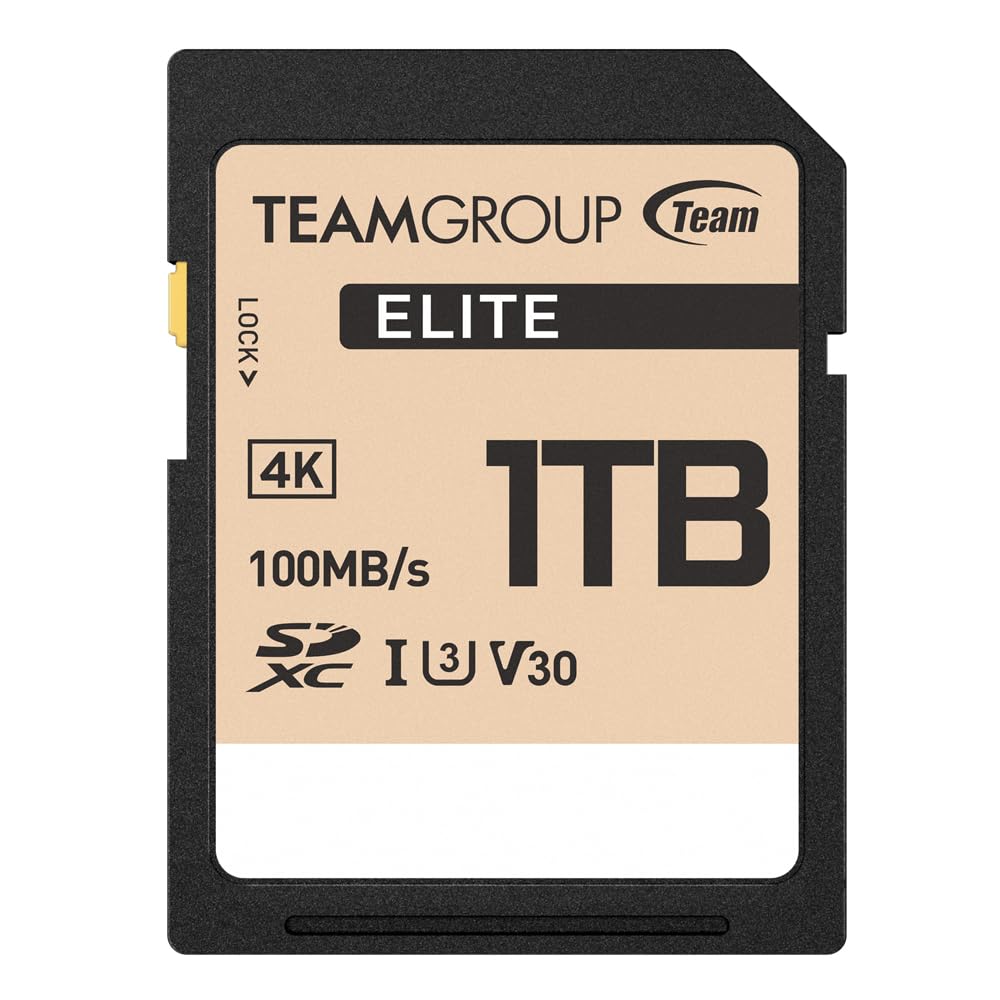
A capable full-size SD card for cameras and older laptops that don’t need blazing writes.
TEAMGROUP brings a 1 TB full-size SDXC card to the table at a friendly price, with read speeds up to 100 MB/s and U3/V30 ratings that make it a solid choice for 4K UHD recording. Canon T7 reviewers point out it’s very fast and fully compatible, and the storage capacity holds hundreds of photos. It also shines as a backup drive — one owner loaded 100 GB of medical records onto it after formatting it in FAT32, exFAT, or NTFS without a hitch.
The honest limitation sits in sustained write performance. Shoppers say “read speeds stable at 90 MB/s; write speeds throttle to 10 MB/s after minutes of heavy use,” which makes it unsuitable for frequent large file writes. For a camera that shoots in short bursts or a laptop needing extra storage, that’s rarely a problem — but for continuous 4K recording or heavy video work, this is not the card to choose.
Where It Wins
- Full-size SDXC format works directly in cameras and laptops
- Formats flawlessly into FAT32, exFAT, or NTFS
- Value-for-money feedback is consistently positive
Where It Falls Short
- Sustained write speed drops to 10 MB/s during heavy, continuous use
- Reliability gets mixed feedback from owners
Ideal for: photographers and laptop users who need a huge, affordable card for storage and occasional writes.
Not for: anyone doing constant, large-volume writes like long 4K recording sessions.
Understanding the Specs
Speed Classes: U3, V30, A1, A2
These ratings guarantee a minimum performance floor. U3 and V30 both mean the card can sustain at least 30 MB/s writes, which is the baseline for smooth 4K video. A1 and A2 ratings cover random read/write speeds for apps — A2 is the higher tier, meaning apps launch faster when installed on the card. A card can carry both (many here do), so check for the combo that matches your use.
microSD vs. Full-Size SD
Most giant-capacity cards ship as microSD (the tiny format for phones and handhelds) with an SD adapter for cameras. A few, like the Kingston and TEAMGROUP picks, are native full-size SD cards that slot directly into a DSLR without an adapter. If you only use cameras, a native SD card avoids a loose adapter; if you bounce between a phone and a camera, microSD with an adapter is more flexible.
Write Speed vs. Read Speed
Read speed governs how fast files transfer to a computer — useful, but not urgent. Write speed governs how fast the card accepts new data, deciding whether a camera buffer clears or video drops frames. A card advertising only a read speed (like 150 MB/s) may have a modest write rate, so look for the write number or a U3/V30 class rating before trusting the big headline figure.
Device Capacity Limits
A 1 TB card is useless in a device that only supports 256 GB or 512 GB. Older cameras, some dashcams, and specific consoles have hard ceilings, and inserting an over-capacity card can cause errors or no recognition at all. Always check your device’s maximum supported card size in the manual or manufacturer’s site before spending on a terabyte.
FAQ
Will a 1 TB card work in my Nintendo Switch?
What is the difference between A1 and A2 rated cards?
Why does my 1 TB card show less than 1 TB of usable space?
Do I need a U3 or V30 card for 4K video?
Can I use a microSD card in a full-size SD slot?
How do I know if my device supports a 1 TB card?
Is a full-size SD card better than a microSD with an adapter?
What does the V30 rating mean for video recording?
Are expensive 1 TB cards worth the price difference?
Which card is best for a Steam Deck?
Final Thoughts: The Verdict
For most people, the 1 tb sd card winner is the SanDisk Extreme because it combines 160 MB/s read speeds, U3/V30 4K readiness, and the most proven reliability record in the category. If you want maximum write speed for serious 4K video capture, grab the Lexar Silver Plus. And for gamers filling a Switch or Steam Deck on a budget, the Silicon Power Gaming card is the one to reach for. The SanDisk Extreme’s 4.8-star rating across 350,000+ owners confirms it as the most reliable, no-fuss 1 TB choice.
How We Picked
We do not accept paid placement. Every pick is matched to a real buyer and a real use-case; we do not hands-on test units.
Sources & Methodology
Specifications: manufacturer listings and product documentation. Review insights: verified customer reviews, as of September 2026. Pricing: not shown on this page (it changes often); check the current price via the retailer link.
As an Amazon Associate, Gadgets Feed earns from qualifying purchases. This does not affect which products we feature.