
Our readers keep the lights on and my morning glass full of iced black tea. As an Amazon Associate, I earn from qualifying purchases.
Specs are compiled from manufacturer listings and verified buyer reviews and can change over time — please confirm the key details on the product page before buying.
Finding a monitor that delivers true 4K (3840×2160) clarity without forcing you into premium territory is the real challenge. You want that crisp text and vivid color for work or play, but you don’t want to pay flagship prices to get it. This guide cuts through the clutter to find the models that hit the balance of performance and price.
I’m Min — the founder and writer behind Gadgets Feed. This guide is built by comparing the manufacturers’ published specifications and the patterns across verified customer reviews, so you get each pick’s real strengths and trade-offs instead of marketing spin.
Whether you’re upgrading from 1080p for sharper productivity or eyeing smoother gameplay, we’ve matched the best affordable 4k monitor options to the specific jobs they do best.
Our Picks at a Glance


How To Choose The Best Affordable 4K Monitor
Before you compare models, it helps to know which panel tech and features will serve you best.
Panel Type: IPS or VA
The panel dictates viewing angles and contrast. IPS (In-Plane Switching) panels offer the best color accuracy and wide viewing angles, meaning the picture stays true even when you’re not dead-center. VA (Vertical Alignment) panels typically deliver deeper blacks and higher contrast ratios for movies, but the image can wash out if you view from an angle.
Ports and Power Delivery
Look for the connections you need. A USB-C port with power delivery can charge your laptop and transmit video with a single cable, clearing desk clutter. Ensure you have enough HDMI ports for consoles and a DisplayPort for PC use.
Quick Comparison
| Model | Best For | Refresh Rate | Color Gamut | Contrast Ratio | Amazon |
|---|---|---|---|---|---|
| LG 27UP850K-W★ Best Overall | Mac users & creators | 60Hz | 95% DCI-P3 | 1200:1 | Amazon |
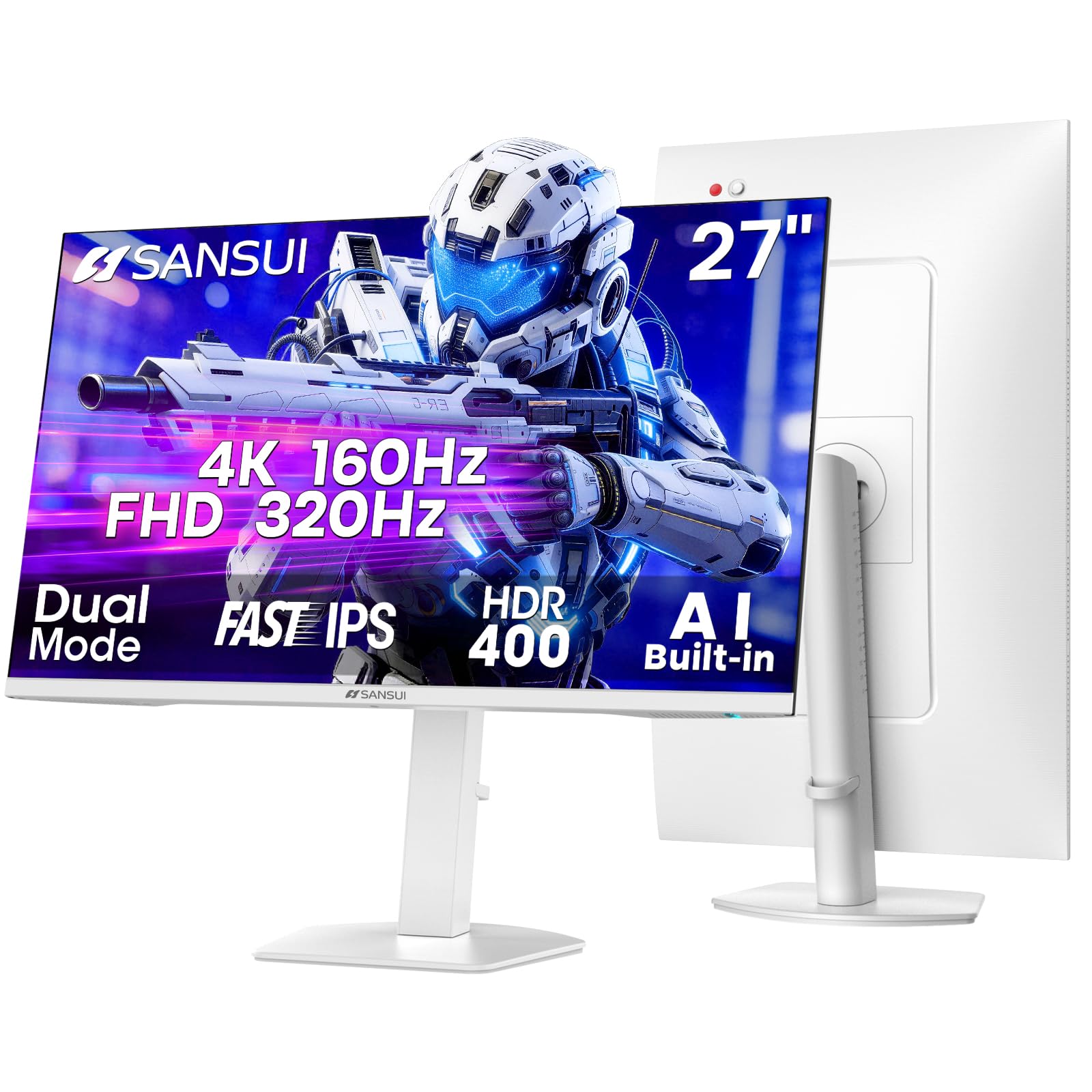
| SANSUI 27″ 4KRefresh Champion | High-refresh gaming | 160Hz (4K) / 320Hz (FHD) | 93% DCI-P3 | 1000:1 | Amazon |
| LG 32UR500K-BScreen Real Estate | Big-screen work on a budget | 60Hz | 90% DCI-P3 | 1000:1 | Amazon |
| Dell S2725QC | USB-C productivity | 120Hz | 99% sRGB | 1500:1 | Amazon |
| Samsung ViewFinity S7 | Eye-care focus | 60Hz | 99% sRGB | 1000:1 | Amazon |
| Dell S3225QS | rich media & games | 120Hz | 95% DCI-P3 | 1500:1 | Amazon |
| GIGABYTE M27UP SA | Dual-mode flexibility | 160Hz (UHD) / 320Hz (FHD) | 125% sRGB | 1000:1 | Amazon |
| ASUS TUF VG27UQ1A | Console + PC gaming | 160Hz | 95% DCI-P3 | 1000:1 | Amazon |
| ASUS ProArt PA279CRV | Color-critical editing | 60Hz | 99% Adobe RGB | 3000:1 | Amazon |
| Samsung ViewFinity S8 | Versatile professional use | 60Hz | 99% sRGB | 3000:1 | Amazon |
| BenQ MA270U | MacBook Pro/Air owners | 60Hz | P3 Wide Color | 2000:1 | Amazon |
In-Depth Reviews
1. LG 27UP850K-W 27-inch Ultrafine 4K UHD IPS Monitor
Our pick — 4.5★ from 350+ verified ratings; the strongest balance of quality and price.
The one-cable Mac companion that makes 4K look easy.
This LG is the pick that balances everything: it delivers crisp, vibrant visuals with up to 95% DCI-P3 color gamut. That wide color coverage means reds and greens look rich and true for photo editing or movie night. Owners consistently note the sharpness and color accuracy are genuinely impressive at this level, making text incredibly easy to read for hours.
For laptop users, the standout feature is the USB Type-C port offering up to 90W power delivery. This single cable transmits video, data, and charges your machine simultaneously, eliminating the need for multiple adapters and dongles. The monitor also includes a DisplayPort, two HDMI connections, and two USB 3.0 ports for all your peripherals, plus built-in stereo speakers with Waves MaxxAudio for a fuller sound.
The ergonomic stand is another plus, allowing you to adjust height, tilt, and pivot for a comfortable viewing position. The crowd’s verdict is clear: this is a high-quality display that justifies its value, with one buyer noting it rivals monitors costing much more. The main trade-off, as buyers report, is that the 60Hz refresh rate is a limit for serious gaming—”Sharp, vibrant IPS; 60Hz limits gaming”—so this is a workhorse for productivity and creativity, not a competitive esports weapon.
Image Quality Leader: The 95% DCI-P3 gamut and 1200:1 contrast ratio deliver noticeably deeper, richer colors than the SANSUI’s 1000:1 panel, making it the better pick for visual work. That 1200:1 vs 1000:1 gap is a 20% advantage in perceived depth, and it shows with photos and HDR content.
Connectivity King: The versatile port selection and one-cable USB-C setup are what owners praise most.
Best for: Creative professionals and MacBook users who want excellent out-of-the-box color and a tidy single-cable desk setup.
Consider if: You’re a PC gamer needing high frame rates—the 60Hz limit means you should look at higher-refresh options on this list.
2. SANSUI 27″ 4K Gaming Monitor
A dual-mode speedster that rewrites the rules of budget gaming.
This is the gaming pick that offers flagship-style flexibility at a budget price. Its defining trick is dual-mode: you get up to 160Hz in sharp UHD 4K, or you can switch to FHD (1080p) to hit an explosive 320Hz for ultra-competitive play. That 320Hz mode delivers a 2.7x speed boost over the LG’s 60Hz, making motion look almost impossibly fluid in fast-paced esports titles.
The Fast IPS panel keeps things responsive with a 1ms response time, while the 400 nits of brightness (the same peak as the LG, but on a bigger feature set) helps HDR400 content pop. Owners mention the picture is clear and sharp for work, and the value is undeniable. As owners put it: “This, quite literally, the best computer buy I have made in close to 10 years.”
The connectivity is fully future-proofed with 2x HDMI 2.1 ports and 2x DisplayPort 1.4 inputs, ensuring you can run high refresh rates on the latest GPUs. The ergonomic stand supports pivot, swivel, height, and tilt adjustments to find your perfect angle. While color quality has received some mixed feedback from owners, and a few report the screen blanking out (often traced to a faulty power plug), the sheer speed and feature count make it a compelling choice for gamers who also want a 4K desktop for daily use.
What Gamers Rave About
- Unreal 320Hz speed for FHD esports and 160Hz for crisp 4K gaming.
- Fast IPS panel provides a smooth 1ms response with minimal ghosting.
- Loads of ports: dual HDMI 2.1 and dual DisplayPort 1.4 for multi-device setups.
What To Keep In Mind
- Color accuracy is good but not class-leading, with some variance reported.
- While rare, a few units have intermittent power issues, often tied to the power cord.
Reach for this if: You’re a gamer who wants both stunning 4K visuals and a competitive 320Hz mode without paying a premium.
Look elsewhere if: You prioritize absolute color fidelity for professional photo editing—there are better-calibrated panels on this list.
3. LG 32UR500K-B Ultrafine 32-inch 4K Monitor
The budget king of big, sharp desktop space.
If your priority is sheer screen size for less, this 32-inch LG is the answer. It gives you a massive 32-inch display with the same crisp 3840×2160 resolution you get on smaller 27-inch models, resulting in that same dense detail but on a much larger canvas. That 32-inch size offers a 19% larger screen area than a 27-inch model, a huge difference for multitasking, video editing timelines, or running multiple windows side-by-side without feeling cramped.
Despite the lower price point, it delivers up to 90% DCI-P3 color gamut, which is a small 6% step down from the premium LG’s 95% coverage. Customers note the picture quality is impressive for the money, with crisp 4K text and vibrant colors that make it feel like a much more expensive display, even compared to monitors costing three times as much. The thin bezel design also looks sleek on any desk.
The stand allows for ergonomic tilt adjustment, so you can set the angle comfortably. It’s equipped with HDR10 support, which helps compatible movies and games look more dynamic with brighter highlights and deeper blacks. The main caveat, as several users note, is that default colors from the start can look slightly washed out in SDR (standard dynamic range) content, and adjusting settings or sticking to HDR media is often needed to get the best picture.
Big Canvas, Small Price: This is the go-to if you want the rich feel of 32 inches while staying in the budget-friendly zone, and it still offers a strong 90% DCI-P3 gamut for the size.
Panel Performance: Owners praise the sharp “4K” resolution and consistent quality, but note that a little tweaking of the color settings is usually needed for the best out-of-box experience.
Ideal for: Home office users and spreadsheet warriors who want maximum screen space for minimal cost.
skip it if: You’re a competitive gamer wanting high refresh rates—this is a 60Hz work-focused panel.
4. Dell 27 Monitor S2725QC, 4K UHD IPS

The Dell that makes 120Hz feel like a daily luxury.
Dell has managed to squeeze a 120Hz refresh rate into its affordable 4K line, and it makes a big difference for everyday use. Scrolling through long documents and websites looks silky smooth, and the reduced eye strain is a real benefit for long work sessions. The 99% sRGB coverage and 1500:1 contrast ratio ensure colors are vivid and blacks look deep, delivering crisp images with excellent depth.
Connectivity is a major strength here. A single USB-C cable provides up to 65W of power delivery, keeping your laptop charged and your desk clutter-free. It’s particularly praised for its compatibility with Macs, with owners calling it “flawless” when paired with a Mac Mini, and it also comes with two USB-C ports that let you run dual monitors from a single laptop via daisy-chaining.
This is often cited as the most affordable 4K 120Hz monitor available, making it a smart buy for mixed work-from-home and light-gaming setups. The display quality earns the most praise from owners, who note the “crisp images” and “deep blacks” are a step up from standard office panels. The only area of concern is reliability, with a small number of buyers experiencing USB-C or dock-related failures, but for the majority, this represents exceptional value in a premium-feeling package.
Smooth Operator: The jump from 60Hz to 120Hz is among the most noticeable upgrades for daily computing, and Dell delivers it without a price hike over standard office monitors.
Mac & PC Friendly: The USB-C connectivity with 65W power delivery and glowing reports on Mac compatibility make it a versatile choice for mixed-device households.
Grab this for: A smooth, crisp, and comfortable daily driver that handles work, spreadsheets, and casual gaming with equal ease.
Think twice if: You need the absolute highest color accuracy for professional print work—this favors sRGB over the wider DCI-P3 gamut.
5. Samsung 27-Inch ViewFinity S7 (S70D) 4K Monitor

A sleek desk centerpiece that prioritizes your eye health.
Samsung’s ViewFinity S7 is built for long, comfortable workdays. Its defining feature is the TÜV-certified intelligent eye care, which uses an Eye Saver Mode to reduce flickering and harmful blue light emissions, protecting your eyes during extended use. Brightness and color temperature also tune automatically based on your environment, keeping the screen comfortable to view in various lighting conditions.
With 4K UHD (3840×2160) resolution, text and graphics appear razor-sharp, and the HDR10 support provides a wider gamut of colors for enhanced realism in photos and videos. The 350 cd brightness is sufficient for most rooms. The connectivity is straightforward and sturdy, featuring HDMI, DisplayPort, and USB-A and USB-B ports, so attaching peripherals is easy.
Owners appreciate the sharpness and value this monitor provides, calling it “a fantastic 4K Monitor for Work and Play” with accurate colors suitable for photo editing. The stand is a highlight—it requires no tools or screws to set up, and you can adjust height, tilt, swivel, and pivot with a simple push of a button. A common point of frustration is the height adjustment mechanism itself, which some find stiff or non-functional, and the on-screen controls are a single button that can be tricky to master.
Comfort First Features
- TÜV-certified Eye Saver Mode reduces flicker and blue light for marathon sessions.
- Tool-free Easy Setup Stand offers full height, tilt, swivel, and pivot flexibility.
- Crisp 4K with multiple ports (HDMI, DP, USB-A/B) for a tidy setup.
Potential Snags
- The height adjustment and single-button controls are the most common points of criticism.
- Color quality is generally appreciated, though some find the default profile a bit unnatural.
Choose this if: You spend long hours in front of a screen and want Samsung’s eye-care technology to help reduce fatigue.
Note that: While the stand is flexible, getting it adjusted just right can take some effort due to the less-refined mechanisms.
6. Dell 32 Monitor S3225QS, 4K UHD VA

A cinematic 32-inch VA canvas that punches above its price.
For an rich media and gaming experience on a budget, the Dell S3225QS is a powerhouse. It uses a 32-inch VA panel that, combined with a sky-high 3000:1 contrast ratio, delivers the kind of deep, inky blacks you’d expect from a much pricier display. Owners highlight the “deep contrast” and “saturated colors” that make HDR movies and games look fantastic, and the 120Hz refresh rate keeps motion fluid and tear-free during gameplay.
The color performance is also a step up, covering both 99% sRGB and 95% DCI-P3. This is a wider color gamut than the LG 32UR500K-B’s 90% DCI-P3, making it a better choice if you want vivid, accurate colors for content creation or just a more vibrant picture. The design is sleek, featuring an ultra-thin bezel and a clean ash white finish that looks refined on any desk.
The ergonomic stand provides height and tilt adjustment, and the monitor is VESA compatible for easy mounting. Buyers frequently praise its performance for creating an “excellent VA panel” for gaming, and its size “makes a huge difference for productivity.” The trade-off is typical of VA technology: the picture quality washes out when viewed from sharp angles, so this is a monitor best enjoyed head-on. The built-in speakers are also a point of mixed feedback, sometimes randomly taking over as the default audio device.
Contrast King: The 3000:1 VA contrast ratio provides a dramatic sense of depth and detail for movies that IPS panels can’t match.
Split Decision: The image quality is the thing everyone raves about, but be prepared for off-axis color shifting that’s inherent to VA technology.
Reach for it if: You prioritize cinematic contrast and vibrant colors for movies, console gaming, and rich single-player titles.
Keep this in mind: If you need a monitor for collaborative work where people view from the side, an IPS panel would serve you better.
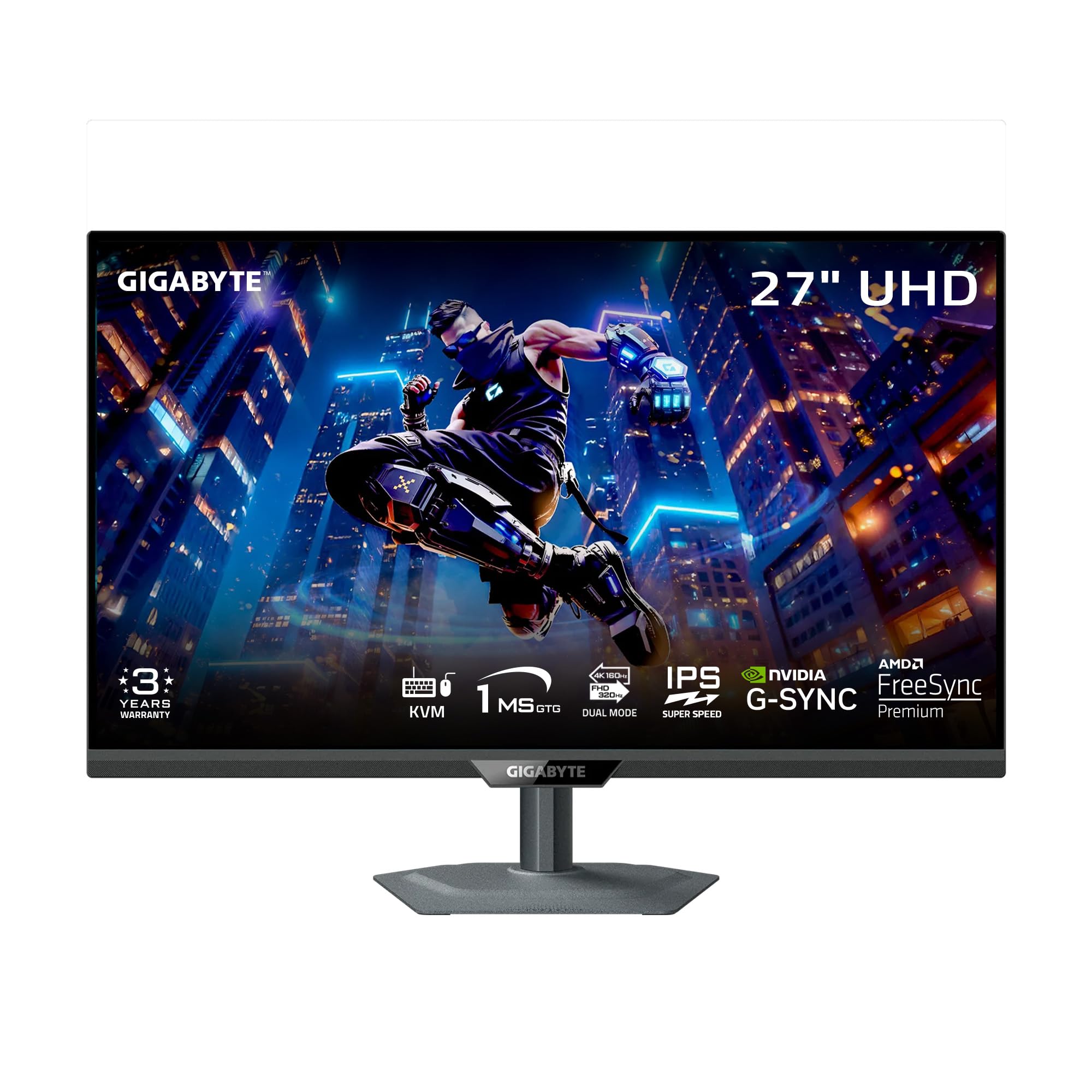
7. GIGABYTE M27UP SA 27″ SuperSpeed IPS Gaming Monitor
A premium-feel pick that offers two gaming monitors in one.
GIGABYTE takes the dual-mode concept up a notch with the M27UP. As with the SANSUI, you can switch between a sharp 160Hz UHD mode for cinematic games and a blazing 320Hz FHD mode for esports, but it adds creature comforts like a metal, single-piece stand that feels far more premium than its price suggests. The build quality is a point of praise, rivaling the feel of more expensive options.
The SuperSpeed IPS panel keeps the 1ms response time, ensuring smooth motion clarity in both modes. Colors are well-covered with a 125% sRGB gamut, and the 350 cd brightness supports VESA DisplayHDR 400 for more realistic highlights. It also features a KVM switch, allowing you to control two different PCs with a single keyboard and mouse setup, which is a huge convenience for multi-device power users.
The value proposition here is strong, and the review pages sum it up: it’s frequently described as the “best value 4K monitor on the market” for its feature set and performance. Owners praise the “accurate colors” and find the clarity rivals a MacBook Pro’s display. The biggest caveats are the viewing angles—you need to sit fairly centered to avoid the IPS glow and vignette effect in the corners—and some note that brightness could be higher for very bright rooms.
Feature-Packed Value
- Flexible dual-mode lets you prioritize resolution or speed depending on the game.
- Built-in KVM switch allows smooth control of two PCs with one set of peripherals.
- Premium metal stand provides a stable, high-quality foundation.
Consider This
- Viewing angles are average; you’ll want to sit directly in front for the best image.
- Some owners note the maximum brightness feels just adequate in very sunny rooms.
Ideal for: The gamer power user who also juggles a work laptop and a desktop PC, thanks to the KVM functionality.
Be aware: It’s an IPS panel, so don’t expect the deep blacks of the VA-based Dell, and some IPS glow is present in dark scenes.
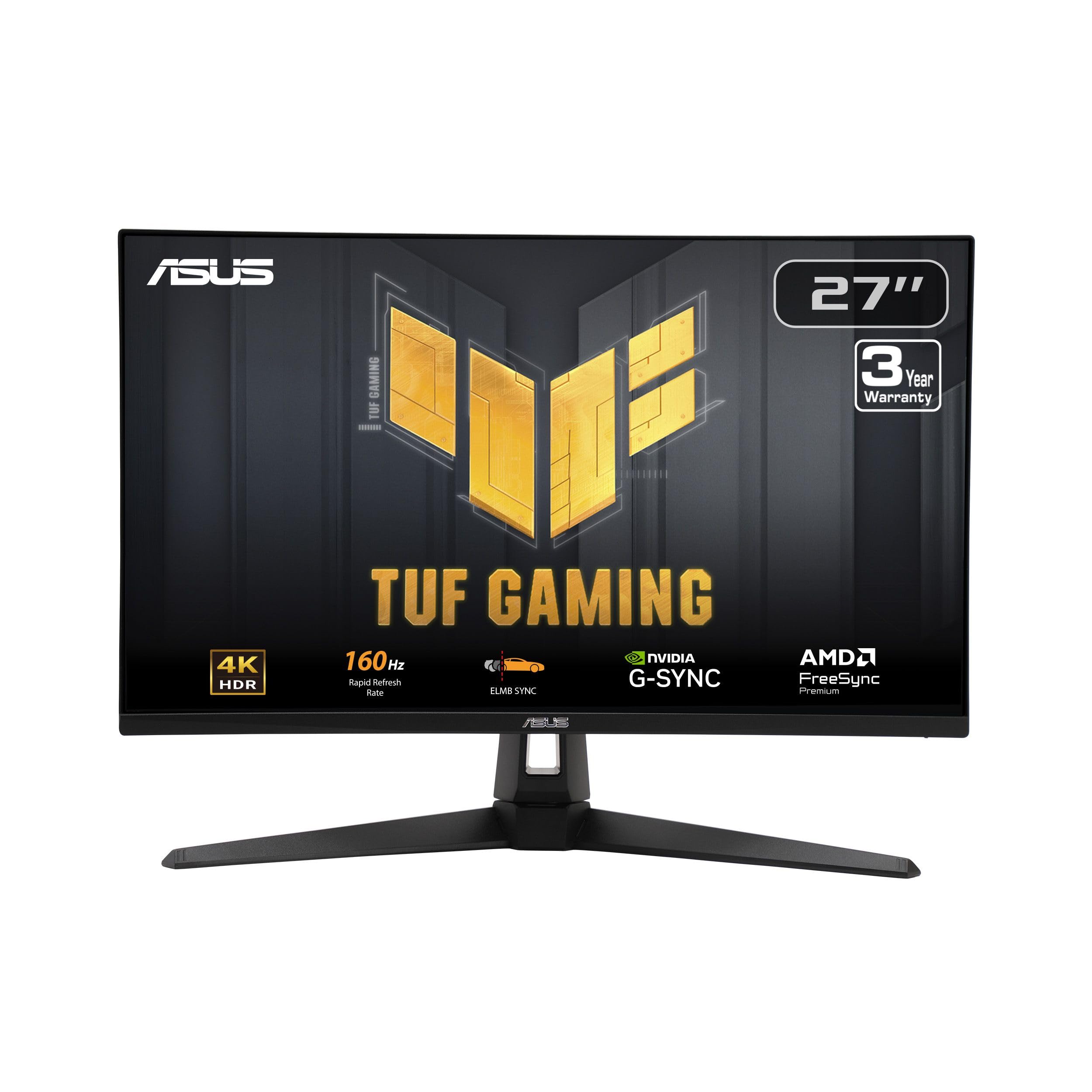
8. ASUS TUF Gaming VG27UQ1A 27″ 4K 160Hz Monitor
The hybrid gaming monitor that shines on both PC and console.
The ASUS TUF VG27UQ1A was built for gamers who don’t want to choose between high refresh rates and modern consoles. The key feature here is HDMI 2.1, which enables console gaming at up to 4K 120Hz without chroma subsampling, meaning you get the full, uncompressed color detail on your Xbox Series X or PS5. Owners confirm it “enhances gaming” with clearer text and smooth 120Hz visuals, a huge step up from standard 1080p monitors.
For PC gamers, the 27-inch Fast IPS panel delivers a superb 160Hz refresh rate with a 1ms response time. ASUS’s Extreme Low Motion Blur (ELMB) Sync technology allows you to use motion blur reduction alongside variable refresh rate for the sharpest possible image with no ghosting. It’s also G-SYNC Compatible and supports AMD FreeSync Premium, working with both major GPU brands for a tear-free experience.
At 95% DCI-P3, the color covers the wide gamut needed for vibrant, accurate gaming visuals. The monitor has an adjustable stand for tilt, swivel, and pivot, though reviewers point out the height is fixed and cannot be adjusted. While reliability is mixed in a small segment of reviews, the overwhelming feedback highlights its “excellent contrast, pixel density, and color reproduction” as a massive upgrade, making it a long-term keeper for many.
Console & PC Bridge: HDMI 2.1 ensures your next-gen console runs at full 4K 120Hz, while PC gamers enjoy the full 160Hz glory.
Performance First: The thing everyone raves about is the crisp image quality and high refresh rate; the primary drawback is the lack of height adjustment on the stand.
Perfect for: Gamers with both a high-end PC and a PS5/Xbox Series X who want one monitor to do it all.
Look out for: If you have a very specific desk setup, you might need a VESA mount (100x100mm not specified) to get the height you want, as the stock stand is fixed-height.
9. ASUS ProArt PA279CRV 27″ 4K HDR Professional Monitor

Factory-calibrated color accuracy that editors trust from the start.
When your income depends on color accuracy, the ASUS ProArt is the affordable professional’s secret weapon. It’s Calman Verified and factory pre-calibrated to a Delta E < 2 color accuracy, meaning the colors you see are incredibly close to the true values without you needing to fiddle with complex calibrations. It covers an enormous 99% DCI-P3 and 99% Adobe RGB, making it a perfect match for photo and video editing workflows.
For Mac users, it’s a dream setup, offering DisplayPort over USB-C with a hefty 96-watt Power Delivery. That means a single cable connects your MacBook, charges it at full speed, and delivers a stunning, sharp 4K image. The 400 cd brightness and a high 3000:1 contrast ratio provide the depth and detail needed for grading video or touching up photos. Its ergonomic stand provides full tilt, swivel, pivot, and height adjustments.
Owners in creative fields describe it as “excellent for graphic design and photo editing,” with color accuracy that’s “accurate right from the start.” It also supports daisy-chaining, allowing you to connect multiple monitors with a single cable—a huge plus for expansive editing suites. The main limitations are a 60Hz refresh rate, which makes it unsuitable for high-refresh gaming, and weak built-in speakers, but neither matters for its intended professional audience.
Color-First Philosophy: The factory calibration to Delta E < 2, 99% Adobe RGB, and 99% DCI-P3 coverage make this a formidable tool for visual professionals.
A Niche Pick: If you’re a hardcore gamer, the 60Hz limit will disappoint; this monitor is all about pixel-perfect accuracy, not speed.
This is for: Photographers, videographers, and graphic designers who need dependable, presentation-grade color straight from the box.
Not for: Gamers seeking high frame rates—it’s strictly a 60Hz workhorse, and the speakers are best replaced with dedicated audio.
10. Samsung 32″ ViewFinity S8 (S80D) 4K Monitor

A 32-inch professional panel with a stand that bends over backwards.
This bigger sibling in Samsung’s ViewFinity S8 line delivers the ergonomic flexibility that power users crave. The 32-inch screen is a substantial upgrade over 27-inch models, offering a 19% increase in screen area that makes it ideal for complex creative work or managing multiple applications. It features a height-adjustable stand that also swivels, tilts, and pivots a full 90 degrees into portrait mode—perfect for reading long documents or coding without constant scrolling.
Inside, the 4K UHD panel is praised for its “incredibly sharp” resolution and vibrant colors, making it suitable for professional work in tools like Photoshop and Lightroom. The HDR10 support brings deeper contrast to compatible content. The monitor is equipped with HDMI, DisplayPort, and USB-A and USB-B ports, giving you solid options for connecting your devices. It also retains the TÜV-certified eye care features, reducing flicker and harmful blue light for comfortable all-day use.
The build quality is a consistent point of praise, with owners calling it highly recommendable for its “clear ultra high resolution display” and great brightness, working flawlessly with M4 Mac Mini setups. The contrast ratio of 3000:1 helps deliver deep blacks, and the matte screen reduces reflections. Some feedback points to fiddly, non-intuitive controls and a slight fixed angle on the panel, but these are minor compared to the overall professional utility and impressive image quality that anchors this monitor’s reputation.
Portrait Mode Pro: The full-motion stand with 90-degree pivot is a rarity at this price, making it ideal for long-format content and code.
High Praise: The picture sharpness and professional color quality are the standout features owners rave about most.
Best for: Professionals and creators who need a large canvas, flexible ergonomics (including portrait mode), and dependable color.
Before you buy: There are a few complaints about dead pixels and a learning curve with the on-screen controls, so check the panel upon arrival.
11. BenQ MA270U 27″ 4K Monitor for MacBook

The MacBook companion that feels like an Apple-made display.
BenQ designed the MA270U specifically for MacBook Pro and Air users, and it shows. The headline feature is its Mac Color Match technology, which uses BenQ’s exclusive color tuning to deliver a vibrant P3 wide color gamut that visually matches the color profile of your MacBook’s built-in screen. This creates a smooth dual-display experience where colors align across both screens, saving you from the headache of mismatched hues.
Integration goes beyond just color. The dual USB-C ports deliver 90W of power, allowing you to charge your MacBook while simultaneously driving the display with one clean cable, with a second 15W port to charge an iPad or iPhone. You can even adjust the monitor’s brightness and volume directly from your MacBook’s keyboard—a small touch that makes it feel like a native extension of your laptop’s ecosystem. It also features 2 HDMI ports for connecting other devices.
The 27-inch IPS panel is crisp and bright at 400 nits, and the matte screen ensures sharp text and images without reflection glare. Owners describe it as offering “pro-level performance at a fraction of the price,” with “spot-on colors” and smooth integration. The ergonomic stand supports height, tilt, swivel, and pivot adjustments for maximum comfort. The main adjustments require a downloadable Display Pilot 2 app for full settings control, and the monitor wakes from sleep a few seconds slower than expected, but these are minor for a display this well-matched to its intended audience.
The Mac Solution: Its specific tuning for macOS color profiles and keyboard-controlled brightness make it a truly unique, integrated choice.
Worth The Premium: For Mac users, the smooth integration and “Apple-like quality” are why owners say they regret buying cheaper alternatives first.
If you own a MacBook: This is the top-tier choice to expand your workspace with matching colors and single-cable charging in a premium package.
If you’re on Windows: The Mac-centric software and color tuning offer less benefit, so you can find comparable specs for less elsewhere.
Understanding the Specs
Resolution and PPI
4K, or 3840×2160, packs over 8 million pixels onto the screen. On a 27-inch panel, that’s a very high pixel density, so text and images look incredibly sharp and defined. On a 32-inch screen, the same number of pixels are spread over a larger area, which means a slightly lower pixel density, but it’s still a huge jump in sharpness from a 1080p display.
Refresh Rate and Response Time
Refresh rate, measured in Hz, is how many times the screen updates per second. A standard 60Hz monitor is fine for office work, but 120Hz or 160Hz makes motion look far smoother. 1ms response time means the pixels change color quickly, reducing ghosting or blur in fast-moving scenes—it’s preferred by gamers.
FAQ
Is a 60Hz refresh rate sufficient for a 4K monitor?
What’s the difference between IPS and VA panels?
Will my graphics card be able to run a 4K monitor?
What is DisplayHDR 400 and is it important?
Do I need a special cable to get 4K at 120Hz or higher?
What is the benefit of a USB-C port with power delivery on a monitor?
Final Thoughts: The Verdict
Across the board, the affordable 4k monitor winner is the LG 27UP850K-W because it hits a strong balance of image quality with its 95% DCI-P3 gamut and convenience with a 90W USB-C port. If you want a silky-smooth 120Hz for mixed work and play, grab the Dell S2725QC. And for MacBook owners who want a display that feels like a native Apple product, the BenQ MA270U is the one to reach for.
How We Picked
We do not accept paid placement. Every pick is matched to a real buyer and a real use-case; we do not hands-on test units.
Sources & Methodology
Specifications: manufacturer listings and product documentation. Review insights: verified customer reviews, as of September 2026. Pricing: not shown on this page (it changes often); check the current price via the retailer link.
As an Amazon Associate, Gadgets Feed earns from qualifying purchases. This does not affect which products we feature.