
Our readers keep the lights on and my morning glass full of iced black tea. As an Amazon Associate, I earn from qualifying purchases.
Specs are compiled from manufacturer listings and verified buyer reviews and can change over time — please confirm the key details on the product page before buying.
Choosing a 14-inch Android tablet really depends on one question: do you need a huge screen for reading and sheet music, or a canvas for drawing? Your best pick balances eye-friendly display quality with the processing power to run your apps smoothly. Here are six large-screen tablets, based on what real buyers report, to help you decide which fits your daily use.
I’m Min — the founder and writer behind Gadgets Feed. This guide is built by comparing the manufacturers’ published specifications and the patterns across verified customer reviews, so you get each pick’s real strengths and trade-offs instead of marketing spin.
These six tablets range from budget-friendly giants to premium creative hubs, so let’s zero in on the details that matter most when hunting for the best android tablet 14 inch.
Our Picks at a Glance

How To Choose The Best Android Tablet 14 Inch
Choosing a 14-inch tablet involves more than just comparing screen sizes. You need to consider the display technology for eye comfort, the processor and RAM for smooth performance, and the battery life to keep you going through long work or entertainment sessions.
Display Technology and Eye Comfort
The display is your primary window to the device. A 2K or higher resolution screen (like 2000×1200 or 2400×1600) will make text crisp for reading. However, if you plan to read for hours, look for features like blue light filtering and DC dimming, often marketed as “paper-like” or “eye-care” displays, to reduce strain and glare.
Processing Power and RAM
Performance is dictated by the processor and memory. Look for an octa-core processor with a clock speed around 2.0GHz for smooth multitasking. While you may see huge RAM numbers like 36GB, understand that this often includes “virtual” or “extended” RAM (e.g., 12GB physical + 24GB virtual). Physical RAM is what matters most for heavy gaming or professional apps.
Quick Comparison
| Model | Best For | Display | RAM / Storage | Battery | Amazon |
|---|---|---|---|---|---|
| TCL NXTPAPER 14★ Best Overall | Readers & Musicians | 14.3″ 2.4K Paper-Like | 8+8GB / 256GB | 10,000mAh | Amazon |
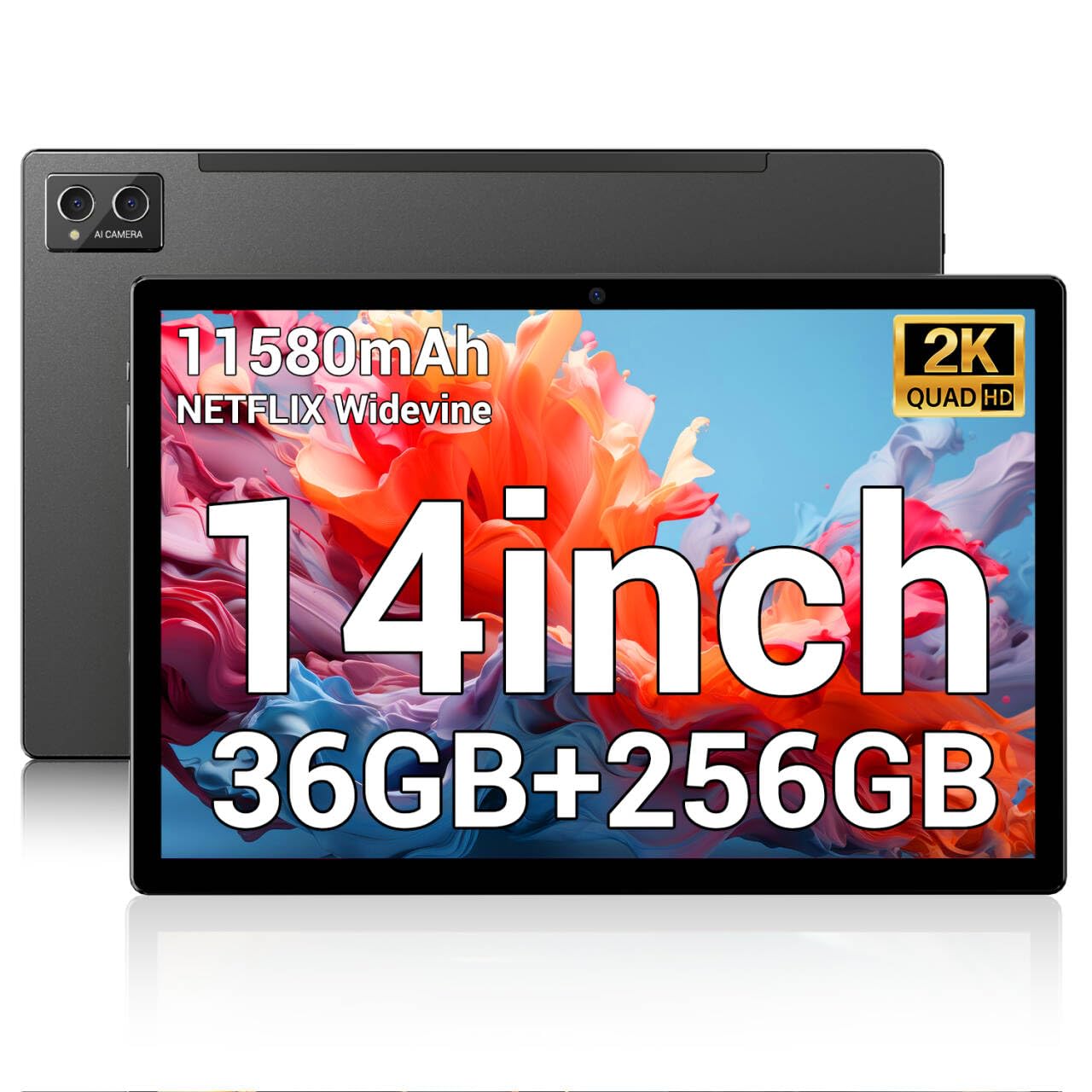
| POWMUS 14Best Value | Media Consumption | 14″ 2K Incell | 36GB / 256GB | 11,580mAh | Amazon |
| Rosyvibe 14 | Budget Power Seekers | 14″ 2K FHD | 36GB / 256GB | 11,580mAh | Amazon |
| Urao Android 16 | Multitaskers & Streamers | 14″ 1920×1200 IPS | 30GB / 256GB | 10,000mAh | Amazon |
| Wacom MovinkPad Pro 14 | Professional Digital Art | 14″ 3K OLED | 12GB / 256GB | Not Stated | Amazon |
| Samsung Galaxy Tab S11 Ultra | Flagship Performance | 14.6″ AMOLED 120Hz | 12GB / 256GB | 11,600mAh | Amazon |
In-Depth Reviews
1. TCL NXTPAPER 14 Android Tablet
Our pick — over 4★ from 400+ verified ratings; the strongest balance of quality and price.
The eye-comfort king that turns a 14.3-inch screen into a gentle reading surface.
The defining feature here is the 14.3″ 2.4K paper-like display using NXTPAPER 3.0 technology. It reduces glare and filters blue light, which is exactly why musicians and readers praise it for hours of sheet music or e-books without eye strain. You get a 16:10 aspect ratio that suits A4-ratio sheet music well, and the 2400 x 1600 resolution keeps text crisp.
Performance is handled by the MediaTek Helio G99 processor with 8GB RAM, plus 8GB of expandable memory for multitasking. It runs Android 14 and offers 256GB of built-in storage. The 10,000mAh battery supports 33W fast charging, refilling in about 2-3 hours, and can even reverse-charge your phone or earbuds. Note that the charger is not included, there’s no microSD slot, and the stylus lacks tap-to-wake.
This tablet is a complete package for creative and productive tasks. The included T-PEN stylus supports 4096 levels of pressure, making drawing and note-taking feel natural. The quad stereo speakers with Smart PA provide rich sound for media, and the dual front cameras (13MP + 5MP) with an 8MP rear camera handle video calls well. At just 0.27 inches thin and 1.67 lbs, it’s remarkably portable for its size, with an adjustable flip case doubling as a stand.
Owners Applaud
- Performance is the most-praised feature, with fast app launches and smooth multitasking
- Massive 14.3-inch screen makes sheet music and e-books comfortable to read
- Paper modes with excellent color rendition are easy on the eyes
- Reliable Bluetooth and Wi-Fi plus fast charging
What’s the Catch
- Battery drains faster than some expect despite the large capacity
- No microSD slot, headphone jack, or keyboard included
- Screen protector fit can be an issue
Reach for this if: you’re a reader, student, or musician who wants a large, eye-friendly screen for hours of use.
Look elsewhere if: you need expandable storage or a headphone jack — this model lacks both.
2. POWMUS Tablets 2025 14 Inch
A heavyweight contender with serious specs that shines for media and sheet music.
This POWMUS tablet focuses on delivering a premium-feeling media experience. It has a 14-inch Incell screen with a 2000×1200 resolution, which offers sharp, vibrant visuals for movies and games. For musicians, the size is perfect for displaying dulcimer sheet music, and the 4 speakers provide a rich, cinematic soundstage.
You get smooth multitasking for everyday apps, thanks to Android 14 running on an 8-core MT6769 processor (a mid-range chip) with 36GB of RAM (12GB physical plus 24GB virtual). It handles media and browsing well, but don’t expect it to power heavy gaming. The 11,580mAh battery is a highlight—owners mention it lasts days with moderate use, and one reviewer noted they charged it just once in three days.
The included accessories, a pen and case, add value. It features a 13MP rear camera and an 8MP front camera for video calls. Connectivity is future-proofed with WiFi 6 and Bluetooth 6. Note that this model does not have a first-time setup wizard, and while it is backed by a 1-year warranty, some users have reported reliability issues after a few months of ownership.
Solid media pick: owners find it performs well and is worth the money for sheet music, browsing, and video, with a strong battery and sharp screen.
Reliability gamble: the main concern is long-term durability — some report the device stops working after several months, so the warranty is important to keep in mind.
3. Wacom MovinkPad Pro 14

A professional creative studio where the 3K OLED panel makes art look alive.
This is not just a tablet; it’s a dedicated tool for digital artists. The standout feature is the 14-inch OLED display with a crisp 3K (2880 × 1800px) resolution. It covers 100% sRGB and DCI-P3 color gamuts, which means incredibly vivid colors and true blacks. The Premium Texture etched glass provides a pen-on-paper feel that artists rave about, and it minimizes parallax so your strokes land exactly where you expect.
Performance is driven by the Snapdragon 8s Gen 3 processor with a full 12GB of physical RAM. It runs Android 15 and offers 256GB of storage, which you can expand via a microSD slot. The included slim version of the Wacom Pro Pen 3 delivers 8,192 pressure levels and never needs charging. The device itself is extremely thin and light, weighing just 0.73 kg (about 1.6 lbs), making it a portable creative powerhouse.
This is the pick for those who want a professional-grade drawing experience on Android. Owners praise its organic drawing experience, responsiveness, and gorgeous display. However, it is a niche product: software like the Wacom Canvas is basic, and some note lag with extremely large files. It’s best used for sketching and painting directly on the device, or as a display for a PC via its USB-C connection.
Why Artists Love It
- Drawing performance is the second most-praised feature, feeling natural and precise
- Portable, thin design makes it easy to take your studio anywhere
- Battery life impresses for a device of this caliber
Consider This First
- Compatibility with some Wacom pens and software has limits
- The touchscreen can be finicky and may need software adjustments
- No audio jack, and pen button customization is restricted
Choose this for: serious artists who want a true pen-on-paper feel and a color-accurate OLED canvas.
Think about skipping if: you’re a general user — its specialized software limits and premium cost are overkill for casual browsing.
4. Samsung Galaxy Tab S11 Ultra with S-Pen
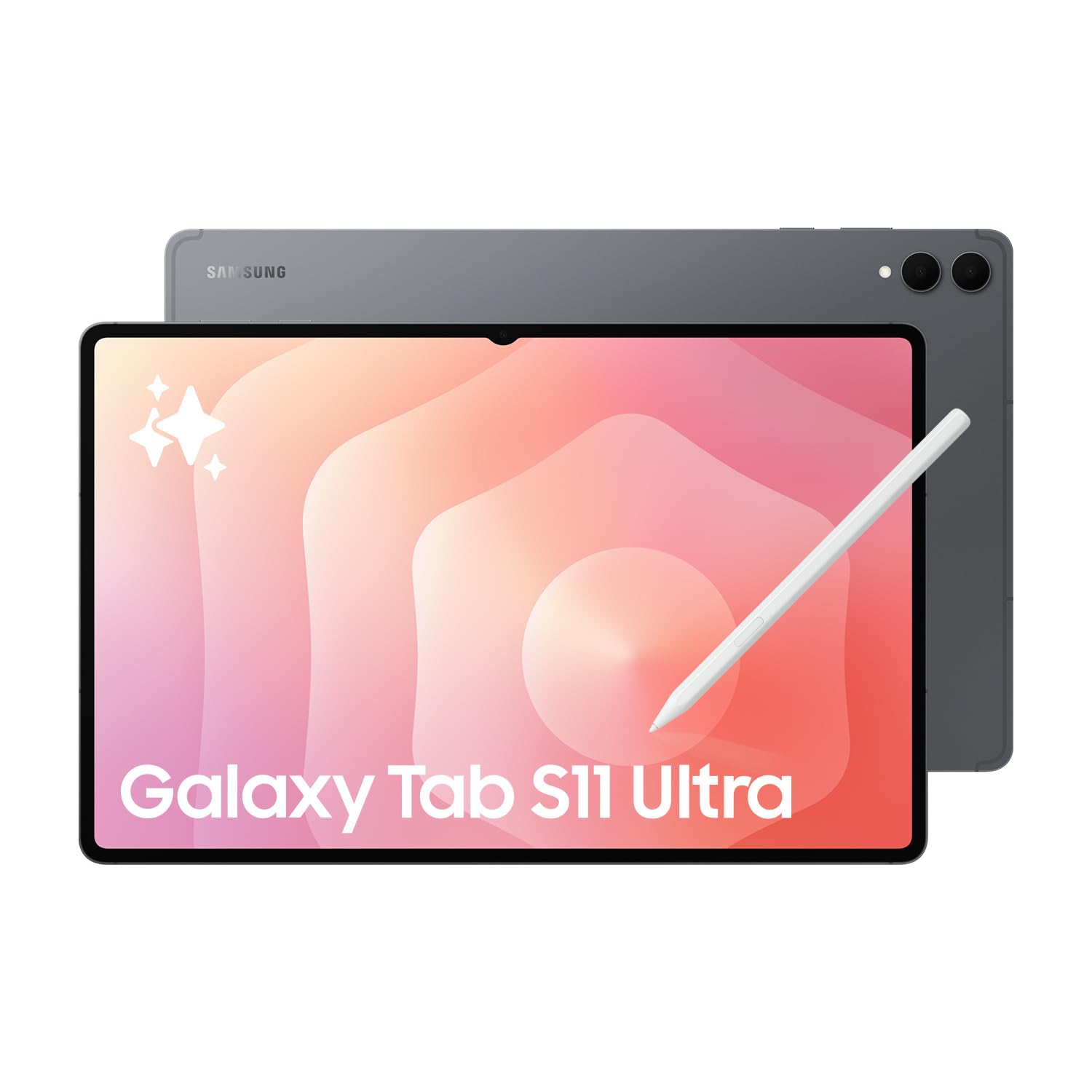
The flagship monster whose screen and power leave nothing on the table.
For the best hardware available, this tablet leads the pack. Its 14.6-inch Dynamic AMOLED 2X screen (a high-contrast display type) refreshes at 120Hz (twice as fast as standard) and supports HDR10+ (high dynamic range for richer colors), so movies and games look vivid. The 1848×2960 resolution keeps text and images sharp. Buyers call it a “monster sized tablet,” but that size gives you an rich view that the Samsung Galaxy Tab S9 Ultra can’t quite match in sheer screen area.
Performance is top-tier, powered by the Mediatek Dimensity 9400+ (3nm) chipset with 12GB of RAM and 256GB of storage. There’s a dedicated microSD slot for expansion, which owners cite as a big selling point. The device runs Android 16 with One UI 8 and includes the S Pen. It also comes bundled with a 25W Samsung Super Fast Charger to juice its large 11,600mAh battery.
This international model is Wi-Fi only, so it won’t support a SIM card for cellular data. The camera system is impressive for a tablet: a rear 13MP wide + 8MP ultrawide setup, and dual 12MP front cameras. It’s packed with sensors including a fingerprint sensor for security. Just be aware that as an international version, it does not carry a U.S. domestic warranty.
The performance benchmark: this is the fastest, most feature-rich option available, with owners praising its size, screen, and expandable memory.
One real caveat: as an international Wi-Fi-only model without a US warranty, you rely on the return policy for protection rather than Samsung’s domestic support.
Get this if: you want the absolute best Android tablet experience with a spectacular 120Hz AMOLED screen and aren’t phased by its massive size.
Pass if: you need cellular connectivity or prefer the security of a domestic warranty.
5. Urao Tablet 14 inch Android 16
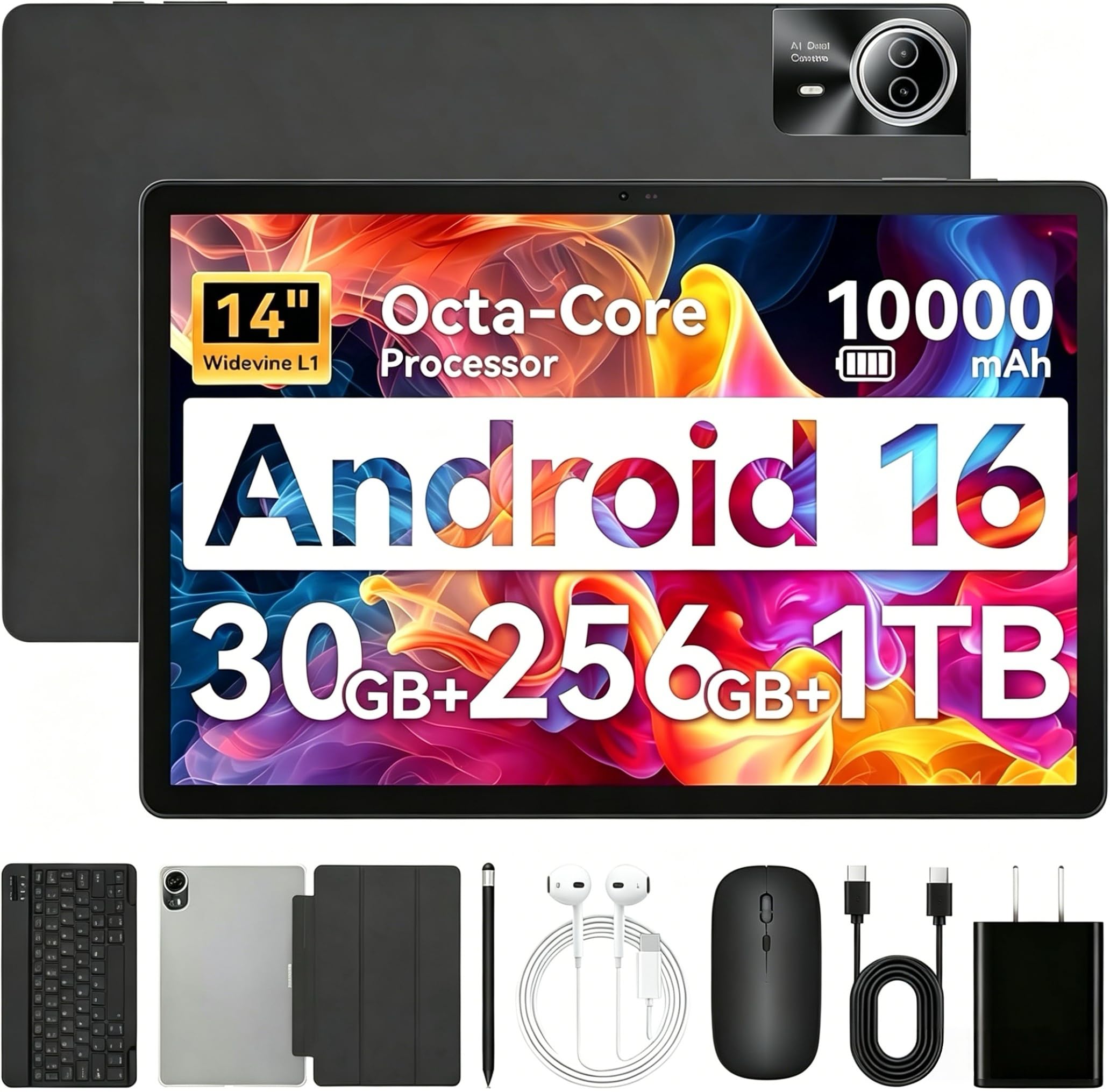
A complete 2-in-1 kit that turns a huge screen into a work-ready machine.
This Urao tablet is all about value and versatility. It runs the very latest Android 16 operating system on an octa-core 2.0GHz processor. You get 30GB of RAM (6GB physical + 24GB virtual) and 256GB of ROM, expandable up to 1TB via a TF card. The box includes a keyboard, stylus, case, and headphones, letting you transform it into a laptop for work or use it as a pure entertainment device.
The 14-inch screen has a 1920*1200 IPS resolution with low blue light technology, making it comfortable for extended viewing. It’s praised for its large display size — one IT expert found it large enough to display sheet music clearly. The 10,000mAh battery supports 30W fast charging, offering up to 12 hours of mixed use and a standby time of up to 3 days.
Connectivity is a strong point with Wi-Fi 6 and Bluetooth 5.4 for stable, fast connections. The dual cameras (rear 8MP, front 5MP) are adequate for video calls. However, potential buyers should know it’s a heavy device and lacks GPS. Some users have reported inconsistent experiences, with a few facing battery drain and charging issues, though customer service has been responsive in resolving problems.
Feature-packed for the price: the huge screen and fast performance win people over, offering excellent value for money.
Balance the weight: this is one of the heavier picks, and while some report flawless use, others have encountered battery and charging quirks — so check the return policy.
Ideal for: someone on a budget who wants a full accessory kit and the latest Android OS for work and play.
Not for you if: you need GPS navigation or prioritize a lightweight device for travel.
6. Rosyvibe 2025 14 Inch Android 15 Tablet

A spec-sheet giant that wants to be your do-everything entertainment hub.
This Rosyvibe tablet packs some seriously impressive numbers for its price point. It boasts a massive 36GB of RAM (12GB physical + 24GB virtual) and 256GB of ROM, expandable to 1TB via a microSD card. This configuration is designed to handle demanding apps and heavy multitasking, running on an 8-core 2.0GHz MT6769 processor with Android 15. For sheet music, it syncs well and handles the task easily.
The 14-inch display features a 2000×1200 FHD resolution, which the maker claims rivals 2K tablet quality. It has a metal body and straight bezel for a sleek, premium look. The battery is a major highlight at 11,580mAh, significantly larger than the TCL NXTPAPER’s 10,000mAh — a 16% advantage for longer usage between charges. The box is packed with accessories including a case, fast charger, stylus, wired headset, and screen protector.
Connectivity is comprehensive with dual 5G/2.4G WiFi, Bluetooth 5.0, GPS, and FM radio. The 13MP rear and 8MP front cameras are decent for video calls. It’s note the tablet lacks a screen on/off mode like Samsung tablets, requiring you to use the hardware button. While many find it a “great tablet for the money,” its build quality has received mixed feedback, and there are isolated reports of devices failing after a couple of days.
The High Points
- Enormous RAM and storage specs for smooth multitasking and app storage
- Large 11,580mAh battery lasts through long days and travel
- Comes with a full accessory bundle including a stylus and headphones
Things to Weigh
- Build quality perception is divided among owners
- Lesser-known brand means the included manual lacks detail
Best suited for: budget-conscious buyers who prioritize specs like RAM and battery capacity and want everything in the box.
Weigh the risk: this is a lesser-known brand with mixed reliability feedback, so you’re trading some confidence for the impressive specs. If long-term dependability is your top priority, you might prefer a more established name like the Samsung Galaxy Tab S9 Ultra.
Understanding the Specs
Display Tech and Resolution
The display is the most important part of a 14-inch tablet. Resolution, measured in pixels, determines sharpness. Look for “2K” or higher (2000×1200 or better). With big screens, refresh rate matters — a higher rate like 120Hz makes scrolling and animations feel smoother. “Paper-like” displays filter blue light to reduce eye strain during long reading sessions, while OLED or AMOLED panels offer superior color and contrast compared to standard LCD screens.
RAM, Storage, and Processors
RAM allows your tablet to run multiple apps. Pay attention to whether the stated RAM is physical or a mix of physical and virtual. Storage (ROM) holds your files and apps; 256GB is a good baseline. Consider if a microSD slot allows expansion. The processor, or CPU, handles instructions; an octa-core 2.0GHz processor is a solid performer for everyday and creative tasks. A more powerful chipset like the Snapdragon 8s Gen 3 is needed for professional apps.
FAQ
Will a 14-inch tablet fit in my bag?
Is 36GB of RAM really necessary for a tablet?
What is the difference between a paper-like display and a regular LCD?
Can these tablets replace a laptop for work?
How long does the battery last on a typical 14-inch Android tablet?
Are the included styluses good for drawing?
What does “Wi-Fi Only” mean on the Samsung Galaxy Tab S11 Ultra?
Should I be concerned about the reviews mentioning reliability issues?
Final Thoughts: The Verdict
If you want one dependable pick, the android tablet 14 inch winner is the TCL NXTPAPER 14 because its paper-like display offers the best balance of eye comfort, performance, and value. If you’re a professional artist seeking a premium canvas, the Wacom MovinkPad Pro 14 is an exceptional creative tool. And for those who want uncompromising power and a spectacular AMOLED screen, the Samsung Galaxy Tab S11 Ultra is the flagship to reach for.
How We Picked
We do not accept paid placement. Every pick is matched to a real buyer and a real use-case; we do not hands-on test units.
Sources & Methodology
Specifications: manufacturer listings and product documentation. Review insights: verified customer reviews, as of September 2026. Pricing: not shown on this page (it changes often); check the current price via the retailer link.
As an Amazon Associate, Gadgets Feed earns from qualifying purchases. This does not affect which products we feature.