
Our readers keep the lights on and my morning glass full of iced black tea. As an Amazon Associate, I earn from qualifying purchases.
Specs are compiled from manufacturer listings and verified buyer reviews and can change over time — please confirm the key details on the product page before buying.
Most people shopping for an A3 printer get burned by the same thing: they buy a machine that prints 11×17 beautifully, then discover it fights them on paper size, ink, or Wi-Fi every single week. The fix is knowing which spec decides your day — sheet capacity, print speed, and wide-sheet handling — before you buy. This guide covers eight machines that genuinely print A3, what each does well, and where each will test your patience.
I’m Min — the founder and writer behind Gadgets Feed. This guide is built by comparing the manufacturers’ published specifications and the patterns across verified customer reviews, so you get each pick’s real strengths and trade-offs instead of marketing spin.
Wide-format printing has a few unforgiving rules, and the biggest one is that A3 and 11×17 are not the same sheet — a 13×19-capable tray is what actually gives you room to print both. Below are the A3 Paper Printer picks that respect that rule and the ones that bend it, sorted by what each does best.
Our Picks at a Glance



How To Choose The Best A3 Paper Printer
An A3 printer is a wide-format machine, which means it handles sheets larger than the standard letter and legal sizes you’re used to. The category splits into two very different families: all-in-one office inkjets with a scanner and feeder built in, and print-only plotters built for roll-fed drawings and posters. Which family you buy decides your paper handling, scanning, and running costs.
Match the machine to the job, not just the paper size
If you print plans, spreadsheets, and documents and also need to scan and copy them, you want an all-in-one with an ADF. If you print long technical drawings or posters and rarely need a scanner, a plotter with a roll feed and a cutter will serve you better. Buying a plotter for office documents wastes its strength; buying an all-in-one for 24-inch roll output simply won’t fit the job.
Check the maximum paper size and the tray, together
A printer advertising 11×17 support still needs a tray that physically holds the sheet. Machines here list maximum sizes up to 13×19 inches and some accept roll media up to 24 inches wide. Match that ceiling to what you actually print, because the paper-size ceiling is the one spec you cannot work around later.
Weigh sheet capacity against how often you refill
Sheet capacity is the number of pages a tray holds before you reload, so a 500-sheet tray lets you hand off a long job and walk away. Smaller trays push you back to the machine more often. If your printing comes in bursts, capacity matters more than raw print speed.
Understand the ink and firmware reality before you buy
Ink systems differ widely — some machines accept generic cartridges, others insist on brand cartridges. Firmware updates (the software the printer downloads to itself) can also change behavior over time. Read what buyers report about both, because they decide how much the printer really costs you to run.
Quick Comparison
| Model | Best For | B&W Speed | Color Speed | Max Paper | Amazon |
|---|---|---|---|---|---|
| HP DesignJet T210★ Best Overall | CAD drawings and posters on roll | 1.3 ppm | 1.3 ppm | 24-inch rolls, 13×19 sheets | Amazon |
| Epson WorkForce Pro WF-7840Best Value | High-volume office documents | 25 ppm | 12 ppm | 13 x 19 inches | Amazon |
| Brother INKvestment 6960Top Performer | Busy small-business output | 31 ppm | 30 ppm | 11 x 17 inches | Amazon |
| Brother INKvestment 6560 | Small-business all-in-one | 31 ppm | 30 ppm | 11 x 17 inches | Amazon |
| HP OfficeJet Pro 9730 | Office documents plus scanning | 22 ppm | 18 ppm | 11 x 17 inches | Amazon |
| HP OfficeJet Pro 9720 | Compact office all-in-one | 22 ppm | 18 ppm | 11 x 17 inches | Amazon |
| Canon PIXMA PRO-200S | Photo and fine-art prints | 2 ppm | 2 ppm | 13 x 19 inches | Amazon |
| HP DesignJet T630 | Architectural plot output | 1.9 ppm | 1.9 ppm | 24-inch rolls, 13×19 sheets | Amazon |
In‑Depth Reviews
1. HP DesignJet T210 Large Format 24-inch Plotter Printer
Our pick — over 4★ from 100+ verified ratings; the strongest balance of quality and price.
The 24-inch roll machine that turns a CAD file into a cut sheet without you touching a thing
This is the pick for anyone whose output is drawings first and documents second — architects, engineers, and the estimator printing house plans. It takes media up to 24 inches wide on a roll, plus sheets up to 13×19 inches, and it switches between sheet feed and roll feed automatically. That auto-switch is the quiet luxury here: you queue a drawing and a sheet job, and the printer handles the changeover itself instead of making you pull the roll out.
Speed is where it separates sharply from the office inkjets. The T210 runs 1.3 pages per minute in both black and color, measured on larger sheets — the Epson WF-7840 hits 25 pages per minute black and 12 color, a huge gap for letter-sized office pages. But that’s the apples-to-oranges trap, because the T210 is feeding 24-inch drawings, not A4 documents. For plot work it’s quick, with up to 45 seconds per page on A1/D size and 59 A1/D prints per hour, plus a 500MB memory buffer to keep jobs moving.
What wins owners over is the print quality — sharp, colorful output on 36×24-inch paper straight from any office computer, with setup that owners describe as easy and network printing that just works. HP Click software does the heavy lifting: PDF error checking, alerts, and auto-nesting catch a bad file before it eats a roll of paper. The recurring gripe is ink. Cartridges come through HP only, not local stores, can take over a week to arrive, and no third-party cartridges are accepted. Reliability also earns a mixed verdict, with the printhead called out by some owners. Budget for HP 712 and HP 713 supplies and buy ahead of the job.
What makes it the top pick
- Automatic sheet-to-roll switching means multi-size projects print without you babysitting the media source
- 24-inch rolls and 13×19 sheets both fit — the widest paper ceiling in this group
- HP Click drag-and-drop accepts PDF, JPEG, TIFF, DWF, HP-GL/2, and PNG files directly
- Cuts routine-maintenance ink use by 95% versus other plotters, per HP
What to plan around
- Ink ships from HP only — no local store runs, no third-party cartridges accepted
- Printhead reliability is the aspect owners split on, so an extended-care habit helps
- Runs 1.3 pages per minute, so it is a plotter, not a document workhorse
- One-year limited hardware warranty is the coverage you get
Buy it if: your work lives on rolls — plans, posters, maps, and sewing patterns at 24 inches wide.
Look elsewhere if: you print mostly A4 documents all day, where a 25 ppm office inkjet is the smarter machine.
2. Epson WorkForce Pro WF-7840 Wireless All-in-One Wide-Format Inkjet Printer
The 500-sheet workhorse that out-paces every other office inkjet here on raw documents
If most of your day is letter and A4 jobs with the occasional 13×19 pull, this is the one to buy. The WF-7840 prints at 25 pages per minute in black and 12 pages per minute in color, so a 100-page report finishes in about four minutes. That speed beats the HP plotters on office-sized pages by a wide margin — the DesignJet T210 manages 1.3 pages per minute. Its 500-sheet capacity is double the 250-sheet Brother INKvestment 6560, so you refill half as often on long runs. PrecisionCore Heat-Free technology (a print head that fires ink without heating up) does the printing without warm-up time, and DURABrite Ultra ink dries fast enough to avoid smudging when you stack pages right away.
Paper-size flexibility is what people appreciate most, along with crisp output up to 13×19 inches. It copies, scans, and faxes from one unit, connects over 802.11a/b/g/n/ac wireless plus Ethernet and USB, and works with AirPrint, Android printing, and Mopria. Epson Connect adds Email Print and Remote Print so you can send jobs from your phone. Automatic duplex (two-sided printing without you flipping pages) is included, and there’s voice control through Amazon Alexa.
Then comes the honest part. The single most-discussed topic across owner feedback is printer quality itself, and it lands mixed — the firmware nagging (software update prompts) is a recurring theme, and updates have broken Wi-Fi for some people, with one report of the printer forgetting its network weekly while sitting six feet from the router. The fix owners share is killing the Epson task and unplugging the unit. Buyers praise the print quality and paper-size flexibility; the bulky body and constant update prompts are the trade-off. If you want a machine you never think about, this isn’t quite it — but it is the most capable A3 all-in-one per dollar here.
Where the money goes: 25 ppm black and 12 ppm color, 500-sheet capacity, and a full print-copy-scan-fax stack on one machine — that combination simply doesn’t exist elsewhere in this list.
The firmware tax: owners keep a browser tab open for Epson updates and a fallback printer handy, because a bad update can knock the network out until you power-cycle.
The right call for: a home office or small team whose volume is mostly standard sizes with regular wide-format bursts.
Think twice if: you want zero maintenance fuss — the update prompts and occasional network resets will be felt weekly.
3. Brother INKvestment 6960 Wireless Color Inkjet All-in-One Printer
Fastest A3 all-in-one here, with two trays so plain and wide sheets never share a slot
Brother’s bigger INKvestment comes out swinging on throughput: 31 pages per minute in black, 30 pages per minute in color, and an initial black page out in roughly 4.4 seconds. That’s a step ahead of the HP OfficeJet Pro 9730’s 22 ppm black and 18 ppm color, and it holds pace with its own smaller sibling. The real structural advantage is the paper-handling stack: 500-sheet capacity across two trays, plus a 100-sheet multipurpose tray, so you can load letter stock and 11×17 wide sheets at the same time and stop swapping paper between jobs.
Print quality is the headline strength, and the 11×17 capability is what most people mention. There’s a 50-page single-pass ADF (a feeder that scans both sides of a stack in one pass), automatic duplex printing up to 11×17, and a 2.7-inch color touchscreen for walking menus without a computer. Connectivity covers wireless, Ethernet, and USB 2.0, with Wi-Fi Direct for printing without a router and cloud print through Google Drive, Dropbox, Box, and OneDrive. The box includes a 1,800-page black cartridge and 750-page cartridges in cyan, magenta, and yellow.
Owners describe it as a sturdy machine that runs reliably and quietly, with cheap refills and a Linux-friendly setup path. The friction point is connectivity — staying connected is the mixed aspect, and one report describes a printer that wouldn’t hold its network and became, in the owner’s words, a huge paperweight. That’s a minority experience against a strong on-page score, but it’s worth knowing before the return window closes. A few also flag that borderless 11×17 runs slower than A4.
Why offices pick it
- 31 ppm black and 30 ppm color — the quickest all-in-one in the group
- 500 sheets across two trays plus a 100-sheet multipurpose tray for mixed media
- Single-pass duplex ADF copies and scans both sides of a stack in one go
- Starter ink covers 1,800 black pages and 750 pages per color
Keep an eye on
- Connectivity is the most-split topic — a small share lose their network and can’t get it back
- Borderless 11×17 output runs noticeably slower than A4
- Refills cost more per cartridge than tank-style printers
Suits you when: you produce mixed tallies of plain and wide sheets and want the fastest A3 all-in-one on the desk.
skip it if: your only A3 need is occasional and you’d rather not fight a network connection to get there.
4. HP OfficeJet Pro 9730 Wide-Format Wireless All-in-One Color Inkjet Printer

Built for the office that scans as much as it prints, with a 4.3-inch touchscreen and wide color
The 9730 is the all-in-one to pick when documents matter as much as drawings. It prints up to 22 pages per minute in black and 18 pages per minute in color, so a 50-page contract set is done in a little over two minutes. It handles 11×17 output, and comes with an automatic document feeder (an ADF — a tray that pulls pages through the scanner for you) that scans both sides of a page in a single pass — the feature its sibling the 9720 lacks. Two 250-sheet input trays give you 500 sheets total, matching the Brother 6960’s capacity while splitting it across the same two-tray layout.
Colour work is its other argument. HP bills it as the world’s first and only wide-format printer with P3, a wider color range than standard sRGB (the color space most screens and printers use), which matters if you print floorplans, mood boards, or spreadsheets where the color needs to land the way it looked on screen. You get a 4.3-inch color touchscreen, and the HP app covers printing, scanning, copying, and faxing from your phone. HP AI strips unwanted web content before it prints, and HP Wolf Pro Security is there to guard the network. The body is made with more than 30% recycled plastic.
Owners who love it lean on the scanner — large-capacity scanning that eats high-volume jobs and turns out crisp text and accurate colors. The caveat echoed across feedback is size: this is a very large printer that needs real desk room, not a shelf. Setup is the other split story, with some finding the barcode-activated app setup done in minutes and others hit by paper-jam errors that ended in a return. Also note print quality sits among the most-discussed and mixed aspects — a minority find it frustrating while the rest are happy.
The scanning edge: single-pass duplex scanning through the ADF is the feature that decides this over the 9720 — you get both sides in one trip through the feeder.
Measure your desk first: at 22.9 x 15.2 x 18.4 inches it is a floor-standing-class unit, and owners consistently warn it will not sit on a desk.
Made for: a small office that scans two-sided documents daily and wants a large touchscreen with wide color output.
Not for: tight desks, where its footprint will crowd you out before the printing starts.
5. HP OfficeJet Pro 9720 Wide-Format Wireless All-in-One Color Inkjet Printer
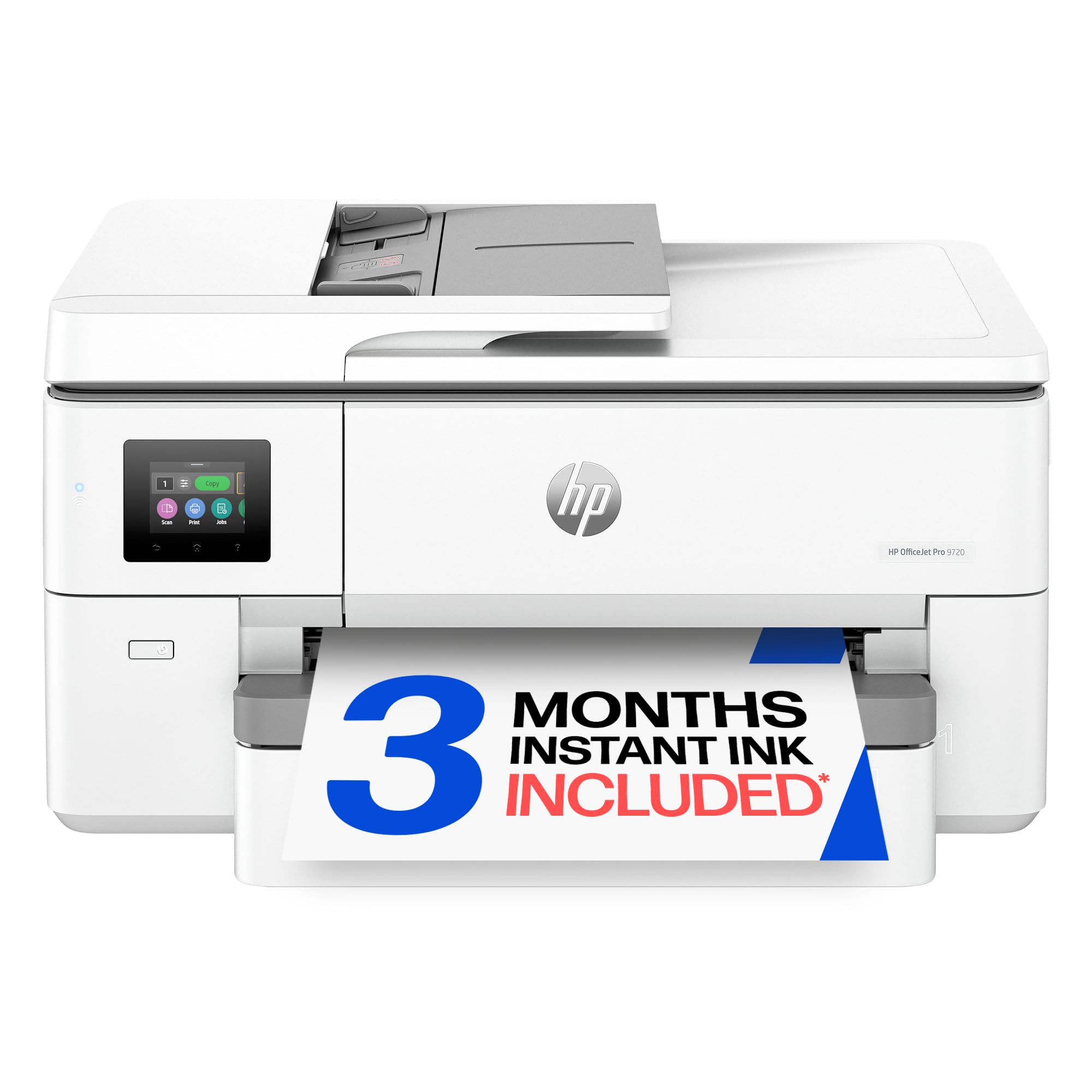
Same fast 11×17 engine as its bigger sibling in a lighter, simpler office printer
Owners who bought this describe a powerful machine in a small package, and the numbers back the framing — 22 pages per minute black and 18 pages per minute color put it level with the 9730 on speed while keeping the office all-in-one package leaner. It prints up to 11×17, scans and copies, faxes, and carries a 250-sheet input tray plus an ADF (automatic document feeder). The body is the same wide format family, so the paper handling is familiar.
What you keep from the pricier model is the screen-and-color story: the same P3 wide color range for screen-accurate output, the same HP AI content cleanup and HP Wolf Pro Security, and the same recycled-plastic build. The first page comes out in 13 seconds. Where it leans lighter is the display — 2.7 inches instead of the 9730’s 4.3 — and the duplex sits at A4 and letter rather than up to 11×17.
Logistics sink into screen keys here, and the biggest theme in owner feedback is a paper tray that takes getting used to. You must select the paper size on the printer itself, not in your software’s print dialog, and reset it again the moment you switch back to letter. The machine won’t let you low-maintenance. Reliability is the aspect people split on, with a small number reporting a unit that only lasted a couple of days — rare, but present. Linux users will find it auto-detected without drivers on Debian 13, and first pages land in 10 to 15 seconds in practice.
Worth a look when: you want the same 11×17 engine and P3 color as the 9730 but a lighter footprint on the desk.
Pass if: you want automatic paper tracking — setting the size on the printer every time isn’t something everyone will tolerate.
6. Brother INKvestment 6560 Wireless Color Inkjet All-in-One Printer

The printer owners call serious office machinery — fast, sturdy, and easy to set up
Owners call the 6560 a serious piece of office machinery, and its spec line earns that: 31 pages per minute in black, 30 pages per minute in color, and an initial black page in roughly 4.4 seconds. That’s the same fast MAXIDRIVE engine as the 6960, with a 250-sheet paper tray, a 50-page single-sided ADF, and automatic duplex printing on media up to 11×17. You give up the second tray and the multipurpose feeder that the 6960 adds, but you keep the speed and the build.
Print quality is what people praise most here, and one owner pushing heat-transfer work on 11×17 called the wide format totally awesome. The touchscreen measures 2.7 inches, controls cover app, voice, touch, and push-button, and connectivity runs wireless, Ethernet, or USB. The box ships with a 1,800-page black cartridge and 750-page cartridges in cyan, magenta, and yellow, and it works with Brother Genuine LC506, LC506XL, and LC506XXL inks.
Two honest limits stand out. The first is ink: even the wide-format fan reports the ink runs out really quick on this machine, so pair it with the high-yield cartridges if volume is high. The second is a missing function — the ADF is single-sided, so the printer can’t duplex-scan a two-sided stack, and one owner specifically wished that had been made clear up front. Wireless connectivity is the most-split aspect, and a small share of owners hit setup trouble they couldn’t clear. Size is also real; owners warn to check your space before ordering.
Built for the workload: 31 ppm black and 30 ppm color matches the 6960’s pace exactly, and setup through the app is repeatedly called clear and easy with first test prints landing right the first time.
The gap to know: no duplex scanning through the feeder — you flip two-sided originals yourself.
Reach for this if: you need fast, sturdy 11×17 output and single-sided scanning at a lighter footprint than the two-tray 6960.
Not the one for: anyone who scans two-sided stacks all day, where the missing duplex scan becomes a real chore.
7. Canon PIXMA PRO-200S Professional 13″ Wireless Inkjet Photo Printer

The 8-ink photo machine that proves A3 printing isn’t only for spreadsheets and blueprints
This one exists for a completely different buyer. Where the office inkjets chase documents per minute, the PRO-200S chases color — an 8-color dye-based ink system built for vibrant, high-quality prints, with borderless output running from 3.5×3.5 inches all the way up to 13×19 inches. If your A3 pages are photographs, art prints, or proof sheets, this is the machine on the list built for it.
Speed is where it gives ground by design. It runs 2 pages per minute in both black and color, and a bordered A3+ print pulls off in 90 seconds, with a bordered 8×10 in 53 seconds. That’s the price of the ink system and print quality, and it lands it far slower than the 22 to 31 ppm office machines. What you get in return is the quality output that owners describe as nearly stunning across glossy, luster, matte, and black-and-white stock. It’s also frequently called the quietest printer people have owned. A 3.0-inch color LCD handles the ink-level and status checks.
The honest math depends on ink and setup. Cartridge costs run higher than tank-style printers, and owners note a run of about 30 borderless 8.5×11 prints can consume more than half the black cartridge — so this is a printer you buy for quality, not for volume. Setup gets mixed reviews, with confusing app screens and reported Wi-Fi interference from other Canon printers; plugging in USB is the workaround people suggest. Manual feed is often recommended for borderless and thick or coated paper. It’s a large, heavy machine at 32 pounds that wants its own space.
What photographers get
- 8-color dye ink system for vibrant, high-quality photo output
- Borderless printing from 3.5×3.5 up to 13×19 inches
- A3+ print in 90 seconds and 8×10 in 53 seconds
- Regularly called the quietest printer owners have used
The real costs
- Ink cartridges don’t last long, and per-cartridge cost runs above tank printers
- 2 ppm is slow for anything but photos
- Setup gets mixed feedback, and manual feed is often needed for borderless or thick paper
- 32 pounds and deep footprint — it wants a dedicated surface
For the print-maker: photographers and designers selling or framing A3 and A3+ output who’d trade speed for color.
Wrong tool for: document volume — the ink spend and 2 ppm pace will undo the point of it.
8. HP DesignJet T630 Large Format 24-inch Plotter Printer

The plotter that ships with the stand, the media bin, and the sheet feeder already in the box
The step up from the T210 earns it on completeness. The T630 includes the automatic sheet feeder, the stand with a media bin, and a starter set of ink — so unlike the T210, which asks you to add the sheet feeder as an optional accessory, this one is ready for both 24-inch rolls and 13×19 sheets the day it arrives. It also swaps automatically between sheet and roll, has an automatic horizontal cutter, and drops first page out in 30 seconds.
Print speed sits at 1.9 pages per minute in both black and color, a tick above the T210’s 1.3, so a 24×36 blueprint takes about half a minute. The connectivity list is thorough: Gigabit Ethernet (a wired network connection), Hi-Speed USB 2.0, and Wi-Fi 802.11 b/g/n, plus the HP Smart app and HP Click for one-click, drag-and-drop job submission from USB drives, smartphones, or desktops. File support covers PDF, JPEG, TIFF, DWF, HP-GL/2, and PNG. It runs HP 712 and HP 713 OEM cartridges.
Owners printing architectural work are the core audience here, and the payoff shows in the use case: their 24×36 blueprints and 13×19 prints come out right, and they say the machine has been a money saver versus outsourcing sets of plans. So much of this plotter’s value is in being used hard, because the more sets you print at home, the more it takes off the print-shop bill. The caveats are the ones that come with any large plotter — a minority report consistent jams and expensive ink that doesn’t stretch far, and you do have to keep an eye on sheets laying correctly in the tray. It’s a print-only machine, so if you need a scanner, it isn’t here.
Choose it when: you print plan sets regularly and want a stand, media bin, and sheet feeder built in rather than bought separately.
Consider the T210 instead if: you’re happy to add the sheet feeder later and want the same 24-inch roll printing for a lighter entry.
Understanding the Specs
Print Speed (ppm)
Pages per minute, or ppm, tells you how fast the printer turns out standard-sized pages — the higher the number, the less time you spend waiting per job. Office all-in-ones here run 22 to 31 ppm, which suits document work; plotters run 1.3 to 1.9 ppm, because they’re feeding much larger sheets. Compare like with like: a 31 ppm all-in-one is quick on A4 but isn’t built for a 24-inch drawing roll.
Maximum Paper Size
This is the ceiling on how large a sheet the printer can take, and it’s the spec you can’t change later. Machines here top out at 11×17 inches on the smaller all-in-ones, 13×19 inches on the wide all-in-ones and the photo printer, and up to 24-inch rolls on the plotters. If A3 is your maximum, 11×17 handles it; if you also print 13×19 or roll drawings, you need the higher ceiling.
FAQ
Will an 11×17 printer print A3 paper?
Do I need a plotter or an all-in-one for A3 printing?
What does 13×19-inch capability add over plain 11×17?
Can I use third-party ink cartridges in these printers?
Why do firmware updates come up so often on these printers?
How much desk space does an A3 printer need?
Do these printers print on both sides automatically?
How many pages can the tray hold before I refill?
Is an A3 photo printer worth it if I also print documents?
Can I scan a two-sided document on an A3 all-in-one?
Final Thoughts: The Verdict
For most people printing plans, posters, and large color work, the a3 paper printer winner is the HP DesignJet T210 because nothing else here turns a 24-inch roll drawing into a cut sheet with automatic media switching and drag-and-drop PDF checking. If your day is document volume with wide-format bursts rather than drawings, the Epson WorkForce Pro WF-7840 gives you 25 ppm black, 12 ppm color, and 500 sheets in one tray — just accept the firmware prompts. And if speed plus a proper office all-in-one is the goal, the Brother INKvestment 6960 pairs 31 ppm black with two trays and a duplex ADF (an automatic document feeder that scans both sides). It also holds the highest owner rating in this group, which tips the choice if you’re torn between the Brother twins.
How We Picked
We do not accept paid placement. Every pick is matched to a real buyer and a real use-case; we do not hands-on test units.
Sources & Methodology
Specifications: manufacturer listings and product documentation. Review insights: verified customer reviews, as of September 2026. Pricing: not shown on this page (it changes often); check the current price via the retailer link.
As an Amazon Associate, Gadgets Feed earns from qualifying purchases. This does not affect which products we feature.