
The RTX 4050 laptop GPU has become the defining entry-point for modern 1080p gaming, but not every chassis that houses it delivers the same experience. The difference between a smooth 90 FPS session in Cyberpunk 2077 with DLSS 3 and a stutter-filled disappointment comes down to the CPU pairing, RAM configuration, and thermal design — factors that vary wildly across models. Buyers often assume the GPU alone guarantees performance, but the reality is that memory bandwidth and processor selection dictate whether the 4050 sings or struggles.
I’m Min — the co-founder and writer behind Gadgets Feed. I’ve spent hundreds of hours analyzing the RTX 4050 laptop market, cross-referencing GPU power limits, CPU clock speeds, RAM configurations, and real-world thermal behavior to separate the well-rounded machines from the spec-sheet traps. This guide focuses on which combination of components actually lets the 4050 stretch its legs in demanding titles.
Whether you are targeting esports titles at high frame rates or pushing through narrative AAA games with ray tracing enabled, understanding how each model balances its internals is the only way to land the right 4050 gaming laptop for your specific needs and budget.
How To Choose The Best 4050 Gaming Laptop
Choosing the right RTX 4050 laptop requires looking beyond the GPU badge. The chassis design, cooling solution, and memory configuration can make or break the experience. Below are the three most critical factors to consider before you buy.
RAM Capacity and Speed
The RTX 4050 is capable of pushing high frame rates in modern titles, but 8GB of system RAM is simply not enough for AAA gaming in 2024. Games like Call of Duty: Modern Warfare III and Hogwarts Legacy regularly consume over 10GB of RAM, causing stuttering and hitches when the system resorts to the SSD as virtual memory. A 16GB dual-channel DDR5 configuration is the entry-level sweet spot, providing enough headroom for the OS, background apps, and demanding game assets simultaneously.
CPU Pairing and Thermal Throttling
The RTX 4050 benefits significantly from a balanced CPU partner. An Intel Core i5-13420H or AMD Ryzen 5 7535HS provides enough grunt to keep the GPU fed in most titles, while a Ryzen 7 or Core i7 can improve minimum FPS in CPU-intensive scenes. However, the thermal solution matters just as much — a poorly cooled chassis will throttle the CPU and GPU, negating any performance advantage from a higher-tier processor. Look for laptops with dual-fan setups and at least two heat pipes dedicated to the CPU.
Display Quality and Refresh Rate
The RTX 4050 pairs naturally with a 144Hz display, as it can reliably hit 60-90 FPS in demanding titles and well over 100 FPS in esports games like Valorant and Overwatch 2. A 120Hz or 60Hz panel leaves performance on the table. Also consider color accuracy — a 100% sRGB screen makes a noticeable difference in visual fidelity during gameplay and doubles the laptop’s usability for content creation or media consumption.
Quick Comparison
On smaller screens, swipe sideways to see the full table.
| Model | Category | Best For | Key Spec | Amazon |
|---|---|---|---|---|
| ASUS TUF Gaming A15 | Premium | High FPS AAA Gaming | Ryzen 7 7435HS + 140W Max TGP | Amazon |
| Lenovo LOQ 32GB | Premium | Heavy Multitasking | 32GB DDR5 + 1TB SSD | Amazon |
| MSI Cyborg A13VE | Premium | i7 Performance | Core i7-13620H + 16GB DDR5 | Amazon |
| Lenovo IdeaPad Pro 5 | Premium | Creator & Gaming Hybrid | 16″ 2.8K OLED 120Hz | Amazon |
| ASUS TUF Gaming F16 | Mid-Range | Durable All-Rounder | MIL-STD-810H + 115W Max TGP | Amazon |
| MSI Thin A12VE | Mid-Range | Portable Gaming | Core i7-12650H + 16GB DDR5 | Amazon |
| HP Victus Ryzen 7 | Mid-Range | R7 Performance on a Budget | Ryzen 7 7445HS + 16GB DDR5 | Amazon |
| HP Victus i5 16GB | Mid-Range | Great Value 16GB Config | Core i5-13420H + 16GB DDR4 | Amazon |
| Acer Nitro V (Intel) | Mid-Range | Thunderbolt 4 Connectivity | Core i5-13420H + Thunderbolt 4 | Amazon |
| Lenovo LOQ Essential | Mid-Range | Student Gaming Starter | Core i5-12450HX + 144Hz 100% sRGB | Amazon |
| HP Victus Ryzen 5 | Budget | Entry-Level Gaming | Ryzen 5 8645HS + 8GB DDR5 | Amazon |
| HP Victus i5 8GB | Budget | Lowest Entry Point | Core i5-13420H + 8GB DDR4 | Amazon |
| Acer Nitro V (AMD) | Budget | Cheapest RTX 4050 Entry | Ryzen 5 7535HS + 8GB DDR5 | Amazon |
In‑Depth Reviews
1. ASUS TUF Gaming A15

The ASUS TUF Gaming A15 stands out because it pairs the RTX 4050 with a Ryzen 7 7435HS processor and allows the GPU to draw up to 140W with Dynamic Boost, which is among the highest power limits for this GPU class. This directly translates to higher sustained frame rates in titles like Cyberpunk 2077 and Horizon Forbidden West compared to 4050 laptops locked to 85W or 95W. The 144Hz panel covers 100% sRGB, delivering punchy colors that enhance visual immersion during gameplay.
The MUX Switch with Advanced Optimus is a genuine advantage here — it automatically bypasses the integrated GPU when gaming, routing frames directly from the RTX 4050 to the display. This eliminates the typical 5-10% performance loss found in laptops without this feature. The dual 84-blade Arc Flow Fans keep temperatures in check under sustained load, though the system does get warm on the lap during extended sessions.
At 16GB of DDR5-4800MHz memory, the A15 avoids the 8GB bottleneck that plagues lower-tier 4050 laptops. The battery life is modest, typically around 5 hours for light productivity and under 2 hours during gaming, but the fast charging capabilities help mitigate this. For buyers seeking the fullest expression of the RTX 4050’s potential in a rugged chassis, this is the pick.
Why it’s great
- Highest RTX 4050 TGP at 140W for best-in-class frame rates
- MUX Switch with Advanced Optimus boosts gaming performance by 5-10%
- 100% sRGB display with accurate colors for immersive visuals
Good to know
- Battery life is limited under gaming load
- Single M.2 slot restricts storage expansion without replacement
- Some units report keyboard RGB initialization issues at startup
2. Lenovo LOQ Gaming Laptop
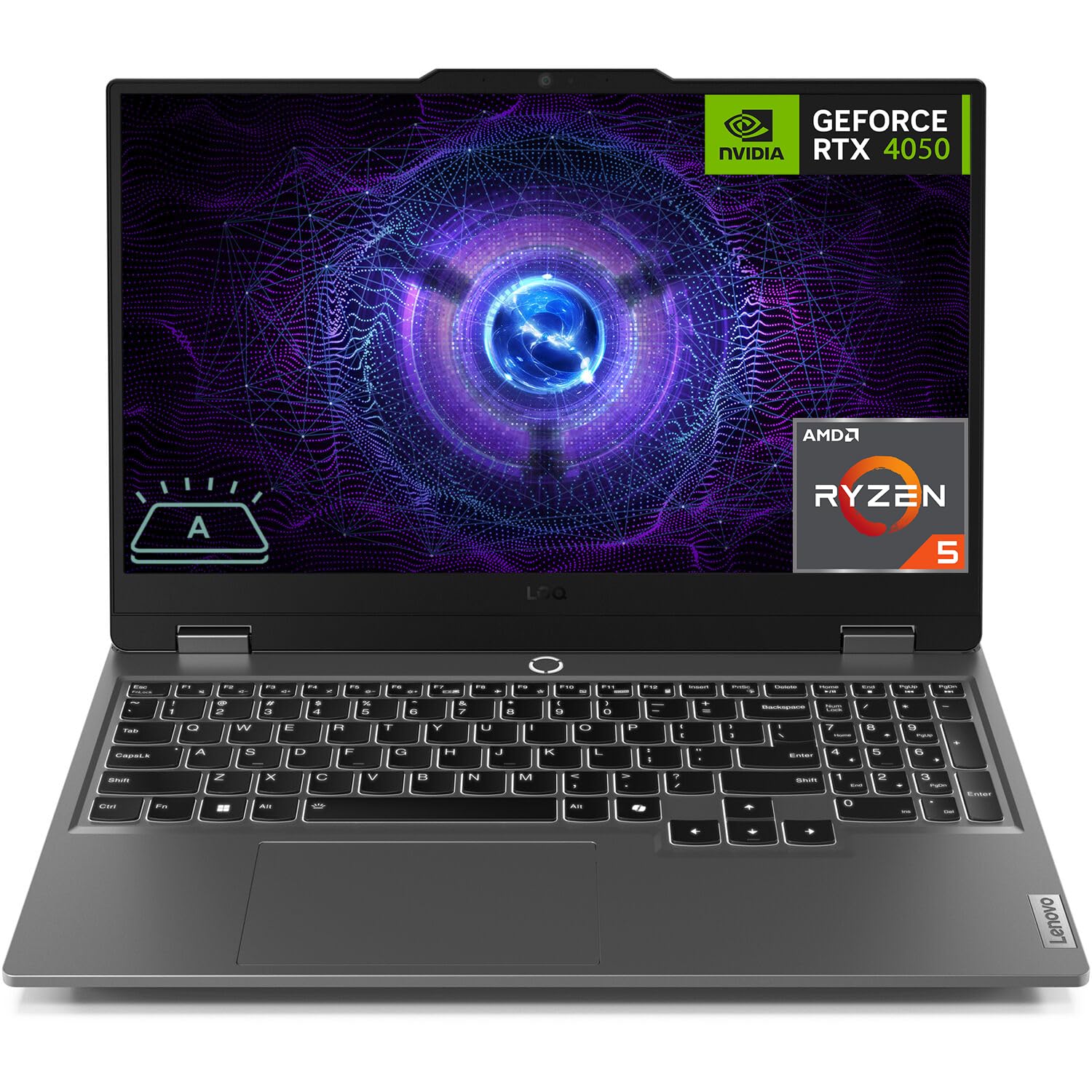
The Lenovo LOQ equipped with 32GB of DDR5 RAM and a 1TB NVMe SSD solves the two most common complaints about budget 4050 laptops out of the box. You can run Call of Duty or Starfield with a dozen Chrome tabs open and a Discord stream running in the background without hitting memory limits. The AMD Ryzen 5 7235HS provides adequate CPU power for the RTX 4050, though it lacks the higher-core-count brute force of a Ryzen 7 in heavily threaded scenes.
The 15.6-inch FHD display runs at 144Hz and includes G-SYNC support, which eliminates screen tearing without the extra input lag of traditional V-Sync. The anti-glare coating is effective in brightly lit rooms. The FN+Q hotkey lets you toggle between performance, balanced, and quiet modes, giving you control over fan noise and thermal targets depending on whether you’re gaming or just browsing.
The dual RAM slots accept up to 64GB, making this a future-proof platform for users who want to keep the laptop relevant for years. The matte screen and G-SYNC support make it a strong choice for competitive gaming where smooth visuals and consistent frame pacing matter more than peak FPS. Just be aware that the battery life is modest, as the 7235HS lacks an integrated GPU, meaning the laptop relies on the RTX 4050 even for basic 2D workloads.
Why it’s great
- 32GB DDR5 eliminates stuttering in memory-heavy AAA titles
- G-SYNC display provides tear-free gaming at any frame rate
- Two RAM slots allow upgrades up to 64GB
Good to know
- Ryzen 5 7235HS has no iGPU, hurting battery life during light use
- Some units have been reported as used or refurbished when sold as new
- Plastic build feels less premium than ASUS TUF alternatives
3. MSI Cyborg 15 A13VE

The MSI Cyborg 15 packs a 13th Gen Intel Core i7-13620H, which features 10 cores (6 Performance + 4 Efficient) and a 4.9 GHz turbo frequency. This CPU gives the RTX 4050 plenty of headroom in CPU-bound games like Counter-Strike 2 and Spider-Man Remastered, where minimum frame rates directly depend on processor throughput. The 144Hz FHD display is adequate for the GPU tier, though the panel’s color accuracy is average compared to the ASUS TUF’s 100% sRGB screen.
The Cyborg’s design language is distinctly aggressive with its translucent accents and dragon emblem, which may appeal to gamers wanting a flashier aesthetic. The Cooler Boost technology uses dual fans and multiple heat pipes to keep thermals under control during long sessions. Users report that the laptop stays reasonably cool during gameplay, though the fans do become audible under sustained load — a tradeoff common in this performance bracket.
With 16GB of DDR5 RAM and a 512GB NVMe SSD, the Cyborg avoids the entry-level RAM trap. The boot time is notably slower than some competitors, hovering around one minute, but once in Windows daily use is snappy. The battery life is a weak point, with around 2-3 hours of light use, making this a machine that largely needs to stay plugged in for gaming sessions.
Why it’s great
- Core i7-13620H delivers excellent CPU-bound gaming performance
- Dual-fan cooling system prevents thermal throttling during long sessions
- Sleek, lightweight chassis at under 5 lbs
Good to know
- Slow boot times compared to similarly specced competitors
- Battery life is below average even for a gaming laptop
- Display color accuracy is mediocre
4. Lenovo IdeaPad Pro 5
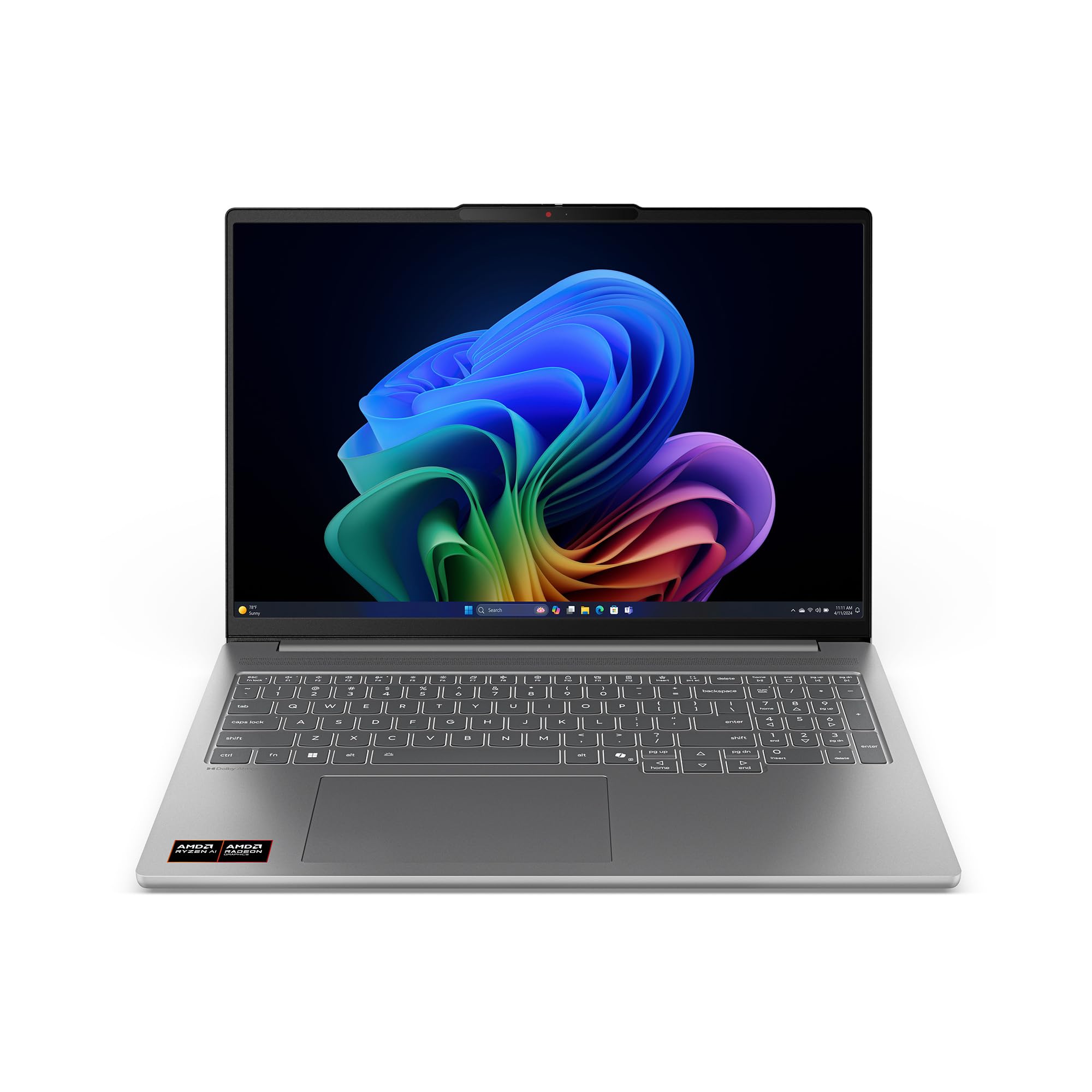
The Lenovo IdeaPad Pro 5 takes an unusual approach by pairing an RTX 4050 with a 16-inch 2.8K OLED display running at 120Hz. This combination targets users who need premium color accuracy for photo editing or video work while still having enough GPU power for moderate gaming. The OLED panel covers 100% of the DCI-P3 color space, delivering true blacks and vibrant colors that no IPS gaming display can match.
The AMD Ryzen AI 7 350 processor brings solid CPU performance for creative apps like Premiere Pro and DaVinci Resolve, and the 16GB of DDR5 memory handles multitasking well. However, the RAM is soldered to the motherboard, leaving no upgrade path if your needs grow. The RTX 4050 here is a lower-power implementation compared to the ASUS TUF A15, so you won’t see the same peak frame rates in demanding games.
The OLED screen is genuinely stunning for media consumption and creative work, but it introduces a tradeoff: some users report the system crashing or shutting down under heavy gaming loads, likely due to power delivery constraints in the thin chassis. This is a specialized pick for users who prioritize screen quality above all else and game as a secondary task rather than a primary one.
Why it’s great
- 2.8K OLED panel with 120Hz refresh and 100% DCI-P3 coverage
- Strong AMD Ryzen AI processor for creative workflows
- Thin and light design with premium build materials
Good to know
- RAM is soldered with no upgrade options
- RTX 4050 power limit is lower than gaming-specific chassis
- Some units experience crashes under sustained gaming load
5. ASUS TUF Gaming F16

The ASUS TUF Gaming F16 brings MIL-STD-810H military-grade durability to the RTX 4050 category, meaning it can withstand drops, vibrations, and extreme temperatures that would damage standard laptops. The Intel Core 5 210H processor — a rebadged 13th Gen chip — delivers solid performance with a 4.8 GHz turbo frequency, and the RTX 4050 operates at a 115W Max TGP, which is competitive for the class. The 16-inch 16:10 FHD display provides extra vertical space compared to the typical 15.6-inch panel, which is a welcome difference for both gaming and productivity.
The cooling solution is robust, featuring Arc Flow Fans, four exhaust vents, five heat pipes, and an anti-dust filter. This prevents the dust buildup that can degrade thermal performance over time. The 16GB of DDR5 memory ensures smooth multitasking, and the 512GB PCIe Gen4 SSD offers fast load times. The MUX Switch with NVIDIA Advanced Optimus is present here as well, giving you automatic dGPU switching for optimal performance.
Battery life is predictably modest for a gaming laptop with a high-refresh display, but the build quality is reassuring. The AC adapter plug placement on the left side is an odd design choice — it can interfere with mouse movement for right-handed users. Overall, this is a well-rounded machine that prioritizes longevity and reliability over peak performance.
Why it’s great
- MIL-STD-810H certified for exceptional durability
- 16:10 display gives more vertical screen real estate
- Efficient cooling with anti-dust filter
Good to know
- AC adapter plug on the left side may interfere with mouse space
- Battery life is short under gaming load
- Fans can get loud during demanding games
6. MSI Thin 15 B12VE

The MSI Thin 15 lives up to its name with a slim profile that makes it one of the more portable RTX 4050 laptops on the market. The Core i7-12650H provides strong CPU performance for both gaming and productivity, and the 16GB of DDR5 RAM keeps things smooth. The 144Hz FHD display is standard fare for the category, offering no color accuracy advantages but delivering fluid motion in fast-paced games.
The Cooler Boost 5 thermal solution uses two fans and multiple heat pipes, but the thin chassis limits thermal headroom. Users report that the laptop gets hot quickly, especially when the display brightness is turned up, and the fans are among the louder ones in this lineup. A cooling pad is a worthwhile investment if you plan on extended gaming sessions.
The battery life hovers around 3-4 hours with lower brightness settings, which is typical for this segment. The build quality feels solid despite the slim design, and the laptop handles demanding games like Cyberpunk 2077 with DLSS 3 enabled at playable frame rates. For buyers who need to carry their laptop daily and game in the evenings, this is a reasonable compromise between portability and performance.
Why it’s great
- Slim and portable design for daily carry
- Core i7-12650H delivers strong CPU performance
- Good value for a 16GB DDR5 configuration
Good to know
- Runs hot under load, benefits from a cooling pad
- Fans are loud during demanding games
- Display color accuracy is average
7. HP Victus Ryzen 7
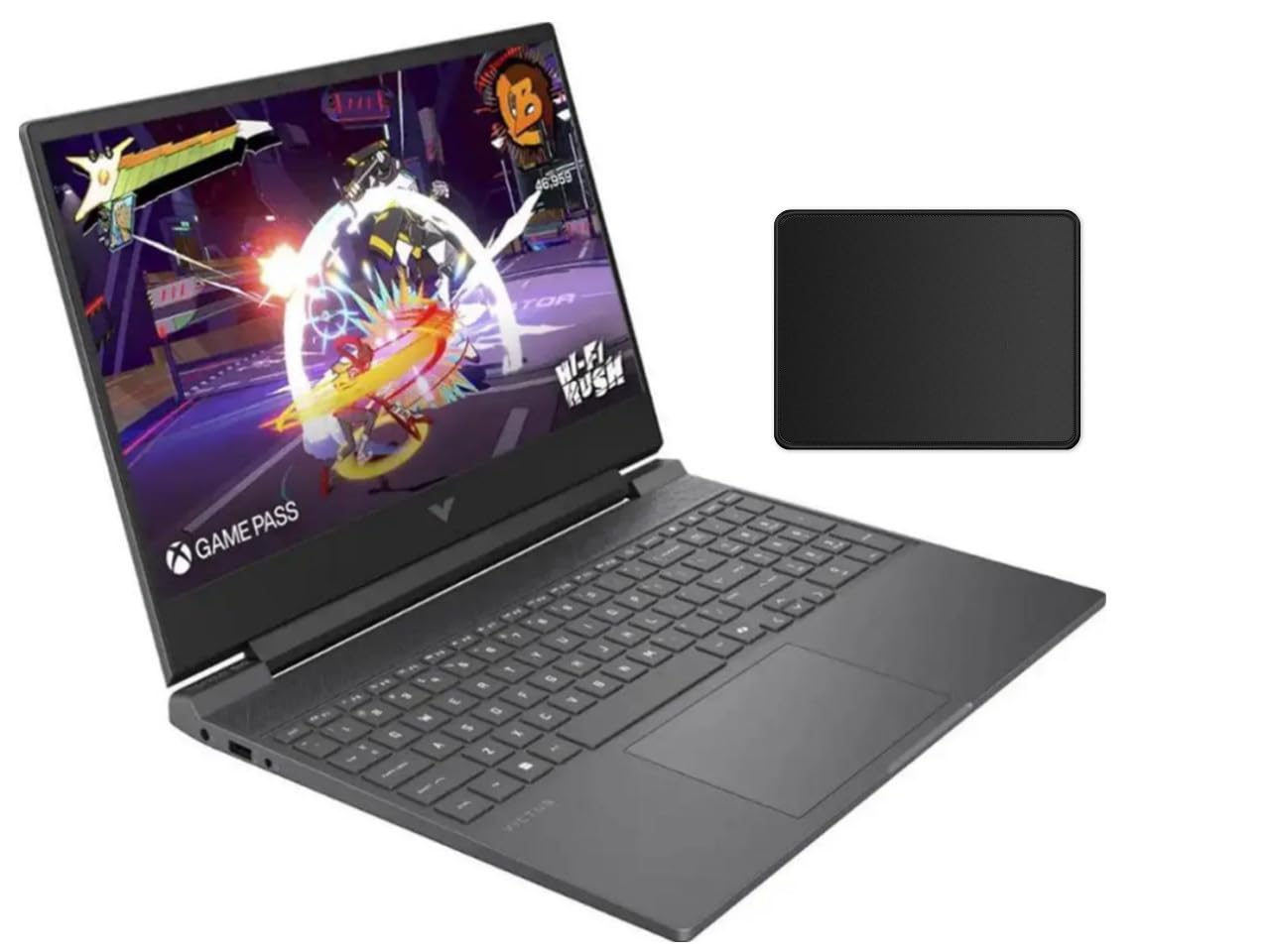
The HP Victus Ryzen 7 configuration offers a Ryzen 7 7445HS processor paired with 16GB of DDR5 RAM and the RTX 4050 at a price point that undercuts many Intel i7 competitors. The Ryzen 7 provides eight cores and sixteen threads, giving it an edge in multitasking and CPU-heavy games. The 15.6-inch FHD 144Hz display includes AMD FreeSync Premium, which synchronizes the refresh rate with the GPU to eliminate screen tearing.
The DTS:X Ultra audio delivers surprisingly good spatial sound for a budget gaming laptop, making footsteps and environmental cues more distinguishable in competitive shooters. The thermal solution is effective enough to keep the CPU and GPU from throttling during extended sessions, though the bottom panel does get warm and the fans exhaust hot air onto the desk surface directly below the screen hinge.
One notable observation from users is that the Ryzen 7 processor in this unit is locked, meaning overclocking is not supported. Additionally, the 512GB SSD is on the smaller side for modern game libraries — expect to manage storage carefully or upgrade the drive. Overall, this is a strong mid-range option that delivers genuine Ryzen 7 performance without the premium price tag.
Why it’s great
- Ryzen 7 7445HS provides excellent multi-core performance
- AMD FreeSync Premium for tear-free gaming
- Competitive pricing for a 16GB DDR5 configuration
Good to know
- CPU is locked with no overclocking support
- 512GB storage fills up quickly with modern games
- Screen quality is adequate but not class-leading
8. HP Victus i5 16GB

The HP Victus i5 16GB variant solves the 8GB RAM problem by shipping with 16GB of DDR4 memory out of the box, making it immediately capable for modern gaming without requiring a user upgrade. The Intel Core i5-13420H provides solid gaming performance, and the RTX 4050 handles 1080p rendering with ease. The 144Hz IPS display is anti-glare, which reduces reflections in brightly lit rooms.
The Omen Gaming Hub software is pre-installed and occupies around 1GB of system memory, but it allows for fan speed control and performance monitoring. A potential issue is that some units ship with a single 16GB DDR4 stick rather than a dual-channel configuration, which can cause stuttering in CPU-bound scenarios. If you encounter freezing under load, adding a matching second stick to enable dual-channel mode resolves the issue dramatically.
The 70Wh battery is larger than many competitors, providing up to 6 hours of non-gaming usage. The laptop also includes a USB-C port with Power Delivery support, which is convenient for charging on the go. The backlit keyboard includes a numpad, making it functional for both gaming and productivity work.
Why it’s great
- 16GB RAM out of the box, no immediate upgrade needed
- Large 70Wh battery for extended non-gaming use
- USB-C with Power Delivery for flexible charging
Good to know
- May ship with single-channel RAM, requiring user upgrade
- Omen Gaming Hub bloatware consumes system resources
- DDR4 memory is slower than DDR5 alternatives
9. Acer Nitro V (Intel)

The Acer Nitro V Intel variant differentiates itself from the AMD version through the inclusion of Thunderbolt 4, which provides 40Gbps bandwidth, Power Delivery, and video output in a single port. This makes it an excellent choice for users who want a single-cable docking solution for their desk setup. The Core i5-13420H processor holds its own in gaming, though the 8GB of DDR5 RAM is a clear limitation for AAA titles.
The 15.6-inch FHD 144Hz display delivers smooth visuals, and the NitroSense software gives you granular control over fan speeds, power profiles, and component temperatures. The dual-fan cooling system does get loud under load, but it keeps the CPU and GPU within acceptable temperature ranges during extended gaming sessions. The build quality is decent for the price point, with a clean aesthetic that doesn’t scream “gamer.”
Users consistently note that upgrading RAM to 16GB or 32GB is essential for smooth gaming. The two M.2 slots allow for storage expansion, and the SSD is easily accessible for upgrades. The battery life is around 3 hours for light use and significantly less during gaming, so this machine is best kept plugged in. For buyers who need Thunderbolt 4 connectivity and plan to upgrade the RAM immediately, this is a smart choice.
Why it’s great
- Thunderbolt 4 port for high-bandwidth connectivity and docking
- Two M.2 slots for flexible storage upgrades
- Granular fan and performance control via NitroSense
Good to know
- 8GB RAM is insufficient for modern AAA gaming
- Fans are loud under gaming load
- Battery life is short at ~3 hours light use
10. Lenovo LOQ Essential
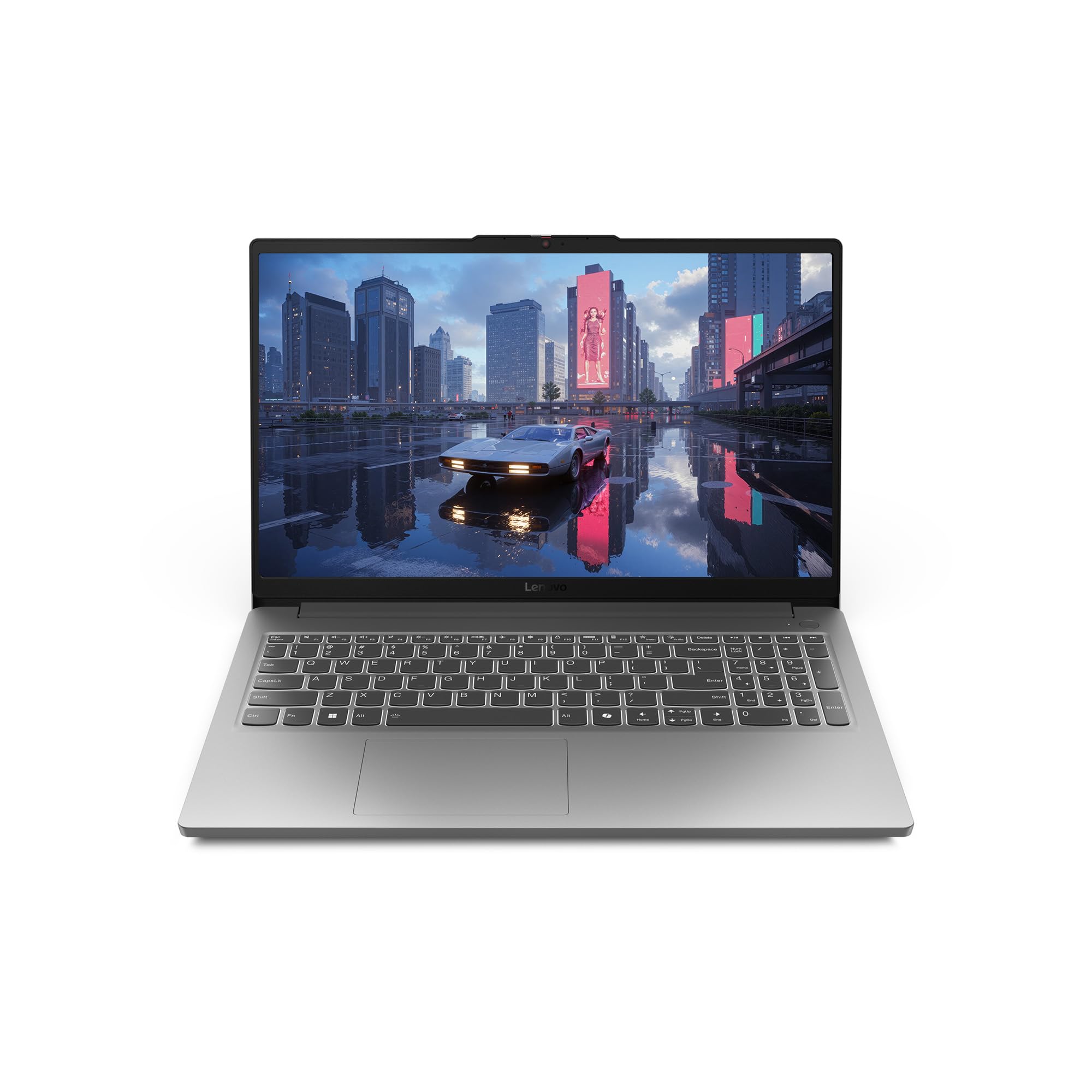
The Lenovo LOQ Essential is aimed squarely at students who need a laptop that can handle both schoolwork and gaming. The Intel Core i5-12450HX provides solid performance for everyday tasks and moderate gaming. The 15.6-inch FHD display is a standout feature at this price point, with 100% sRGB coverage and 300 nits brightness — colors are vibrant and accurate, making it suitable for media consumption and light creative work.
The cooling system uses a single large 100mm fan with thin blades, which is quieter than the dual-fan setups in some competitors. However, users report that the fan becomes audible during demanding games. The lightweight design and compact 135W charger make it easy to carry between classes. The 57Wh battery provides around 6 hours of light use, which is reasonable for a day on campus.
The 8GB of DDR5 RAM is the main limitation here. Modern games will struggle with only 8GB, and the laptop comes with a single stick, meaning upgrading to 16GB requires purchasing a matching module. Some users have reported memory compatibility issues when adding RAM, so it’s worth checking the supported configurations before buying an upgrade kit.
Why it’s great
- 100% sRGB display provides excellent color accuracy
- Lightweight and portable for daily campus carry
- Quieter cooling than many gaming laptops in its class
Good to know
- 8GB RAM is insufficient for AAA gaming
- Memory compatibility issues can complicate upgrades
- Single fan may struggle during extended gaming sessions
11. HP Victus Ryzen 5

The HP Victus Ryzen 5 configuration offers the most accessible entry point into RTX 4050 gaming with the AMD Ryzen 5 8645HS processor. The CPU provides six Zen 4 cores with solid single-threaded performance, adequate for most games at 1080p. The RTX 4050 with 6GB of VRAM handles ray tracing and DLSS 3, making modern titles playable at medium to high settings.
The 15.6-inch FHD 144Hz IPS display includes AMD FreeSync Premium, which provides tear-free gameplay. The DTS:X Ultra audio offers decent spatial sound for a budget laptop. The battery life is advertised at up to 11 hours for video playback, though real-world gaming performance will be significantly shorter.
The 8GB DDR5 memory is the critical weak point, causing stutters in memory-intensive titles. Some users have also reported WiFi and Bluetooth connectivity issues, which may require driver updates or hardware troubleshooting. For buyers on the tightest budget who are willing to upgrade the RAM immediately, this can serve as a foundation for a capable gaming machine.
Why it’s great
- Lowest entry price for RTX 4050 access
- AMD FreeSync Premium for smooth visuals
- Long battery life for non-gaming use
Good to know
- 8GB RAM causes stuttering in modern titles
- WiFi and Bluetooth connectivity issues reported by some users
- DDR5 memory runs at lower speeds than advertised
12. HP Victus i5 8GB
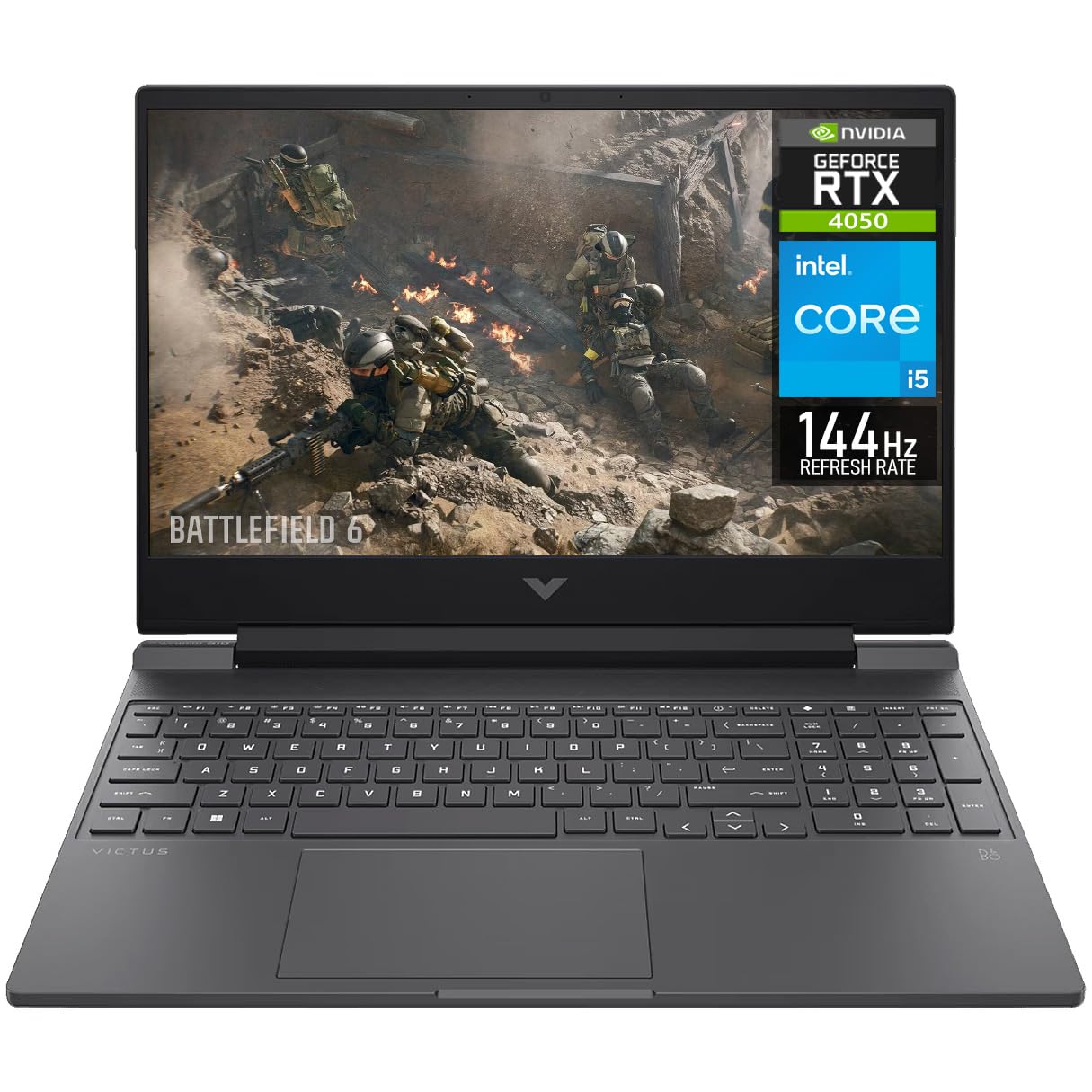
The HP Victus i5 8GB configuration delivers the Core i5-13420H processor and RTX 4050 at a very accessible price point. The CPU is the same one found in more expensive configurations, so you get solid gaming performance from that component. The 144Hz FHD display is a standard IPS panel with anti-glare coating, and the keyboard includes a numpad.
The 8GB of DDR4 RAM is the most significant bottleneck — modern games require 16GB for smooth operation, and the single-channel configuration will cause hitches even in less demanding titles. Upgrading to 16GB of dual-channel DDR4 is straightforward and affordable, but it’s an added cost and effort that buyers should factor into their budget.
Some users have reported receiving units that appear to be used or returned, and there have been instances of the laptop failing to boot or experiencing shutdowns under load. The build quality is acceptable for the price, but the plastic chassis lacks the rigidity of more expensive options. This is a budget-first choice for buyers who are comfortable with component upgrades and understand the tradeoffs.
Why it’s great
- Very low entry price for an RTX 4050 laptop
- Core i5-13420H provides solid CPU performance
- Dual M.2 slots for storage expansion
Good to know
- 8GB DDR4 RAM is insufficient for smooth gaming
- Some units arrive used or with hardware defects
- Plastic build feels less durable than competitors
13. Acer Nitro V (AMD)

The Acer Nitro V AMD variant is the most budget-friendly path to RTX 4050 gaming, pairing the AMD Ryzen 5 7535HS with the NVIDIA GPU. The CPU delivers respectable gaming performance with six Zen 3+ cores and a 4.55 GHz boost clock. The 15.6-inch FHD 144Hz display is paired with a 16:9 aspect ratio that provides an 82.64% screen-to-body ratio, giving a modern look despite the low price.
The dual-fan cooling system does a reasonable job of managing temperatures, but the fans are notably loud under load. The 8GB of DDR5 RAM is the same problem seen across budget configurations — you will need to add a second stick for smooth AAA gaming. The good news is that the RAM is socketed, so an upgrade is straightforward with the correct DDR5 laptop module costing around -.
Battery life is extremely short at around 2 hours, making this a laptop that needs to stay plugged in for any meaningful use. The build quality is adequate but unremarkable. The Wi-Fi 6 and Gigabit Ethernet ensure solid connectivity, and the backlit keyboard is functional. This is the definition of a starting point — a foundation that can become a capable machine with a modest RAM investment.
Why it’s great
- Most affordable RTX 4050 gaming laptop available
- Easy RAM upgrade path with socketed DDR5
- 144Hz display at the lowest price tier
Good to know
- 8GB RAM requires immediate upgrade for modern gaming
- Very poor battery life at ~2 hours
- Fans are loud and chassis gets hot under load
FAQ
Is 8GB of RAM enough for gaming on an RTX 4050 laptop?
Does the CPU matter when paired with an RTX 4050?
What does GPU TGP mean for RTX 4050 performance?
Can I upgrade the RAM in most RTX 4050 laptops?
Is DLSS 3 worth it on the RTX 4050?
Final Thoughts: The Verdict
For most users, the 4050 gaming laptop winner is the ASUS TUF Gaming A15 because it pairs the highest RTX 4050 TGP with a capable Ryzen 7 processor, a MUX Switch, and 16GB of DDR5 memory — delivering the best combination of frame rates, build quality, and feature set. If you want maxed-out RAM and storage for heavy multitasking, grab the Lenovo LOQ 32GB. And for premium portability and a stunning OLED display, the Lenovo IdeaPad Pro 5 offers a unique creator-friendly alternative.