
Our readers keep the lights on and my morning glass full of iced black tea. As an Amazon Associate, I earn from qualifying purchases.
Specs are compiled from manufacturer listings and verified buyer reviews and can change over time — please confirm the key details on the product page before buying.
You want a laptop that opens your email, streams your shows, and lasts through a full day of family use without stuttering or dying at 4 p.m. The winner for that is the Acer Aspire Go 15 with the Intel Core 3 N355 — it handles everyday home tasks smoothly and charges fast enough to matter. Below are eleven laptops that make sense for home use, ranked by how well they handle the everyday tasks you’ll ask of them.
I’m Min — the founder and writer behind Gadgets Feed. This guide is built by comparing the manufacturers’ published specifications and the patterns across verified customer reviews, so you get each pick’s real strengths and trade-offs instead of marketing spin.
On home laptops, the spec sheet hides what actually matters. A chip’s gigahertz number tells you less than whether the thing stays smooth with ten browser tabs open. This guide closes that gap for anyone hunting the best Budget Laptop For Home Use.
Our Picks at a Glance


How To Choose The Best Budget Laptop For Home Use
A home laptop lives a different life than a work machine. It gets opened on the couch, passed to a kid for homework, asked to run video calls in a kitchen with bad lighting, and left on the counter between uses. That everyday reality is what should drive your buying decision — not raw benchmark numbers.
Memory decides how many tabs you can keep open
RAM is your laptop’s working counter space. Every browser tab, every open app, and Windows itself takes a slice. With 4GB, the counter fills fast and the machine starts shuffling things around, which you feel as lag. With 8GB, everyday home use stays smooth. Several picks here go further with 12GB or even 32GB if heavy multitasking is normal in your house.
Storage type matters more than storage size
A 128GB SSD or UFS drive boots Windows in seconds because there are no moving parts to spin up. An old spinning hard drive takes far longer and feels sluggish all day. The trade-off is space: 128GB fills up once you install a few programs and save photos. If you keep a lot of media, plan on an external drive or an SD card.
The screen is what you stare at for hours
A 1920 x 1080 Full HD panel gives you roughly a million more pixels of sharpness than a 1366 x 768 screen, so text on documents and subtitles on shows look clean instead of fuzzy. An IPS panel adds wide viewing angles, which matters when two people watch from different spots on the couch. Anti-glare coatings reduce the window reflection problem in daytime.
Battery life and charging speed
A home laptop that spends its life near an outlet still benefits from decent battery — power blips, kitchen-counter use, and video calls away from a cable all happen. Fast charging is the underrated feature. If a machine can get back to half charge over a coffee break, you stop planning your day around the plug.
Ports, keyboard, and privacy extras
Count the USB ports before you buy. Two USB-A ports plus a USB-C port covers a mouse, an external drive, and a phone charger at once. A full-size keyboard with a numeric pad helps anyone doing bills or homework. A physical camera shutter is a small feature that a lot of families specifically want.
Quick Comparison
| Model | Best For | CPU (Max Speed) | Memory | Storage | Amazon |
|---|---|---|---|---|---|
| Acer Aspire Go 15 (Intel Core 3 N355)★ Best Overall | All-round home workhorse | Intel Core 3 N355 — 3.9 GHz | 8GB DDR5 | 128GB UFS | Amazon |
| ASUS Lightweight 15.5″ (Celeron)Budget Pick | Lightest possible browsing | Intel Celeron — 2.76 GHz | 4GB LPDDR4 | 128GB SSD | Amazon |
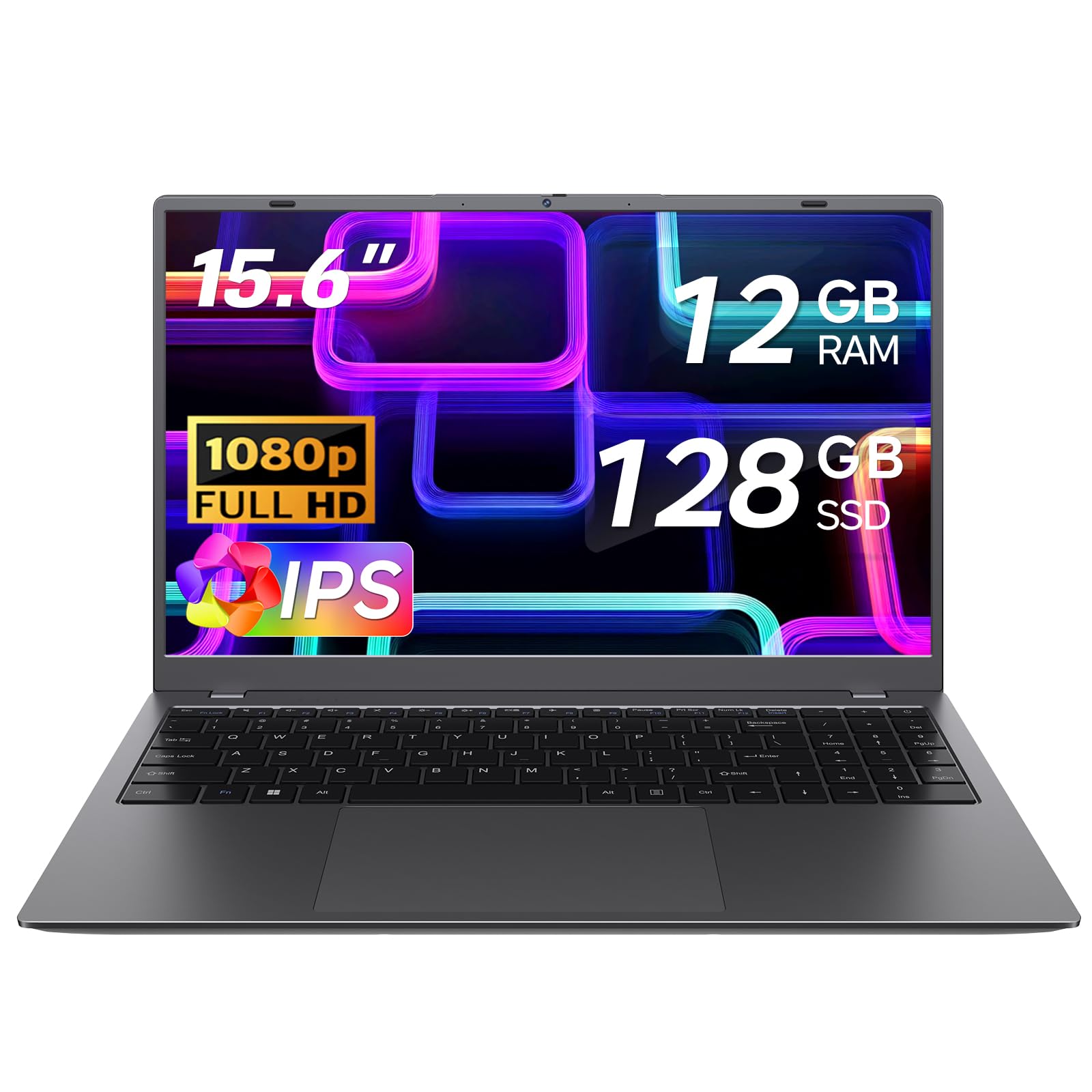
| TRHRO 15.6″ (Pentium Gold 6500Y)Family Favorite | Extra RAM on a tight budget | Pentium Gold 6500Y — 3.4 GHz | 12GB | 128GB SSD | Amazon |
| Lenovo V15 Business | Portable desk-to-bag typing | Intel N100 — 3.4 GHz | 4GB LPDDR5 | 128GB UFS 3.1 | Amazon |
| Acer Aspire Go 15 (Ryzen 3 7320U) | Streaming and light gaming | AMD Ryzen 3 7320U — 4.1 GHz | 8GB LPDDR5 | 128GB PCIe SSD | Amazon |
| ASUS Vivobook Go 15 | Everyday school and work | AMD Ryzen 3 7320U — 4.1 GHz | 8GB DDR5 | 128GB SSD | Amazon |
| HP 14 inch (Core i3-N305) | Small footprint, big battery | Intel Core i3-N305 — 3.8 GHz | 8GB DDR4 | 256GB SSD | Amazon |
| Dell 15.6″ (Core 3 100U) | Desk work with numeric pad | Intel Core 3 100U — 4.7 GHz | 8GB | — | Amazon |
| HP OmniBook 3 17.3″ | Big-screen home station | AMD Ryzen 3 — 4.1 GHz | 8GB LPDDR5 | 512GB SSD | Amazon |
| Lenovo Essential 15.6″ | Quiet, cool everyday reliability | Intel N150 — 3.6 GHz | 8GB LPDDR5 | 128GB UFS 3.1 | Amazon |
| NIMO 15.6″ (Core i5) | Heavy multitasking power user | Intel Core i5-12450H — 4.4 GHz | 32GB | 1TB SSD | Amazon |
In‑Depth Reviews
1. acer Aspire Go 15 AI Ready Laptop (Intel Core 3 N355)
Our pick — over 4★ from 900+ verified ratings; the strongest balance of quality and price.
The everyday machine that keeps up with the whole household without asking for special handling.
Eight cores is the headliner here. The Intel Core 3 processor N355 runs up to 3.9 GHz and pairs with 8GB of DDR5 memory, which is the newer, faster kind of laptop RAM. For a home setup that means bills, email, streaming, and a dozen browser tabs open at once without the fan spinning up. The chip’s top speed beats the ASUS Lightweight’s Celeron — 3.9 GHz versus 2.76 GHz — and that is exactly the gap you feel when a page with heavy images loads.
The 15.6-inch screen runs 1920 x 1080 Full HD on an IPS panel, meaning colors and text hold up even when you’re looking from an angle on the couch. Acer also bundles BluelightShield, which dials down blue light for late-night reading. Battery life is rated at 12.5 hours, and buyers report charging to 93% in roughly thirty minutes while getting five-plus hours per charge. Dual USB-C ports mean you can charge the laptop and run a monitor or phone from the other one, which is a lot more useful than it sounds.
Buyers praise the eight-core speed and the price — performance per dollar is what carries this laptop’s reputation. The recurring honest gripe is storage: 128GB fills up if you install a lot of programs. A few owners also mention the case scratches easily, so a sleeve is worth the small extra. Owners also note S Mode needs removing if you want apps outside the Microsoft Store, which is a one-time switch you can flip yourself.
Where it earns the top spot
- Eight-core Intel Core 3 N355 up to 3.9 GHz handles home multitasking without stutter
- 8GB DDR5 is the modern memory standard, not the older DDR4
- 12.5-hour rated battery plus real fast-charge reports of 93% in about half an hour
- Two full-function USB-C ports plus two USB-A and HDMI 2.1
What to know before buying
- 128GB storage goes fast once you install several programs
- The plastic case shows scratches over time — a sleeve helps
- S Mode blocks non-Microsoft Store apps until you turn it off
Best fit: the household that needs one reliable machine for browsing, streaming, video calls, and homework all day.
Think twice if: you store a large media library locally — 128GB won’t hold it without an external drive.
2. ASUS Lightweight 15.5″ Full HD Laptop (Celeron, Renewed)
A renewed bargain for one job only — keeping the browser open without drama.
This is the lowest-power option on the list, and the specs say so plainly: an Intel Celeron processor topping out at 2.76 GHz with 4GB of LPDDR4 memory. That’s a fifth of the memory you’d get from the Acer Aspire Go 15 above, and the ceiling is a lot lower. For basic typing and simple web browsing it will do the job. Owners mention the ASUS E510 feels underpowered for Windows 11, with lag and freezes even opening a browser — worth knowing before you decide this is your daily driver.
The 15.5-inch Full HD (1920 x 1080) screen is genuinely nice for the category, and the backlit keyboard is a feature most budget machines skip. Owners consistently praise the light weight, the easy setup, and how clean the renewed units arrive. Buyers like that it handles basic browsing and typing and looks clean on a kitchen counter. This is a refurbished unit, so expect the box to show it even if the machine doesn’t.
The honest fit note: this is a second machine, a kitchen-counter browser, or a laptop for a family member who only checks email and watches videos. Anything beyond that and the 4GB RAM becomes the wall you hit. If your home use includes video calls with the family at once, or a student running online class software, step up to a machine with more memory.
Where it lands: at this price point you’re buying a renewed chassis with a Full HD screen and a backlit keyboard — the extras are the story, not the processor.
The honest catch: 4GB and a Celeron are for one tab-at-a-time use, not multi-tasking.
Reach for this if: you want a second, low-cost laptop for basic browsing and email, and a renewed unit is fine.
Look elsewhere if: a student or a work-from-home setup is the plan — this chip can’t keep up with that.
3. TRHRO 15.6 Inch Laptop (Pentium Gold 6500Y, 12GB RAM)
More working memory than most budget laptops offer, at a price that keeps it firmly in the value tier.
Twelve gigabytes of RAM is the reason this one stands out. That’s half again as much as the 8GB machines around it in this list, and it’s the kind of spec that quietly changes how many browser tabs and apps you can juggle at once. The Pentium Gold 6500Y processor tops out at 3.4 GHz and pairs with a 128GB SSD, so startup and program launches stay snappy.
You get a 15.6-inch 1920 x 1080 Full HD anti-glare IPS panel — that anti-glare coating keeps the screen readable in bright rooms, so it’s great for a kid doing homework near a window or a family laptop on the kitchen table. At 3.5 lbs and 0.8 inches thick, it slips easily into a backpack. There’s even a physical privacy slider over the camera, a feature many parents ask about.
Ports are generous: two USB 3.2, one USB 2.0, a full-function USB-C, a charging-only USB-C, HDMI, and a TF card slot. That’s more than most thin laptops give you. Owners praise the performance, the speed, and the color options — the pink version in particular has its own fan club. The recurring practical complaint is the keyboard feeling cramped, and one unit arrived without its charger, so verify what’s in the box when it lands.
Why 12GB changes the experience
- 12GB of RAM is the most memory in this price bracket on the list
- 15.6″ FHD anti-glare IPS screen stays readable in bright rooms
- Physical camera privacy slider built in
- Port selection includes two USB-C and a full-size HDMI
Small things to plan around
- Keyboard layout feels tight for people with larger hands
- At least one unit shipped without the charger — check the box
Standout spec: 12GB of RAM on a budget-tier machine is the spec you notice most after a month of use.
The caveat: the keyboard is the trade-off, so try before you commit to typing long documents on it.
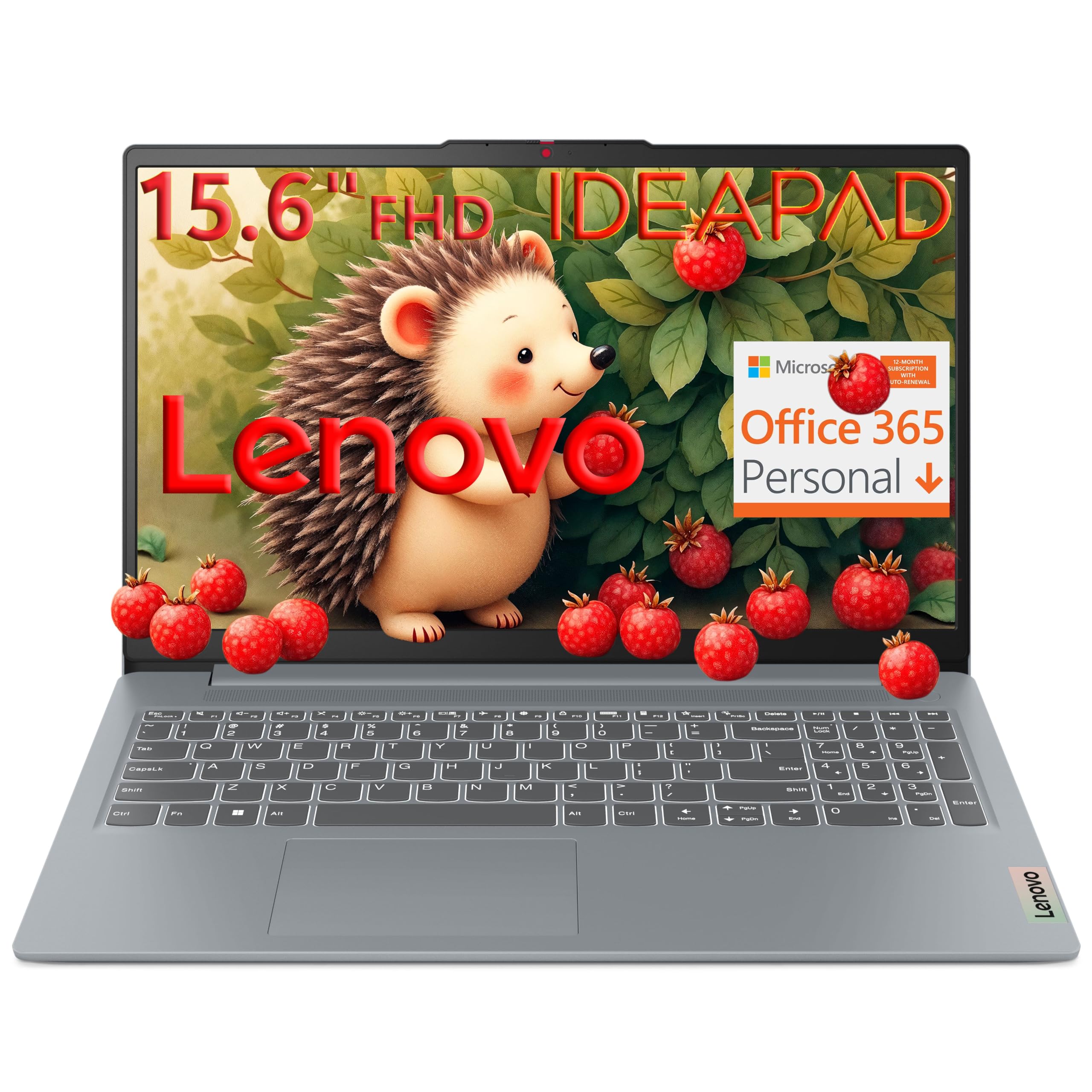
4. Lenovo V15 Business Laptop (Intel N100)
A no-fuss desk machine built to survive being shoved into a bag twice a day.
The story here is endurance, not speed. The Intel N100 quad-core processor tops out at 3.4 GHz, which is a modest ceiling, and 4GB of LPDDR5 memory keeps things tight. What you pay for instead is a 15.6-inch 1920 x 1080 anti-glare display with 250 nits of brightness and an 88% screen-to-body ratio, so the bezels are thin and the screen feels bigger than the chassis. The anti-glare coating plus TÜV Rheinland Low Blue Light certification keeps long evening sessions easier on the eyes.
The chassis is 3.42 lbs and 0.70 inches thick, and it carries MIL-STD-810H military-grade testing across 20 test items — a durability audit that covers drops and rough handling. Storage is 128GB of UFS 3.1, which is faster than old eMMC storage and makes booting and app launches feel instant. Users still mention replacing the drive with a larger SSD down the road, and one owner successfully moved to a Samsung 850 EVO SSD and reused the original as a USB backup.
Owners single out the responsive trackpad and the crisp 1080p screen, both rare at this price. The touchpad sits slightly off-center, and the TN panel here means viewing angles are tighter than the IPS screen on the Aspire Go 15 above — nobody walks off-axis and keeps the same picture. There’s also an SD card reader, an HD 720p camera with a privacy shutter, and firmware TPM 2.0 for hardware-based security.
Where it’s built to last: MIL-STD-810H testing and a 3.42-lb frame make this the pick for a laptop that travels in a backpack daily.
The trade-off to weigh: 4GB of RAM caps how much you can keep open — fine for email and documents, tight for heavy browser use.
Pick this if: you want a lightweight, drop-tested daily machine for documents, email, and video calls.
Not for you if: you keep ten browser tabs open at all times — look at one of the 8GB picks instead.
5. Acer Aspire Go 15 AI Ready Laptop (AMD Ryzen 3 7320U)

The AMD-powered sibling that handles streaming and browsing with the same easy confidence.
The processor here is the AMD Ryzen 3 7320U, a four-core chip that hits 4.1 GHz and pairs with 8GB of LPDDR5 memory and a 128GB PCIe SSD. The PCIe storage is the faster interface here versus UFS, and the difference shows up in how quickly programs launch. This is the streaming machine on the list — the 15.6-inch 1920 x 1080 IPS screen with narrow bezels was clearly designed around watching things. Customers note the processor stays quick even in a bright room, which usually means you’re not fighting reflections.
Battery life is the standout according to the people who own it — they call it excellent, and one owner described using the machine to write their own review while it was running. Charging via USB-C is a real convenience because you can power the laptop off a monitor or phone charger in a pinch. Two full-function USB-C ports, two USB-A, and HDMI 2.1 keep the desk setup simple without a dock.
The honest limit — and this is important — is that 8GB of memory is soldered to the board and not upgradeable. For home browsing, streaming, and typing that’s plenty. For video editing or gaming it isn’t. Storage is also the smaller 128GB type, so plan on an external drive or a swap of the M.2 SSD if you want to add capacity. S Mode comes pre-installed and is reversible, but you do have to flip that switch yourself before you can install outside programs.
The strong side of the spec sheet
- Ryzen 3 7320U at up to 4.1 GHz handles streaming and light multitasking
- 15.6″ 1080p IPS display is purpose-built for watching things
- Battery life is the most-praised trait among owners
- USB-C charging plus two USB-C ports totals four USB ports on the machine
Straight talk about the limits
- Memory is soldered — 8GB is the ceiling for the life of the machine
- 128GB storage needs an external drive if you save a lot of media
- S Mode has to be switched off before non-Store apps install
Ideal buyer: the household that streams a lot and does a moderate amount of browsing, email, and documents.
Skip this one: if you know you’ll want to edit video or play modern games — those are the two things this machine can’t grow into.
6. ASUS Vivobook Go 15.6″ FHD Slim Laptop (Ryzen 3 7320U)

The student machine that gets passed between classes, couches, and backpacks without flinching.
It runs the same AMD Ryzen 3 7320U as the Acer Aspire Go 15 above — four cores, up to 4.1 GHz — but a different memory type: 8GB of DDR5 rather than LPDDR5, plus a 128GB SSD. Owners describe it as fast enough to run Slack, cloud documents, Google Docs, music, and video at the same time without slowdown. That’s the workload a college or high school student actually has, and it’s the workload this machine was tuned for.
The screen is a 15.6-inch 1920 x 1080 panel with a 60Hz refresh rate, 45% NTSC color and 250 nits of brightness. It’s not a color-critical display — the trade-off for the low price — but it’s sharp for text, video, and slides. The 180° hinge lets the screen lay flat for group viewing, and the 720p camera has a privacy shutter. The whole package weighs 3.59 lbs at 0.70 inches thin, with a 45W AC adapter included.
Owners switching from Chromebooks report fast processing, quick charging, no overheating, and all-day battery. The quirks worth knowing: the power button is sensitive to how long you hold it, and there’s no disc reader — fine for modern students, awkward if your household relies on CDs. It also carries military-grade durability, which is a real advantage when this gets tossed into a backpack five days a week.
What stands out: the 180° hinge and military-grade durability signal that ASUS expected this to take a beating — a real fit for student life.
The honest limit: colors are flatter than the Acer’s IPS screens in this list, so this isn’t the pick for photo editing.
Choose this if: a student needs a durable machine for docs, video calls, and streaming that survives being carried everywhere.
Pass if: color accuracy matters to your work — a different panel type will serve you better.
7. HP 14 inch Laptop (Intel Core i3-N305, 256GB SSD)

The smaller chassis with the biggest storage advantage — a 256GB SSD that the rest of this list can’t match at the price.
You get double the storage of every other pick on this list, which stop at 128GB. The 256GB PCIe NVMe M.2 SSD (a fast solid-state drive that plugs directly into the motherboard) gives you roughly twice the room for programs, photos, and files without adding an external drive. If you download games, save video, or keep a family photo archive, this is the difference that matters most. The 8-core Intel Core i3-N305 processor runs up to 3.8 GHz and pairs with 8GB of DDR4 memory — good enough for heavy home use, though the memory is a generation behind the DDR5 and LPDDR5 setups elsewhere on this list.
The 14-inch screen is the smaller size in this group, which is the point: this is the pick for a kitchen counter, a coffee table, or a bag that travels. Owners describe it as lightweight, with excellent battery life and a screen bright enough to use while traveling. The battery is rated at 8.45 hours, and HP Fast Charge takes the battery from 0 to 50% in approximately 45 minutes — half an hour of charging and you’re ready for a long meeting.
Two practical notes. First, the display on this model is HD rather than Full HD, so text isn’t as crisp as the 1920 x 1080 panels on the Aspire Go 15 and Vivobook Go 15. Second, the arrow keys are condensed and there’s no trackpad button, which reviewers point out is a small adjustment. Everything else — HP True Vision HD camera with temporal noise reduction, mic mute, physical camera shutter, and one-touch Copilot access — is a legitimately strong package for a compact home machine.
Storage and battery headliners
- 256GB SSD — double what the rest of the list ships with
- HP Fast Charge takes you to 50% in about 45 minutes
- Compact 14-inch chassis easy to move around the house
- Physical camera shutter and mic mute button for privacy
The trade-offs
- Display is HD rather than Full HD, so text isn’t as sharp as other picks
- Condensed arrow keys and no trackpad button take adjustment
Reach for this if: storage space is your biggest worry and you’d rather not buy an external drive.
Look elsewhere if: you want a Full HD screen — the 15.6-inch picks above will outshine this one on sharpness.
8. Dell 15.6 Laptop (Intel Core 3 100U, FHD)

The desk-bound Dell with the fastest processor clock on the list and a numeric pad for bill-paying nights.
The Core 3 100U processor here hits 4.7 GHz — the highest maximum clock speed of any processor in this comparison, above the Acer Aspire Go 15’s 3.9 GHz and the Acer Ryzen’s 4.1 GHz. That number reflects single-threaded speed, and it’s the one that makes everyday clicks and program launches feel instant. The 8GB of RAM is the standard home amount, and the FHD 1920 x 1080 display gives you the sharp picture that the HP 14 inch model can’t match.
Two physical touches own the desk-use case. There’s a dedicated numeric keypad and a calculator hotkey, so spreadsheet and household budget work is a lot easier than on a 14-inch laptop. And the hinges are lifted to angle the keyboard back slightly, which owners describe as a comfortable typing position over a long session. Dell ComfortView filters out much of the blue light to keep evening work easier on the eyes.
Owners like the clean look and the 15.6-inch FHD screen, which reads bigger than its size on a desk. Honest trade-offs here: the battery and speed are the mixed points in reviews, and the camera on this one is criticized as washed out during video calls. In a home office, that means using an external webcam for any important call. Weight is light enough to travel with, but the numeric pad and FHD panel make this more of a stay-put machine.
Why it fits desk life: a 4.7 GHz clock and a full numeric pad make this a natural fit for bills, spreadsheets, and long typing sessions.
The two honest caveats: the built-in camera is weak for video calls, and the battery figure isn’t a headline number.
Perfect for: a home office machine where the laptop sits on a desk and does serious typing.
Not the pick if: you’ll be on the move and video calls matter — the webcam and battery aren’t the strengths here.
9. HP OmniBook 3 17.3 inch Laptop (Ryzen 3, 512GB SSD)

The big-screen desktop replacement that means one laptop does everything at home without an extra monitor.
Seventeen-point-three inches of Full HD IPS display. That’s the largest screen in this comparison, with 178-degree viewing angles, and it’s the reason someone would buy this instead of a 15.6-inch machine. The AMD Ryzen 3 processor hits 4.1 GHz, the 8GB of LPDDR5 memory runs at high bandwidth, and — this is the storage story — there’s a 512GB PCIe NVMe M.2 SSD inside. That’s four times the storage of the 128GB machines on this list, enough for photo libraries, video, and years of documents without a single external drive.
Battery life is rated at up to 14 hours and 15 minutes, and HP Fast Charge takes the battery from 0 to 50% in approximately 45 minutes. Wi-Fi 6 and Bluetooth 5.4 keep wireless connections fast, and the 1080p FHD camera with HDR auto-switch adjusts automatically for backlighting — a real benefit if your home office happens to have a bright window behind you. Advanced AI Noise Reduction tracks only your voice during conference calls and filters out other speakers, which sounds like a small thing until you’re the person at the family dinner table on a call.
Buyers pick it for the 17.3-inch FHD IPS screen, which often replaces an external monitor entirely. The mixed feedback is on the ultra-low-end of the performance curve: some owners note slow moments under heavier workloads. A handful also mention bloatware eating into the clean SSD, so deleting the pre-installed extras helps. One owner’s feedback about the backspace and enter keys being undersized is worth knowing if you type fast on a standard layout.
The screen and storage case
- 17.3-inch FHD IPS screen with 178-degree viewing angles
- 512GB PCIe NVMe SSD — four times the storage of the 128GB picks
- Battery rated up to 14 hours and 15 minutes, with fast charge to 50% in 45 min
- 1080p FHD camera with HDR auto-switch plus AI Noise Reduction for calls
What to go in expecting
- Some owners find the RAM tight for heavier tasks
- Pre-installed bloatware takes up space until you remove it
- Backspace and enter keys are undersized for fast typists
Best for: households that want one big laptop to replace a monitor-and-desktop setup.
Think twice if: your work involves heavy datasets — the 8GB RAM is fine for spreadsheets and browsing, tight for more.
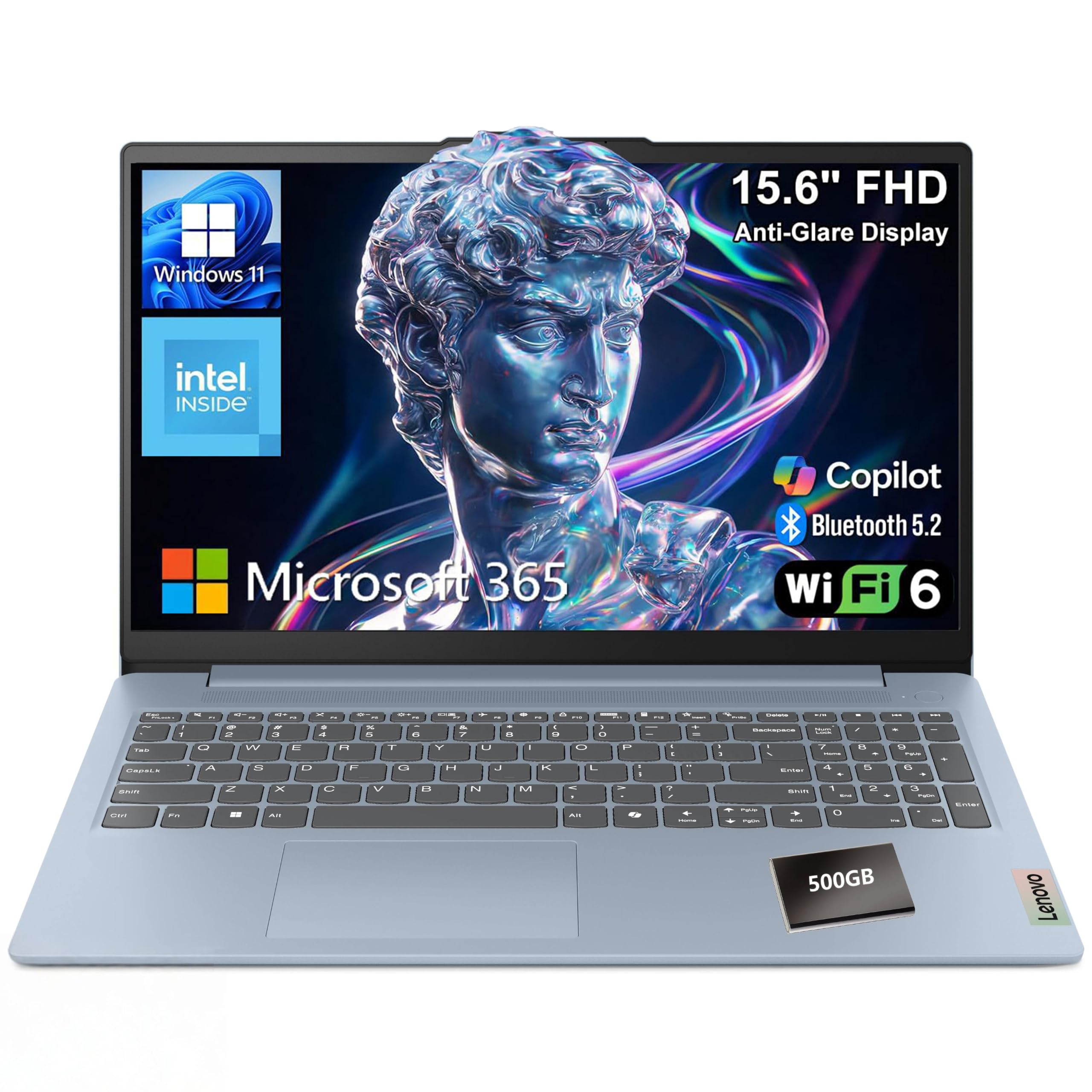
10. Lenovo Essential 15.6″ FHD Laptop (Intel N150, 8GB DDR5)
The dependable Lenovo for a family that just wants a laptop that plays nicely and lasts.
There’s nothing flashy about the spec sheet, and that’s the pitch. The Intel N150 quad-core tops out at 3.6 GHz, 8GB of LPDDR5-4800 memory keeps everyday work smooth, and 128GB of UFS 3.1 storage loads Windows quickly. UFS 3.1 is a faster flavor than older eMMC, which is what keeps boot times and app launches feeling immediate instead of sluggish. The 15.6-inch 1920 x 1080 anti-glare screen with 250 nits brightens up cleanly for streaming and reading.
What this one is built for is durability in a family setting. It weighs 3.42 lbs with a slim 0.70-inch profile, and the chassis is MIL-STD-810H tested — a military-grade durability standard covering drops, shocks, and rough handling. The HD 720p camera has a built-in privacy shutter, which matters if this machine sits in a shared space. The keyboard has a dedicated AI Copilot hotkey, and storage expansion is easy thanks to the included SD card reader.
What owners consistently mention is that it handles everyday work without complaint — one reviewer noted this is their fifth Lenovo laptop, and it’s simply worked. The honest notes: an occasional owner finds the machine stuck in S Mode, and the S Mode switch needs to be flipped in Windows Settings before installing apps outside the Microsoft Store. The touchpad off-center positioning on the smaller sibling of this chassis is worth knowing about if you’re picky about input feel.
What the spec says clearly: MIL-STD-810H testing plus a 0.70-inch slim frame is a durability spec you rarely see in this price range.
The everyday truth: this is a machine for family use, email, streaming, and documents — not for anything with a heavier processor load.
Decidedly for: a household that wants a durable, low-drama laptop for shared family use.
Move past this one if: you need to run substantial design or editing software — this is not that class of machine.
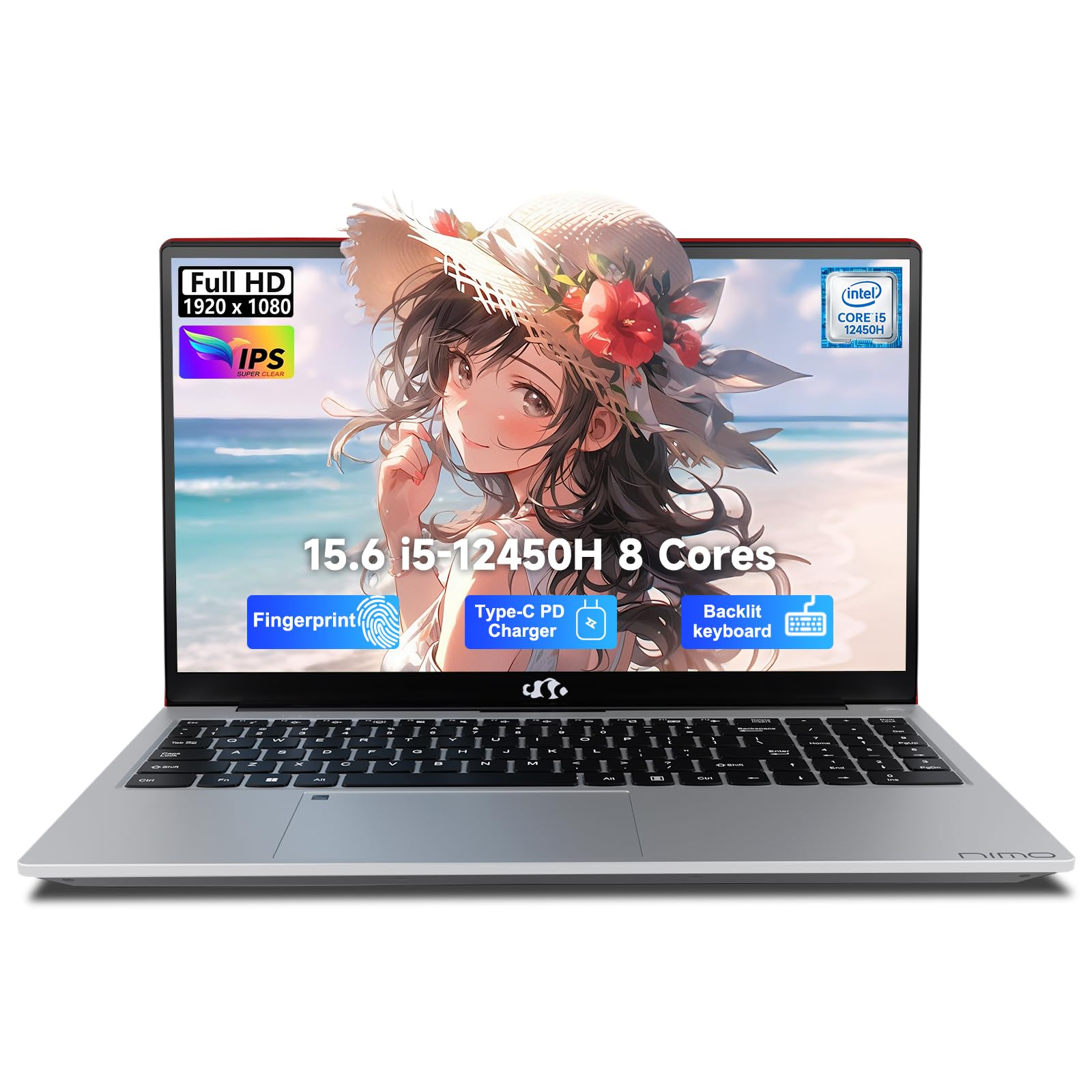
11. NIMO 15.6″ FHD IPS Laptop (Intel Core i5, 32GB RAM, 1TB SSD)
The one on the list that stops worrying about limits — 32GB of memory and a terabyte of storage.
This is the outlier on performance. The Intel Core i5-12450H is a 28W-class chip with a4.4 GHz maximum clock, paired with 32GB of RAM and a 1TB PCIe SSD. Those two figures dwarf the rest of the list — the everyday 8GB/128GB machines above look modest by comparison. For a home user who edits video, runs heavy spreadsheets, or keeps dozens of tabs open all day, this is the rare pick that stays smooth while everything else catches its breath.
The battery spec is worth unpacking: 53.58Wh with a 100W PD fast charger that comes with a 2-meter detached cable. Owners describe the charger reaching distant plugs easily — the kind of detail that only matters once you live with a wall outlet tucked behind a couch. The 15.6-inch 1080p FHD screen runs on a 175-degree flexible hinge, so you can adjust the angle without worrying about the mechanism, and it’s flat enough to share the screen across a table.
What the reviews highlight: plenty of memory, a comfortable backlit keyboard with a numeric pad, and long battery life for the tier. There’s a fingerprint reader and a 2M HD camera with a physical privacy shutter, plus a full-featured USB-C that carries power, data, and DisplayPort through a single cable. The honest caveat is that a couple of buyers had issues with the machine arriving with less usable storage than advertised after formatting, and at least one reported problems with the advertised warranty terms. Ordering from Amazon directly and checking the warranty registration on delivery covers that.
The spec ceiling
- 32GB RAM is the most on this list by a wide margin
- 1TB PCIe SSD keeps media and documents off external drives
- 100W PD fast charger with a 2-meter detached cable
- Fingerprint reader, privacy shutter camera, and backlit keyboard with numeric pad
What you should weigh
- A minority of shoppers say usable storage below the advertised 1TB after formatting
- The “2-year warranty” claim was disputed by at least one buyer — verify coverage on arrival
Buy this for: a heavy multitasker who’d otherwise buy a mini desktop — 32GB and 1TB mean you rarely think about limits.
Overkill if: your home use is browsing, streaming, and typing — a 8GB machine two rows up delivers that just as smoothly.
Understanding the Specs
Why processor speed isn’t the whole story
The gigahertz number on a laptop box tells you the highest clock a chip can reach — the top-end burst speed it uses for a click or a page load. A machine rated at 3.9 GHz isn’t automatically twice as fast as one at 2.76 GHz. Core count, memory type, storage speed, and cooling all matter too. A chip that jumps to 4.7 GHz for one second still throttles back on a long video render if the chassis can’t cool it. For home use, the honest read is that any 3.4 GHz to 4.4 GHz modern chip handles browsing, email, streaming, and documents smoothly — the difference shows up only when you push into editing or gaming.
RAM, SSD, UFS — what the letter soup means for you
RAM is the short-term memory your laptop uses while it’s running. For a modern home machine, 8GB is the sensible minimum. 4GB fills up fast once you have a browser and a couple of apps open; 12GB and 32GB give you room to spare. Storage comes in two general types on these laptops: SSD (a solid-state drive with no moving parts, the fastest common option) and UFS (Universal Flash Storage, a phone-style embedded memory that’s still far faster than an old spinning drive). Both SSDs and UFS boot in seconds. A 128GB drive stores Windows, a handful of programs, and a few thousand photos comfortably; beyond that, plan on an external drive or an SD card.
The Full HD vs HD screen gap
A 1920 x 1080 Full HD panel displays around two million pixels, which keeps text clean and readable on documents and gives shows crisp subtitles. An HD 1366 x 768 screen has roughly one million pixels — about half the sharpness — which you notice most on small text and long reading sessions. Every pick in this guide’s top half runs Full HD. A few of the smaller or entry-tier machines settle for HD, and that’s a genuine trade-off worth knowing before you buy.
Wi-Fi 6 and Bluetooth versions
Wi-Fi 6 is the current common standard — it handles multiple connected devices in the same house better than older Wi-Fi 5, so your video call doesn’t stutter while someone else is watching 4K in another room. Bluetooth 5.0 and up covers wireless headphones, keyboards, and mice with a longer range than older versions. Both are quiet upgrades — you won’t notice them on day one, but you’ll appreciate them when six devices sit on the same router.
FAQ
Is 8GB of RAM enough for a home laptop?
What is Windows S Mode and should I remove it?
Will 128GB of storage be enough?
Is a Full HD screen worth paying more for?
Can I add more RAM later to a budget laptop?
What’s the real difference between an SSD and UFS storage?
Do I need Wi-Fi 6 in a home laptop?
How long do budget laptop batteries typically last between charges?
Should I buy a renewed or refurbished laptop for home use?
Is a 14-inch laptop too small for home use?
Final Thoughts: The Verdict
For most homes, the winner is the Acer Aspire Go 15 (Intel Core 3 N355). Its 8-core processor, 8GB of DDR5, 12.5-hour rated battery, and dual USB-C ports make it the most balanced machine here for browsing, streaming, homework, and video calls — and it handles everyday use more comfortably than anything else on the list. What makes it easy to recommend is that its strengths sit where home users actually feel them: fast charging, a Full HD IPS screen, and smooth performance with a dozen browser tabs open, all in a package that doesn’t demand special care.
If storage space is your worry, grab the HP 14 inch with its 256GB SSD, or step up to the HP OmniBook 3 for a 17.3-inch screen and 512GB. And for a household running heavy multitasking or a work-from-home setup that outgrows budget tier, the NIMO with its 32GB of RAM and 1TB SSD is the one to reach for.
How We Picked
We do not accept paid placement. Every pick is matched to a real buyer and a real use-case; we do not hands-on test units.
Sources & Methodology
Specifications: manufacturer listings and product documentation. Review insights: verified customer reviews, as of September 2026. Pricing: not shown on this page (it changes often); check the current price via the retailer link.
As an Amazon Associate, Gadgets Feed earns from qualifying purchases. This does not affect which products we feature.