
Our readers keep the lights on and my morning glass full of iced black tea. As an Amazon Associate, I earn from qualifying purchases.
Specs are compiled from manufacturer listings and verified buyer reviews and can change over time — please confirm the key details on the product page before buying.
Your phone keeps flashing that dreaded storage-full warning, and the cloud wants a monthly fee just to hold your own photos. A dual-connector flash drive solves that in one move: a USB-C plug goes straight into your Android phone, a USB-A plug goes into your laptop, and your files hop between them with no cable, no adapter, and no app subscription. The catch is that “Android-compatible” means different things at different prices, and a drive that fits one phone may not physically fit another. This guide sorts out which of these picks actually works with your device and your daily routine.
I’m Min — the founder and writer behind Gadgets Feed. This guide is built by comparing the manufacturers’ published specifications and the patterns across verified customer reviews, so you get each pick’s real strengths and trade-offs instead of marketing spin.
A quick heads-up before we start: this list uses flexible, human-like matching for OTG (On-The-Go, the feature that lets a phone act as a host and read a plugged-in drive) support, so not every pick is the exact number you may have searched — the nearest same-type option serves the same purpose. Here’s what actually matters when you’re shopping for the best Android flash drive.
Our Picks at a Glance

How To Choose The Best Android Flash Drive
The right drive is the one whose USB-C plug seats fully in your phone’s port and whose usable capacity covers your backup. Three things decide that: the connector type, the transfer speed, and how much of the stated capacity you actually get to use.
OTG support and the connector that fits your phone
OTG (On-The-Go) is the phone feature that lets it power and read a flash drive directly — without it, a drive is just dead weight in your pocket. Most modern Android phones have it, but the physical port matters just as much. If your phone uses USB-C, you need a drive with a USB-C plug; if it uses micro-USB, you need that older shape instead. A dual-connector drive covers both your phone and your laptop, so you can move a file from phone to computer without any adapter.
Read speed vs write speed
Read speed is how fast your phone or laptop can open a file already on the drive; write speed is how fast it can save a new one. When you are backing up photos off your phone, the write speed is what you wait on, and it is usually slower than the read speed the box shouts about. A drive advertising a high read number can still feel sluggish when it is dumping a long video onto the stick.
Advertised capacity vs usable capacity
A drive labeled 128GB will not show 128GB free when you plug it in. Some space goes to formatting and, on certain models, to built-in software — one Lexar owner found only about 116GB of a 256GB stick was free because security software used the rest. Plan for that gap so you are not caught short mid-backup.
Quick Comparison
| Model | Best For | Capacity | Read Speed | Interface | Amazon |
|---|---|---|---|---|---|
| Lexar 256GB JumpDrive D400 Dual★ Best Overall | All-rounder for phone and laptop | 256 GB | 130MB/s | USB 3.2 Gen 1 | Amazon |
| Speederlash 128GB Dual USB A & Type-CTop Performer | Fast video offload on a budget | 128 GB | 200MB/s | USB 3.0 | Amazon |
| SanDisk 128GB Phone Drive for AndroidBest Value | Keyring-ready automatic backup | 128 GB | 100MB/s | USB 3.2 Gen 1 | Amazon |
| KOOTION 128GB Dual USB-A & Type-C | Cleanest fit in tight pockets | 128 GB | 110MB/s | USB 3.2 Gen 1 | Amazon |
| SANKESU 2-Pack 128GB USB C Flash Drive | Two drives, one low entry cost | 128 GB (x2) | 20 megabytes per second | USB 2.0 | Amazon |
| SSK 128GB Dual USB Flash Drive | Rugged tiny drive for travel | 128 GB | 240MB/s | USB 3.2 Gen 1 | Amazon |
| Lexar D40E 128GB Dual USB 3.2 Gen 1 | Heavy daily file moves | 128 GB | 100MB/s | USB 3.2 Gen 1 | Amazon |
| SANKESU 256GB USB C Flash Drive 2 in 1 | Bulk photo and video hoarding | 256 GB | 120MB/s | USB 3.0 | Amazon |
In‑Depth Reviews
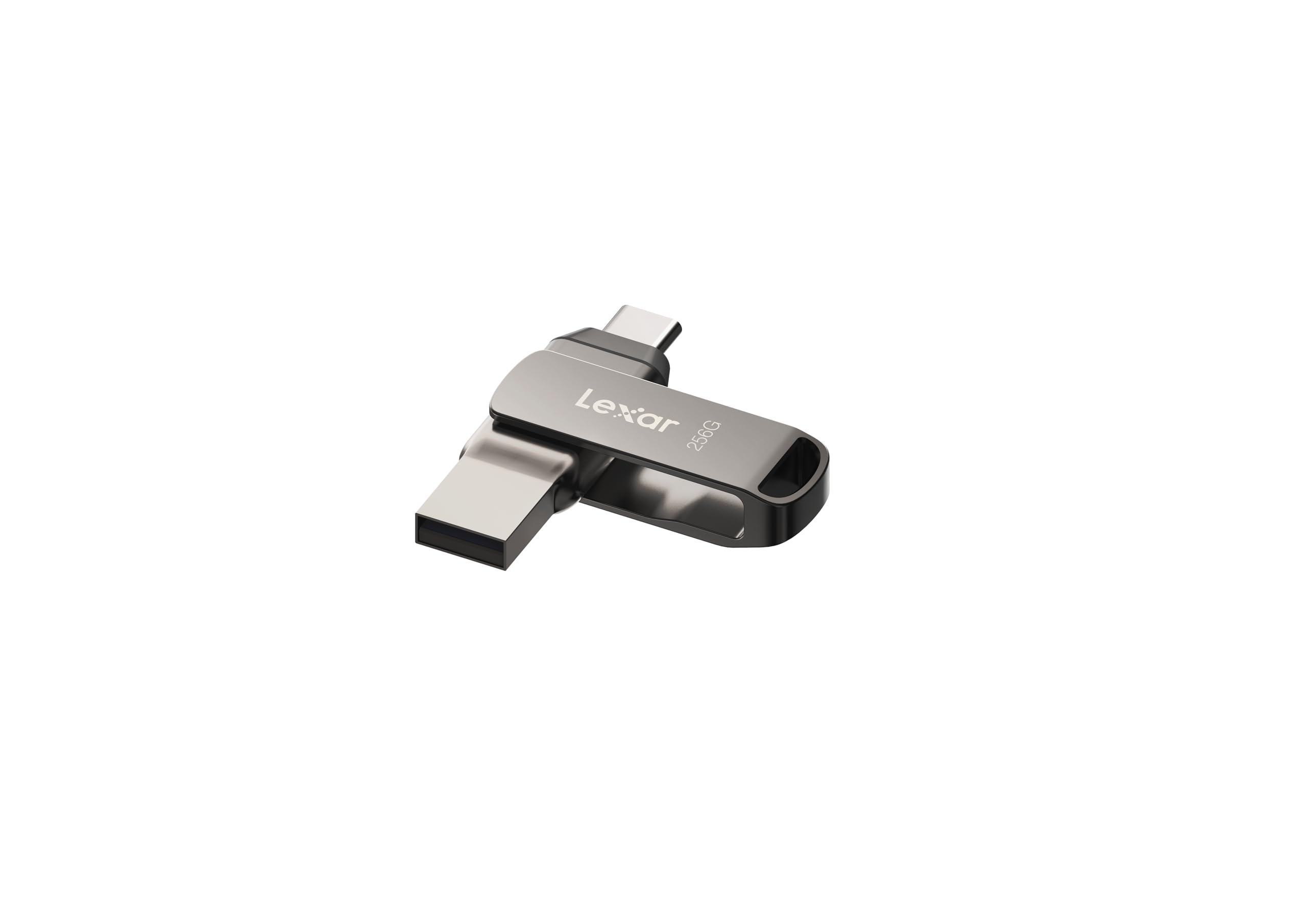
1. Lexar 256GB JumpDrive D400 Dual Flash Drive, 130MB/s Read, USB-C/A, USB 3.2
Our pick — over 4.5★ from 800+ verified ratings; the strongest balance of quality and price.
The dual-plug drive that moves a phone’s whole photo library without fuss
If you want one drive for both your Android phone and your laptop, this is the pick. The 256GB Lexar JumpDrive D400 carries both a USB-C and a USB-A plug in the same swivel body, and the 256GB capacity is double that of the Speederlash and most of the mid-pack drives here. Plug the USB-C end into your Android phone, pull your photos across, then flip to the USB-A end for your laptop — no cords, no adapters.
What wins people over is build quality, and there’s real substance behind it: the metal housing has a swivel design that protects the connectors, and the pitch is speed and versatility in one stick. Read speed lands at 130MB/s, which is the third-highest in this lineup, behind only the SSK at 240MB/s and the Speederlash at 200MB/s. For everyday phone photo dumps and document moves, that gap rarely bites — the phone’s own port is often the bottleneck, not the drive.
The honest trade-off is reliability, and owners are split on it. Some report zero issues over long use, while others describe units that randomly disconnect and eventually fail. That is a mixed picture, not a dealbreaker — most owners are happy — but if losing a backup mid-transfer would ruin your day, keep a second copy of anything irreplaceable. Worth knowing too: the built-in security software eats into usable space, with buyers reporting only about 116GB free on the stick out of its stated total.
What earns it the top spot
- 256GB — doubles the capacity of most mid-tier picks in this lineup
- Dual USB-C and USB-A plugs in one swivel body, no adapter needed
- 130MB/s read speed and a sturdy metal housing
- Works across Android, PC and Mac
Where it asks you to be careful
- Buyers report split reliability — some units disconnect over time
- Security software trims usable space below the stated capacity
- Swivel exposes one connector while protecting the other
Best if: you want a single high-capacity drive that jumps between phone, laptop and desktop without hunting for a cable.
Think twice if: the transfer is your only copy of something precious — keep a second backup since reliability reports are mixed.
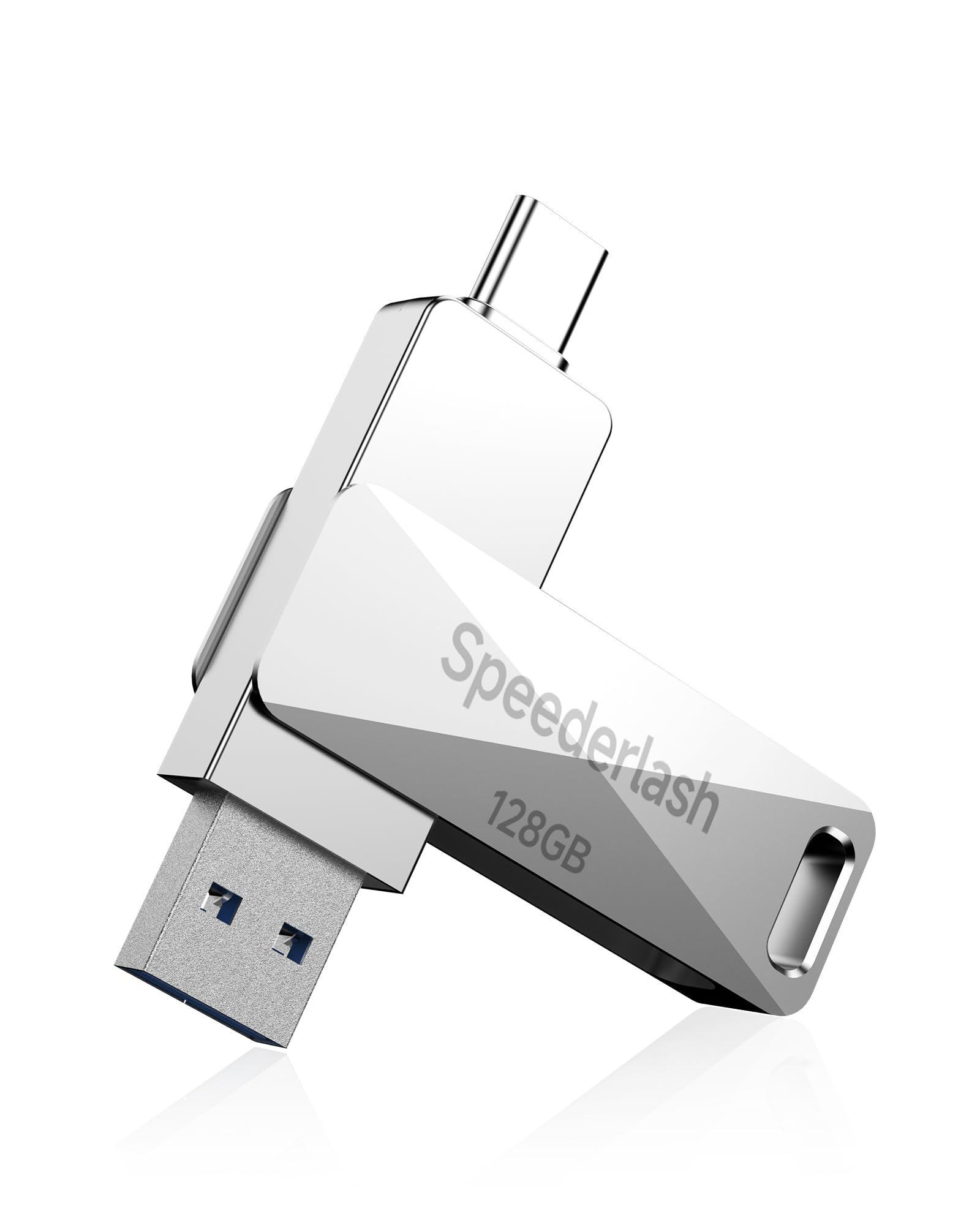
2. 128GB USB 3.0 Flash Drive, Speederlash Dual USB A & Type-C Thumb Drive, 200MB/s Read Speed
The value pick that outsprints drives costing more when it’s reading your files
Content creators and phone photographers who offload a lot of footage will feel the difference here first. This Speederlash drive reads at 200MB/s and writes at 130MB/s, and that read figure is twice the 100MB/s of the SanDisk Phone Drive and the Lexar D40E. For pulling a long 4K clip off your tablet or phone, that headroom shows up as less staring at a progress bar.
The casing is a full-metal zinc alloy, built with water resistance, shock resistance, a dustproof structure and heat tolerance — the sort of toughness that matters if this lives loose in a camera bag or backpack. It carries both USB-C and USB-A plugs, so Android phones, tablets, iPad Pro, MacBooks and car audio systems all connect without an adapter. The dual-port setup keeps both kinds of devices covered.
Here is the one real-world snag, and it is a fit issue, not a fault: the plug does not seat on some phones. Owners mention “Does not fit my S25 android phone because of design of the phone prevent flash drive being plug in.” On a tablet with more clearance around the port it works fine. If your phone has a chunky case or a recessed port, check the plug depth before you commit — the drive itself is quick and well made.
Why it’s quick: The 200MB/s read speed is the fastest in the mid-tier group here, and it costs less than every premium drive on this list. For the money, the transfer speed-to-dollar math is the most favorable of the bunch.
What to watch on fit: The 4.5-star standing reflects mostly positive compatibility, but the Samsung clearance complaint is real enough to flag. A thin case or a port with breathing room keeps this a smooth pick.
Reach for this if: speed-per-pound is your priority and your phone’s port has clearance for a full-size plug.
Look elsewhere if: your phone runs a thick case or a deeply recessed USB-C port that blocks the connector.
3. SANDISK 128GB Phone Drive for Android – The 2-in-1 USB for Smartphones, Tablets, and Computers – SDDDC6-128G-G46
A keyring-tiny drive that quietly grabs your photos without you thinking about it
This is the one for someone who keeps hitting the storage ceiling and wants photos off the phone with no manual sorting. The SanDisk Phone Drive pairs USB-C and USB-A connectors with the Memory Zone app, which handles automatic backup of your photos, videos, music, documents and contacts once you set it up. Attach it to your keyring and it becomes the everyday carry you never forget at home.
At 13.61 grams it is lighter than the heavier Lexar D400 at 17.8 grams, so it disappears on a set of keys. It also includes RescuePRO Deluxe software for recovering deleted files, a nice safety net if you clear a photo by accident. Read speeds run up to 100MB/s, which is slower than the Speederlash’s 200MB/s — if you move huge files often, factor that in.
The main thing to know on fit: some owners had to remove their phone case to get the connector seated, and the app adds a small learning curve. Storage capacity earns steady praise, and the drive handles typical phone backups well. Treat the transfer-speed side with realistic expectations — it is quick for photos, less so for very large video batches.
The case for it
- Automatic photo and video backup through the bundled app
- Keyring attachment keeps it on your keys
- Light at 13.61 grams — lighter than the Lexar D400’s 17.8 grams
- RescuePRO Deluxe software included for file recovery
The fine print
- Some phone cases must be removed for the plug to seat
- 100MB/s read is slower than the faster mid-tier picks
- The backup app takes a little getting used to
The one for you if: you want your phone to back itself up automatically and you like the idea of a drive that never leaves your keys.
skip it if: you routinely move huge video files and want the fastest read speed available.
4. KOOTION 128GB Dual USB-A & Type-C Flash Drive up to 110MB/s USB 3.2 Gen 1
A no-lost-cap design that lives happily on your keys
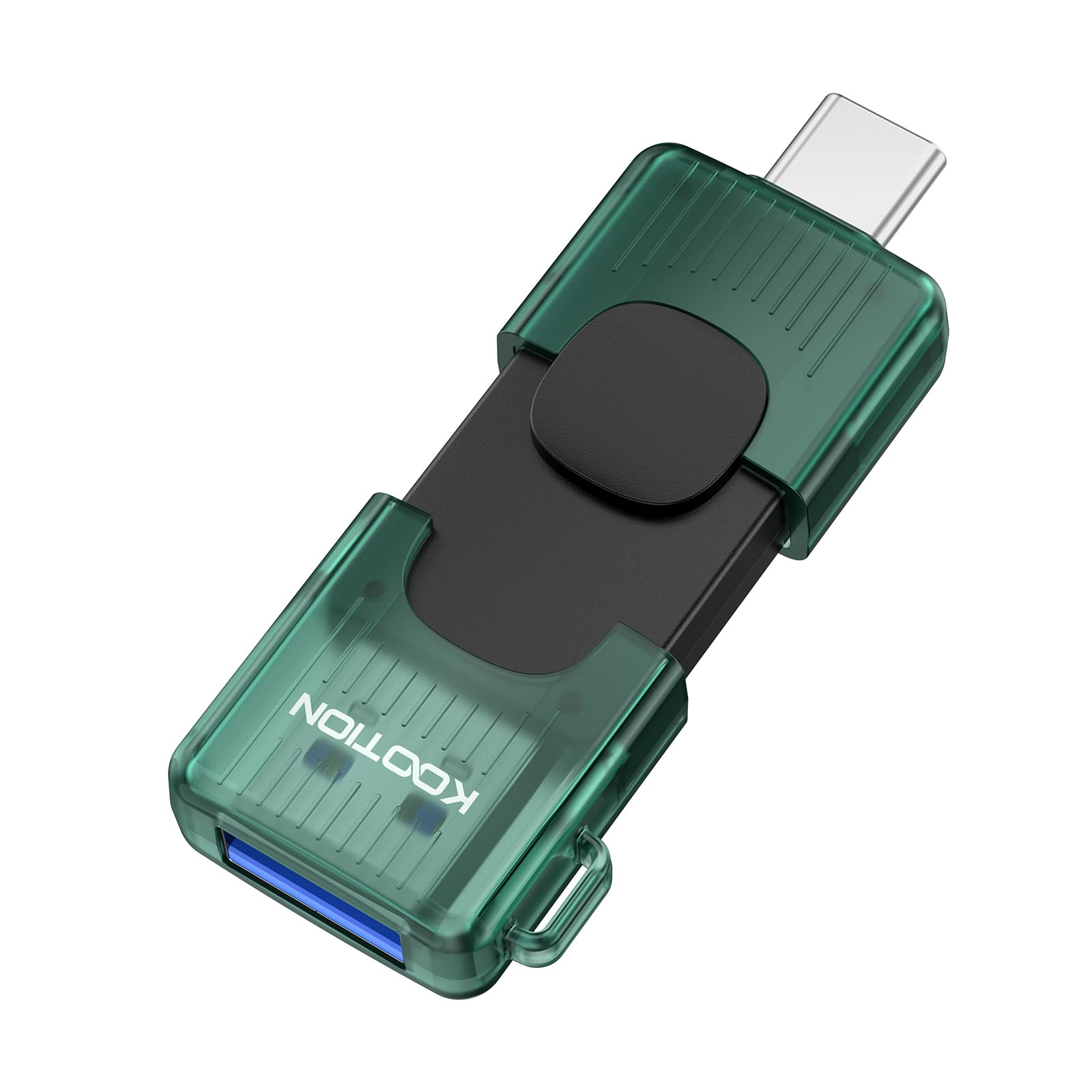
Anyone tired of hunting for a missing dust cap will appreciate this KOOTION’s approach. A retractable cover slides over the connectors instead of popping off, and it shields them from dirt and damage in a pocket or bag. There’s also a keychain hole, so it clips to your keys and disappears. USB-A and USB-C both live on the stick, covering your phone, tablet, laptop or older desktop without an adapter.
Speed is solid for the money — USB 3.2 Gen 1 gives read speeds up to 110MB/s, comfortably ahead of the 100MB/s SanDisk and D40E, if behind the 200MB/s Speederlash. It runs Windows, Android, Linux and Mac OS, and the retractable build avoids the loose-cap problem several rivals share. For straightforward phone-to-laptop file shuttling, that combination is hard to argue with.
One thing to stay on top of: the retractable design can trap dust and debris around the ports over time, and a couple of owners mention a tendency to misplace the small drive. Clean the ports periodically and it holds up fine. Otherwise this is a tidy, compact pick that quietly does the job.
What stands out: The retractable cover is the practical standout — no cap to lose, connectors shielded on the move, and a keychain hole to keep it attached. The 110MB/s read edges past several drives in this group for everyday file moves.
Small caution: Those same ports can collect debris over time. A periodic wipe keeps them clean; it is maintenance, not a fault.
Pick this one if: you want a cap-free, keychain-friendly drive for everyday phone and laptop transfers.
Pass if: you like a drive with an enclosed connector cap or you tend to lose small objects.
5. 2-Pack 128GB USB C Flash Drive for Android, Phones 15/16/17, Tablet, Laptop, PC, 2-in-1 OTG Dual USB-A & Type-C

Two drives for the price of a coffee run, but pace yourself on big files
If you want to stash photos, music and documents on both your phone and your laptop without spending much, a twin-pack makes sense. This SANKESU set hands you two 128GB drives — 256GB total — each with USB-A and USB-C connectors, for the lowest outlay in this group. Plug-and-play means no drivers: you are moving files the second you open the box. The drives default to exFAT, so both Windows and Mac read them straight away, and the packing is just enough to cover typical photo and video collections.
The reality check is speed. The hardware interface is USB 2.0 with a rated read speed of 20 megabytes per second — far slower than every other pick here. That is fine for moving a folder of photos or a handful of documents, but it is a rough fit for large video libraries, where write times can drag. Owners describe the pace as “slow but useful and affordable,” which is an honest read. The single big upside: two drives mean you can leave one in your bag and keep one at your desk.
One quirk to know before you buy: the SANKESU drives lack a keychain hole, so you cannot clip them to your keys like the SanDisk or KOOTION options. If carrying a drive attached to your keys is important, look at those instead. Otherwise, for light, occasional transfers on a tight budget, the two-drive bundle earns its place.
Where the value lives
- Two 128GB drives — 256GB total — at the lowest cost in the lineup
- Dual USB-A and USB-C connectors on both drives
- Plug and play, no software or drivers
- exFAT default works across Windows and Mac
What you trade away
- USB 2.0 with 20 megabytes per second read — the slowest here
- No keychain hole to attach it to your keys
- Large video moves can feel painfully slow
Best for: casual users who want two drives for phone photo dumps and light document backup.
Not for: anyone regularly moving big video files, where the slow USB 2.0 pace will frustrate you.
6. SSK 128GB Dual USB Flash Drive USB-C Thumb Drive Memory Stick up to 240MB/s
The fastest reader in the group, small enough to slip into a coin pocket
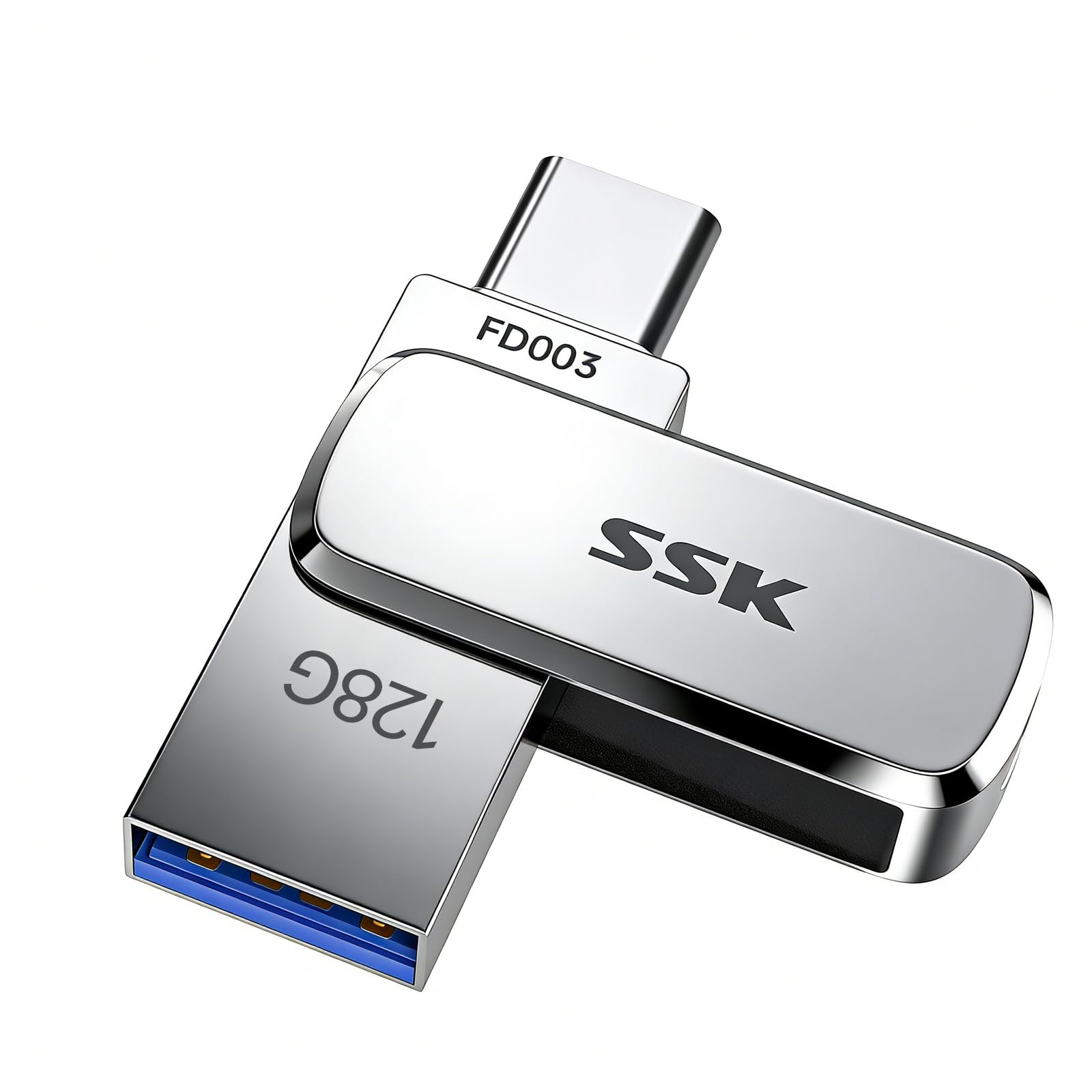
For pure read speed, nothing here touches this SSK drive. Its 240MB/s read figure beats the Speederlash’s 200MB/s and outruns every other pick on the list, and it comes wrapped in a thick zinc alloy shell that’s built to hold up in a pocket. It’s the sort of drive a gigging DJ or a videographer would keep clipped to a bag — it flips between USB-C and USB-A so you can move files from phone to Windows machine to Mac without hunting for an adapter.
The casing is built for rough treatment: UDP encapsulation to keep the chip and circuit board sealed inside, with water, dust and drop resistance. It also runs cool thanks to the alloy body, and stays consistent even when nearly full. If portability and toughness top your list, this zinc alloy body is small enough for a coin pocket and sealed against water, dust and drops.
The honest caveat is speed claims versus real-world results. The maker cites 240MB/s reads through CrystalDiskMark 7.0 testing, but at least one owner found real transfers started lower and settled around 163/75 MB/s after extended use — good, just not the peak figure. A small number of units also failed outright, so keep backups of anything critical. For most buyers chasing fast reads in a durable, tiny shell, it remains a strong pick; just temper expectations on the headline number.
The core strength: At 240MB/s read, this is the speed leader — ideal for pulling large files quickly and flipping between USB-C and USB-A without adapters.
Where to stay realistic: Real-world transfers ran below the advertised peak in owner testing, and a few units failed. It’s reliable enough for everyday use, but not a place to keep your only copy.
Choose it if: you want the fastest reads available and a rugged, pocket-sized body that can take bumps.
Consider alternatives if: you need the advertised 240MB/s guaranteed or want extra insurance against a failed unit.
7. Lexar D40E 128GB Dual USB 3.2 Gen 1 Type-C Jump Drive, Champagne Silver

The all-metal workhorse that’s been field-tested by thousands of owners
This is the Lexar to carry daily, with a metal swivel body and 256-bit AES encryption for work files. The D40E pairs USB-C and USB-A in a slim metal body with a 360° swivel design, so connectors swap without a cap to lose, and it moves data at up to 100MB/s. The champagne-silver finish has a solid, substantial feel that the plastic-bodied drives here can’t match.
Two things lift it above the cheaper Lexar D400: a 3-year limited warranty that the D400 doesn’t carry, and 256-bit AES encryption for locking down sensitive files — the kind of protection you’d want if this drive ever held work documents or account backups. It’s broadly compatible with USB-C smartphones, tablets, laptops and Macs, with no software install required to start.
Practical notes from the field: the metal body warms up during big transfers, and the swivel covers one connector at a time, leaving the other exposed to dust — worth a quick wipe now and then. A few owners on phones with tight cases needed an extender, and one noted a smaller-than-labeled usable capacity after formatting. Those are fit and expectation details, not reasons to skip a drive that otherwise earns steady praise for speed, value and everyday reliability.
Made for: someone who wants a metal-bodied, swivel-cover drive with encryption and a 3-year warranty for daily carry.
Heads-up: the connector can need extra reach on phones with bulky cases, and the metal warms during heavy transfers.
8. 256GB USB C Flash Drive 2 in 1 Thumb Drive 3.0 USB-A & Type-C Dual OTG Photo Storage

Room for every photo and video you refuse to delete
When your phone backlog has outgrown a 128GB drive, the extra 128GB here matters. This SANKESU stick offers 256GB — the joint-largest capacity in the group, matched only by the Lexar D400 — with USB-C and USB-A on the same body and reads up to 120MB/s over USB 3.0. It’s pitched squarely at the phone-photo hoarder: dump years of pictures and videos to it and free up your device without paying monthly for cloud storage.
The 256GB figure is the headline, and owners put it to work holding entire photo libraries with room to spare. Compatibility runs across Android phones, PCs, laptops and tablets — just note the maker flags this drive as “Not for iPhone,” so USB-C Apple users should look at the dual-port KOOTION instead. For transferring between an Android phone and a Windows machine, though, it’s a clean, cordless handoff.
There’s one thing to plan around: a few owners found file organization on the drive can be confusing, with pictures landing in unexpected places rather than neatly in their folders. Set up a simple folder structure from the start and that complaint disappears. Balance that against the capacity and comfortable price and it is a sensible choice for bulk media offloading.
Reasons it works
- 256GB — joint-largest capacity here, matched only by the Lexar D400
- Reads up to 120MB/s over USB 3.0
- Dual USB-C and USB-A connectors for cordless handoff
- Plug and play, no software needed
Keep in mind
- Not compatible with iPhone, per the maker
- File organization can be confusing without a folder plan
- Some users found it took a little trial and error to use
The pick for: Android and Windows users who need maximum room to offload a bloated photo and video library.
Not the one for: iPhone users — the maker lists it as incompatible — or anyone wanting an iPhone-friendly dual-port drive.
Understanding the Specs
Read Speed vs Write Speed
Read speed is how fast your phone or laptop can open files already on the drive — handy when you’re browsing or copying off it. Write speed is how fast new files land, which is what you wait on during a phone backup. Most drives here advertise read speed only, and the write number is usually lower. That’s why a stick flaunting 240MB/s can still feel slow while saving a long video.
USB Interface Version
USB 3.0, USB 3.2 Gen 1 and USB 3.2 all run at similar real-world speeds and all plug into the same ports — the label differs, the connection doesn’t. USB 2.0, like the budget SANKESU 2-pack, is genuinely slower and best kept for photos and documents. Match the interface to your workload: faster USB for big video moves, USB 2.0 only for light, occasional transfers.
Advertised vs Usable Capacity
A 128GB drive never shows 128GB free. Formatting overhead steals a slice, and some models reserve extra space for built-in software — the Lexar D400, for instance, leaves buyers with roughly 116GB of its 256GB. Plan for the gap so a big backup doesn’t run out of room partway through.
Dual Connectors and Case Clearance
The USB-C plug is the part that trips people up — on some phones it simply can’t reach past a thick case or a recessed port, no matter how good the drive is. If your phone wears a heavy case, check the plug depth or plan to slip the case off for transfers. That single fit detail decides whether a drive is convenient or a constant nuisance.
FAQ
Will these drives work with my Android phone?
How much of a 128GB drive is actually usable?
Do I need to install an app to use these drives?
Why does my drive feel slow when saving large video files?
Will a dual-connector drive move files straight from my phone to my laptop?
Do these drives work with iPhone as well as Android?
Is USB 3.2 better than USB 3.0 for a phone drive?
Can I attach these drives to my keys so I don’t lose them?
What happens if I fill a drive close to its limit?
Are the dual-plug designs harder to keep clean than capped drives?
Final Thoughts: The Verdict
For most people, the android flash drive winner is the Lexar 256GB JumpDrive D400 — 256GB of space, dual USB-C and USB-A connectors, and a 130MB/s read. If raw speed is what you’re after, the Speederlash 128GB Dual reads at 200MB/s and costs less. And for automatic, set-and-forget phone backups, the SanDisk 128GB Phone Drive and its Memory Zone app do the work quietly in the background.
How We Picked
We do not accept paid placement. Every pick is matched to a real buyer and a real use-case; we do not hands-on test units.
Sources & Methodology
Specifications: manufacturer listings and product documentation. Review insights: verified customer reviews, as of September 2026. Pricing: not shown on this page (it changes often); check the current price via the retailer link.
As an Amazon Associate, Gadgets Feed earns from qualifying purchases. This does not affect which products we feature.