
Our readers keep the lights on and my morning glass full of iced black tea. As an Amazon Associate, I earn from qualifying purchases.
Specs are compiled from manufacturer listings and verified buyer reviews and can change over time — please confirm the key details on the product page before buying.
If you want the smoothest, sharpest picture competitive gaming can buy right now, the short answer is a 360Hz OLED panel — and the Alienware AW2725DF is the one most buyers land on. A 360Hz refresh rate means the screen redraws itself 360 times every second, so a target strafing across your screen stays a solid shape instead of a smear. OLED is the other half of that win, because each pixel makes its own light and can switch off completely for true black. Put those two together and fast movement stops looking like a blur and starts looking like a clean, readable frame.
I’m Min — the founder and writer behind Gadgets Feed. This guide is built by comparing the manufacturers’ published specifications and the patterns across verified customer reviews, so you get each pick’s real strengths and trade-offs instead of marketing spin.
Every panel here runs 2560×1440 at 360Hz with a 0.03ms response time, so the real differences come down to cooling, ports, and how each brand handles burn-in. This breakdown of the 360hz oled gaming monitor market covers the five panels worth your money right now.
Our Picks at a Glance


How To Choose The Best 360Hz OLED Gaming Monitor
Three numbers decide whether a 360Hz OLED panel feels like a genuine jump over the 144Hz or 165Hz screen you are upgrading from. Get these right and the upgrade shows the first time you flick your mouse; get them wrong and you have paid flagship money for a stuttering monitor.
Refresh rate only counts if response time keeps up
The refresh rate is how many times per second the screen draws a new image — here, 360 times. The response time is how fast a single pixel can change color, measured in milliseconds, and every panel on this list hits 0.03ms gray-to-gray (the time a pixel takes to shift between two shades of gray). Those two have to match. A fast refresh rate on a slow panel just shows you the same smeared frame more often, which is exactly the trap cheaper LCD monitors fall into.
Check what your graphics card can actually push
Reaching 360 frames per second in a modern shooter takes serious GPU horsepower, and you need a cable that can carry it. DisplayPort 1.4 and HDMI 2.1 are the two connections that do the job here, so confirm your card has one before you buy. If your card tops out closer to 200 frames per second, a 360Hz panel still helps by cutting input lag, but you will not see the full benefit until you upgrade the GPU.
Burn-in care is the real long-term spec
OLED pixels dim as they age, and a static element like a health bar or a taskbar left in the same spot for months can leave a ghost behind. Every brand here fights that with its own toolkit — pixel refresh cycles, static-image dimming, and in Samsung’s case a pulsating heat pipe cooling system. A panel with strong, automatic burn-in protection is worth more over three years than a slightly brighter one with none.
Quick Comparison
| Model | Best For | Refresh Rate | Response Time | Resolution | Amazon |
|---|---|---|---|---|---|
| Alienware AW2725DF★ Best Overall | All-round competitive pick | 360Hz | 0.03ms | 2560 x 1440 | Amazon |
| MSI MPG 271QRX QD-OLEDPremium Pick | Built-in KVM switching | 360Hz | 0.03ms | 2560 x 1440 | Amazon |
| Samsung Odyssey OLED G6 | Anti-glare daytime play | 360Hz | 0.03ms | 2560 x 1440 | Amazon |
| Alienware AW2725DF (27″ QHD) | Color-accurate creator use | 360Hz | 0.03ms | 2560 x 1440 | Amazon |
| GIGABYTE AORUS FO27Q3 | Wide color coverage on a budget | 360Hz | 0.03ms | 2560 x 1440 | Amazon |
In‑Depth Reviews
1. Alienware AW2725DF OLED Gaming Monitor – 26.7-inch Quantom-Dot WQHD (2560×1440) 360Hz 0.03Ms Display, AMD FreeSync Premium Pro, HDMI/DP/USB 3.2 Gen1, Height/Tilt/Swivel/Pivot Adjustability – Black
Our pick — over 4★ from 400+ verified ratings; the strongest balance of quality and price.
The all-rounder that nails 360Hz motion, true black, and a color-accurate panel without a flagship price tag.
For a competitive player who also does some color work, this is the screen that covers both jobs. The AW2725DF pairs a QD-OLED panel (a screen type where each pixel lights itself and the layer of quantum dots boosts color purity) with a 360Hz refresh rate and 0.03ms gray-to-gray response time. Because those two specs are matched, a fast pan across a map stays readable instead of smearing. It runs 2560×1440 QHD natively, which is the resolution most competitive players settle on because it keeps objects big enough to spot while adding far more detail than 1080p.
Owners praise the picture quality and color richness above all, which matches the 99.3% DCI-P3 color coverage (how much of that wide cinema color range the panel can show) and Delta E under 2 accuracy (how close on-screen color sits to the true reference, where lower is better). One owner reports three years of heavy daily use with no burn-in and enough brightness for a lit room. On the ergonomics side, it offers height, tilt, swivel, and pivot adjustment, so you can stand it tall for play and rotate it upright for reading.
Here is the honest part a buyer should weigh before clicking. OLED burn-in is real, so you will see the panel run its automatic pixel refresh, and that cycle can nudge a competitive match if it kicks in at the wrong moment. In a very bright room the display also has to work harder, since its peak brightness sits well below the best LCD panels. As the review pages sum it up: “3 years with intensive use and no burn in, great colors, bright enough to use in a lit up room, just generally a good monitor” — the trade-offs are small, but they exist.
What earns the top spot
- 360Hz refresh with 0.03ms response keeps fast targets crisp and readable
- 99.3% DCI-P3 coverage and Delta E under 2 make it a genuine dual-purpose panel
- Full height, tilt, swivel, and pivot adjustment means it fits a desk and a vertical workflow
- DisplayPort, HDMI, and USB 3.2 Gen1 give you room for a PC, a console, and peripherals
The catch worth knowing
- Automatic pixel refresh cycles can interrupt a session if they trigger mid-game
- Peak brightness trails the brightest LCD panels in a sunlit room
- OLED pixels age, so static elements need the built-in protection to stay clean
The verdict in one line: this is the 360Hz OLED to buy if you want fast, accurate, and flexible in a single panel.
Look elsewhere if: you play in a very bright room with no curtain control and need maximum screen brightness over color accuracy.
2. msi MPG 271QRX QD-OLED, 27 OLED Gaming Monitor, 2560 x 1440 (QHD), 0.03ms Response time, 360Hz, True Black HDR 400, HDMI, DP Port, USB Type C, Tilt, Height, Black
One of the slimmest 360Hz OLED panels here, and the one that quietly runs your laptop and desktop from a single cable.
If you juggle a work laptop and a gaming PC on the same desk, the MPG 271QRX is built for exactly that. The headline feature is a USB-C port that can hand your laptop up to 90W of power (watts express how much charge flows over a cable, and 90W is enough to keep most thin laptops topped up) while carrying the video signal at the same time. Add the built-in KVM (a switch that lets one keyboard and mouse control two computers) and you can hop between machines without crawling under the desk to swap cables.
The panel side is just as solid — QD-OLED with a 360Hz refresh rate and 0.03ms gray-to-gray response, plus VESA DisplayHDR True Black 400 (a certification describing how deep the blacks can go and how bright the highlights get). What owners praise most is the display quality overall, ahead even of color. There is real value in the extras too: HDMI 2.1 with the full 48 Gbps bandwidth (gigabits per second, the data pipe that carries a 4K console signal without compression), graphene cooling that runs without a fan, and MSI OLED Care 2.0 to reduce burn-in risk. It is also one of the more compact housings here, measuring 24″D x 9.5″W x 16.6″H — noticeably shallower than the 27″ Alienware AW2725DF at 9.59″D x 23.98″W x 15.99″H, a real win if your desk is tight against a wall.
The recurring gripe is software, not hardware. The OLED protection routine can switch the screen off on its own schedule, and buyers report the monitor sometimes refusing to wake from sleep until you cycle the power. One small but very real caveat: firmware updates need a Windows PC, so Mac-only households have to find a workaround. As a buyer put it, this is the “Cheapest 360Hz 1440p OLED in US” with “Great burn-in protection, good crosshair, KVM, HDMI 2.1” — the quirks are annoying, not fatal.
The productivity angle: the 90W USB-C power delivery plus KVM turns this into a genuine one-cable home-office hub for a laptop-first setup.
The spec that carries it: 360Hz on a QD-OLED panel with 0.03ms response gives you the same competitive motion as anything on this list, with the connections to match.
Reach for this one if: you want your laptop and desktop sharing one display with no cable shuffle.
Skip the MSI if: you are Mac-only and refuse to keep a Windows machine around purely for firmware updates.
3. Samsung 27” Odyssey OLED G6 (G60SD) Series Gaming Monitor with QHD & QD-OLED, 360Hz 0.03ms, AMD FreeSync Premium Pro, Anti-Glare, Sleek Design, Cooling System, 3 Year Warranty, LS27DG602SNXZA

The glare-fighting model that keeps its blacks deep even with a window behind you.
Anyone who games with a window or a lamp behind them knows the pain: on a glossy OLED, every light source becomes a purple smudge across a dark scene. Samsung’s answer is a glare-free coating that spreads reflections out instead of bouncing them back at you. Combined with the QD-OLED panel’s 1,000,000:1 contrast (the ratio between the brightest white and the darkest black it can show) and 0.03ms response at 360Hz, the picture stays clean whether the room is bright or dark.
Samsung has also gone further than its rivals on cooling. A pulsating heat pipe — a sealed loop of coolant that evaporates and condenses to move heat away from the screen — is built in to fight burn-in, and the company rates it as diffusing heat better than the older graphite sheet method. The software does its share too: a thermal modulation system predicts surface temperature and trims brightness to match, static logos and taskbars get dimmed automatically, and the screen fades after 10 minutes of inactivity. Samsung backs the G6 with a three-year warranty. Enough buyers have run this for months of daily use to call the color and the deep blacks genuinely stunning, and it accepts a 2560×1440 signal from both a desktop card and a console.
The rear control and the stand area draw the most grumbles, with a handful of units developing a fault over months of use. It is worth knowing, though its cost and durability scores are less consistent than its picture scores. In short: excellent image, ordinary plastics.
Why it stands out
- Glare-free coating keeps reflections from washing out dark scenes
- Pulsating heat pipe cooling plus logo and taskbar dimming tackle burn-in at the source
- Three-year warranty included
- 2560×1440 at 360Hz with 0.03ms works for both PC and console
Where it falls short
- Brightness sits below the brightest LCD panels
- Some units develop a hardware fault over time, and the rear control draws criticism
- Menu system feels less refined than the picture quality suggests
Pick this for: a bright-room setup where glare control matters more than peak brightness.
Think twice if: you want the toughest-feeling build in the lineup and handle your monitor roughly.
4. Alienware AW2725DF 27″ QHD (2560×1440) Gaming PC Monitor, 360Hz, QD OLED, 0.03ms, AMD FreeSync Premium Pro, 99.3% DCI-P3, HDR400, USB-C, 2X DisplayPort, HDMI, 4X USB, 3 Year Warranty
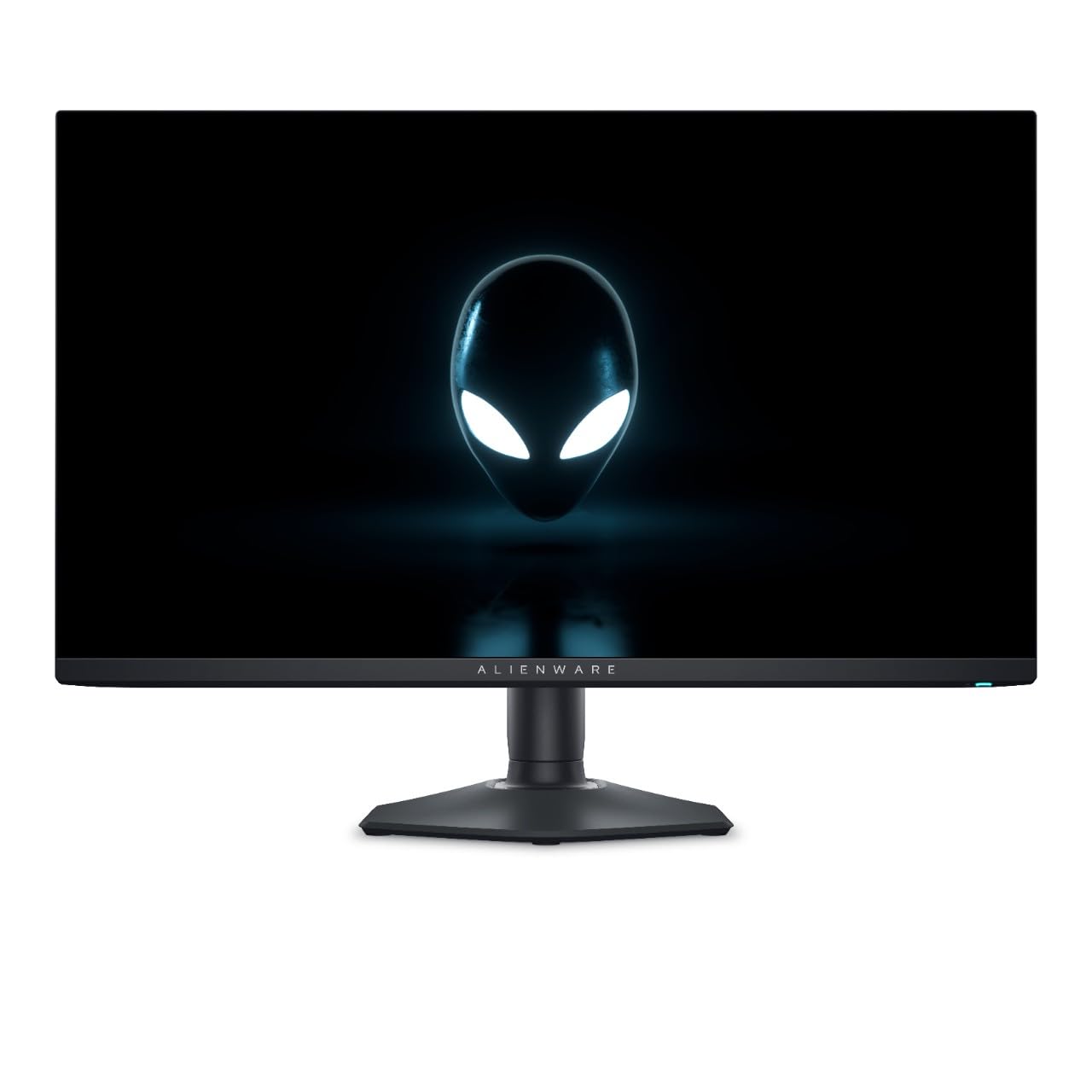
The same blistering 360Hz motion, sharpened for people who edit color for a living.
This is the version to look at if your monitor has to earn its keep twice — gaming at night, color work in the day. It carries the same QD-OLED panel, 360Hz refresh rate, and 0.03ms gray-to-gray response as the top pick, but the headline number here is the HDR400 certification paired with the QD-OLED’s clean color reproduction. The panel also runs without the halo effect around bright objects on dark backgrounds, and that cleaner rendering is what professionals notice first when grading footage.
The connection set is the other half of the story: USB-C, two DisplayPort inputs, HDMI, and four USB ports. Two DisplayPort inputs means a desktop and a laptop can sit plugged in at once with no swapping, and the four-port USB hub handles a keyboard, mouse, webcam, and drive without a separate dock. That is a meaningfully different port layout from the MSI MPG 271QRX above, which leans on a single USB-C with power delivery instead. With a three-year warranty, it is a well-covered work-and-play purchase.
The trade-off is software polish. Owners who migrate from a faster 1080p panel notice a small step down in text crispness, because the pixel layout on a 27-inch 1440p OLED often shows a faint color fringe on fine text — the fix is careful font sizing in your tools. Drop the sharpness tuning and read your email at a comfortable size and it disappears. The blur you came for is gone; the tiny text-edge shimmer is a fair warning for anyone who reads dense documents all day.
Why creators should care: the wide color reproduction plus the 360Hz/0.03ms motion makes this a single monitor that handles both color grading and competitive play.
The practical wrinkle: fine text can show a mild color fringe, so plan for slightly larger UI fonts if you spend hours in documents.
The one to grab if: you edit color and game on the same desk and want both covered by one purchase.
Not the pick for: a pure word-processing desk where text sharpness is the only thing that matters.
5. GIGABYTE – AORUS FO27Q3-27″ QD OLED Gaming Monitor – QHD 2560×1440-360Hz – 0.03ms GTG – AMD FreeSync Premium Pro – Type C KVM – HDMI, DP, Type C – Height Adjustable – Black
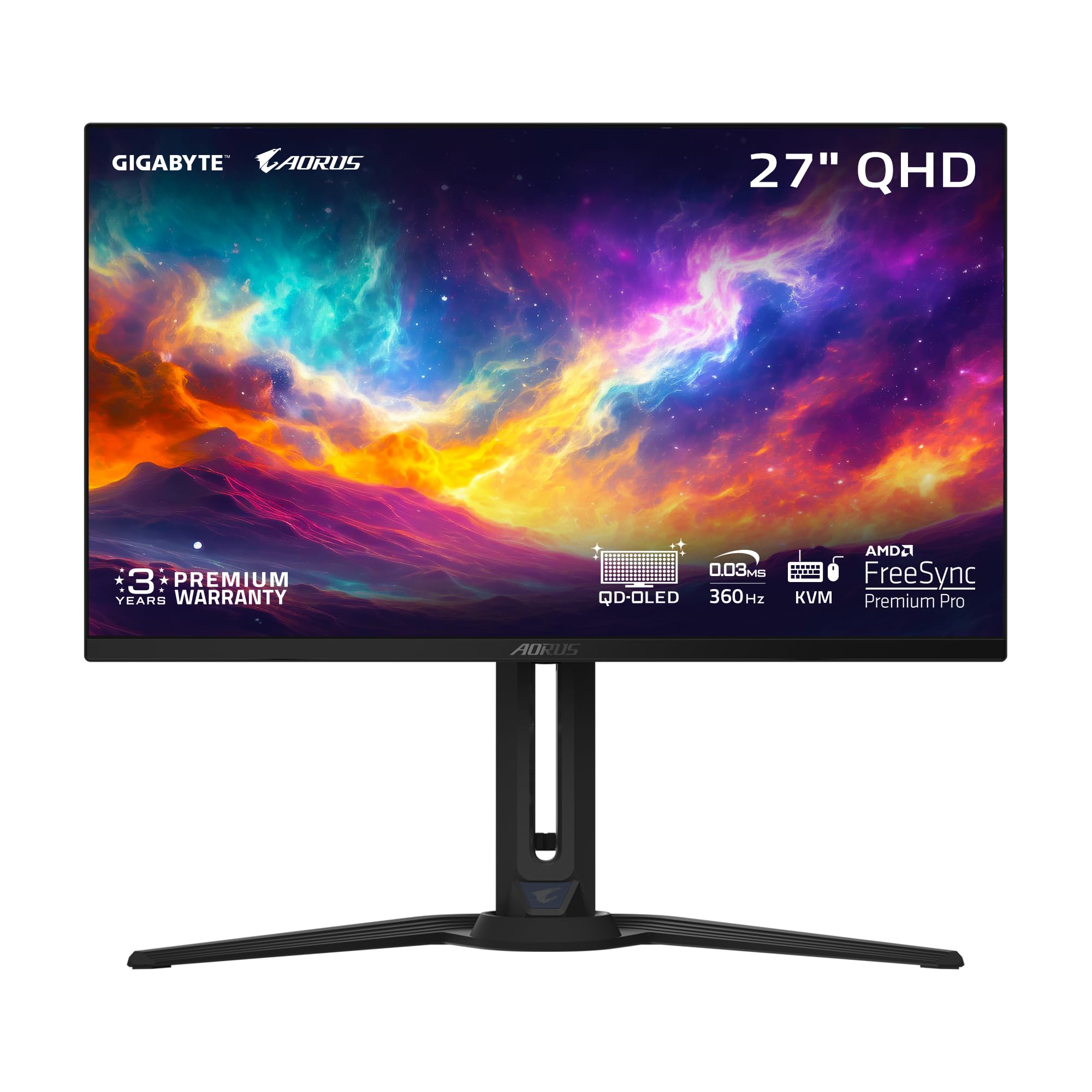
The color-first pick that proves a 27-inch OLED can be beautiful without a top-shelf label.
Choose this one if vibrant, accurate color from the start is your priority and you want the widest coverage for the least outlay. The FO27Q3 pairs its 27-inch QD-OLED panel with a 360Hz refresh rate and 0.03ms gray-to-gray response, and adds 99% DCI-P3 coverage, 10-bit color depth (which lets the panel show far finer gradients with no banding), and a 1,500,000:1 contrast ratio. GIGABYTE handles burn-in with an AI-based algorithm that runs background protection routines, plus VESA ClearMR 13000 certification (a motion clarity standard that scores how many pixels stay sharp versus blurred during movement).
What wins people over is the image quality — the crispness at 1440p and the depth of the blacks come through whether you are in a fast shooter or wandering an open world. The KVM (a switch for running two computers from one keyboard and mouse) and the Type-C connection make it a clean single-cable option too, and the height-adjustable stand covers the ergonomics the budget-conscious would otherwise give up. As a buyer summarized, it delivers a “glossy anti-reflective” finish, inky blacks, and a “24.5” downscale mode” for players who prefer a smaller competitive footprint.
Reliability is the mixed note — most units are trouble-free, but a few owners have hit power cycling that needs a full unplug to clear, and one reported a failure well into ownership. Out-of-box color leans warm, so expect to spend a few minutes in the menus dialing it in, and the bezels run a touch thick. Neither issue is common enough to outweigh the value, but it is the one monitor here where a backup plan on the warranty makes sense.
The strong points
- 99% DCI-P3 coverage and 10-bit color give accurate, band-free gradients
- ClearMR 13000 certification backs up the motion clarity claim
- Type-C KVM and height adjustment bring premium features to a value setup
- AI-based burn-in protection runs quietly in the background
Second thoughts
- A small number of units have shown power-cycling and one long-term failure
- Out-of-box color runs warm and needs manual tuning
- Thicker bezels than the slimmest panels here
Made for: color-minded players who want the widest gamut and a KVM without paying flagship money.
Look past it if: you want the most polished, trouble-free track record and are willing to spend up for it.
Understanding the Specs
Refresh Rate and Response Time
The refresh rate is how many times per second the screen redraws the image — 360Hz means 360 times. The response time is how fast a single pixel can change color, and every panel on this list hits 0.03ms gray-to-gray (the time to shift between two gray shades). For those numbers to actually help you, the panel has to sustain both together. A 360Hz panel that cannot switch pixels fast enough just shows the same blur more often, so the pair matters far more than either number alone.
QD-OLED, Contrast, and HDR
QD-OLED is a panel type where every pixel lights itself and a quantum-dot layer sharpens the color, which is why these screens show true black instead of the gray a backlit LCD produces. That self-lit design is what lets them claim extreme contrast figures and VESA DisplayHDR True Black 400 certification, which describes how deep the blacks go and how bright small highlights get. The practical result is a dark scene that stays dark and a bright flash that still reads — the depth that sells OLED in the first place.
FAQ
What does 360Hz actually get me over a 144Hz monitor?
Do I need a special cable to run 2560×1440 at 360Hz?
How long will an OLED gaming monitor last before burn-in shows up?
Is OLED brightness a problem if I game in a bright room?
What is a KVM and why do some of these monitors have one?
Do these monitors support consoles like PlayStation and Xbox?
Which of these is best for color-accurate editing as well as gaming?
Will a 360Hz OLED monitor noticeably improve my rank in competitive shooters?
Do I need to worry about the stand on these monitors?
What should I check on day one after it arrives?
Final Thoughts: The Verdict
For most players, the 360hz oled gaming monitor to buy is the Alienware AW2725DF, because it combines the matched 360Hz and 0.03ms motion with 99.3% DCI-P3 color and full ergonomic adjustment, and the owner base backs it up over years of daily use. If you run a laptop and a desktop off one desk, grab the MSI MPG 271QRX for its 90W USB-C power delivery and built-in KVM. And for a glare-heavy room where reflections ruin dark scenes, the Samsung Odyssey OLED G6 is the one to reach for, with its heat-pipe cooling and glare-free coating doing the heavy lifting on burn-in protection.
How We Picked
We do not accept paid placement. Every pick is matched to a real buyer and a real use-case; we do not hands-on test units.
Sources & Methodology
Specifications: manufacturer listings and product documentation. Review insights: verified customer reviews, as of September 2026. Pricing: not shown on this page (it changes often); check the current price via the retailer link.
As an Amazon Associate, Gadgets Feed earns from qualifying purchases. This does not affect which products we feature.