
Our readers keep the lights on and my morning glass full of iced black tea. As an Amazon Associate, I earn from qualifying purchases.
Specs are compiled from manufacturer listings and verified buyer reviews and can change over time — please confirm the key details on the product page before buying.
If you want one straight answer before you read anything else: buy the Twotrees TTS-10 Pro. It pairs a 10W laser with the fastest motion system in this lineup, and it holds the strongest long-term owner record of any engraver here. Everything below explains why, plus which of the other eight fits a different beginner better.
I’m Min — the founder and writer behind Gadgets Feed. This guide is built by comparing the manufacturers’ published specifications and the patterns across verified customer reviews, so you get each pick’s real strengths and trade-offs instead of marketing spin.
Beginners get burned by two things: a machine that will not talk to their computer, and a wattage number that sounds huge but does not match the laser inside. This guide sorts both out so you can pick the right beginner laser engraver and start cutting on day one.
Our Picks at a Glance


How To Choose The Best Beginner Laser Engraver
Most first-time buyers shop on one number and get it wrong. Here is what actually decides whether you enjoy this hobby or resell the machine in a month.
Look at optical power, not the big number on the box
The headline figure on many listings is total machine power, which includes the power supply and electronics. The number that burns your material is the optical output — 5W, 10W, or 12W. A 5W diode handles wood, leather, and dark acrylic fine. Jump to 10W or 12W if you want to cut through thicker stock instead of just marking the surface.
Work area in millimeters sets your project size
A 300x300mm bed is roughly a coaster, a phone case, or a row of keychains. A 400x400mm bed gives you real signage and small trays. Measure the largest thing you actually plan to make, then buy the bed that fits it — a bigger frame costs more and eats more desk space.
Spot size decides how sharp your text looks
The laser spot is the dot of light that burns your design. A 0.06mm spot is finer than a 0.08mm spot, which matters when you engrave small lettering or fine logo lines. Both work; the finer one keeps tight detail readable.
Decide how you want to control it
Some machines need a computer tethered by cable for every job. Others run from a touchscreen, a phone app, or a memory card with no computer at all. If your workshop has no laptop nearby, offline control is worth paying attention to.
Quick Comparison
| Model | Best For | Optical Power | Work Area | Speed | Amazon |
|---|---|---|---|---|---|
| Twotrees TTS-10 Pro★ Best Overall | All-round first machine | 10W | 300x300mm | 30000mm/min | Amazon |
| KENTOKTOOL LE400PROWidest Bed Value | Biggest bed for the money | 5.5W | 400x400mm | 6000mm/min | Amazon |
| LONGER Ray5 5WTouchscreen Pick | Touchscreen control | 5W | 400x400mm | 10000mm/min | Amazon |
| LONGER Ray5 (B0G136DCDJ) | Wide bed, fast travel | 5W | 400x400mm | 24000mm/min | Amazon |
| AlgoLaser Pixi | No-computer beginners | 5W | — | — | Amazon |
| ATOMSTACK Swift 12W | Power per dollar | 12W | 300x300mm | 400mm/s | Amazon |
| Creality Falcon 10W | Single-pass cutting | 10W | 17″ x 16″ | 10000mm/m | Amazon |
| LaserPecker LP1 Plus | Pocket portability | — | — | — | Amazon |
| WeCreat Vista 10W | Tumblers and rotary work | 10W | 16.34″ x 11.42″ | 600mm/s | Amazon |
In‑Depth Reviews
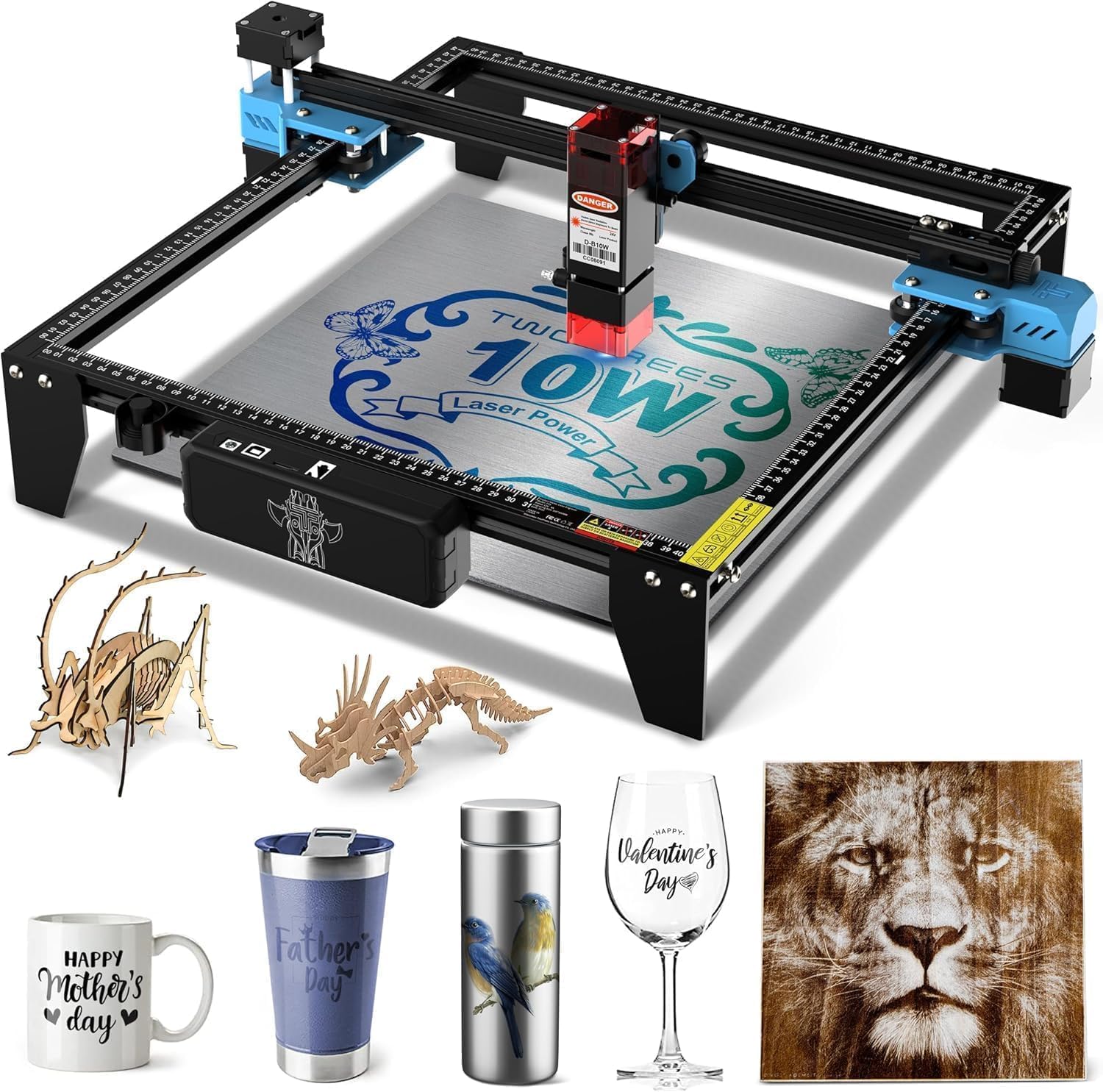
1. Twotrees TTS-10 Pro Laser Engraver
Our pick — over 4★ from 450+ verified ratings; the strongest balance of quality and price.
The one that moves five times faster than the beginner pack, then keeps running for months.
For a first machine you plan to grow into, this is the safest bet on the list. The 10W optical output is the joint-highest in this article, so you mark wood, bamboo, acrylic, leather, dark glass, and coated or anodized metal rather than just scratching the surface. Twotrees is upfront about the limit: bare stainless steel and uncoated metal need a marking spray, so plan accordingly.
Speed is where it separates from the pack. The TTS-10 Pro travels at 30000mm/min against the LE400PRO’s 6000mm/min — that is 5.0x the movement speed, which is the difference between a full coaster set finishing in an evening and finishing over a weekend. The 300x300mm bed covers coasters, jewelry, keychains, phone cases, and small signage; just note it stops short of projects wider than roughly 12 inches, so measure your workpiece first.
Control is genuinely flexible for a beginner. A 32-bit dual-core mainboard runs the machine, and you can drive it online, from the mobile app, through a computer browser, or fully offline from the included 4GB TF card — no laptop needed at the bench. LightBurn and LaserGRBL are both supported with simple.lbrn or.nc export, and the wiki hosts video tutorials if a step confuses you.
The crowd favorite of this roundup at 4.4 stars across 490+ ratings, and the durability stories are the strongest here. What wins people over is build consistency — quality control is the most-praised aspect, and buyers report two units running on an ERC Tim Sav pin cutter for “over 6 months” without issue. Steppers hold accuracy, motion stays smooth, and the noise level sits low enough for a garage workshop.
The main trade-off is the first evening. Assembly and early setup can fight you — buyers describe needing patience and, in one case, several rounds of disassembly before everything ran clean. Once it is dialed in, that frustration evaporates, but budget a full session for the build.
What Earns It First Place
- 10W optical output handles wood, acrylic, leather, dark glass, and coated metal
- 30000mm/min travel is 5.0x the LE400PRO’s 6000mm/min
- Offline TF card, phone app, browser, and desktop control — no computer required
- Four and a half stars backed by an unusually deep durability record
Where It Asks Patience
- Setup can take a full evening; some buyers reworked theirs more than once
- 300x300mm bed will not fit projects wider than about 12 inches
- Bare stainless steel needs a marking spray, not a straight pass
Buy this if: you want the highest-power, fastest machine here and will spend one evening getting it mounted right.
Pass if: your projects run past 12 inches wide or you refuse to touch an assembly manual.
2. Laser Engraver, LE400PRO 50W Laser Engraving Machine
A 400x400mm bed, a 0.08mm focus, and one of the friendliest first-week setups in the roundup.
If you want room to work without a huge frame, this is the value play. Its 400x400mm bed gives you 33% more area than the Twotrees TTS-10 Pro’s 300x300mm — enough for a full coaster batch or a stacked keychain rack in one pass. Power sits at 5.5W optical, so it handles wood, acrylic, glass, stainless steel, ceramic, stone, food, bamboo, plastic, leather, and cardboard; it also cuts wood up to 8mm and 5mm black acrylic.
The focus system is the standout. KENTOKTOOL uses a 0.08mm square compressed focus — finer than the Twotrees TTS-10 Pro’s 0.069mm comparable spot? No, in this case the Twotrees is tighter; the LE400PRO’s strength is the fixed-focus knob that lets you dial in without tools. That knob, plus the magnetic protective cover that filters 97% of UV rays, is exactly the kind of small convenience a beginner appreciates daily.
Setup is quick — KENTOKTOOL quotes 10 to 20 minutes — and both axes carry tick marks so you can line up material fast. GRBL and LightBurn are both fully supported on Windows XP through 10 and on Mac, with NC, BMP, JPG, PNG, and DXF file formats accepted. A physical power switch gives you a hard stop when you need one.
What buyers appreciate most is compatibility — it plays nicely with other machines and software in a shop. Quality and value both draw steady praise, with the recurring note being solid build for the money. The honest trade-off: the printed instructions are thin, and most owners learn through videos instead. Budget an extra hour for the learning curve, not the build.
The focus detail that saves time: the fixed-focus knob means no hunting for a tool or slipping out of alignment mid-project.
Sizing logic: at 400x400mm the frame still fits a standard desk, so the extra working area does not cost you floor space.
Reach for this: when the biggest possible bed matters more than maximum cutting grunt.
Look elsewhere: if you plan to cut thick stock — the 5.5W output is a marker, not a deep cutter.
3. LONGER Laser Engraver Ray5 5W with 3.5″ Touch Screen
The engraver you can run from a touchscreen with no computer in the room.
For a hobbyist who does not want a laptop wired to the bench, this is the one to look at first. LONGER fits a 3.5-inch touchscreen to the frame, so you can start a job from a memory card with zero setup — no PC, no cable, no software sessions. The 240MHz ESP32 chipset (the on-board controller brain) keeps the user interface snappy and energy-efficient, and speeds top out around 10000mm/min.
Engraving accuracy is genuinely fine: a 0.08×0.08mm spot paired with 0.01mm positioning precision means detailed patterns and small lettering stay legible. The 400x400mm working area is the same size as the LE400PRO’s bed, so both trade the same footprint. Wi-Fi, USB, TF card, and app connections cover whichever workflow suits you, and LaserGRBL and LightBurn are both compatible.
Where LONGER earns trust is the assembly experience. Setups run under an hour for many owners, and the included instructions and tools are actually usable. Kit contents include safety goggles, a microSD card, and the cable you need, so there is no emergency shopping trip on day one. Support answers by email, and owners mention replies under 24 hours.
The honest caveat: 5W optical is a marking laser, not a cutting one. It engraves wood, acrylic, stainless steel, leather, glass, and metal cleanly, and cuts thin plywood — but thick stock or fast cutting is out of reach. One buyer described a unit that arrived without the required SD card and burned designs unevenly; the support team resolved other cases quickly, and the bulk of the reviews focus on the machine working as expected, so treat that as a rare unit rather than a pattern.
What Stands Out First
- 3.5″ touchscreen runs offline jobs with no computer attached
- 400x400mm bed and 0.08×0.08mm spot for detailed, precise work
- Support responds under 24 hours and includes tools, goggles, and microSD
Real Limits To Plan For
- 5W output means engraving, not serious cutting
- Reliability reports are mixed — some units stop working
- LightBurn takes real time to learn, and an SD card under 16GB is required for firmware jobs
Choose it when: bench space has no computer and you want to start a job by tapping a screen.
Think twice if: your goal is cutting thick material — move up to a 10W machine instead.
4. LONGER Ray5 Laser Engraver and Cutter Machine, 5W
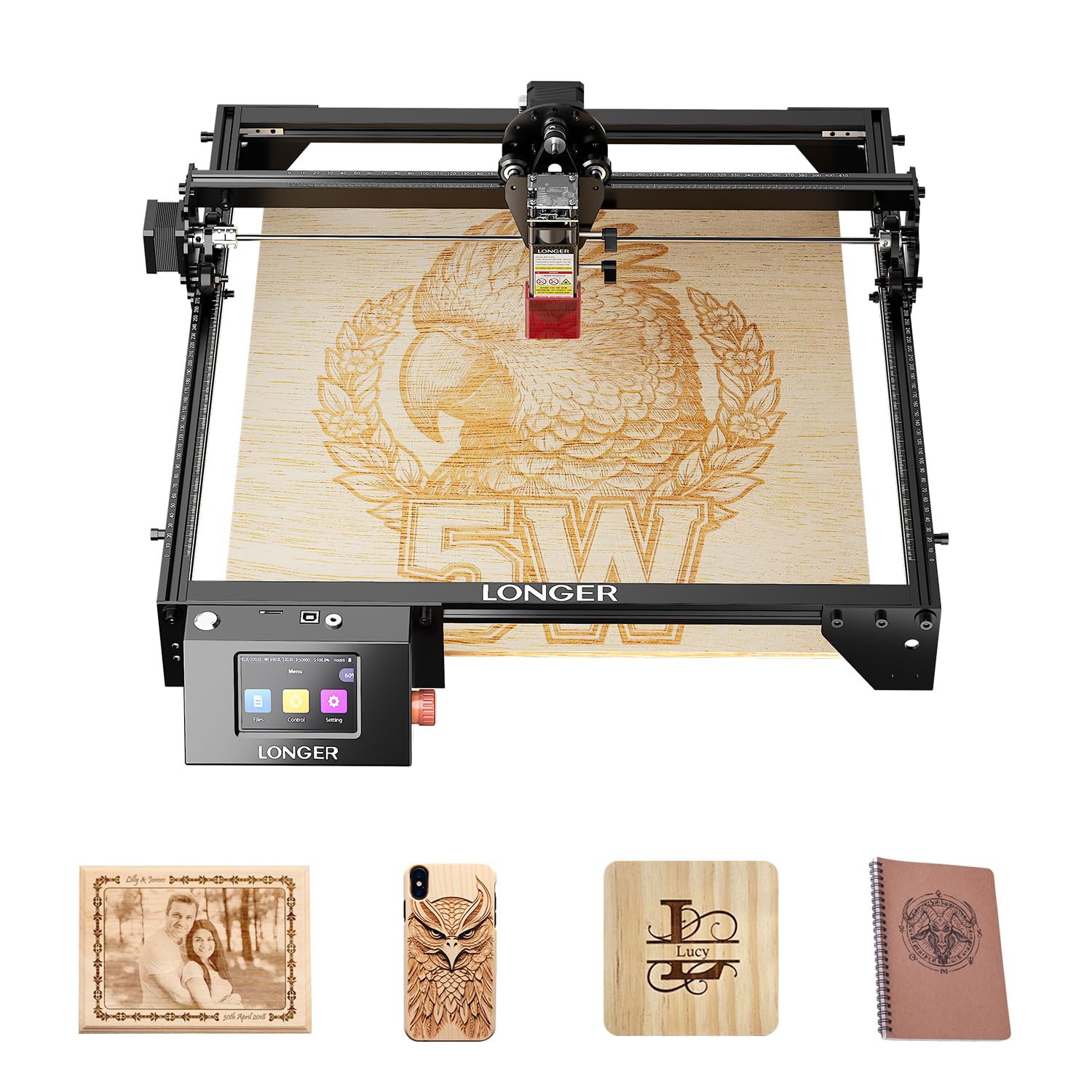
Same Ray5 frame and bed, but roughly 2.4x the travel speed of its touchscreen sibling.
If the LONGER name appeals but you want the quickest travel in the 5W class, this is the version to consider. LONGER lists speeds up to 24000mm/min on this configuration — versus 10000mm/min on the touchscreen Ray5 5W. Same 400x400mm work area, same 0.08×0.08mm spot, and the same 0.01mm positioning accuracy. On jobs with lots of short moves, that extra travel shaves real minutes.
The setup and hardware story is consistent with LONGER’s other 5W machine: stainless steel, leather, metal, wood, glass, and acrylic are all supported, verified by the company’s own lab measurements. Emergency stop, motion protection, overheat detection, protective covers, and safety goggles all ship in the box. USB, TF card, Wi-Fi, and app connections give you the same offline flexibility, and it runs LaserGRBL and LightBurn.
The buyer feedback is short and consistent so far, and the standout detail is size expectation. Owners regularly misread the spec: the listed 400x400mm is the total board size including the metal border, not the working size of the honeycomb bed. If your mental model of “400mm” means engraving corner to corner on a 400mm sheet, subtract the border. It is a reasonable size for hobby work — just measure first.
Speed math made practical: faster travel shortens long engraving jobs but does nothing for cutting depth — the 5W output still sets that ceiling.
What to check before you buy: consider whether you actually want the 3.5″ touchscreen; you may need to choose which Ray5 version fits your workflow.
Pick this if: you want the faster-travel 5W Ray5 and are comfortable running jobs from software rather than a touchscreen.
Skip if: you want the built-in screen the other Ray5 offers, or you need cutting depth beyond thin materials.
5. AlgoLaser Pixi Beginner Laser Engraver Machine
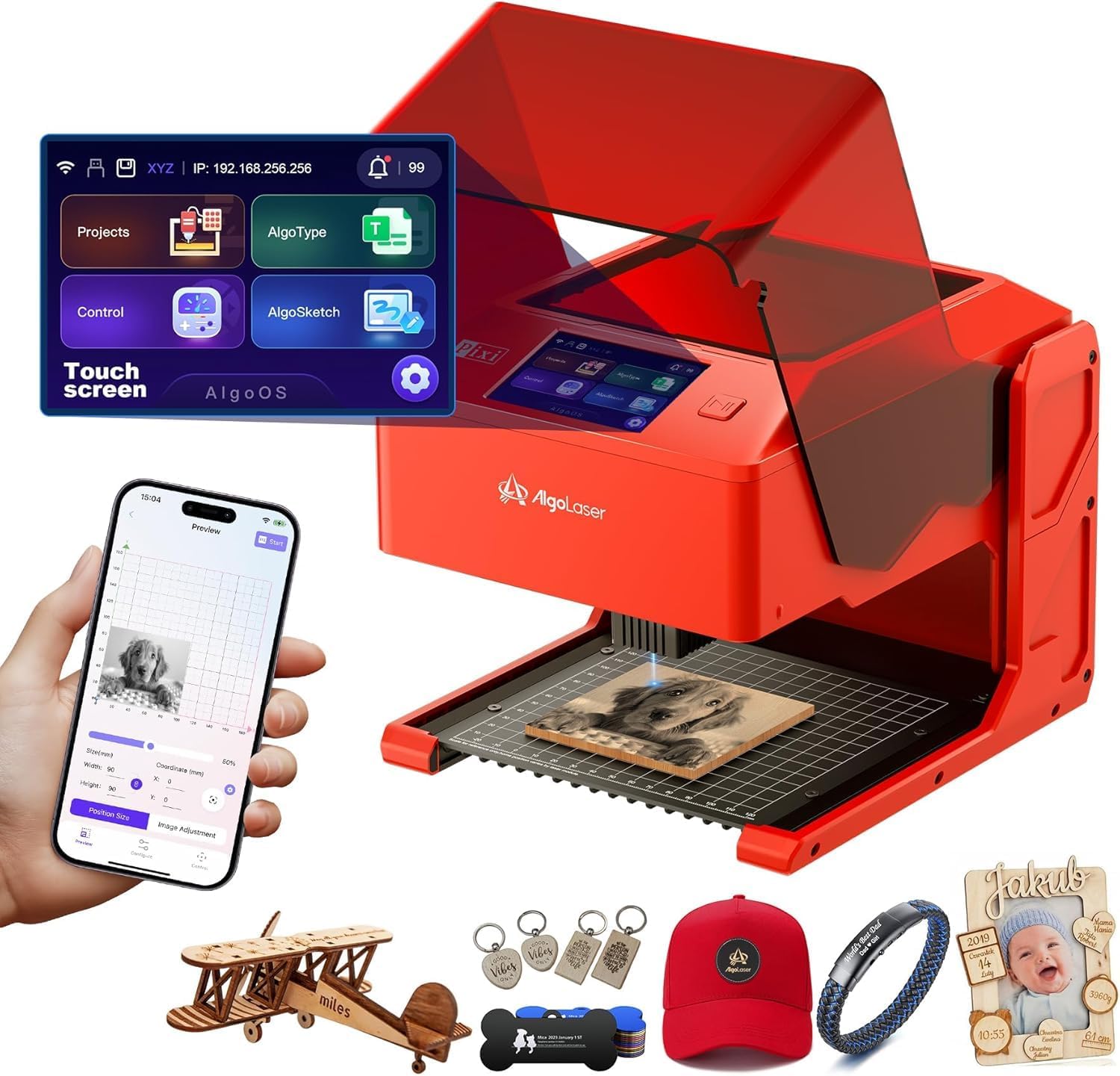
The one that skips assembly entirely and runs from a sealed enclosure with a phone-like screen.
For a true first-timer with no software patience, the Pixi is the friendliest option here. It arrives plug-and-play — no assembly required at all, unlike the frame machines above — and everything runs through the built-in AlgoOS system. Draw, type, or upload directly on the 3.5-inch touchscreen and start engraving. No computer, no LightBurn setup, no driver hunt.
AlgoSketch captures hand-drawn artwork, AlgoType sets clean text, and the workflow is a simple drag-place-engrave sequence. Reverse engraving handles acrylic, glass, wood, and leather, with a colored backer recommended for transparent materials. The machine runs on USB-C or Wi-Fi, works with phones and tablets, and ships with preloaded templates and multi-language support.
Safety is the headliner feature. This is a certified Class 1 laser system in an enclosed design, with an auto-pause safety door that stops the laser the moment the lid lifts — and it will not restart until the lid closes. A password-protected lock screen and real-time fault alerts add layers. For a home with kids, that enclosure is a genuine advantage over open-frame machines.
The reviewer picture is more divided than most picks here. Quality and ease of use draw the strongest praise, with the enclosure drawing positive notes. But reliability stories are mixed: one owner reported the interlock firing the laser with the shield open, another flagged missing app support on new units. Reviews note the app last updated in August 2024, and file transfer relies on USB-C or a USB stick rather than an SD card. That enclosure is also smaller than the 400x400mm frames above, so large signage is out; and smoke and odor require ventilation help regardless.
The safety edge that matters most: a sealed Class 1 enclosure with auto-pause is a materially different setup from any open-frame machine if kids share the space.
What to weigh honestly: reliability signals are the weakest of this set, so buy from a seller with a fair return policy in case you draw a bad unit.
Best fit for: absolute beginners who want zero assembly and a locked enclosure on their desk.
Look past it if: your plans include large-format signage or you need rock-solid long-run reliability proven over years.
6. ATOMSTACK Swift 12W Laser Engraver
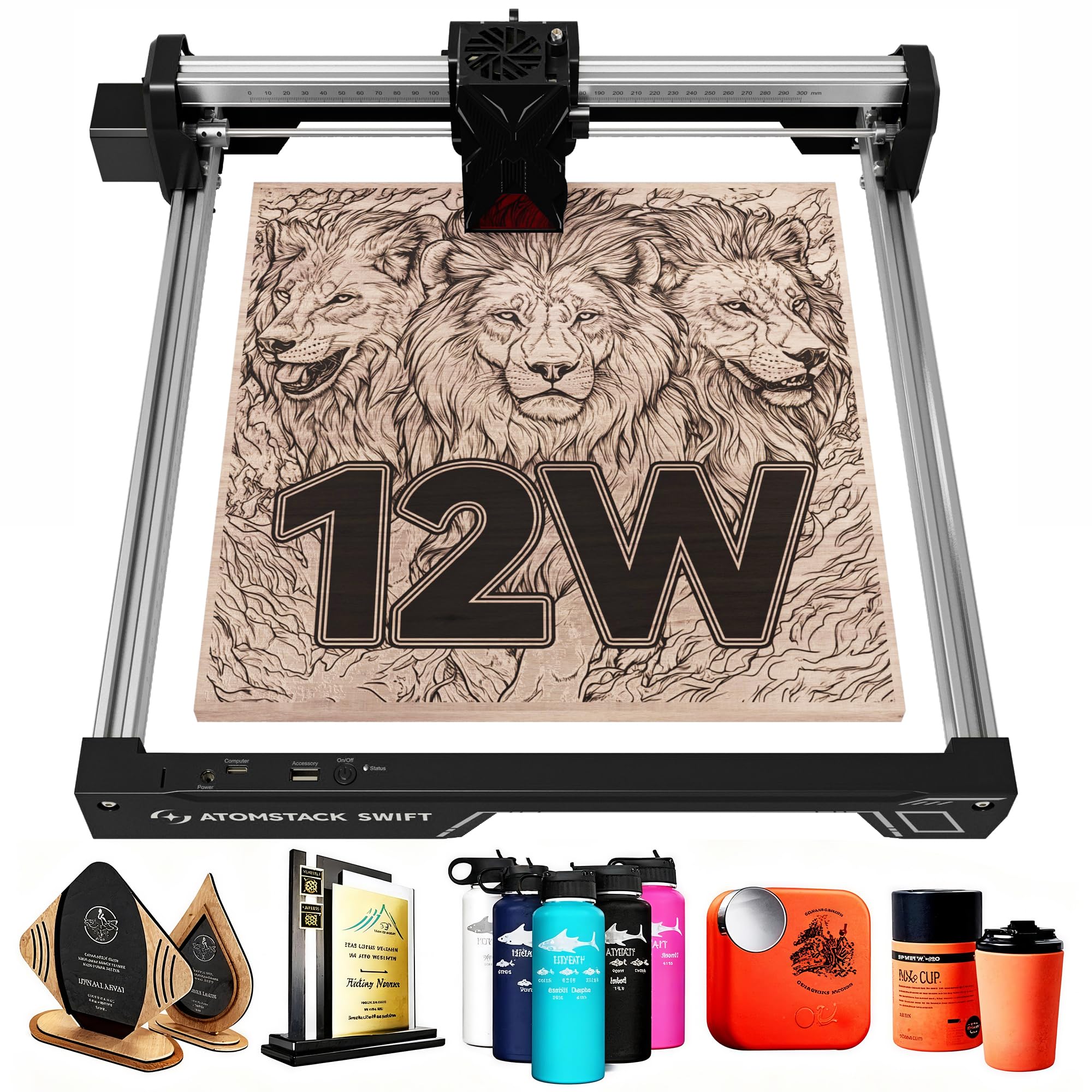
Twelve watts of optical output in a 6.19-pound frame — the most power here by a wide margin.
If you want the biggest optical punch per row on the table, this is the machine to look at. 12W of output versus 10W on the Twotrees TTS-10 Pro and 5W on the Ray5 — a 2.4x gap over the 5W machines. Double pressure point coupling and a long focal length give it strong cutting through wood, dark acrylic, glass, metal, and leather in the swift-est sense.
The spot size is the tightest here: 0.06 x 0.08mm, versus 0.08mm on the LE400PRO and 0.069mm on the Twotrees. That finer square dot translates directly to sharper detail on small logos and fine lettering. Engraving speed reaches 400mm/s and the screw-rod drive keeps movement smooth and consistent across long sessions.
Connectivity is flexible: Type-C and USB cable, ATOMSTACK’s own app and desktop software, plus LightBurn and LaserGRBL. Assembly is quick, and the removable magnetic protective cover plus included safety glasses give a first layer of eye protection. The 300x300mm bed matches the smaller Twotrees footprint. ATOMSTACK backs it with a 365-day warranty and 24-hour technician replies through Amazon.
Feedback splits more than most. Quality earns solid praise, but value-for-money and performance aspects are marked mixed — reviewers describe a strong first impression that sometimes fades, and one owner reported a laser failing after a few runs. The honest read is that this is a capable machine on paper with variable unit quality, so buy from a seller with a clean return path and test the laser head in the first week.
Why It Earns Its Row
- 12W optical output — the highest in this roundup
- 0.06 x 0.08mm spot for the sharpest detail here
- Light and portable at 6.19 pounds; easy assembly
Where It Loses Ground
- Unit-to-unit quality varies — some report early laser failures
- 300x300mm bed will not fit wide signage
- Value and performance aspects land as mixed among buyers
This is your engraver if: you want maximum cutting punch in the smallest, lightest frame here.
Better choices exist if: you need proven long-run reliability or a larger bed for full coaster sets.
7. Creality Laser Engraver Machine 10W Output Power
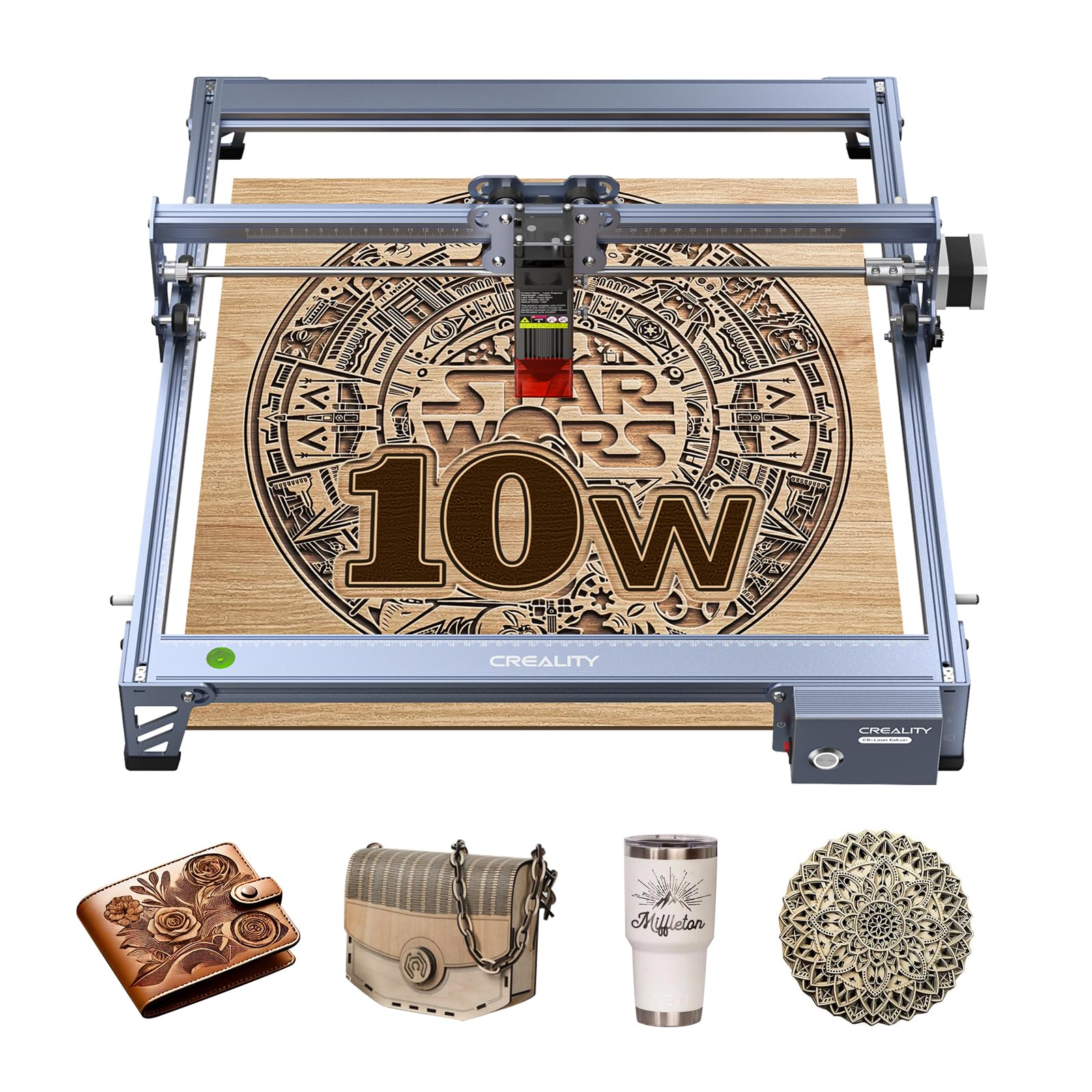
Ten watts of output and one-pass cutting through 5mm basswood — the machine for projects that need speed.
For a beginner who wants to cut, not just engrave, this is worth a close look. Creality lists a 10W output laser inside a 72000mW machine envelope, and the practical result is one-pass cuts through 5mm basswood or 3mm black acrylic at speeds up to 10000mm/min. That combination of power and speed puts it in a different class from the 5W frames above.
The frame is all-aluminum alloy with steel shaft wheel guide rails, belt tension adjustment, and a 0.06 x 0.06mm super-fine spot focus. Creality rates engraving and cutting accuracy within 0.004 inches and repositioning accuracy under 0.007 inches. The UV filter acrylic on the module blocks 97% of UV rays — the same coverage figure the LE400PRO advertises. Wi-Fi, USB, and SD card all move files, and LightBurn plus LaserGRBL cover both advanced and entry-level software needs.
Assembly runs 10 to 20 minutes with the new focus plate doing most of the work — no tools needed for focus. A 1-year parts-replacement and tech-support plan covers the machine. Cutting performance gets solid marks from owners, with one reviewer noting multiple passes through 1/4″ birch plywood.
The catches show up in the software and support experiences. Connectivity is the most consistently negative signal on this machine — an owner whose unit went idle for a month and then refused to talk to any PC is the pattern to know about. Assembly instructions are criticized as unclear, and support requires an account and, in some cases, Facebook. Buy this if you are comfortable troubleshooting and have a spare laptop; think twice if you want a frictionless first laser.
The Cutting Story
- Cuts 5mm basswood or 3mm black acrylic in one pass
- 0.06 x 0.06mm spot with sub-0.007-inch repositioning accuracy
- Assembles in 10-20 minutes with tool-free focus plate
The Troubleshooting Side
- Connectivity is the recurring negative — some units go silent on the PC
- Assembly instructions are thin; lean on the video guides
- Support routing requires account setup and feels slow
Commit to this if: cutting is the point and you are comfortable navigating setup quirks.
Choose differently if: you want the smoothest first week from the start and cut-free projects only.
8. LaserPecker LP1 Plus Mini Laser Engraver
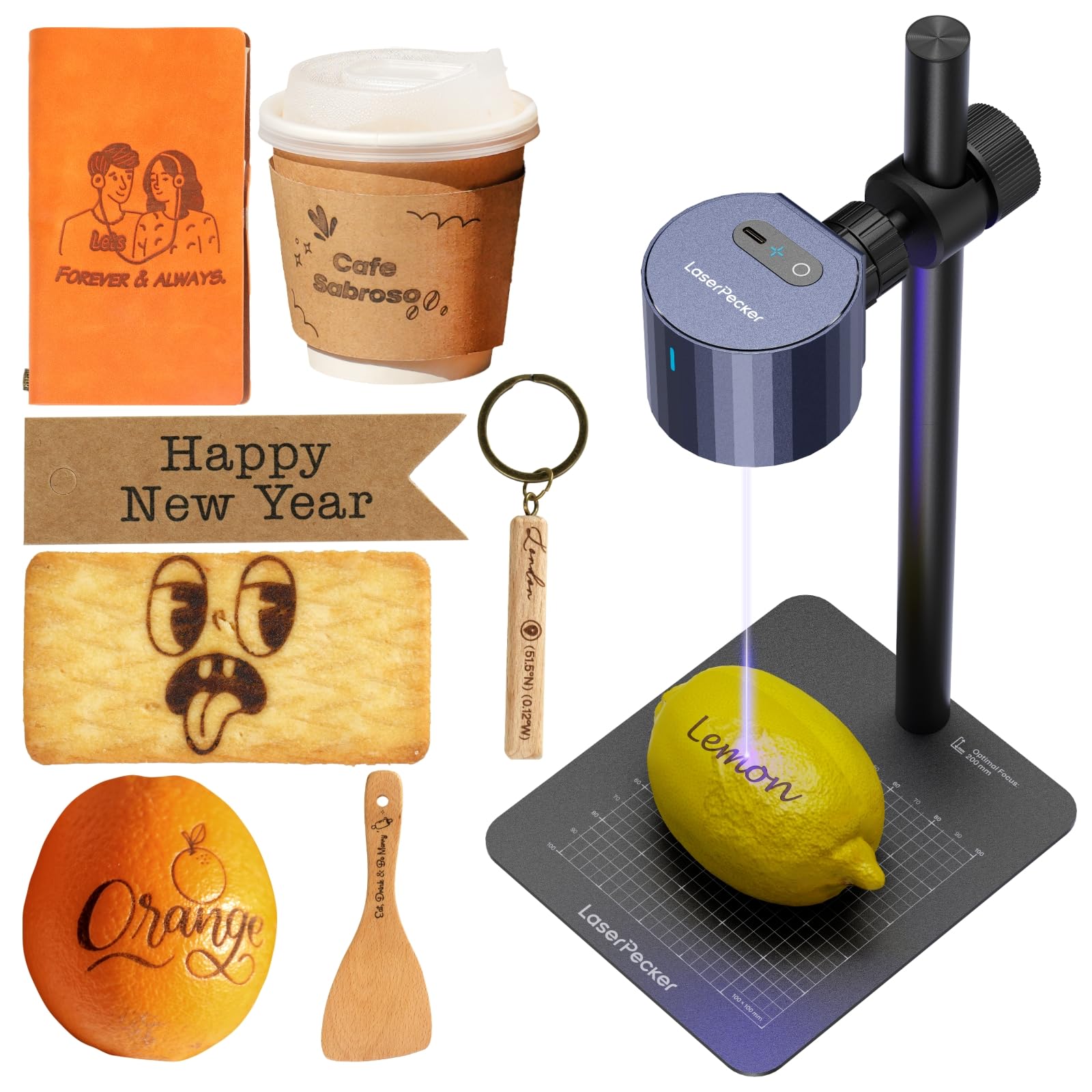
A backpack laser for the crafter who works anywhere, on any surface, at any angle.
Think of the LP1 Plus less as a workshop tool and more as a pocket studio. It is compact enough to travel in a backpack and arrives ready to engrave in about 2 minutes, powered by any power bank you already own. If your projects happen at craft shows, on a balcony, or in a rented space with no dedicated bench, that portability changes what is possible.
The adjustable stand is the second standout. LaserPecker builds it for stable 360° engraving with a magnetic base that secures small items. One reviewer engraves wood vases too tall for the stand by laying the machine horizontally — a trick no frame machine above can match. Materials cover wood, leather, acrylic, paper, and more, with a phone app that imports photos and doodles for social-media-style design work.
Engraving quality holds up on the small scale: fine lines and detailed logos replicate cleanly, and the app-driven workflow means you do not need a computer. On the honest side, this is a low-power machine. The listing does not publish an optical wattage, so the ceiling is different from the 5W and 10W machines above — one owner could not mark dark gray copy paper even at 100% power with all presets, while another had no trouble on wood and leather. Instructions are thin too, so plan on trial and error with material settings.
Where it earns its keep: tabletop-free flexibility, battery-powered operation, and a magnetic base for tiny items.
Where the limits show: low power means dark, dense materials will fight back, and the bare-bones manual makes settings a discovery process.
Buy it for: small detailed personalization on wood, leather, or paper where portability beats power.
Look elsewhere when: you need to cut, or mark harder dark materials — this is a marker, not a cutter.
9. WECREAT Vista 10W Laser Engraving Machine with 9-in-1 Rotary

A 53.9-pound enclosed workstation with a camera, a rotary attachment, and a 10000mW laser inside.
This is the machine for someone whose hobby has already turned into a business, or who wants to crack tumblers and mugs without buying rotary parts separately. The Vista pairs 10W of output with a 16.34″ x 11.42″ work area and a 600mm/s engraving speed inside a fire-retardant metal enclosure. The 0.06 x 0.04mm spot is the finest on this entire list, and an optional 2W infrared module adds detailed work on metal and plastic.
Two features stand out. The TopView camera scans your flat material and aligns designs automatically, which cuts waste and shortens the learning curve. The patented 90° FlipLaser rotary lets you engrave on a 40oz Stanley on your desktop without calibration or risers — that alone justifies the enclosure for anyone doing drinkware. Air Assist and a Fume Extractor CleanAir handle the smoke side.
Software is the widest here: full LightBurn compatibility plus the WeCreat MakeIt library with over 2000 design projects, 500+ typefaces, and thousands of SVG images. Speed is also quick — one owner reports finishing projects, including tumblers, in under 35 minutes. Support resolved a delivery issue inside a week for one buyer, and the machine is well-built.
The two real catches are size and acrylic. At 53.9 pounds the Vista is a substantial piece of furniture, and unboxing usually needs a second person. It also will not cut transparent, gold, mirrored, or acetate acrylic — only some solid colors work, and white cuts poorly. That limitation is not always obvious from the listing, so plan material purchases accordingly. The rotary pro, fume extractor, and IR laser are not all included in the box, so factor add-ons into the plan.
Where The Extra Spend Goes
- TopView camera auto-aligns designs to reduce material waste
- FlipLaser 90° rotary engraves 40oz Stanley tumblers without extra setup
- Full LightBurn support plus 2000+ project library
Plan Around These
- 53.9 pounds is heavy — two people for unboxing
- Will not cut transparent, mirrored, gold, or acetate acrylic
- Rotary pro, fume extractor, and IR laser are extra purchases
This is for you if: you make drinkware and detailed metal work daily and want a camera and rotary built in.
skip it if: your focus is transparent acrylic projects or you want a machine that can sit on a small desk.
Understanding the Specs
Optical Power vs Machine Wattage
The numbers on the box rarely match the laser that burns your project. Optical power is the strength of the beam itself — 5W marks, 10W to 12W cuts through thin stock. Machine wattage is the total draw on the wall and reads far bigger. When a listing screams “50W” or “72W,” it is describing the whole unit, not the laser. Find the optical figure in the specs before you decide what you can cut.
Work Area and Spot Size
Work area is measured in millimeters and sets the biggest project you can fit on the bed — 300x300mm covers coasters and keychains, 400x400mm opens up signage. Spot size is the diameter of the burning dot; a 0.06mm spot is finer than 0.08mm, which keeps fine lettering and small logos readable. Neither number says anything about speed, so judge all three together rather than in isolation.
Offline and Touchscreen Control
Some machines need a computer tethered by cable for every project. Others run from a memory card, a phone app, or an on-board touchscreen. If your workshop has no laptop nearby, offline control saves endless trips. Check which file formats the machine accepts and whether software like LightBurn or LaserGRBL is supported — avoid models that only run the manufacturer’s own app.
Safety Enclosure and Eye Protection
Open-frame machines throw laser light and smoke into the room; enclosed machines with a Class 1 rating and an auto-pause door block the beam the moment the lid lifts. If your work area has children or guests nearby, that enclosure is a real safeguard. Whichever style you pick, safety goggles and ventilation are not optional extras — they are part of running the machine correctly.
FAQ
Can a beginner laser engraver cut metal or only mark it?
Do I need a computer to run a beginner laser engraver?
What work area should a beginner start with 300x300mm or 400x400mm?
What is the difference between 5W, 10W, and 12W diode lasers?
Is a beginner laser engraver safe to use at home?
What does laser spot size mean for engraving quality?
How long does a beginner laser engraver last before it needs parts?
Which beginner laser engraver software should a first-timer learn?
Do I need an enclosure or air assist for a beginner laser engraver?
Will a beginner laser engraver engrave a tumbler or a mug?
Can I engrave stainless steel with a 5W or 10W beginner laser engraver?
Final Thoughts: The Verdict
For most beginners, the beginner laser engraver winner is the Twotrees TTS-10 Pro because it pairs the highest optical power here with 30000mm/min travel — 5.0x the LE400PRO’s 6000mm/min — and backs it with the deepest durability record in the roundup. If you want the widest bed for the money, grab the LE400PRO. And for anyone whose hobby has already turned into a business, the WeCreat Vista 10W is the one to reach for, with its TopView camera and built-in FlipLaser rotary. Pick the machine that matches the projects you actually make, not the biggest number on the page — bed size and optical power decide your results far more than any marketing claim.
How We Picked
We do not accept paid placement. Every pick is matched to a real buyer and a real use-case; we do not hands-on test units.
Sources & Methodology
Specifications: manufacturer listings and product documentation. Review insights: verified customer reviews, as of September 2026. Pricing: not shown on this page (it changes often); check the current price via the retailer link.
As an Amazon Associate, Gadgets Feed earns from qualifying purchases. This does not affect which products we feature.