
Our readers keep the lights on and my morning glass full of iced black tea. As an Amazon Associate, I earn from qualifying purchases.
Specs are compiled from manufacturer listings and verified buyer reviews and can change over time — please confirm the key details on the product page before buying.
Most budget 3D printers promise the world and deliver a paperweight. The six machines below are the ones that actually print — and the ones you should think twice about — all sitting in the popular budget tier. You will see which have proven track records and which are cautionary tales before you spend a cent.
I’m Min — the founder and writer behind Gadgets Feed. This guide is built by comparing the manufacturers’ published specifications and the patterns across verified customer reviews, so you get each pick’s real strengths and trade-offs instead of marketing spin.
You will learn which build volumes actually fit your projects and which printers have the proven reliability that matters. This guide covers what to expect from a 3d printer under $150 so you know exactly which trade-offs are worth accepting.
Quick Picks
- Gonetre Frequency Division Multiplexing 3D — Best Overall
- Portable 3D Printer – Compact FDM 3D Printer — Most Portable
- FDM Mini 3D Printer, Frequency Division — Easiest Start
- Small 3D Printer, Precision 3D Printer — Precision Pick
- MALYAN M320 Mini 3D Printer — Best for Larger Prints
- TRONXY Small High Speed 3D Printer — Fastest Option
How To Choose The Best 3D Printer Under $150
Two budget 3D printers can look the same in the product photos and still print very differently on your desk. What separates a printer you keep using from one you box up and forget depends on a few specs, not the marketing shots.
Build Volume: The First Number to Check
Most budget printers cap out at 100x100x100mm — roughly a four-inch cube. That is enough for miniatures, keychains, small brackets, and classroom projects. If you want to print phone stands, larger figurines, or functional parts bigger than a coffee mug, you need to look at the larger options on this list. The MALYAN M320 and TRONXY CRUX 1S both step up to bigger build volumes, which changes what projects are actually possible. Check the build volume before anything else, because no firmware update can make a small bed bigger.
Nozzle and Layer Resolution: What Detail You Actually Get
The nozzle is the tiny metal tip where melted filament exits the printhead. A 0.4mm nozzle is the standard for budget printers and balances print speed with detail. Layer resolution — how thin each layer of plastic can be — tells you how smooth the final surface will be. Printers on this list go as fine as 0.05mm layers, which is thin enough for detailed miniatures. Numbers below 0.1mm start getting noticeably slower, so there is always a trade-off between detail and print time.
Heated Bed and Build Plate Type
A heated bed warms the printing surface so the first layer of plastic sticks properly. Without one, you are limited to basic PLA filament and even that can warp on larger prints. The MALYAN M320 includes a heated bed and supports PETG filament, which opens up stronger, more heat-resistant parts. Removable magnetic plates are another feature worth prioritizing — they let you flex the plate to pop finished prints off instead of scraping them loose with a tool.
Quick Comparison
| Model | Best For | Build Volume | Weight | Filament Support | Amazon |
|---|---|---|---|---|---|
| Gonetre FDM Printer | Fast-heating starter kit | 100x100x100mm | 2.38 lb | PLA, TPU (1.75mm) | Amazon |
| Portable Compact FDM Printer | Travel and small items | 100x100x100mm | 2.2 lb | PLA, TPU (1.75mm) | Amazon |
| FDM Mini 3D Printer (Tangxi) | Fully assembled beginners | 100x100x100mm | 2.33 lb | PLA, TPU (1.75mm) | Amazon |
| Small Precision 3D Printer (CCYLEZ) | Leveling-focused hobbyists | 100x100x100mm | 2.33 lb | PLA, TPU (1.75mm) | Amazon |
| MALYAN M320 | Larger prints and kids | 150x150x150mm | 11.66 lb | PLA, PETG (1.75mm) | Amazon |
| TRONXY CRUX 1S | Fast printing upgrades | 180x180x180mm | 16.5 lb | FDM (1.75mm) | Amazon |
In‑Depth Reviews
1. Gonetre Frequency Division Multiplexing 3D Printer for Beginners
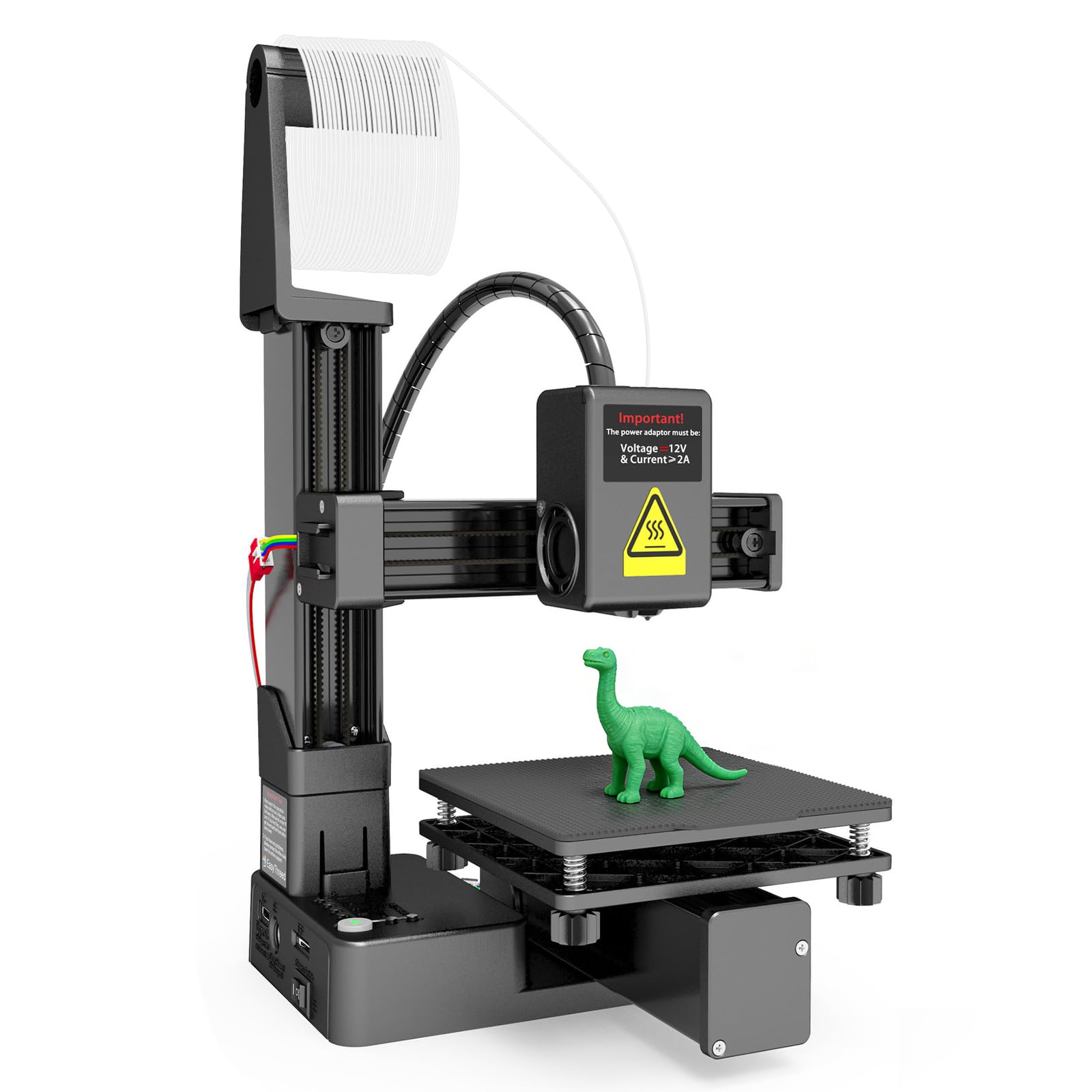
A 5-minute heat-up to 180°C and a 100x100x100mm build cube make this the simplest first printer here.
The Gonetre heats its nozzle to 180°C in just 5 minutes — fast enough that you are not standing around waiting to start a small print. It handles 1.75mm PLA and TPU filament from a metal nozzle, and it pushes layers as fine as 0.05mm for detailed miniatures. The 100x100x100mm build size covers keychains, small brackets, and classroom projects.
Where this printer stands apart is how little you have to learn to use it. You load G-code files (the instructions the printer reads to build your model) onto a memory card, plug it in, and hit print. Press one button to load filament, another to unload it. It is genuinely one of the smoothest entry points into the hobby at this level.
Weighing in at 2.38 pounds, it is light enough to move between a desk and a shelf without effort. But follow the manual carefully on projects beyond the included rocket model. Buyers report that the workflow for slicing and loading your own designs can trip up beginners who skip ahead.
What earns its keep
- 180°C in just 5 minutes — no long wait between prints
- 0.05mm layer resolution for fine detail work
- Simple + and – key controls mean zero slicing software needed to start
- At 2.38 pounds it moves between rooms without hassle
Where it needs patience
- The 100x100x100mm build size caps what you can print
- Getting beyond the included demo models takes extra learning
- Small user base means fewer troubleshooting resources online
Reach for this if: you want a no-fuss first printer that heats fast, runs PLA or TPU, and fits on a bookshelf — especially for a teen or classroom setting.
Worth knowing: the 4-inch cube build size limits larger projects, and slicing your own files has a learning curve.
2. Portable 3D Printer – Compact FDM 3D Printer with Removable Build Plate

At 2.2 pounds and 6.8 x 6.1 x 8.3 inches, it runs off a USB-C power bank — but unit-to-unit reliability varies.
At 2.2 pounds and 6.8 x 6.1 x 8.3 inches, this CAIDAQC printer is the smallest and lightest machine on this list. It comes with 10m of PLA filament, an 8GB TF card and reader, tools, and a 12V Type-C power adapter. The removable build plate is a practical touch — flex it and finished prints pop off cleanly.
Where it shines is the setup experience for total beginners. The Quick Start Guide and step-by-step video tutorials walk you through assembly, bed leveling, and loading filament. You can run it off a USB-C power bank for prototyping away from a wall outlet — a rare convenience in this tier. The 0.4mm nozzle handles layer thicknesses from 0.05mm to 0.3mm for reasonable surface detail.
The catch is reliability. While some units chug along fine for small items under 4x4x4 inches, others develop axis wobble, struggle with TPU, or stop mid-print. The extruder rail only mounts on one end, which allows some flexing during fast moves. If you are mechanically inclined and willing to tweak, it delivers solid output for the size. If you want plug-and-play consistency, this is not the machine to bet on.
The honest reliability picture: the printing mechanism is stable FDM technology and the low price keeps your investment modest, but experiences vary widely from unit to unit. Owners mention successful single-piece prints and warped multi-part runs from the same machine.
What a power user would flag: no PC or Wi-Fi connection limits you to the SD card, and the translated manual may leave you piecing together the setup steps on your own.
Best fit for travellers: if you need a printer that fits in a carry-on and can run from a power bank, few options at this level deliver that package.
Think twice if: you want a printer that works perfectly every time with TPU or larger models — this machine rewards tinkering over plug-and-play.
3. FDM Mini 3D Printer, Frequency Division Multiplexing 3D Printer, Fully Assembled for Beginners

Arrives fully assembled in an ABS frame — no wiring, just load G-code onto a memory card and press start.
Many printers in this tier require you to bolt together axes and connect cables before your first print. The Tangxi FDM Mini skips all of that. It arrives fully assembled in an ABS frame that resists everyday knocks, and it heats its metal nozzle to 180°C in 5 minutes so you can move straight from unboxing to printing without a long wait.
The 100x100x100mm build volume is typical for this class, but the 0.05mm maximum layer resolution is genuinely fine for detailed models. Dedicated + and – keys handle filament loading and unloading — no menu diving, no slicing software required for the included files. Simply put the G-code onto a memory card, insert it, and press start.
Most buyers here are parents buying for kids or total newcomers who want their first taste of 3D printing. The printer delivers that experience cleanly for anyone willing to learn the file-loading process. But there is a limit to how far it stretches. A laptop is needed to move files onto the memory card, and buyers looking to print their own complex designs typically outgrow the workflow within a few weeks.
Why it wins beginners over: it arrives fully assembled, so a 10-year-old can be printing within the hour with a bit of help on the file transfer. The ABS frame (a tough, rigid plastic) holds up to regular family use without flexing under the print bed.
The growth ceiling: the workflow stays basic — load files, hit print, monitor the first layers. That simplicity is the whole point, but it means this printer will not grow with you if you catch the hobby in a serious way.
Ideal for: the buyer who wants zero assembly and wants to print on day one — a classroom or a family gift.
Outgrows fast if: you plan to design custom models or push beyond 4-inch prints within the first month.
4. Small 3D Printer, Precision 3D Printer for Beginners Frequency Division Multiplexing Compact inch Printing Size with All Metal Nozzle

A 100x100x100mm magnetic-plate printer that lives or dies by correct nozzle-to-plate leveling.
Leveling is the most important thing you will do with this machine, and the CCYLEZ manual is refreshingly direct about it. Once you set the nozzle-to-plate gap correctly using the home switch and thumb screws, the 100x100x100mm magnetic plate holds prints securely. If the nozzle sits too far away, the model will not stick — and if you skip leveling, the plate itself can be damaged by the nozzle dragging across it.
The specs are solid for the tier. Extruder temperatures run 180-230°C and print speeds sit between 10-40mm/s. The 0.4mm all-metal nozzle handles 1.75mm PLA and TPU. Software support is broader than most — Easyware, CURA, and Simplify3D all work, and it supports Windows 7, 8, 10, and macOS. Connection options include a memory card up to 128GB or a USB cable.
The realistic caveat is size. Multiple buyers describe the printer as noticeably smaller than the listing photos suggest. The build volume is 100x100x100mm, so if you are picturing anything larger than a few inches per side, that plan will not fit. For buyers focused on small, detailed prints, the compact footprint is the point. For everyone else, plan around the 4-inch ceiling from day one.
What stands up
- Broad slicing software support including CURA and Simplify3D
- Works with Windows 7, 8, 10, and macOS
- Memory card reader takes cards up to 128GB for big file libraries
- All-metal nozzle handles 180-230°C for flexible PLA and TPU printing
Honest trade-offs
- Arrives smaller than the listing photos imply
- Leveling setup is non-negotiable and unforgiving if you rush it
- Unheated bed locks you out of higher-temp filaments
- Occasional nozzle jams reported on longer prints
Go here for: buyers who enjoy fine-tuning and want the widest software compatibility in this price tier.
Skip if: you want a printer that just works without touching a single thumb screw — the leveling requirement is real and ongoing.
5. MALYAN M320 Mini 3D Printer for Kids and Beginners

A 150x150x150mm build volume, a heated bed, and PETG support — the biggest capability jump in this tier.
At 150x150x150mm, the M320 prints 50% larger per side than the 100mm machines here. At 150x150x150mm — 50% larger per side than the 100mm machines on this list — it fits phone stands, larger figurines, and functional parts that simply will not fit on the smaller printers. That extra room alone justifies looking here if your projects are even slightly ambitious.
The heated bed is the other standout. It lets you use PETG (a tougher, more heat-resistant filament than PLA) alongside standard 1.75mm PLA. The full-metal frame stays stable during printing and fits on a desk or workbench. The magnetic removable plate flexes to release finished models without tools. A touchscreen and factory calibration mean you can print without any complex setup, and buyers with 11-year-olds report quick success on the first day.
Weighing 11.66 pounds, this is a machine you set up and leave in place, not one you shuttle between rooms. The consistent gripe across owners is long-term reliability — some units develop axis skipping or print bed material peeling after extended use. If you are buying for casual family projects and occasional prints, the M320 delivers more capability than any 100mm printer on this list. If you need production-level consistency, manage expectations.
The size advantage that matters most: going from a 100mm cube to 150mm per side opens up projects you cannot attempt on the smaller machines. For the size and heated-bed capability you get here, this is one of the better value propositions in this tier.
Where owners flag caution: some units have arrived with axis issues or a print bed that peels with the finished model. Buy from a seller with a clear return policy and test print early.
The right pick for: families and beginners who want a bigger build volume and heated-bed flexibility without leaving the budget range.
Consider waiting if: you need flawless long-term reliability — the M320 comes with a track record of mixed outcomes after the first few months.
6. TRONXY Small High Speed 3D Printer, CRUX 1S Desktop Mini 3D Printer for Beginners
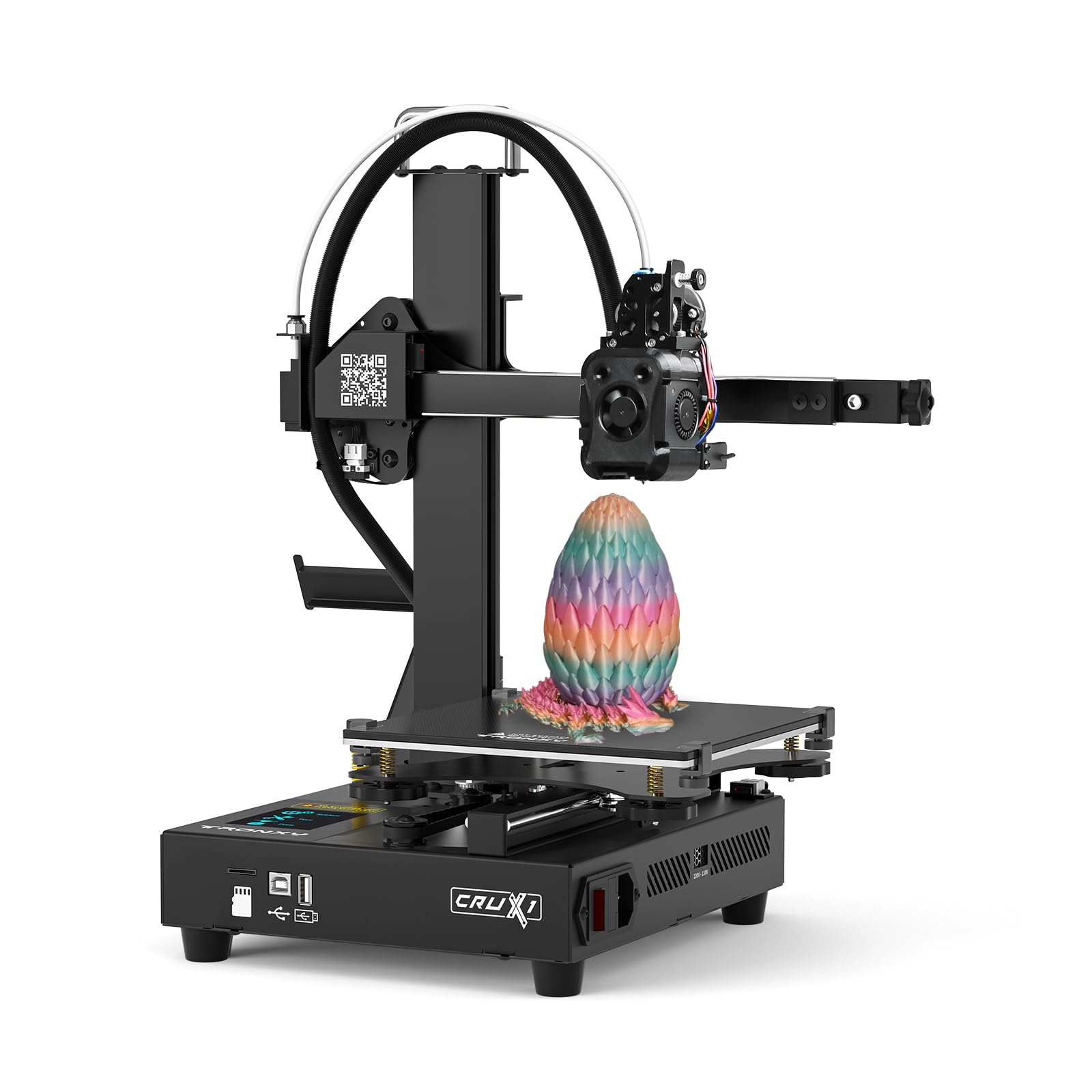
300mm/s print speed and a 180x180x180mm build cube — the best specs here, but reviews report first-day failures.
The CRUX 1S leads the list on specs: 300mm/s, 10000mm/s² acceleration, and a 180x180x180mm build volume. Print speed climbs to 300mm/s, acceleration hits 10000mm/s², and the build volume of 180x180x180mm is the largest here. A 0.4mm nozzle, dual-axis metal guide rails on the X and Y axes for low-noise running, and a 2.8-inch full-color touch screen round out a feature set that sounds like a printer costing twice as much.
It arrives 95% pre-installed, so assembly time is short. The integrated modular design and built-in power supply simplify the setup compared to printers that ask you to wire everything yourself. On paper, this is the machine to beat.
But the buyer experience tells a cautionary story. Across the reviews available, the recurring pattern involves units arriving incomplete, failing on the first day, or having hot-end and filament sensor issues that stop the printer cold. Missing screws and cards have left some buyers with an unusable machine and no support path. If your tolerance for troubleshooting is high and you get a good unit, the CRUX 1S offers genuine speed and size advantages. If you need a printer that works reliably from the start, the odds here are not in your favour.
The spec sheet is impressive: 300mm/s print speed, 180mm build volume, metal guide rails, and a color touchscreen represent genuine hardware at this tier. The modular design also makes partial assembly manageable for newcomers.
The reliability wildcard: multiple reported cases involve missing components, first-day failures, and unresponsive support. This is a machine for buyers who enjoy fixing problems rather than a set-and-go option.
Bookmark this if: you are comfortable troubleshooting hardware and want the biggest build volume and fastest print speed available in this range.
Look elsewhere if: you want a printer that runs reliably from the first day — the reported failure rate here is a real risk.
Understanding the Specs
Build Volume: What Fits on the Bed
Build volume is the maximum size of the object you can print in one piece, measured in millimeters across three axes. The 100x100x100mm printers listed here fit small models — miniatures, brackets, keychains, small figurines. The MALYAN M320 steps up to 150x150x150mm, and the TRONXY CRUX 1S goes to 180x180x180mm. A bigger bed means bigger projects, but also more filament per print and longer print times. Match the build volume to the largest single object you actually want to print.
Nozzle Diameter and Layer Resolution
The nozzle is the metal tip where melted filament exits the printhead. A 0.4mm nozzle is the standard here — it balances speed with detail for most hobby projects. Layer resolution is how thin each horizontal layer of plastic can be. Printers on this list support layers from 0.05mm (fine detail) up to 0.3mm (faster, rougher). Thinner layers mean more layers total, so a 0.05mm print takes much longer than a 0.3mm version of the same model. Choose the layer height based on whether you prioritize surface finish or print time.
Filament Types: PLA, TPU, and PETG
PLA is the most common starter filament — it prints at lower temperatures, is easy to work with, and comes in many colors. TPU is flexible, so it suits phone cases and bendy parts, but it is trickier to print. PETG is tougher and more heat-resistant than PLA, and needs a heated bed. The MALYAN M320 is the only printer here with a heated bed listed, which means it is the only one with stated PETG support. Most others list PLA and TPU at 1.75mm diameter, which is the standard spool size.
Heated Bed and Build Plate Type
A heated bed warms the printing surface so the first layer sticks and warping is reduced. Without one, you are mostly limited to PLA. The MALYAN M320 includes a heated bed, making it the pick for buyers who want to try PETG. Removable magnetic build plates — found on the Portable CAIDAQC printer and the MALYAN M320 — flex so finished prints pop off without a scraper. Fixed bed printers need a bit more care when removing parts, but the prints come out just fine once you learn the technique.
FAQ
What can I actually print with a 100x100x100mm build volume?
Do I need special software to use these printers?
What is the difference between PLA and TPU filament?
Why does my first layer not stick to the build plate?
Do I need a heated bed to print PLA?
How long does a typical small print take?
Can these printers use filament from any brand?
Are these printers safe for kids to use unsupervised?
What is the difference between an assembled and a kit 3D printer?
Final Thoughts: The Verdict
For most beginners, the 3d printer under $150 that wins is the Gonetre FDM Printer — it reaches 180°C in 5 minutes, handles PLA and TPU with a metal nozzle, and skips the assembly hassle. If a bigger build volume is what you need, the MALYAN M320 steps up to 150x150x150mm with a heated bed for PETG. And for buyers who want to move files from a memory card without any slicing software, the Tangxi FDM Mini arrives fully assembled and ready to print straight from the start.
How We Picked
We do not accept paid placement. Every pick is matched to a real buyer and a real use-case; we do not hands-on test units.
Sources & Methodology
Specifications: manufacturer listings and product documentation. Review insights: verified customer reviews, as of September 2026. Pricing: not shown on this page (it changes often); check the current price via the retailer link.
As an Amazon Associate, Gadgets Feed earns from qualifying purchases. This does not affect which products we feature.