
A printer that handles 24-inch wide media is a specialized tool for architects, engineers, graphic designers, and serious makers who need large-format output without a service bureau. The decision goes far beyond paper size, into the mechanics of roll-feed, ink technology, and connectivity that determines how your daily workflow feels.
I’m Min — the co-founder and writer behind Gadgets Feed. I’ve spent hundreds of hours dissecting the technical specifications of large-format printers, comparing printhead architectures, ink chemistries, and media-handling systems to understand what separates a reliable daily driver from a frustrating paperweight.
Whether you are printing CAD blueprints or fine art posters, finding the right 24 x 18 printer requires balancing print speed, color accuracy, and total cost of ownership for your specific output volume.
How To Choose The Best 24 X 18 Printer
Choosing a 24-inch wide printer means thinking about what happens after you hit print — the setup time, the ink cost per square foot, and whether the machine handles the media you use daily. These three factors will guide your decision.
Printhead Technology and Ink System
The printhead determines line sharpness and nozzle reliability. Thermal inkjet heads (common in HP and Canon models) are fast but can be prone to clogging if left idle. PrecisionCore MicroTFP heads (Epson) offer better droplet control and nozzle verification, which reduces wasted paper on test prints. The ink type matters too: pigment inks resist water and UV fading, critical for outdoor signage and architectural plans. Dye inks offer wider color gamuts for photo reproduction but fade faster.
Media Handling: Roll vs. Sheet
If you print 24×18 inch sheets one at a time, an automatic sheet feeder saves you from cutting roll paper. If you produce continuous runs of different lengths, a roll-feed with an automatic cutter is essential. Some printers switch between roll and sheet automatically, which is a significant convenience for mixed workflows. Check the supported media width, thickness, and whether the printer accepts heavy cardstock or canvas.
Connectivity and Workflow Integration
A large-format printer in an office environment must share the network reliably. Gigabit Ethernet is non-negotiable for CAD teams sending massive file sets. Wi-Fi is convenient for ad-hoc jobs from a laptop, but wireless transfer speeds can bottleneck large raster files. Also consider PostScript or HP-GL/2 support, which ensures that your design software communicates efficiently with the printer without unexpected formatting shifts.
Quick Comparison
On smaller screens, swipe sideways to see the full table.
| Model | Category | Best For | Key Spec | Amazon |
|---|---|---|---|---|
| HP DesignJet T210 | Large-Format Plotter | CAD line drawings & posters | 24-inch roll-feed, automatic cutter | Amazon |
| Brother MFC-J6960DW | Multifunction Inkjet | Small business scanning & 11×17 printing | 11×17 max, 31 ppm black | Amazon |
| Canon imagePROGRAF TC-21 | Desktop Roll Printer | 4-color poster & plotter prints | 24-inch roll, 280ml ink included | Amazon |
| Epson SureColor T2170 | Desktop CAD Plotter | Blueprints & technical drawings | 24-inch roll, PrecisionCore printhead | Amazon |
| HP DesignJet T630 | Large-Format Plotter | Architecture & engineering plans | 24-inch roll, auto sheet feeder, stand | Amazon |
| CANON PRO 2100 | Fine Art Printer | Museum-quality gallery prints | 12-color LUCIA PRO ink system | Amazon |
| Epson SureColor F570 Pro | Sublimation Printer | DTF transfers & custom apparel | 24-inch, 140ml ink sets included | Amazon |
| Brother MFC-L5915DW | Monochrome Laser MFP | High-volume black & white printing | 50 ppm, 70-page ADF | Amazon |
| DSV DTF Printer F1080 | DTF Transfer Printer | Garment decoration & custom transfers | A3+, 2-year ink supply | Amazon |
In‑Depth Reviews
1. HP DesignJet T210 Large Format 24-inch Plotter Printer

The HP DesignJet T210 is the entry-level workhorse for anyone who needs true 24-inch roll-fed output. It handles media up to 24 inches wide and includes an automatic horizontal cutter, so you can queue a set of 24×18 prints and walk away. The print speed of up to 45 seconds per A1/D-size sheet is competitive in this tier, and the 500MB memory ensures it can process complex vector files from CAD applications without choking.
The ink system uses HP 712 and 713 cartridges, with a claimed 95% reduction in ink waste during routine maintenance compared to competing plotters. That matters when you calculate cost per square foot over a year of daily use. Connectivity covers Gigabit Ethernet, USB 2.0, and Wi-Fi 802.11 b/g/n, and the included HP Click software offers PDF error checking and auto-nesting, which automatically optimizes media usage by arranging different-sized prints side by side on the roll.
Some users report difficulty sourcing HP-branded ink quickly from local retailers, and the printer is strictly a print-only device — no scanning or copying. The lack of an automatic sheet feeder as standard (it is an optional accessory) may slow down one-off sheet jobs. For a dedicated plotting workflow with consistent roll media, the T210 delivers reliable line quality at an accessible price point.
Why it’s great
- True 24-inch roll-fed printing with automatic horizontal cutter reduces manual handling.
- HP Click software with auto-nesting saves paper on mixed-size print runs.
- Gigabit Ethernet ensures fast, stable file transfers for large raster files.
Good to know
- No automatic sheet feeder included — must buy separately.
- Print-only functionality; no scan or copy capabilities.
- OEM ink cartridges can be hard to find in physical stores for quick replacement.
2. Canon imagePROGRAF TC-21 24-inch Large Format Printer

The Canon imagePROGRAF TC-21 packs a full 280ml of ink right in the box — 70ml per color — which is the most generous starter supply in its class. This 4-color printer (CMYK) delivers crisp text and vibrant prints on both cut sheets and 24-inch rolls. The automatic sheet feeder and roll feed are both built in, so you can seamlessly switch from printing a 24×18 poster on roll media to running a batch of 8.5×11 sheets without reconfiguring the paper path.
The tiltable touchscreen control panel and animated onscreen guides make initial setup straightforward, and the front and top access points simplify ink refills and paper roll replacement. At 71 pounds, it is a substantial desktop machine, but its footprint is compact enough for a dedicated office workbench. Connectivity includes high-speed USB, Ethernet, and built-in Wi-Fi for wireless printing from any device on the network.
One notable limitation is the lack of automatic duplex printing — the TC-21 is simplex only, meaning you must manually flip paper for two-sided prints. Additionally, some users have reported that the driver software has quirks with US architectural sheet sizes, requiring custom page dimensions to avoid margins on commonly used papers. For a dedicated 24-inch color printer with strong media flexibility, the TC-21 offers exceptional out-of-box value.
Why it’s great
- Includes 280ml of ink — enough for dozens of full-color 24×18 prints right away.
- Dual media handling with automatic roll feed and sheet feeder for mixed workflows.
- Intuitive touchscreen setup and maintenance interface reduces learning curve.
Good to know
- Simplex printing only — requires manual flipping for duplex jobs.
- Driver software has known quirks with US architectural paper sizes.
- Printer is heavy at 71 pounds; plan for a sturdy, dedicated workspace.
3. Epson SureColor T2170 24-Inch Desktop Wireless CAD Plotter
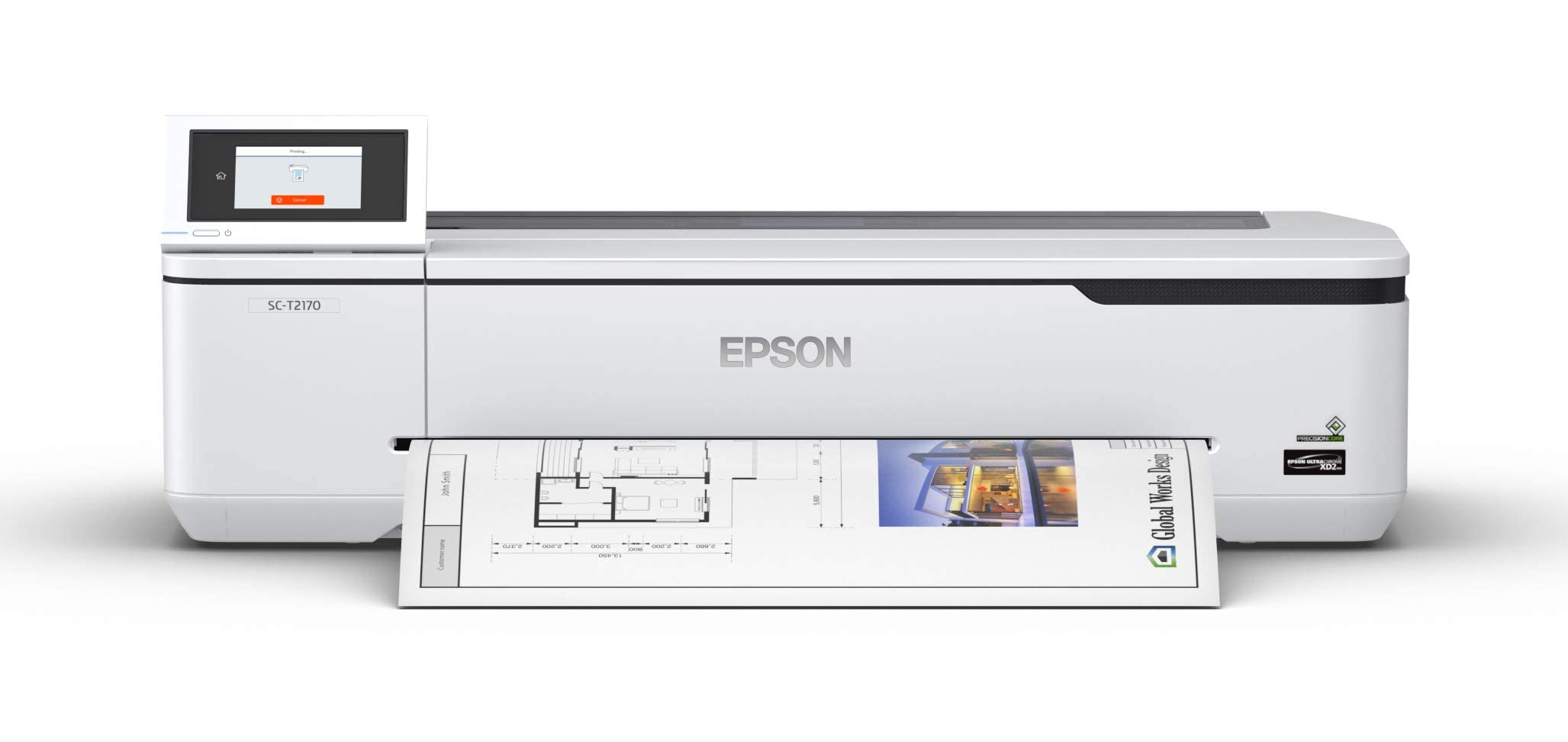
The Epson SureColor T2170 is built around the PrecisionCore MicroTFP printhead, which delivers 2,400 dpi resolution for exceptionally crisp line work on blueprints, technical drawings, and posters. Its nozzle verification technology automatically checks for clogged nozzles before each print, which reduces paper waste and ensures consistent output quality over long print runs. The printer produces an A1/D-size print in 43 seconds, making it one of the faster options in its price range.
The ink system uses UltraChrome XD2 all-pigment inks, which are instant-dry and provide UV resistance — ideal for prints that will be posted on job sites or displayed under fluorescent lighting. The black ink cartridge is 80ml, and the color cartridges are 50ml each. The 4.3-inch LCD color touchscreen simplifies navigation, and the printer supports Wi-Fi Direct for wireless printing without an existing network. Dual-sided printing is automatic, saving paper on long sets of plans.
Some users report that replacement ink cartridges are expensive, costing over for a full set, and the printer is print-only — no scan or copy functions. The compact footprint is a plus for desktop placement, but the optional stand is sold separately. For architectural and engineering professionals who demand line accuracy and fade-resistant output, the T2170 is a reliable tool that consistently performs.
Why it’s great
- 2,400 dpi resolution with PrecisionCore printhead delivers sharp, consistent lines.
- Nozzle verification technology catches clogs before printing, saving media.
- All-pigment ink system provides instant drying and UV-resistant prints.
Good to know
- Print-only device — no scanning or copying capability.
- Replacement ink sets are expensive at over for all four cartridges.
- Optional stand sold separately; printer sits on a desktop otherwise.
4. HP DesignJet T630 Large Format 24-inch Plotter with Auto Sheet Feeder & Stand

The HP DesignJet T630 is a step up from the T210, bundling a stand, media bin, and an automatic sheet feeder right in the box. This makes it a turnkey solution for offices that need to print both rolls and sheets without buying separate accessories. The printer handles 24-inch wide rolls and up to 13×19-inch sheets, automatically switching between the two media sources. The automatic horizontal cutter trims roll-fed prints cleanly to the correct length.
Print speed is slightly faster than the T210, and the HP Click software continues to provide error checking, auto-nesting, and drag-and-drop printing directly from PDF, JPEG, TIFF, DWF, HP-GL/2, and PNG files. Connectivity includes Gigabit Ethernet, Hi-Speed USB 2.0, and Wi-Fi 802.11 b/g/n. The HP Smart app allows remote job submission and printer management from a smartphone or tablet, which is convenient for busy engineers and architects who move around the office.
One recurring customer complaint is that the printer sometimes fails to power on after long idle periods, requiring service calls. The ink system, like the T210, uses HP 712 and 713 cartridges that can be difficult to source locally. For a professional team that needs a complete 24-inch plotting setup out of the box, the T630 package saves the hassle of buying a stand and sheet feeder separately.
Why it’s great
- Complete package with stand, media bin, and automatic sheet feeder included.
- Automatic switching between roll and sheet media saves setup time.
- HP Click software with auto-nesting reduces paper waste on multi-format jobs.
Good to know
- Some units experience power-on failures after extended idle periods.
- OEM ink cartridges are hard to find in physical retail stores.
- Printer is print-only — no integrated scanning or copying capability.
5. Canon PRO 2100 24-inch Wide Format Fine Art Printer

The Canon imagePROGRAF PRO-2100 is a 12-color pigment-ink printer engineered for fine art reproduction, gallery prints, and museum-quality photography. The LUCIA PRO ink set includes a dedicated Chroma Optimizer that reduces gloss banding and expands the color gamut, delivering rich blacks and subtle tonal transitions on fine art papers and canvas. The printer handles rolls up to 24 inches wide and includes a multifunction roll system with a built-in cutter.
The included print head (PF-10), maintenance cartridge, and roll holder set mean you have everything needed for professional-grade output right from the start. Canon offers a one-year on-site warranty through CES Imaging, which is rare at this level and reduces downtime if hardware issues arise. The printer supports manual duplex printing for thick media and connects via USB and Ethernet — Wi-Fi is not built in, which is typical for high-end production machines where wired stability is preferred.
The PRO-2100 ships with starter ink cartridges only, and replacing all 12 full-size colors is an expensive proposition. The learning curve for color management and layout software is steeper than with a basic plotter, but the results are in a completely different league. For photographers and print studios who demand the widest color space and the most accurate grayscale reproduction, the PRO-2100 is a serious investment in print quality.
Why it’s great
- 12-color LUCIA PRO pigment ink system delivers unmatched color gamut and deep blacks.
- Chroma Optimizer eliminates gloss banding for consistent fine art prints.
- One-year on-site warranty included with purchase from authorized resellers.
Good to know
- Only starter ink cartridges are included — expect significant setup cost for full-size replacements.
- No built-in Wi-Fi; requires wired Ethernet or USB connection.
- Color management and software setup require a steeper learning curve than standard plotters.
6. Epson SureColor F570 Pro 24-inch Desktop Sublimation Printer
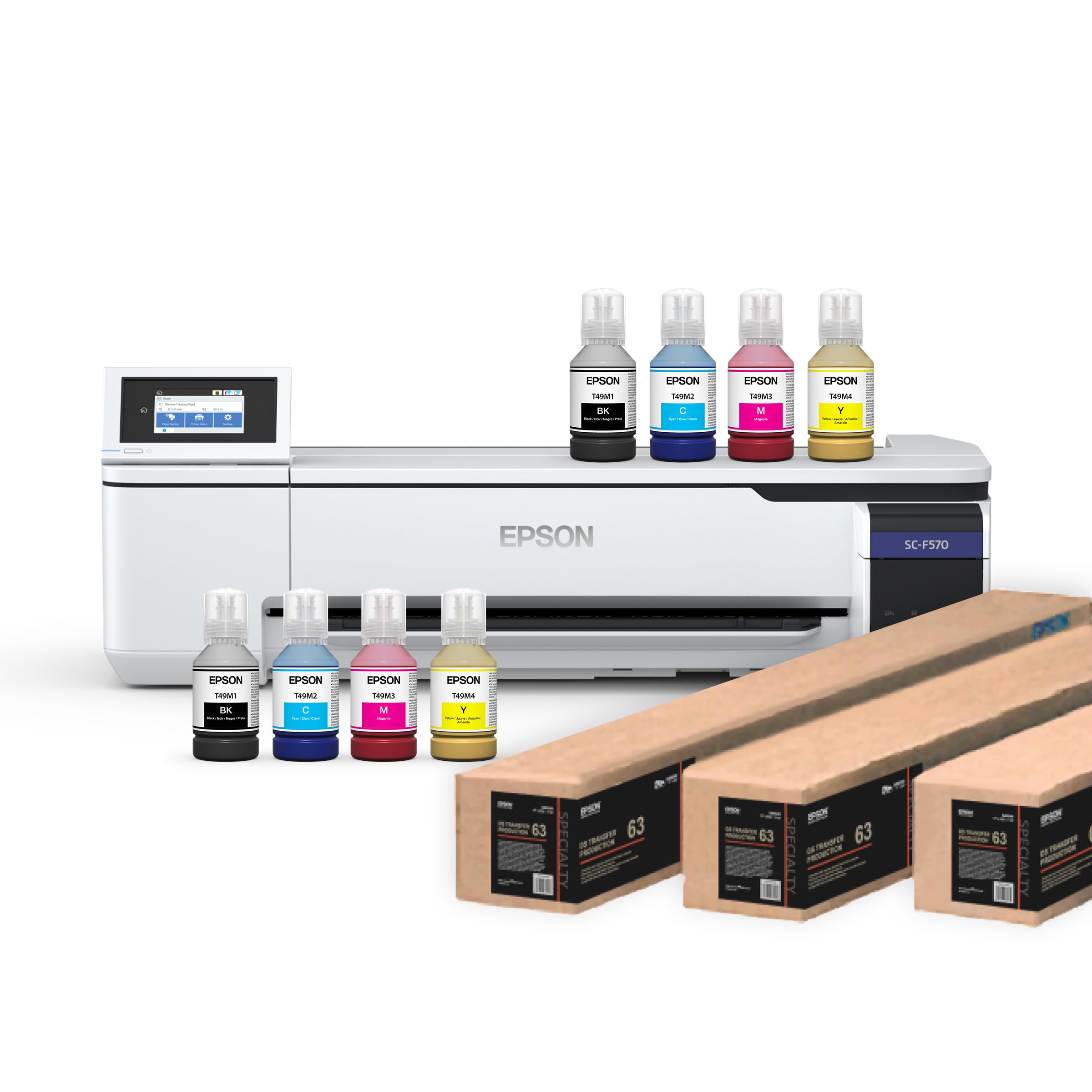
The Epson SureColor F570 Pro is a dedicated sublimation printer for apparel decoration, custom transfers, and soft signage. It ships with two full sets of CMYK ink bottles (140ml each color) and a roll of DS Transfer Multi Use Paper, which gets you producing DTF and sublimation transfers immediately. The PrecisionCore MicroTFP printhead ensures consistent droplet size for sharp, vibrant colors on polyester fabrics, coated ceramics, and other sublimation-ready media.
The included Epson Edge Print Pro software with Adobe PostScript 3 and PDF Print Engine provides professional job layout, nesting, and pattern repeat functions — essential for production environments that maximize media utilization. Media support covers rolls and sheets up to 24 inches wide, and the built-in 50-sheet auto-feed tray and automatic cutter streamline the transfer workflow. The LCD touchscreen and easy-refill ink bottles reduce maintenance downtime.
This printer ships LTL freight only, so you must schedule a delivery appointment. Some customers have received units with hardware defects, and seller support for replacements has been inconsistent. The printer is also built for sublimation exclusively — do not use it with standard paper inks. For businesses entering the sublimation market, the F570 Pro bundle offers a complete start-up package with professional-grade software.
Why it’s great
- Comes with two full CMYK ink sets and sublimation paper — ready to produce transfers out of the box.
- Edge Print Pro software with PostScript 3 enables professional nesting and color control.
- PrecisionCore printhead delivers vibrant, consistent colors on sublimation media.
Good to know
- Ships LTL freight only — requires scheduling a delivery appointment.
- Some units have arrived with hardware defects; return process can be inconsistent.
- Exclusively for sublimation applications — not a general-purpose 24-inch printer.
7. Brother INKvestment 6960 Wireless Color Inkjet All-in-One (MFC-J6960DW)

The Brother MFC-J6960DW is a multifunction inkjet printer that handles up to 11×17 inch paper — it does not print on true 24-inch wide media, but its 11×17 output is relevant for users who need occasional large-format pages without the cost of a plotter. With print speeds of up to 31 ppm in black and 30 ppm in color, it is fast for a small office inkjet. The 500-sheet capacity across two trays plus a 100-sheet multipurpose tray keeps large jobs running without constant refills.
This all-in-one includes print, copy, scan, and fax, plus a 50-page automatic document feeder for single-pass duplex scanning. The 2.7-inch color touchscreen provides access to cloud apps like Google Drive and Dropbox. Brother’s INKvestment system uses high-yield cartridges that drop the cost per page significantly compared to standard inkjets, and the printer includes a 1,800-page black cartridge and 750-page color cartridges to start.
Some users report that the paper trays are sensitive to alignment — if sheets are not perfectly fanned, the printer may jam or require manual confirmation to switch trays. The duplex scanning is a major asset for digitizing multi-page documents. For a budget-conscious home office or small business that prints 11×17 documents and wants scanning, the MFC-J6960DW delivers excellent value, but it is not a substitute for a true 24-inch roll printer.
Why it’s great
- Fast 31 ppm black print speed for a busy small office environment.
- 500-sheet paper capacity plus 100-sheet multipurpose tray minimizes refills.
- Single-pass duplex scanning with 50-page ADF streamlines document digitization.
Good to know
- Only prints up to 11×17 inches — does not support true 24-inch wide media.
- Paper trays are sensitive to alignment; improperly fanned sheets cause jams.
- Duplex scanning is a strength, but duplex printing can be finicky with some paper types.
8. Brother Professional Laser Printer MFC-L5915DW

The Brother MFC-L5915DW is a monochrome laser all-in-one designed for offices that burn through thousands of black-and-white pages daily. It prints and copies at 50 ppm and ships with a 3,000-page starter toner, but accommodates the TN920UXXL ultra high-yield cartridge rated for 18,000 pages — the lowest cost per page in its class. The 70-page automatic document feeder offers single-pass duplex scanning at 56 images per minute, making it ideal for digitizing multi-page legal documents rapidly.
Connectivity includes Gigabit Ethernet, dual-band Wi-Fi, and USB, with the ability to print from mobile devices via the Brother Mobile Connect app. The LCD display is straightforward, though some users find the menu navigation less intuitive than competing models. The printer also supports voice control through Amazon Alexa and Vera smart home systems, though this is a niche use case for a production office machine.
One limitation is that changing paper sizes requires manual tray switching and menu navigation — not ideal for offices that frequently switch between letter, legal, and tabloid. The printer is heavy (around 40 pounds) but feels built to last. For a team that prints high volumes of black-and-white 11×17 documents and wants a reliable scanning workflow, this Brother laser is a durable, cost-effective choice.
Why it’s great
- Blazing 50 ppm print speed handles high-volume daily runs without bottlenecking.
- Ultra high-yield 18,000-page toner cartridge dramatically lowers cost per page.
- Single-pass duplex scanning at 56 ipm accelerates document digitization.
Good to know
- Changing paper sizes requires manual tray switching and menu navigation.
- No color printing — strictly monochrome laser output.
- Menu interface can be less intuitive than competing models like Canon or HP.
9. DSV DTF Printer A3 F1080 with Shaker & Air Purifier
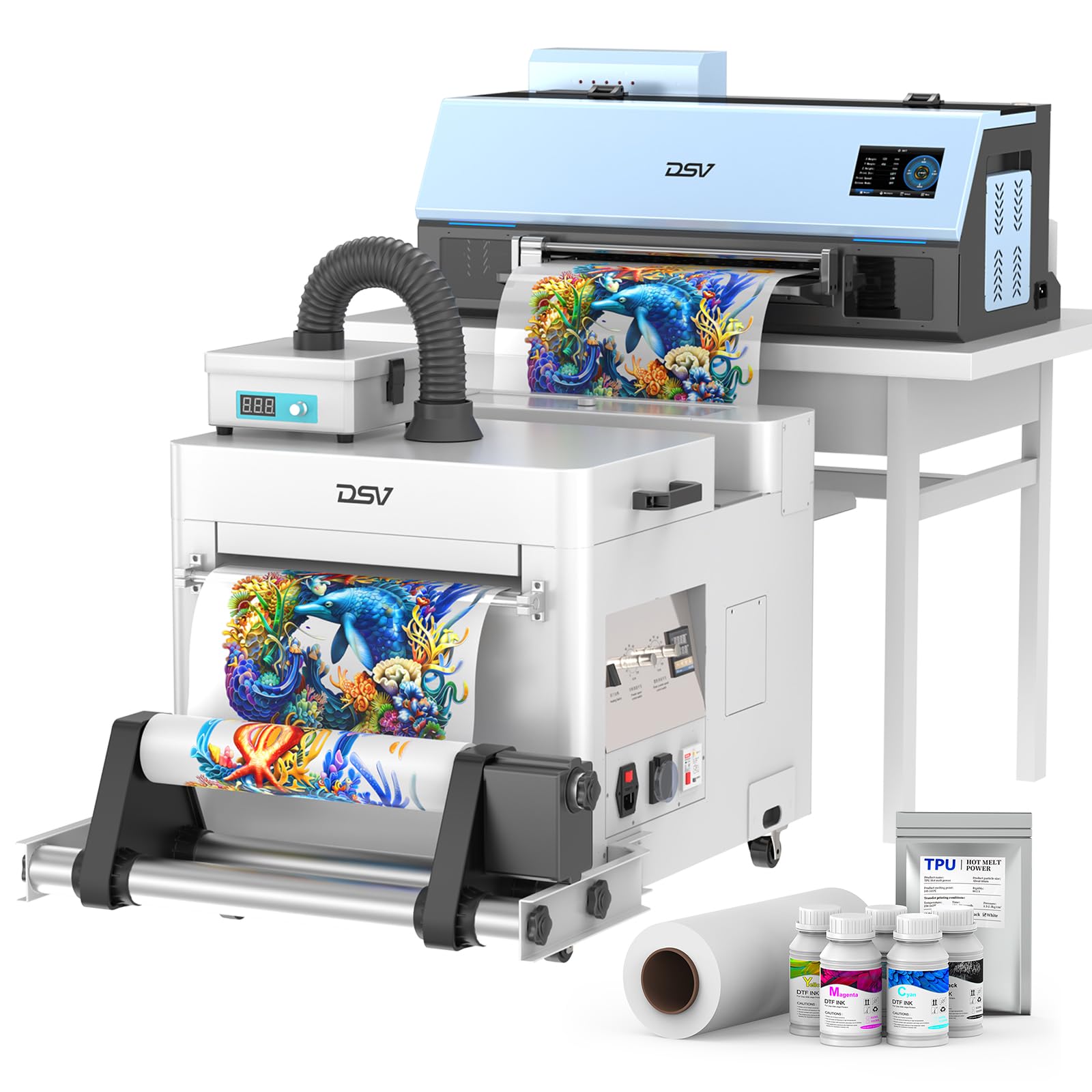
The DSV DTF Printer F1080 is a dedicated direct-to-film transfer printer designed for garment decoration. It prints A3-sized sheets, not 24-inch rolls, but its specialized workflow is relevant for users who make custom transfers for apparel, bags, and footwear. The XP600 Gen2 printhead completes an A3 print in 6 minutes and produces up to 10 prints per hour — fast for a DTF printer at this price point. The bundle includes a shaker, dryer, and air purifier, plus a two-year ink supply delivered in regular shipments.
The white ink circulation and automatic ink suction systems specifically address the biggest pain point of DTF printing: clogged white ink lines. The 4.5-inch touchscreen and upgraded mainboard simplify operation, and the virus-free Windows software provides job layout and color management. The printer handles cotton, polyester, leather, and other fabrics, making it versatile for a small apparel business. The included DTF film roll, powder, and cleaning accessories mean you can start production immediately after setup.
Customer service from DSV is generally responsive, with one engineer staying on a remote call for 5.5 hours during initial setup. However, there have been reports of defective units where the seller charges shipping for replacement parts and refuses replacements for persistent issues. The ink supply program is a subscription-like model, so ongoing costs depend on continued participation. For a turnkey DTF production setup, the F1080 bundle is comprehensive, but verify the return policy before purchasing.
Why it’s great
- Complete A3 DTF production bundle with shaker, dryer, and full consumables included.
- White ink circulation system significantly reduces clogging issues common in DTF printing.
- Remote tech support is thorough, with engineers guiding full setup over hours-long calls.
Good to know
- Some units arrive defective, and the seller may charge for return shipping on replacement parts.
- Two-year ink supply is delivered in regular shipments — it is a managed subscription model.
- Printer is A3 format only — does not support 24-inch wide media for large-format transfers.
FAQ
Can I print 24×18 inch sheets on a standard office printer?
What is the difference between a plotter and a 24-inch inkjet printer?
How often should I use my 24-inch printer to prevent clogs?
Are 24-inch printers compatible with Mac and Windows?
Do I need a RIP software for a 24-inch printer?
Final Thoughts: The Verdict
For most users, the 24 x 18 printer winner is the HP DesignJet T210 because it delivers true 24-inch roll-fed output with an automatic cutter and reliable Gigabit Ethernet connectivity at a price that makes it accessible for small firms and solo practitioners. If you want a generous ink bundle out of the box and dual sheet/roll feeding, grab the Canon imagePROGRAF TC-21. And for fine art photographic prints that demand the widest color gamut, nothing beats the Canon PRO 2100 with its 12-color LUCIA PRO ink system and on-site warranty.