
Our readers keep the lights on and my morning glass full of iced black tea. As an Amazon Associate, I earn from qualifying purchases.
Specs are compiled from manufacturer listings and verified buyer reviews and can change over time — please confirm the key details on the product page before buying.
You do not need to spend the most to pair AMD’s Ryzen 7 9800X3D with a new board. What you need is an AM5 socket board (AMD’s current CPU socket) with a strong enough power-delivery section to feed a chip that draws hard under gaming load, DDR5 slots (the latest memory type) that run fast memory without drama, and a BIOS (the board’s basic setup software) that recognizes the CPU the first time you press the power button. The picks below range from entry-level value boards to premium X870 options (AMD’s top chipset for this generation), and every one has been screened for AM5 compatibility and verified owner experience.
I’m Min — the founder and writer behind Gadgets Feed. This guide is built by comparing the manufacturers’ published specifications and the patterns across verified customer reviews, so you get each pick’s real strengths and trade-offs instead of marketing spin.
The biggest mistake buyers make is overspending on chipset branding before checking VRM phase count and BIOS maturity. This breakdown of the best motherboard for 9800x3d explains exactly what matters and what you can safely ignore.
Our Picks at a Glance


How To Choose The Best Motherboard For 9800X3D
The Ryzen 7 9800X3D is an AM5 processor that uses AMD’s 3D V-Cache technology, which is a stacked layer of memory built directly onto the CPU die to speed up gaming performance. The chip is efficient enough that you do not need to spend on the highest-end board, but you do need one that delivers stable power and runs fast DDR5 memory without fuss. Here is what actually separates a good match from a bad one.
VRM Phases and Power Delivery
The VRM, or voltage regulator module, is the section of the board that converts your power supply’s 12-volt rail down to the low voltage your CPU needs. It is made up of phases — think of each phase as a lane on a highway — so more phases means the electrical load is spread across more lanes and each lane runs cooler. Boards with 12 or more phases handle sustained gaming and all-core workloads comfortably. The 9800X3D does not draw extreme power compared to a 16-core workstation chip, so a quality 12-phase design is genuinely sufficient, while 16 or more phases give you headroom for future upgrades.
DDR5 Memory Speed and EXPO
DDR5 is the current generation of system memory, and AMD EXPO is a one-click profile stored inside the RAM stick that tells the board to run it at its advertised speed rather than the slower default. Without enabling EXPO in BIOS, your fast kit will often sit at a slower baseline. The 9800X3D responds well to higher memory clocks, so look for a board rated to 7200 MHz or above if you plan to run a fast kit. Check the manufacturer’s Qualified Vendor List, which is the tested-compatible memory list for that specific board, before buying exotic modules.
Chipset and PCIe Generations
AMD’s AM5 chipsets range from B650 and B650E up through X670E, B850, and X870 or X870E. The practical differences come down to how many PCIe 5.0 lanes are available, which is the fastest current slot standard for both graphics cards and M.2 storage drives. B650 boards typically offer PCIe 5.0 on one M.2 slot, while X870 adds USB4 and more Gen5 bandwidth. For most 9800X3D gaming builds, a well-built B650 board is the smart buy — the chip is not bandwidth-starved enough to justify the premium chipset purely on gaming grounds.
Quick Comparison
| Model | Best For | Chipset | Memory Slots | Max Memory Speed | Amazon |
|---|---|---|---|---|---|
| GIGABYTE B650 Eagle AX★ Best Overall | Best overall AM5 value | AMD B650 | 4 | 5200 MHz | Amazon |
| MSI B650 Gaming Plus WiFiFastest Memory | Fast DDR5 on a budget board | AMD B650 | 2 | 7200 MHz | Amazon |
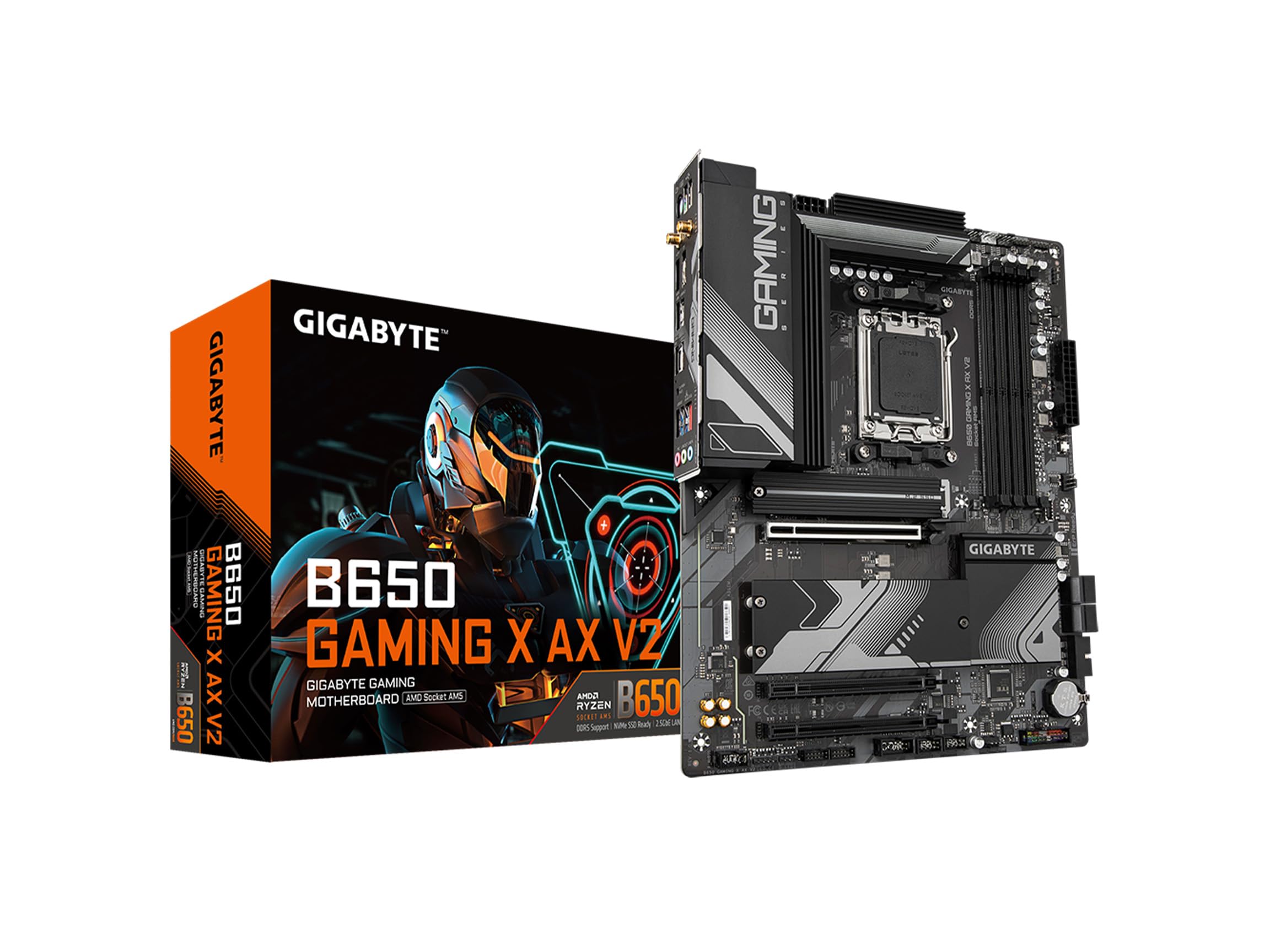
| GIGABYTE B650 Gaming X AX V2Clean Build Pick | Streamlined 2-DIMM build | AMD B650 | 2 | 5200 MHz | Amazon |
| ASRock B650 Steel Legend WiFi 6E | White-themed performance builds | AMD B650 | 4 | 7200 MHz | Amazon |
| ASRock X870 Pro RS | USB4 and Gen5 on a budget | AMD X870 | 4 | 8000 MHz | Amazon |
| GIGABYTE X870 AORUS Elite WIFI7 | Best X870 overall value | AMD X870 | 4 | 8200 MHz | Amazon |
| ASUS TUF Gaming X870-PLUS WiFi | High-end AI-ready builds | AMD X870 | 4 | 160 MHz | Amazon |
| MSI MAG X870 Tomahawk WiFi | Overclocking and VR content | AMD X870 | 4 | 7800 MHz | Amazon |
| ASUS ROG Strix X870-A Gaming WiFi | Premium white aesthetic builds | AMD X870 | 4 | 160 MHz | Amazon |
In‑Depth Reviews
1. GIGABYTE B650 Eagle AX AM5 LGA 1718 ATX Motherboard
Our pick — over 4.5★ from 950+ verified ratings; the strongest balance of quality and price.
A budget board with four memory slots and three M.2 bays, built to carry an X3D chip for years.
This is the pick that makes the most sense for a first 9800X3D build, and here is the number that earns it that spot: four DDR5 memory slots. That doubles what the MSI B650 Gaming Plus WiFi offers with its two slots. If you ever want to drop in a second matched kit later rather than replacing everything at once, having four DIMM slots is the difference between a cheap upgrade and a full swap. The board holds up to 128 GB of memory capacity total.
The power section is a 12+2+2 phase digital VRM design, which splits the load into sixteen separate lanes so each one runs cooler under sustained gaming. The 9800X3D is not a power hog compared to a workstation chip, so sixteen phases is more than enough headroom. Around the storage bays, you get one PCIe 5.0 M.2 slot and two PCIe 4.0 M.2 slots. PCIe 5.0 is the fastest current slot standard, so that first bay is where your main drive should live — it will still be current for years. Networking is handled by AMD Wi-Fi 6E and Realtek Gigabit Ethernet, and there is a USB 3.2 Gen 2×2 Type-C port on the rear panel.
What wins people over is the build quality, with reliability running a close second in owner feedback. As one verified buyer put it: “Excellent Motherboard for my gaming PC. I bought this motherboard paired with an AMD ryzen 7 7800x3D, and it has worked perfectly.” It is a B650 board, so it lacks USB4 and Wi-Fi 7. Wi-Fi 6E can need tuning to hit peak speeds, and the board runs warm under heavy PCIe 5.0 or multi-M.2 loads, so plan case airflow. Q-Flash Plus is the standout safety net: it lets you update BIOS from a USB drive even without a working CPU installed.
The Strong Points
- Four DDR5 slots — twice the count of the MSI B650 Gaming Plus WiFi’s two
- 12+2+2 phase VRM spreads power load across sixteen lanes for stable sustained performance
- Triple M.2 slots (one PCIe 5.0, two PCIe 4.0) give storage room to grow
- Q-Flash Plus recovers or updates BIOS from USB without a working CPU installed
- 963 verified ratings averaging 4.6 stars
Worth Thinking About
- Runs warm under heavy PCIe 5.0 or multi-M.2 loads — needs decent case airflow
- Wi-Fi 6E sometimes needs tuning to hit peak throughput
- Manual is unclear for a first-time builder
Best for: You want a board with room for four memory sticks and three storage drives without paying X870 money, and your 9800X3D just needs clean stable power.
Think twice if: You need USB4 or Wi-Fi 7 from the start — that’s X870 territory, not this board.
2. MSI B650 Gaming Plus WiFi Gaming Motherboard
If you already own a fast DDR5 kit, this board is rated to run it at 7200 MHz.
Memory speed is where this board separates itself. It supports DDR5 at 7200 MHz, while the GIGABYTE B650 Eagle AX above is rated to 5200 MHz. If you already own a fast kit rated above 5200 MHz, this board is the one that will actually let it stretch its legs. It also carries a 256 GB maximum memory capacity, which is double the 128 GB ceiling on the Eagle AX. Two DIMM slots is the trade-off — you get less expansion room later, but two-slot designs often achieve higher stable speeds because there are fewer connections between the CPU and the RAM.
The board runs a 12+2+1 Duet Rail power system with dual 8-pin CPU power connectors. Those twin connectors let the board pull power from two cables rather than one, which keeps the delivery steadier under heavy load. MSI’s thermal solution includes MOSFET thermal pads rated for 7W/mK, a measure of how efficiently heat moves away from the hot components, plus built-in M.2 Shield Frozr heatsinks to keep SSD temperatures in check. Networking covers Wi-Fi 6E, Bluetooth 5.3, and 2.5Gbps Ethernet — that wired standard runs faster than the Gigabit Ethernet on the Eagle AX.
Owners find the install intuitive and the BIOS easy to navigate, and the track record with X3D chips is genuinely reassuring. One verified buyer wrote: “This Motherboard has met every one of my needs. I was looking for something that would pair well with my Ryzen 7 7800x3D and I’ve had zero issues.” MSI has shipped a long series of BIOS updates, and buyers report that enabling Memory Context Restore (a setting that skips repeated memory training) is what delivers consistent boots. One buyer hit an early RMA (return for repair). The memory-speed headline is real; just budget fifteen minutes in BIOS to set it up right.
The RAM angle: 7200 MHz support and 256 GB capacity make this the pick for anyone upgrading a fast kit they already own — the Eagle AX caps at 5200 MHz and 128 GB.
The setup note: Enabling Memory Context Restore in BIOS is what owners point to for reliable boots every time.
Reach for this if: You already have a DDR5 kit rated above 5200 MHz or you want 2.5Gbps wired networking without moving up to an X870 board.
Look elsewhere if: You plan to fill more than two memory slots down the road — this board has two, not four.
3. GIGABYTE B650 Gaming X AX V2 ATX Motherboard
The brand-loyal builder’s board — simple, well-built, and priced to leave budget for the chip itself.
GIGABYTE owners tend to stay GIGABYTE owners, and this board is built for them. It carries a direct 8+2+2 phase digital VRM solution, which is a leaner power design than the 12+2+2 in the Eagle AX above. For a 9800X3D at stock settings that is fine — the chip is efficient — but it gives you less headroom if you push heavy overclocks. What you get instead is EZ-Latch, which is GIGABYTE’s tool-free release for the graphics card and M.2 drives, plus Q-Flash for BIOS updates without a CPU installed.
Storage covers one PCIe 5.0 x4 slot plus two PCIe 4.0 x4 M.2 bays, and the board includes an M.2 Thermal Guard to keep those drives cool under sustained load. Two DDR5 SMD DIMM slots support both AMD EXPO and Intel XMP profiles, so kit from either brand’s profile system will load correctly. Networking is Wi-Fi 6E and 2.5GbE Ethernet, with RGB Fusion for lighting control and a front USB 3.2 Gen 2×2 Type-C header.
This board has the smallest owner sample of the B650 group, and feedback is mixed rather than uniformly positive. The keeper caveat is that a small number of boards failed to post or lost their Ethernet port shortly after build, and the GPU slot’s plastic retention clip has been known to snap off during install. That clip is cosmetic — the card still seats and works — but you lose the click confirmation. If you want the largest pool of verified owner experience behind your purchase, the Eagle AX has a far longer track record.
What Works Well
- EZ-Latch tool-free release for GPU and M.2 drives
- One PCIe 5.0 and two PCIe 4.0 M.2 slots with M.2 Thermal Guard
- Supports both AMD EXPO and Intel XMP memory profiles
- Q-Flash lets you update BIOS without a CPU installed
- 2.5GbE wired networking and Wi-Fi 6E
Where It Falls Short
- 8+2+2 phase VRM is leaner than the Eagle AX’s 12+2+2 — less overclocking headroom
- GPU slot retention clip can snap during installation
- Smaller owner sample than the other B650 boards on this list
Suits you if: You have built with GIGABYTE before, you want tool-free GPU and drive installation, and you plan to run the 9800X3D at stock rather than chase overclocks.
skip it if: You want the biggest verified owner track record among AM5 budget boards — the Eagle AX has far more behind it.
4. ASRock B650 Steel Legend WiFi 6E AM5 ATX Motherboard

A fourteen-phase power design and a PCIe 5.0 graphics slot on a mid-range B650 board.
Steel Legend is the right name for this one, because the power section is the whole story: a 14+2+1 phase design with 80A Dr.MOS for Vcore. Dr.MOS is an integrated power stage that switches voltage more efficiently and runs cooler than a discrete setup. That is a heavier power design than the 8+2+2 on the GIGABYTE B650 Gaming X AX V2 above, and it is the kind of headroom that keeps a 9800X3D fed without the VRM breaking a sweat. At 1000 g it is also the lightest board in this group, which matters if you are shipping a build or mounting it in a compact case.
Storage and memory are both generous: four DDR5 DIMM slots running dual-channel up to 7200 MHz, plus three M.2 bays — one Blazing M.2 at PCIe Gen5x4 and two Hyper M.2 at PCIe Gen4x4. It is one of the few B650 boards with a PCIe 5.0 x16 graphics slot, which is normally reserved for costlier B650E and X870 boards. The rear panel is stacked: four SATA3 ports, USB 3.2 Gen2x2 Type-C, eight USB 3.2 Gen1 Type-A connectors across front and rear, and eight USB 2.0 ports. Audio runs through a Realtek ALC4082 codec with Nahimic support, and networking covers Dragon 2.5G LAN plus Wi-Fi 6E and Bluetooth.
Performance is what owners praise most here, and the setup experience matches the spec sheet. As verified buyers put it, BIOS Flashback updated the firmware flawlessly via USB, and the board posted in about a minute with no manual UEFI configuration needed. The recurring gripes are small and worth knowing: the UEFI interface looks dated, fan curve controls are basic, and the Polychrome RGB software does not sync gradients well — though OpenRGB works flawlessly as an alternative. One owner with a newer Ryzen 9 9900X needed several BIOS updates before booting cleanly, so update firmware first.
The phase advantage: Fourteen phases plus a PCIe 5.0 x16 graphics slot is a combination that normally costs a tier more — the GIGABYTE B650 Gaming X AX V2 offers neither.
The polish gap: The hardware outshines the software; Polychrome RGB is weak, and the UEFI looks its age even though it works
Build it around this: A white or black-and-white themed AM5 build where you want a PCIe 5.0 graphics slot and strong VRM without moving to X870 pricing.
Choose differently if: You want polished RGB software from the start — plan on OpenRGB instead.
5. ASRock X870 Pro RS AMD Socket AM5 ATX Motherboard
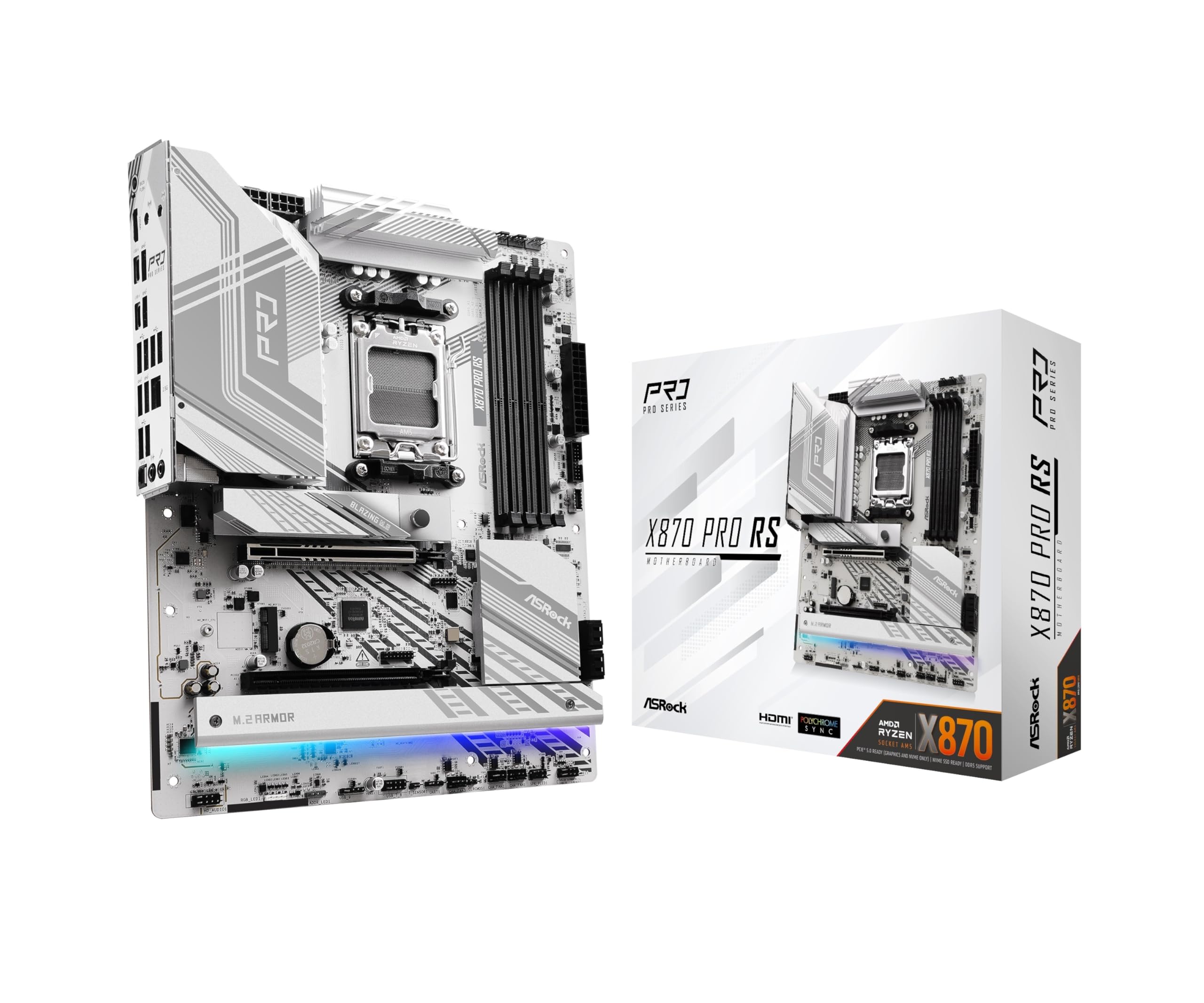
The least expensive way onto the X870 platform still gets you USB4 and PCIe Gen5 storage.
This is the entry point to AMD’s newer X870 chipset, and it brings two things B650 boards cannot: dual USB4 Type-C ports and a rated DDR5 memory ceiling of 8000 MHz. USB4 is the high-bandwidth connection standard that carries data at Thunderbolt-class speeds, useful for external drives, capture hardware, or a dock. That 8000 MHz memory rating is also the highest on this entire list. Power delivery is a 14+2+1 phase design with Dr.MOS backed by durable capacitors rated at 1000uF capacitance, which is a measure of how much charge each capacitor can buffer to smooth voltage ripple.
Storage handles the Gen5 standard properly with a Blazing M.2 PCIe Gen5x4 slot plus a toolless multi-layer M.2 heatsink and a bottom-side M.2 heatsink for drives mounted underneath. Four DDR5 DIMM slots support up to 256 GB of memory capacity. It also adds four SATA3 ports at 6.0 Gb/s, BIOS Flashback, and a silver-and-white finish for white-themed builds.
Reliability and appearance are the two things that stand out in owner experience, and the board has a solid multi-year track record in the field — one long run of over a year on a Ryzen 9 with 64GB of DDR5 went without a hitch. The honest caveat is that this board’s troubleshooting stories are rougher than most: one unit lost its BIOS to a power outage mid-update and the RMA (return for repair) took about eight weeks, another died at five months. Note also that a large triple-slot graphics card can cover the board’s only extra PCIe slot (the expansion slot for add-in cards). If you want a backup GPU slot too, that is worth planning around.
Where It Wins
- Dual USB4 Type-C ports — the fastest connection standard on this list
- 8000 MHz DDR5 rating is the highest here, with 256 GB capacity across four slots
- 14+2+1 phase Dr.MOS power with 1000uF capacitors for voltage stability
- Toolless multi-layer M.2 heatsink plus M.2 bottom heatsink for underside drives
- Distinctive silver-and-white finish suited to modern builds
Keep In Mind
- A large triple-slot GPU covers the board’s only additional PCIe slot
- BIOS interface is unforgiving and takes getting used to
- Occasional rough support experiences reported for RMA
Worth buying if: You want USB4 and PCIe Gen5 storage without paying X870E prices, and a silver-white board fits your case theme.
Consider the alternative if: You need a second usable PCIe slot alongside a thick graphics card.
6. GIGABYTE X870 AORUS Elite WIFI7 AM5 ATX Motherboard

Sixteen power phases (the board’s power-delivery stages), four M.2 slots (fast SSD mounts), and 8200 MHz memory — the X870 balance.
If you want the best all-round X870 board without paying flagship prices, this is it, and the number that clinches it is 8200 MHz. That is the highest memory clock on an X870 board here, and it is 300 MHz above the MSI MAG X870 Tomahawk’s 7800 MHz rating. Combine that with a 16+2+2 phase power design — sixteen dedicated phases for the CPU alone — and you have serious headroom for an X3D chip and whatever you upgrade to next. The board is heavy and densely built, with VRM and M.2 Thermal Guard heatsinks covering the hot spots and a reinforced PCIe 5.0 x16 slot.
Storage is the other headline: four M.2 slots, all rated PCIe 5.0, plus dual USB4 ports and front and rear USB-C headers. Networking is Wi-Fi 7 and 2.5GbE LAN, a step above the Wi-Fi 6E on most of the B650 boards here. The 5-year warranty is the longest here, and EZ-Latch releases the GPU and M.2 drives without tools. There is also a PCIe release button positioned so a thick graphics card does not bury it.
Quality and value are what owners praise most, with a 9800X3D running cool and throttling-free on the overbuilt VRM. One reviewer noted CS2 jumping from 120 to 550 FPS after moving to a 9800X3D on this board. The recurring gripe is documentation: the manual sometimes ships with an incorrect diagram, and you have to check online to learn that the PCIe x16 slot only runs at full speed with drives in two specific M.2 slots. Budget ten minutes on the support page before you seat your GPU and you avoid the surprise.
Why it leads the X870 pack: Sixteen CPU phases, four PCIe 5.0 M.2 slots, dual USB4, Wi-Fi 7, and a 5-year warranty at a mid-tier price — nothing else here combines all five.
Check before you build: Full-speed PCIe x16 requires drives in two specific M.2 slots, so read the manual’s updated lane chart first.
Pick this one if: You want the strongest X870 feature set for the money and a five-year warranty to back it.
Move along if: You expect a thorough printed manual in the box — the included one is sparse.
7. ASUS TUF Gaming X870-PLUS WiFi AM5 ATX Motherboard

Built like a tank for high-end builds, with USB4 at 40Gbps and a BIOS that works without a CPU installed.
ASUS designed this board with AI and workstation-adjacent workloads in mind, and the spec sheet backs it: 16+2+1 power stages rated at 80A SPS each, on an 8-layer PCB with ProCool connectors and alloy chokes. That is the heaviest power delivery on a mainstream X870 board in this lineup, and ProCool connectors use solid metal pins rather than hollow ones to sit tighter and manage heat better. Four M.2 slots, PCIe 5.0 ready, plus USB4 at 40Gbps and Wi-Fi 7 with 2.5Gb LAN give you a modern I/O lineup that matches the 9800X3D’s generation.
ASUS-built extras include AI Overclocking, AI Cooling II, and AEMP, which automatically tune clocks, fan curves, and memory settings rather than making you dial them manually. The ProCool connector design and 8-layer PCB are durability moves — a board built to handle sustained all-core loads without drifting. BIOS Flashback works without booting the machine at all, which is genuinely useful if you ever buy a board before you buy the CPU.
Stability and installation are the two strongest signals in owner experience, and the 9800X3D compatibility reports are clean — one owner noted the 9800X3D worked from the start with no BIOS update, and an XMP-only G.SKILL kit (memory rated for Intel XMP profiles) ran fine on EXPO profile (AMD’s memory overclock setting). Where this board gets complicated is drivers: Windows 11 does not always auto-install the Wi-Fi and Bluetooth drivers, and Linux users have reported the mt7925e Wi-Fi driver crashing the system, with the r8125 ethernet requiring manual setup. Plan on a driver download before your first boot.
Why It Stands Out
- 16+2+1 power stages at 80A SPS on an 8-layer PCB — the heaviest delivery on a mainstream X870 board here
- USB4 at 40Gbps plus Wi-Fi 7 and 2.5Gb LAN for a fully current I/O lineup
- AI Overclocking, AI Cooling II, and AEMP tune the board automatically
- BIOS Flashback updates firmware without booting the system
- 9800X3D runs from the start without a BIOS update needed
The Trade-Off
- Wi-Fi and Bluetooth drivers need manual installation on Windows 11
- Linux compatibility requires extra setup for ethernet and Wi-Fi drivers
- Only two SATA ports — less legacy storage support than most boards here
Choose this for: A high-end 9800X3D build with USB4 and Wi-Fi 7 that you want the board to tune itself.
Look past it if: You run Linux or you depend on more than two SATA drives.
8. MSI MAG X870 Tomahawk WiFi Gaming Motherboard

The board for builders who want to push their CPU hard and stream what happens next.
Tomahawk boards have a reputation for giving overclockers what they need without the RGB tax, and this one carries a 5Gbps LAN port that is the fastest wired networking on this entire list. Five times the throughput of a standard Gigabit connection matters if you stream at high bitrate or pull large game files constantly. The board also includes USB 40Gbps through a built-in USB4 port, Wi-Fi 7, and Bluetooth 5.4, plus Audio Boost 5, which isolates the audio circuitry so electrical noise from other components does not bleed into the sound.
The extended PWM heatsink (a metal cooler over the power-delivery chips) and enhanced circuit design are built to let high-end processors run at full speed without thermal throttling (slowing down to avoid overheating). Memory support runs to 7800 MHz across four DDR5 slots with a 128 GB capacity ceiling. There are four M.2 slots with heatsinks and plenty of USB ports, and one builder running a Ryzen 9 7950X with DDR5 6000 CL30 (a latency rating) and a 420mm AIO (all-in-one liquid cooler) found the board ran flawlessly with a single-chipset design that reduces PCIe latency (delay on the expansion bus) — relevant if you use a capture card like an Elgato 4K Pro.
Performance is the aspect owners mention most by a wide margin, and the BIOS gets called the easiest in its class. One buyer mentioned: “Great motherboards, have had no issues, have flashed bios, easy to use.” The practical caveat is that pushing an X3D chip with the board’s aggressive tuning can send temperatures high — one owner running a 9900X hit 95°C at stock voltage settings and had to limit voltage to stabilize around 75°C. The board is also physically larger than most ATX boards (the standard motherboard size), so measure your case clearance before you commit.
The networking edge: A 5Gbps LAN port is the fastest wired connection here — double the 2.5Gbps on most boards in this lineup.
Watch the thermals: Aggressive out-of-box tuning can push X3D chips hot; plan to set a voltage limit if you overclock
Buy it if: You overclock, you stream or capture video, and you want the fastest wired networking available on an AM5 board.
Skip past it if: You have a compact case — this board runs larger than standard ATX dimensions.
9. ASUS ROG Strix X870-A Gaming WiFi AM5 ATX Motherboard

Ninety amps per power stage in a white-and-silver shell that belongs in a showcase build.
This is the highest-spec board in the lineup, and the numbers show why: a 16+2+2 power solution rated at 90A per stage (amps of current each power stage can deliver), with dual ProCool II connectors, alloy chokes, and durable capacitors built to handle multi-core processors under sustained load. Ninety amps per stage is a step above the 80A stages on the TUF Gaming X870-PLUS above. Four DDR5 slots, four M.2 slots with heatsinks, PCIe 5.0 (the fastest expansion bus version), USB4, and Wi-Fi 7 round out a spec sheet that leaves nothing to upgrade.
ROG’s signature tools are included: Dynamic OC Switcher, Core Flex, Asynchronous Clock, and PBO Enhancement (overclocking helpers) make manual tuning easier, while AI Overclocking, AI Cooling II, AI Networking, and AEMP automate the basics. Q-Release Slim is the standout hardware feature — it releases the graphics card with a single push rather than requiring you to feel around under the card for a latch, which matters in a finished build with limited clearance.
Performance is the top aspect in owner feedback, and the X3D compatibility reports are clean. As a verified buyer with a 9800X3D put it, the board worked from the start with zero BIOS issues and the RAM ran at its rated speed. Also enable EXPO in BIOS — one owner’s 6400 MHz kit sat at 5200 MHz until they turned it on.
Where It Delivers
- 16+2+2 power stages at 90A each — the strongest VRM in this lineup
- Q-Release Slim pushes the GPU out with one motion instead of a buried latch
- Four M.2 slots with heatsinks, PCIe 5.0, USB4, and Wi-Fi 7
- Dynamic OC Switcher and Core Flex give manual overclockers more control
- White-and-silver finish that matches modern showcase builds
What to Know
- LED debug lights are less informative than older numeric code displays
- EXPO must be enabled manually — RAM runs at 5200 MHz until you do
- Populating all four extra M.2 slots limits PCIe bandwidth
The one to build around if: You want maximum power delivery, USB4, Wi-Fi 7, and a premium white aesthetic for a flagship 9800X3D build.
Not the one if: You debug PC issues often — the LED indicators here are less helpful than numeric displays.
Understanding the Specs
VRM Phase Count
A voltage regulator module (VRM) is the part of the motherboard that converts your power supply’s 12-volt output into the low voltage the CPU needs. It is built from phases, and each phase acts like a separate lane of traffic — more lanes means each one carries less load and stays cooler. A board with twelve or more phases handles the 9800X3D under sustained gaming load without stress. The 8+2+2 design on entry-level boards is fine for stock operation, while the 16+2+2 designs on premium boards leave headroom for overclocking and future CPU upgrades.
DDR5 Speed and EXPO Profiles
DDR5 is the current memory standard for AM5 boards, and it runs faster than the older DDR4 generation. AMD EXPO is a one-click profile stored inside the memory stick that tells the board to run it at its advertised speed instead of the slower default. Without enabling EXPO or XMP in the BIOS, many kits sit at a baseline speed. Boards rated to 7200 MHz or higher let you run faster memory from the start, and some owners mention needing to enable EXPO manually before their kit would reach its advertised clock.
PCIe Generations and M.2 Slots
PCIe slots and M.2 bays share the same generation numbering, and each generation roughly doubles the bandwidth of the previous one. PCIe 5.0 is the current fastest standard, while PCIe 4.0 remains plenty for most drives and graphics cards today. Having at least one PCIe 5.0 M.2 slot future-proofs your main storage for the drive generations ahead. Note that on some boards, populating extra M.2 slots reduces the bandwidth available to the graphics card’s PCIe x16 slot — check thelane-sharing chart in your board’s manual before you fill every bay.
BIOS Flashback and Recovery Tools
BIOS Flashback, Q-Flash Plus, and similar recovery tools let you update or restore the board’s firmware (its built-in startup software) from a USB stick without a working CPU or memory installed. This matters for first-time builders who buy a board before the processor arrives, or for anyone whose BIOS update was interrupted by a power cut. Boards with this feature can recover from a failed flash that would otherwise leave the machine unable to post at all. It is among the most practical features on this list and appears across both budget and premium picks.
FAQ
Do I need an X870 board to run a Ryzen 7 9800X3D?
Will a B650 board boot a 9800X3D without a BIOS update?
How many VRM phases does a 9800X3D actually need?
Is 4 DIMM slots better than 2 for an AM5 gaming build?
What does enabling EXPO or XMP do for my 9800X3D?
Can I run a PCIe 5.0 graphics card and four M.2 drives at once?
Do I need Wi-Fi 7 or is Wi-Fi 6E enough on an AM5 board?
Why does my new AM5 board take a long time to boot the first time?
What is BIOS Flashback and why does it matter for a new build?
Will a large graphics card block my other PCIe slots on these boards?
Final Thoughts: The Verdict
For most 9800X3D builds, the winner here is the GIGABYTE B650 Eagle AX because it delivers a 12+2+2 phase VRM, four DDR5 slots, and triple M.2 storage at a price that leaves budget for the processor itself. It also holds the strongest verified owner track record on this list. If you already own a fast DDR5 kit and want it running at its rated speed, grab the MSI B650 Gaming Plus WiFi for its 7200 MHz memory ceiling and 5Gbps-class 2.5Gbps wired networking. For a white-themed performance build, reach for the ASRock B650 Steel Legend WiFi 6E and its fourteen-phase power design.
Step up to X870 and the GIGABYTE X870 AORUS Elite WIFI7 is the best all-round value — sixteen CPU phases, four PCIe 5.0 M.2 slots, 8200 MHz memory support, and a five-year warranty. If you overclock and value the fastest wired connection, the MSI MAG X870 Tomahawk WiFi and its 5Gbps LAN is the one to reach for. And for a flagship showcase build in white, the ASUS ROG Strix X870-A Gaming WiFi with 90A power stages is worth the stretch.
How We Picked
We do not accept paid placement. Every pick is matched to a real buyer and a real use-case; we do not hands-on test units.
Sources & Methodology
Specifications: manufacturer listings and product documentation. Review insights: verified customer reviews, as of September 2026. Pricing: not shown on this page (it changes often); check the current price via the retailer link.
As an Amazon Associate, Gadgets Feed earns from qualifying purchases. This does not affect which products we feature.