
Our readers keep the lights on and my morning glass full of iced black tea. As an Amazon Associate, I earn from qualifying purchases.
Specs are compiled from manufacturer listings and verified buyer reviews and can change over time — please confirm the key details on the product page before buying.
A keypad lock replaces the key hunt with a code you type in seconds. That is the whole point of this shortlist: every pick below trades the search for a house key for a code you actually remember, and the best overall — the TEEHO TE001K — is the one most owners land on, sitting at 4.5 stars across 600+ ratings. A few of these add a fingerprint reader, an app, or Wi-Fi, but a code is the feature that matters most day to day.
I’m Min — the founder and writer behind Gadgets Feed. This guide is built by comparing the manufacturers’ published specifications and the patterns across verified customer reviews, so you get each pick’s real strengths and trade-offs instead of marketing spin.
These locks range from simple keypad deadbolts to fingerprint smart knobs, and each one fits a different door and budget. Below are the best bedroom door locks with keypad, matched to your door type and how you open up it.
Our Picks at a Glance
How To Choose The Best Bedroom Door Lock With Keypad
A keypad lock replaces the key you carry with a code you type. Before you buy, you need to know three things about your door: what type of lock is on it now, what size the holes are, and if you want the lock talking to your phone.
Deadbolt Or Knob — They Fit Different Holes
A deadbolt is the separate bolt lock above the handle, and it fits a door with a dedicated bolt hole. A knob or handle lock replaces the knob itself. If your bedroom door already has a deadbolt, swapping in a keypad deadbolt keeps the same footprint. If it only has a knob, look at a keypad knob so you do not have to cut new holes.
Backset And Bore — The Numbers That Decide Fit
Backset is the distance from the edge of the door to the center of the big hole; most US doors use either 2-3/8″ or 2-3/4″, and a lock that supports both will drop right in. The bore is the diameter of that big hole, and standard is 2-1/8″. A latch that is slightly long or narrow for your bore is the most common reason an install goes sideways.
How You Want To open up It
Some people want a plain code and nothing else. Others want a fingerprint so their hands are free. A third group wants an app so they can hand a temporary code to a guest. All three appear in this list, so pick the open up method you will use daily.
Quick Comparison
| Model | Best For | open up Methods | User Codes | Power | Amazon |
|---|---|---|---|---|---|
| TEEHO TE001K★ Best Overall | Front doors and rentals | Pin codes, 2 backup keys | Up to 20 pin codes | 4 AA batteries | Amazon |
| Richelock Square Door KnobBest Value | Interior and exterior doors | Passcodes, 2 mechanical keys | Up to 50 passcodes | 2 AAA batteries | Amazon |
| Kwikset Powerbolt 240Simple Setup | Beginner-friendly deadbolt swaps | Keypad, 1 key | Up to 12 user codes | 4 AA batteries | Amazon |
| Ulecoce Fingerprint Deadbolt | High-traffic bedrooms and offices | Fingerprint, app, code, 5 keys | 100+ user codes | Rechargeable, 4 AA | Amazon |
| Veise VE018 | Tech-forward bedrooms | Fingerprint, app, keypad, IC card, keys | Up to 100+ codes | 4 AA batteries | Amazon |
| Yamiry Smart Deadbolt | Tight budgets with big features | App, passcode, key fob, fingerprint, key | Not stated | Battery operated | Amazon |
| Yale Code Keypad Deadbolt | No-app, no-hassle front doors | Keypad only | Up to 20 entry codes | Battery operated | Amazon |
| Veise VE06-L | Rental properties and airbnbs | App, codes, IC card, admin, key, Apple Watch | 250+ codes | Battery operated | Amazon |
| eufy Security FamiLock C32 | Interior bedroom doors only | Fingerprint, PIN, key, app | Not stated | 4 AA batteries | Amazon |
In‑Depth Reviews
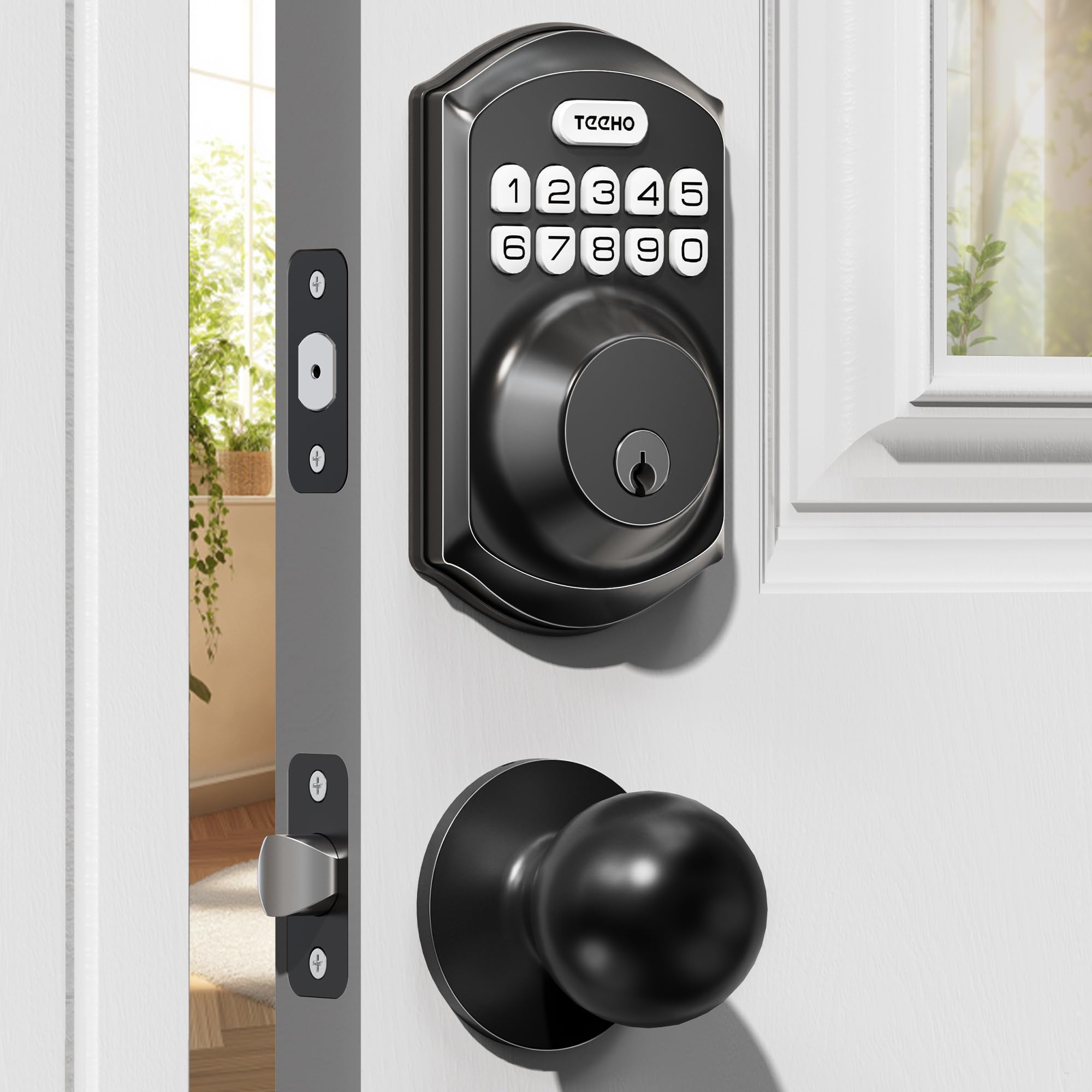
1. TEEHO TE001K Keyless Entry Door Lock with Knob
Our pick — 4.5★ from 600+ verified ratings; the strongest balance of quality and price.
The do-everything knob-and-deadbolt set that came ready for a rental turnover
If you are swapping the hardware on a front door, a back door, or a bedroom you rent out, the TEEHO TE001K is the blueprint. It is a keypad deadbolt bundled with two passage knobs, so the whole setup matches and you get keyless entry on both. In matte black it reads like a much more expensive set, and the alloy and stainless steel lock cylinder backs up the ANSI Grade 3 rating.
Day to day you open up with a pin code, a one-time code that erases itself after a single use, or one of two physical backup keys. Up to 20 user pin codes mean each family member or renter gets their own. Auto-lock kicks in 10–99 seconds after the door closes, and holding any key for 2 seconds locks it by hand. Type random digits around your real code and nobody reading over your shoulder learns anything.
The battery story is simple: four AA batteries (not included) run up to a year, and once the level dips below 15% the keypad flashes red to warn you before it dies. Fitting is the part to check first. This lock installs in 10–15 minutes with just a screwdriver, but it wants doors 1-3/8″–2″ thick, a 2-3/8″ or 2-3/4″ backset, and a standard 2-1/8″ bore hole only — a worn or oversized hole is where a swap like this can go wrong.
What To Like
- Two-in-one kit: keypad deadbolt plus two passage knobs
- 20 user codes plus one-time temporary codes
- IP54 weather resistance and ANTI Grade 3 security
- Up to 1 year on 4 AA batteries with a red low-battery flash
Worth Knowing
- Requires a standard 2-1/8″ bore hole — no fitting oversized cuts
- No Wi-Fi or app connection for remote access
Best if: you want one matching set for a front door and a bedroom, with a code for everyone and keys as a backup.
Look elsewhere if: you need remote app access or an oversized bore hole, since this lock wants a standard 2-1/8″ cut.
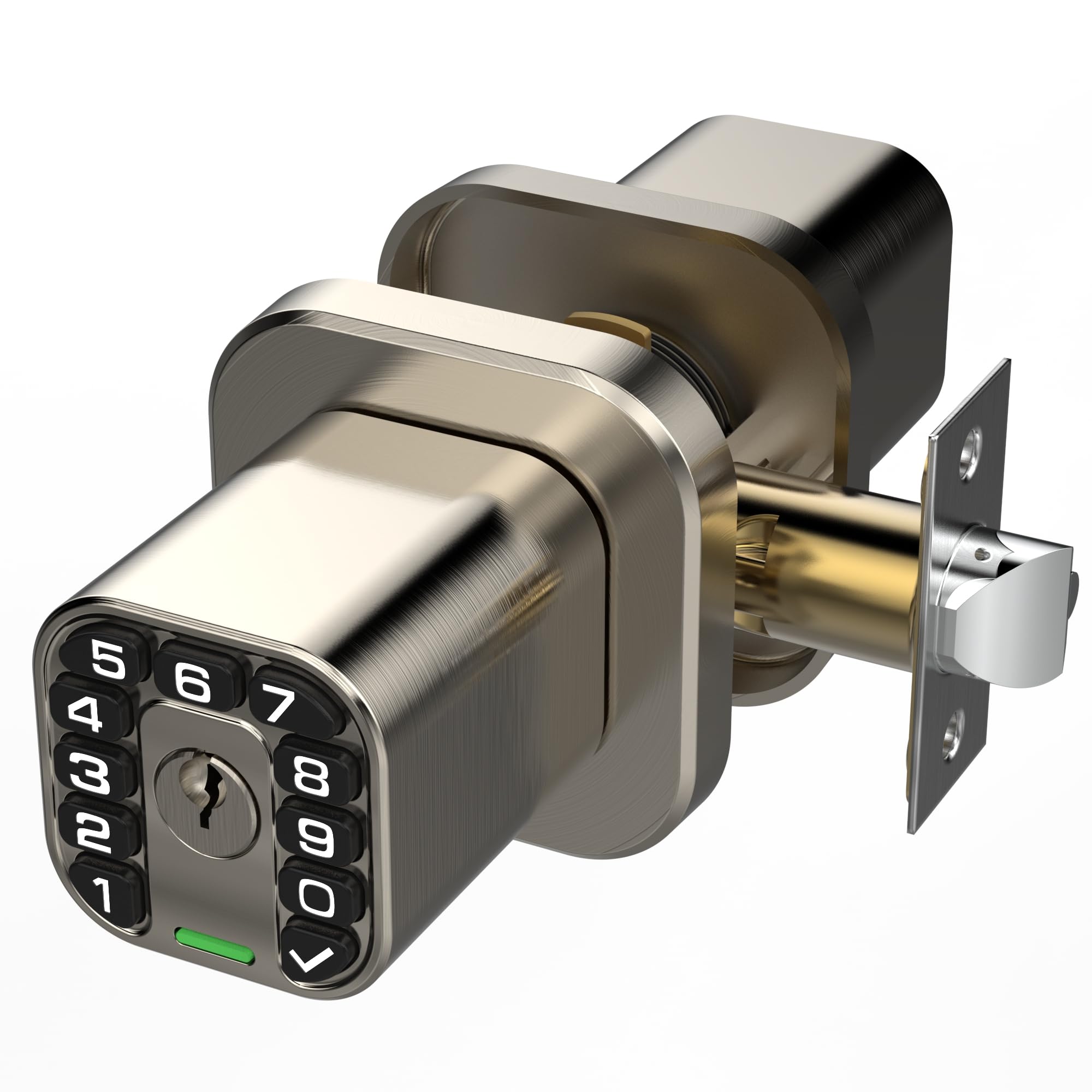
2. Richelock Square Door Knob with Keypad
A square knob lock that stores fifty codes and still fits on the whole door
The Richelock is the pick for a bedroom door with a knob rather than a deadbolt. It stores up to 50 personalized passcodes from 1–15 digits, so a family, a set of housemates, or a short-term guest list each gets a private number. You can also generate and share a temporary passcode remotely without any internet or app — handy if you hand a cleaner or a delivery driver a one-time entry.
Locking is flexible in a way cheap locks are not: auto-lock is programmable from 2 seconds all the way to 12 hours, so you can set a short delay or a long one. A silent mode kills the keypad beeps, and guest mode lets people in without a code. Two mechanical keys cover the traditional backup, and a Type-C port lets you power it back up from a portable battery if the 2 AAA cells ever run flat.
Build-wise it is high-strength zinc alloy with an electroplated finish, and it is rated to run from -22°F to +176°F, which is more range than a bedroom will ever ask of it. Reliability is the split here. Some owners have a unit that quits, and others report it holding up through rain for months — it is the one spec here where experience splits, so treat it as a knob that shines on interior doors and gives you a fair shot outside. On the plus side, the keyed backup is a genuine fallback, not a decoration.
Why it earns a spot: fifty codes, a Type-C emergency port, and auto-lock from 2 seconds to 12 hours give you a level of control usually reserved for pricier locks, and it installs with a Phillips screwdriver on a standard 2-3/4″ or 2-3/8″ backset.
The trade-off to weigh: reliability has produced both smooth months and the occasional dead-on-arrival unit, so it is best on an interior bedroom where you always have the mechanical key as backup.
We’d grab it for: a bedroom or apartment door where you want lots of codes and a backup port without paying premium prices.
Think twice if: you need a lock you are confident in for an exposed exterior door alone — a knob lock with a keyed fallback suits an interior lot better.
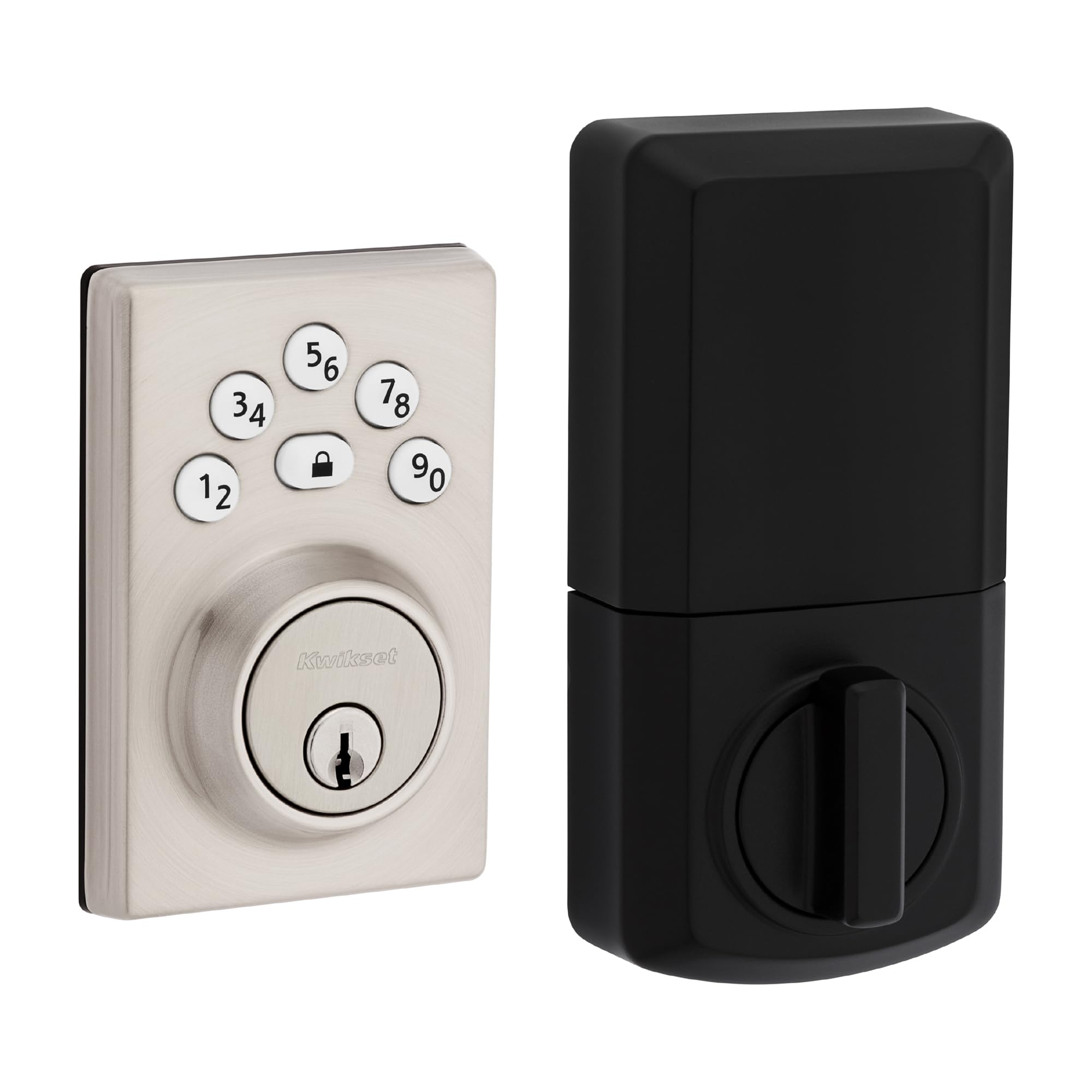
3. Kwikset Powerbolt 240 5-Button Keypad Deadbolt
The five-button deadbolt that swaps onto an existing lock in a half hour
If your door already has a standard deadbolt, this is the easy swap. The Powerbolt 240 replaces the bolt and leaves the knob alone, and owners describe getting it done in 20–30 minutes with a screwdriver even without much DIY experience. It stores up to 12 user codes plus 2 one-time codes and a programming code, and a motorized bolt means you can lock the whole door with a single button press.
Security touches are rolled in: after three wrong code attempts the lock sounds an alarm and shuts the keypad down for a minute, vacation mode disables entry entirely while you are away, and tapping the keypad lights it up so you can type in the dark. Auto-lock can be set to 30 seconds, 1 minute, 3 minutes, 5 minutes, or 10 minutes, and the four AA alkaline cells are rated for at least 12 months.
Where buyers split is on the programming and the feel of it — the panel is not as simple as some expect, and the body uses plastic alongside alloy steel. That is a fit note, not a dealbreaker, because the install and the value story here are the strong suits. It is a clean answer for anyone replacing an outdated keyed bolt on a bedroom door and wanting a code instead.
Where it shines: five-minute code setup for lock-and-go convenience, a motorized bolt, and keypad illumination for night use, on a door with an existing deadbolt.
Where it asks patience: several owners find programming fiddlier than expected, and the housing mixes plastic and metal.
Right for: anyone replacing an existing deadbolt who wants a low-fuss keypad and does not need an app.
Less right for: tinkerers who want to fine-tune every setting, or buyers who want an all-metal body.
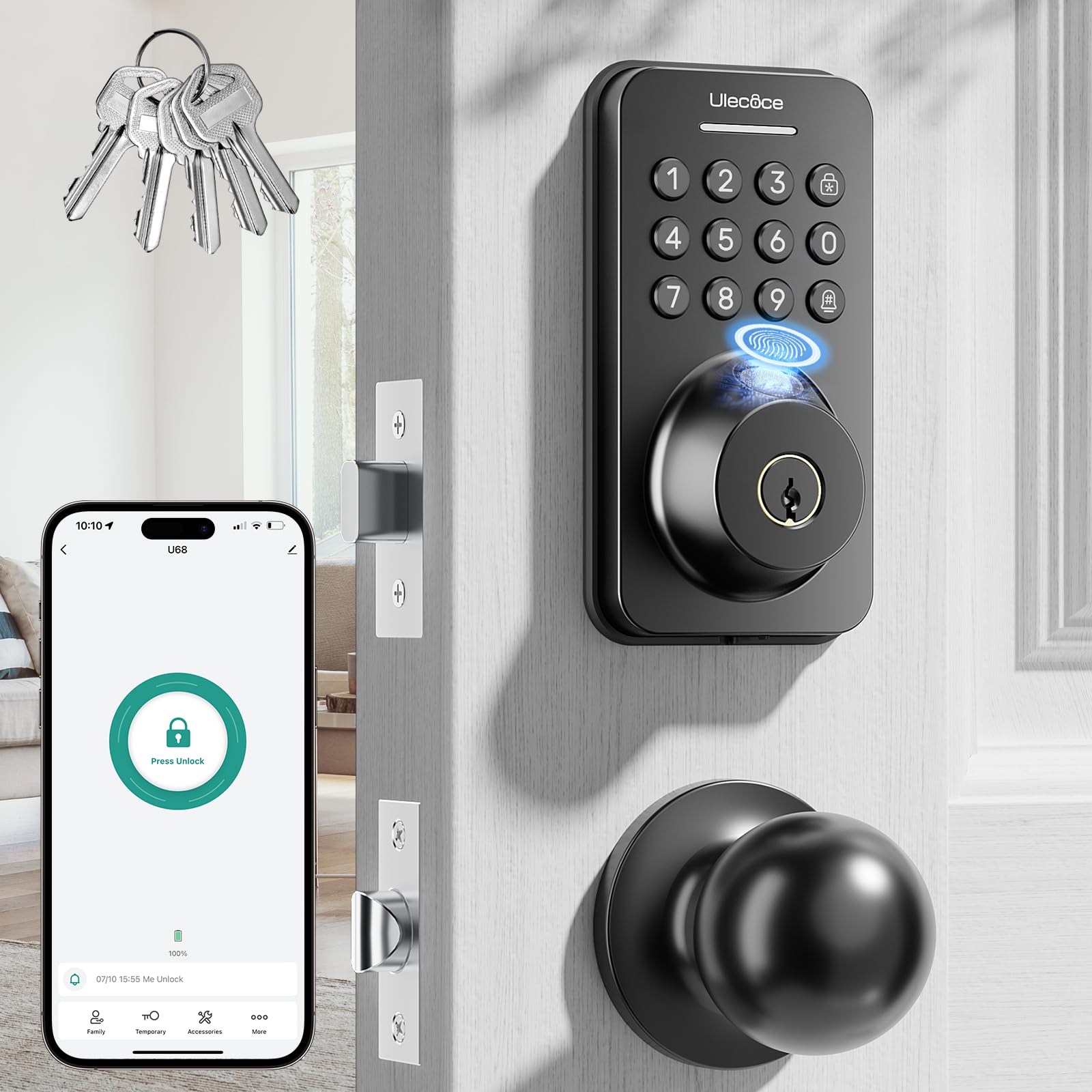
4. Ulecoce Fingerprint Keypad Deadbolt with Knob Set
The fingerprint-plus-app lock that lets you walk in with full hands
Come home late with grocery bags and the Ulecoce takes your thumb instead of a code. It reads a fingerprint in as little as 0.3 seconds and opens the door within one second, with the print stored against a large fingerprint array. Five open up methods cover app, code, fingerprint, and physical keys, and it stores up to 512 fingerprint and passcode sets — enough for an apartment building.
App control is the layer most bedroom locks skip. Through the smartphone app you can generate temporary passwords for guests with set validity windows, open up remotely, watch real-time access logs, and manage everyone’s permissions. Add the separate gateway and Alexa or Google Assistant can lock and open up by voice and stream door-open alerts. A one-touch lock button sits on both the inside and the outside, and auto-lock runs from 5 to 60 seconds after the door closes.
The 3-year warranty is the longest guarantee here, and it is weather-resistant with an IP54 rating and an anti-drill tag. Two things to know: setting it up can take a moment if you go the app-free route, and auto-lock is the mixed piece — some owners love the set-and-go security while a few tune the timing to their door. Either way it is the busiest tool in this list for a home where several people share a door.
Strongest Points
- 0.3-second fingerprint read and 1-second open up
- App control with temporary guest codes and remote open up
- Stores up to 512 fingerprint and passcode sets
- 3-year warranty, the longest here
Trade-Offs
- Gateway sold separately for Alexa and Google Assistant
- Auto-lock timing is the part owners tune most
Made for: a busy household or an office where multiple people need their own way in and you want remote management.
Overkill for: a single bedroom door that only ever needs a simple code, since you are paying for app and fingerprint features you may not use.
5. Veise VE018 Fingerprint Keypad Smart Door Knob Lock
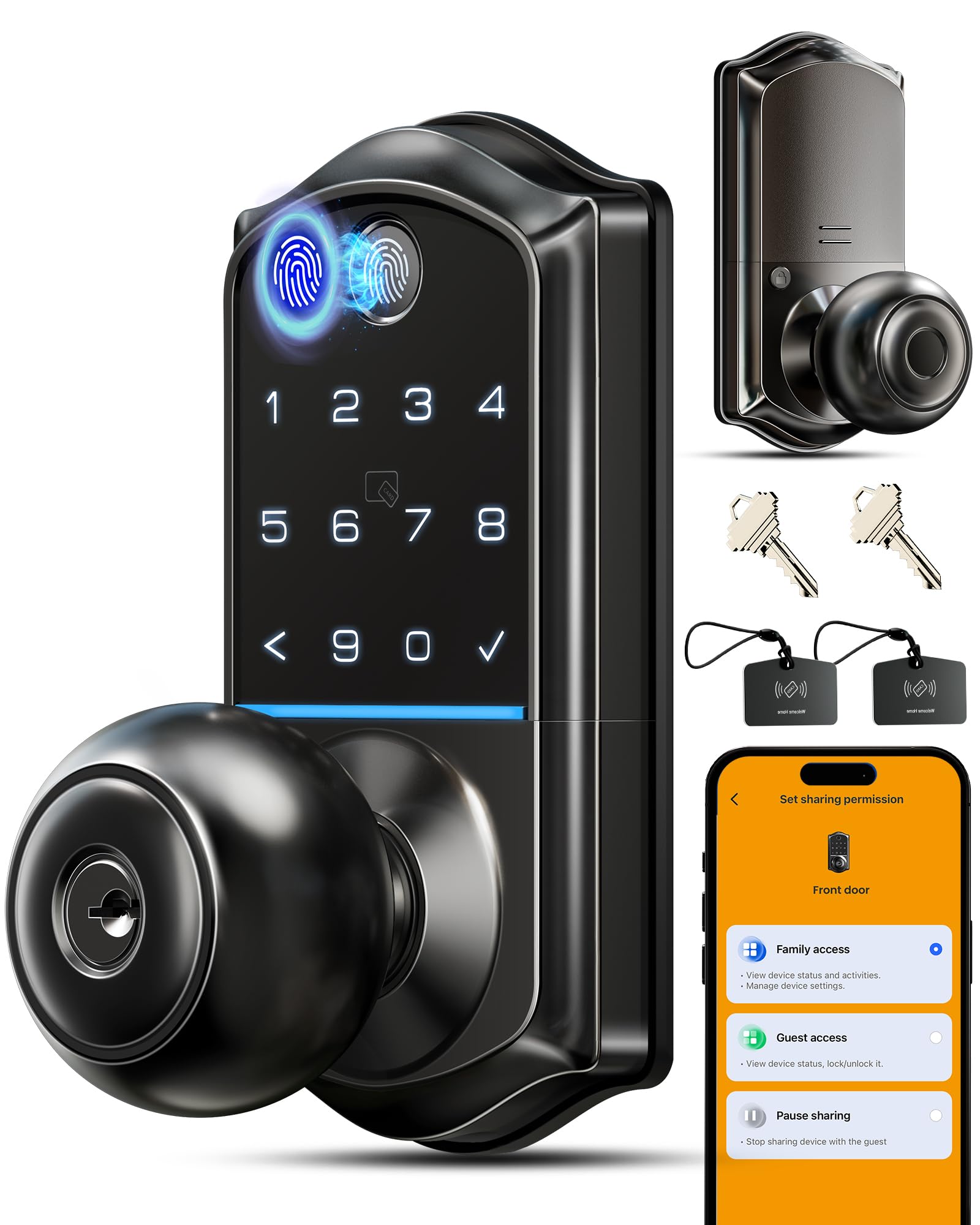
Eight ways in, sixteen months of battery, and an app that logs who came and went
Veise gives you more routes through the door than anyone else here — eight in total, including a 0.2-second fingerprint read, app Bluetooth control, the keypad, IC cards, mechanical keys, and remote authorization. The sensor uses FPC technology with self-learning, rated at 99%+ accuracy and capacity for up to 20 fingerprints. Busy families and aging parents get the simple path; guests get a fob.
What makes it a smart-home pick is the management side. Through the app you can share the lock remotely, suspend or delete any user instantly, view an activity log showing exactly which entry method opened the door and when, and set the auto-lock window anywhere from 10 to 180 seconds. It speaks three languages, works with iOS and Android, and holds up to 100+ codes plus 100+ fobs. Pair it with the separate Veise G1 gateway and Alexa or Google Assistant can take over by voice.
Battery life is the standout number: four AA cells good for up to 16 months, which Veise describes as 80% longer than standard smart locks, with a Type-C port for a quick power top-up if you ever run dry. The honesty note is on the mechanical side — a handful of owners have had the pressed knob work loose or the bolt feel stiff, and Veise’s support has been quick to replace units when that happens. Buy from a seller with a real warranty lane and this is a strong all-rounder.
Why buyers pick it: the reliability of the electronics combined with eight entry methods and a battery window that lasts up to 16 months — you charge less and juggle fewer keys.
Where it can snag: the mechanical knob is the weaker half of the build, and a small number of units arrive needing a support swap, so check a seller’s replacement policy before you commit. And the Alexa and Google integration relies on the G1 gateway sold separately.
Reach for this if: you want the widest set of ways in and a battery you can mostly forget about.
Look elsewhere if: you want a purely mechanical lock with no app or gateway involved, since the smart features are the whole point here.
6. Yamiry Smart Deadbolt Lock with Keypad and Fingerprint
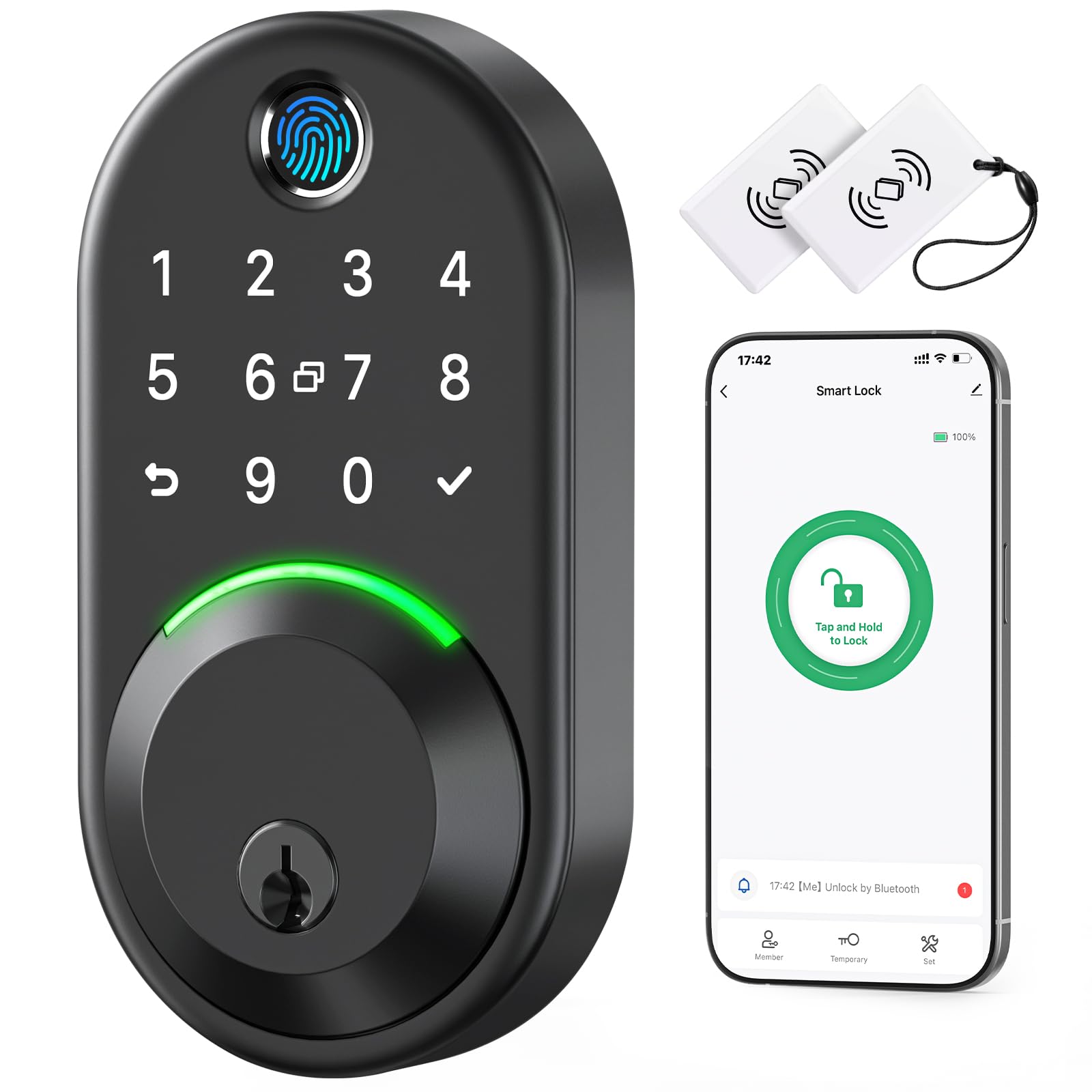
The budget deadbolt that still brings fingerprints, fobs, and IP66 sealing
The Yamiry proves you can get a lot of entry options without spending much. It locks and open up five ways — app, passcode, key fob, fingerprint, and a physical key — and it can lock four ways too, including a long press on the checkmark button and a rotatable knob that secures the door from inside in about a second. The fingerprint sensor uses an AI algorithm and keeps two fixed plus three self-learning prints.
Two features stand out at this level. The IP66 waterproof rating is the highest weatherproofing on this list, and it is rated to run from -22°F to +158°F, so it shrugs off cold snaps and rain. And remote access is real: connect it to the separate Wi-Fi gateway and the NICE DIGI app lets you manage the lock from anywhere, hand out one-time or short-term passwords, and take voice commands through Alexa or Google Assistant.
The catch with any budget smart lock is setup patience. A few owners hit a bumpy first pairing or a fiddly app, and the checkmark alone does not always throw the bolt — you sometimes press return then the check. Get past that and it is a dependable deadbolt with a low-battery alert and a straightforward screwdriver install, which is why it earns the value slot.
Where the value is: five ways to get in, IP66 sealing, and app control over Wi-Fi once you add the gateway.
What to expect: first-time setup is where buyers report friction, and the lock button occasionally needs the return-then-check sequence.
Suits: a first smart lock on a budget where you want fingerprint and app access without paying a premium.
skip it if: you would rather pay for a setup that pairs cleanly on the first try, because this one can need a little troubleshooting patience.
7. Yale Code Keypad Deadbolt

A deadbolt with no app, no Wi-Fi, and nothing between you and a code
Some people want less, not more. The Yale Code is a non-connected keypad deadbolt — every job, from adding and removing codes to setting the auto-lock and adjusting sound, is done right on the lock in seconds. No phone, no pairing, no account. It stores up to 20 entry codes so family, housemates, and anyone you trust gets their own number, and it replaces your existing deadbolt with no wiring.
The raised push buttons are the detail owners single out: they are easier to hit accurately than flat keys, and the backlit keypad means you can type in a dim hallway without squinting. Auto-lock can be set to throw the bolt 30 seconds after the door closes — a nice security default that also has a catch worth knowing if you have forgetful guests. It runs on batteries, so there is no electrician visit.
The caveat is the motor: a few owners find it loud, and some want clearer code-deletion instructions. Neither changes the fact that this is the simplest way to put a code on a bedroom or front door and stop carrying a key. Give it a low-profile look.
Why It Works
- Fully on-lock programming with no app or Wi-Fi
- Up to 20 stored entry codes
- Raised, backlit buttons that are easy to press in the dark
- Optional 30-second auto-lock for hands-free security
Small Caveats
- The locking motor is loud enough to notice
- No remote access since it is intentionally non-connected
Pick this if: you want a deadbolt that just works with a code and none of the smart-home fuss.
Pass if: you want remote access or guest codes you can send from a phone, since this lock is deliberately offline.
8. Veise VE06-L Smart Deadbolt Lock with 2 Lever Handles

Built for landlords who rewrite the codes between every tenant
Anyone managing a rental knows the pain of rekeying a lock after each move-out. The Veise VE06-L turns that into a two-minute app job. It stores 250+ codes and supports permanent, scheduled, recurring, one-time, and erase codes, with 1,000+ IC cards for e-key sharing. On top of the code, you can open up by app, web portal, admin access, key, or Apple Watch — a set of options that beats the simpler locks above for hands-off management.
The app and web portal come with no subscription, which matters over a string of tenants. You can create and grant e-keys, manage permissions, view access logs, and share passcodes instantly without being on site, and a separate G2 gateway adds Alexa and Google Assistant voice control. The lock itself is solid zinc alloy with an IP54 weatherproof rating and a BHMA/ANSI Grade 3 certification, and all records are encrypted locally on the chip with AES.
The rub for some owners is the instructions — the manual can leave settings like changing the factory passcode less than obvious without the app, and a few have leaned on support to get through setup. That support, though, is the other half of the story, with reps walking people through the whole thing in minutes. For a property where you will lean on the app anyway, that is a fair trade.
What makes it a rental tool: 250+ stored codes, no-subscription app and web portal access, and one-touch locking that lets you swap access between tenants in minutes.
The honest snag: the printed manual is thin on the on-lock settings, so you will likely want the app or a quick call to support to finish setup.
Let this one handle: rental properties, guest suites, or any door where the people coming and going change often.
Not for you if: you want a plain offline code lock and never plan to use an app — you would be paying for management tools you skip.
9. eufy Security Smart Lock FamiLock C32
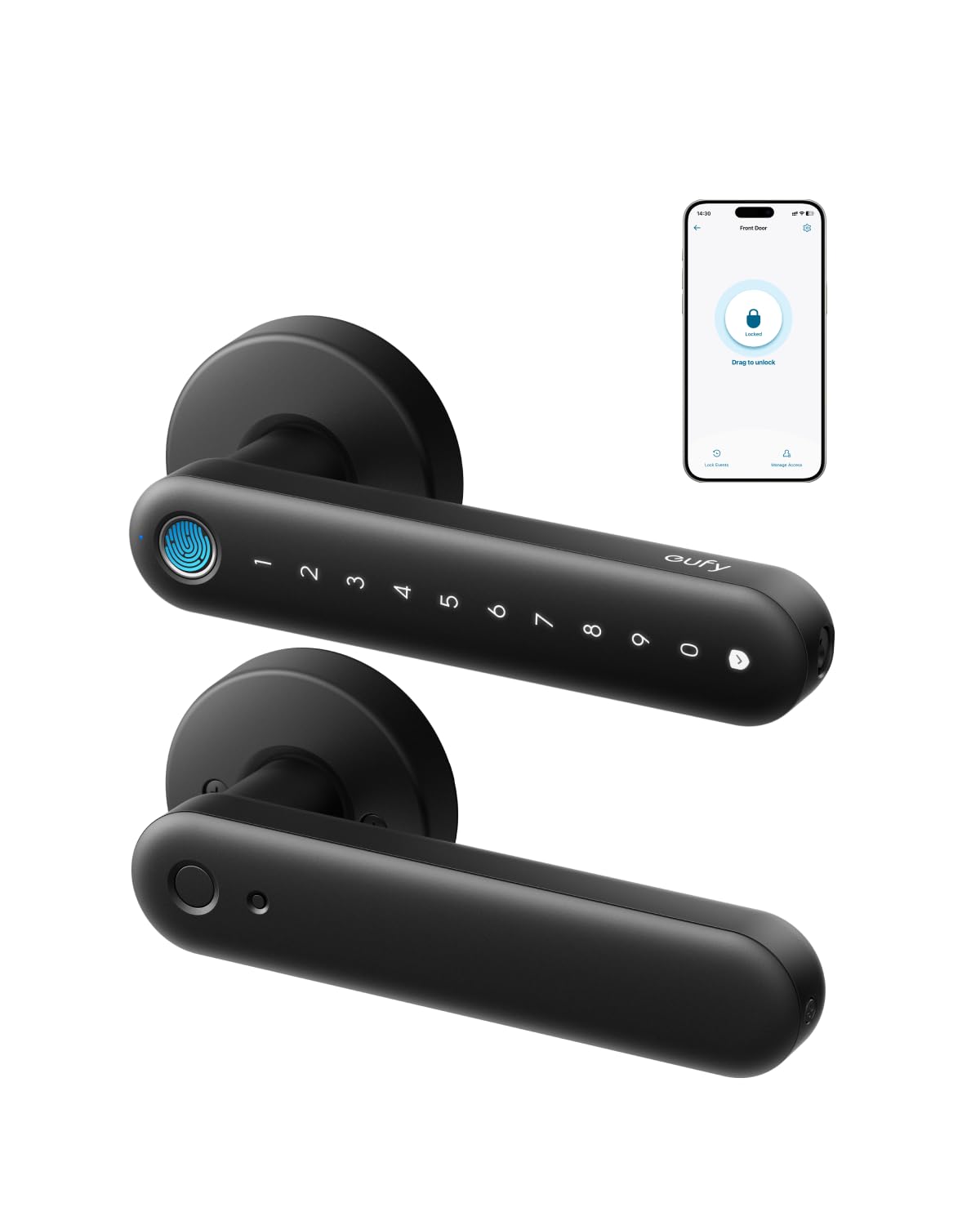
The rare smart lock actually built for a bedroom door instead of a front door
Most smart locks are designed for front doors, which is exactly why the eufy FamiLock C32 stands out — it is made for interior doors and bolts onto a standard bedroom, office, storeroom, or garage-entry door in about 15 minutes with a screwdriver. The fingerprint pad reads in 0.3 seconds, and the self-learning AI plus 360-degree recognition mean kids and seniors get an accurate read without aiming carefully.
Unlike most interior locks, it has Wi-Fi built in — a 2.4 GHz module you do not have to buy separately. That means you can authorize access remotely and manage the lock from anywhere, so you are not racing home to let someone in. It also works with Alexa and Google Assistant for hands-free voice control, and it ships with four AA batteries already in the box.
The mature-number here is battery life and it is the shortest on this list — over five months per set of four AA cells, backed by a USB-C emergency port so a power bank can open up it if the cells die while you are outside. There is one blanket rule: eufy does not recommend this lock for a front door, so it is strictly an interior pick. Finished with a matte, fingerprint-resistant coat, it is the natural fit for a bedroom you want to secure with a code or a thumb.
Standout strengths: fingerprint entry in 0.3 seconds, built-in Wi-Fi with no add-on module, and a 15-minute screwdriver install for interior doors.
The compromise: the four AA cells last just over five months — the shortest run here — and it is expressly not recommended for a front door.
Perfect for: an interior bedroom, home office, or storeroom where you want fingerprint access and built-in Wi-Fi without an added gateway.
Do not use it for: a front or exterior entry door, which eufy itself advises against for this model.
Understanding the Specs
User Codes And Entry Methods
A user code is the number you type to open up, and more codes mean more people get their own. Simpler locks hold around twenty, mid-range ones push past a hundred, and the Veise VE06-L holds over 250 for rental turnovers. Code length matters too — this list uses codes of four to eight digits, and the Richelock accepts one to fifteen. Beyond codes, methods stack up: fingerprint for hands-free entry, a key fob you tap, an app for remote control, and a physical key as the last-resort backup. For a bedroom, two or three methods is plenty.
Battery, Backset, And Fit
Check backset and bore size before you buy, or the lock goes back. Backset is the gap from the door edge to the center of the main hole — this list supports either 2-3/8″ or 2-3/4″, and the TEEHO needs a 2-1/8″ bore hole. On power, most of these run on four AA or two AAA batteries, and how long they last varies widely: the eufy runs just over five months, while the TEEHO and Veise VE018 stretch to about a year or more. Auto-lock timing — from a few seconds to several minutes — is where owners tune the feel of a lock most.
FAQ
What backset and bore size do these locks need to fit?
Can I put a keypad lock on a bedroom door instead of a front door?
Do these locks need Wi-Fi to work?
How many user codes can a bedroom keypad lock store?
What happens if the batteries die while I am outside?
Is a keypad deadbolt better than a keypad door knob for a bedroom?
Do these locks work in cold weather and rain?
How do I stop someone reading my code over my shoulder?
How long do the batteries last on a keypad bedroom lock?
Do I need an app to change the codes on these locks?
Final Thoughts: The Verdict
For most people, the bedroom door lock with keypad winner is the TEEHO TE001K — a matched keypad deadbolt and knob set with 20 user codes, one-time codes, and up to a year on four AA batteries, backed by a two-year warranty that doubles the Richelock’s one year. If you want a fingerprint and app access on a busy shared door, grab the Ulecoce Fingerprint Deadbolt for its 0.3-second read and 3-year warranty. And if the door is a plain interior bedroom, the eufy Security FamiLock C32 is the one built for that job. Whichever fits your door, the TEEHO TE001K — two-year warranty, 600+ owner reviews — is the safe first pick.
How We Picked
We do not accept paid placement. Every pick is matched to a real buyer and a real use-case; we do not hands-on test units.
Sources & Methodology
Specifications: manufacturer listings and product documentation. Review insights: verified customer reviews, as of September 2026. Pricing: not shown on this page (it changes often); check the current price via the retailer link.
As an Amazon Associate, Gadgets Feed earns from qualifying purchases. This does not affect which products we feature.