
A home computer shouldn’t dictate how you work; it should disappear into the task. Finding a machine that balances raw processing power with a whisper-quiet fan and a footprint that doesn’t command your entire desk is the real challenge—especially when you need it to last five years or more. The options range from ultra-compact mini PCs to traditional towers and space-saving all-in-ones, each with distinct trade-offs in upgradeability and sheer performance.
I’m Min — the co-founder and writer behind Gadgets Feed. I’ve spent over 1,200 hours analyzing the technical specifications, thermal designs, and real-world performance data of the latest desktop-class processors and system architectures to build this definitive guide for the home buyer.
After comparing processor generations, memory bandwidth, storage interfaces, and connectivity standards across dozens of models, this analysis reveals the single best pick for the best at home computer by matching system design to real-world workflows.
How To Choose The Best At Home Computer
Selecting the right machine for your home office or daily computing isn’t about picking the most expensive option; it’s about matching its thermal design, memory configuration, and storage speed to your specific workload intensity. A video editor and a spreadsheet analyst need fundamentally different systems.
Processor Architecture and TDP
The CPU is the heart of the system, but its thermal design power (TDP) dictates what chassis it can live in. The Intel Core i5-14450HX (55W) in the ACEMAGIC M5 is a mobile HX-series chip that punches far above U-series (15W) or N100 (6W) processors found in budget all-in-ones. For sustained multitasking—running a dozen browser tabs, a video call, and Office apps simultaneously—a higher TDP chip like the Core Ultra 9 285H (45W+) in the GEEKOM GT15 Max provides consistent performance without throttling. Meanwhile, the Core i5-12500 in the HP Pro Tower (65W) offers excellent raw power in a desktop-class form factor, ideal for those who prefer a traditional tower.
Memory and Storage Configurations
RAM capacity and type define how many applications you can keep open. 16GB is the entry point for modern computing, but 32GB of DDR5 provides a significant cushion for heavy multitasking and future-proofing. Storage interface speed is equally critical: a PCIe Gen4 NVMe SSD (offering read speeds over 5,000 MB/s) dramatically outperforms a SATA SSD (approx 550 MB/s) for boot times and large file transfers. The Dell Pro Tower Plus’s 1TB PCIe SSD is a solid example of modern storage.
Form Factor and Upgradeability
Your physical space dictates the form factor. Mini PCs like the GEEKOM A5 Pro offer a footprint smaller than a paperback and consume less power, but often use soldered memory or limit expansion to a single storage slot. Traditional towers, such as the Dell Slim Desktop, often provide tool-less access for easy upgrades to RAM, storage, and even graphics cards in some cases. All-in-ones like the Lenovo IdeaCentre save desk space by integrating the computer into the monitor, but sacrifice almost all upgradeability and are harder to service.
Quick Comparison
On smaller screens, swipe sideways to see the full table.
| Model | Category | Best For | Key Spec | Amazon |
|---|---|---|---|---|
| GEEKOM GT15 Max | Mini PC | AI Workloads & AAA Gaming | Intel Core Ultra 9 285H / 32GB DDR5 | Amazon |
| Lenovo ThinkCentre SFF | Business Tower | Multi-Monitor Trading/Dev | Intel Core i7-13620H / 32GB DDR5 | Amazon |
| Dell Pro Tower Plus | Business Tower | Professional Productivity | Intel Ultra 5 235 / 32GB DDR5 | Amazon |
| HP All-in-One 27 | All-in-One | Home & Media Consumption | AMD Ryzen 7 7730U / 32GB DDR4 | Amazon |
| ACEMAGIC M5 | Mini PC | Coding & Light AI | Intel Core i5-14450HX / 32GB DDR4 | Amazon |
| HP Desktop Tower | Traditional Tower | General Home & Student | Intel Core i5-12500 / 32GB DDR4 | Amazon |
| HP Pro Tower 290 | Business Tower | Professional Home Office | Intel Core i5-12500 / 16GB DDR4 | Amazon |
| Dell Slim Desktop | Slim Tower | Basic Home & Office | Intel Core Ultra 5-225 / 16GB DDR5 | Amazon |
| Lenovo IdeaCentre 24 (N100) | All-in-One | Simple Daily Tasks | Intel N100 / 8GB DDR4 | Amazon |
| Lenovo IdeaCentre 24 (16GB) | All-in-One | Family & Student Use | Intel N100 / 16GB DDR4 | Amazon |
| GEEKOM A5 Pro | Mini PC | Business IT & Office | AMD Ryzen 5 7430U / 16GB DDR4 | Amazon |
In‑Depth Reviews
1. GEEKOM GT15 Max

The GEEKOM GT15 Max sets a new benchmark for home computing by integrating the Intel Core Ultra 9 285H processor with a dedicated AI Boost NPU capable of 99 TOPS. This mini PC doesn’t just handle traditional office tasks; it accelerates local AI model execution, Copilot+ features, and creative applications without relying on cloud processing. The 32GB of DDR5 RAM and 1TB NVMe SSD provide a foundation that handles both heavy computational workloads and rapid file access with ease.
Gamers and content creators will appreciate the Intel Arc 140T integrated GPU, which supports DirectX 12 Ultimate, XeSS upscaling, and ray tracing, enabling smooth AAA gaming at 1080p and 8K video playback. The dual USB4 ports (40Gbps, 8K video) and dual 2.5G LAN ports make it a networking powerhouse for home labs or trading desks. The IceBlast 3.0 cooling system uses an oversized copper heatsink and a silent fan to maintain peak performance during extended sessions without audible noise.
Its all-aluminum chassis is laboratory-tested for durability, and the non-soldered RAM design allows future upgrades up to 128GB. With Windows 11 Pro, TPM 2.0 security, and a 3-year warranty, this is a future-proof investment for the most demanding home user who needs a compact powerhouse.
Why it’s great
- Industry-leading 99 TOPS NPU for local AI acceleration.
- Intel Arc 140T GPU capable of AAA gaming and 8K output.
- Fully upgradeable DDR5 RAM (up to 128GB) and dual NVMe slots.
Good to know
- Some units may ship with a European-style power plug requiring an adapter.
- Customer support responsiveness has been inconsistent in reported cases.
2. Lenovo ThinkCentre Small Form Factor
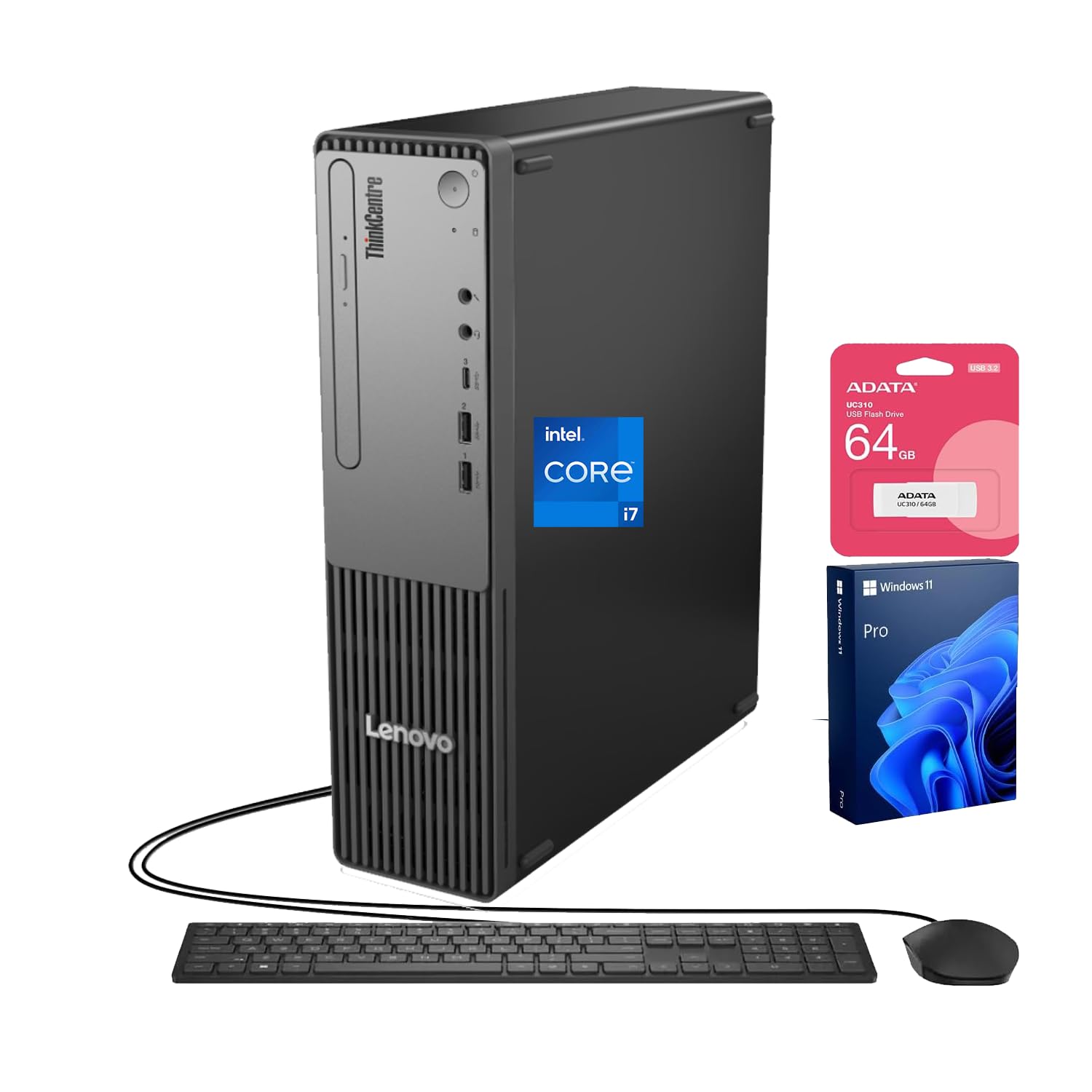
The Lenovo ThinkCentre SFF packs a 13th Gen Intel Core i7-13620H (10 cores, 16 threads) into a compact business-oriented chassis. With 32GB of DDR5 RAM and a 1TB SSD, this desktop is engineered for professionals who need to run heavy development environments, financial trading dashboards, or creative applications across multiple monitors. The quad-display support via HDMI and VGA gives it unusual versatility for a small form factor machine.
Its bundle with a 64GB USB flash drive is a practical bonus for data transfer or system backups. The system is quiet in operation, with users reporting it as significantly faster than older tower replacements. The compact size is a recurring point of praise, making it easy to place in a home office without sacrificing desk space.
The non-standard keyboard layout (shifted symbols) is a minor ergonomic quirk to be aware of. This is a business-class machine that prioritizes reliability and connectivity, making it a perfect fit for power users who value multi-monitor productivity over gaming performance.
Why it’s great
- Powerful 10-core i7-13620H processor with 24MB cache.
- Supports up to four displays for expansive workspace.
- Includes a 64GB USB flash drive for added storage.
Good to know
- Keyboard has a non-standard layout with shifted symbol keys.
- Integrated graphics not suitable for demanding 3D gaming.
3. Dell Pro Tower Plus

The Dell Pro Tower Plus is a serious workstation for the home professional, built around the Intel 14-core Ultra 5 235 processor. The 32GB of DDR5 RAM provides high bandwidth for memory-intensive tasks like video editing, data analysis, and virtual machines. Its 1TB PCIe SSD ensures rapid boot times and ample storage for project files. The Windows 11 Pro operating system adds business-grade security and remote desktop capabilities.
The tower form factor offers good expansion potential, with tool-less access for adding internal storage (users have successfully installed 8TB HDDs). The system is designed for quiet operation and consistent performance under load. Note that the USB-C port is data-only and does not support video output, which may limit some monitor setups without an adapter.
This machine excels for users who need a reliable, upgradeable tower for professional productivity. It’s a desktop-class workhorse that prioritizes stability and memory capacity, making it a strong choice for creators and analysts who work with large datasets and complex applications.
Why it’s great
- 14-core Intel Ultra 5 235 processor for heavy multitasking.
- 32GB DDR5 RAM for fast, responsive memory handling.
- Tool-less tower design allows for easy upgrades.
Good to know
- USB-C port is data-only, not video-capable.
- Limited internal hard drive expansion with only two card slots.
4. HP 27-Inch All-in-One

The HP All-in-One 27 combines a powerful AMD Ryzen 7 7730U processor with a large 27-inch FHD anti-glare IPS display, creating a seamless, clutter-free desktop experience. The 32GB of DDR4 RAM and 1TB SSD provide more than enough headroom for home use, media streaming, and light content creation. Its ultra-slim micro-edge bezel design gives a modern look with a 90% screen-to-body ratio.
Video conferencing is a key strength, featuring a tiltable pop-up privacy camera, HP Video Controls, dual-array microphones, and advanced noise reduction technology. This makes it an excellent choice for families and remote workers who spend significant time on calls. The all-in-one form factor means no separate tower to hide, keeping the desk remarkably clean.
The primary compromise is upgradeability; all-in-ones offer very limited internal component access. A small number of user reports mention random shutdowns potentially related to thermal protection, so proper ventilation around the unit is essential. It’s a stylish, powerful package for users who prioritize design and display size over future tinkering.
Why it’s great
- Large 27-inch FHD display with anti-glare finish and slim bezels.
- Excellent video call features with tiltable privacy camera and noise reduction.
- Generous 32GB RAM and 1TB SSD for smooth multitasking.
Good to know
- Limited to no internal upgradeability.
- Some users report random shutdowns potentially related to thermal management.
5. ACEMAGIC M5 Mini PC
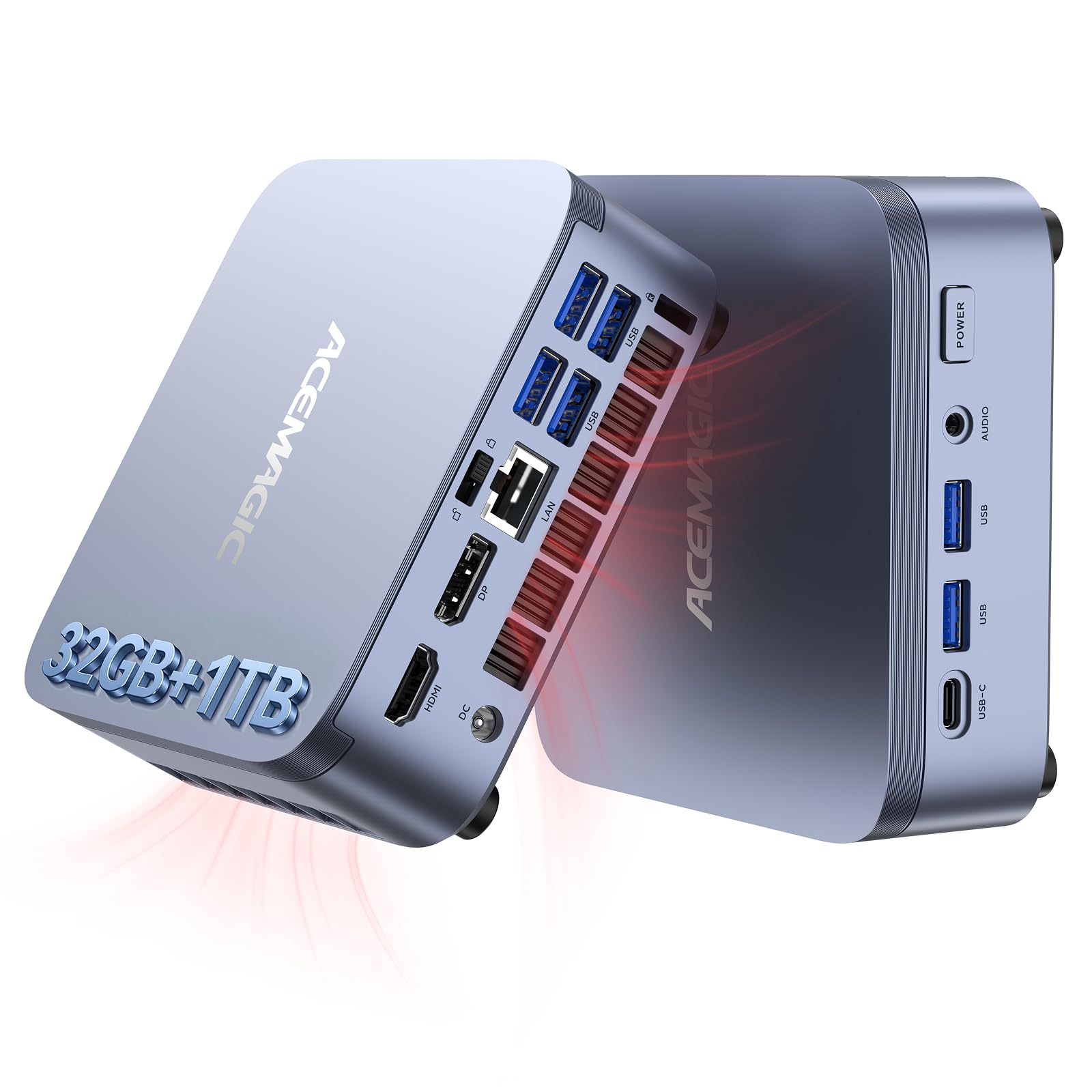
The ACEMAGIC M5 delivers an incredible performance proposition with its Intel Core i5-14450HX processor, a mobile HX-series chip with 10 cores and a 55W TDP that rivals desktop-class CPUs. With 32GB of dual-channel DDR4 RAM and a 1TB PCIe Gen4 NVMe SSD, this mini PC handles local AI models (like DeepSeek R1 8B), coding environments, and heavy multitasking with ease. Its triple-display support (HDMI, DisplayPort, USB-C) is flexible for any workspace.
The advanced cooling system uses vapor chamber technology and heat pipes to keep noise levels as low as 35dB under normal use. Users consistently praise its quiet operation and compact footprint. The unit is pre-installed with Windows 11 Pro and supports Linux for dual-boot setups, making it ideal for developers and tech enthusiasts.
For the price, it offers an exceptional blend of processing power and memory capacity that outpaces many traditional towers. The 2-year warranty and responsive customer support provide peace of mind. This is the go-to machine for anyone who needs serious computational power without the bulk or cost of a high-end tower.
Why it’s great
- 10-core HX-series CPU outperforms many desktop i7/i9 chips.
- 32GB dual-channel RAM and 1TB Gen4 SSD for rapid data access.
- Advanced vapor chamber cooling keeps it quiet at 35dB.
Good to know
- One user reported a black screen issue resolved by support.
- Not designed for heavy triple-A gaming without a dedicated GPU.
6. HP Desktop Tower (i5-12500)
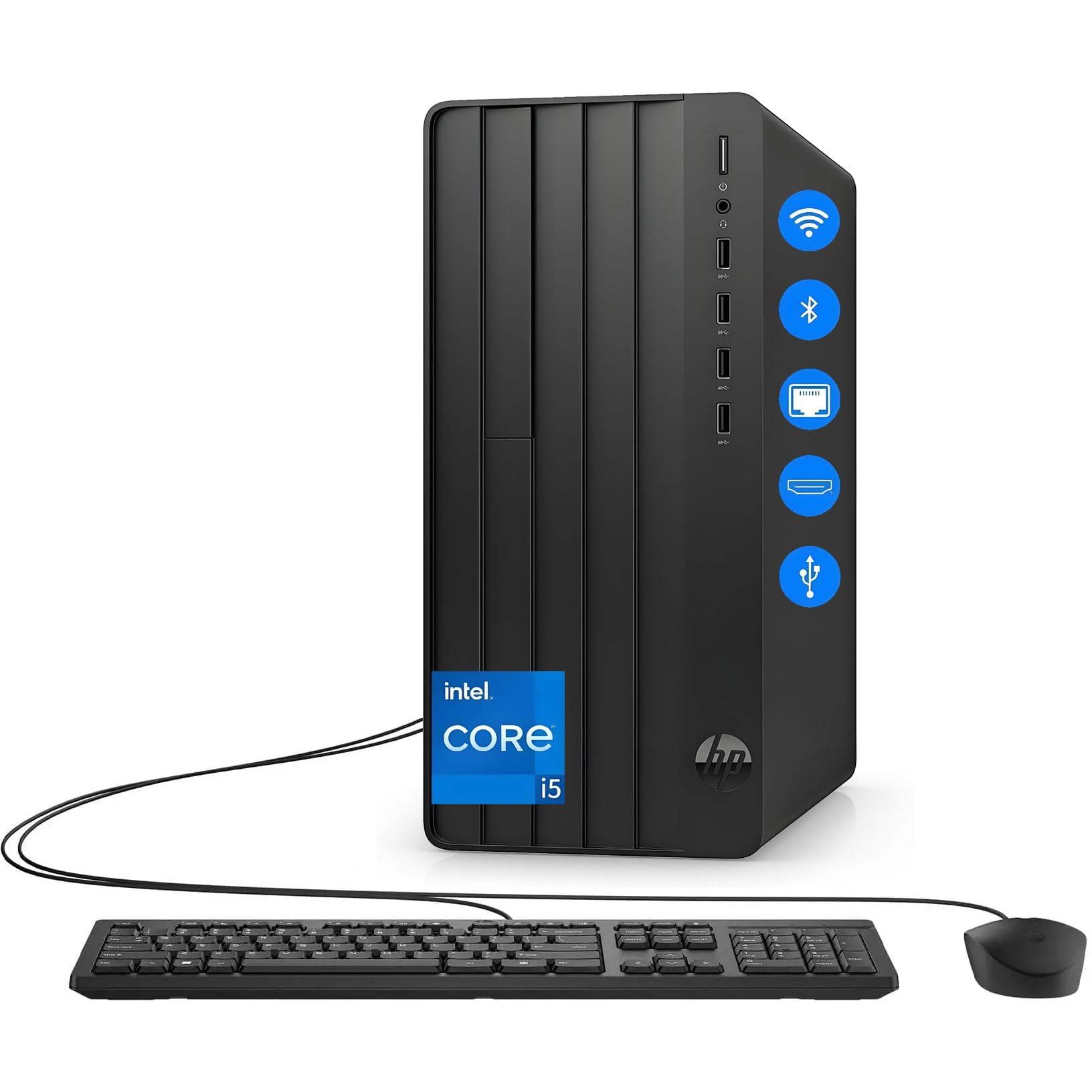
The HP Desktop Tower is a classic, no-nonsense configuration built around the reliable 12th Gen Intel Core i5-12500. With 32GB of DDR4 RAM and a 1TB PCIe NVMe SSD, this system is well-equipped for home office work, student research, and general productivity. The Intel UHD Graphics 770 handles video streaming and light photo editing without issue.
The tower form factor offers traditional expansion, and the unit comes ready-to-use with a wired keyboard and mouse. Users consistently note its dead-quiet operation and fast boot times. It’s a dependable workhorse for users who need a straightforward upgrade from an older PC without the complexity of a specialized form factor.
The lack of an internal optical drive may be a limitation for some, but an external USB drive is an easy fix. This is a great, balanced choice for anyone who values reliability and a clean, simple tower design for home use.
Why it’s great
- 32GB of DDR4 RAM provides excellent multitasking headroom.
- 1TB PCIe NVMe SSD for fast boot and file access.
- Operates whisper-quiet according to user feedback.
Good to know
- No internal DVD/CD drive included.
- HP registration process had a minor glitch with model numbers for some users.
7. HP Pro Tower 290 G9

The HP Pro Tower 290 G9 is equipped with a 12th Gen Intel Core i5-12500 processor and 16GB of DDR4 RAM, making it a strong contender for a home office that needs professional-grade reliability. The 512GB PCIe NVMe SSD provides quick boot times, and the Wi-Fi 6 and Bluetooth 5.3 ensure modern wireless connectivity. The Intel UHD Graphics 770 supports dual monitors for increased productivity.
Its design is centered on business use, with a compact tower form factor (11.92″ x 6.1″ x 13.27″), a TPM 2.0 security chip, and an 80 Plus Gold efficient 180W power supply. Users report that it handles heavy multitasking without strain and remains very quiet during operation. It’s a dependable platform for remote work, data analysis, and online learning.
One user noted that the default printer driver (Microsoft IPP Class) needed a manual change to the HP driver for proper envelope printing. This is a minor setup quirk in an otherwise solid, business-class machine that excels in reliability and professional-grade features.
Why it’s great
- 12th Gen i5-12500 with 18MB cache for smooth business multitasking.
- TPM 2.0 security chip for data protection.
- Compact, quiet design ideal for professional home offices.
Good to know
- Some users had to manually replace the default printer driver.
- Not suitable for serious 3D gaming without a dedicated GPU.
8. Dell Slim Desktop ECS1250

The Dell Slim Desktop ECS1250 brings AI acceleration to the home user with its Intel Core Ultra 5-225 processor, which features a built-in NPU for AI-enhanced productivity tasks. The 16GB of DDR5 RAM and 512GB M.2 SSD provide modern performance for daily computing, while the slim, tool-less chassis allows for easy upgrades. It supports up to four FHD monitors via daisy chaining or two 4K displays.
Users praise its quiet operation and modern design, which fits easily into small workspaces. It’s a great choice for anyone upgrading from an older system who wants the latest platform for AI-assisted apps and robust security (hardware TPM chip). The 1-year onsite service and 6-month Dell Migrate tool are valuable inclusions for peace of mind.
The integrated graphics are sufficient for productivity and media consumption but not for demanding games. It’s an excellent entry point for the latest Intel platform in a compact, serviceable tower package.
Why it’s great
- Intel Core Ultra 5 with built-in AI NPU for modern productivity apps.
- Tool-less side panel for effortless component upgrades.
- Supports up to four FHD monitors or two 4K displays.
Good to know
- No dedicated graphics for gaming.
- 1-year onsite warranty, which is shorter than some competitors.
9. Lenovo IdeaCentre 24 (N100 / 8GB)

The Lenovo IdeaCentre 24 is a budget-friendly all-in-one that prioritizes simplicity and a large, clear 24-inch FHD display. Powered by the Intel N100 processor, it is designed for light everyday tasks like web browsing, email, and document editing via Office 365 for the Web. Its 8GB of RAM and 256GB SSD are sufficient for basic home use, and the inclusion of a 5MP AI camera with privacy shutter is a nice touch for video calls.
The zero-noise design (passive cooling for the N100) and Harman audio-enhanced speakers make it a pleasant media consumption device. The all-in-one form factor is incredibly space-efficient, and the low blue light technology helps reduce eye strain during extended use. This is a perfect machine for a student or a parent who only needs a simple, reliable computer.
Its limitations are clear: the N100 is not meant for heavy multitasking or any form of gaming. The 8GB of RAM is the bare minimum for Windows 11, and the storage is limited. It excels as a secondary computer or a primary machine for the most basic of users.
Why it’s great
- Large 24-inch FHD display with low blue light technology.
- All-in-one design with zero noise from the N100 processor.
- 5MP webcam with privacy shutter and AI noise suppression.
Good to know
- 8GB RAM and N100 processor limit multitasking capability.
- 256GB SSD offers minimal storage for files and applications.
10. Lenovo IdeaCentre 24 (N100 / 16GB)

This Lenovo IdeaCentre 24 is essentially the same all-in-one package as the previous model but with a critical upgrade: 16GB of DDR4 RAM and a faster 512GB PCIe NVMe SSD. This memory increase makes a significant difference in Windows 11 usability, allowing for smoother multitasking across multiple browser tabs and office applications without the system stuttering.
The 23.8-inch FHD IPS anti-glare display is excellent for daily use, and the included wired keyboard and mouse are functional and quiet. Users appreciate its simple setup and clean desk footprint. This configuration represents the sweet spot for an entry-level all-in-one, balancing cost with real-world performance.
The same form factor limitations apply: no internal component upgrades and no pre-installed Office suite (requiring a subscription for Office 365). It’s a fantastic machine for families, students, or anyone who wants a reliable, space-saving computer for basic tasks with enough memory to keep things running smoothly.
Why it’s great
- 16GB DDR4 RAM enables smooth Windows 11 multitasking.
- 512GB PCIe NVMe SSD provides ample storage and fast boot times.
- Stylish, minimalist all-in-one design saves significant desk space.
Good to know
- No upgrade path for internal components (RAM, storage).
- No pre-installed Office suite; requires separate subscription.
11. GEEKOM A5 Pro Mini PC
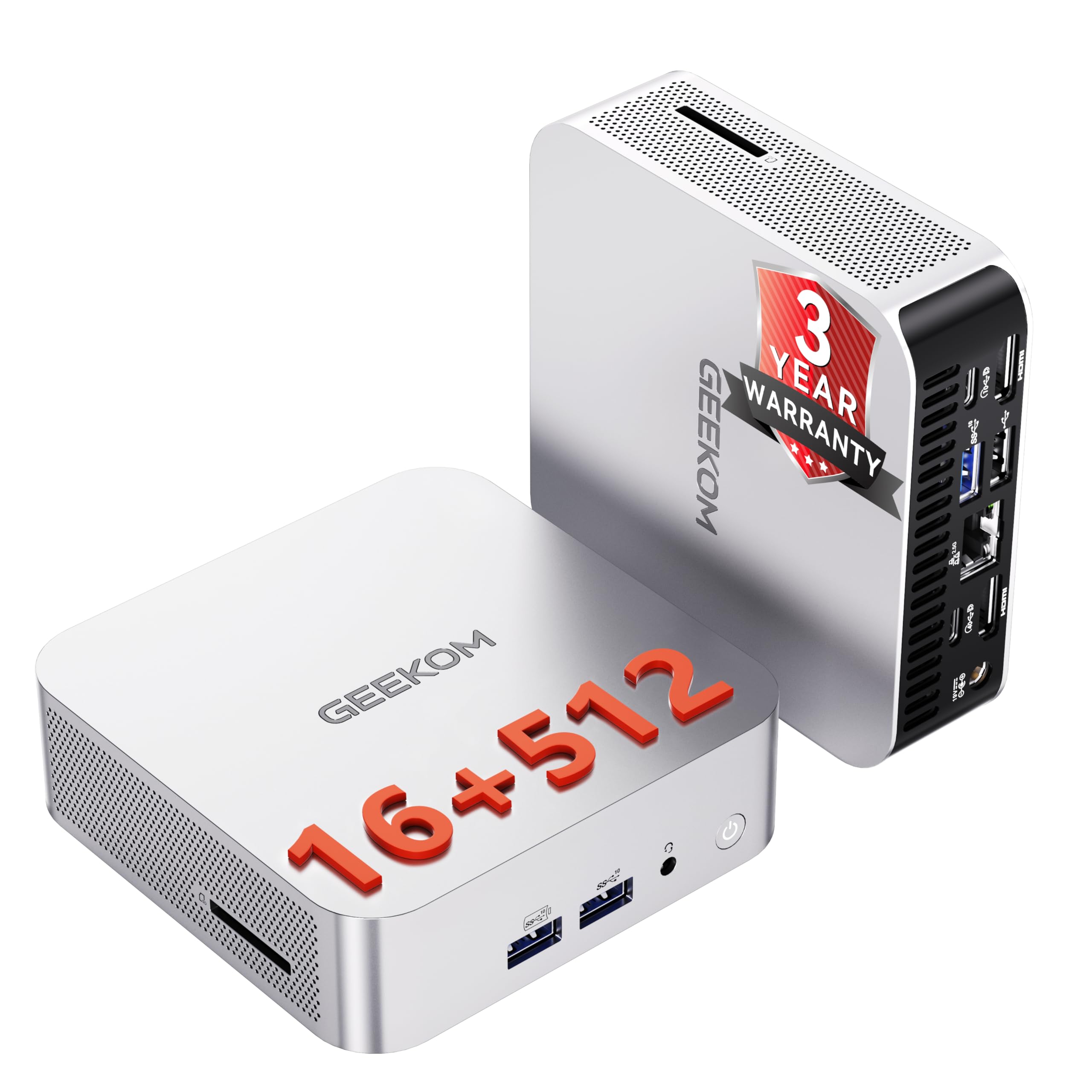
The GEEKOM A5 Pro is a purpose-built mini PC for business and home office deployment, featuring the energy-efficient AMD Ryzen 5 7430U processor (6 cores, 12 threads) paired with 16GB of upgradeable DDR4 RAM and a 512GB PCIe SSD. Its standout feature is the ability to support up to four displays (via 2x HDMI, 2x USB-C) with stunning 8K output, making it ideal for data analysts, financial professionals, and IT managers.
Pre-installed with Windows 11 Pro, it includes business features like BitLocker and Remote Desktop for easy integration into managed networks. The IceBlast cooling technology ensures it remains whisper-quiet even after hours of use, and its small size (about a paperback book) makes it perfect for cluttered desks. The 3-year warranty significantly outpaces the industry standard of 1 year.
Users consistently praise its speed, cool operation, and robust build quality. The only minor note is the lack of built-in speakers, requiring an external speaker or headphone. This is an outstanding choice for a reliable, space-saving, and highly capable office computer for a variety of professional tasks.
Why it’s great
- Supports up to four displays with 8K resolution output.
- Upgradeable RAM and storage for extended lifespan.
- Includes a comprehensive 3-year limited warranty.
Good to know
- No built-in speaker; requires external audio device.
- Upgrading the RAM may void the 3-year warranty according to some reports.
FAQ
What is the difference between an HX-series and U-series processor for home use?
Is 16GB of RAM enough for an at home computer in 2025?
Final Thoughts: The Verdict
For most users, the best at home computer winner is the ACEMAGIC M5 because it delivers a desktop-class HX-series processor and 32GB of RAM in a compact, quiet mini PC format at an exceptional value. If you need the absolute peak of processing power for AI workloads and AAA gaming, grab the GEEKOM GT15 Max. And for a no-compromise, space-saving all-in-one with a beautiful display for home and family use, nothing beats the HP 27-Inch All-in-One.