
Our readers keep the lights on and my morning glass full of iced black tea. As an Amazon Associate, I earn from qualifying purchases.
Specs are compiled from manufacturer listings and verified buyer reviews and can change over time — please confirm the key details on the product page before buying.
If you just want a drive you can plug in, fill up, and forget about, the Western Digital 2TB Elements is the one most people should buy — it holds a huge amount of data, works the moment you plug it in, and has proven itself across an enormous number of owners. Everything below is about matching the drive to how you actually use it, because a commuter who shuttles files in a backpack and a gamer parking 60GB titles on a console need very different things.
I’m Min — the founder and writer behind Gadgets Feed. This guide is built by comparing the manufacturers’ published specifications and the patterns across verified customer reviews, so you get each pick’s real strengths and trade-offs instead of marketing spin.
Portable drives have not changed much on the outside in years, but the details inside that enclosure decide whether your files survive a commute. This breakdown sorts the reliable workhorses from the fussy ones, so you can pick an affordable external hard drive that actually fits your desk, bag, and budget.
Our Picks at a Glance


How To Choose The Best Affordable External Hard Drive
Most people buying a portable drive fall into one of three groups: someone backing up a laptop before it fills up, someone moving a giant game library off a console, and someone carrying work files between two machines. Each group needs a different balance of capacity, toughness, and speed — and picking the wrong one means either paying for space you never fill or running out halfway through a backup.
Start with capacity, not speed
A terabyte holds roughly a quarter of a million photos or a couple hundred hours of video, so 1TB covers most home users for a few years. Jump to 2TB if you shoot 4K video or keep a game library on the drive. Buy for where you will be in two years, because you cannot add storage to a sealed drive later.
Match the form factor to your desk life
Pocket-sized drives with 2.5-inch internal disks run off the USB port alone, so they slip into a laptop bag and need no wall plug. Bigger 3.5-inch enclosures hold more for the money but usually want their own power supply and stay parked on a desk. If the drive leaves your house, pick the smaller one every time.
Know your operating system before you buy
Nearly every drive here ships formatted NTFS, which Windows reads instantly and Macs can only read from — not write to. Mac owners should plan on reformatting to a Mac-friendly format before the first backup, and Windows users who share files with Apple machines should consider a format both can read. This is the single most common setup stumbling block.
Quick Comparison
| Model | Best For | Capacity | Form Factor | Transfer Rating | Amazon |
|---|---|---|---|---|---|
| WD 2TB Elements Portable★ Best Overall | All-round backup workhorse | 2 TB | 3.5-inch | 5 Gbps | Amazon |
| Seagate Portable 1TBMost Storage | Console and PC backup | 1 TB | Portable | 20 Gbps | Amazon |
| Toshiba Canvio Basics 1TB | Quiet everyday file storage | 1 TB | Portable | 5 Gbps | Amazon |
| ADATA HD710 Pro 2TB | Rough handling and travel | 2 TB | Portable | 90 Mbps | Amazon |
| WD 1TB Elements Portable | Simple Windows expansion | 1 TB | 3.5-inch | 1 Gbps | Amazon |
| Maxone 1TB Ultra Slim | Budget metal-body pick | 1 TB | Portable | 5000 Mbps | Amazon |
| 1TB Ultra Slim Portable (Tianken) | Cheapest console-friendly option | 1 TB | 2.5-inch | 5 Gbps | Amazon |
In‑Depth Reviews
1. WD 2TB Elements Portable External Hard Drive USB 3.2 Gen 1
Our pick — over 4.5★ from 165,000+ verified ratings; the strongest balance of quality and price.
The 2TB workhorse that backs up two laptops without anyone thinking about it.
The WD Elements Portable is a 2TB mechanical hard disk built for the boring, essential job of keeping your files somewhere other than your laptop. Its USB 3.2 Gen 1 connection moves data at 5 gigabits per second, fast enough that buyers report full backups finishing in under an hour. Plug it in, and Windows sees it immediately without installing a single piece of Western Digital software.
What wins people over here is sheer room. This drive holds twice the storage of the Tianken 1TB Ultra Slim — 2TB against 1TB — and an enormous crowd of owners have settled on it for exactly that reason: 4.7 stars across 165,000+ ratings. Owners mention using it to back up two separate computers through iDrive local backup, each with its own account, and the drive handled both without complaint. It also comes in a compact, travel-friendly enclosure that fits in a jacket pocket rather than a desk drawer.
Two honest notes before you commit. First, compatibility is the messiest part of the buyer feedback: Windows, Xbox One S, and PS4 customers note smooth sailing, while Mac owners routinely hit formatting walls. Second, the drive is a mechanical disk in a 3.5-inch form factor, not flash storage — fast for its class, but it lives on a desk or in a bag rather than a pocket after rough handling. Neither point is a defect. Both are planning details you should settle before the first backup.
Where it shines
- 2TB of capacity — twice the storage of the 1TB Tianken Ultra Slim
- USB 3.2 Gen 1 at 5 Gbps, fast enough to feel like an internal drive for everyday backups
- Plug-and-play on Windows with no WD software required
- Compact, lightweight design that travels easily in a laptop bag
What to weigh first
- Mac owners must reformat before writing to the drive — Time Machine can lock a drive into backups only
- 3.5-inch mechanical enclosure is not built for pocket carry
- Confirmed Xbox One S and PS4 use, but check your specific console before relying on it
Grab this one if: you want the biggest storage in the smallest footprint and you back up a Windows PC or a console.
Hold off if: a Mac is your main machine and you’d rather not reformat a fresh drive before day one.
2. Seagate Portable 1TB External Hard Drive STGX1000400
The 1TB desk drive gamers, editors, and console owners plug in and forget.
What stands out first is the setup: the Seagate Portable is a 1TB USB 3.0 drive that Windows recognizes automatically, no software step at all. The included 18-inch USB 3.0 cable is short enough that the drive sits on your desk rather than dangling in mid-air, and the whole thing weighs almost nothing next to a laptop charger. Its published transfer ceiling is 20 gigabits per second, the highest rating in this roundup.
Reviewers point out using this drive for the exact jobs the spec sheet implies. Video editors pull footage off an NVR in bulk. Photographers and students park old project files they cannot delete yet. Gamers keep the drive hooked to a PlayStation or an Xbox One and shuffle their library around. The 1TB capacity covers a genuinely large volume of photos, video, and documents without forcing you into a cloud subscription, which is why so many owners reach for a second one rather than pay a monthly fee.
The recurring gripe is not the drive itself — it is the resale experience. A buyer who picked up a used unit found the disk arrived blank, Windows refused access, and the drive needed a full format before it would work. That is a resale workflow quirk, not a fault of a new unit, but it is worth knowing if you plan to buy used. One owner also flagged the long-running price story: a unit bought years ago cost roughly half what the same drive runs today.
Fast at the port: a claimed 20 Gbps transfer rating beats the 5 Gbps WD Elements pair — meaning large file dumps move quickly instead of leaving you waiting at the desk.
The verdict lands simply: this is the safe middle option for anyone who wants a bigger, more comfortable workspace on a console or a PC and does not need ruggedized protection.
Trust it for: general backups, video transfers, and console expansion where the drive stays on a desk.
Think twice if: you plan to buy a resale drive and are not comfortable formatting a blank disk in Disk Management first.
3. Toshiba Canvio Basics 1TB Portable External Hard Drive

Sleek, smudge-resistant, and quiet enough to forget it is running.
The Toshiba Canvio Basics earns its keep through the little things. The matte polycarbonate shell resists fingerprints and smudges, so it looks tidy after months of handling rather than greasy after a week. The 1TB disk inside connects over USB 3.0 and reads at up to 5 gigabits per second, matching the WD Elements pair above rather than the higher-rated Seagate. No wall outlet needed — the drive draws everything it requires from the USB port.
Reads are where owners notice the difference. One owner clocked a full backup in under an hour, against hours on their previous external drive. Another bought it specifically to hold weekly video archives from a church program and appreciated having room for years of footage. The plain matte look and the silent running are the two details mentioned most often in the review pages, which fits the use case: a drive that sits quietly on a desk and needs no babysitting.
The catch owners keep running into is the drive’s relationship with Windows backup tools and Macs. On a Windows 10 machine, the first system backup occasionally failed until the old drive was manually removed from the backup list. On Macs, Time Machine changes the format and locks the drive into read-only mode, mirroring what happens with every other disk in this roundup. Neither is a fault of the Toshiba — it is how Windows Backup and Time Machine behave — but knowing it in advance saves a frustrating hour.
Good fit for: clean, quiet, everyday Windows backups where a tidy matte finish matters.
Skip past if: you plan to run Time Machine on a Mac and want read/write access to other files on the same disk.
4. ADATA HD710 Pro 2TB External Hard Drive
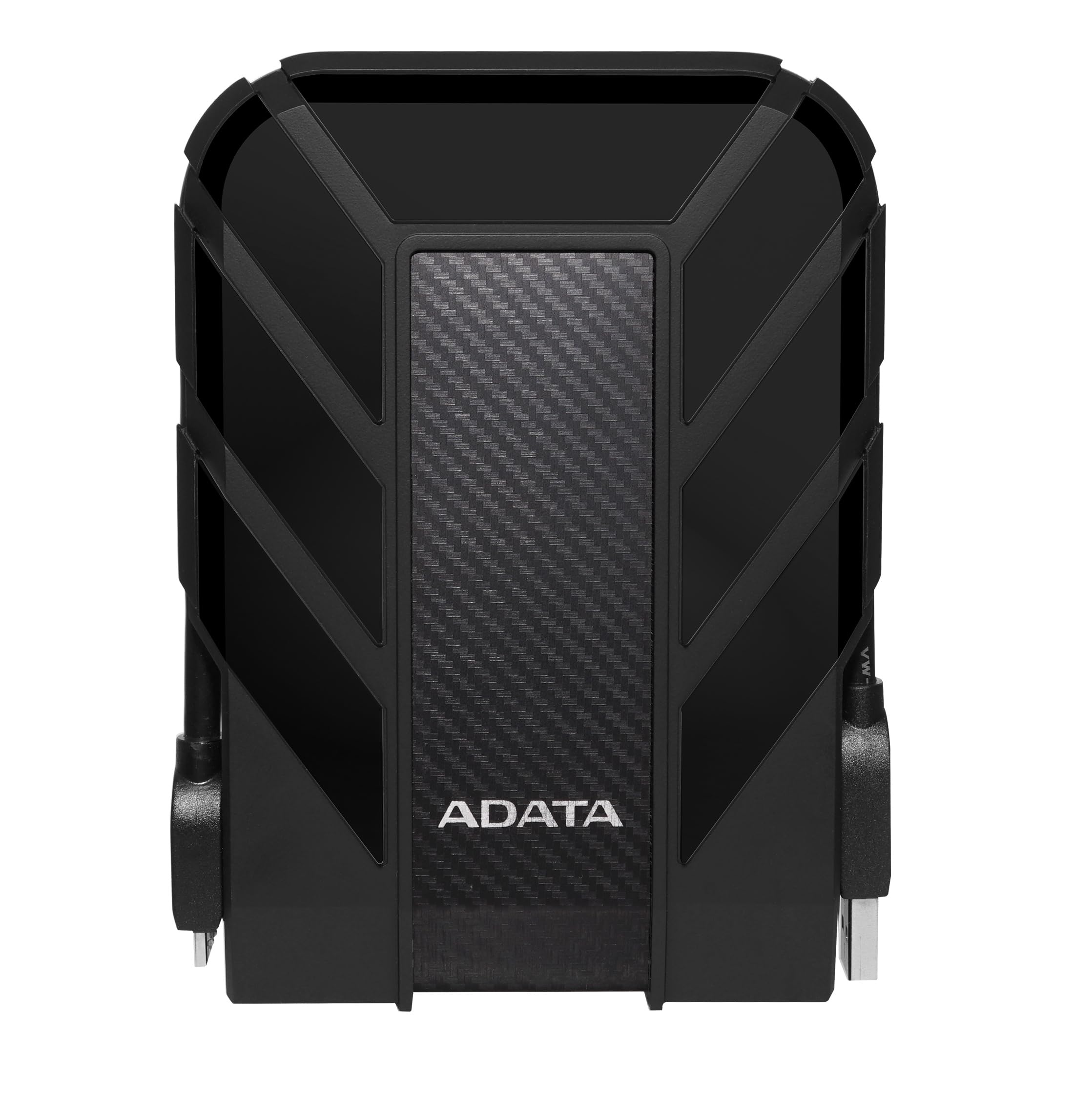
The armored drive that shrugs off drops, dust, and an unlucky dunk in the bag.
Most portable drives are plastic shells around a spinning disk. The ADATA HD710 Pro is built the other way around — a triple-layered body with an IP68 waterproof rating and an IP6X dustproof rating, plus shock resistance tested to the MIL-STD-810G 516.6 standard. In plain terms: it is the only drive in this list engineered to survive being dropped onto concrete, rained on, or bulldozed around inside a backpack alongside textbooks and tools. The 2TB capacity matches the WD Elements Portable at the top of this list, but not one of them has this kind of protective skin.
What owners value most is the confidence the shell adds. Owners describe carrying it in a bag between computers and apartment moves without a second thought, and at least one owner has used it in desert-level conditions where a bare drive would be at risk. The cable management loop is a small touch but one that matters for people who shuttle the drive back and forth daily. Its USB 3.1 interface handles large batches quickly — one owner moved 606GB in a single sitting.
The catch is a small physical detail some owners notice after long use: the cable connector is a chunky, old-school style plug that takes a firm push to seat. That extra grip is part of how the port seals against water, so it is a deliberate trade — but it can be fiddly for anyone with limited grip strength. The drive would benefit from a spare cable on hand if you plan to plug and unplug it many times a day. Also note the ADATA is a mechanical hard disk under that shell; the armor protects it, but the drive is not flash storage.
Why travelers reach for it
- IP68 waterproof, IP6X dustproof, and MIL-STD-810G 516.6 shock resistance — the toughest shell in this roundup
- 2TB capacity — matching the top pick for storage room
- USB 3.1 interface that moves large file batches quickly
- Built-in cable management loop for keeping the cord tidy
One adapter to know about
- Chunky port connector needs a firm push — part of the sealing design, but awkward for some hands
- Mechanical hard disk under the rugged shell, not solid-state storage
- A spare cable is worth owning if you unplug the drive daily
Reach for it if: the drive lives in a backpack next to keys, tools, or a water bottle and you cannot afford a dead backup.
Pass if: the drive stays on a shelf and you would rather spend the room on outright speed than armor.
5. WD 1TB Elements Portable External Hard Drive WDBUZG0010BBK-WESN
The simple 1TB workhorse Windows owners plug in and trust without ceremony.
The published transfer ceiling on this unit is 1 gigabit per second, so it is not the fastest drive in the roundup — head-to-head, it lands well under the 5 Gbps rating of the WD Elements 2TB and the Seagate’s claimed 20 Gbps. What it does offer is 1TB of storage in a compact black enclosure formatted for Windows 7, Vista, and XP from the start, so nothing needs setting up before the first copy. It is a mechanical disk formatted NTFS, and Windows mounts it the second it hits the port.
Owners lean on this drive as a second-tier backup destination — the additional safety copy that lives off the main computer. It is compatible with desktops, laptops, and select gaming consoles (the Microsoft Xbox Series S is listed), and owners have had it working in a home theater setup pulling recordings off a Tablo and shuffling files with a PS4. The drive manages cable connections without an external AC power brick, so it sits on a shelf neatly without a second plug fighting for outlet space.
The recurring take on the review pages is that reliability is what most owners worry about, and the answers split: most work flawlessly, and a minority report more serious trouble down the line. Speed is another point owners raise — this 1 Gbps rating is the lowest in this roundup, which will feel noticeable when you copy large video folders. For a lightweight Windows photo and document backup, neither issue matters. For an intensive editing workflow, both will.
Where the trade-off lands: you give up the fastest transfer ceiling (1 Gbps versus the 5 Gbps WD 2TB Elements and the 20 Gbps Seagate) in exchange for straightforward Windows plug-and-play at a smaller capacity.
Best used as a second-copy drive than a primary workspace, this makes a clean, low-effort backup destination for a Windows PC.
Match it to: a Windows household that wants a secondary or cold-storage backup that just works.
Look elsewhere if: your routine involves copying several gigabytes of footage at a time — the slower transfer ceiling will feel like a wait.
6. Maxone 1TB Ultra Slim Portable External Hard Drive

An all-aluminum 1TB drive that punches above its class for the money.
The Maxone Ultra Slim is the drive to look at when you want a metal body without paying a premium for it. The all-aluminum shell measures 0.4 inch thick, resists scuffs, and runs cool and quiet — you will not hear any chatter over the hum of a laptop fan. It connects over USB 3.0 at up to 5000 megabits per second, and it needs no external power supply, so it works straight from whichever port you have available.
Function-based use is what sells this drive. Owners have loaded it with 60GB game installs when a laptop drive was full, and one owner booted Android 11 x86 from the Maxone to revive a decade-old laptop with roughly 500GB of usable space. The included 19-inch USB cable is short but workable for a desk setup — long enough to reach from a tower to a shelf, not long enough to drag around the room.
The two honest caveats are workload and Mac behavior. Owners who pushed the drive into continuous, high-endurance duty — running it as a backup target behind a Raspberry Pi — saw a few minor drive hiccups over extended sessions, though these auto-corrected. The drive is comfortable with everyday photo and file storage; the heavy workloads really want a more armored drive. On Macs, Time Machine reformats the drive read-only, which is a Time Machine behavior, not a Maxone fault, but one owner found themselves buying a second drive just to back up before reformatting.
Suits you best when: you want a quiet, cool-running metal-shell drive for game installs, OS boot experiments, or everyday file parking.
Look past it if: you need the drive to survive a 24/7 backup workload or you run Time Machine as your main Mac strategy.
7. Tianken 1TB Ultra Slim Portable External Hard Drive USB 3.0

The thinnest drive here, sized for pockets and shot for handheld use.
The Tianken Ultra Slim is the smallest 1TB option in this roundup: 0.39 inch thick in a scratch-resistant plastic shell, which is exactly the sort of form factor that slides into a laptop sleeve without adding bulk. USB 3.0 sits on the label, with a top transfer speed of 5 gigabits per second — matching the WD Elements pair and the Seagate on paper, and well ahead of the WD 1TB’s 1 Gbps. Windows, Mac, Linux, Android, Chromebook, Xbox One, PS4, and TV are all listed as compatible devices.
The drive arrives pre-formatted as NTFS, so Windows users can start copying the moment it is plugged in — no software installation, which the owners who favor this model file as their top strength. A 2-in-1 USB 3.0 cable is included, and the drive covers you for saving and backing up any files, movies, music, photos, and games without an external power adapter. Buyers here rate it for value, ease of use, storage capacity, and versatility above everything else, and it is the least expensive drive in this roundup.
The honest downside is consistency. Most drives do exactly what they should, and a running theme among the owners who hit trouble is that a few units stop being recognized by Windows — the disk shows up but receives no drive letter, which is a Windows-side mount issue rather than a disk failure. One owner went through the full ritual of firmware and OS updates before deciding to return the drive. A second run-in is shorter than a laptop’s charging cable, so a cable extension is a sensible pickup if you plan to work across the desk. Neither issue is universal, but they are worth a two-minute think before you rely on the Tianken for the only copy of anything.
Why it earns the budget spot
- The thinnest drive in the roundup at 0.39 inch thick
- 5 Gbps transfer speed — matching the WD Elements and Seagate on paper
- Windows, Mac, Linux, Android, Chromebook, Xbox One, and PS4 compatible
- Included USB 3.0 cable and NTFS formatting, so it is ready on Windows straight away
What to keep in mind
- A handful of units arrive and are not properly recognized by Windows — often a drive-letter mounting issue
- Included USB cable is short and best paired with an extension if you work across a desk
- Plastic shell instead of the aluminum body you get from the Maxone at a similar tier
Perfect for: someone who needs the thinnest possible 1TB drive and is comfortable dealing with the occasional Windows mount hiccup.
Better to skip if: this will be the only copy of anything irreplaceable — the drive is a fine everyday carrier, not a mission-critical archive.
Understanding the Specs
Capacity in Terabytes
Capacity is the number you feel every day. A 1TB drive holds a large library of photos, videos, documents, and old game installs, while a 2TB drive roughly doubles that headroom so you are not constantly cleaning up. Every drive here ships formatted NTFS, which Windows reads and writes to from the start. If you plan to move files between Windows and Mac machines, you will need to reformat — even a fresh drive will otherwise be read-only on a Mac.
Transfer Rating Explained
The transfer rating on a spec sheet measures the bandwidth of the connection, not the speed of the disk inside — think of it as the width of the pipe, not the speed of the water. A higher number means larger file dumps complete faster, so a drive rated 20 Gbps copies quicker than one rated 5 Gbps on comparable disks. The disk itself still matters. A spinning mechanical hard disk lags behind solid-state storage on small file operations, and every drive in this roundup uses a mechanical disk because portability and price matter more here than snappy app loads.
FAQ
Will a portable external hard drive work with both a Windows PC and a Mac?
Is a mechanical hard drive better than a solid-state drive for backing up files?
How much can a 1TB drive actually hold?
Do portable hard drives need to be plugged into a wall outlet?
Is a rugged case worth the extra thickness on a portable drive?
Why do some drives show up without a drive letter in Windows?
Will a portable drive work with a PlayStation or an Xbox?
Does a USB 3.0 or USB 3.2 Gen 1 drive work in an older USB 2.0 port?
How long should a portable hard drive last?
Is a 3.5-inch enclosure different from a 2.5-inch one for a portable drive?
Final Thoughts: The Verdict
For most people who want an affordable external hard drive, the WD 2TB Elements Portable is the pick — it holds twice the storage of the 1TB Tianken Ultra Slim, connects at 5 Gbps, and plugs into Windows without a single setup step. If you want a stronger transfer rating and a specific match for PlayStation or Xbox expansion, the Seagate Portable 1TB runs a claimed 20 Gbps rating and drops into a console workflow cleanly. Anyone who carries the drive in a bag next to tools or a water bottle should stretch for the ADATA HD710 Pro, whose IP68 and MIL-STD-810G 516.6 protection is the only armor of its kind in this roundup — and if you want the thinnest possible carrier at the lowest entry point, the Tianken 1TB Ultra Slim is the safest budget-first match for a Windows machine.
How We Picked
We do not accept paid placement. Every pick is matched to a real buyer and a real use-case; we do not hands-on test units.
Sources & Methodology
Specifications: manufacturer listings and product documentation. Review insights: verified customer reviews, as of September 2026. Pricing: not shown on this page (it changes often); check the current price via the retailer link.
As an Amazon Associate, Gadgets Feed earns from qualifying purchases. This does not affect which products we feature.