
Our readers keep the lights on and my morning glass full of iced black tea. As an Amazon Associate, I earn from qualifying purchases.
Specs are compiled from manufacturer listings and verified buyer reviews and can change over time — please confirm the key details on the product page before buying.
You want a laptop that feels fast, lasts through a full workday, and still gives you a good screen—without going over budget. Most models here have a 14-inch screen (a few are marketed as 14-inch even if the actual panel size varies slightly by rounding), so you get a balance of portability and usable screen space. The key is knowing which specs actually matter for your daily tasks—and which ones are just marketing noise.
I’m Min — the founder and writer behind Gadgets Feed. This guide is built by comparing the manufacturers’ published specifications and the patterns across verified customer reviews, so you get each pick’s real strengths and trade-offs instead of marketing spin.
To find the best 14 Inch Laptop Under $1000, you need to balance processor speed, memory, and battery life against what you actually do every day. The 14 inch laptop under $1000 market is crowded, but the picks below cut through the clutter.
Our Picks at a Glance



How To Choose The Best 14 Inch Laptop Under $1000
You are looking for a machine that feels responsive today and won’t frustrate you in a year. The biggest mistake buyers make is focusing on the processor model number while ignoring the amount of RAM and the type of storage. A fast chip throttled by 8GB of RAM will feel sluggish the moment you open too many browser tabs.
Processor: The Engine Versus The Fuel
The CPU (Central Processing Unit) is the engine that runs your programs. Look for Intel Core Ultra or AMD Ryzen 5 chips for a balance of speed and battery efficiency. If you see a Celeron or Pentium Gold, that is designed for very light web browsing only.
More important for multitasking is the RAM (Random Access Memory). This is the workspace where your open apps live. 8GB is the bare minimum for Windows 11, but 16GB is the new standard for smooth performance if you keep more than five tabs open.
Display and Battery: The Daily Experience
You will stare at the screen for hours, so resolution matters. 1920 x 1080 (FHD) is sharp enough for documents, while 1920 x 1200 (WUXGA) gives you a taller screen for less scrolling. OLED panels offer deeper blacks and better colors but can drain the battery faster than standard LCDs.
Battery life is often quoted based on video playback loops. Real-world use—with Wi-Fi on and screen brightness at 50%—usually results in lower numbers. A laptop claiming 22 hours is designed for extreme efficiency, while 7.5 hours is standard for a high-performance business machine.
Quick Comparison
| Model | Best For | Processor | RAM | Battery Life | Amazon |
|---|---|---|---|---|---|
| Acer Aspire 14 AI (Ultra 5)★ Best Overall | AI productivity & battery | Intel Core Ultra 5 226V | 16GB LPDDR5X | 22 hours | Amazon |
| Lenovo V14 Gen 4 (i7)Top Performer | Raw CPU speed | Intel Core i7-13620H | 8GB | 7.5 hours | Amazon |
| ASUS Vivobook 14 (i3)Best Value | Touchpad & Numpad | Intel Core i3-1215U | 16GB | 10 hours | Amazon |
| HP 14 Laptop (Ryzen 5) | Touchscreen value | AMD Ryzen 5 7520U | 8GB | 12 hours | Amazon |
| ASUS Vivobook 14 (Core 5) | Business & storage | Intel Core 5 120U | 12GB | — | Amazon |
| Acer Aspire 14 AI (Ultra 7) | AI photo/video editing | Intel Core Ultra 7 256V | 16GB LPDDR5X | 22 hours | Amazon |
| Lenovo V14 Gen 4 (16GB) | Mil-spec durability | Intel Core i7-13620H | 16GB | — | Amazon |
| GEEKOM GeekBook X14 Pro | Ultra-light OLED | Intel Core Ultra 5 125U | 16GB LPDDR5 | 16 hours | Amazon |
| HP Envy x360 | 2-in-1 creativity | Intel Core i7-1355U | 16GB | 12 hours | Amazon |
| Dell Latitude 7420 | Business touchscreen | Intel Core i7-1185G7 | 32GB | 8 hours | Amazon |
| 2026 New Laptop Computer | Basic daily use | Celeron N4020 | 6GB | — | Amazon |
In‑Depth Reviews
1. Acer Aspire 14 AI Copilot+ PC | 14″ WUXGA Display | Intel Core Ultra 5 Processor 226V
Our pick — over 4★ from 200+ verified ratings; the strongest balance of quality and price.
A 22-hour Copilot+ PC with a 40-TOPS NPU and a 1920 x 1200 WUXGA screen.
You want a laptop that feels like it will last through a busy day without hunting for a charger, and the Acer Aspire 14 AI delivers exactly that. It holds a massive 22-hour battery rating, which is a huge leap over the Lenovo V14’s 7.5-hour rating—a 2.9x gap that means you leave the power brick at home on most trips. The brains behind this efficiency is the Intel Core Ultra 5 processor 226V, which handles standard office work and AI tasks without spinning up the fans unnecessarily.
What makes this pick the winner is the balance of speed and modern features. It packs 16GB of LPDDR5X memory, which is faster and more power-efficient than the DDR4 memory found in older designs, alongside a 512GB SSD for storage. The 14-inch WUXGA screen runs at 1920 x 1200, giving you a sharper and taller display than the standard 1080p panels on many competitors. This extra vertical space means less scrolling through documents and spreadsheets. The NPU (Neural Processing Unit) is rated up to 40 TOPS, which speeds up AI tasks like background blur on webcams and photo editing effects.
You get a screen that’s fine for work but not for color-critical editing. The panel is listed with a 45 color gamut rating (a measure of how much of the color spectrum it can show), which means it covers a smaller portion of the color spectrum than a high-end OLED. That makes it great for productivity, but if you are a professional photographer or video editor who needs perfect color accuracy from the start, you might find the visuals a bit dull compared to the GEEKOM GeekBook above. However, for general work and streaming, the performance is responsive and the build quality—featuring an aluminum chassis—feels sturdy.
Why It Wins The Spot
- Incredible 22-hour battery life rating means you can work through a full day and into the evening without plugging in.
- The Intel Core Ultra 5 226V processor with a dedicated NPU handles AI-enhanced Windows features smoothly.
- The 1920 x 1200 WUXGA display offers a taller aspect ratio for better vertical viewing than standard 1080p screens.
Where It Falls Short
- The 45 color gamut rating means the screen is not ideal for professional color-critical work.
- Users looking for a 2-in-1 convertible form factor will need to look at the HP Envy x360 instead.
Ideal for: Anyone who needs a reliable workhorse that can survive a cross-country flight or a full day of classes without a charger.
Think twice if: You require a touchscreen or a convertible tablet mode for sketching.
2. Lenovo 14 G4 – Laptop for Business – Intel Core i7-13620H – 14″ FHD Display
A 4.9 GHz i7-13620H workhorse with a 24MB cache and an RJ45 port, rated for 7.5 hours.
The Lenovo 14 G4 is equipped with the Intel Core i7-13620H, a chip that runs at a maximum speed of 4.9 GHz. This is slightly faster than the 4.5 GHz Intel Core Ultra 5 found in the Acer above, giving you a 9% higher maximum clock speed for those intense calculation moments. It is built to handle multitasking with a 24MB cache, ensuring quick access to frequently used data.
You get a screen that’s mostly display, not bezel. The display is a standard 14-inch FHD panel (Full HD, or 1920 x 1080 pixels) with an 88% screen-to-body ratio, which minimizes the bezels around the screen. It runs Windows 11 Home and features a Kensington NanoSaver lock (a physical security slot for a cable lock) and a camera privacy shutter for physical security. The connectivity options are sturdy for a business machine, including an RJ45 port (a standard wired internet jack) for wired internet—a rare find on modern thin laptops—along with Wi-Fi 6 support (a faster, newer Wi-Fi standard). The design is practical, weighing in as a portable unit that fits easily into a backpack.
The main compromise here is the battery life, rated at 7.5 hours. This is significantly shorter than the 22 hours of the Acer Aspire, so you will likely need to carry the charger if you are working away from a desk for a full day. The base model also comes with 8GB of RAM, which is sufficient for basic tasks but limits heavy multitasking compared to the 16GB options elsewhere on this list. If you are a power user, you can upgrade the memory later, but from the start, it is a bit lean for heavy browser use.
Performance First: The i7-13620H processor delivers desktop-class speed for office applications, making it one of the fastest options in this tier.
Upgrade Path: The RAM is upgradable to 16GB and storage can be expanded, giving this machine a longer lifespan if you are willing to tinker with it.
Choose this if: You prioritize processing speed for work tasks and often have access to a wall outlet.
Look elsewhere if: You need a machine that can run for 15+ hours unplugged.
3. ASUS Vivobook Laptop, 14″ FHD Display, i3-1215U
A 16GB RAM, 512GB SSD pick with a trackpad number pad and a fingerprint reader.
For a student or casual user, having enough memory to keep browser tabs open is more important than having the fastest processor. The ASUS Vivobook pairs a capable Intel Core i3-1215U processor with a generous 16GB of RAM. This combination ensures that the system feels snappy during everyday tasks like writing papers, streaming video, and emailing. The 512GB PCIe NVMe SSD allows for quick boot-ups and fast file transfers, addressing the storage needs of most users without requiring immediate upgrades.
The 14-inch FHD screen has a 16:9 aspect ratio and an anti-glare coating, which helps reduce reflections in bright rooms. The chassis is built from durable plastic, keeping the weight down for travel. One standout feature for a laptop of this size is the inclusion of a number pad on the trackpad—a useful addition for anyone doing accounting or data entry. It runs Windows 11 Home and supports Wi-Fi 6 for faster wireless connections on compatible routers.
While the core specs are strong for the price, the build quality has mixed feedback regarding long-term durability. The screen brightness is also rated at 250 nits, which might struggle outdoors in direct sunlight. However, as a second computer or a primary machine for light coursework, it offers a lot of utility. The i3 processor is efficient enough to provide around 10 hours of battery life, keeping it ahead of the Lenovo’s 7.5 hours but behind the Acer’s 22 hours.
Memory Advantage: The 16GB of RAM is a significant plus at this tier, allowing for smoother multitasking than 8GB rivals.
Utility Features: The inclusion of a number pad and a fingerprint reader adds convenience for data entry and quick logins.
Best for: Students and home users who need a reliable daily driver with plenty of memory for web browsing.
Skip if: You need a screen that can get bright enough for outdoor use or require a premium metal chassis.
4. HP 14 inch Laptop, HD Touchscreen Display, AMD Ryzen 5 7520U

A 1366 x 768 touchscreen with a Ryzen 5 7520U and 45-minute Fast Charge to 50%.
If you prefer tapping and swiping over using a mouse, this HP model offers a 14-inch HD touchscreen display that responds to your fingers. The screen resolution is 1366 x 768, which is lower than the Full HD panels on the other laptops here. This means text and icons will appear larger but slightly less sharp. However, the touch capability is excellent for scrolling through documents and browsing the web, and the display features a micro-edge bezel design that boost the viewing area.
Under the hood, the AMD Ryzen 5 7520U processor provides the power. It includes 8GB of LPDDR5 RAM and a 512GB SSD. The LPDDR5 memory is a newer generation than the DDR4 used in some competitors, meaning it is more power-efficient. HP claims the battery lasts up to 12 hours and features Fast Charge support, which can take the battery to 50% in about 45 minutes. The design incorporates ocean-bound plastic in the speaker enclosures, which is a nice touch for eco-conscious buyers.
The trade-off for the touchscreen and eco-friendly design is the display resolution. The HD panel (1366 x 768) is noticeably less detailed than the FHD (1920 x 1080) screens on the ASUS and Acer models. If you do a lot of text-heavy work or photo editing, the lower pixel density might cause eye strain. However, for casual use, streaming, and touch-based navigation, the performance is smooth and the build feels sturdy.
The Touch Advantage
- The 14-inch touchscreen adds a layer of interactivity that is great for Windows 11 gestures.
- AMD Ryzen 5 processor and 8GB LPDDR5 RAM offer smooth performance for everyday tasks.
- HP Fast Charge gets you back to work quickly, hitting 50% in about 45 minutes.
The Resolution Reality
- The 1366 x 768 resolution is lower than standard 1080p, resulting in less sharp text.
- 8GB of RAM is adequate but limits heavy multitasking compared to 16GB models.
Great for: Users who prioritize touch interaction and battery life over screen sharpness.
Not ideal for: detail-oriented tasks like photo editing or reading small text for long periods.
5. ASUS Vivobook 14″ FHD Business Laptop Computer, Intel Core 5 120U
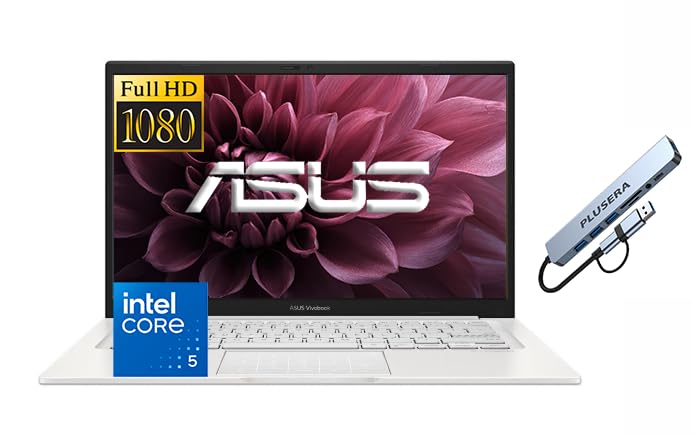
A 10-core Core 5 120U machine with Windows 11 Pro, 12GB RAM, and 768GB of storage.
Business users need a machine that is secure and ready to connect. This ASUS Vivobook comes with Windows 11 Pro pre-installed, offering features like BitLocker and Remote Desktop right from the start. It is powered by the Intel Core 5 120U processor, a 10-core chip with a maximum clock speed of 3.8 GHz. While the clock speed is lower than the i7 in the Lenovo, the 10 cores help with handling multiple background tasks efficiently without stuttering.
You get enough memory and storage to keep large files on hand without slowing down. The laptop includes 12GB of RAM (short-term memory for running apps) and a massive 768GB of total storage, combining a 256GB SSD (solid-state drive, a fast storage chip) with a 512GB PLUSERA docking set. This massive amount of space is rare in this price range and is ideal for storing large project files, videos, and photos. The 14-inch FHD screen has an anti-glare coating and 250 nits of brightness (a measure of screen brightness), making it comfortable to use in office lighting. A physical camera privacy shutter provides confidence for video calls in shared spaces.
The design is focused on portability, featuring an ultra-thin case that slips easily into a bag. The keyboard has a standard layout, though the keys are described as having a cheaper feel compared to premium models. The screen brightness is also modest, so outdoor use in bright sun is a challenge. However, for a portable office setup that requires high security and massive local storage, this model strikes a compelling balance.
Storage & Security: The combination of Win 11 Pro and the included docking set provides a complete, secure workstation experience.
Efficiency: The 10-core processor handles background tasks smoothly while maintaining decent battery life.
Recommended for: Professionals and students who need Windows 11 Pro features and massive storage for files.
Consider alternatives if: You prioritize screen brightness or a premium typing feel.
6. Acer Aspire 14 AI Copilot+ PC | 14″ WUXGA Display | Intel Core Ultra 7 Processor 256V

An Ultra 7 256V with Intel ARC 140V graphics, a 47-TOPS NPU, and a 1TB SSD.
When your workload includes video editing or graphic design, you need the extra muscle provided by the Intel Core Ultra 7 processor 256V. This chip runs alongside an Intel ARC 140V graphics card, which is powerful enough to handle creative software and even some gaming at 1080p. The NPU (Neural Processing Unit) is rated up to 47 TOPS here, which is higher than the 40 TOPS on the Ultra 5 model, meaning it can process AI tasks like photo enhancement faster and more efficiently.
This configuration doubles the storage to a 1TB SSD, eliminating the need for external drives for most projects. The 16GB of LPDDR5X memory keeps everything running smoothly, even with heavy creative apps open. The 14-inch WUXGA display (1920 x 1200) offers a sharp, detailed canvas for your work. It uses the same aluminum chassis as the Ultra 5 model, maintaining a premium look and a 180-degree hinge that lays flat for sharing your screen in meetings.
The main caveat here is the build materials. While the chassis is aluminum, some reviews note it feels a bit plasticky in certain areas, particularly around the keyboard deck. The fans can also get loud when the processor is pushed to its limits during rendering. However, for the price, you are getting top-tier processing power and a massive amount of storage, making it a compelling choice for power users.
Raw Power
- The Intel Core Ultra 7 256V is one of the fastest processors available in this segment.
- 1TB of SSD storage provides ample space for large project files and applications.
- The Intel ARC 140V GPU offers better graphical performance than integrated Intel UHD graphics.
Trade-offs
- The fan noise can be noticeable under heavy load.
- Some users find the build quality feels less premium than the price suggests.
Unleash creativity: This is for users who need the fastest AI processing and the most storage space possible.
Consider the base model if: You don’t need the extra storage or graphics power for professional work.
7. Lenovo V14 Gen 4, 14″ FHD Laptop, Intel i7-13620H, 16GB RAM, 512GB SSD
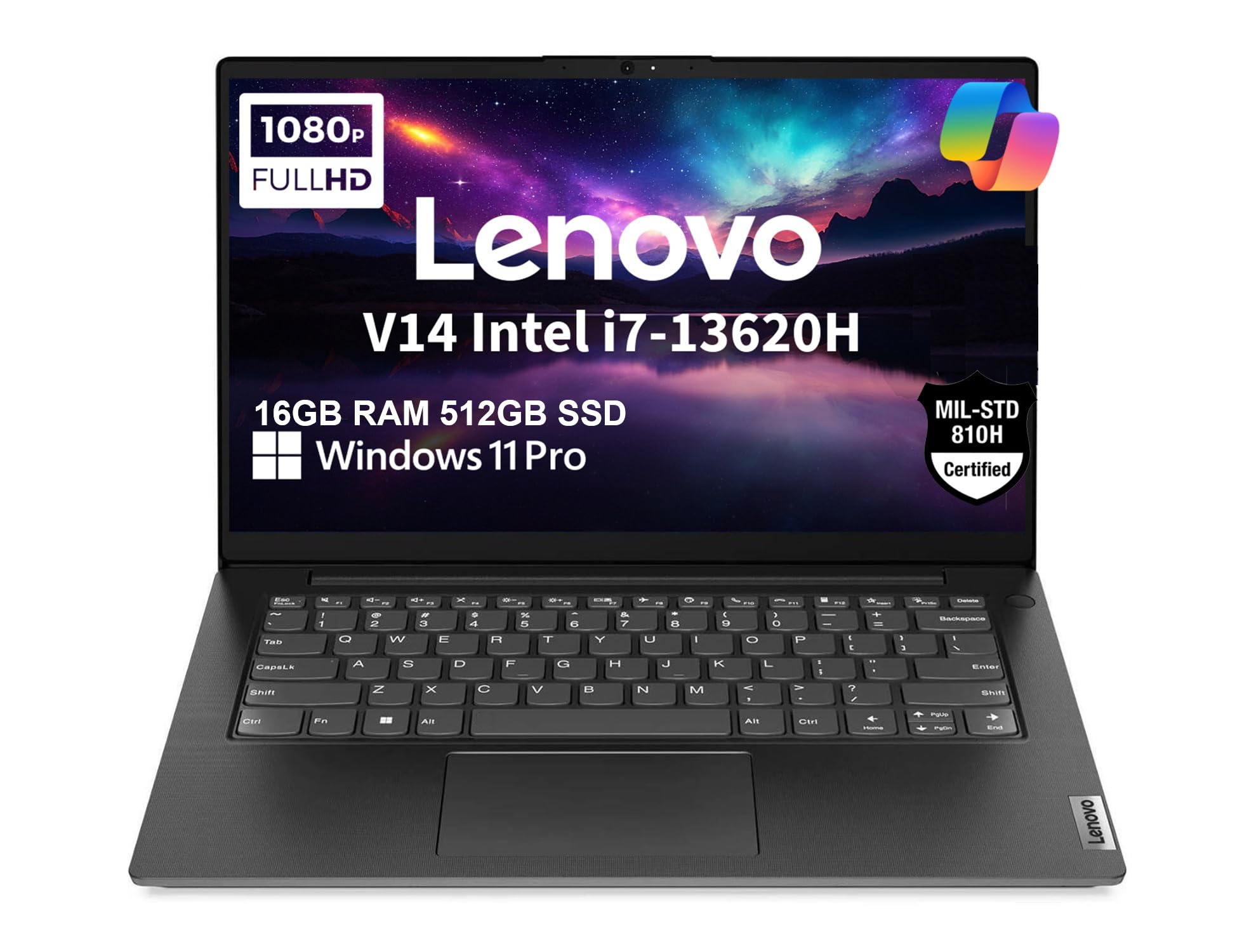
A 3.15-pound 16GB RAM machine tested to MIL-SPEC 810H for shock and vibration.
If you are hard on your electronics, you want a laptop that can take a hit. The Lenovo V14 Gen 4 is MIL-SPEC tested to 810H requirements, meaning it has been checked against specific durability standards for shock, vibration, and extreme temperatures. It is very light for a durable machine, weighing just 3.15 pounds. This version improves on the base model with 16GB of DDR4 RAM and a 512GB PCIe NVMe SSD, ensuring the system is responsive for multitasking and loads applications quickly.
The 14-inch FHD display features TÜV Rheinland Low Blue Light certification, which reduces eye strain during long viewing sessions. It also has a privacy shutter on the 720p HD camera. For connectivity, you get a solid selection including USB-C 3.2, USB-A, HDMI, and an Ethernet port. The Wi-Fi 6 and Bluetooth 5.2 capabilities ensure fast wireless speeds. It runs Windows 11 Pro, bringing business features like BitLocker encryption to the table.
The trade-off lies in the audio and display. The built-in speakers are described as poor, with muffled and distorted sound at high volumes—you will definitely want headphones for music. The screen quality is also mixed, with some notes about brightness inconsistencies. However, for a laptop that prioritizes structural integrity and security, it remains a solid choice for field work or commuting.
Rugged Reliability: The MIL-SPEC testing and lightweight frame make it a reliable choice for traveling professionals.
Security Focused: Windows 11 Pro and the camera shutter provide a secure foundation for business data.
Best for: Field workers or commuters who need a durable laptop with business-class security features.
Skip if: You plan to use the built-in speakers for music or movies without headphones.
8. GEEKOM GeekBook X14 Pro Laptop, 2.2 lb Ultra Thin 14″ 2.8K OLED Notebook
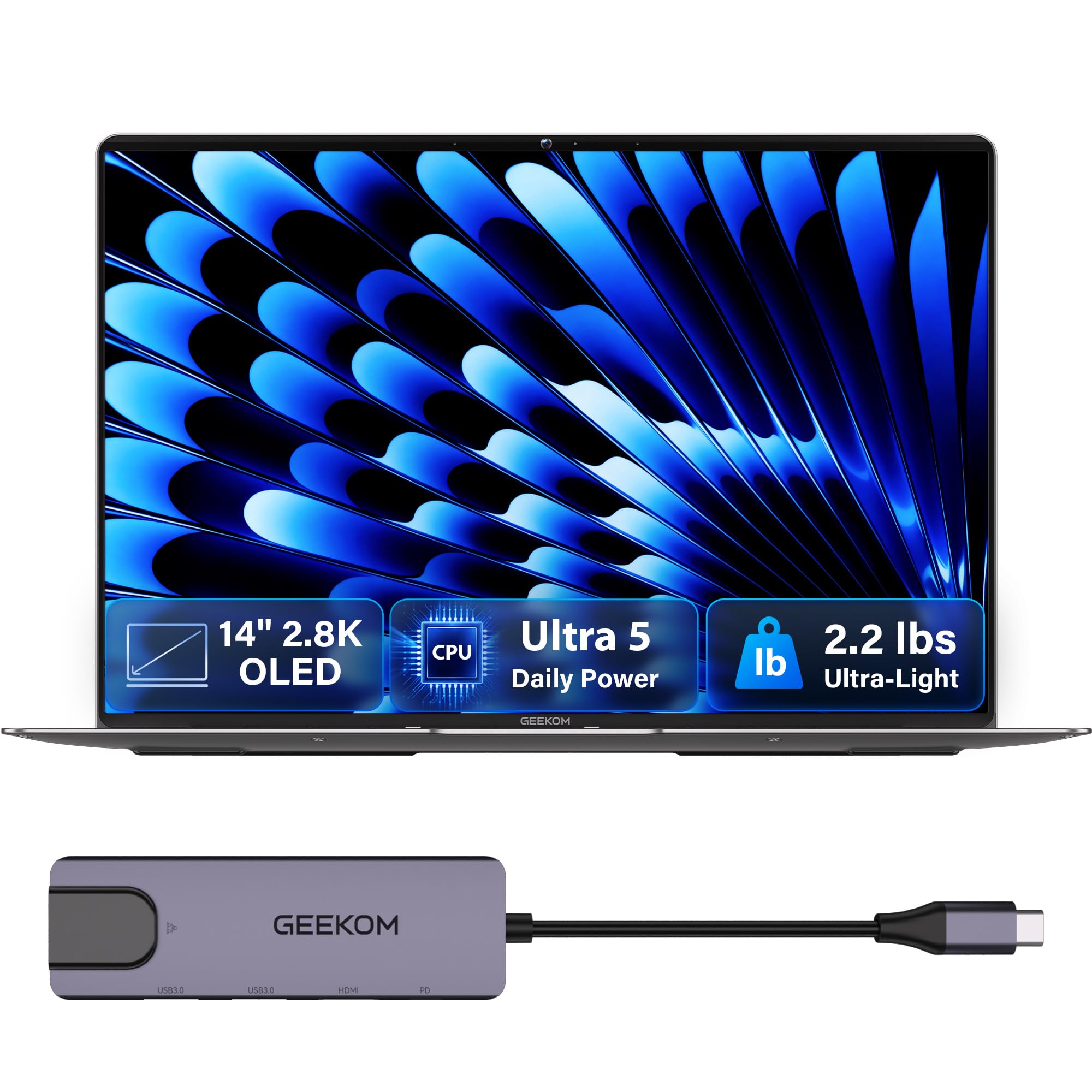
A 2.2-pound magnesium-alloy laptop with a 2.8K 120Hz OLED covering 100% DCI-P3.
If you judge a laptop by how it feels in your hand and how it looks on your desk, the GEEKOM GeekBook X14 Pro is the standout. At just 2.2 pounds and 0.23 inches thick, it is incredibly portable, made from aerospace-grade magnesium alloy. The showstopper is the 14-inch 2.8K OLED display. OLED technology provides perfect blacks and vibrant colors, and this panel covers 100% of the DCI-P3 color gamut, making it ideal for media consumption and creative work. The 120Hz refresh rate makes scrolling through websites look remarkably smooth compared to standard 60Hz screens.
Despite its size, it doesn’t skimp on connectivity. It features two 40Gbps USB4 ports (which support fast data transfer and video output), HDMI 2.1, and a USB 3.2 Type-A port. The system runs on an Intel Core Ultra 5 125U processor with 16GB of LPDDR5 memory. For security, it has a fingerprint reader and a physical camera shutter. The battery is rated for up to 16 hours, and the included 65W GaN charger is 30% smaller than typical adapters, making it easy to pack.
The main trade-off is the processor speed. The Intel Core Ultra 5 125U is efficient, but it prioritizes battery life and thermal management over raw computation. It runs cooler and quieter than the H-series chips in the Lenovo models, but it won’t match them in heavy rendering tasks. However, for general productivity and media, the performance is fluid, and the screen experience is second to none in this group.
Visual Mastery
- The 2.8K OLED screen with 100% DCI-P3 color coverage delivers a premium viewing experience.
- Weighing only 2.2 pounds, it is the most portable option on this list.
- Dual USB4 ports offer high-speed connectivity and charging capabilities.
Performance Limits
- The U-series processor is less powerful than H-series chips for heavy workloads.
- Battery life, while decent, can vary based on screen brightness due to the OLED panel.
Perfect for: Travelers and media lovers who want the best screen and lightest weight possible.
Look elsewhere if: You need maximum CPU power for compiling code or rendering video.
9. HP Envy x360 2-in-1 14″ FHD Touchscreen Laptop, Intel i7-1355U
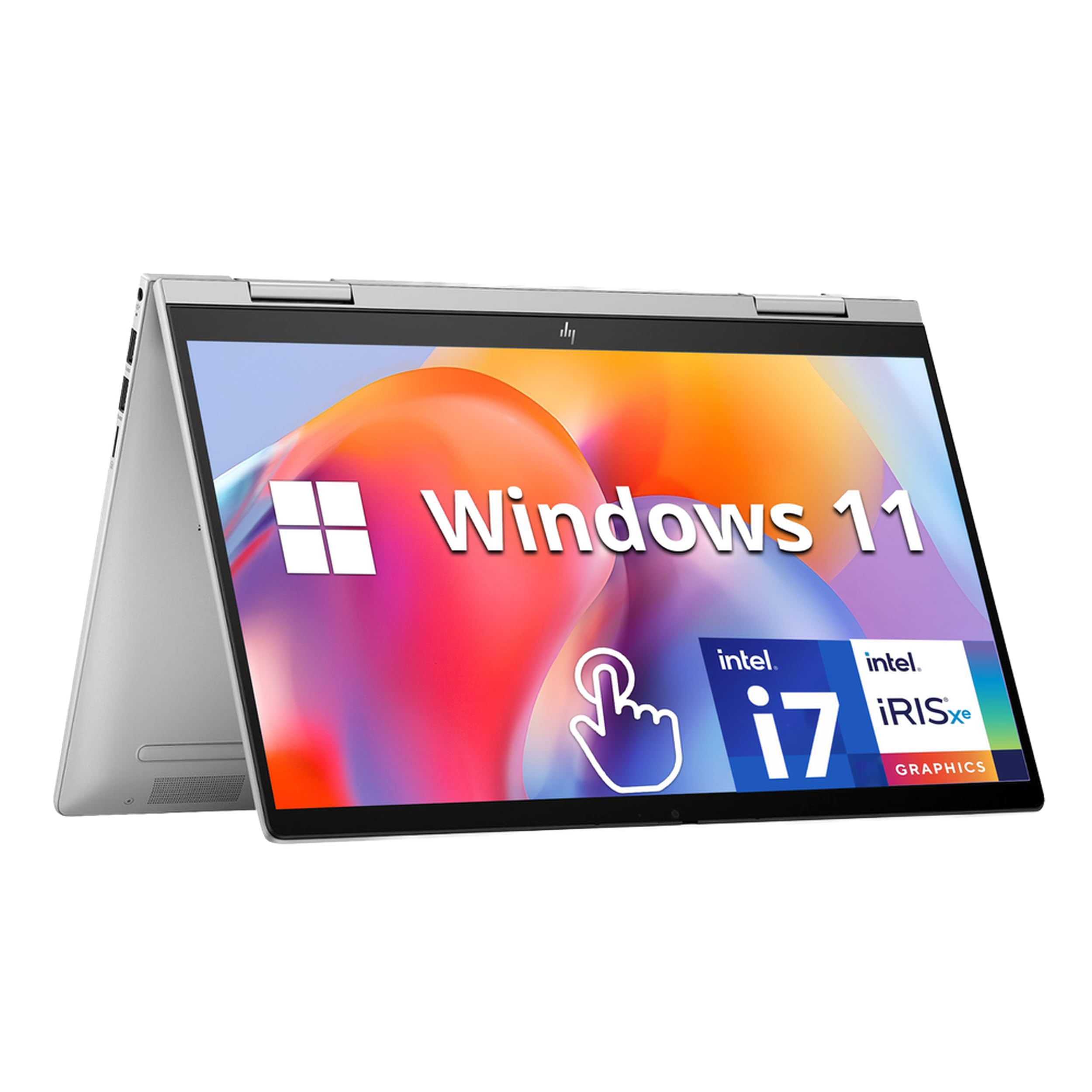
A versatile convertible that transforms from a laptop to a tablet for creative flexibility.
The HP Envy x360 is for those who want the flexibility of a tablet with the power of a laptop. The 360-degree hinge allows you to flip the screen around, converting it into a tablet for drawing or note-taking with a stylus. It is powered by the Intel Core i7-1355U processor, which reaches speeds up to 5 GHz. This is paired with 16GB of RAM and a massive 1TB PCIe SSD, providing enough storage for a large media library and plenty of space for creative software.
The 14-inch FHD touchscreen is responsive and sharp at 1920 x 1080 resolution. The design includes a backlit keyboard for working in low light and a fingerprint reader for quick, secure logins. It also features dual speakers tuned by Bang & Olufsen, which offer better sound quality than standard laptop speakers. The build quality is premium, with a sleek Silver finish and a 5MP IR camera that supports Windows Hello face recognition.
While it is a powerful machine, the integrated Intel Iris Xe graphics are not designed for heavy gaming or 3D rendering. It also runs Windows 11 in S mode, which restricts you to installing apps only from the Microsoft Store—you can switch out of S mode for free, but it is an extra step. The 3.35-pound weight is slightly heavier than the GEEKOM X14 Pro, but typical for a 2-in-1 convertible.
Versatility: The 360-degree hinge and touchscreen make it perfect for creative work, presentations, and media consumption.
Premium Audio: Bang & Olufsen tuned speakers provide a superior audio experience compared to most business laptops.
Ideal for: Creatives and students who need a touchscreen laptop that can also function as a tablet.
Skip if: You need dedicated graphics for gaming or do not want to deal with Windows S mode setup.
10. Dell Latitude 7420 Business Laptop, Touchscreen Notebook, 14″ FHD

A renewed business tank with massive memory but a risky reliability record.
This Dell Latitude 7420 is a renewed business laptop that offers incredible specs for the money, provided you are willing to take a small risk. It packs a massive 32GB of RAM, which is double what most new laptops offer, allowing you to run dozens of browser tabs and heavy applications simultaneously without slowdown. The processor is an Intel Core i7-1185G7 running up to 4.70 GHz, and it includes a 512GB SSD. The chassis is made of carbon fiber, making it durable and lightweight.
The 14-inch FHD touchscreen offers a 1920 x 1080 resolution with an anti-glare coating and 300 nits of brightness, making it better for outdoor use than the HP 14’s HD screen. It includes a backlit keyboard, Wi-Fi 6, and Bluetooth 5.2. The laptop runs Windows 11 Pro and is backed by a 90-day warranty. For a renewed machine, the exterior condition is generally described as excellent, often looking like new.
You might run into reliability problems. There are reports of failures very early in ownership—one reviewer noted the machine stopped working within four hours. Another mentioned the battery life is shorter than expected. While the 90-day warranty provides some protection, this is a machine for those who are comfortable troubleshooting or have a backup computer. It is a high-spec machine at a budget price, but the trade-off is confidence.
Specs Heavyweight
- 32GB of RAM is exceptional at this tier, ensuring easy multitasking.
- The carbon fiber build is both lightweight and durable.
- The 300-nit anti-glare touchscreen is bright enough for various lighting conditions.
Renewed Risks
- Reliability is a mixed bag, with reports of units failing shortly after delivery.
- The 90-day warranty is shorter than the standard one-year coverage on new laptops.
Best for: Tech-savvy users who want maximum RAM for the money and are okay with a renewed unit.
Avoid if: You need a machine with a full one-year warranty and guaranteed out-of-the-box reliability.
11. 2026 New Laptop Computer 14 Inch Win 11 Laptop PC 6GB RAM 256GB SSD-Gray
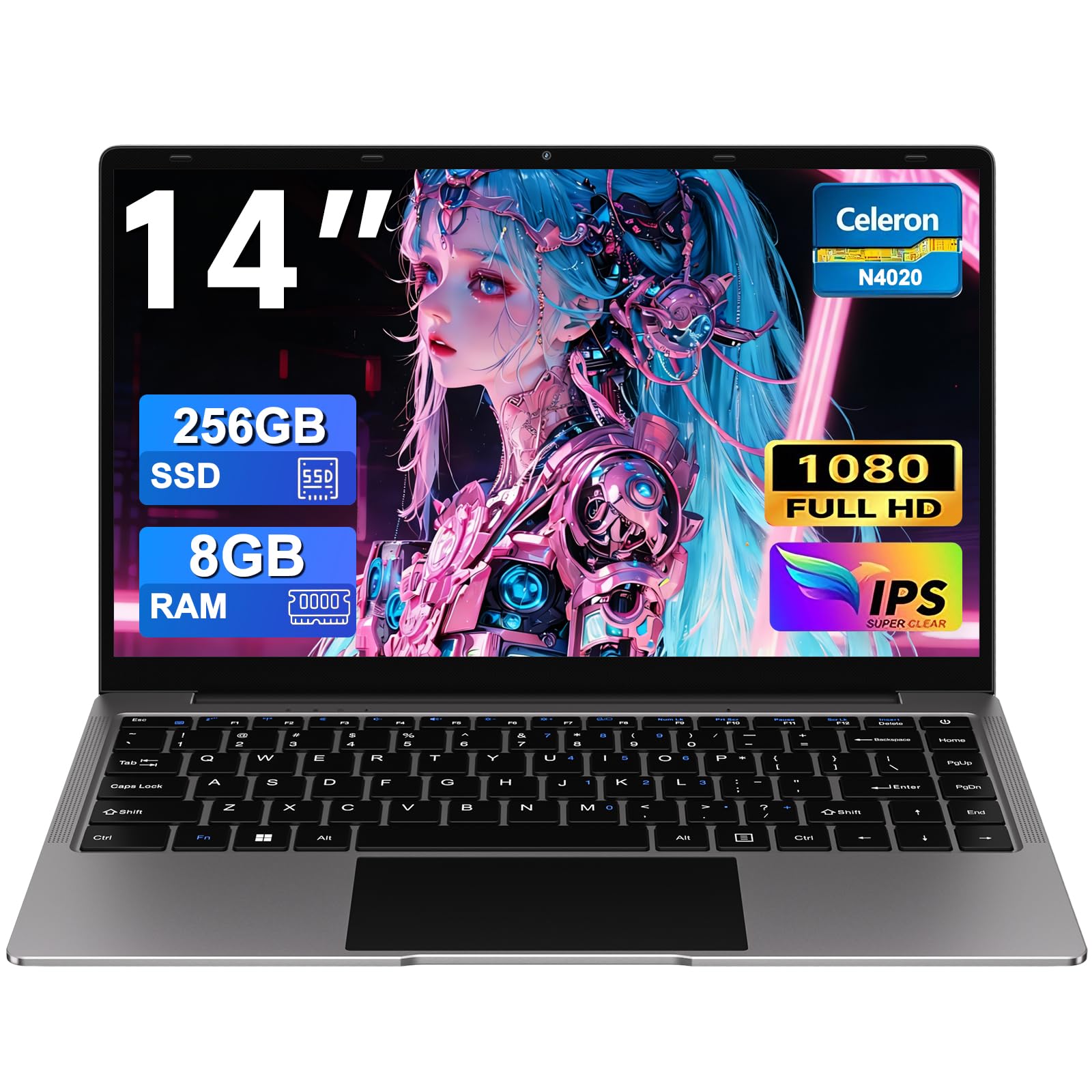
A simple, lightweight option for basic web browsing and light tasks.
For very basic use cases—like browsing the web, checking email, or watching videos—this budget laptop offers a straightforward solution. It features a Celeron N4020 dual-core processor with a turbo frequency up to 2.8 GHz. It comes with 6GB of RAM and a 256GB SSD. While the RAM is lower than the standard 8GB or 16GB found on other models, it is sufficient for running a few tabs and simple applications. The laptop weighs only 1.32 kilograms, making it one of the lightest options here.
The 14-inch screen can rotate 180 degrees, laying flat for sharing content. It includes a 2MP webcam and microphones for video conferencing. Connectivity options include 2.4G+5G Wi-Fi, Bluetooth 4.2, and multiple ports including USB-A and a Micro-SD slot. The package includes a wireless mouse and a silicone keyboard protector, which adds immediate value for new users. It runs Windows 11 and supports screen projection for connecting to external monitors.
The main limitation is performance. The Celeron processor is not designed for heavy multitasking or demanding software. It handles basic tasks fine, but you will notice slowdowns if you try to open too many programs at once. The build is plastic, which keeps the weight down but lacks the premium feel of the aluminum models. It is a tool for basic connectivity rather than a productivity powerhouse.
Simplicity: Comes with essential accessories like a mouse and keyboard protector, making it ready to use immediately.
Portability: The lightweight design is easy to carry around for basic tasks.
Best for: Users who need a secondary computer for basic browsing, email, and light media consumption.
Not ideal for: Anyone who needs to run heavy software, do photo editing, or rely on fast multitasking. This is a secondary device, not a primary workhorse.
Understanding the Specs
Processor Tiers and What They Mean
The processor decides how fast your apps open and how well they run. In this price range, you will see three broad tiers. The Celeron N4020 is a low-power chip for basic web browsing and email only—think of it as a starter engine for light errands. Mid-tier chips like the Intel Core i3-1215U and the AMD Ryzen 5 7520U handle everyday work, streaming, and several browser tabs at once without stuttering. The top tier here—Intel Core Ultra 5, Core Ultra 7, and Core i7—delivers desktop-class speed for spreadsheets, photo editing, and heavy multitasking. A Core Ultra 7 256V will chew through creative work that would stall a Celeron.
RAM and Why 16GB Is the New Standard
RAM is the short-term workspace your laptop uses to hold open programs. When you run out, everything slows to a crawl. 8GB is the minimum for Windows 11 and works for casual use, but 16GB is now the comfortable standard for keeping ten or more tabs open alongside a video call. Some picks here go even further: the Dell Latitude 7420 carries 32GB. Memory type matters too—LPDDR5 and LPDDR5X run faster and sip less power than older DDR4, which is why the Acer Aspire 14 AI can stretch its battery so far. If you multitask heavily or keep tabs open all day, prioritize 16GB or more.
FAQ
Is 16GB of RAM enough for a 14 inch laptop or do I need more?
Will a Celeron N4020 laptop handle Zoom calls and streaming?
What is an NPU and does a Copilot plus PC actually help me?
How much battery life do I really get from a 14 inch laptop?
Is a renewed or refurbished business laptop like the Dell Latitude 7420 a good buy?
Does a higher resolution screen matter on a 14 inch laptop?
What is the difference between an OLED screen and a standard IPS panel?
Can I upgrade the RAM or storage on these 14 inch laptops?
Is a 2-in-1 convertible like the HP Envy x360 better than a standard laptop?
Do I need a touchscreen on a 14 inch laptop?
Final Thoughts: The Verdict
For most people, the 14 inch laptop under $1000 winner is the Acer Aspire 14 AI with Intel Core Ultra 5 because it nails the daily-use essentials: a genuine 22-hour battery rating, 16GB of fast LPDDR5X memory (a newer, faster type of RAM), and a taller 1920 x 1200 screen—all cooled quietly and built to last. If raw processor speed for spreadsheets and business work matters more than all-day endurance, grab the Lenovo 14 G4 with i7-13620H. And for anyone who wants the sharpest screen and lightest frame in the group, the GEEKOM GeekBook X14 Pro with its 2.8K OLED panel (a screen with very high resolution and deep contrast) is the one to reach for.
Pick based on what you do most: long days away from an outlet point to the Acer, heavy computation points to the Lenovo, and sheer screen quality points to the GEEKOM. Every model here stays under the budget ceiling, so the real choice is which trade-off fits your routine.
How We Picked
We do not accept paid placement. Every pick is matched to a real buyer and a real use-case; we do not hands-on test units.
Sources & Methodology
Specifications: manufacturer listings and product documentation. Review insights: verified customer reviews, as of September 2026. Pricing: not shown on this page (it changes often); check the current price via the retailer link.
As an Amazon Associate, Gadgets Feed earns from qualifying purchases. This does not affect which products we feature.